
Planning a holiday get-together is fun — until you sit down to write the invite. What do you actually say? How do you explain the theme, gift exchange rules, or food plans without sounding overwhelming? When it comes to event planning, even a simple Christmas gathering is surprisingly tricky to word. This guide breaks down Christmas party invitation wording so you can fill in the essentials — who’s hosting, what type of party it is, the date, time, location, RSVP details, and any special notes — with zero guesswork.
You’ll also find copy-ready examples for family gatherings, neighborhood potlucks, office celebrations, ugly sweater parties, and white elephant exchanges. Plus, we’ll share RSVP tools to make responses quick and organized.
Start with the core template, customize the lines you need, and your holiday invite will be polished and party-ready in minutes.
Christmas party invitation wording: Line by line
A great holiday invitation feels warm and festive, but still clear enough that guests know exactly what to expect. Here’s how to build yours step by step.
Start here (quick steps)
Before you personalize your invite, confirm the basics:
- Who’s hosting and what kind of party it is
- Date, time, and location
- Party theme (ugly sweater, white elephant, cookie swap, open house, etc.)
- Gift exchange rules (budget, one gift per guest, optional)
- Food and drinks (hosted spread, potluck, BYOB, cocoa bar)
- RSVP method and deadline (URL/QR, phone, email)
- Use the core template below and adjust each line as needed
Did you know?
You can streamline invites and RSVPs with Jotform tools made specifically for holiday hosts:
- Christmas Party RSVP App: Create a tap-to-RSVP link or QR code in minutes.
- Christmas Party RSVP Form: Collect responses quickly on one single page.
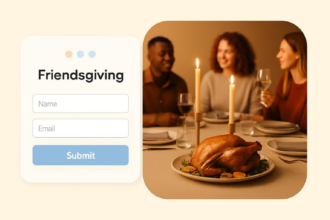
- Christmas Party Form Templates: Send a themed digital invite with event details and an RSVP field.
These no-code tools keep everything organized — guest count, potluck items, plus-ones, and reminders — right in one dashboard.
Core copyable template (plain text)
You’re invited to a Christmas party!
Hosted by [Host Names]
[Day, Month Day, Year] at [Time] [– End time if needed]
[Venue/Address], [City, State]
Theme: [Ugly Sweater / White Elephant / Cookie Swap / Classic]
Gift Exchange (optional): [White Elephant – $20 limit / Secret Santa details]
Food & Drinks: [Snacks provided / Potluck / BYOB / Cocktails & mocktails]
Kindly RSVP by [Date] at [URL/QR/Contact]
Notes: [Parking, kid-friendly/adults-only, outdoor firepit/blankets, accessibility]
Host/event name (60–90 words)
Start with a warm, simple opener that matches your vibe. Holiday invites feel best when the host is clear and the event name sets the tone. For casual gatherings, keep it friendly; for office or formal events, go more polished.
Example:
“You’re invited to our Christmas party! Hosted by the Perezes.”
This instantly signals who’s welcoming guests and what kind of celebration it is — no guesswork needed.
Date and time (60–90 words)
Use spelled-out wording for formal events (“Saturday, the fourteenth of December”), or numerals for modern/casual gatherings (“Saturday, Dec 14 • 5:00–8:00 PM”).
Including an end time helps with family parties, apartments with quiet hours, or events that include timed activities like gift exchanges or cookie swaps.
Example:
“Saturday, Dec 14 • 5:00–8:00 PM.”
Location/format (60–90 words)
Write your venue name, street address, city, and state — especially for home-based or lesser known locations. Add format notes so guests know what to expect: open house, dessert-only, cocktail party, outdoor patio, etc.
Example:
“1420 Maple Ave, Evanston, Illinois • Holiday open house.”
If you’re using a digital invite with a map link, note that RSVPed guests will receive the exact details automatically.
Theme (60–90 words)
Themes make holiday parties fun — and they help guests prepare. Clarify whether festive attire, ugly sweaters, or costumes are required, encouraged, or optional. For cookie swaps, mention bring-rules (quantity and packaging). For ugly sweater contests, include prize details.
Example:
“Ugly sweaters encouraged • Prize for most festive0”
Pro Tip
Jotform’s Contact Form with Christmas Theme is perfect if you want to send a digital invite that looks festive from the get-go — snowflakes, holiday fonts, and a cheerful design. Swap in your event details, and your invite will match the holiday vibe before guests open their doors.
Gift exchange rules (60–90 words)
Gift exchanges work best when expectations are clear. State whether it’s Secret Santa, a white elephant exchange, or no gifts at all, along with budgets and wrapping rules.
Example:
“White Elephant — $20 limit • One wrapped gift per guest.”
If gifts are optional, a quick “[Optional]” tag keeps things low-pressure.
Pro Tip
To simplify coordination, use Jotform’s Christmas Gift Survey template. Share the survey link or QR with guests so they can indicate gift preferences, dietary restrictions (if food-based), themes, or whether they prefer not to participate. It helps you stay organized — and keeps the gift exchange fun for everyone.
Food and drinks (60–90 words)
Let guests know what’s provided and what (if anything) they should bring. Examples include snacks provided, potluck (with dish signups), BYOB, mocktail bar, dessert-only, cocoa station, etc.
Example:
“We’ll have appetizers and cocoa • BYOB welcome.”
If you’re using a Jotform RSVP Form, you can add a potluck signup table.
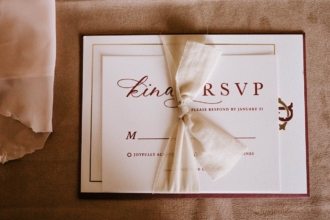
RSVP method and deadline (60–90 words)
Make the RSVP method unmistakable: URL, QR code, phone, or email. Set a firm deadline for accurate planning.
Example:
“RSVP by Dec 7 at [ShortURL] (QR on invite).”
For quickest replies, use a digital option like the Christmas Party RSVP App — guests tap once and you get instant updates.
Additional notes (60–90 words)
These small details improve comfort and clarity. Mention parking, kid-friendly vs adults-only, outdoor seating, firepit arrangements, accessibility, or weather-dependent plans.
Example:
“Kid-friendly • Street parking • Bundle up for the patio fire.”
Work Christmas party invite wording (template)
Use this template for department or company events where clarity, safety, and expectations matter.
Please join us for the [Company Name] Holiday Party
[Day, Month Day, Year] • [Time–End time]
[Venue/Address], [City, State]
Who: [All employees / Team Name] [with/without plus-ones]
Attire: [Business casual / Festive]
Food & Drinks: [Buffet / Passed apps] • [Beer & wine / Alcohol-free]
Activities: [Raffle / White Elephant – $20 limit / Photo booth]
Please RSVP by [Date] at [URL/QR]; contact [Name/Email] with questions
Workplace tip
To avoid confusion or HR issues, state alcohol guidelines, plus-one rules, and any special policies directly on the invite or RSVP page.
Make RSVPs easy and enjoy the celebration
Creating a Christmas party invitation doesn’t have to feel like another task on an already busy holiday to-do list. With the right wording, you can set expectations clearly, highlight your theme, and make sure guests know exactly how to RSVP. Just copy the template above, personalize your theme and gift-exchange details, and set a clear RSVP deadline so guests know exactly how to respond.
For the smoothest replies, publish a Christmas Party RSVP App or share a Christmas Party RSVP Form, then add the short URL or QR code right on your invitation. With the details handled, you can focus on what truly matters — celebrating the season with the people you love.
This article is for the hosts planning family, friends, neighborhood, or office holiday gatherings who want clear, copy-ready lines (theme, gift exchange rules, food/drinks, RSVP).







































































Send Comment: