Learning management systems (LMS) are low-key ubiquitous software. Anyone who has taken any sort of course, whether through a public school, university, workplace training, or professional certification, has used an LMS. These platforms consolidate course creation, enrollment, assignment management, tests and grades, and a dozen other features into a single tool that can work for classrooms, schools, districts, companies, and government agencies.
Unlike simpler self-service software signups, most LMS contracts take more than a year to negotiate, then at least that long to deploy and train instructors to use all of the features. It is a massive undertaking that begins with choosing which LMS is the best fit for your program.
Although there are dozens of learning management systems to choose from, a few stand out. Canvas and Schoology power thousands of schools, from K–12 school districts to Division I universities, each with thousands of courses and students. Both include a dizzying number of educational technology tools. Neither offers a free trial or even month-to-month pricing. So I set out to document how Canvas and Schoology compare in terms of learning curves, course design and grading, integrations, mobile experiences, and pricing. While many of the differences between the two come down to preferences, each one has clear strengths and weaknesses in 2026.
 Schoology |  Canvas | |
|---|---|---|
| Best for | Less structured, more open-ended course design | Mobile-optimized courses |
| Ideal school profile | K–12 schools negotiating with their districts for a PowerSchool integration | Higher-education institutions with lots of distance learning |
| Unique features | Social media-style classroom feeds and portals | Free, open-source deployment and 1,000+ integrations |
| Free trial | No | No |
| Pricing | Contract negotiation | Contract negotiation |
Schoology
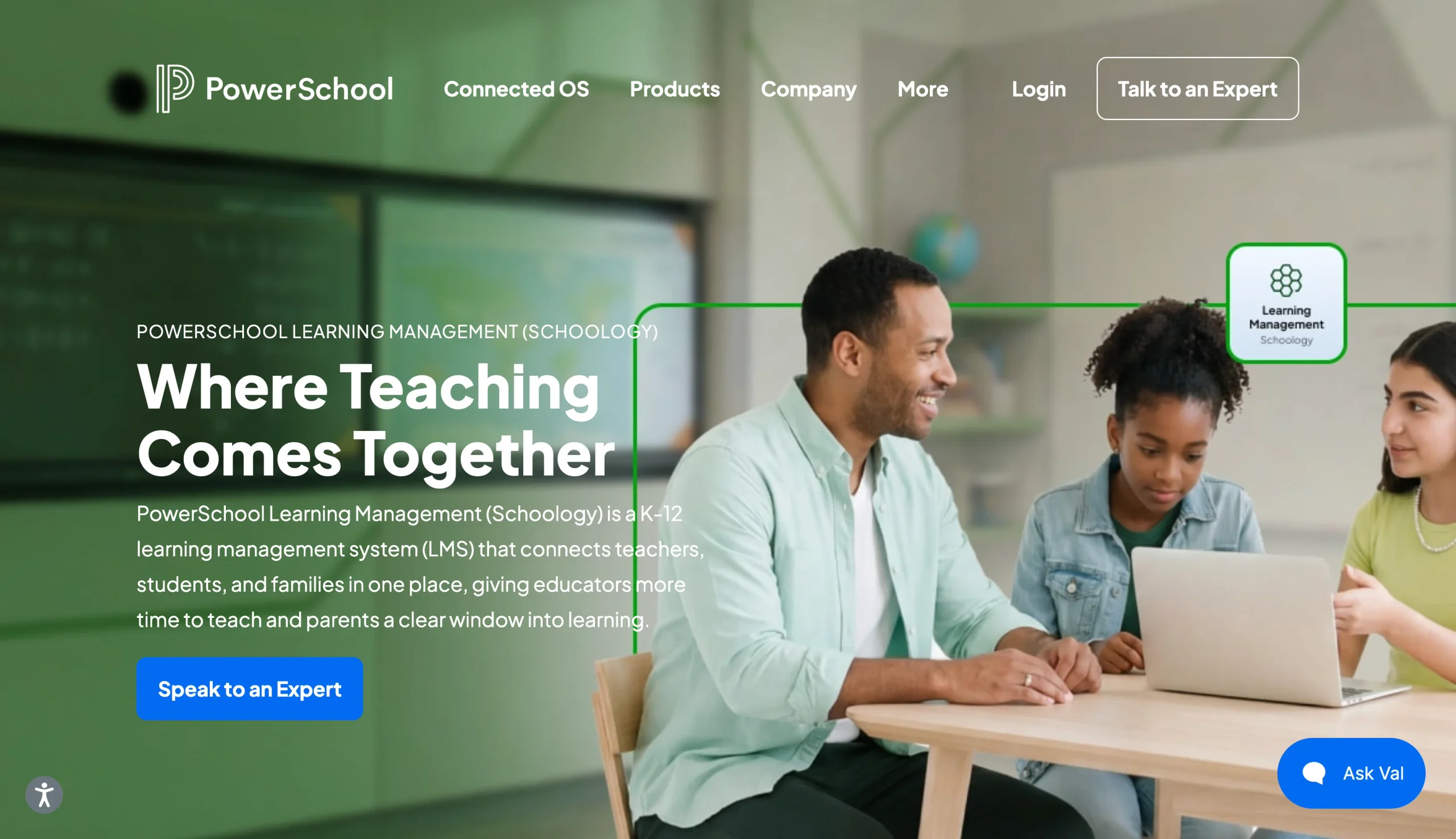
Founded around the same time as Canvas, Schoology started as a simple note-sharing app. After a few years of development and progressively adding features to the platform, Schoology raised $7 million. Much of its expansion into its 60,000 schools in the company’s early days resulted from word of mouth on social media, its CEO said.
Acquired by PowerSchool in 2019, Schoology joined a broader suite of educational technology tools that filled in gaps in accounting, HR, marketing, and other areas to create a “Connected OS” targeted mainly at K–12 schools. While Schoology remains a distinct, standalone product in PowerSchool’s portfolio, arguably its biggest selling point is its parent company’s ecosystem. Everything in the Connected OS suite is built from the ground up to integrate Schoology data with all LMS-adjacent workflows and functions a public school relies on to support its students and teachers.
What makes Schoology unique?
Schoology’s feed-based courses and digital classrooms make this one of the best Canvas LMS alternatives. Instead of having to publish an entire semester’s schedules and modules on the first day of class, instructors can post updates, assignments, and materials as they go. It’s less structured and better suited for K–12 lesson planning.
Other than its in-app design options, Schoology is impossible to separate from PowerSchool’s Connected OS. It’s not the only tool that promises to save schools from asking teachers to re-enter the same data across multiple school information systems (SIS) and grading tools. But it has a lot of money behind it, backed by more than a decade of EdTech development from a dozen companies and teams. It provides a single source of truth for teachers and school and district administrators.
Canvas
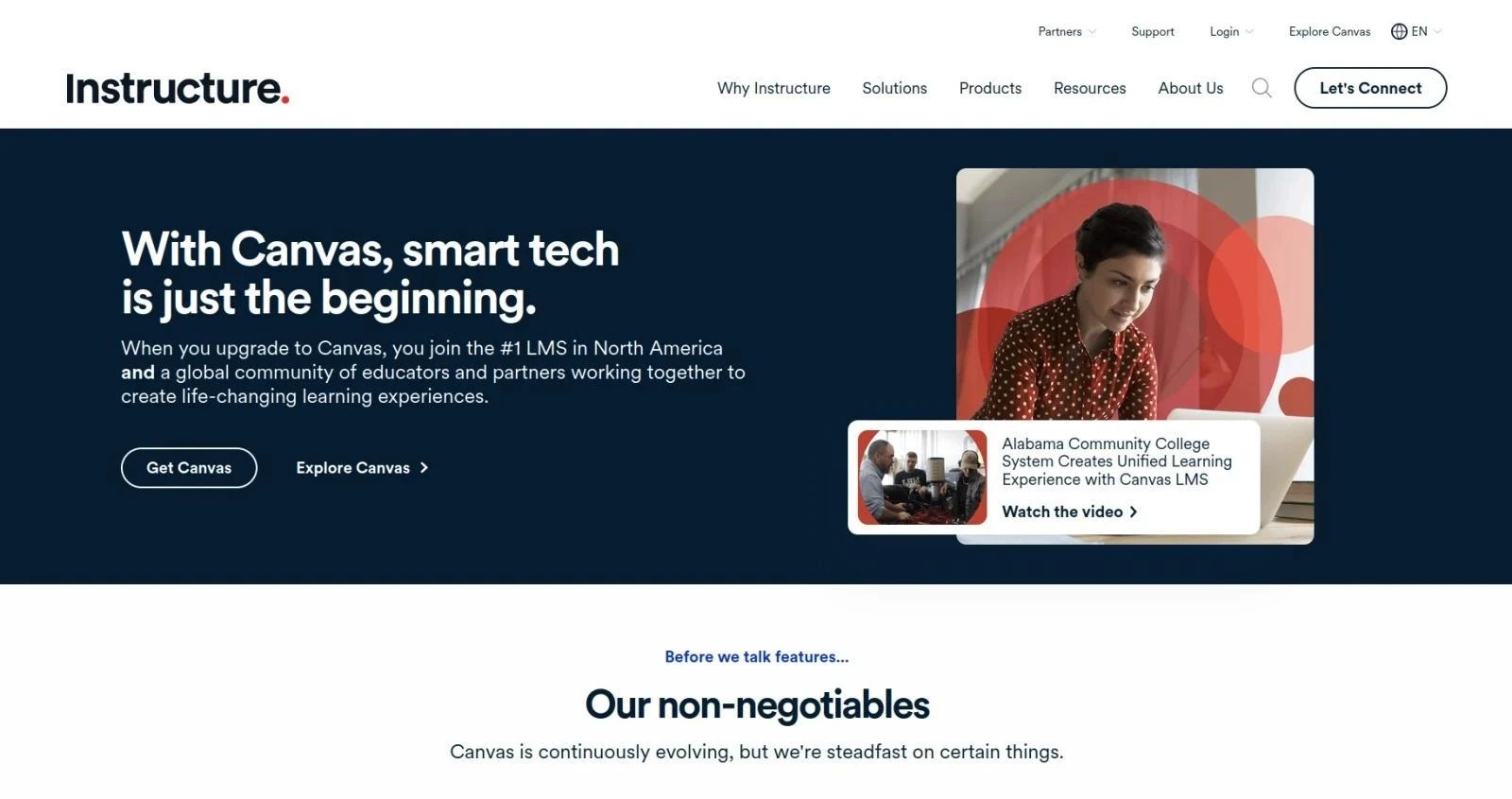
Released in 2011 after beta testing with select institutions, Canvas, Instructure’s LMS platform, also became popular quickly. Canvas earned its market share for its simplicity and ease of adoption of intuitive interfaces and cloud-based deployments, which at the time didn’t receive as much attention from more established school management software, such as Blackboard.
You can self-host an open-source deployment of Canvas, complete with most (but not all) of the features included in an Instructure-hosted instance. Canvas doesn’t have many features that make it specifically tailored for colleges and universities. For example, lesson planning for third-grade classrooms is not much different from course design for college sophomores. Still, Instructure views higher education as its core demographic and stands out in that vertical in subtle ways.
What makes Canvas unique?
While it’s not unique to Canvas, module-based course design is something this platform does better than the rest. The app’s design helps instructors plan student progression in advance, building out a timeline of topics, files, assignments, and tests before the course portal is published. Templated course and module creation checklists and robust import tools help create a coherent and logical structure for a course.
Instructors might set up a progressive series of essays and have students write them, upload them to Canvas using its Google Drive integration, and then discuss their work with other students in a public thread within that module. Students could do this from their laptop or via one of Canvas’s mobile apps, which optimize almost all the platform’s features for smaller screens.
In areas where Canvas falls short, such as building customized course signup workflows, its impressive list of integrations picks up the slack. You can integrate Canvas with Jotform, for example, to safely and easily sync data from outside the LMS to your school’s database. Unlike platforms that are limited to custom integrations or middleware like Zapier, Canvas lets you do this simply by creating a developer key and connecting the two platforms directly. That’s especially useful, considering third-party platforms like Jotform frequently offer a 50 percent discount for education institutions and can outsource some of your contract’s line items to another tool.
Schoology vs Canvas in 2026: Head-to-head comparison
A second-grade teacher is going to have wildly different LMS preferences than a university chemistry professor. These platforms are also far more customizable than your average SaaS app, so one school’s LMS may look almost nothing like another school’s platform. That’s why, instead of comparing Canvas and Schoology feature by feature, I instead focused on which performed best across categories including user-friendliness, course management, platform integrations, and price.
Ease of use and learning curve
This is a difficult category to grade for these two platforms. Unlike the Blackboard LMS, which looks very similar to Canvas, Schoology does not. Its social media-esque timeline feed is much different from Canvas’s dashboard-centric experience. All told, though, I thought Canvas took much less time to pick up and understand.
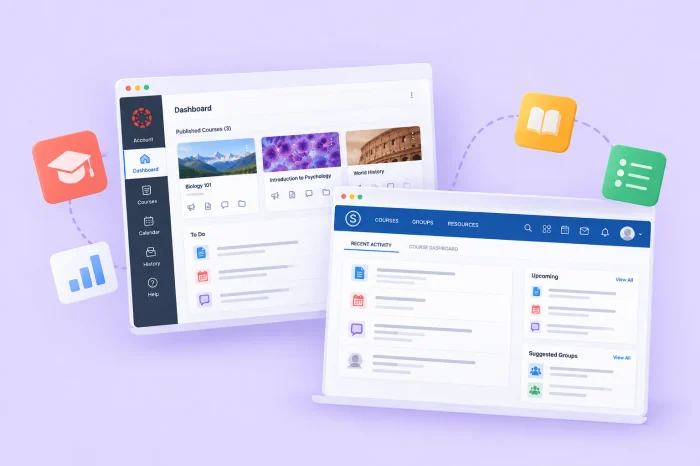
Canvas uses a left-hand sidebar for general platform navigation with tabs such as Courses, Calendar, and Inbox. There’s also a Dashboard view (the default view when first logging in) that puts all your current courses front and center. Teachers and students will spend most of their time in courses, and each one is essentially a nested LMS. Inside a course, your platform sidebar is hidden in the hamburger menu and replaced by a course-specific sidebar with tabs such as Assignments, Grades, People, and Files. That’s 90 percent of what you need to know to navigate the platform.
Schoology has fewer features and less overall complexity than Canvas. But that doesn’t necessarily mean it’s easier to use or navigate. Schoology has a navigation bar along the top of the screen, with half of the features represented with text labels and half with icons. The most important difference is that Schoology defaults to activity feeds for both your account dashboard and course views.
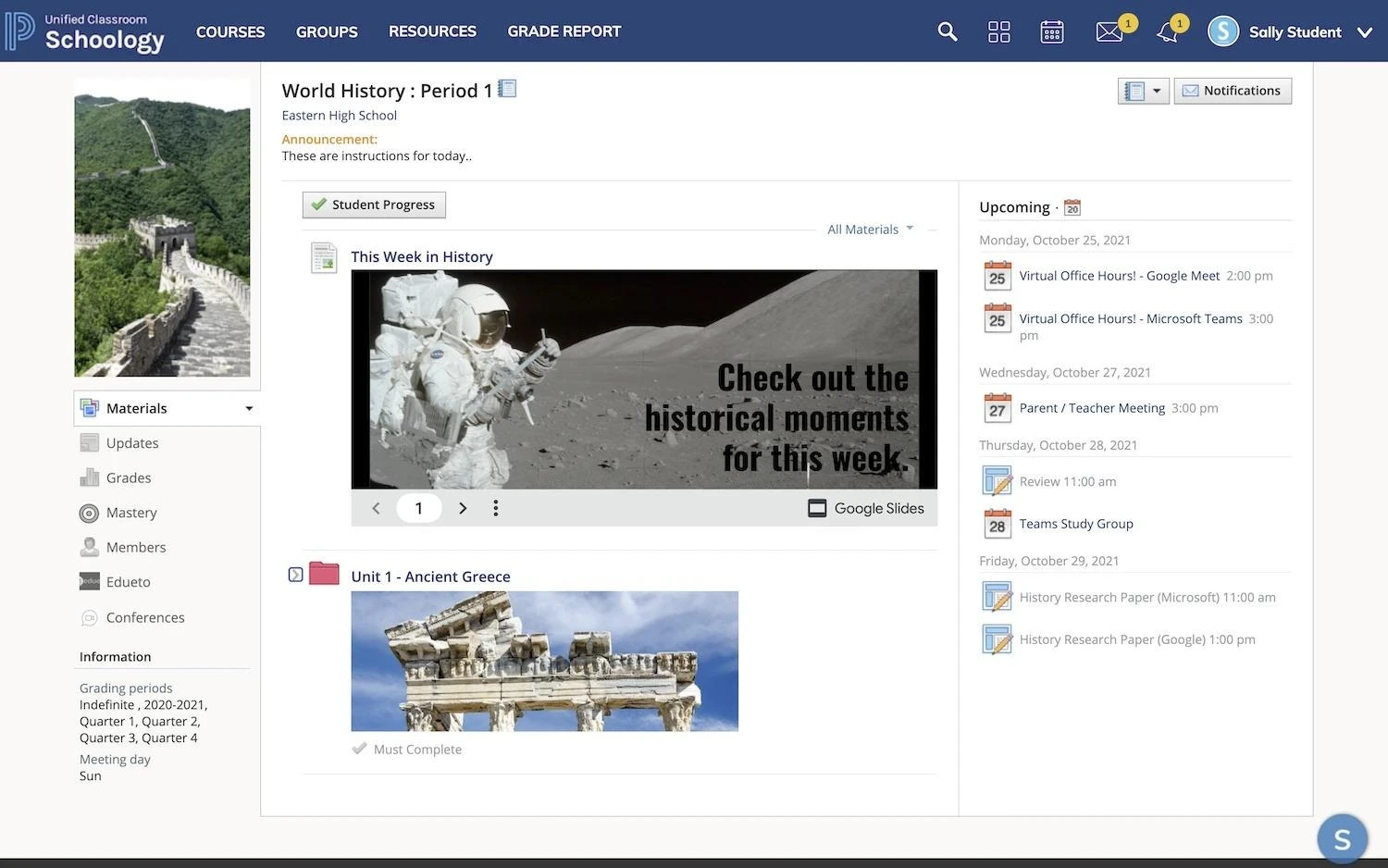
Instructors have to organize class documents, assignments, and tests all under a course’s Materials tab and come up with their own folder structure and naming conventions. That means you need to either build your own course templates or start from scratch every time. And students need to learn each instructor’s organization style, contrasting with Canvas’s platform-wide course uniformity.
And while it doesn’t necessarily hurt user-friendliness, Schoology’s interface simply looks older and rougher. Compare that with Canvas’s cleaner and more modern interface (on both desktop and mobile), which alone could land the platform on the list of Schoology alternatives.
Winner: Canvas
Course management, assignments, and grading
For course design, Canvas is fairly linear and module-based, while Schoology is more of a free-form blank slate. Instructors need to have a solid syllabus schedule finalized in advance to use Canvas. Schoology is better for building as you go. The former approach is the norm for higher education; the latter tends to be better for K–12.
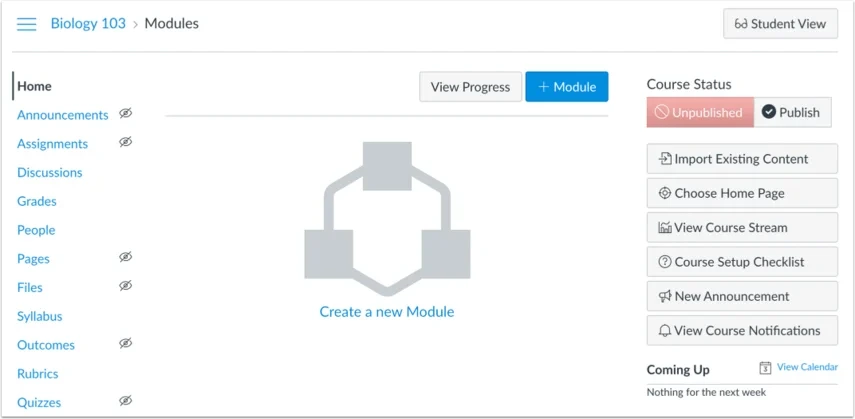
After you create a new course in Canvas, you can import files, assignments, and quizzes from one of your other courses; follow a guided Course Setup Checklist; or simply upload content manually tab by tab. Assignments and quizzes use basic drag-and-drop editors with limited question types (another reason to use the Jotform + Canvas integration), but they’re still better than Schoology’s options.
In Schoology, creating or importing content from previous courses isn’t as straightforward. You can build out assignments and quizzes in a course, but if you want to reuse them in another classroom, you need to build them inside the Resources tab instead of inside the course. The quiz builder and file uploads are fine for younger classrooms with simpler curricula but clunky compared with Canvas or a dedicated form builder.
Because Schoology is focused on K–12 classrooms, it’s more free-form, with educators likely adding attachments and messages in the Materials field as they go. Updates are displayed as a chronological feed, but students and parents don’t have to follow the chronology.
Winner: Canvas
Integrations, APIs, and institutional systems
Data types and organization are fairly standardized for learning management systems, which is a rarity among software types. For example, the Learning Technology Interoperability (LTI) specification mandates uniform formatting for certain fields related to student profiles, grades, and progress. Canvas and Schoology both meet the requirements of LTI’s latest version, 1.3 Advantage Complete, which is likely where most of your school’s integration work will be done.

Both platforms also offer a REST API for administrators and third-party developers to test, register, and publish integrations for their own apps. This is another area in which Schoology’s back end seems far ahead of its front end. The developer documentation looks extremely dated and neglected but seems to otherwise be up to date. While it’s not a huge deal, Instructure’s developer docs are far easier to parse and navigate for admins.
Each platform has an entire ecosystem of tools and apps outside of its LMS platforms, which act as stand-ins for many of the native integrations you’d expect. They want you to use their AI, videoconferencing, accounting, and analytics to increase the lifetime value of your contract. If we count those as “integrations,” PowerSchool has more to offer. But for truly third-party connectors, Canvas’s developer documentation and community offer a better experience.
Winner: Canvas
Mobile experience and student access
One of Canvas’s biggest selling points is that it has one of the best mobile experiences of any LMS. Instructure maintains three separate iOS and Android downloads (one for students, one for teachers, and one for parents), all regularly updated and optimized for their particular user base. For example, the student app homepage shows assignments upon opening, while teachers are greeted by their grading queue.
Almost anything desktop Canvas can do, the mobile version can handle. The two experiences look almost identical. That’s not the case with Schoology.
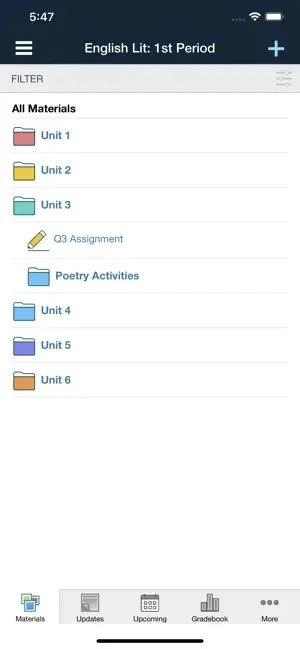
I guess K–12 institutions are less mobile-forward than higher education. PowerSchool’s apps look different enough from the desktop experience that there’s an uncomfortable adjustment period. Beyond its clunky design, several features aren’t available in the mobile experience, and I ran across some users saying they prefer to log in from a web browser on their phone instead of using the app.
Winner: Canvas
Data exports and data portability
As with integrations, the EdTech industry has done an excellent job of standardizing data exports and platform migrations. No one wants to be the app that locks down a school’s grades and records in the name of revenue. So there aren’t many differences between Canvas and Schoology in that area. But where they do differ is something admins should research before choosing one of the platforms.
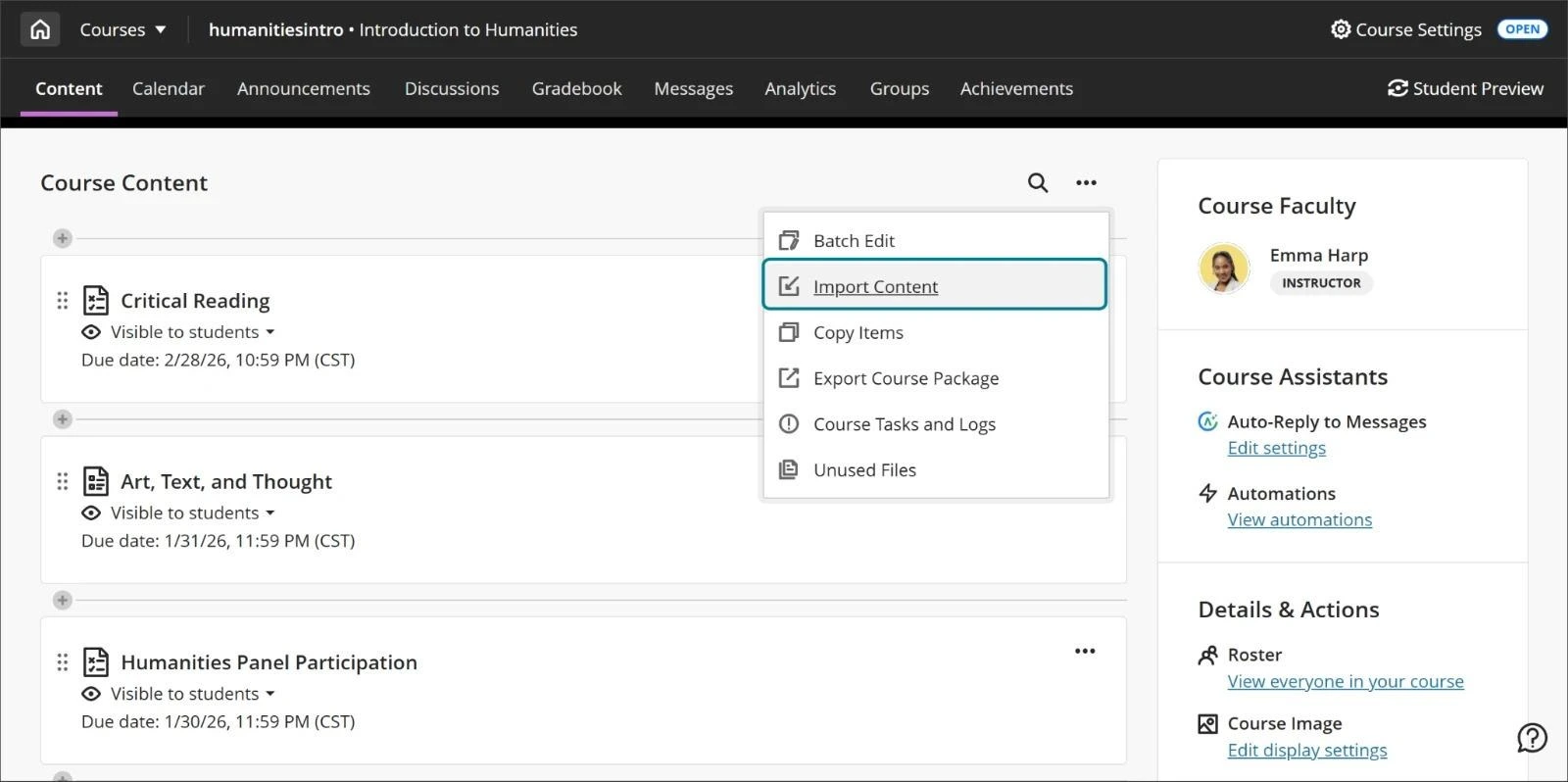
In Canvas, an instructor can simply go to Course Settings and click Export Course Content. They’ll receive an email when the Common Cartridge-formatted archive is ready to download, and there’s usually no need to get admins involved. For bulk exports, there are API routes for downloading files, folders, attachments, quizzes, assignments, calendars, modules, or bundles of whatever you need.
Schoology is less straightforward. Teachers must first save a course to a collection in the Resources tab before they can export the collection in a Common Cartridge-compatible format. I also found several user reports that Schoology exports were missing crucial things such as assignment grades, due dates, and course rubrics. There also appears to be no API route for exports.
Winner: Canvas
Schoology vs Canvas: Pricing and plans
Schoology | Canvas | |
|---|---|---|
| Best-fit budget profile | Small to midsize K–12 schools negotiating price as part of a district or county | Large institutions deploying their first large-scale LMS |
| Public pricing | ||
| Pricing model | Enrollment-based | Enrollment-based |
| Onboarding fee | ||
| Training costs | ||
| Add-ons or premium features |
Very few LMS platforms publish their pricing, and that includes Canvas and Schoology. Any dollar amounts I found were reported semi-anonymously on forums and personal blogs and should therefore be taken with a grain of salt. However, I can tell you with certainty that deployment, training, and add-on fees all run in the thousands of dollars (at minimum).
For what it’s worth, Canvas LMS pricing at least pretends to offer clearly defined tiers: Core, Plus, and Next. They’re really just packages you’ll likely end up tweaking anyway. Core covers all the basic features, with a few token AI tools, while Plus and Next layer on upgrades such as Studio for interactive video, Impact for in-app communication and engagement, and Credentials for certification programs.
PowerSchool’s pricing for Schoology is less clear. I found reports of prices ranging from $7 per student, per year for 2,500 students to up to $21 per student, per year for 400 students. Elsewhere, someone said that adding other PowerSchool apps to your contract typically runs $2–$10 per user, per year. But again, prices can vary wildly based on term length, student count, add-on list, and even the season you’re negotiating in.
If both platforms would work for your institution, ask for a quote early, look for cheaper integrations that can minimize add-on costs, and pit each negotiator’s concessions against the other. It’s also worth looking at the handful of platforms that are transparent about their costs (Google Classroom pricing is very straightforward, for example) and searching for unbiased guides on how to use Schoology or Canvas so you can get an idea of what day-to-day use is like for each.
Winner: Unclear.
Schoology or Canvas: Which one should you choose?
Obviously, based on my research, I have a strong preference for Canvas. It looks and feels newer, with clear and simple course design workflows for teachers and class participation for students. However, Schoology’s focus on a specific demographic, in this case K–12, gives it an edge over Canvas for public schools. But if you’re still not certain, here are some things to consider.
Choose Schoology if
- You’re interested in or already running PowerSchool for your SIS or other administrative tools.
- Your teachers prefer a free-form, activity-feed-style course structure they can build out as they go, instead of committing to Canvas’s module-based planning.
- You’re a small or midsize K–12 school negotiating pricing as part of a district or county contract, which makes Schoology’s smaller contracts more affordable.
Choose Canvas if
- Mobile access is an important element of classroom experience. Canvas’s apps are far more advanced and better maintained than Schoology’s.
- You want a clean, linear, module-based course design that’s easy for new teachers and admins to pick up without much training.
- You have an IT department ready and willing to support maintenance of integrations, LMS APIs, data backups and exports, or the option to self-host using the open-source AGPL release.
The choice comes down to how much you prioritize the look and feel of your LMS versus its curriculum design philosophy. Both platforms are considered some of the best software for teachers, with thousands of four-star reviews between them. And, for every workflow they fall short in, countless third-party integrations can make up for lost ground. Jotform alone has nearly 5,000 education form templates for better control and granularity over things such as student signups and classroom enrollment. And you can try the app for free before you sign up.
This article is for K-12 district leaders, higher education administrators, instructional technology teams, curriculum directors, and faculty committees comparing Schoology and Canvas before choosing, renewing, or migrating LMS platforms.

































































































Send Comment: