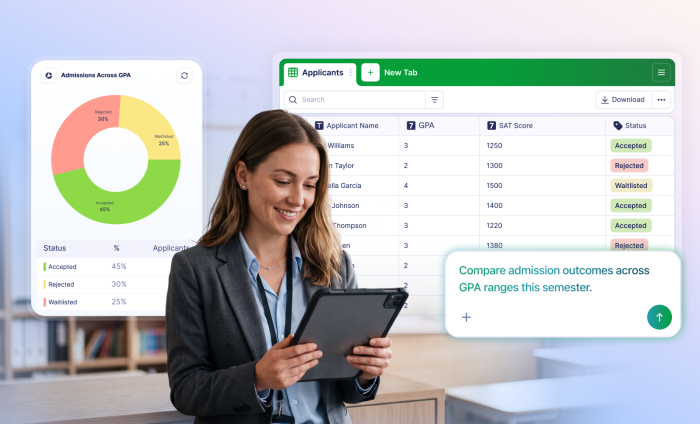
Educational institutions collect plenty of data from different departments, programs, students, and parents. The challenge is turning that data into useful insights.
The Jotform AI Data Assistant offers an easier way to organize, analyze, visualize, and act on data using natural-language prompts. Education teams can use AI to explore and manage their form submissions where they already appear: Jotform Tables and Inbox.
Here are three use cases that show how educational institutions can get more from their data with the Jotform AI Data Assistant.
1. Evaluate college and university applicant data
Application season brings a familiar challenge for university admissions teams: evaluating GPAs, standardized test scores, essays, recommendations, extracurricular activities, and other criteria across a large applicant pool.
Comparing all that information can involve formulas, custom views, and reports that need to be updated whenever evaluation criteria change.
With the Jotform AI Data Assistant, admissions teams can take a more conversational approach. An admissions officer could simply say, “Calculate a composite score for applicants based on 50 percent GPA, 30 percent SAT score, and 20 percent essay rating.”
In Jotform Tables, the Jotform AI Data Assistant appears to the left of an open table. Tell the assistant exactly what you want from your data by entering a prompt, or speak to the assistant using voice commands.
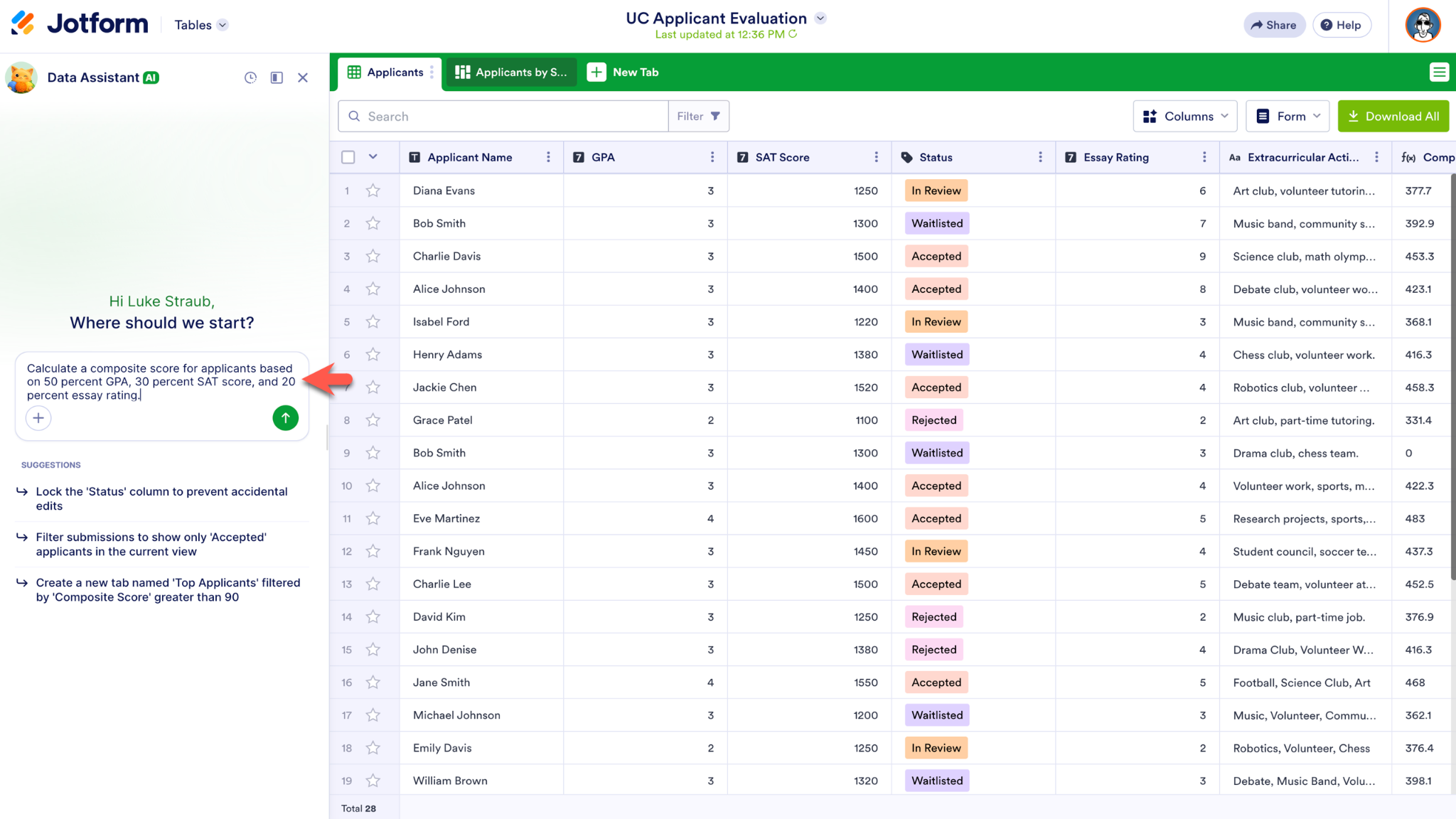
The Jotform AI Data Assistant analyzes submission data and calculates metrics dynamically according to your instructions, eliminating the need to manually build formulas or configure filters.
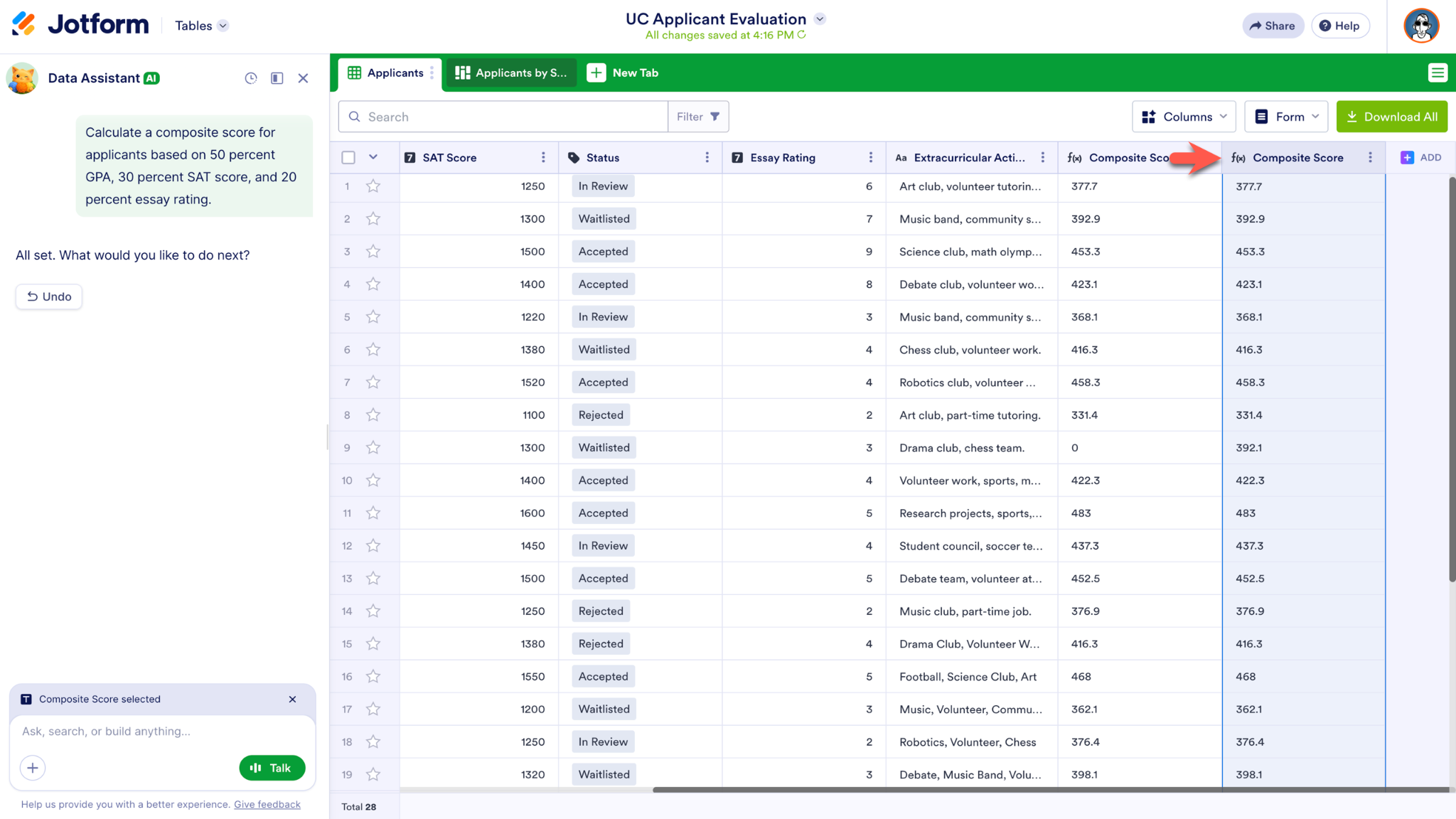
Your team can also ask for a chart or visual summary of applicant data. Simply describe what you want to see, and the visualization will be generated directly from your submission data.
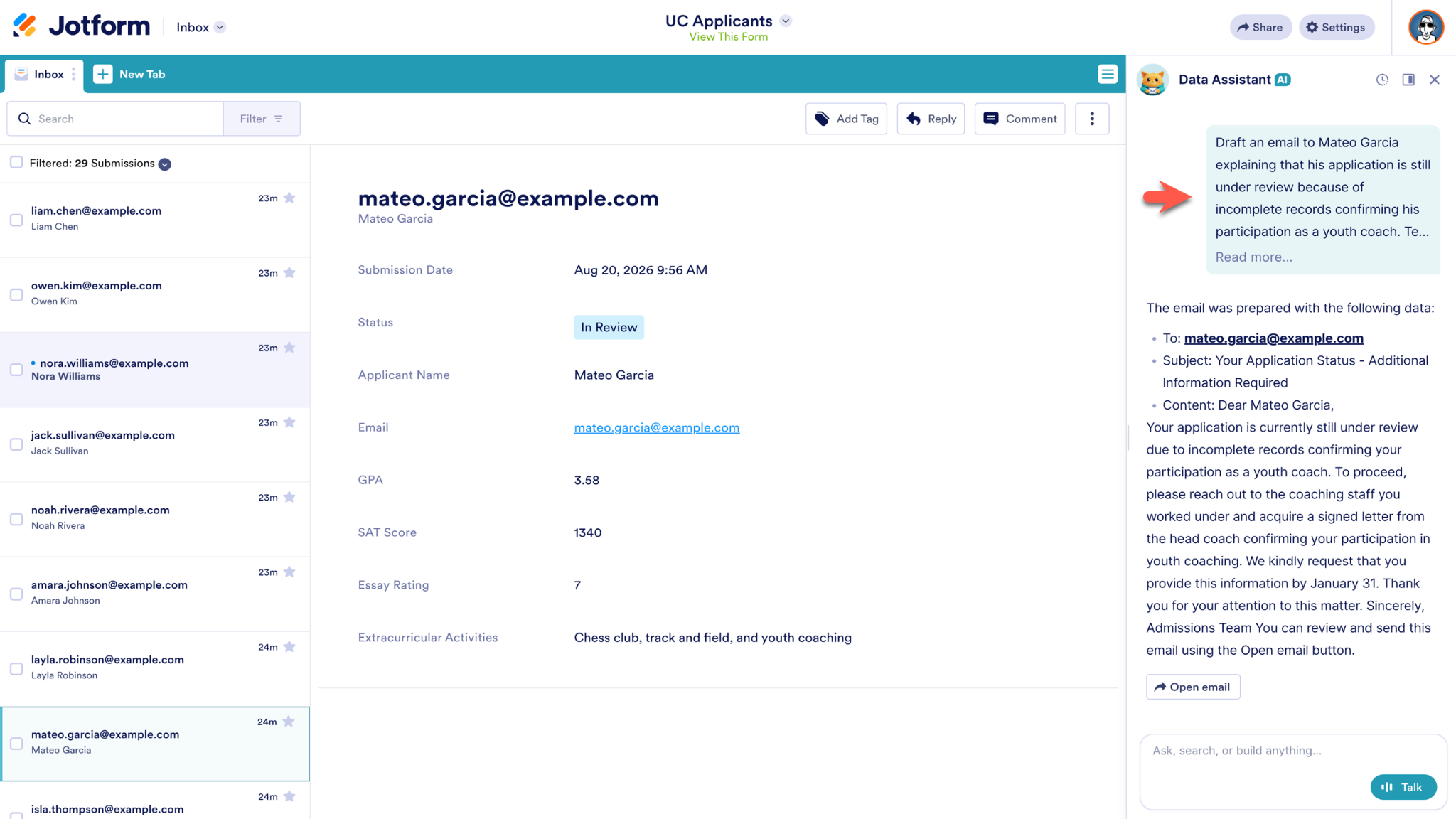
When it’s time to take action, the Jotform AI Data Assistant works across Jotform Tables and Inbox to generate personalized follow-up emails, forward submissions to specific teams, and more. In Jotform Inbox, the Jotform AI Data Assistant appears to the right.
For Jotform Enterprise customers, the Jotform AI Data Assistant helps with the large-scale, collaborative workflows that keep these organizations running. Teams can use the Data Assistant to work with submission data more efficiently across departments while reducing manual work and making insights easier to access.
- Analyze data faster: Ask questions, calculate results, identify trends, and generate visualizations without manually building formulas or reports.
- Reduce repetitive work: Use AI to handle bulk updates, organize records, categorize responses, and streamline other time-consuming tasks.
- Make data analysis more accessible: Give nontechnical team members an easier way to analyze complex data using natural-language prompts.
- Improve collaboration: Share tables, manage access, and help teams work with the same submission data across departments.
- Turn insights into action: Generate follow-ups, route submissions, export results, and manage records directly from Jotform Tables and Inbox.
- Keep workflows in Jotform: Move from data collection to analysis, visualization, collaboration, and follow-up without relying on separate tools.
2. Compare results across teaching approaches
Teachers and academic teams make decisions every day about how to teach new material and support student learning. Sometimes they use a hands-on activity; other times, they deliver a lecture, lead a group project, assign an independent assignment, or take another approach.
Finding helpful insights can be difficult when data is spread across quizzes, assessments, assignments, courses, and classes. With the Jotform AI Data Assistant, academic teams can explore their data with a simple question or command.
A teacher might say, “Compare average quiz scores from hands-on lessons with lecture-based lessons.” A department head could take a broader view and say, “Compare average assessment scores across course sections this semester.”
The Jotform AI Data Assistant can analyze data, calculate averages and summaries, and generate charts that make comparisons easier to see. Charts and graphs generated by the Jotform AI Data Assistant are downloadable, so teams can save them on any device or share them with colleagues across the institution.
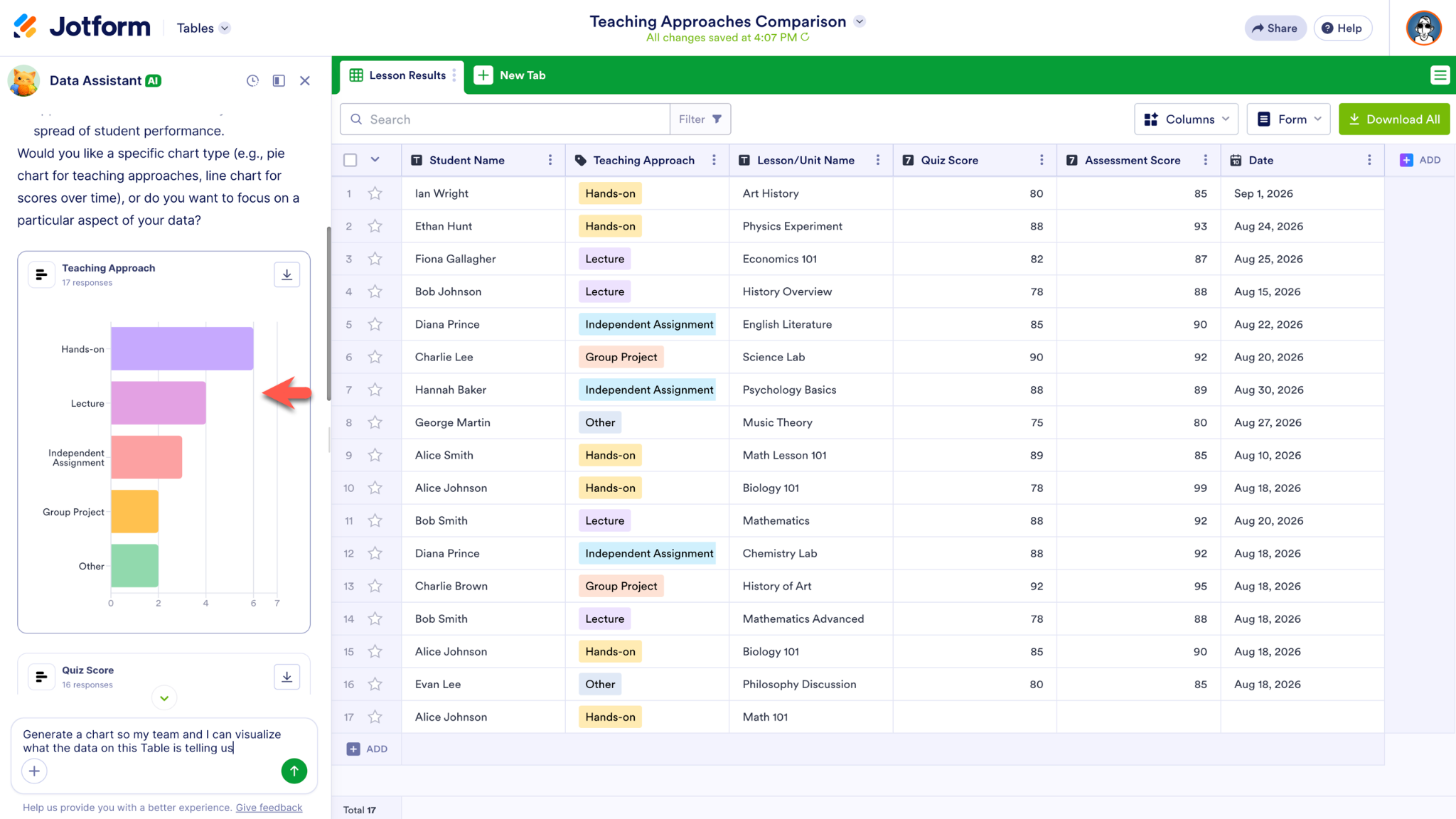
Whether you’re working with student records in Jotform Inbox or exploring grade trends in Jotform Tables, the assistant helps teams organize information, update records, and spot patterns across classes or courses. These insights can help inform teaching strategies and give educators confidence that their methods are the right ones.
3. Gather data for Title I funding
Title I in the US provides federal funds to K–12 districts and schools that have high percentages of children from low-income families. To determine how many of their students can be considered low-income, administrators have to work with census poverty data or information related to eligibility for programs such as free or reduced-price lunch, Temporary Assistance for Needy Families, or Medicaid.
The Jotform AI Data Assistant can help administrators make sense of the financial information they collect with Jotform. They can ask questions such as “Is any economic needs information missing from the student records in this table?” or “What’s the percentage of students eligible for free or reduced-price lunch?”
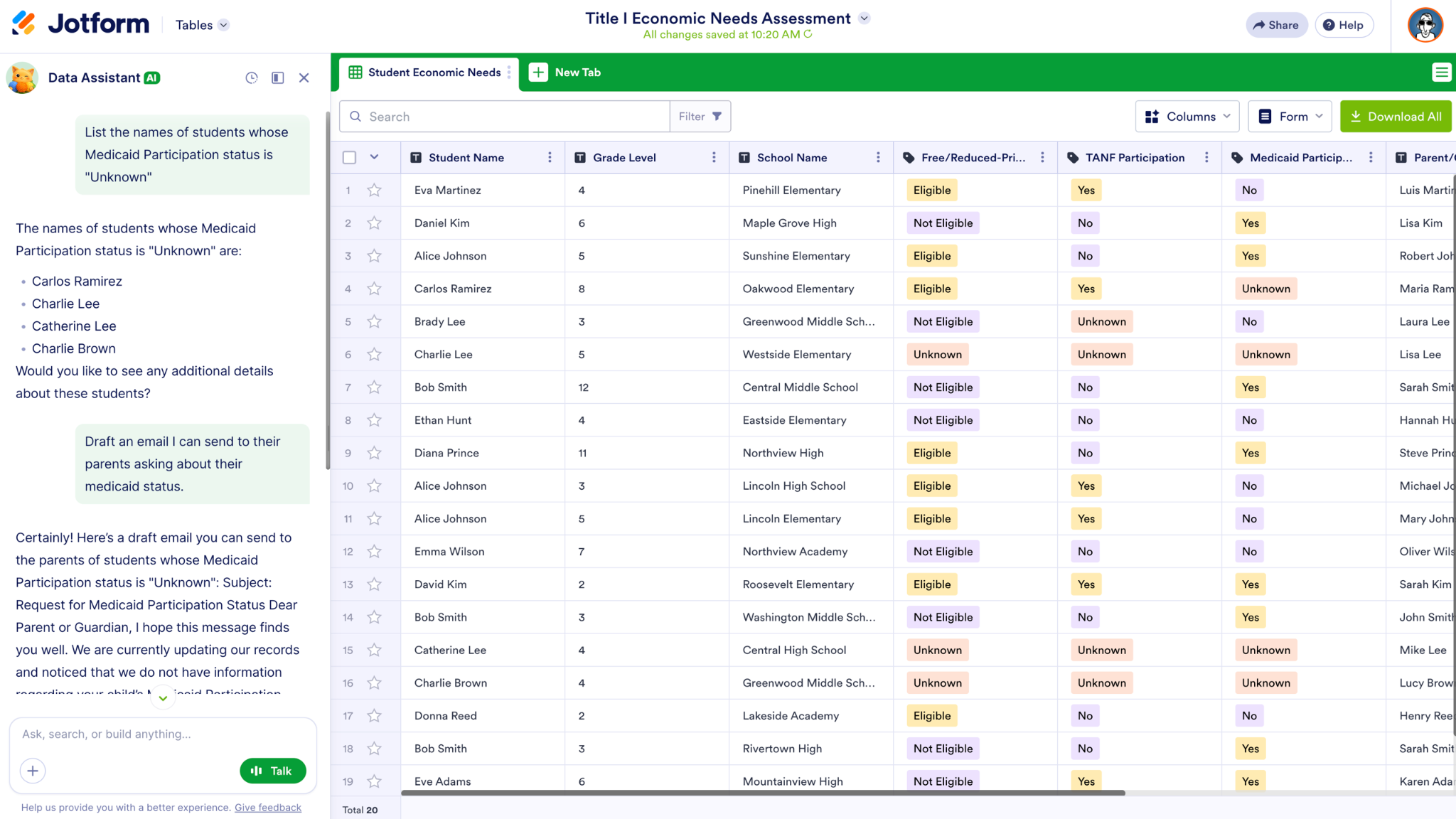
The Jotform AI Data Assistant can filter submissions, calculate totals and breakdowns, summarize information, and create charts that make results easier to review. Administrators can also create AI columns to categorize responses, create a summary of each submission, and more.
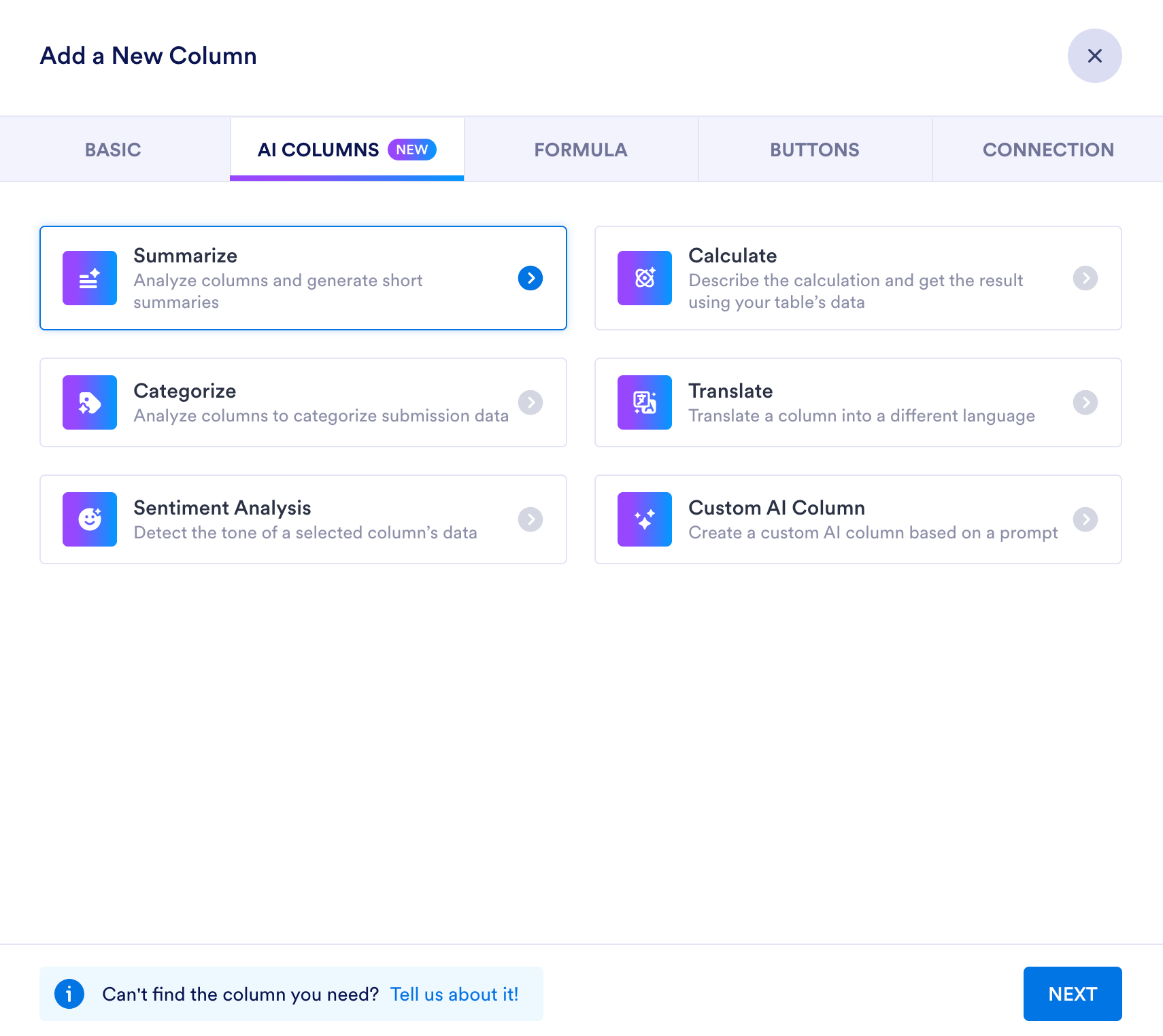
When it’s time to prepare data for review or reporting, administrators can filter relevant submissions, create visuals, and share the results.
Did you know?
Jotform enables schools to manage student information in line with FERPA requirements.
From collecting information to putting it to work
More data doesn’t automatically lead to better decisions. What matters is understanding what your information is telling you and deciding what to do next.
The Jotform AI Data Assistant helps educational institutions turn data into useful insights. Whether they are evaluating applications, comparing academic results, or compiling economic data for funding, educators can spend less time sorting through information and more time focusing on what matters: helping students thrive. For a broader walkthrough of these capabilities, watch the Jotform AI Data Assistant webinar.

































































































Send Comment:
1 Comment:
October 6, 2026
Could this technology also be used to help teachers analyze student understanding of a lesson? For example, students could explain what they learned in their own words, and the AI could help identify common misunderstandings, missing concepts, or areas where the class may need more instruction. This seems like it could give teachers valuable feedback on where to focus next.