
Collecting information is usually only half the job.
A member signs up for a club. A parent registers a child for camp. A student enrols in a workshop. A supporter makes a donation. A customer books a service. In each case, there’s a form to complete and a payment to make.
When those two steps live in separate places, things can get messy fast.
Someone has to check whether the payment came through. Someone has to match the payment to the right registration. Someone has to follow up when the name on the bank transfer doesn’t match the name on the form.
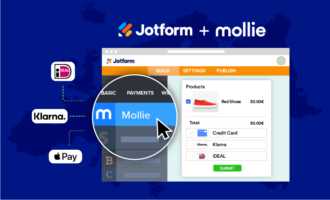
Jotform and Mollie help bring those steps together. With Jotform, you can build a custom online form for the exact information you need. With Mollie, you can collect secure payments through that same form using familiar European payment methods.
The result is a smoother experience for the person filling out the form and a cleaner workflow for the team managing submissions.
Why payment workflows need more than a payment button
A simple payment link can be useful. But many organisations need more context before they can accept money.
A sports federation may need player details, age group, emergency contacts, and camp selection. A nonprofit may need donor information and a preferred donation amount. A training provider may need course selection, student details, and consent forms. A service provider may need booking details, deposits, and contact information.
That’s where Jotform is especially helpful. It lets organizations collect the payment and the information behind it, such as registration details, donor preferences, booking information, or consent forms, in one flow.
With Jotform and Mollie, organizations can create forms for:
- Membership fees
- Event registrations
- Training sessions and workshops
- Summer camps and youth programs
- Donations and fundraising campaigns
- Merchandise or equipment orders
- Service bookings and deposits
- One-time payments or subscriptions, depending on the payment setup
Instead of sending people through a form first and a separate payment process later, you can let them complete everything in one flow.
How the Jotform and Mollie integration works
The setup is simple. In the Jotform Form Builder, you add Mollie from the payment elements, connect your Mollie account, choose your payment type and currency, and publish your form.
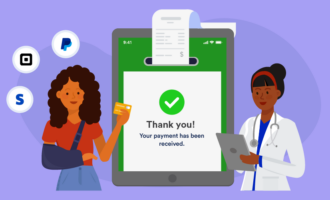
Once it’s live, users can fill out the form and pay before submitting. Jotform captures the submission data, while Mollie processes the payment.
That means your team can see who submitted the form, what they selected, and which payment was tied to the submission. You can also use Jotform Tables to organize responses, send automated confirmation emails, and manage form data without manually updating a spreadsheet.
Just so you know: Jotform’s Mollie integration supports payment types like products and subscriptions, user-defined amounts, and donations. Available payment methods depend on what’s active in the connected Mollie account.
A real-world example: Vlaamse Handbalvereniging vzw
Vlaamse Handbalvereniging vzw, the organization supporting handball clubs in Flanders, used Jotform and Mollie to move away from a manual payment process.
Before connecting the two tools, the organization handled subscriptions, summer camp payments, clothing orders, and registrations mainly through manual invoicing.
“Before integrating Jotform and Mollie, we managed subscriptions, payments for summer camps, clothing, and registrations mainly through manual invoicing,” said Dries Boulet, Secretary General at Vlaamse Handbalvereniging. “This process required significant administrative follow-up, manual reconciliation of payments, and communication regarding unpaid invoices. It was a very time-consuming process for our team.”
After adding Mollie to its Jotform forms, VHV was able to create a more automated workflow.
“Connecting Mollie to Jotform was a straightforward and user-friendly process,” Boulet said. “The integration was easy to set up and allowed us to move quickly from a manual workflow to a much more automated and efficient system.”
For VHV, the biggest impact was time saved.
“What used to require many hours of follow-up and reconciliation is now handled automatically,” Boulet said, “allowing our team to focus on supporting clubs, members, and the further development of handball in Flanders.”
That’s the core benefit for many Jotform users: less time chasing details after someone submits a form, and more time focused on the work the form is supposed to support.
Give people payment methods they already know
Payment preferences vary by country, especially in Europe.
Some users prefer Bancontact. Others expect iDEAL | Wero. Some want to pay by card, Apple Pay, PayPal, Klarna, or another local method available through Mollie.
When people recognize and trust the payment method, they’re more likely to finish the process without hesitation. That matters whether they’re signing up for a sports camp, buying an event ticket, donating to a nonprofit, or paying for a training course.
VHV noted that local payment methods were already part of its setup early on, so it couldn’t point to a major shift in payment behavior after implementation. But offering familiar options like Bancontact helped create a smooth and accessible payment experience for members.
Make forms fit the workflow
Every organization collects payments a little differently. That’s why flexibility matters.
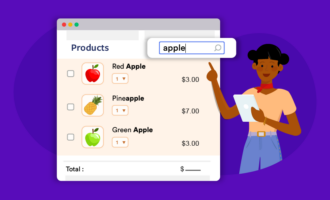
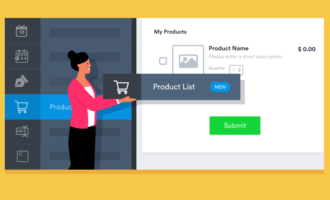
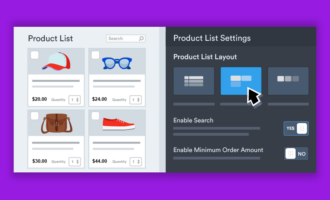
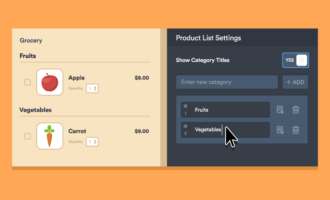
With Jotform, you can customize the form around your real process. Add conditional logic so people only see relevant questions. Use product lists for memberships, merchandise, or ticket options. Collect file uploads, signatures, emergency contact details, or custom consent fields. Send confirmation emails automatically after submission.
For example, a club or association could build a form that lets someone choose a membership type, register for an event, add a clothing order, and pay before submitting.
A nonprofit could create a donation form with suggested amounts, custom donation options, and automated thank-you emails.
A training provider could collect student information, course selection, required documents, and payment in a single registration form.
The form becomes more than a checkout page. It becomes the front door to the whole workflow.
Reduce manual admin after every submission
Manual payment tracking often creates small problems that add up.
A payment comes in without a reference number. A registration is submitted, but the payment arrives days later. A spreadsheet needs to be updated by hand. Someone has to send reminders for unpaid invoices.
When registration and payment happen together, there’s less to reconcile afterwards. Submissions are easier to review. Payment status is clearer. Follow-up becomes more focused.
For small teams, clubs, nonprofits, and growing organizations, that can make a real difference. You don’t need to build a custom system or ask a developer to connect separate tools. You can create the form, add Mollie, and start collecting payments online.
How to get started
To start using Mollie with Jotform, create or open a form in the Jotform Form Builder. Go to the payment elements, select Mollie, and connect your Mollie account. Then choose the payment type, configure your settings, and publish the form.
You can embed the form on your website, share it with a link, send it by email, or include it in a Jotform App.
Whether you’re collecting registrations, donations, memberships, bookings, or order payments, Jotform and Mollie give you a way to manage the full process in one place.
Because the less time your team spends matching payments to form submissions, the more time you have for the people, programs, and services those payments support.















































Send Comment: