
2026’s top Whova alternatives
There’s a saying among event planners that “to achieve great things, two things are needed: a plan and not quite enough time.” And it kind of feels like the event management platform Whova took that far too literally.
Before you can start planning in Whova, you need to have a sales call. Before you can hold an event, you have to learn the platform’s labyrinthine menu structure. Then, once you’re finally up and running, you’re constantly being pulled away by Whova’s noisy notifications. These may not be serious issues for everyone. But for people who want a more affordable, user-friendly, and customizable event management app, these are the five best Whova alternatives.
How I tested Whova alternatives
I went into this review looking for platforms that could realistically replace Whova in day-to-day event workflows. Viable alternatives needed to handle an array of common event planning requirements and with a shallower learning curve than Whova. To do that, I created trial accounts whenever possible and ran each platform through a simulated event planning process.
My tests involved creating the same copywriting workshop page on each platform, uploading a mock list of 100 attendees to test invitation workflows, and creating pre- and post-event forms to see how customizable they were. All this was in service of finding out how quickly I could move from a blank dashboard to MVP event pages and signups.
Of course, none of the platforms I tested were perfect, including the ones on this list. Eventbrite isn’t as flexible as Whova, Cvent is likely more expensive (although that’s hard to know for sure), RegFox has a narrow support window, and RSVPify puts ads in your event emails. But all of them cover the basics, and do at least a couple of things better than Whova — which is definitely starting to show its age with historically limited automation and AI for event planners compared to other platforms.
Quick comparison of the top Whova alternatives
| Tool | Best for | Plans/pricing |
|---|---|---|
 Jotform |
Automating event signups, emails, and follow-up surveys |
Free plan available, paid plans start at $34 per month (billed annually) |
 Eventbrite |
Marketing events and selling tickets via social media |
Free plan, transaction fees start from 3.5 percent and $1 per ticket sale |
 Cvent |
Full-time event planners and teams |
Contact Cvent for information on plans and pricing |
 RegFox |
Large, recurring annual events |
Flat fee and a percentage for every ticket sale, as well as a standard credit card processing fee of 2.9 percent plus $0.30 applied to all plans (starting at $0.99 plus 1 percent per registrant, capped at $4.99) |
 RSVPify |
First-time event planners on a budget |
Paid plans start at $39 per month for free events or 1.95 percent plus $0.90 per ticket sale |
1. Jotform
My favorite apps are those that are both easy to use and endlessly customizable. Jotform may not be built as an event management app specifically, but it’s so flexible and open-ended that you can build event pages, forms, chatbots, apps, reports, and databases that run circles around most purpose-built software. And, with Workflows and AI Tools, you can automate away swaths of your event planning checklist, leaving you with more time for whatever last-minute surprises pop up.
How to use Jotform
Start with a form for anything that involves collecting information from event attendees — like signup flows, exhibitor applications, questions for panelists, meal preferences, and feedback surveys. That’s possible with either the + Create button or the Jotform AI Chatbot, both of which are in your workspace’s sidebar. Add the fields you want, customize the design, then go to the Settings tab to create email confirmations or conditional form logic. Make the form public in the Publish tab.
If you want to create AI agents for your event — trained to respond based on details from your agenda, speaker profiles, and other reference material — click the dropdown menu in the upper left corner of the screen and select AI Agent Builder. That should spin up a chatbot based on the context from the form you were just editing, but you can also pick from Jotform’s library of over 7,000 agent templates. Either way, the Build tab is for the chatbot’s design settings, Train is where you connect it to any necessary context, and Publish is for choosing where it gets embedded.
Finally, to pull everything together, create a Jotform App that attendees can visit in a browser or add to their phone’s homescreen. In the Build window, you can drag and drop page elements like bulleted lists for conference details, documents for downloadable files, and buttons that link to your forms. Or, if you created an AI agent, open the Settings tab and select AI Chatbot to add it to your app.
- Key features
- Remarkably generous free plan, including 100 submissions and 10 payments per month
- Can create event chatbots to let attendees make plain language queries and requests
- Pros
- Jotform doesn’t require a sales call to sign up, or even a paid plan to access all its features
- Its features are broken up into fully formed tools that can stand alone or pass data back and forth, depending on exactly how you want web-based event management to work
- Cons
- Some of the most expensive Whova alternatives justify their pricing with apps for attendees that are essentially self-contained social networks — while Jotform Apps can have widgets that embed countdowns, attachments, and iFrames, they’re not designed to accommodate feeds of user-generated content
- Plans/pricing
- Starter (free): Up to five event forms, accommodating a combined 100 submissions and 10 processed payments per month, plus unlimited apps and workflow runs
- Bronze ($34 per month, billed annually): Up to 25 event forms, plus 1,000 submissions and 100 payments per month across all your forms, as well as the ability to remove Jotform branding
- Silver ($39 per month, billed annually): Up to 50 forms, 2,500 submissions, and 250 combined monthly payments
- Gold ($99 per month, billed annually): Tops out at 100 forms, 10,000 submissions, and 1,000 monthly payments
- Enterprise plans offer unlimited forms, submissions, and payments, as well as advanced security and dedicated support
- Jotform offers discounts for nonprofits and educational institutions that reach out directly
2. Eventbrite
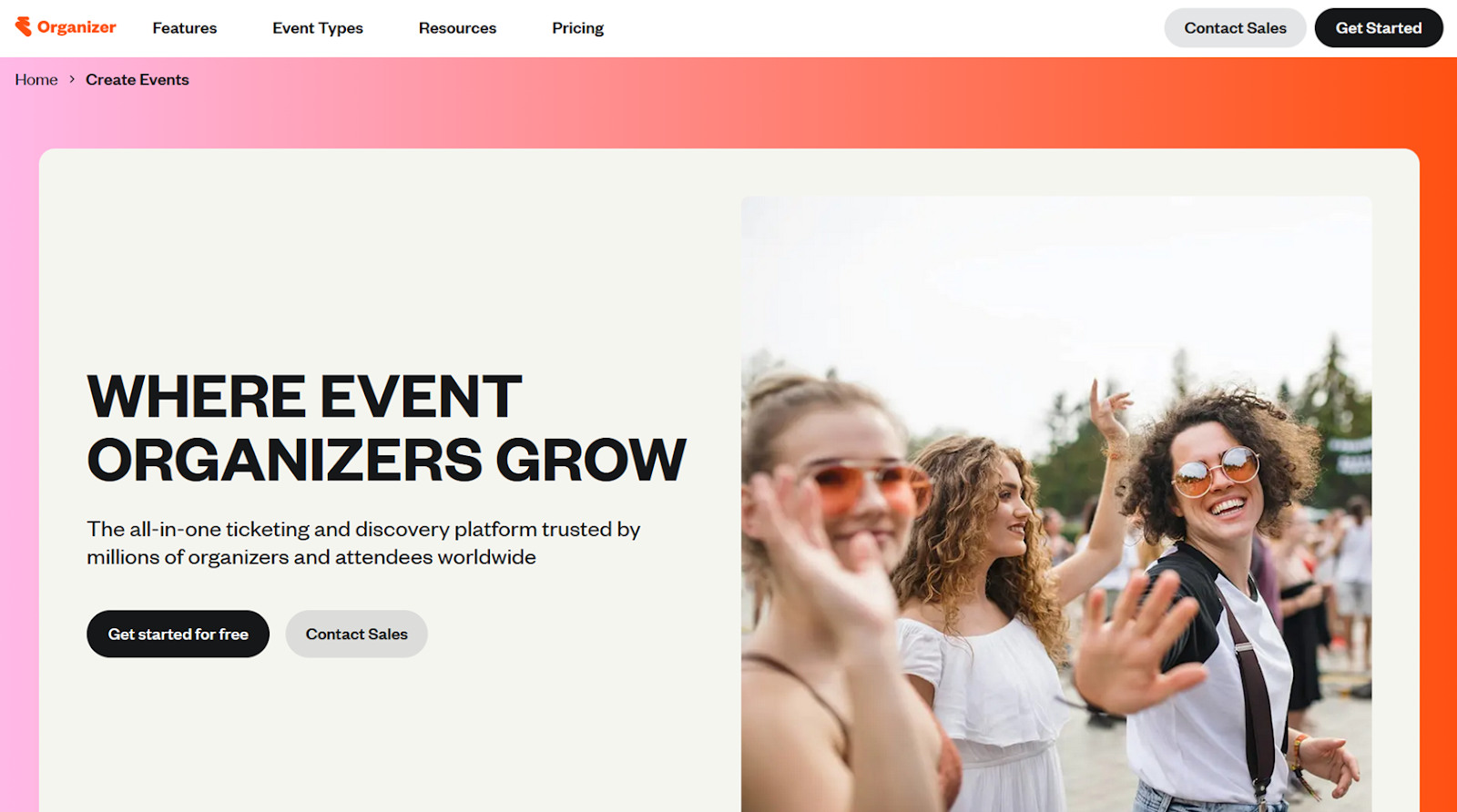
Eventbrite is miles ahead of Whova in terms of user-friendliness. For one, building an event website and a signup form takes less than half as many clicks. But on top of that, your event has a very good chance of showing up on Eventbrite’s homepage, which gets tens of millions of monthly visits. Obviously, you’ll only show up for users near your event, but that’s still huge for generating awareness.
Note
Eventbrite is on track to be acquired by Bending Spoons some time before summer 2026 and it’s still unclear how that transition might affect Eventbrite’s features and event listings. Just something to keep in mind before landing on your event management platform of choice.
How to use Eventbrite
Everything on the platform falls into one of three buckets: event management, marketing, or finance. Eventbrite’s page builder is a little too barebones to justify a template library, but it does have a Create with AI option that helps to avoid the blank page problem. Just give it the details of your event and it will generate a header image and summary, with nothing left for you to do but add an agenda.
In terms of executing an event marketing plan, you can get Eventbrite to turn your event page into social media posts that are automatically optimized for each platform’s design requirements. There are also tools for creating promo codes, bulk invitation emails, and boosting your event’s visibility in Eventbrite’s Marketplace search.
That leaves finances, which are managed from either the Orders page or the Finance page. The former is where you’ll see all completed orders, edit buyer details, process refunds, or export your transaction history. The Finance page is where you manage connected bank accounts, payouts, invoices, and charges to your Eventbrite account.
- Key features
- Integrations for selling tickets and hosting events via social media, auto-updating ads for multi-event calendars
- Pros
- While less useful for corporate or invite-only functions, Eventbrite is invaluable for creating buzz and awareness surrounding your event
- Includes everything from free tools — like automatically generated social media announcements, email campaigns, and Facebook event generation — to paid ad features for LinkedIn, Instagram, TikTok, Facebook, and Eventbrite’s Marketplace
- Cons
- Event page design felt way too rigid and limited for my taste
- Transaction fees are another big negative, clocking in among the highest of all the platforms I tested
- Plans/pricing
- Although it isn’t hard to offer more attractive pricing than Whova’s “talk to sales” approach, Eventbrite is only marginally better
- Transaction fees on ticket sales start at 3.5 percent and go as high as 7 percent, plus another $1–$2 per ticket sale and 2.5–3 percent on order totals
- To be fair, you do get quite a lot of value if you’re only planning free events, including up to 250 promotional emails per day, plus all the free social and Marketplace tools
3. Cvent
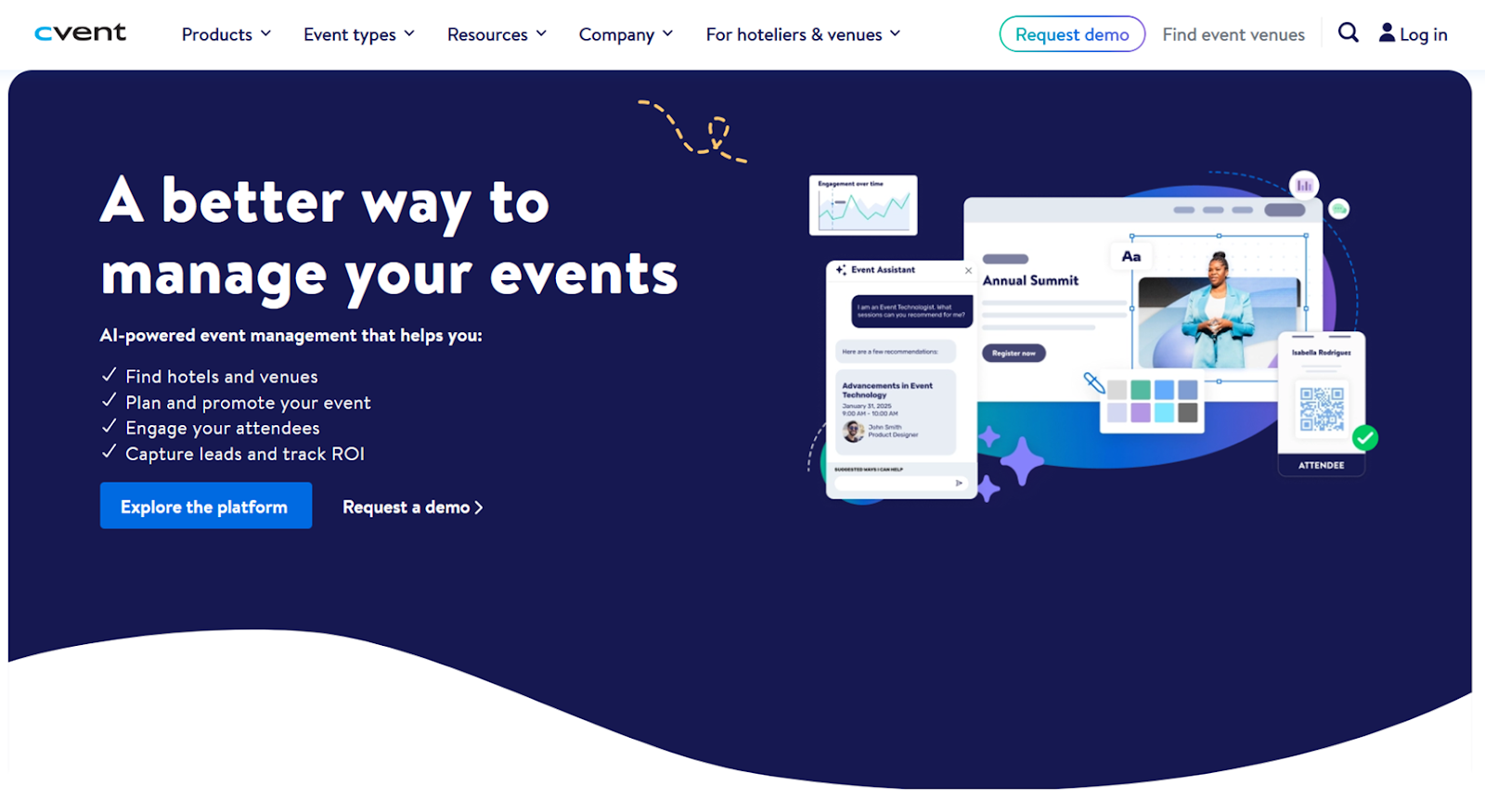
Cvent is the closest one-to-one competitor to Whova on this list. Firmly in the enterprise event management tier, it has an in-app directory of around 300,000 venues. It also helps with requests for proposals and contracts; includes a diagramming tool with first-person, 3D room walkthroughs; and has a Canva-style website builder for publishing info about your event. Based on my tests, I would much rather use this tool than Whova for large, multi-day events.
How to use Cvent
Everyone’s Cvent interface will look a little different depending on what’s included in their annual contract. Every account should have a high-level events dashboard, though — a place to view previous or upcoming functions and create new ones. Clicking into an event view provides a summary of things like its invitee conversion rate, attendee login rate, and other metrics that you can add or remove from the overview.
The Branding tab is where you’ll find theme options for your event’s website. There’s a drawer along the bottom of the screen for picking colors, fonts, and banners as well as an accessibility menu for high-contrast text and colors. From there, head to the Registration tab to customize your signup form and generate an embed code. Similarly, the email editor in the Marketing tab has a drag-and-drop interface for adding HTML to any of your automated notifications.
There’s a lot to work with in Cvent and you’ll almost certainly want to delegate tasks to co-workers via the Team Members tab, where you can assign roles like Check-In Staff, Moderator, Speaker, and others.
- Key features
- Event budget, team, and task management
- Track hotels, flights, and meals for speakers, vendors, and attendees
- Pros
- You can be confident that Cvent has anything event-related that can be app-ified
- Its user interface is more intuitive than Whova
- From an attendee-facing perspective, Cvent’s attendee app and virtual event features don’t just work well, they also look much more modern than many of the other tools I tested
- Cons
- A shallower learning curve than Whova doesn’t necessarily mean Cvent is easy to jump into — helping you find venues doesn’t make contract negotiation any easier and giving you a computer-simulated room doesn’t make designing it any simpler
- It’s still enterprise software, it’s still complicated, and it’s still expensive
- Plans/pricing
- Although there’s no way to get an estimate of what Cvent would cost for your event, the pricing page at least explains that it all boils down to an annual license fee and a per-registration fee
4. RegFox
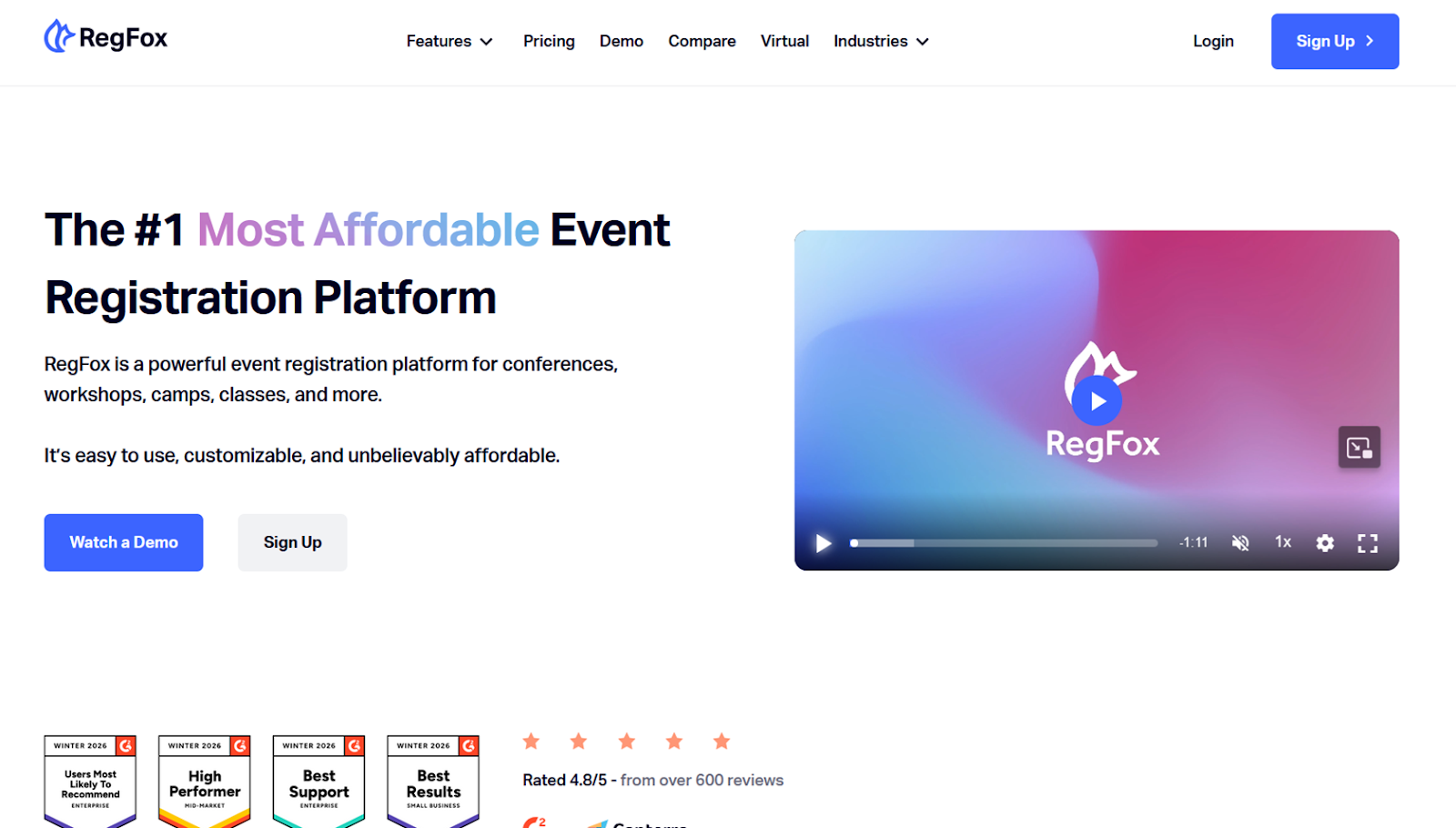
RegFox stood out to me for its ability to strike the balance between enterprise and indie software. Its interface is modern and easy to navigate, it comes with a ton of event-related features, and, best of all, it has clear and competitive pricing. I wouldn’t use this for social or small-scale event planning, but I’d definitely recommend it for professional events — especially if they happen every year.
How to use RegFox
Setting up an account with RegFox isn’t straightforward. I created login credentials and that sent me to a Webconnex login, a platform I had never heard of but is apparently the parent site of RegFox. Use the RegFox login details you just created to log into Webconnex, select RegFox from the list of available apps within the suite, then click Create Page. That will take you to the template library where you can choose one of a few dozen templates. Picking a template will take you to a short form to add event details that will be inserted into the page before taking you to the builder.
Creating a page took some getting used to and comes with some quirks. If you want to add a new form field or page element, you have to click on any of the ones the template already has and click the plus icon. That opens up a dense overlay with some 50-odd elements that you can add to the page, customizing your additions or template elements by hovering over them and clicking the pencil icon.
Every minimum viable event registration should have an event page and confirmation emails. In RegFox, the latter is under the Emails menu, alongside winback campaigns, reminder emails, and payment declined notifications. The editor feels bare, and there’s no flow for test emails, but with a bit of experimenting I got it to do everything I wanted to test.
It would take far too long to highlight all the niche features that RegFox offers. But it’s worth mentioning that if you head back to your account dashboard, you have a full-blown customer relationship management (CRM) platform with contact enrichment, SMS and drip email campaigns, and a built-in ad manager for Facebook, Instagram, and TikTok.
- Key features
- Built-in CRM with contact enrichment, SMS messaging and drip email campaigns
- Pros
- The RegFox website really hammers on how its affordability makes it one of the best Cvent alternatives — I think that’s a tad overblown for most use cases but absolutely true if you’re holding mid- to large-sized functions multiple years in a row, especially when you factor in that the platform fee is capped at $5 per registration and the Premium tier includes an attendee app, SMS messaging, and drip emails
- Cons
- The platform can feel somewhat inconsistent, with some features feeling more polished and fleshed out than others
- RegFox’s chat support is only available 8 a.m. to 5 p.m. PST, Monday to Friday, which can be pretty scary if you’re hosting a large meeting on a weekend
- Plans/pricing
- RegFox handles pricing differently than most of the other tools in its niche — it charges a flat fee and a percentage of every ticket sale; you’ll also pay a standard credit card processing fee of 2.9 percent plus $0.30, applied to all plans equally:
- Standard ($0.99 plus 1 percent per registrant, capped at $4.99): Page and form builders, conditional logic, a check-in app, and account analytics
- Premium ($1.99 plus 1 percent per registrant, capped at $5.99): Everything in Standard plus an attendee app, SMS messaging, drip email campaigns, badge printing, and payment plans for attendees
- Professional (same fees as Premium plus $499 per month): Dedicated account manager, API access, custom domains, and data enrichment
5. RSVPify
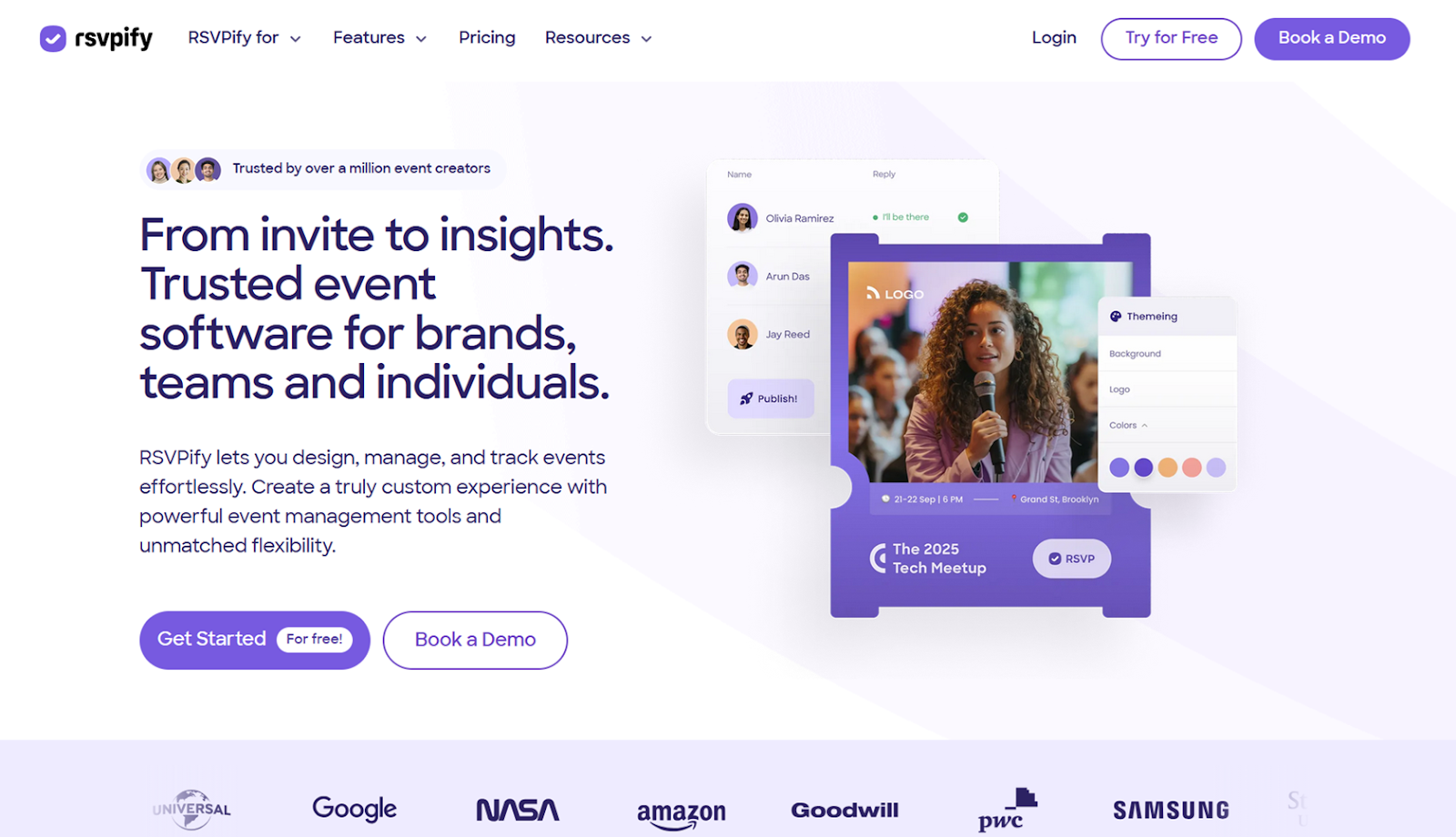
What RSVPify lacks in enterprise features it makes up for with user-friendliness and affordability. Both of those improvements over Whova come with significant downsides, but as long as you aren’t planning a professional or academic event, they might be worth the tradeoff. RSVPify’s templated event creation process along with its low transaction fees make it an excellent choice for solo or unseasoned planners.
How to use RSVPify
The first thing you’ll have to do after creating an account is click the + New Event button. The name you give it will impact all sorts of automatically generated content, so make sure it’s clear and descriptive. After selecting the suggested theme that best matches your event, you’ll be dropped into RSVPify’s Event Checklist page. Following that flow would get you through all the most important steps, starting with building your event website, continuing on through publishing and sharing it, and finishing with sending thank you emails and exporting all the data.
There are a few things I think could use clarification, however. You have to highlight text in the page builder to format it, for example, and there are fewer options for title and cover page text. Over in the Form Builder tab, several required information fields only appear when certain conditions are met. So, make sure that you test your form as thoroughly as possible before hitting publish.
Announcing your event via email means first adding contact details to the Invite List tab, then designing the email itself in the Email Communications tab. The default invitation is based entirely on details you provided during onboarding, which might not be what you want if you’re hosting a multi-location or distributed event. You can edit everything in the email, though, even if it’s not exactly obvious. Click into the invitation itself to edit or format text, click the plus icon to insert images and QR codes, and hover over the RSVP button to change its text, size, and alignment.
- Key features
- Ad-supported pricing for payment processing, massive trove of context-aware page templates
- Pros
- RSVPify’s onboarding exists to collect data that informs the templates and suggestions it presents to you — when “Wedding” or “Workshop” is in your event’s name, the page design and signup form fields reflect that
- As long as you don’t mind a bit of advertising in your email invitations, you’ll enjoy some of the cheapest ticket processing fees
- Cons
- Of all the picks on this list, RSVPify has the lowest number of features
- For better and for worse, you’ll be limited in what you can customize and bend to your will
- The platform is so oversimplified in places that it doesn’t always explain everything a feature does and leaves out key details
- Plans/pricing
- Although RSVPify has four plan tiers, charging money for tickets will automatically place you on the Professional tier and replace the monthly subscription cost with fees of 1.95 percent plus $0.90 per ticket; if you’re managing free events, you’ll fall into one of the following plans:
- Starter ($39 per month): Up to 150 registrations per month, custom signup form questions, seating charts, and branded email notifications
- Plus ($125 per month): Up to 500 registrations per month, with the addition of event collaborators, event check-in, capacity limits, and password-protected registrations.
- Professional ($409 per month): Up to 1,500 registrations per month, advanced branding, conditional form logic, and advanced integrations
- Enterprise plans require a sales call but remove ads from your event emails and include a dedicated account manager, custom fonts and data fields, and self-check-in kiosks
Get ahead of event planning and management with AI
There’s never enough time to plan the event you want. Speakers and performers cancel, agendas are forced to change, there are more signups than the venue can accommodate, fires need to be put out, and you have to prioritize your resources. No software can change the nature of the work, but it can optimize for constraints.
Jotform is arguably the strongest Whova alternative because it saves the most time. It’s exceptionally easy to set up and start automating how you collect and share data. You can generate event pages, registration forms, or attendee communications from stream-of-consciousness prompts. AI agents can handle attendee questions and requests. And workflows can trigger confirmations, reminders, and follow-ups without constant manual oversight.
Unlike Whova, which doesn’t have self-serve pricing or an app trial, Jotform lets you try all its features on a free forever plan and lays out its features clear as day. It’s worth trying out the free plan today to see whether it fits your workflow.
FAQs about Whova alternatives
Whova has the same struggles that many enterprise platforms have: it’s expensive and it’s complicated. Assuming you only need to collect registration information, circulate meeting materials, and send updates to attendees, there are several apps that are cheaper and easier to use.
Whova has a long list of features, menus, settings, and integrations. That makes it difficult both to learn and to maintain, especially considering how overzealous its automated notifications are. And, while it offers competitive transaction fees, you have to talk to sales about a contract.
This article is for anyone comparing event management platforms and trying to find a more affordable, user-friendly option for building event pages, collecting registrations, communicating with attendees, and running follow-ups without getting bogged down by complicated interfaces.









































































Send Comment: