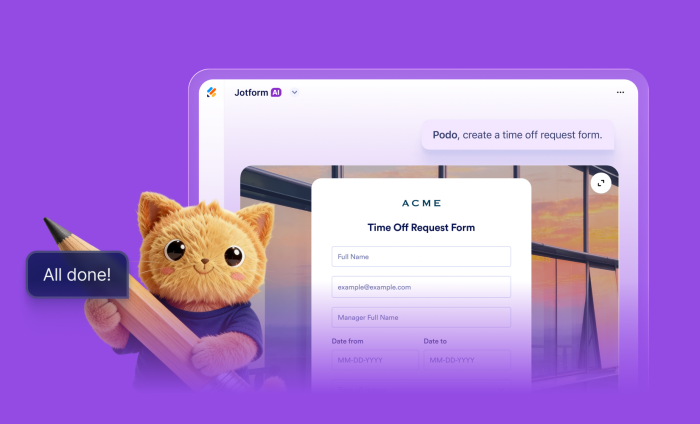

What looks effortless is rarely simple. Olympic athletes make jaw-dropping performances look easy, but behind every routine are years of training, refinement, and coaching. Mastery of each skill serves as another step toward a podium finish.
Similarly, building forms used to mean dragging and dropping fields, configuring logic, and navigating settings one step at a time. For organizations managing dozens of workflows, that effort can add up fast.
Enter Jotform AI: your personal coach for form-building mastery.
With a simple prompt, you can leverage the full power of Jotform’s enterprise-grade Form Builder instantly. Meaning you and your teams can create best-in-class forms in the least amount of time.
Building upon Jotform Enterprise 2.0, Jotform AI fundamentally changes how you build forms. By transforming ideas into fully functional forms through voice, text, documents, or even photos, Jotform AI removes the barriers between ideation and execution.
With Jotform AI, you can focus less on how to build forms — and more on the data behind them.
Just describe what you need, and Jotform AI will generate a complete, production-ready form in seconds. Form fields, conditional logic, integrations, and widgets are all built automatically. Your team doesn’t need to touch a single setting.
Jotform AI is great for
- Finance teams fine-tuning expense reporting
- HR teams automating onboarding programs
- Operations experts honing efficiency
- Marketers brainstorming campaigns
- IT teams responding to requests
Plus, teams can keep refining forms by chatting with Jotform AI right inside the Form Builder. So in the spirit of words prompting action, let’s get to how you can start using Jotform AI right now.
How to enable Jotform AI for your organization
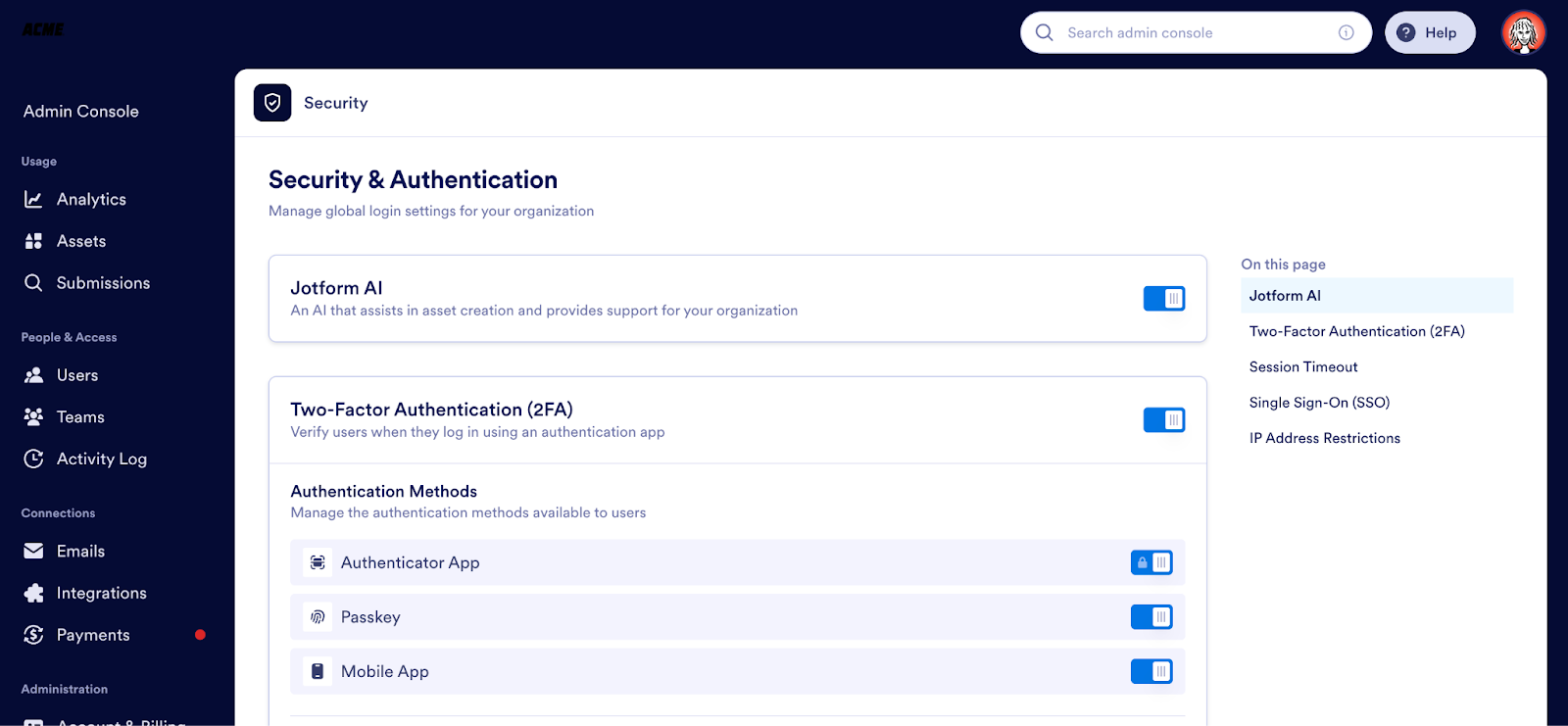
Admins managing their organization’s Jotform Enterprise instance can enable or disable Jotform AI from the Admin Console. Simply go to Admin Console, Security, Jotform AI.
What can Jotform AI do?
Jotform AI automatically generates a working form — including fully configured form fields, structure, and logic — based simply on what you request (by either typing or speaking).
In this way, our platform is evolving from a click-heavy form builder into an intelligent assistant that lets you use natural language to
- Create new — and edit existing — forms
- Automatically generate fields and design layouts
- Configure conditional form logic
- Create notification and autoresponder emails
- Suggest integrations and widgets
- Create sample responses and send test submissions
- Get answers to questions about other Jotform products/features
- Apply accessibility best practices
From now on, you’ll build faster with Jotform AI.
How to access Jotform AI
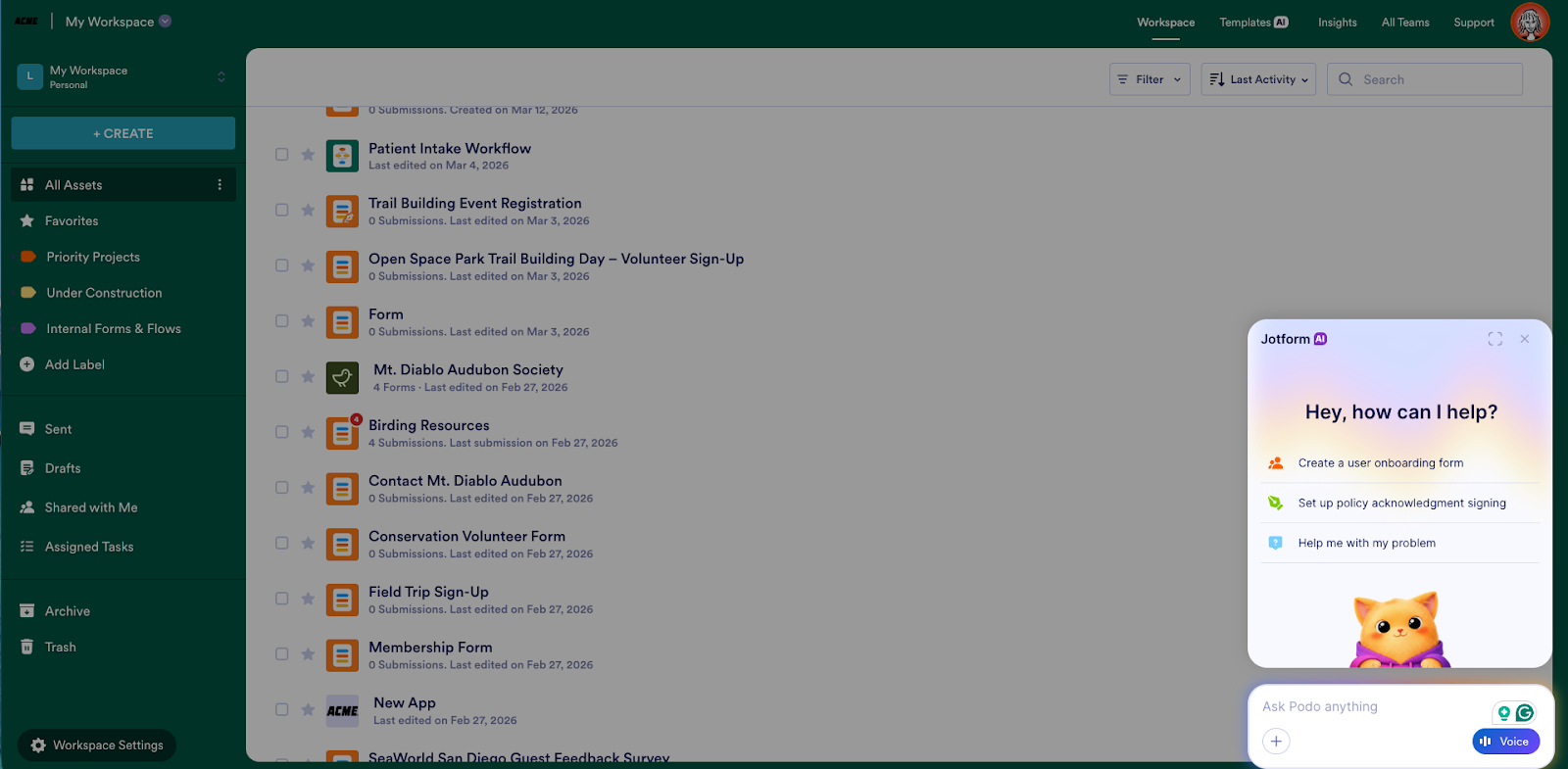
In your Workspace, click on the Ask Podo anything button on the bottom right corner of your screen to create with Jotform AI. (Podo is Jotform’s friendly feline mascot — and your copilot for all things Jotform.)
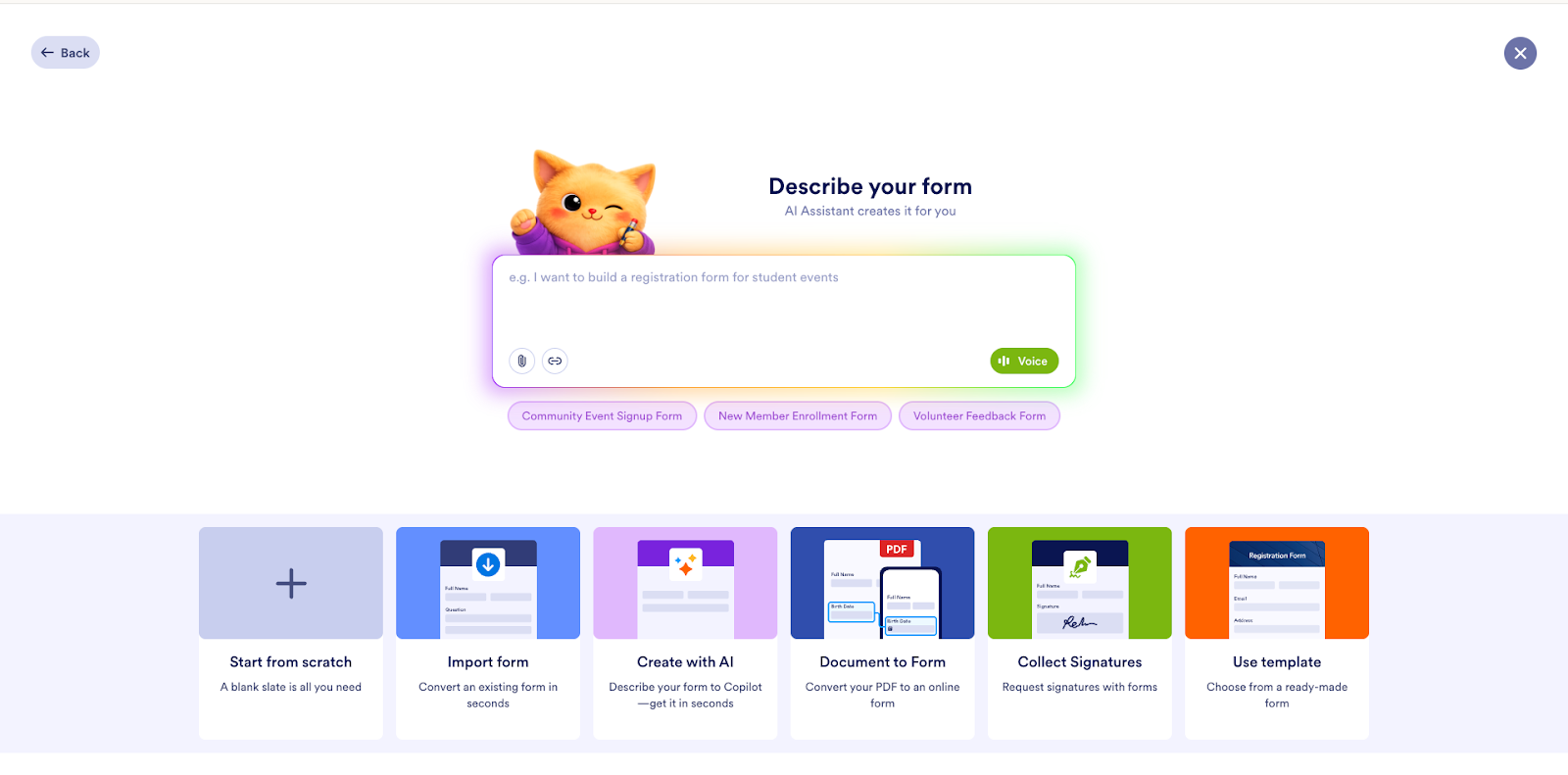
You can also get started by clicking the Create button in the upper left corner of your Workspace. Either way, you’ll get the option to create with Jotform AI.
Prompt examples
I’ve already asked Jotform AI to create a volunteer signup form and a parent-teacher conference form, and it delivered nicely detailed forms for both. At minimum, it’s a starting point we can further customize together. But before we get to that, let’s try creating a brand-new form.
From the upper left section of My Workspace, click Create Form to bring up a list of options for form creation. Podo, your handy Form Copilot, is there and ready to create any form you can think up. Simply type, talk, attach a file, or paste a link to get started.
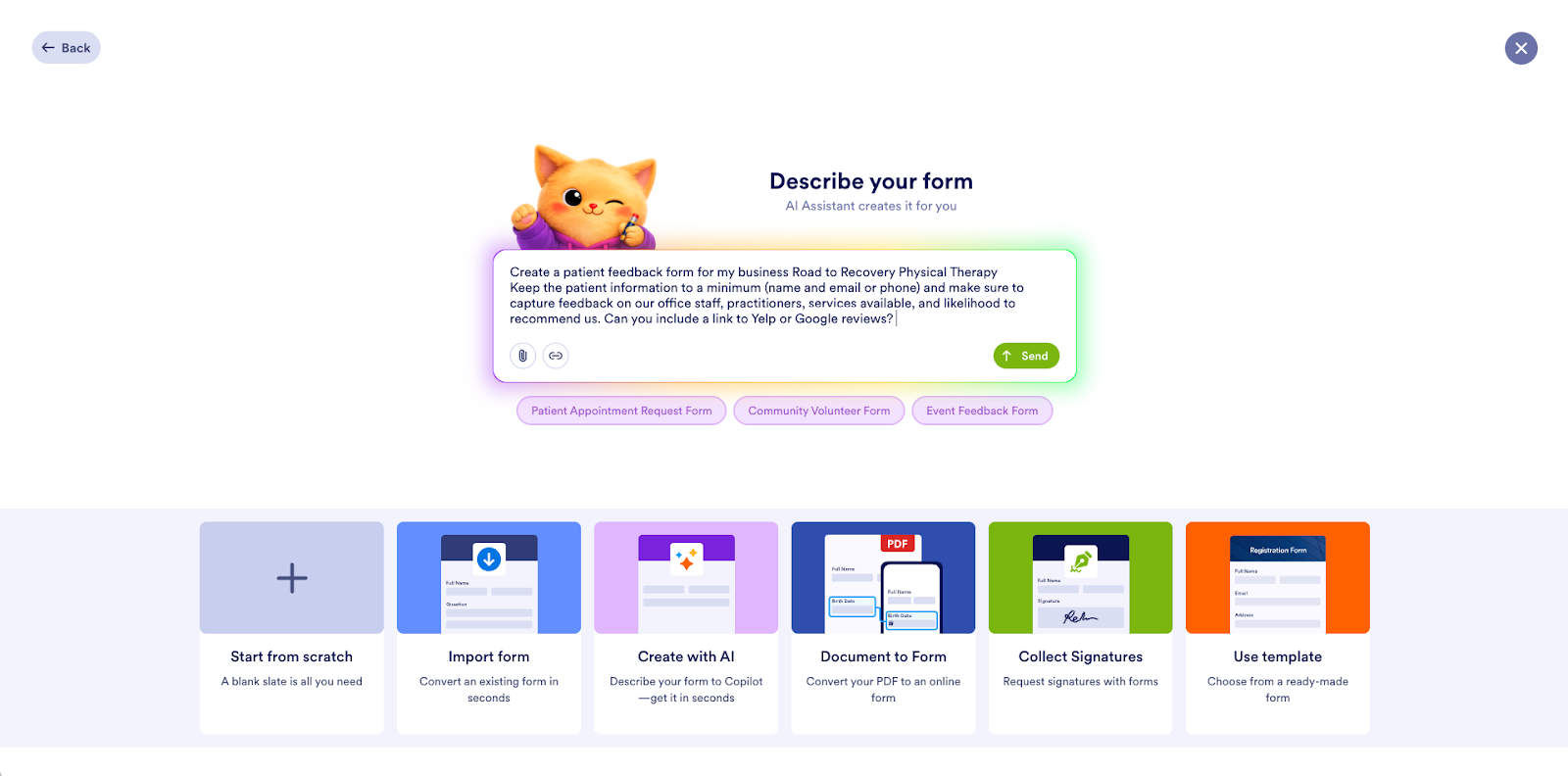
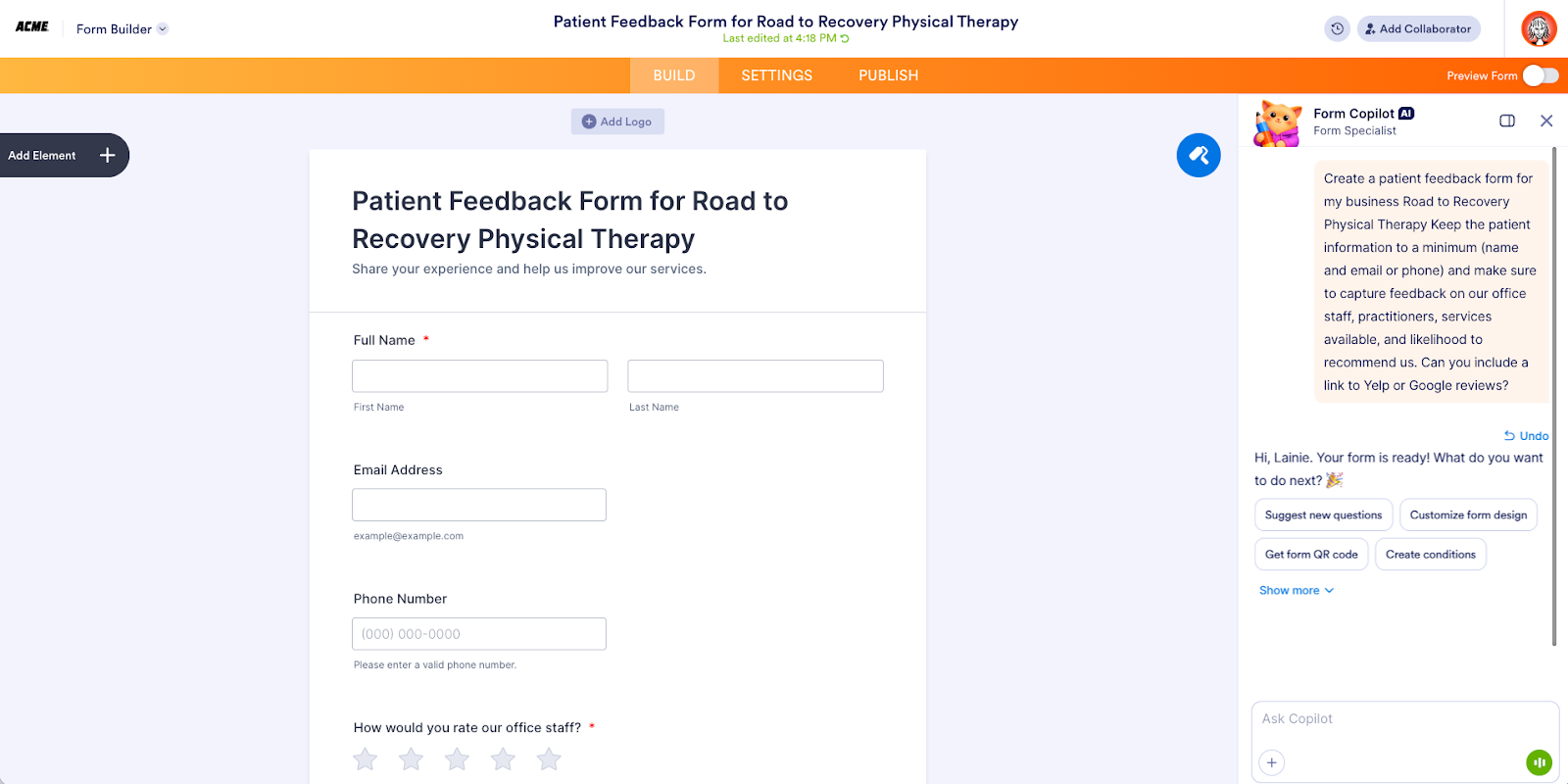
I asked Jotform AI to create a basic feedback form.
In seconds I’ve got a form and options to share it with respondents or further customize it in the Form Builder.
The form color was a little ordinary, so in the same Copilot chat, I asked Jotform AI to update the background of the form to include an image.
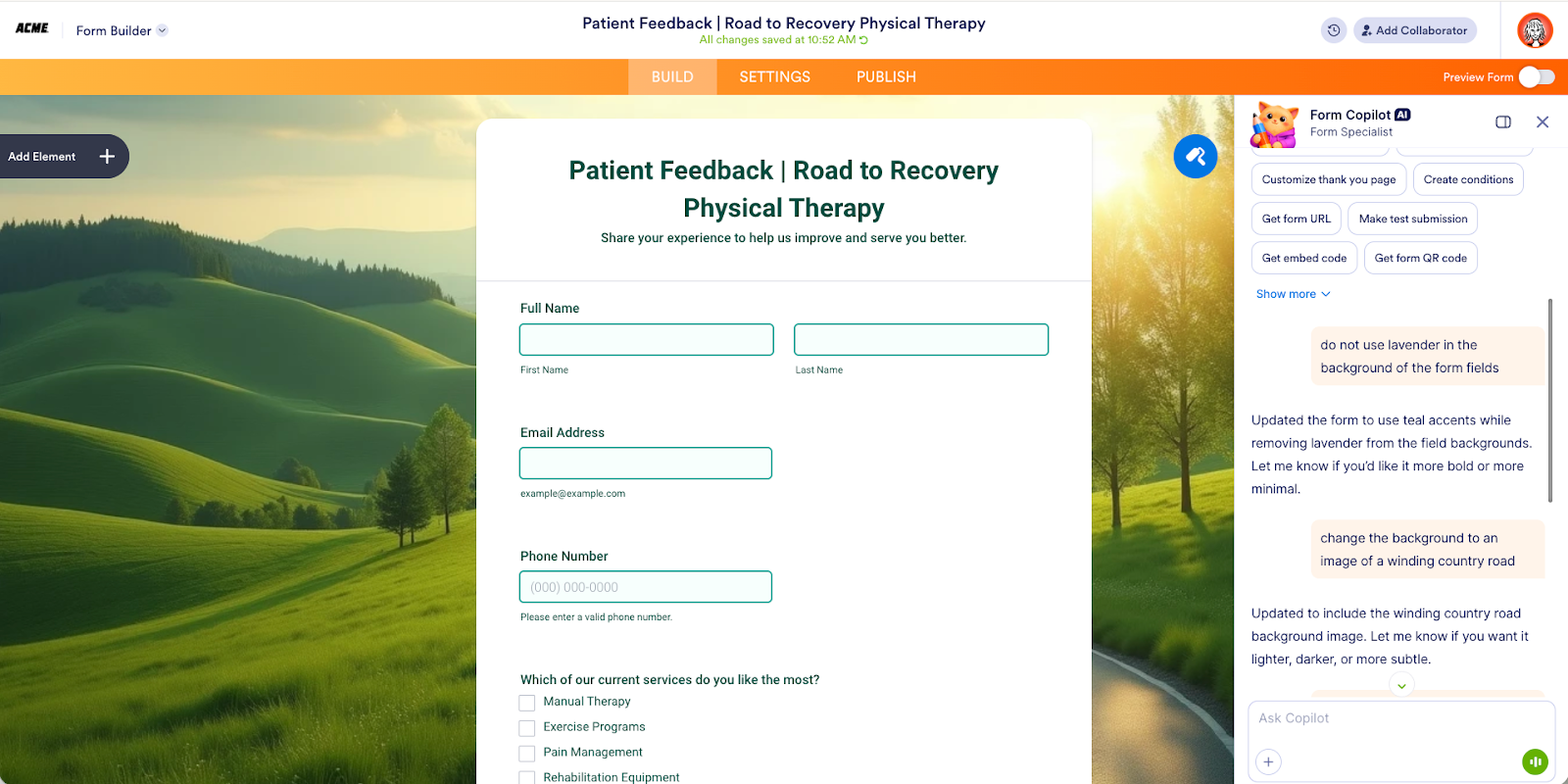
That’s it! Form creation is now easier than ever. You can go from idea to fully functional form in seconds, and the form can be as simple or as complex as you need.
When you give Jotform AI a specific prompt, it analyzes the content of your request and converts it into a structured form with the relevant fields.
As with prompting LLMs like ChatGPT, Claude, or Gemini, it’s best to be specific and concise. That’s more likely to produce the initial output you’re looking for.
Jotform AI can
- Explain Jotform features
- Guide users through building forms
- Help troubleshoot workflows
- Direct users to support resources if needed
This turns Jotform Enterprise into both a creation tool and an AI product guide.
Pro Tip
It’s just as easy to voice your ideas as it is to write them down. In fact, for some people it’s easier to talk out their ideas. Hit the Voice button in the prompt bar to use voice activation.
Built-in intelligence for best-in-class forms
After creating your form, the Form Copilot can help you with a multitude of next steps. You can ask it to
- Refine the form’s design
- Suggest new questions
- Customize the Thank You Page
- Create conditions
- Get the form URL
- Make a test submission
- Get the embed code
- Get a form QR code
Now, if you need to rename a field, swap out fields, or update your form’s logic, it’s as simple as having a conversation with the Form Copilot. (Of course, you can always access your forms in the Form Builder or in your Workspace to make additional edits.)
No more editing your form(s) by dragging and dropping elements, searching for widgets and functionality, or looking up instructions (unless you want to).
When accessing your existing form(s), you’ll see a Work with Copilot bar in the bottom right of the screen. Just click it to get started.
Let’s use our volunteer signup form as an example. You’ll see that Jotform AI automatically suggests sample tasks you may want to complete.
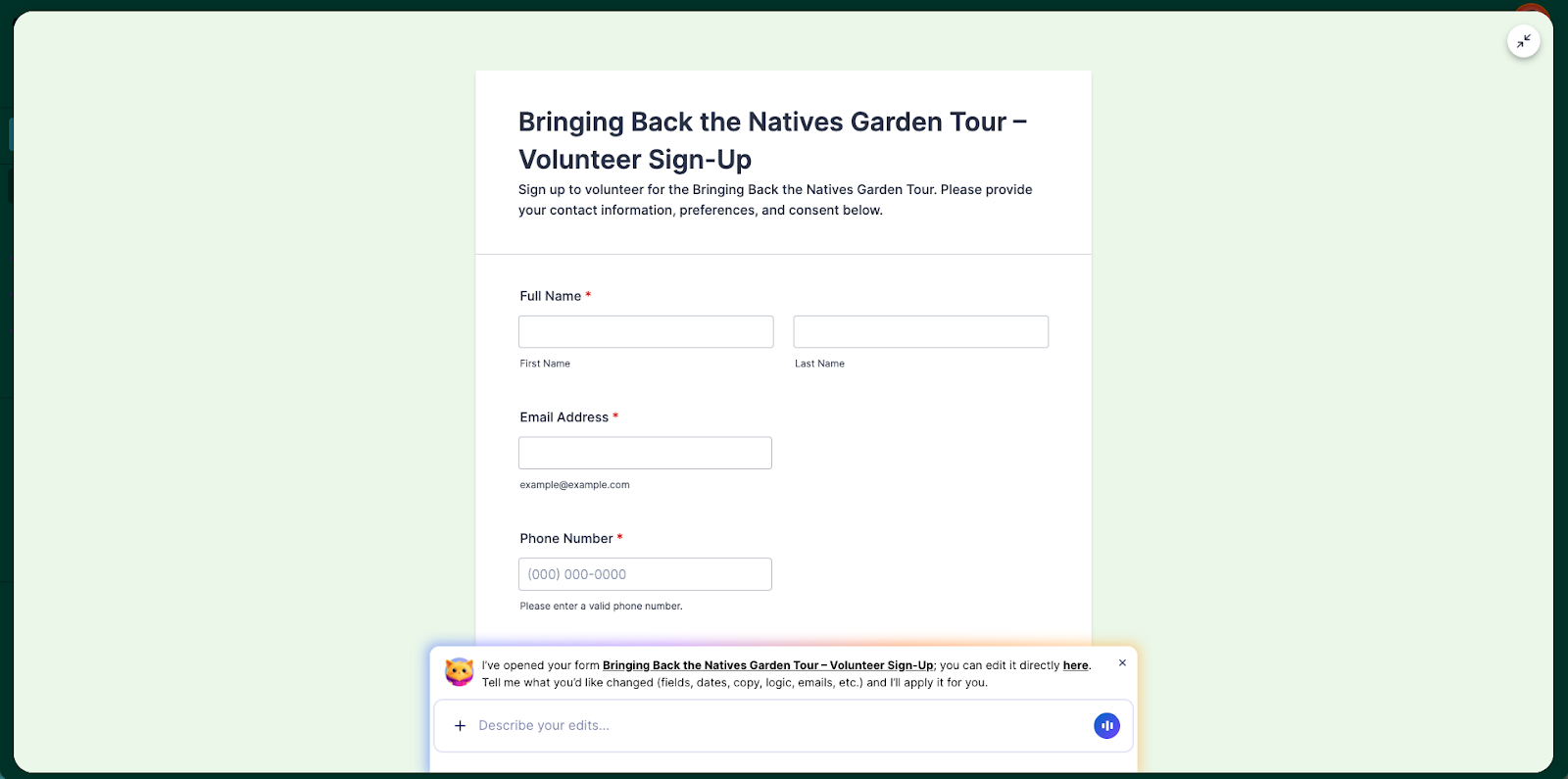
Let’s say I want to add a custom Thank You Page to my form that includes instructions for my volunteers to download. I’ll simply ask Copilot to add two Download PDF buttons to the page that will link to instructions I’ve provided. When respondents complete the form, they will see the options to download the instructions for their chosen role.
To confirm that those features were added correctly, I’ll ask Form Copilot to create a test submission and then click Submit.
Indeed, Copilot set up the PDFs correctly and I can further tailor my Thank You Page if desired.
And if you’re wondering, at your request, Form Copilot can also test condition functionality and other form features.
Among other tasks, editing with the Form Copilot allows you to
- Rename fields
- Change field types
- Create calculations (totals, scores, pricing)
- Generate notification emails and create autoresponder emails
Again, you can continue to edit your forms manually in the Form Builder if you wish.
Building and editing forms on the go with Jotform AI
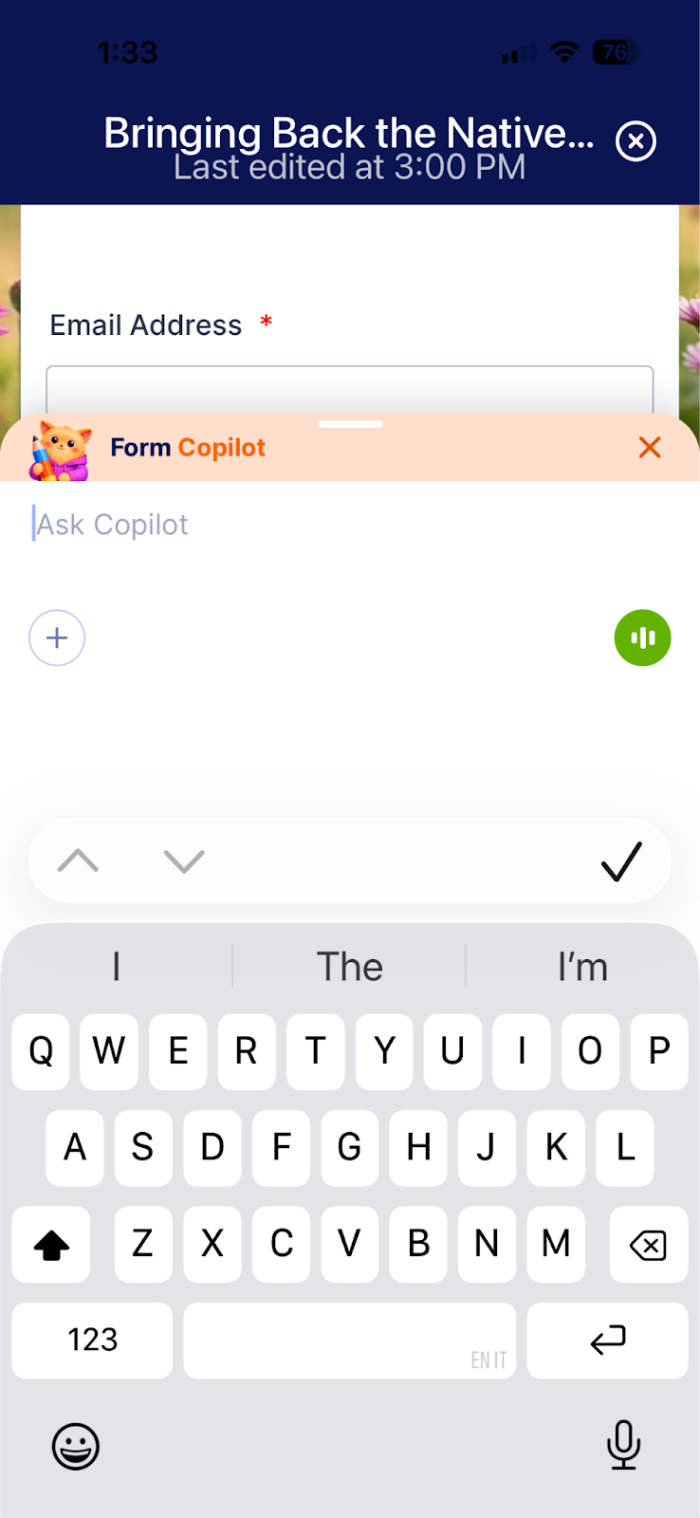
If you need a new form out in the field or need to make a quick change on the spot, Jotform AI is conveniently accessible from the Jotform Enterprise mobile app.
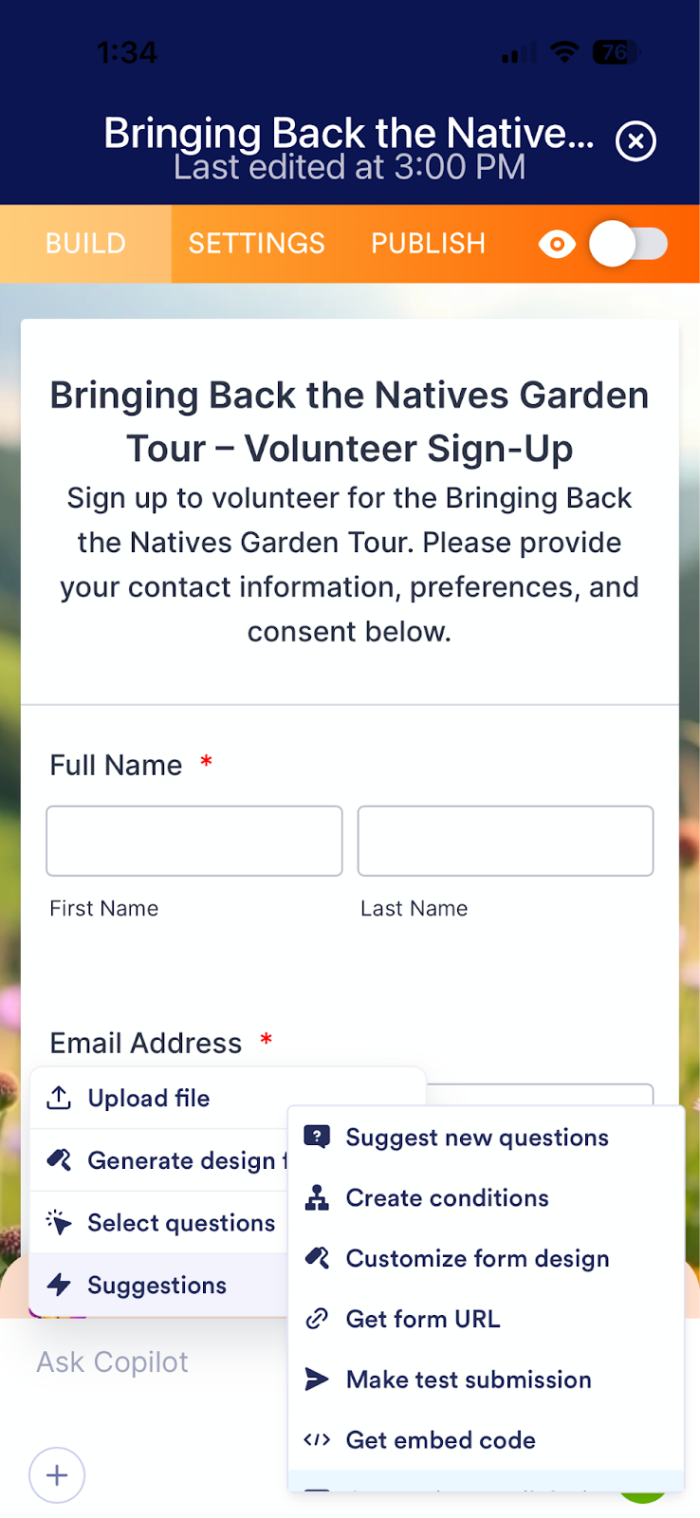
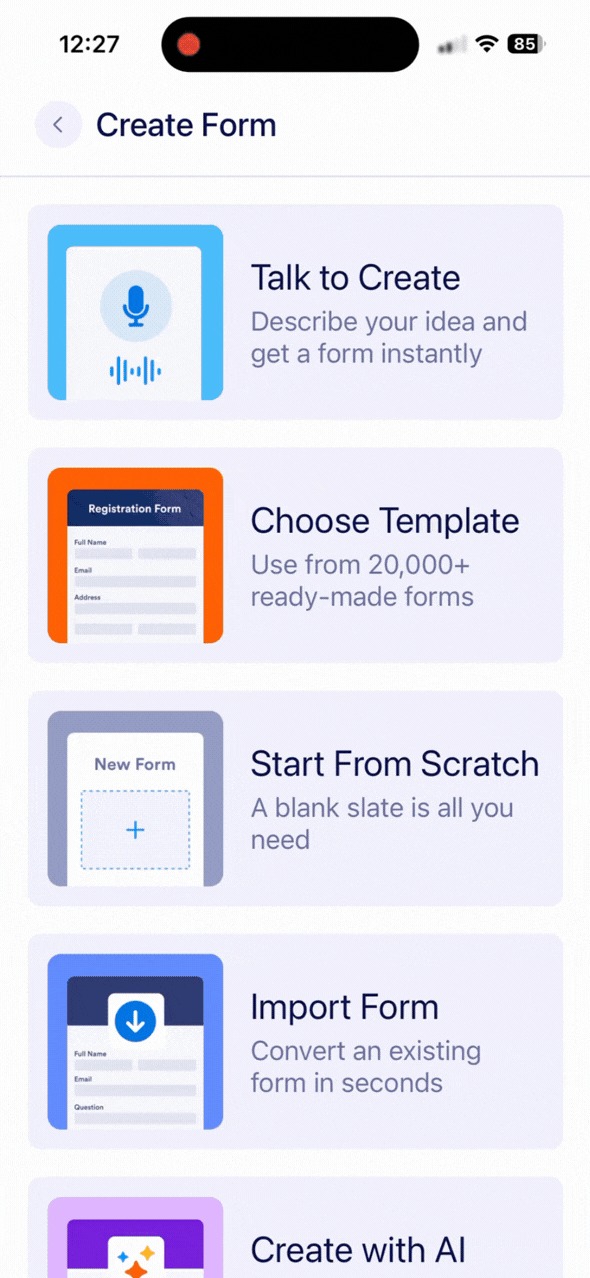
Simply click the plus sign at the bottom of the app to create a form or select a form to edit, and the Work with Copilot button will appear at the bottom. From there, you can click the plus sign below “Ask Copilot” to request a number of tasks or prompt it to suggest options for you.
Got gloves on? Thumbs a bit messy? Want to talk it through before committing to your idea? No worries. Tap the Talk to Create button to describe what you need, and Copilot will create your form in an instant.
Let Jotform AI design your forms and match them to your brand
Earlier I showed how Jotform AI can generate images and colors for forms and Thank You Pages. You can also use Jotform AI to design form backgrounds, upload brand images, and even use a URL to create a brand kit for your forms. If you’re an admin for Jotform Enterprise, you can use Jotform AI to create and apply a Brand Kit for your entire organization.
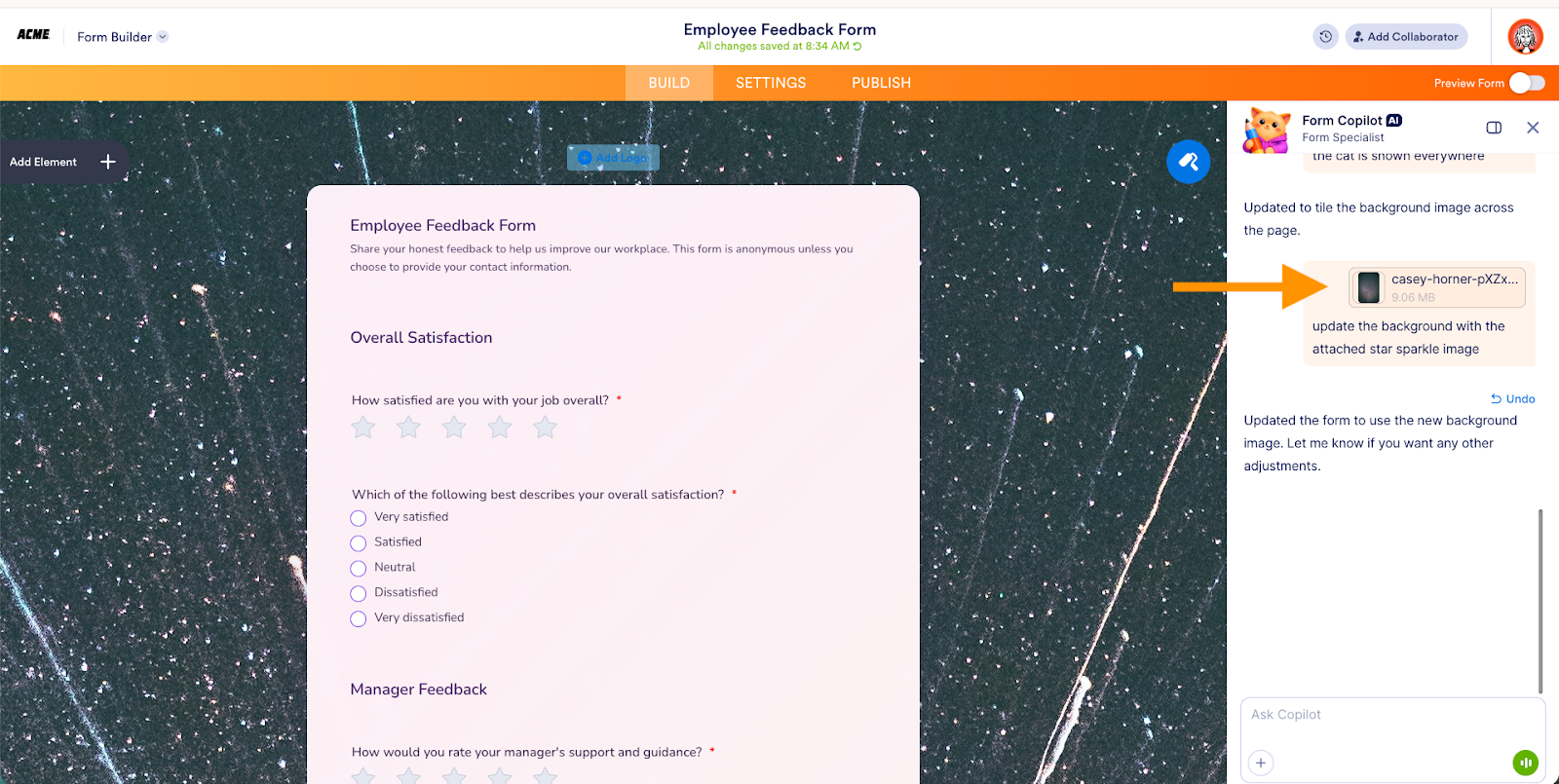
Here’s an example: Let’s use a JPEG file in the Form Copilot to help design an enhanced background for an employee feedback form.
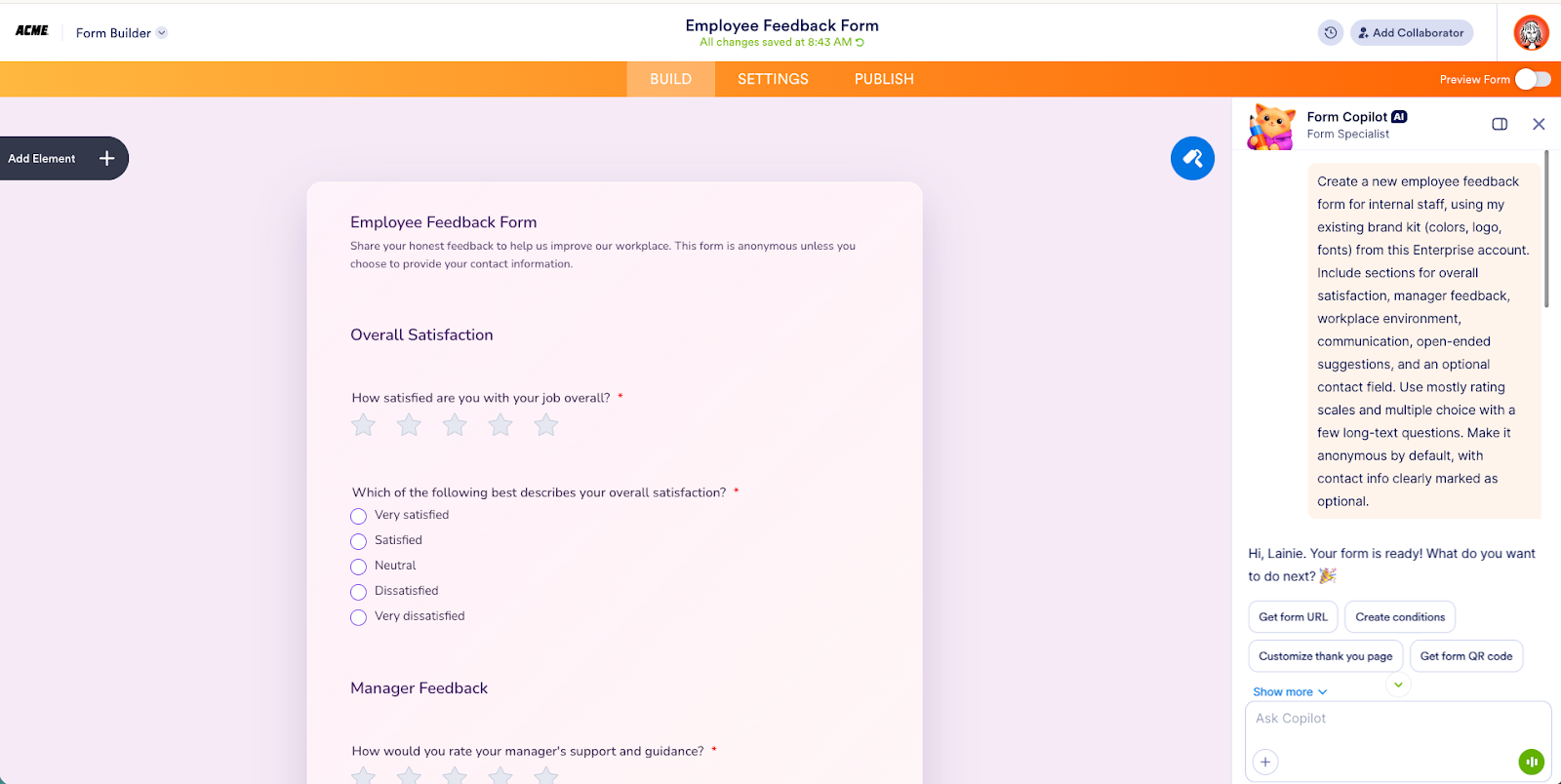
I simply add the file to the chat, and in seconds, Jotform AI automatically applies the file’s design colors, picture, and style to my form background.
Why Jotform AI is more than an AI form generator
From an industry perspective, Jotform AI represents best-in-class form assistance that sets a new foundation in intelligent data management. It can execute at the request of a prompt.
Here’s a quick breakdown of AI form-building capability and how we currently stack up.
 Jotform AI |  Typeform |  Google Forms |  Fillout | |
|---|---|---|---|---|
| Create a form from a prompt | ⭐ Full conversational form generation | AI form generator | Limited suggestions | Yes |
| Generate forms from documents, spreadsheets, or images | ⭐ Upload files and convert them into forms automatically | Limited to paid users only | No | Yes |
| Conversational AI editing inside the builder | ⭐ Form Copilot can update fields and logic at your request | Yes | No | No |
| Automatically generate conditional logic | ⭐ Describe the form behavior you'd like, and Jotform AI builds the logic automatically | Yes | Basic sections only | No |
| AI-generated calculations and data copying | ⭐ Build scoring, totals, and field calculations with simple requests | No | No | No |
| AI suggestions for questions and structure | ⭐ Suggests fields and improves form structure | Yes | Limited | Yes |
| AI design and styling assistance | ⭐ Update layout, themes, colors, and styling by request | No | No | Limited |
| AI branding (match website or brand kit) | ⭐ Match colors and branding automatically | No | No | Yes |
| AI-generated notification and autoresponder emails | ⭐ Generate email workflows automatically | No | No | No |
| AI-generated test submissions | ⭐ AI can simulate submissions to test form behavior | No | No | No |
| AI optimization recommendations | ⭐ AI suggests improvements to increase completion rates | Yes | No | No |
| AI assistant for product guidance | ⭐ AI answers product questions and guides product/feature setup | No | No | No |
| AI conversational agents for workflows | ⭐ AI Agents enable chat-based workflows and data collection | No | No | No |
Your opportunities are endless with Jotform AI
We like to say that no matter your business or organizational purpose, everything starts with a form. And almost every industry uses forms. Here’s a glimpse at how different industries can use Jotform AI to be even more efficient.
Marketing and events teams
Marketing and events teams can use Jotform AI for lead capture, to brainstorm new campaigns, and to generate event registrations and post-event forms and surveys.

With built-in form best practices and automatic brand design, teams can improve outreach and hit the ground running faster than ever.
Human resources teams
HR teams can creatively build onboarding programs with Jotform AI simply by uploading company policies, enrollment forms, and training manuals.

The platform’s built-in accessibility checks will help ensure your programming is clear to everyone across your organization.
Small businesses and entrepreneurs
For hard-working solopreneurs, Jotform AI can help bring your vision to life by simplifying and automating your customer intake and data management process.

Whether your business plan is on the back of a paper napkin or a voice memo on your phone, Jotform AI is ready to ramp things up and help you scale.
Education professionals
Education administrators and teachers need software that works seamlessly and saves time. Being able to create conditional-based surveys and course evaluations with Jotform AI is a game changer.
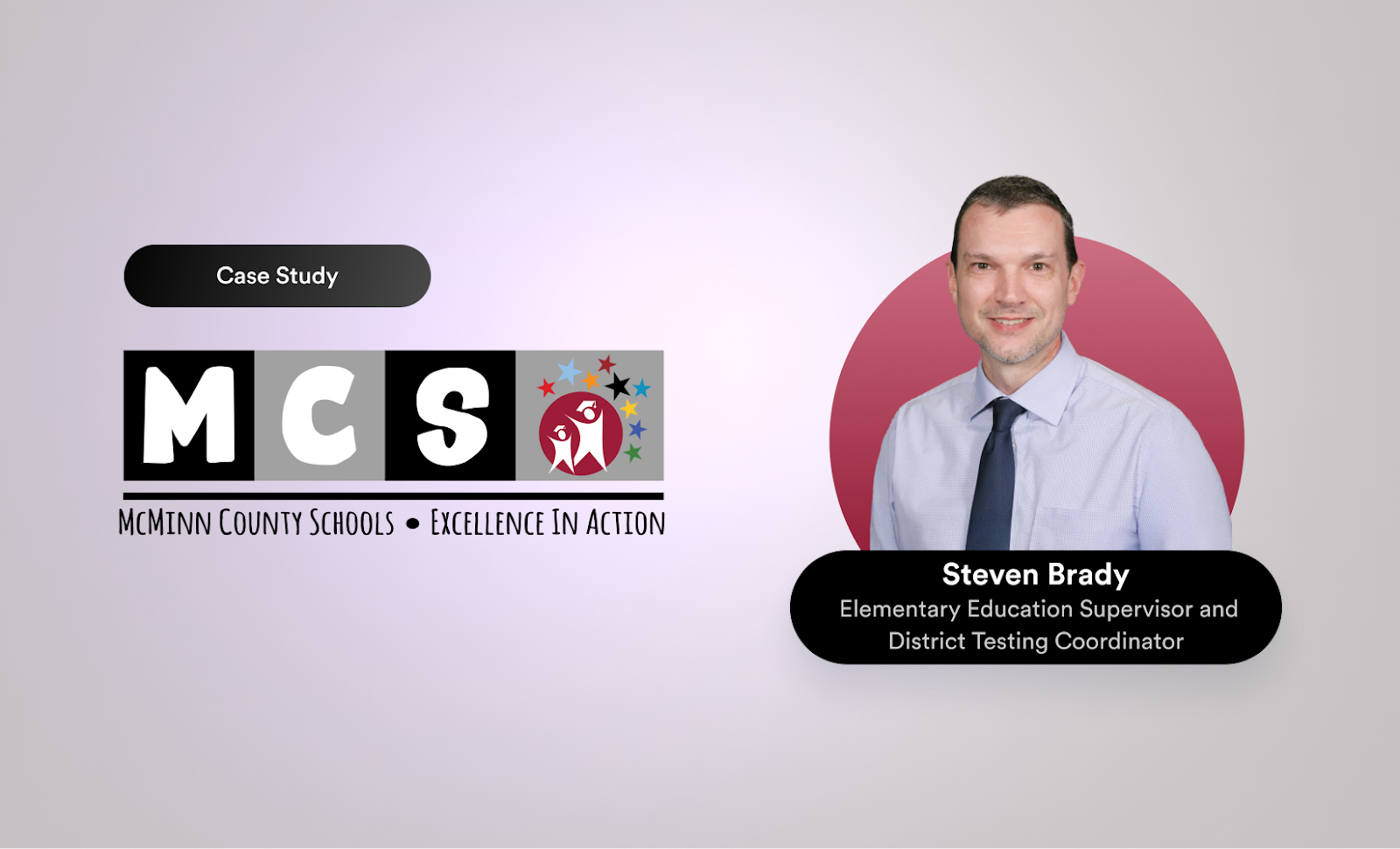
I was surprised at how many people used the Jotform AI Agent to ask questions and get real quick answers.
Steven Brady, Elementary Education Supervisor and District Testing Coordinator, McMinn County Schools
An AI that creates workflows — and validates form behavior — makes for the best digital assistant.
Did you know?
Jotform AI can also help optimize your forms. It can analyze a form and suggest improvements like simplifying questions and improving the order of form fields and the form’s overall structure. Together, these improvements can help increase conversion rates and create a smoother user experience.
FAQ about Jotform AI
Have questions about what you can do with Jotform AI? Here are a handful of questions that can help you navigate the new AI functionality.
Upload a document that contains the information you want to turn into a form. Jotform AI will analyze the document and generate a form with the relevant fields. You can also describe what you want in the form before editing/publishing.
You can upload CSV, XLS, or XLSX spreadsheet files. Jotform AI will read the structure of these files and automatically convert the columns into form fields.
Yes. Describe the behavior you want, and Jotform AI will automatically create the correct logic.
Simply record your spoken instructions, and the AI will analyze the request and generate form fields based on the information you described, creating a form draft automatically.
Pre-built prompts are ready-made descriptions that appear as buttons in Jotform AI. They help generate forms automatically. Instead of writing your own request or prompt, you can choose a pre-built one that represents the type of form you want to create.
Yes. After Jotform AI updates your form, you can continue editing everything manually in the Form Builder — or you can use Form Copilot to continue editing with the help of AI. Either way, you stay in full control and can review, adjust, or customize any AI-generated changes at any time.
For a full list of FAQs, check out the Jotform AI page.
Conclusion
We began our foundational AI research in 2023 and, in 2024, launched the Form Copilot as a proof of concept. All the while, we used your valuable feedback to improve how AI could enhance your form-building experience.
Last year we launched several AI Agents to transform customer service, and Jotform Enterprise 2.0 to enhance organizational management, insights, and brand compliance. These releases are a direct result of listening to you — how you use the platform, benefit from AI, and seek innovative ways to automate more with Jotform Enterprise.
Jotform AI represents more than a year of AI innovation.
After more than 200 million AI Agent sessions, 22 million agent messages, and 450,000 AI Form Copilot sessions, you (the customer) continue to be our north star when it comes to product creation, functionality, and design. Perhaps more than ever, Jotform AI is a result of your feedback, feature requests, and, yes, product issues.
Jotform AI empowers everyone to build the complex forms their organization needs, delivering the power of the platform in a prompt.
From designing your first form to configuring custom Thank You Pages and conditional logic, Jotform AI is your constant coach, ready to take your forms from meh to medal-worthy.
Jotform AI represents our commitment to building things better, together. We can’t wait to see how this new way of form building empowers your organization and the people behind it. Drop us a line and let us know what you create with Jotform AI.


































































































Send Comment: