
Top 10 form builder software tools
- Jotform for scaling form operations
- Google Forms for simple data collection
- Typeform for engaging conversational forms
- Fillout for building trustworthy payment forms
- Tally if you are a Notion power user
- SurveyMonkey for market research
- Microsoft Forms for Microsoft 365 users
- Airtable for manipulating responses in a database experience
- WPForms for building a form for WordPress
- involve.me for creating branded funnels
Your customer just bounced from your contact form. Your employee gave up halfway through that feedback survey. Your lead never completed the quote request that could have closed a $50K deal.
Bad forms kill conversions, frustrate users, and leave money on the table. Yet companies still rely on clunky software and complicated tools that turn data collection into a headache. You don’t have to be like them. The top online form creators offer drag-and-drop simplicity, smart conditional logic, and integrations, turning simple forms into starting points for entire workflows.
With so many options on the market, it’s hard (but essential) to figure out which one is best for your business. After all, the right tool can transform a necessary evil into a competitive advantage. I spent three weeks testing 47 different form builder apps so you don’t have to, zeroing in on the ones that consistently deliver high-converting online forms. Here are the form builder software tools that actually deserve your time.

How we tested and picked these form builders
Over three weeks, I tested 47 different web form tools, from simple drag-and-drop form builders to enterprise customer experience platforms. I based this initial list on market research, online reviews, and my own experience following and writing about this category for the past three years.
I approached each platform in the same way: Start with a template when available, then customize fields to match scenarios like client intake, event registration, or feedback collection. I used each app from both creator and responder perspectives, testing everything from the initial setup to the final submission experience.
Beyond the process of just building forms, I also evaluated how each platform handled responses and whether it could double as a form automation tool. How clear were the analytics? How easy was data export? Did special features actually solve real problems, or were they just marketing bullet points? As I did this, I started to build a short list of tools, noting their differentiating traits. Let’s dive in and see which form builder software is the best for you.
The best form builder apps of 2026
 Jotform |  Google Forms |  Microsoft Forms |  Typeform | |
|---|---|---|---|---|
| Best for | Form operations at scale | Simple data collection | Microsoft 365 users | Engaging conversational forms |
| Unique feature | 20,000-plus templates with 40-plus payment gateway integrations | AI-powered form generation with Gemini integration | Built-in HIPAA, GDPR, FERPA, and BAA compliance features | Four specialized form modes (universal, lead qualification, quiz, match quiz) |
| Pricing | Free plan available; Bronze plan costs $39 per month | Completely free | Free plan available with Microsoft account | Free plan available; Basic plan costs $25 per month |
| Try It Now | Learn More | Learn More | Learn More |
1. Jotform
Recommended for: Operations teams at scaling businesses that need versatile data collection tools
- Pros
- Large template library with over 20,000 options
- Strong conditional logic capabilities
- Complex workflow support with multipage forms and add-ons
- Cons
- Limited customization on the free plan
- Advanced features may require subscriptions to other Jotform products
As the song goes, you started from the bottom and now you’re here. The simple form tool that helped you launch may fail you as you continue to grow. You need something robust, with advanced features and integrations that connect to your expanding tech stack. Jotform is built for this upgrade, turning forms into automated problem solvers.
Whenever you need to create a new form, start by browsing the template library. It has thousands of ready-to-use templates to choose from, so all you have to do is customize, not build from scratch. The basic input types already include unique options for filling in the blanks, product lists, spinner elements, and more. You can easily drag and drop them into your form and edit their settings on the right-side tab.
Whereas other form builders offer only the basics and a couple of standout features, Jotform provides flexibility with widgets. Widgets act as form input fields with extra functionality, activating features such as taking photos (helpful for forms used on a factory floor for maintenance) and embedding Instagram feeds or Adobe Acrobat Sign directly within forms. And this is just a sampling — there are dozens more to use, from form verification widgets to a birthday picker, all with advanced form options you can tweak to meet your needs.
Jotform is unique, in that it integrates with over 40 payment gateways, including the popular Stripe, PayPal, and Square lineup. Beyond being useful for whatever’s available in your region, this is also a good strategic advantage as you can quickly switch to a payment provider with better fees without having to ditch your current data collection software.
If you’re planning to collect payments, you can automate some of the onboarding or shipping preparation work by integrating Jotform with the rest of your tech stack, letting your teams know what to do as soon as a new customer buys from you. Set this up using Jotform’s Workflow Builder, which lets you create automated sequences with conditional logic and native connections to popular apps such as Asana, ClickUp, and Slack, among others. This is one of Jotform’s strongest form automation tools.
For teams that need more control, Jotform goes beyond drag-and-drop simplicity. You can share forms as fillable PDFs for offline completion, embed interactive feedback buttons directly on your website, or even create downloadable apps from your forms. The platform includes an advanced code editor with clickable CSS options, letting you customize every visual detail. Plus, the ability to download your form’s entire source code means you’re never locked into the platform if your needs evolve.
While the form-building features are versatile, you can browse other Jotform products to solve more pain points in your workflows. For example, you can leverage Jotform Sign for e-signatures, Jotform Apps for building portals, and Jotform AI Agents for customizing an AI experience that serves customers and employees.
Growing fast? Leave the entry-level software behind for increased business agility and future-proof data collection workflows. Jotform is a Swiss Army knife — a robust option that shines in multiple use cases, making sure your problems stay solved.
- Plans/Pricing
- Free plan available
- Bronze plan starts at $39 per month
- Discounts available for annual billing
Build faster with Jotform AIDescribe the form you need, and let Jotform AI build it for you instantly.
Get Started Now
Pro Tip
Jotform free vs paid is less about feature access and more about scale. Since the free plan includes core tools like templates, widgets, payment forms, and integrations, the real reason to upgrade is usually higher limits for submissions, storage, form views, and team growth.
2. Google Forms
Recommended for: Teachers, community organizers, and internal business units that want a zero-budget way to grab answers fast and drop them straight into Google Sheets
- Pros
- Completely free
- Seamless Google Workspace integration, including responses sent to Google Sheets
- Automatic question type detection
- Cons
- Limited design customization
- No native payment processing
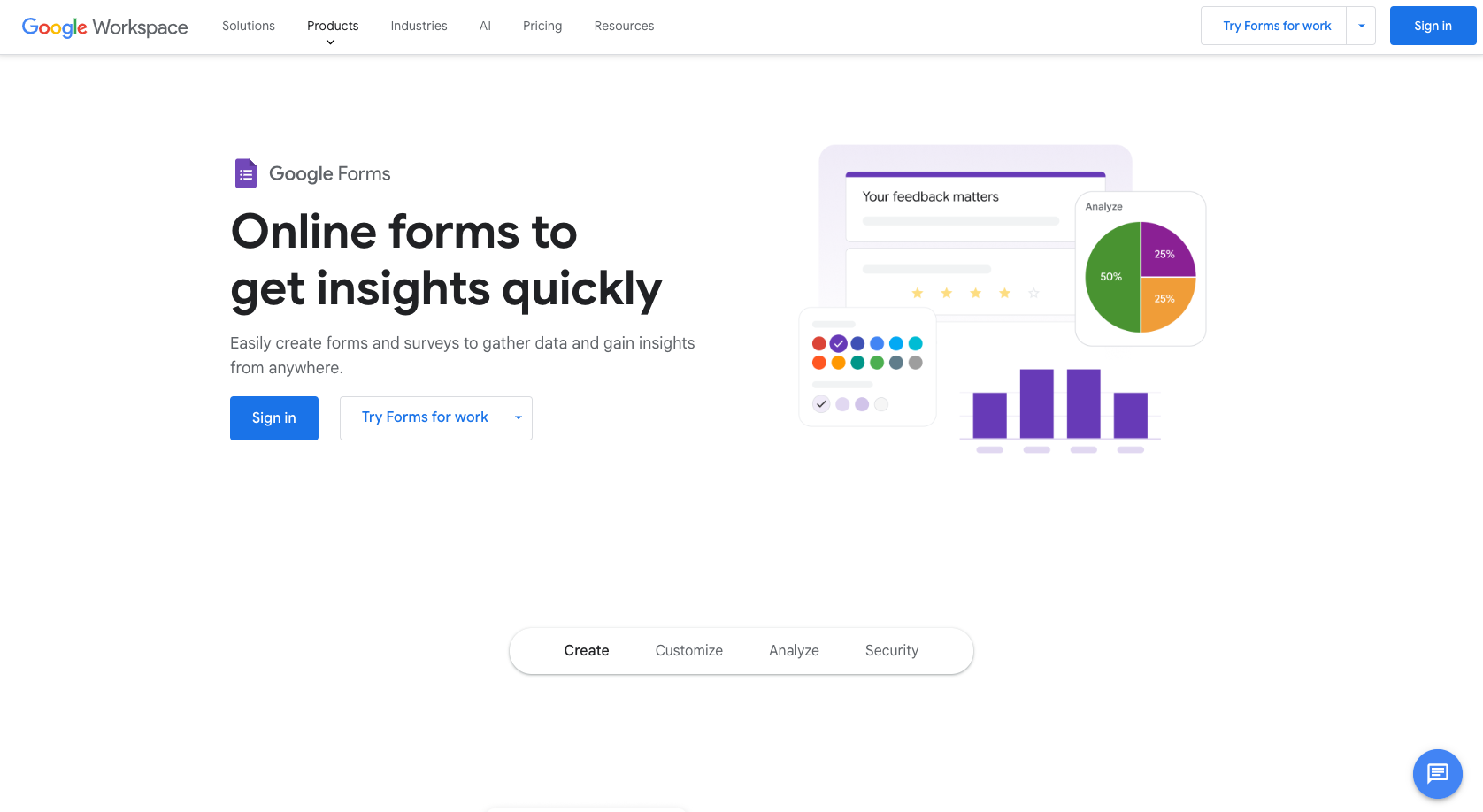
Google Forms delivers reliable survey form software for free, making it the go-to choice for straightforward data collection. Its interface follows Google’s Material Design principles, creating a familiar experience for both form creators and respondents. This ease of use helps you create forms faster and reduces friction when filling them out, so you can have the insights you need without hard work.
Typing in your questions is a breeze using a dropdown menu to choose each question type. You’ll notice that Google Forms automatically detects the question type based on what you’re writing, which is a nice speed boost and education for beginning users. Customize how the question looks and how the form behaves using the right-side menu, with options to add media and new sections.
When it comes to branding, Google Forms offers theme customization for fonts, adding a header image, and selecting main and background colors. Sadly, you can’t control the layout. These design features are a double-edged sword: On the one hand, a locked user experience means no one can mess it up, always creating a smooth experience for your audience. But on the other hand, it limits opportunities for memorable branding, which isn’t ideal if you have a strong visual and experiential marketing identity.
As users complete and submit the form, their responses display in a reporting tab with simple charts and tables, enough for basic needs. You can see how many people replied and look at unique views for each question type. For more advanced data analysis, you can export these results straight into Google Sheets and connect that file to a data science platform to run deeper pattern analysis.
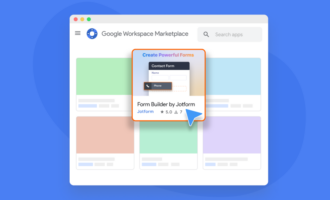
Speaking of Sheets, the real power of Google Forms shines in its ecosystem connections. You can embed complete forms directly in emails to increase response rates, prefill forms with existing data to reduce friction for repeat users, and browse the Google Workspace Marketplace for specialized add-ons to extend functionality. Need to connect with non-Google tools? Zapier workflows let you automatically trigger actions in other platforms when forms are submitted, turning simple data collection into automated business processes.
AI is rolling out strong in Google products, and it’s great to see Gemini at work in Forms. You can now generate a form from a prompt: The more detailed you are, the better the results will be. In my tests, the engine created complete forms with the appropriate question types, requiring only minimal edits.
Simple, free, and dependable, Google Forms is a great match if you’re pressed for time and don’t need advanced features. It can help with simple event registration, employee surveys, or customer feedback collection, offering a fast and competent solution.
- Plans/Pricing
- Free
3. Typeform
Recommended for: Brand-forward marketers and product-led-growth teams that need eye-catching, conversational forms to keep prospects engaged through longer lead-qualification journeys
- Pros
- Appealing user interface for both builders and respondents
- Over 1,500 templates with 50-plus design themes, all customizable with contrast and accessibility validation
- Advanced conditional logic
- Cons
- Can be complicated for simple needs
- Fragmented pricing tiers, gating key features at higher price points
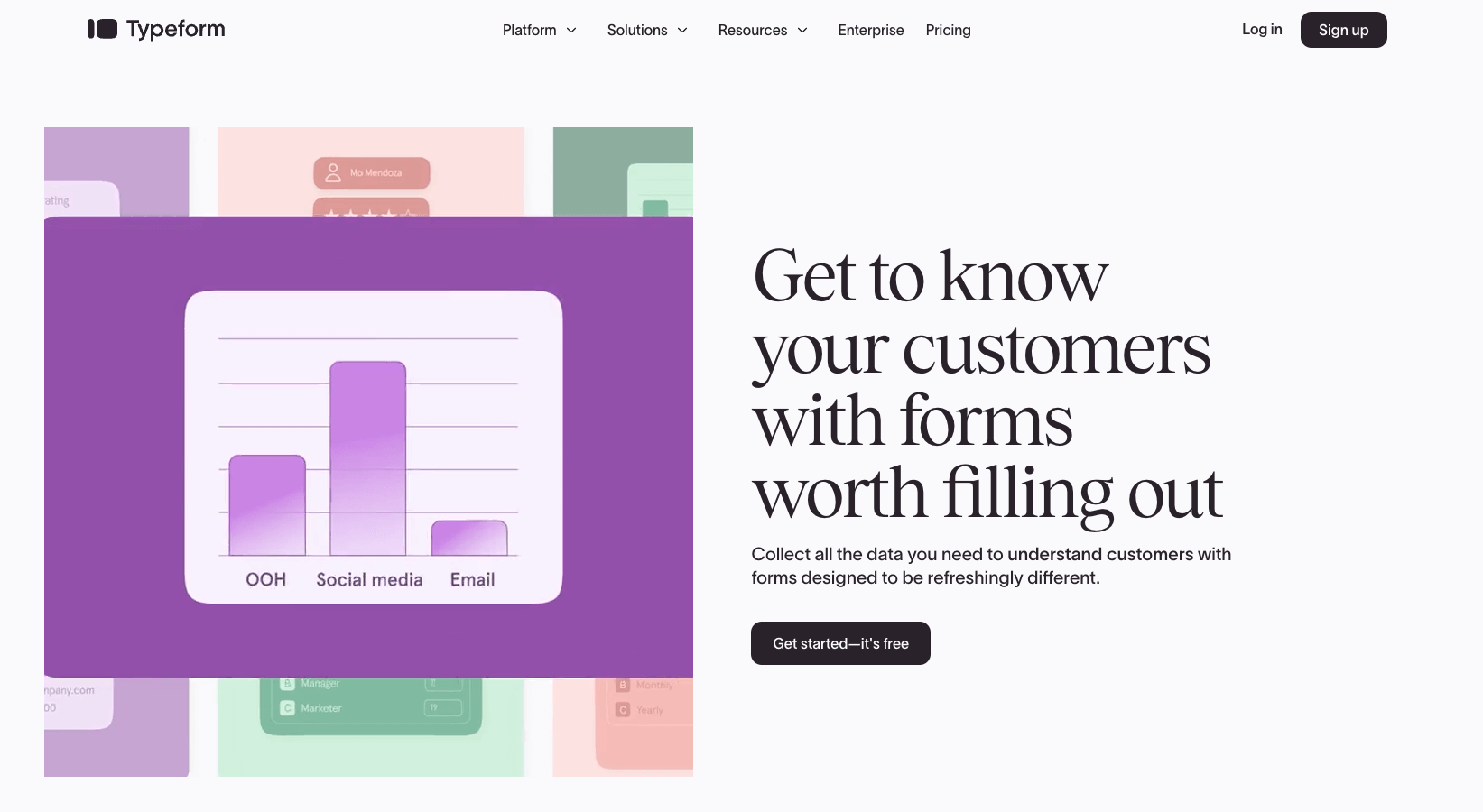
Typeform was one of the first apps to establish conversational forms, where questions pop up one at a time. And it delivers this functional innovation in a smooth, pleasing user interface — an open canvas to establish your brand as trustworthy and high-value.
But beautiful doesn’t mean shallow here. Typeform evolved from just looking good to including an editor that balances complexity and intuitiveness, making it easier for beginners to customize and preview the form they’re building before they share it. You can even add a video to each question card, increasing engagement and the likelihood that people will finish the form. Every question type is customizable on the right side, so you also have higher control over the end result.
Typeform offers four modes that shape the functionality of the form: Universal mode is the traditional experience. Lead qualification mode helps prioritize responses to surface the best-matching leads for your business. Knowledge quiz mode lets you test people. And match quiz mode turns your form into a needs assessment experience, where results differ, depending on how the respondent enters their answers (like a product-matching form that recommends the best item for you to buy).
Typeform uses more than just conditional logic. When you tap the Workflow tab, you’ll notice that this isn’t a simple routing of questions depending on the answer. The app understands its position as a data collection tool — you can integrate data before respondents start answering, so you can identify their responses and personalize the content. At any point in the questionnaire, you can trigger conditional actions across any app from the available integrations (there are plenty of native ones with popular apps and thousands more via Zapier).
Beyond collecting responses, Typeform provides detailed analytics that can help you optimize conversions. It tracks completion times, identifies drop-off points where people abandon forms, and monitors conversion rates to continuously improve performance. For response management, you can also tag submissions and attach tasks to streamline follow-up workflows, turning form responses into actionable business processes.
Such a strong feature set with an appealing experience doesn’t come free, or even cheap. All this can be yours starting at $25 a month, one of the higher price points on this list, especially considering the metered limitations. This is heightened by key features — like custom domain support, higher response-per-month limits, and removal of Typeform branding — being locked in higher tiers. These issues make this app a better match for established businesses with larger budgets, where branding and customer experience are the name of the game.
- Plans/Pricing
- Free plan available
- Basic plan starts at $25 per month
- Discounts available for annual billing
4. Fillout
Recommended for: Digital product or service providers that need multistep checkout and payment pages with Stripe subscriptions, trust badges, testimonials, and calendar blocks baked in
- Pros
- Advanced features on free tier
- Excellent customer support
- Strong integrations with database software
- Cons
- Limited advanced design customization
- Limited analytics with the free plan
Most consumers today are used to buying products and services online. Even so, not everyone trusts a dodgy-looking payment page with a weird design, unexpected behavior, or long loading times to carry out simple actions. If you want to level up your payment collection game without opening an e-shop or some other expensive solution, Fillout is a great choice.
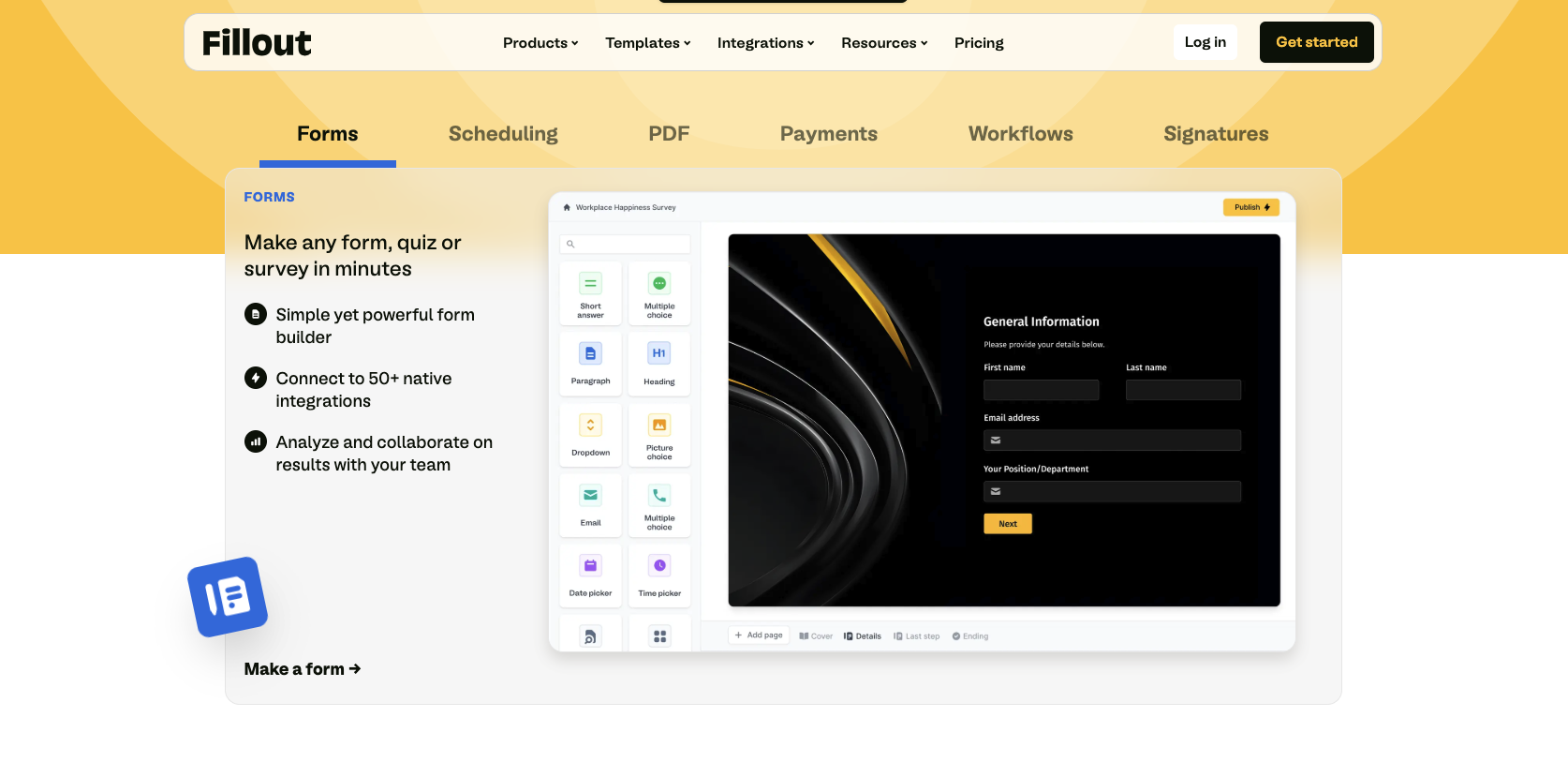
Three years ago, Fillout was a simple form builder with a generous free plan and features on par with most of the other free web form tools on this list. Over time, however, it overtook the lazier competitors and released a flurry of polished functionality, while still maintaining its generous pricing and reasonable paid tiers for more advanced customization. Beyond basic forms, it also includes calendar scheduling (similar to Calendly), fillable PDF creation, payment forms, electronic signatures, and workflow automation (even including some AI-powered steps).
Building forms with Fillout is very simple. The editor experience is similar to Typeform but clearer in functionality, especially in laying out the question types. You can also add password fields, CAPTCHAs, tables, and location coordinates — rare among the offerings in this category, which shows just how versatile this app can be. When organizing your responses, you can quickly sync them to Notion, Google Sheets, or Airtable, making it easier to manage your data.
Payment forms cover one-time payments and recurring subscriptions, as well as pay-what-you-want models. Stripe handles the infrastructure part, with an easy integration process, while Fillout takes care of the interface. Customizable with your brand colors, it offers all the user experience elements that make your page feel secure: input fields with card-issuing company labels, a summary of what you’re purchasing, and even a testimonial or disclaimer to increase trust at this crucial step. This makes the conversion step professional, clean, and frictionless, ensuring high trust as money and value change hands.
Fillout is a great choice if you’re just starting with forms and suspect you’ll need advanced features soon, especially around payments. More than that, it’s a good match if you like software that evolves quickly over time, as the team is invested in making the app the best it can be.
- Plans/Pricing
- Free plan available
- Starter plan costs $19 per month
- Discounts available for annual billing
5. Tally
Recommended for: Notion power users, indie hackers, and early-stage startups that want unlimited free forms they can spin up from the keyboard and embed directly in docs or dashboards
- Pros
- Strong integrations with productivity tools
- GDPR compliance features
- Keyboard-driven building process
- Cons
- 5 percent payment processing fee
- Limited design customization
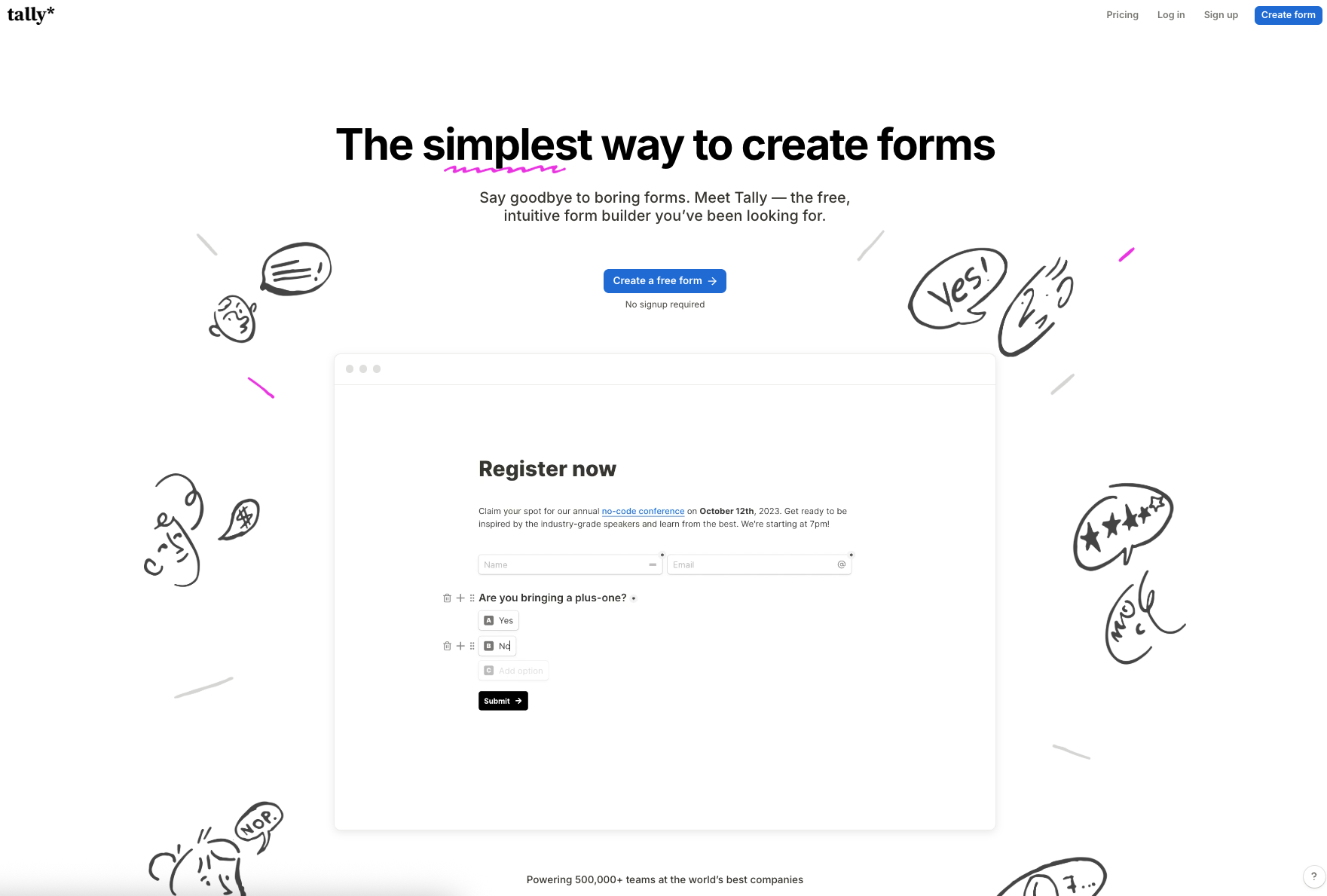
Tally is Google Forms’ brainier sibling. With unlimited forms and submissions (within pretty high fair-usage limits), Tally’s free plan is quite generous, especially considering its integrations, conditional logic, scoring, and advanced features. It’s a great tool for gathering quick feedback, digitizing paperwork, and making your workspace apps more interactive through embedded forms. There are some extra features if you love it and decide to upgrade, but the free plan can last you quite a long time and cover most needs.
Tally shines in the hands of power users, especially those who use Notion for almost everything. Like a document, you can build a form without having to touch your mouse all that much. Just type a forward slash and use the directional arrows to choose one of dozens of content blocks containing question types, layout options, and advanced blocks for logic and calculations. This may make Tally less intuitive for builders who prefer their mouse and rely on clicking visual elements on the screen, so definitely take this into account.
The minimalist user interface is similar for both builder and respondent. It looks and works great but does lack customization options. With the free plan, you can only switch between light and dark modes, change element colors, and choose the main font. The trade-off is clear: not a lot of opportunities for branding or crafting wow moments that’ll stick.
Since the aesthetic is so similar to Notion, it’s easy to embed a Tally form inside a page, replacing the native form functionality. Tally also integrates natively with Coda and Google Sheets, making it great for internal data collection forms. The company’s free plan offers enough analytics to browse responses and see visits or conversions. But while you can collect payments on your forms, Tally does charge 5 percent commission on every transaction. This is okay for infrequent activity, but if your volume increases, consider switching quickly as it can start eating into your finances over time.
If you keep identifying work processes that could benefit from forms to give them structure, Tally is a good tool to get them built, tested, and implemented. It can last you a long time, offering peace of mind if you work at a large company with thousands of form submissions per week. And with its integrations, Tally makes it easy to move data to other apps, working as a robust frontline data gathering app.
- Plans/Pricing
- Free plan available
- Pro plan costs $29 per month
- Discounts available for annual billing
6. SurveyMonkey
Recommended for: Product managers and market research teams looking for specialized survey tools and an on-demand panel of respondents
- Pros
- Easy setup for advanced logic
- Plenty of native connectors to external apps, including data science platforms
- Varied distribution methods, including SMS, QR code, and kiosk mode
- Cons
- Expensive pricing
- Data export features require higher-priced plans
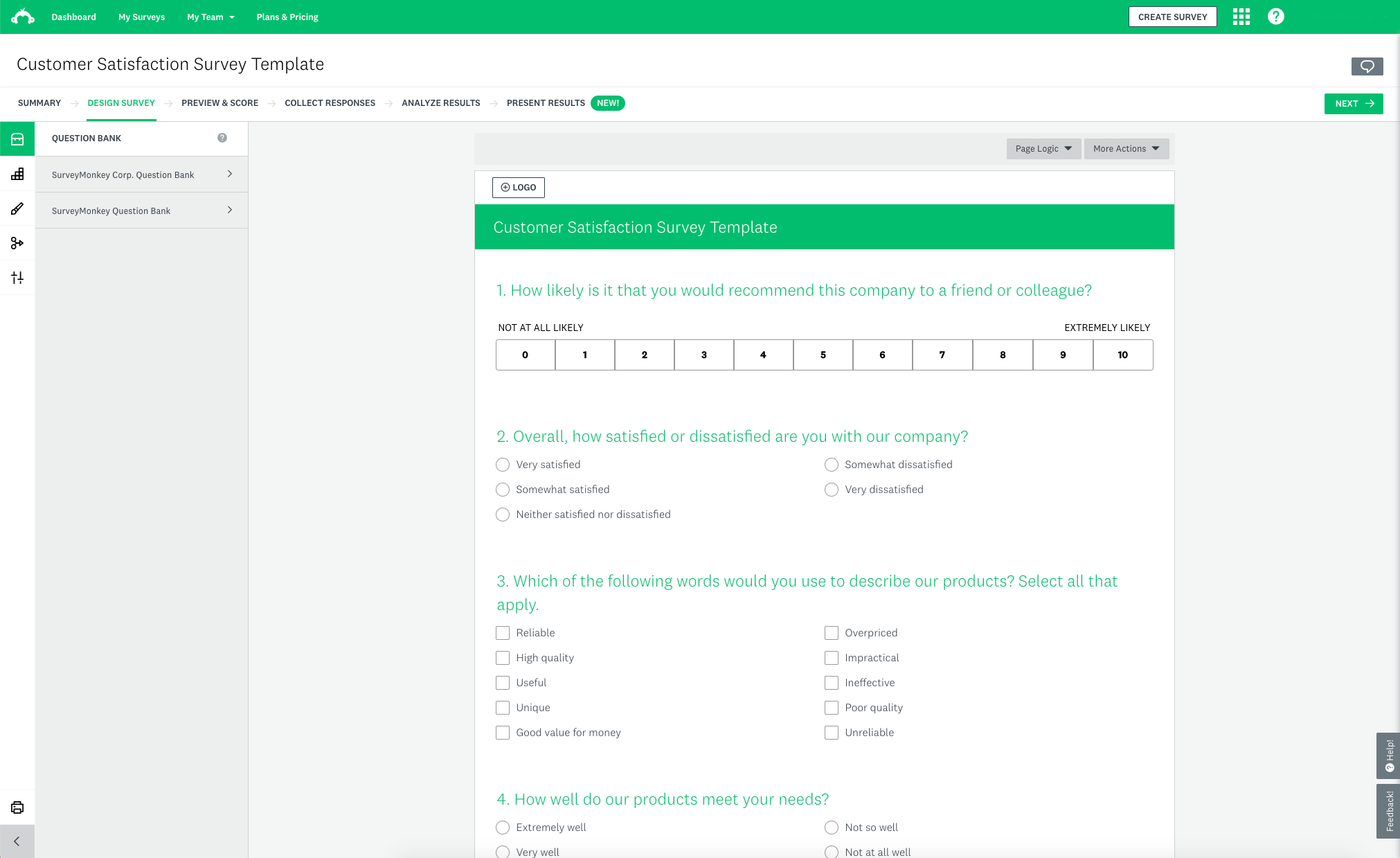
Products, services, and businesses need to cater to people’s needs to exist. If you don’t know what people need, how can you build and grow? SurveyMonkey is a bridge that connects both ends of this equation, acting as a form builder and market research platform rolled into one.
This unique tool offers specialized market research methodologies beyond any basic survey form software. You can run MaxDiff analysis to prioritize product features, use Van Westendorp pricing research to find optimal price points, or deploy conjoint analysis to understand buyer preferences. More than 13 research templates include step-by-step wizards that guide you through proper methodology setup to help ensure statistically valid results.
If you’re a startup or don’t have a strong audience yet, you can buy responses from SurveyMonkey. They’ll take your research project’s forms and put them in the hands of your target audience. You can choose how many responses you need and build a profile with preset targeting criteria (full-time employees, consumer shoppers, etc.), or set it up yourself using filters for location, gender, age range, or household income. Each project is billed separately, with 100 responses costing around $120 at the time of writing.
Real-time analytics automatically generate insights as your form responses arrive, with AI identifying sentiment patterns and key themes in the open-ended responses. The platform runs statistical significance tests, cross-tabulations, and trend analysis that would typically require dedicated research software.
While you could use SurveyMonkey for basic forms, it’s really designed for serious market research. Product managers use it for feature prioritization, marketers for brand perception studies, and executives for strategic decision-making. It transforms scattered customer feedback into actionable business intelligence.
- Plans/Pricing
- Free plan available
- Team Advantage plan costs $30 per user per month, starting at 3 users and billed annually
7. Microsoft Forms
Recommended for: IT, HR, and compliance departments already using Microsoft 365 that must whip up secure surveys without introducing a new vendor
- Pros
- Automatic data export to Excel for analysis
- Seamless integration with the Microsoft software suite
- Secure HIPAA, GDPR, FERPA, and BAA compliance features
- Cons
- Limited design customization
- Fewer question types than specialized alternatives
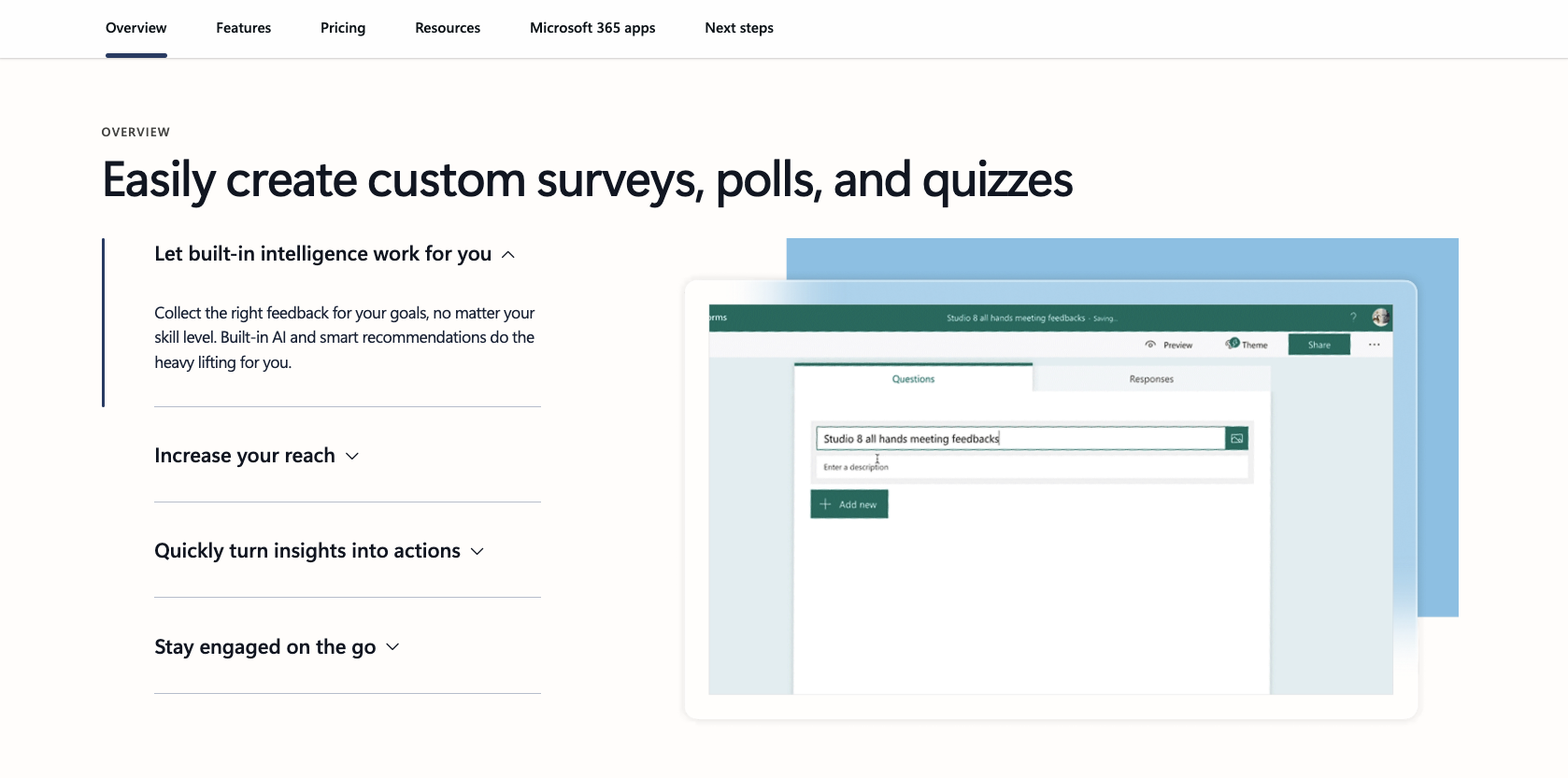
Microsoft 365 is the latest iteration of a software suite with a long history. Deep in the Microsoft collection with Word and Excel, Microsoft Forms is a silent companion ready to add value to your work, especially if you already use the entire app collection.
For users on the personal tier, all core features are free with a 200-response limit: Simply sign up for a free Microsoft account and you can access it without paying. The response limits increase to 1,000 if you upgrade to a Family plan. When subscribing to a Business or Education plan, the caps rise up to five million responses with added data privacy, security, and auditing features.
The real strength here is integration. Responses automatically flow into Excel for analysis. You can embed forms directly on SharePoint sites, and Teams users can create quick polls during meetings without switching apps. If your organization runs on Microsoft tools, Forms eliminates the friction of moving data between platforms, saving you from lots of copying and pasting.
Microsoft’s AI investments are paying off in Forms too. The platform now offers AI-powered theme suggestions that automatically recommend original designs, including animated backgrounds that make forms more visually engaging. For even more advanced capabilities, consider trying Microsoft Copilot Pro, which can help generate entire forms from natural language prompts. You can also send emails directly from Forms to follow up with respondents, keeping all communication within the Microsoft ecosystem.
Microsoft Form’s user interface has been progressively streamlined over the years to prioritize ease of use, making it one of the easiest to use on this list. You can set up branching logic to show different questions based on responses, though it’s more basic than what specialized form builders offer. And the question types cover most standard needs, such as multiple choice, text, rating scales, and file uploads.
For organizations already invested in the Microsoft ecosystem, Forms provides decent functionality without additional software costs. It’s particularly useful for internal surveys, event registrations, and quick feedback collection where advanced design isn’t critical. However, if you need sophisticated branding, complex logic, or extensive customization, other dedicated online form creators will serve you better. Microsoft Forms excels at solving simple data collection needs quickly within the Microsoft workflow.
- Plans/Pricing
- Free plan available
8. Airtable
Recommended for: Ops and product teams who must turn raw submissions into a living, relational database with filtered views, linked records, and automations for cross-team collaboration
- Pros
- Relational data capabilities
- Powerful collaboration features
- Robust automation features
- Cons
- Steep learning curve
- Not ideal for traditional forms
If you’re a seasoned productivity app lover, you may be surprised to find Airtable on this list. Originally built as an accessible database software to create custom views and manage data, it doesn’t really track as a form builder. So what’s going on here?
Collecting data is one thing. But storing, organizing, and maintaining data is another battle entirely, which is why Airtable takes a spot here. All the other options on this list have either charts to display responses or a basic analytics tab to show statistics on how people responded to your form. With Airtable, you can create views based on each respondent’s answers, helping you sit at multiple angles to find trends, patterns, and ways forward faster.
Let’s imagine you’re in academia and want to filter feedback based on who the respondent is: professor, student, staff member, or visitor. By adding those four roles as a multi-select option, you can add corresponding views. Need to see what professors are saying? Tap that view to read all the professors’ responses. Repeat for each other view. For a multi-select regarding complaint topics or feedback on spaces on campus, you can drill down further and only see what you need to see at any given moment, simplifying tracking and reporting.
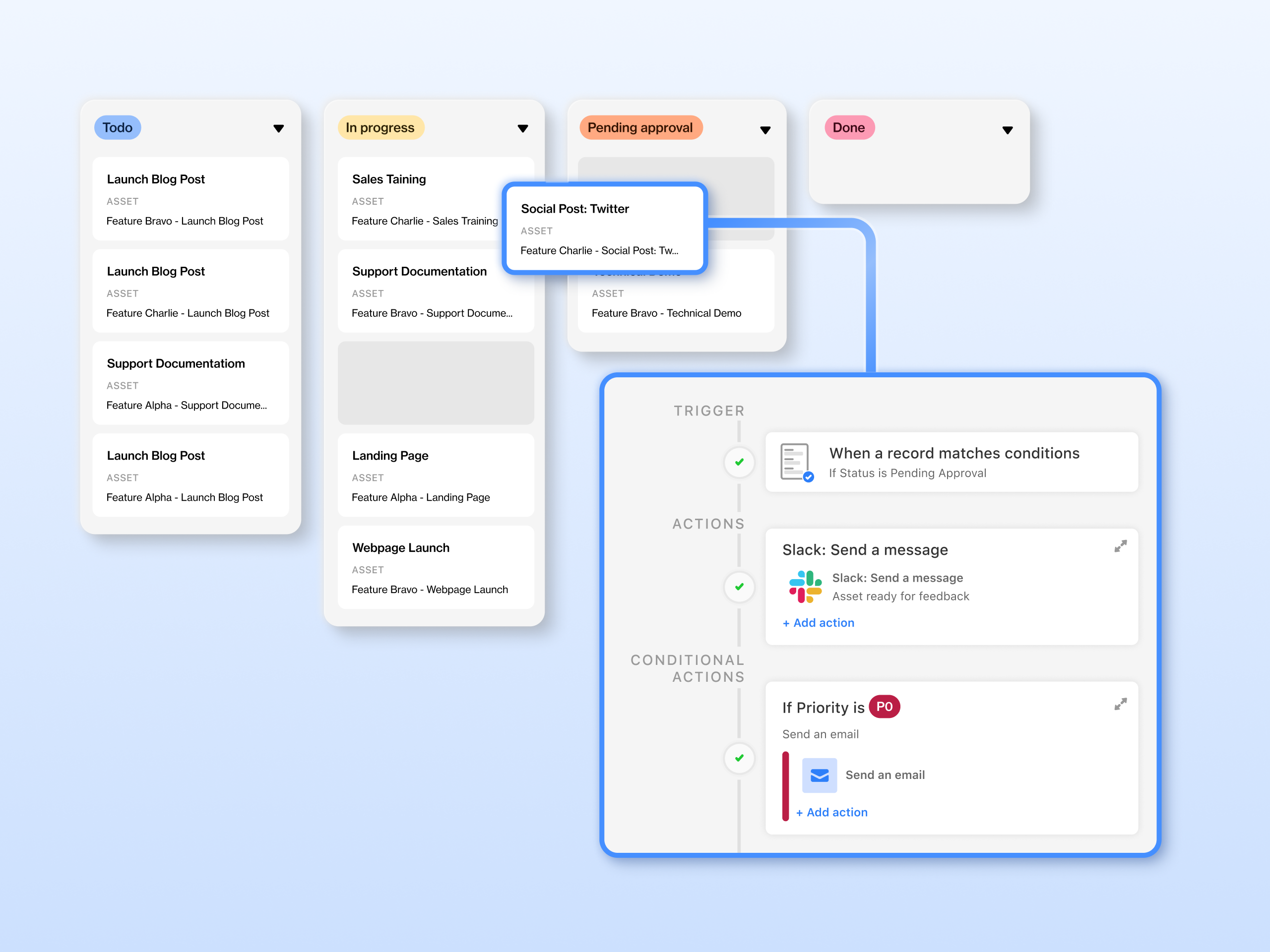
To do this, set up a Form view that has all the basic features needed to record your data. Unlike other software, the data types are tied to what Airtable supports (text, file uploads, URLs, linked records from other tables, etc.) rather than question types in survey apps or input types in conventional form software. Then, when you have data coming in, create filtered views and connect records across tables (relational fields) to further organize your data.
Since Airtable is evolving to become an app and internal tool builder (making it great for saving all your forms in a single place), its AI engine focuses on building a starting point based on a prompt. It’s usually very thorough, creating multiple forms and views to cover as many use cases as possible. In my experience, I’ve had to delete views and forms a few times and customize the existing ones, but I’ve seldom had to add anything.
So, when should you choose Airtable over a traditional form builder? Here’s a quick decision framework. Don’t use it for surveys or simple data collection projects. Get it for digitizing complex paperwork, such as approval processes, inventory management, or projects that require input from multiple stakeholders across departments. Airtable forms have everything you need to record the most common data elements for those workflows, while views let you manipulate responses and share them securely. Collaboration features with different permission levels help align your teams, and relational features allow for advanced filtering.
- Plans/Pricing
- Free plan available
- Team plan starts at $24 per month
- Discounts available for annual billing
9. WPForms
Recommended for: WordPress site owners and bloggers who need native, drag-and-drop contact, payment, or onboarding forms without touching external embeds or code
- Pros
- More than 2,000 templates
- Over 200 integrations with marketing, payment, and productivity apps
- Robust spam protection
- Cons
- Email delivery can fail without SMTP configuration, which is complicated
- Can conflict with caching plug-ins, breaking form functionality
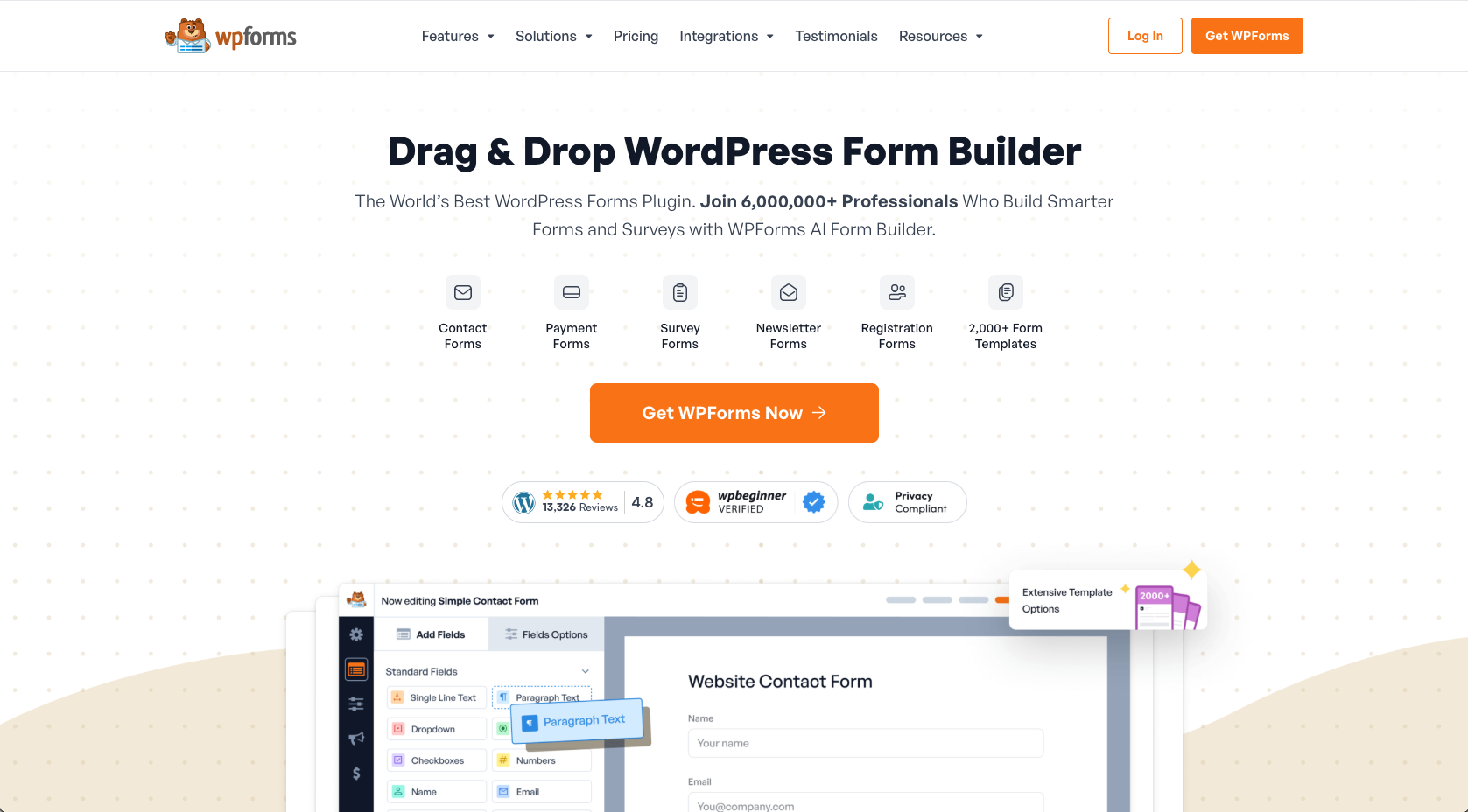
One fifth of the open internet runs on WordPress, an open-source project that makes creating, running, and growing a website possible for nontechnical people like you and me. The form builder tools on this list are great for sharing forms via emails or messages — some can be embedded in websites too, with limited control. But if you need something more specialized for your WordPress installation, WPForms is the top choice for collecting data there without headaches.
Simply install the WPForms plug-in and it’s ready to use. The builder interface runs on a dedicated screen with slightly different principles than WordPress, but it’s easy enough to understand and adapt to in a short time. You can drag and drop fields onto the page and tune them using various options. Advanced field settings can get technical quickly with terms like CSS class selectors and conditional logic operators.
Once ready, you can embed the form in a new page on your website, creating a dedicated landing page while maintaining your site’s navigation and branding. It’s also possible to place it as a block using the Gutenberg block builder interface (if you’re building a new page) or paste a quick WordPress shortcode anywhere you need it to appear. And don’t worry about responsive design — the form adapts to any screen size right out of the box, so there’s no need to tweak the breakpoints.
The WPForms plug-in has evolved a lot since I first used it about eight years ago. The conditional logic for hiding and showing fields based on responses is robust. It also comes with marketing integrations to quickly send data over to your customer relationship management system (CRM), workflow automations to help users interact with your website, and even secure payments so you can handle everything on your website.
The WPForms free plan is quite limited: You can only use 10 input types and smart conditional logic is locked, as well as payments and advanced settings. The plan should still cover basic contact forms on your website, though, which is great for a free plug-in.
WPForms excels when you want to run data collection forms and have people move around the website after they’re done responding. But paid plans unlock the real power. With advanced automation, extensive third-party integrations, and conversion optimization tools, you can transform your WordPress site into a lead generation machine.
- Plans/Pricing
- Free plan available
- Basic plan costs $99 per year
- Discounts available for new customers
10. involve.me
Recommended for: DTC marketers and course creators designing fully branded quizzes, calculators, and scoring funnels that feed personalized offers and next steps
- Pros
- Full brand customization capabilities
- Advanced personalization with conditional logic, logic jumps, and answer piping
- Built-in scoring and segmentation
- Cons
- Impractical for large, complex surveys
- Some integrations can be tough to set up
A form is more than just a collection of input fields. It can also be a funnel that takes people on a journey through your brand — a moment where people move from being passive consumers of your content to getting personalized information or deals. In the business-to-consumer (B2C) sphere, visuals and user experience are key, since feeling good is equally important as a reasonable offer. In this case, involve.me has plenty of controls to help you design good forms and funnels to start converting new customers, positioning it more as a marketing tool rather than a traditional form builder.
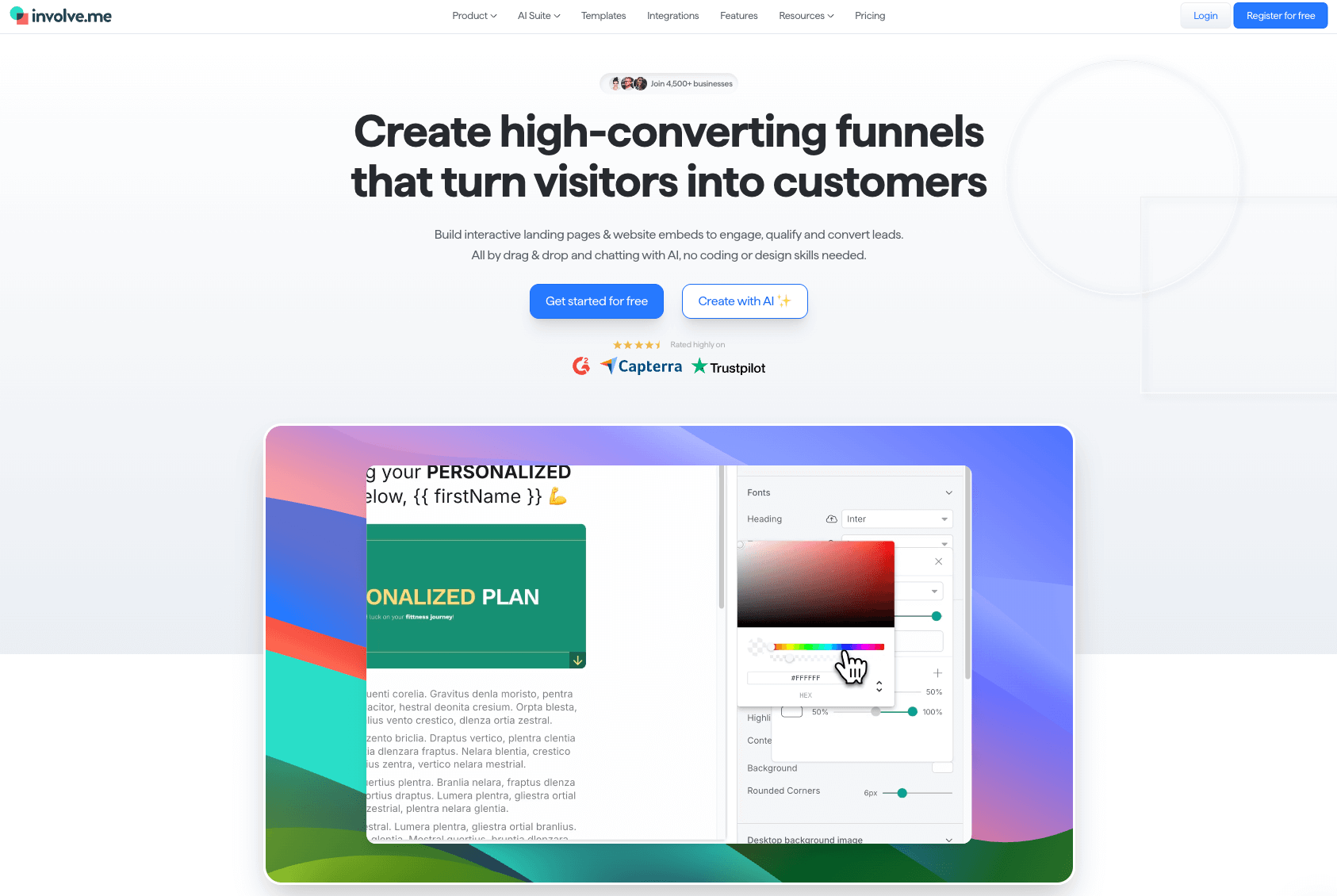
The involve.me AI agent works really well, letting you make changes to your funnel just by writing instructions in the chat window. It will take stock of the current status of the form, plan what it needs to do next, and then make changes according to your instructions. I’ve used it to customize one of my forms, and I was surprised when it even helped me pipe earlier answers into later questions in the funnel.
As you create and customize your form, each element conforms to your global design settings, controlling fonts, colors, and sizes. If there’s a single element you want to set apart from the pattern, you can override the global setting to style it exactly the way you wish. Using the image choice question type is an easy way to improve your user experience with visuals. You can upload an icon or image for each option and add branded content here.
Since you have data-protection regulations to navigate, every involve.me form comes with a data-retention period of only 30 days by default, which can be adjusted in the general settings section of the editor. It’s possible to increase or decrease this value (as short as 24 hours and as long as forever), but I’m giving you a heads-up here so your data doesn’t suddenly vanish.
This is the age of data, and it’s great to see a platform that integrates with many tracking services to make analysis easier. You can connect involve.me with Meta Pixel, Google Analytics, and Google Tag Manager, as well as LinkedIn’s Insight Tag and TikTok Pixel. This will automatically relay usage data from your funnel to these platforms, saving you the trouble of having to build reports manually or on an external platform.
- Plans/Pricing
- Free plan available
- Basic plan costs $49 per month
- Discounts available for annual billing
How different industries approach intake and data forms
Data collection forms are not one-size-fits-all. Each industry has unique data collection needs, meaning you have to take stock of what is and isn’t critical for you. Here’s how different sectors use forms to solve their specific challenges:
- Healthcare and wellness: Patient intake forms are the first impression most medical practices make — and often the most frustrating part of any appointment. Smart clinics use forms to streamline the intake process, update medical histories seamlessly, and secure treatment consent without the typical paperwork headaches.
- Coaching and personal development: Generic advice is worthless. Real value comes from personalization, which means gathering detailed baseline data. Fitness assessments, goal-setting worksheets, and regular wellness check-ins give coaches the insights they need to design programs that actually work for each individual client.
- Finance and tax: Finance is a data-hungry industry. Tax firms and accounting practices deal with information flowing in from multiple teams, departments, and external sources. Forms become the great equalizer by standardizing how tax documentation, income verification, and bookkeeping details get collected and stored, regardless of who’s submitting them.
- Real estate: The journey from curious browser to committed buyer involves dozens of small decisions and data points. Agents use buyer qualification forms early in the process, then layer on property interest surveys and preference checklists that evolve as clients get serious about purchasing.
- Hiring and HR: Job applications are just the beginning. Modern HR teams juggle internal job requisitions, multistage candidate assessments, reference checks, and onboarding workflows that can make or break a new hire’s first impression of the company. Forms keep all these moving pieces organized to make sure nothing falls through the cracks.
So what is the common thread? Every industry needs forms, but they all need them differently. A healthcare practice prioritizes HIPAA compliance and patient flow, while a real estate agency focuses on lead qualification and deal tracking. This diversity in requirements is exactly why choosing the right form builder matters so much and why there’s no single “best” option for everyone. Keep this in mind as you read through the picks that follow.
What makes the best form builder software?
We are way past the time of HTML forms. The best online form building software needs to be fast, robust, and scalable, since it can become critical to your daily operations. Here’s what I looked for when building this short list of options:
- Ease of use: If it’s confusing to navigate or harder than coding, it’s out. The experience should feel intuitive and take you to the finish line quickly.
- Conditional logic: Having logic branches in a form off-loads the decision-making onto it, so you don’t have to process the responses yourself.
- Integrations: Getting your forms to talk with other apps helps automate data transmission, save time, and clear your task list.
- Analytics: When it comes to surveys, analytics help you see responses from multiple angles, so you can create detailed reports to help you make decisions.
- Brand customization: Minimalistic, functional forms are good. But a branded, professional-looking form builds trust and converts better.
Rather than ranking these tools academically, I’ve focused on finding the right solutions for different real-world scenarios. Some picks might seem adjacent to traditional form builder software, but they help solve challenges that standard options often ignore. After all, you’re here to solve problems, not become a form software enthusiast.
Building the perfect form pays off fast
Form building software helps streamline and simplify data collection — without all the confusing email exchanges or scattered spreadsheets. And once you develop the skills to ask the right questions, you’ll be gathering actionable insights for better informed and faster decision-making.
Pick one to three apps from this list and try them out for a short time. Whether you’re comparing tools like Microsoft Forms vs Google Forms or exploring other options, test them for your own unique use cases to see how they stack up. If you need a tool for the long run, with plenty of templates and a versatile feature set, be sure to try out Jotform.
Get started today!
FAQ about best online form builders
For fillable PDFs and professional forms, Jotform stands out. It lets you create fillable PDF forms that can be shared offline, signed electronically, and embedded on websites. For WordPress users specifically, WPForms handles fillable forms natively without any external embed headaches.
Google Forms is a strong free option for simple surveys, quizzes, and internal forms. But if you want a free plan with more templates, payment options, widgets, and customization, Jotform is a better starting point. The best free platform depends on whether you need simplicity or room to scale.
Yes. You can create a form directly inside ChatGPT using the Jotform ChatGPT App. Simply describe the form you need, and the app will generate a ready-to-use form that you can customize, share, and use to collect responses immediately.
The easiest form maker is one that lets you start quickly and customize without code. Jotform is a strong choice because its drag-and-drop form builder makes it simple to add fields, edit questions, apply logic, and publish forms. Google Forms is also easy, but less flexible.
Yes, especially if you need more customization, templates, payment collection, integrations, or advanced workflows. Microsoft Forms works well for basic surveys inside Microsoft 365, but Jotform is a stronger Microsoft Forms alternative for teams that need forms to do more than collect responses.
The easiest way to create an online form is to start with a template instead of building from scratch. Jotform offers thousands of ready-to-use form templates you can customize with your own questions, branding, logic, and integrations, then share or embed wherever your audience already is.
Jotform takes form security seriously, with features designed to protect data collection, storage, and access. Depending on your plan and use case, you can use tools like encryption, HIPAA-enabled forms, access controls, and compliance-focused options.
This article is for business owners, operations managers, marketers, educators, HR professionals, and anyone who relies on data collection forms and wants to find the best form builder software in 2026 to improve efficiency, conversions, and user experience.







































































Send Comment: