

Tennessee’s McMinn County Schools (MCS) serves nearly 5,000 pre-K–12 students across nine campuses and has earned a reputation for educational excellence. The district also offers strong career and technical education pathways that prepare students for what comes after school.
Steven Brady, elementary education supervisor and district testing coordinator at MCS, wanted to modernize the district’s administrative processes to keep up with the needs of students and staff. That’s when he found Jotform Enterprise.
With Jotform Enterprise, MCS replaced paper forms with digital workflows, easing the administrative burden across the district. Processes that once took weeks are now often completed in a single day.
“I’ve been really happy with Jotform,” Brady says. “It’s hard to find a product that’s this well-rounded.”

Case study results at a glance
971 field trip requests processed
With an automated workflow for field trip requests, educators receive responses in minutes instead of weeks.
87.5% decrease in approval time
Educators used to shuffle forms from campus to the district office and back. Now, approvals are lightning fast.
1,324 professional leave requests processed
Workflows keep all stakeholders in the loop automatically, providing transparency and improving collaboration between departments.
Goodbye paper, hello Jotform Workflows
Initially, Brady wanted to improve a time-consuming workflow for field trip requests. Paper forms were slowing him down.
“I’m talking old-school paper forms,” Brady says. “You could tell where they’d been photocopied repeatedly.”
Brady explains that teachers would fill out a paper form to request permission for a field trip, the principal would sign it, and then the form would be brought to the district office for approval.
“Whoever happened to be going to the central office that day just grabbed the forms as they were going,” Brady says. “That may be once every two or three days, if that.”
Once the district office signed off, the form was physically transferred back to the school. The process sometimes skipped key stakeholders and took far too long to complete, especially since the district is spread out geographically.
“By the time you factor in weekends, it could easily take a couple weeks,” Brady says.
Determined to find a better way, Brady turned to Jotform. Soon after, MCS upgraded to Jotform Enterprise for unlimited scalability, district-wide collaboration, and more.

It’s really easy to get your foot in the door and start using Jotform immediately, but it’s also powerful enough that you can really build some awesome things.
Steven Brady, Elementary Education Supervisor and District Testing Coordinator, McMinn County Schools
With Jotform Workflows, Brady’s field trip request approval flow is now completed in a single day. Since switching to Jotform Enterprise in January 2024, MCS has processed more than 2,000 approvals. Brady says each of these workflows has saved an average of one week of administrative time.
“It’s been huge. And being able to route that to other people, like our transportation department — they’re now in the loop on it. Our health services are in the loop. If we need to deploy a nurse with a field trip, they’ll know. We can involve so many more people, but in a tighter time frame too. I just love that.”
Secure and sortable data
Brady’s success with the field trip approval flow was an important first step in MCS’s adoption of Jotform Enterprise. But it was only the beginning of a larger transformation.
Today, nearly 150 digital forms power administration across MCS. Brady has identified three main areas where Jotform Enterprise is accelerating administrative work: human resources, operations, and classroom instruction.

New hires are onboarded faster. Field trips and professional leave requests move through approvals more efficiently. Evaluations and classroom walkthroughs are completed with greater accuracy than before.
“It’s definitely a time saver,” Brady says. “I mean, that’s the easy thing to say about Jotform. The data is just much easier to track.”
Brady uses Jotform Tables and Jotform Inbox to track and sort data, and he creates polished graphs in seconds with Jotform Report Builder to surface insights at a glance. The data is stored in an isolated Jotform Enterprise environment that meets the highest security standards, including 256-bit SSL encryption.
“That’s another thing about paper forms. If I needed to go back and see where a class is going tomorrow, I don’t know if I could put my hands on that paper. But now I just quickly pull up Jotform Tables or Inbox. It’s so much easier to lay my hands on things that I need quickly.”
The widespread adoption of Jotform Enterprise at MCS is also driven by its ease of use, whether the task at hand is simple or complex.
“It’s really easy to get your foot in the door and start using Jotform immediately, but it’s also powerful enough that you can really build some awesome things.”
No-code mobile apps, AI Agents, and conditional logic
Brady continues to expand what’s possible at MCS with Jotform Enterprise. He’s built a mobile app for principals with Jotform Apps, relies on conditional logic across most of his workflows, and uses a Jotform AI Agent to answer frequently asked questions from parents and students about state-mandated tests — freeing up more time for higher-impact work.
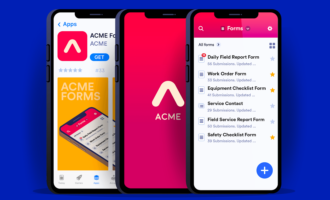
Brady noticed that MCS principals needed more support during classroom visits. They often lacked quick access to curriculum requirements for specific subjects. Using Jotform Apps, Jotform’s no-code app builder, Brady created a classroom companion app with curriculum documents, links to state standards, and built-in feedback forms.
“It’s a one-stop shop for them. The administrator or instructional coach, they pull it up when they go into a classroom and there’s a curriculum link they can click on.”
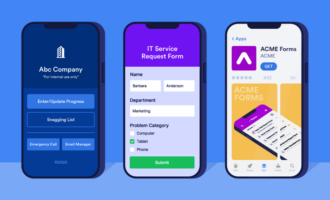
Jotform Apps can be downloaded to any device and include a splash screen for one-touch access. As a result, principals at MCS can find the information they need in seconds. Data collected through the app helps MCS identify district-wide trends that shape professional development.
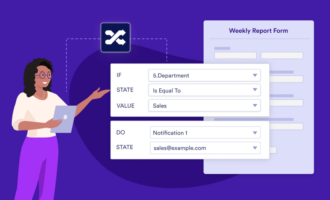
Across nearly all of Brady’s online forms and workflows, Jotform’s conditional logic features play a central role. “That was one of the big reasons that I jumped on Jotform,” he says. “I rarely build a form without using that because of how our system is structured. If a teacher fills a form, I need to route it to the principal at that school.”
Brady also used a Jotform AI Agent to reduce repetitive work during state-mandated testing. Instead of answering the same questions repeatedly, he routed testing-related questions to the AI Agent.
“When we do state testing,” he says, “there’s a big manual that comes out about test security accommodations…. I shared that manual with the AI agent and said, ‘Hey, use this for reference.’
“I was surprised at how many people used [the AI agent] to ask questions and get quick answers. That was pretty awesome.”
I’ve been really happy with Jotform. It’s hard to find a product that’s this well-rounded.
Steven Brady, Elementary Education Supervisor and District Testing Coordinator, McMinn County Schools
Loving automation
McMinn County Schools has come a long way from filling out paper forms and physically transporting them to and from the district office.
Today, the county’s online forms are easy to access. Jotform Workflows speed up processes and keep stakeholders informed. No-code apps ensure principals have the data they need during classroom observations, and AI reduces repetitive busywork. Data is easy to view and analyze with Jotform Tables and Jotform Inbox, giving faculty at MCS more time to focus on students.
As of December 2025, McMinn County Schools had cut the amount of administrative time spent on field trip approvals by an average of 87.5 percent using Jotform Workflows — and that’s just for one process. It’s no surprise that Brady plans to implement even more Jotform automation at MCS in the months and years ahead.
“It’s been really good for us. And I’m finding more and more things every day, like, let’s use Jotform on this.”
After upgrading to Jotform Enterprise, Brady and MCS have the bandwidth to accomplish more. With the Jotform Enterprise Admin Console, role-based access, unlimited forms and submissions, and enhanced security, the district can manage processes at scale.
“I started using Jotform with the free version and fell in love with it. Enterprise has made it better, just for the extra features that are there.
“It’s just super easy to use. Jotform Enterprise integrates seamlessly into our workflows and organization.”



































































































Send Comment: