

Vashon Island School District (VISD) in Washington state is relatively small — roughly 12,000 people call Vashon Island home. But for Caleb Johns, registrar at the district’s elementary school, inefficient workflows and incomplete data added up to a big problem.
Johns turned to Jotform Enterprise to solve those issues.
Today, educators no longer track attendance by hand or report on it only via email or voicemail. The process is now automated and streamlined, saving teachers time that’s better spent on instruction. And parents have constant access to the forms they need, through a no-code mobile app.
Digital workflows that track data make it easier to manage emergency preparedness, school registration, and other key processes at VISD’s Chautauqua Elementary School (CES).
“It’s not just a form,” Johns says. “There’s a lot of different companies that do forms. But how do you get people to use them? And what do you do with the information once you have it? Those are huge missing elements in my opinion. With Jotform, that whole process has been really cool.”

Case study results at a glance
45K+ form submissions for attendance and more
Incoming data is comprehensive, eliminating random paperwork for attendance, registration, and human resources.
Jotform Apps simplifies parent communication
A mobile app for parents makes form filling easy, saves time, and provides reliable data that drives change.
Cleaner, more accessible data for administrators
Submission sorting within VISD’s Jotform account and Google Sheets makes it easy to use collected data.
Disconnected digital workflows
Johns explains that while VISD moved past paper forms some time ago, the district’s digital workflows weren’t comprehensive enough. Daily attendance processes, in particular, didn’t gather all the necessary information.
Educators entered roll call into an online database, but exceptions lived outside the system. For a vital process that happens daily, the workflow was unsustainable.
“When I got to Chautauqua, teachers put attendance in — who’s in the classroom at that moment — and it goes into the computer. But all the exceptions were still on paper. Everything else was a voicemail, a handwritten note, maybe an email, but none of it was organized.”
To solve the issue, Johns had to make it easier for parents to report information about their children’s whereabouts.
“I’ve seen surveys across the country where parents feel overwhelmed by the number of requests being made of them — for attendance, for dismissal, and for after-school programs. There’s a huge value for us to simplify those steps.”
School registration was another challenge at VISD. The district was in the middle of a major database transition driven by post-COVID shifts and changes in education law, which left the district without a long-term registration system.
VISD needed online forms and workflows that could handle a variety of conditions. And staff needed a centralized system for data so they could easily act on it.
“At the end of the day, all of us are dealing with data in, action, data out,” says Johns. “So how do we do that efficiently?”
There’s a lot of different companies that do forms. But how do you get people to use them? And what do you do with the information once you have it? Those are huge missing elements in my opinion. With Jotform, that whole process has been really cool.
Caleb Johns, Registrar, Chautauqua Elementary School
From scattered data to sophisticated systems
While looking for platforms, Johns discovered Jotform. He signed up for an individual account and started building solutions at CES.
“It was kind of a proof of concept, and my coworker and I built out a number of solutions, learned how to use Jotform, and figured out what it could do for us,” he says.
Johns chose Jotform after comparing half a dozen form builders. He knew he needed more than a simple online form.
“I quickly realized what was going to make a big difference. It’s not just, ‘Can you build a form?’ Great. But then what?
“It was the ‘then what’ piece that really got me intrigued and interested in Jotform. The combination of notifications and conditional logic was what got me interested. There’s conditional logic with other form builders but very little automation beyond that.”
Johns presented his findings to district leadership, and VISD implemented Jotform Enterprise district wide.
Today, conditional logic routes submissions to the correct school, while automated notifications and reminders reduce errors and back-and-forth communication. Links to edit forms make it easy for parents to keep information up to date. Enterprise workspaces separate school-level and district-level systems, and Jotform’s Google Sheets integration provides actionable data for all VISD educators.
On the front end, conditional logic simplifies form filling, and forms are embedded into the school website. They’re also integrated into a parent-facing app built with Jotform Apps.
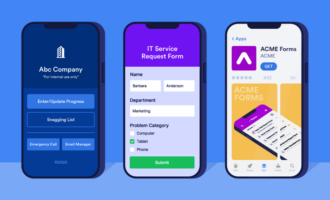
“We have a Jotform app — the Chautauqua parent app — that has links to all the useful information parents need,” Johns says. “It also includes our online forms. It’s a one-stop repository so that instead of having to write [down] everything on the paper that’s on the fridge, parents have something that makes it easy.”
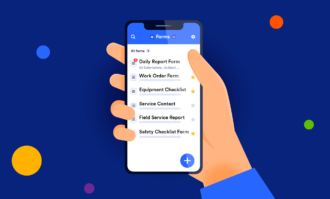
When the district’s post-COVID database transition took longer than expected, CES was left without a long-term registration system. Rather than waiting for a permanent fix, Johns built a registration workflow with Jotform to bridge the gap. He also created an internal app for staff to streamline emergency preparedness by providing one-click access to reporting forms during drills or incidents.
Did you know?
Jotform Enterprise Mobile works without an internet connection.
The district also uses Jotform to streamline its nonresident application process. All of the data is easy to view in VISD’s Jotform account, addressing the initial pain point Johns had.
“In a role like mine where I’m often asked to do reporting, it’s great to have all the information where I can then access it and put it all together.”
Johns made life easier for parents and streamlined administration without doing any coding. The Jotform Form Builder and App Builder did the heavy lifting for him.
“I couldn’t have done it if I had to code it from scratch,” he says.
“I don’t even have to open emails”
After moving attendance and other workflows to Jotform Enterprise, Johns saw his vision become a reality. All relevant data is captured and easy to review, sort, and act on. He’s helped colleagues at two other VISD schools implement the same system.
“I’ve set this up — and helped other schools do the same — so all attendance data ends up in a single place in chronological order. When I do attendance in the morning, I’m no longer collecting it from half a dozen locations. It’s all just in one place. It’s easy.”
Submission notifications provide data at a glance, saving time that used to be spent sifting through email.
“Notifications contain everything I need for 90 percent of situations. I don’t even have to open the emails. Those small steps add up. It’s hard to quantify exactly how much time it saves, but it feels streamlined. It’s been a significant improvement.”
For example, 30 staff members receive an email notification each time a registration submission comes through.
“Once we rolled it out districtwide, other offices benefitted too. It’s not just one person saving time. Across thousands of families and daily administration, it’s a big impact.”
And Johns is relieved to be done with scattered pieces of paper.
“Having everything in a single organized list rather than 17 pieces of paper all over my desk means that when I get interrupted, I can pick up where I left off.”
Improving online workflows in education
The experience Johns had shows that while many schools and districts have moved beyond paper forms, not just any digital workflow will suffice. It takes smart automation, a variety of no-code tools within one platform, and access to data on the back end to truly make an impact.
Integrations with tools educators use every day bring it all together.
“We’re a Google Workspace district, and that integration is huge for us, especially Google Sheets,” Johns says. “Having raw data automatically land in Sheets is incredibly powerful.”
And since every solution starts with an online form, front-end flexibility completes his original vision of a user-friendly, comprehensive data-collection process.
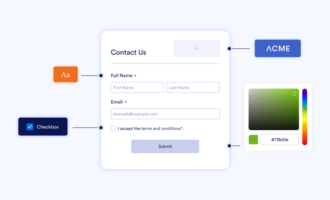
“For us, the real power is in customizing the experience. Parents already feel overwhelmed by information. There’s huge value in simplifying those steps as much as possible. With conditional logic, automation, and reminders, we reduce friction. That leads to higher engagement, better adoption, cleaner data, and ultimately better systems all around.”






























































































Send Comment:
1 Comment:
March 8, 2026
Congratulations its an achievement.