
A pricing table makes it easy for your customers to see what they’re getting for their money. That’s important whether you sell SaaS plans, agency packages, memberships, or subscriptions. In fact, in a 2024 Zuora/Harris Poll study, 80 percent of US adults said flexibility in how they buy and pay for recurring products is “important,” “very important,” or “absolutely essential.”
Squarespace, however, doesn’t include a native block for a conventional rows-and-columns table. You can create your own with text, buttons, and Fluid Engine, but you’ll need to do so for desktop and mobile layouts separately.
Or, if manually nudging three pricing cards into place on two different screen sizes is not how you want to spend your afternoon, let me show you a less painful way.
Option 1: Build a table using native Squarespace layout blocks
Squarespace already has a Pricing Plan block, so depending on what you sell, you may not need to assemble a table from scratch. The block works with pricing plans for memberships and gated content, including Member Sites, courses, videos, and paywalled blogs.
You can offer free, one-time, installment, or recurring access and place multiple plan blocks together for comparison.
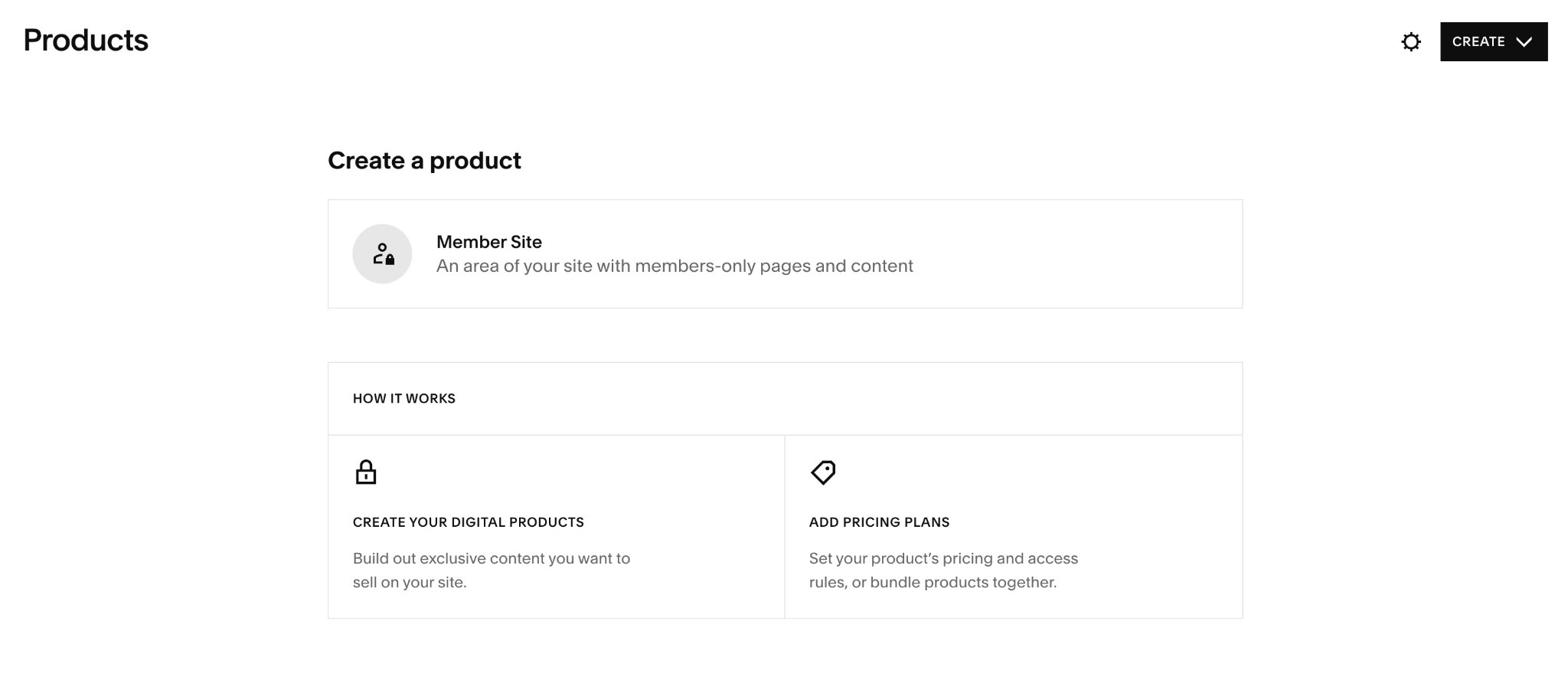
If that describes what you sell, here’s the setup:
- Create your pricing plan: From Products, create the content or membership you want to sell, then add its pricing and access rules. You can also create plans that bundle eligible content together.
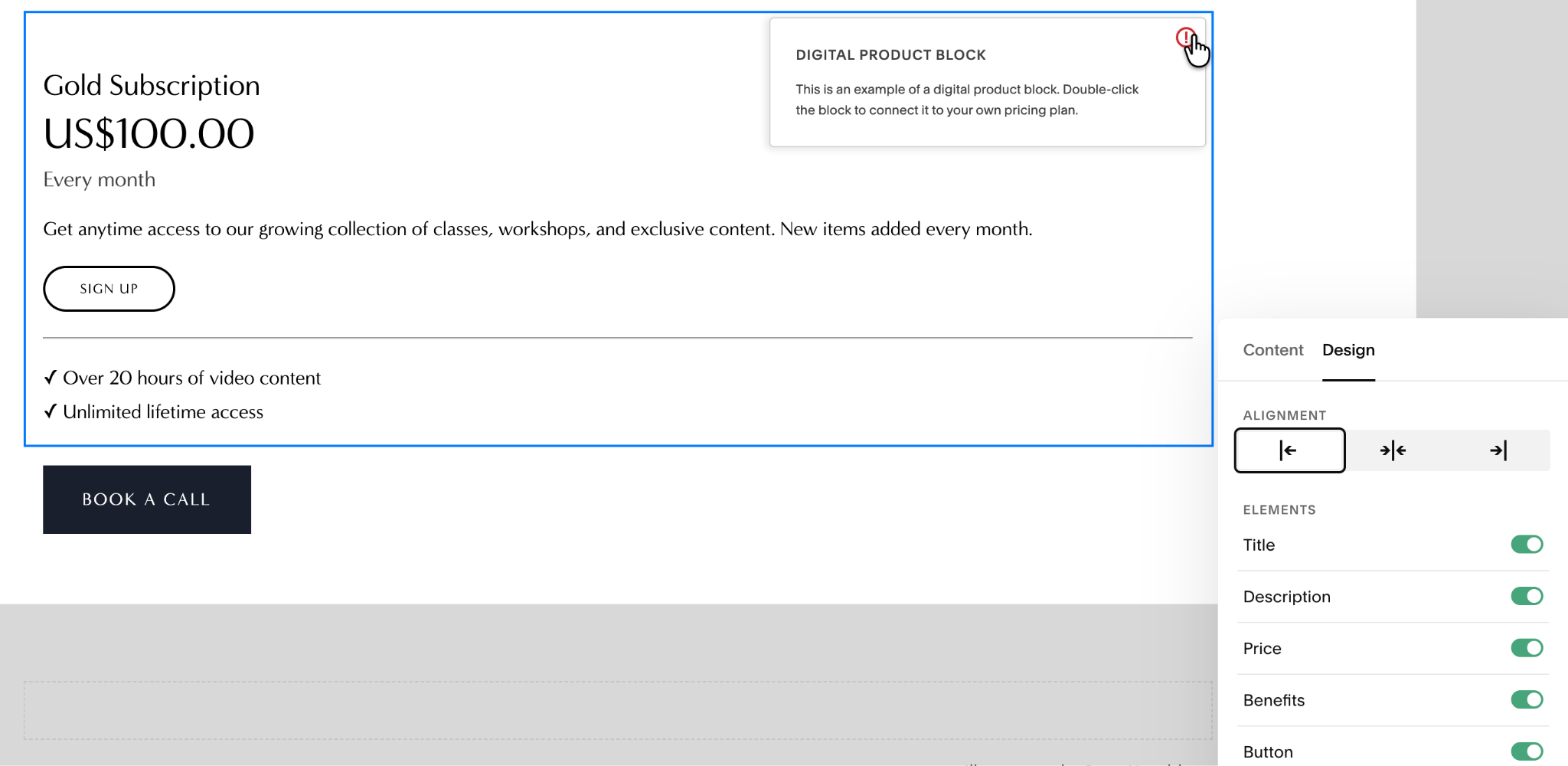
- Add a Pricing Plan block: Edit your page, click Add block (+), choose Pricing Plan, and select the plan you created.
- Style the plan: Under Design, choose whether to display the title, description, price, benefits, and button. Add more blocks if you want several plans side by side.
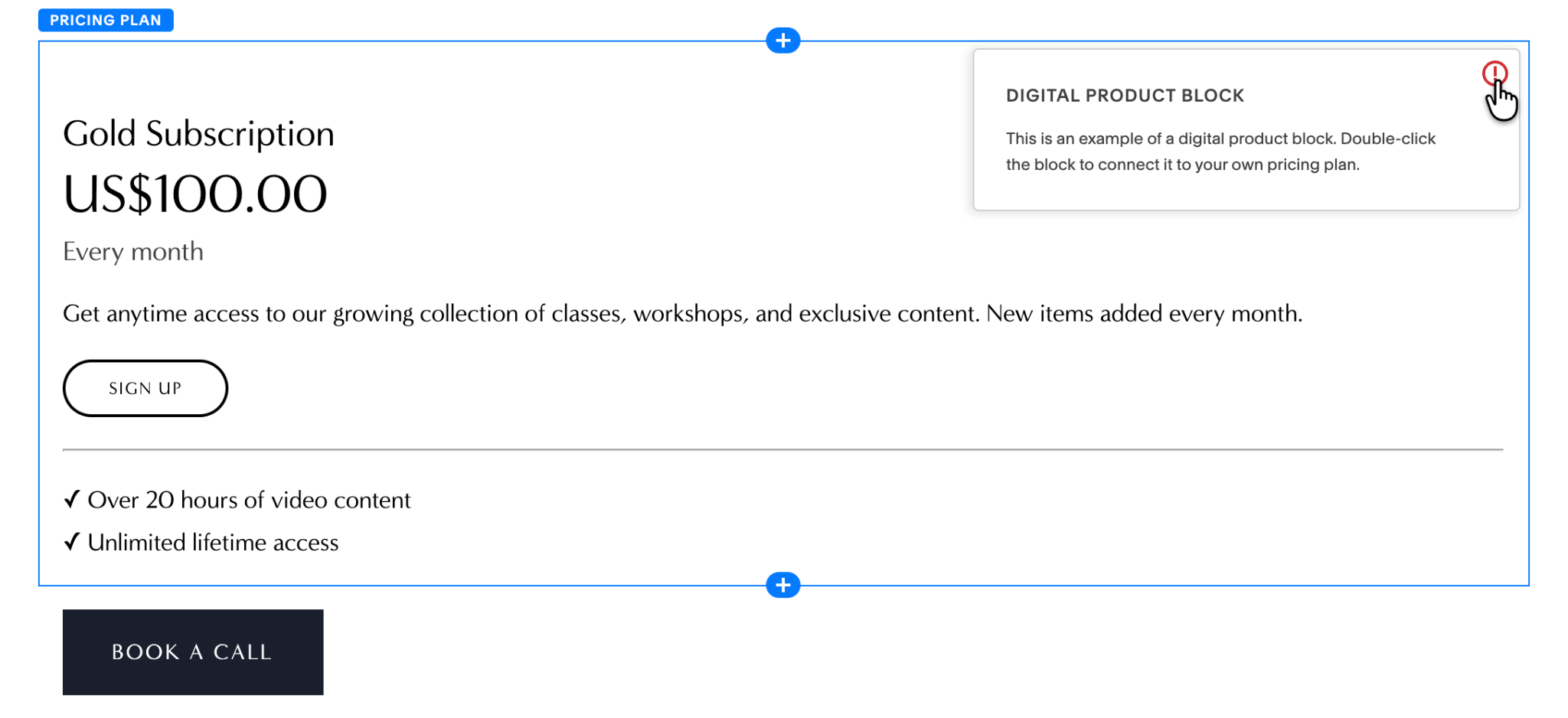
The catch, however, is that Squarespace’s Pricing Plan block is tied to its memberships and gated content. This won’t work for a table comparing SaaS tiers, agency packages, freelance retainers, or other services.
For those, the native workaround is Fluid Engine, where you build each tier from separate text and button blocks, then line them up into columns. However, desktop and mobile need separate passes.
Squarespace’s own documentation says that the block exists to sell access to gated content, not to build a general-purpose comparison table for plans, packages, or services.
You can also buy Squarespace-specific pricing table plug-ins from independent developers. Will Myers, for example, sells one for $25 per site with three preset styles and Squarespace 7.1 support. I wouldn’t recommend it, though, because it’s neither a part of Squarespace’s official Extensions marketplace nor an official Squarespace integration.
Option 2: Add a free, customizable pricing table widget
Use Jotform’s Pricing Table Widget if you’d rather have a comparison table instead of multiple cards lined up.
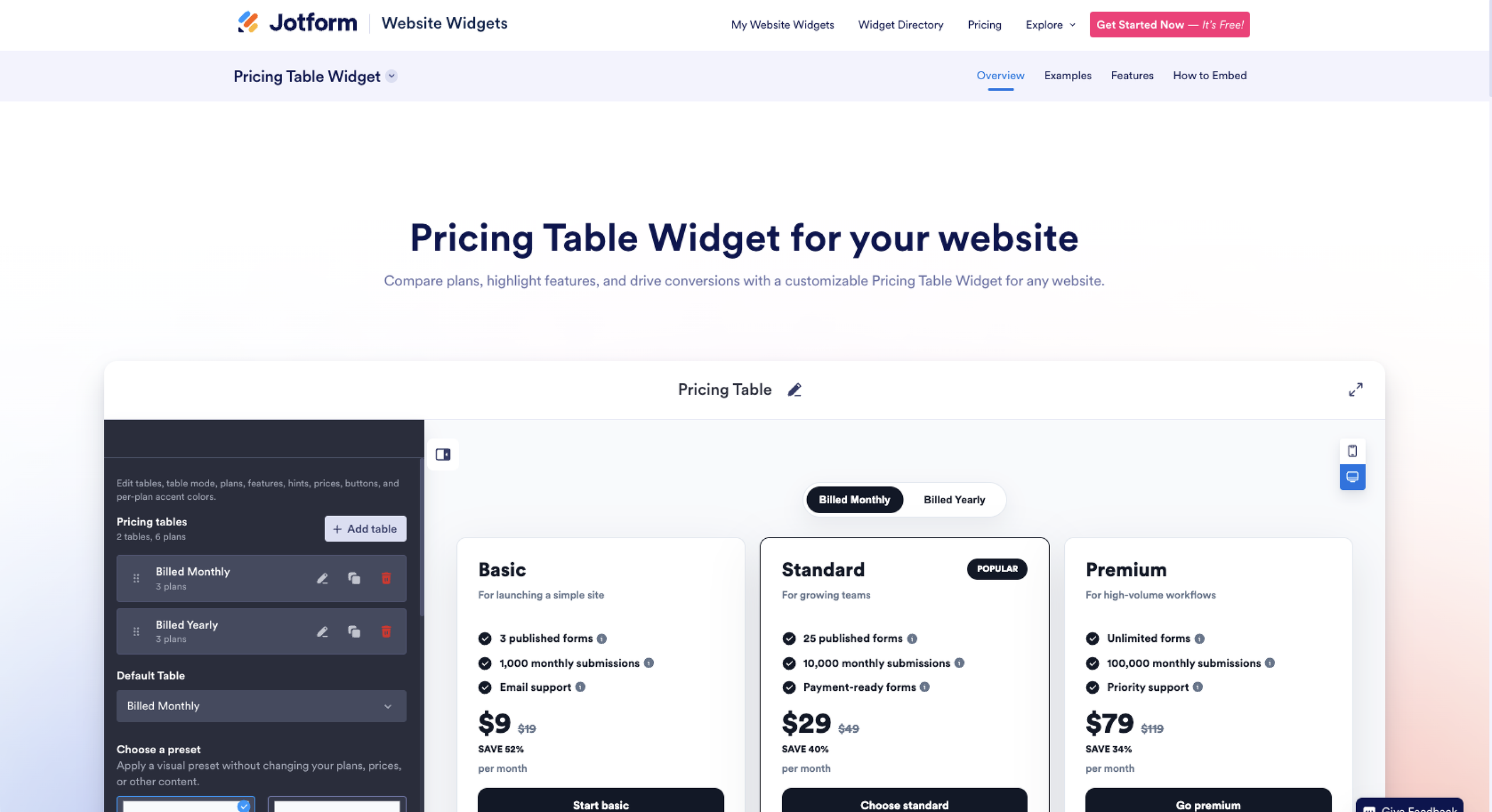
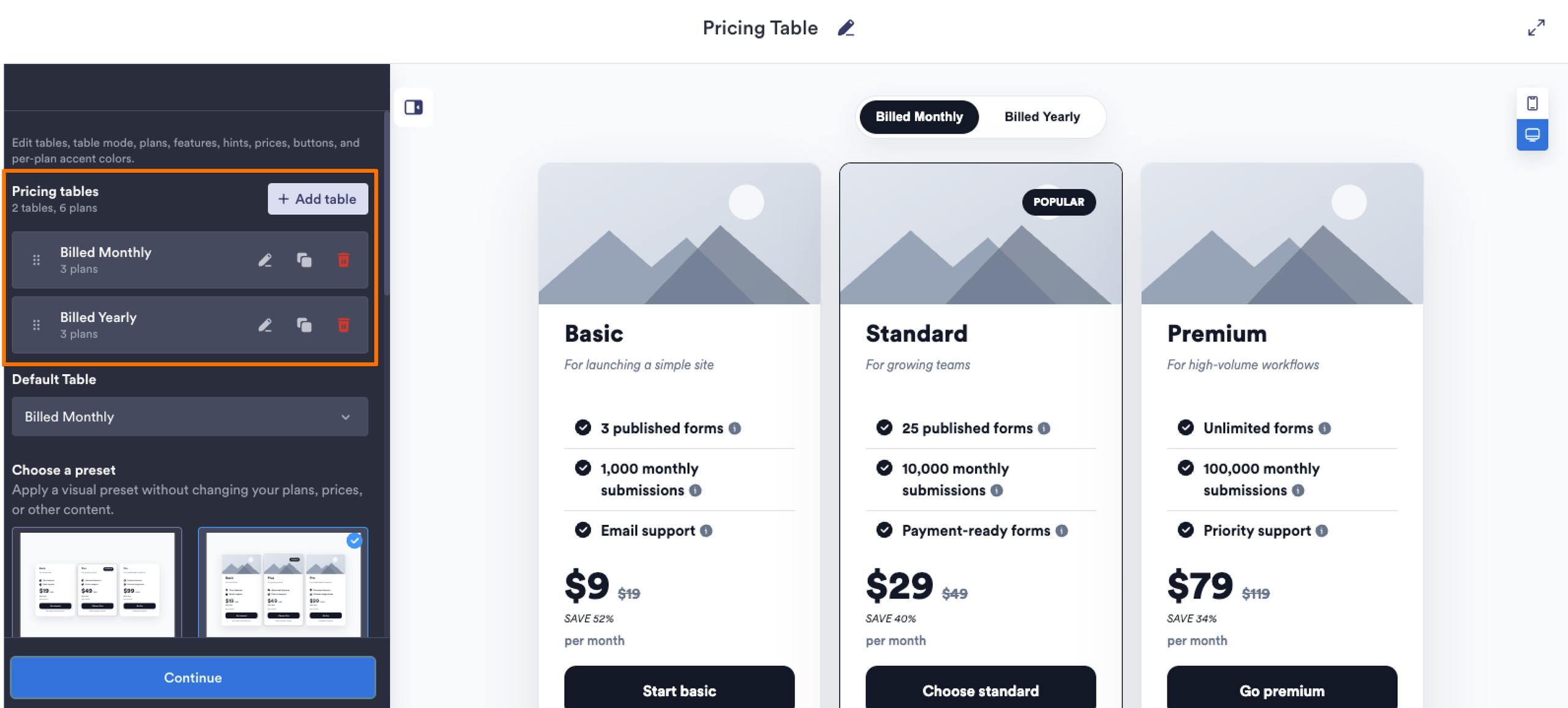
The visual builder lets you add monthly and yearly tables; edit plans and features; link each call to action (CTA) wherever it needs to go; and choose from card, carousel, or full comparison layouts.
You can also flag a recommended tier with a Popular label; add discounts and old prices; and control colors, typography, buttons, column widths, and mobile behavior.
Get started quickly and painlessly:
- Build your pricing table: Add your plans, prices, features, descriptions, and CTA links. You can create multiple tables (for example, monthly and yearly pricing) and let visitors toggle between them.
- Choose a layout and style it: Pick a preset such as Modern Grid, Compact Columns, Classic Comparison, or Card Carousel, then adjust the design to match your Squarespace site.
- Embed it in Squarespace: Click Try It on Your Website for Free, copy the generated embed code, then open your Squarespace page and add a Code block. Paste the code as HTML, make sure Display Source is switched off, then save and preview the page.
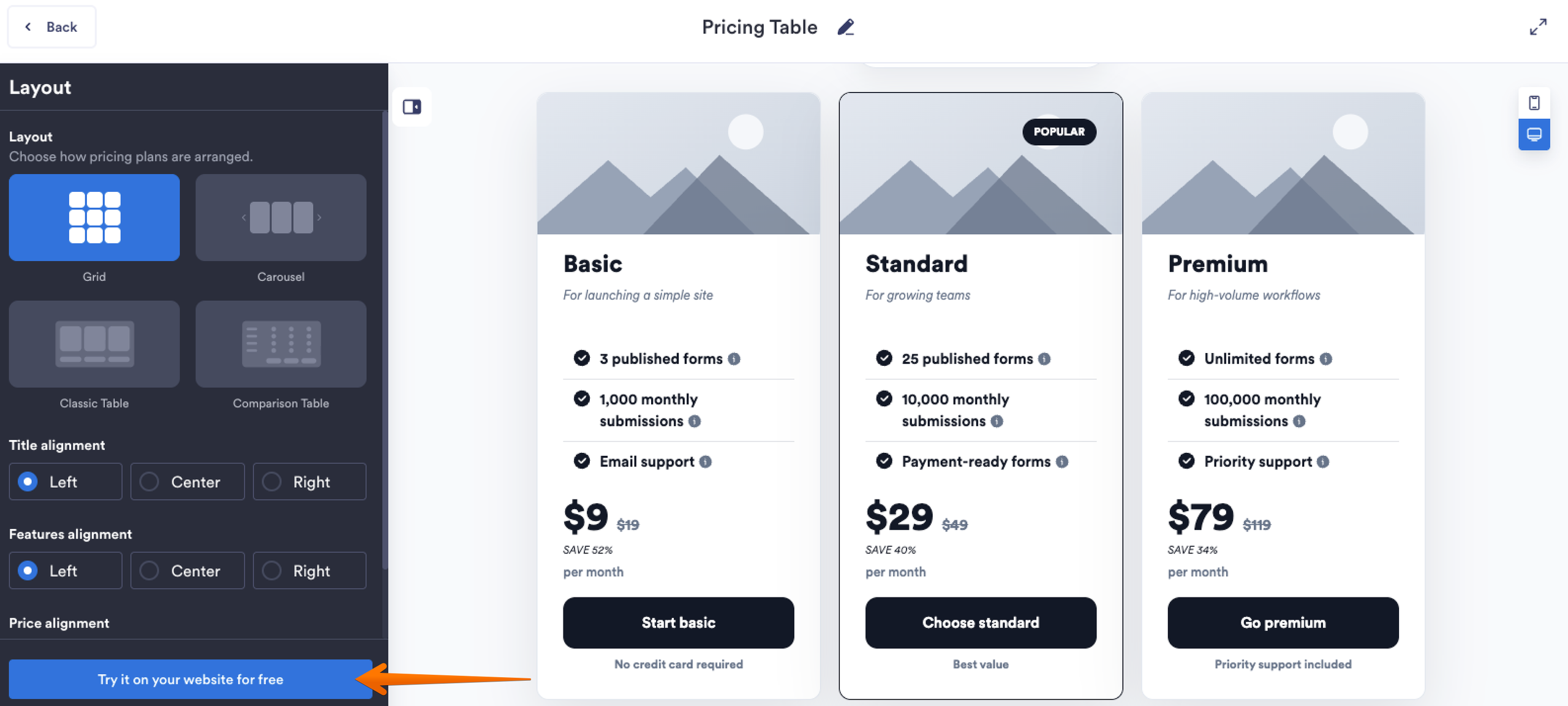
Jotform handles the pricing table as one embed, so Squarespace only has to display it. And, for now, there’s no recurring widget bill: Jotform Website Widgets are free until 2027.
While you’re in the widget library …
Don’t stop at pricing tables. You can add other features with Jotform Website Widgets, including
- The FAQ Widget for pricing, billing, cancellation, feature, and onboarding questions
- The Google Reviews Widget for putting social proof beside the decision instead of sending visitors off to Google to find it
- The Popup Widget for newsletter signups, discounts, demos, launch announcements, or exit offers
And after the pricing table has done its job, Jotform’s Squarespace integration can take over the next step with embedded registration or payment forms.
Squarespace pricing table FAQs
For many small businesses and service brands, yes. As of August 2026, W3Techs reports that Squarespace powers 2.4 percent of all websites and holds 3.5 percent of the content management system (CMS) market.
You can check out our article, Squarespace vs WordPress: Which is the better CMS?, for a thorough CMS comparison.
The answer depends on what Squarespace isn’t doing for you. If the only sticking point is a custom pricing table on Squarespace, moving your entire site isn’t feasible.
A free pricing table widget for Squarespace, such as Jotform’s, can add the missing comparison grid without a rebuild. It works as a Squarespace pricing app alternative rather than an alternative website builder.
This article is for Squarespace site owners, freelancers, agencies, and SaaS startups using Squarespace who want a high-converting pricing grid without wrestling with rigid layout blocks or paying recurring third-party plugin fees.











































Send Comment: