Data is the lifeblood of any modern organization. From inbound leads and client profiles to product usage stats and user activity logs, thousands of data points can flow through your organization on any given day. And yet, 87 percent of marketers report that data is their company’s most underutilized asset.
Taking control of your data starts with intuitive, no-code solutions that your whole team can use, regardless of their technical skills. Let’s look at why data teams love Jotform Enterprise for everything from simplifying data intake to advanced data insights and administrative control.
Supercharged data intake
Jotform Enterprise is a comprehensive platform that powers all sorts of organizational data. It allows data teams to capture e-signatures, payments, file uploads, calendar bookings, and more. Having an all-encompassing solution not only simplifies the data intake process but also saves money by eliminating the need for multiple software solutions.
We use Jotform Enterprise for data collection, payment collections, as well as various process flows. It’s been a problem-solver for us.
Torri McCray, Business Systems Analyst, University of Michigan Athletics Department
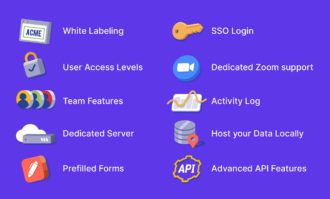
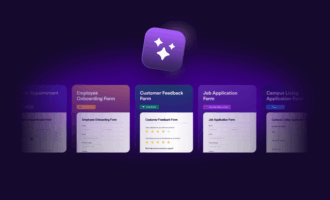
Data teams also love how quick and easy it is to create and deploy online forms with Jotform Enterprise. Thousands of pre-made templates, drag-and-drop customization, and full white labeling enable teams to build and share powerful forms in minutes. With Jotform Enterprise, iTOTEM, a technology firm dedicated to analyzing complex datasets, spent 20 percent less time on every aspect of setting up projects and 17 percent less time creating forms.
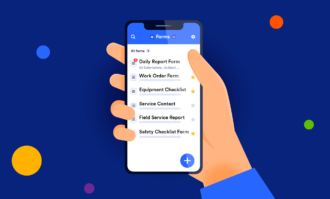
In addition to saving time, the platform allows teams to collect data at multiple touchpoints. For seamless integration with websites, forms can easily be embedded into web pages. For in-person events, QR codes, custom mobile apps, and Jotform’s kiosk mode allow users to easily access and submit forms on the go, even without internet access.
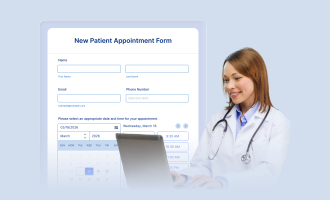
We have nurses using Jotform in the field for patient intake. With tablets for mobile form-filling, the process is much faster.
Kayla S., Service Center Manager, Honor Health Network
Jotform Insights
Jotform Insights provides robust analytics for forms and other digital assets created through Jotform, like apps, e-sign documents, workflows, and AI Agents.
Track submissions, workflow runs, conversation counts, and more in real time. With clear performance data, you can identify bottlenecks, reduce drop-offs, and make smarter improvements.
Plus, Insights helps you understand who engages with your forms and assets. View analytics on location, type of device used, and more. This data reveals what drives engagement, providing you with an opportunity to tailor your assets accordingly and increase overall conversions.
Insights enables customers to create custom dashboards for data gathered with their forms. (Custom dashboard functionality for Apps, Sign, Workflows, and AI Agents is on the horizon.) Custom dashboards make it easier to view the data that’s most relevant to your organization or team, boosting efficiency. Another benefit of Insights: All users, not just admins, can see information about their own assets and those of their team.
Admin Console
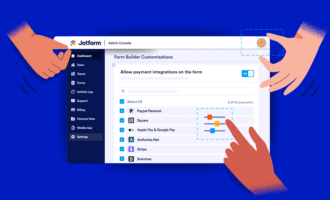
One challenge data teams face goes beyond data analysis. Keeping data organized and accessible is vital. Understanding who’s responsible for incoming data is also key. The Admin Console gives teams an easier, better way to understand how data moves across their systems and who’s responsible for what.
Think of the Admin Console as a data command center where data teams can easily find and organize the metrics they care about most. Since they spend less time searching for data, it’s now easier for them to analyze that data and derive actionable insights from it.
Access control from the Admin Console keeps data segmented and secure. Admins can set permissions for both teammates and guest users, creating an efficient balance between openness and oversight. Cross-functional partners get the visibility they need while sensitive workflows stay protected.
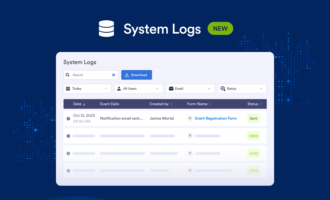
For compliance issues, data teams can review activity per user or across the organization, validate changes, and confirm that processes are aligned with internal and external standards. Comprehensive data trails make data audits a breeze.
The result is a less chaotic, more confident way to manage data. With the Admin Console, teams get the visibility they need, the controls they expect, and the time to focus on providing data that elevates the entire organization.
Refined user input
One of the best ways to collect higher-quality data is by streamlining the form-filling experience. Making forms easier to fill out not only yields more relevant data but also increases conversion rates and keeps form fillers happy. According to HubSpot, eliminating just one form field can increase conversion by 50 percent.
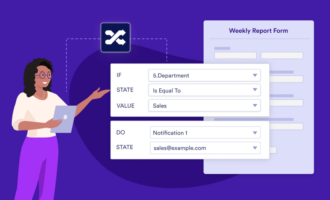
Organizations like Electrical Testing Ltd use Jotform Enterprise’s powerful conditional logic features to automatically tailor forms to specific form fillers.
“Using conditional logic, we’ve halved the time it takes for operatives to produce point-of-work risk assessments,” says James Barker, technical director for Electrical Testing Ltd. “It has allowed us to build shorter, more dynamic, easier-to-fill forms. A form that was once 10 pages might now only be three.”
Data teams can further refine the user experience with Prefill solutions from Jotform Enterprise. Using Prefill, teams can automatically populate form fields from a number of different sources. Prefill data can be entered manually, linked from existing forms, pulled from single sign-on (SSO) profiles, or imported from third-party CRM platforms like Salesforce and HubSpot.
The person in charge of scheduling employee flu shots used to dedicate hours to the project. Combining SSO Prefill with a Jotform Enterprise form has made the process simple, secure, and fast. Now they manage it in minutes.
Simon Morgan, Senior Manager of GIS & Business Applications, Three Rivers Park District
Seamless integration
According to HubSpot, 91 percent of companies with over 10 employees use a CRM system to manage customer data. With Jotform Enterprise, it’s easy to create forms that seamlessly integrate with CRM platforms like Salesforce and HubSpot. Upon submission, form data can be automatically sent to the database of your choice.
“We need a solution that allows us to store, manage, and manipulate information securely. It’s rare for data to stay in one table,” says Simon Morgan, senior manager of GIS & Business Applications at Three River Park District. “With Jotform Enterprise, we can easily integrate data into our other systems.”
Jotform Enterprise has nearly 200 unique integrations with third-party platforms, not just CRM systems. Organizations like Mike’s Bikes integrate Jotform with project management software like Trello to streamline data tracking for important projects. Integrations can also be used to flow data to payment processors, communication apps, email automation systems, and more.
We run our external and internal webinars through Jotform Enterprise with a Zoom integration that automates the registration data. It’s all nicely automated.
Rachel Fugate, web designer, The Arbor Day Foundation
Powerful reporting
The power of data lies in the stories we tell with it, and the Report Builder from Jotform Enterprise is your personal, automated storyteller. One piece of feedback that we consistently hear from data managers is just how easy it is to transform data into visual, digestible reports with Jotform Enterprise.
“One client called us at 8 a.m. requesting information to present at their board meeting. We were able to provide that data in about 30 seconds,” says Wil Trohanis, chief revenue officer of One to One Health. “Having real-time analytics and metrics available for clients is incredibly powerful.”
Beyond the Report Builder, organizations can also use Digest Emails to automatically update teams on recent form-submission data. This feature allows for scheduled, automatic data-sharing among relevant parties, helping to keep stakeholders informed and in the loop.
“At the height of campaign season, Digest Emails help me see how many forms are completed. The nice thing is I can send all the information ‘auto-magically,’” says Becky Dudley, database manager at United Way Roanoke Valley. “I can change the frequency of Digest Emails to accommodate each team. Thanks to Jotform Enterprise, I can build things on the fly as needs change.”
Ironclad security
In a world of cybercrime and information breaches, data teams can rest easy with Jotform Enterprise’s industry-leading security measures. To keep data safe and secure, Jotform offers PCI certification, encrypted forms, local data residency, and solutions for SOC 2, GDPR, and HIPAA compliance.
“We have a Jotform Enterprise account because we get a highly secure server, and the data is backed up,” says Ayyoub Ajmi, founder of CiviLaw.Tech. “If needed, we can access the server and easily retrieve copies of important data.”
What’s more, oversight with the Admin Console and Jotform Teams provides security at an organizational level.
“A really nice feature of Jotform Teams is the role-based access,” says Kyle Krownapple, AV and collaboration technologies support specialist at The Village Network. “I was able to add all of our website forms to a team workspace and invite our website vendor to that team, so they can edit the forms without any risk of them seeing protected health information contained in the form submission data.”
If you would like to learn more about how your data team can leverage Jotform Enterprise, get in touch with a sales representative or check out a demo of our platform.



















































































Send Comment: