Anonymous surveys created in SurveyMonkey may encourage respondents to disclose more information — studies show that respondents are more honest when they know their identity isn’t tied to their responses. But anonymity isn’t automatic in SurveyMonkey. You have to set it up by adjusting settings, designing your questions, and even thinking about how you share the survey link.
This article explains how to turn on SurveyMonkey anonymous responses, what it does and doesn’t protect, and when using Jotform may be simpler.
How to make a SurveyMonkey survey anonymous
Making a SurveyMonkey survey anonymous is simple, and this section details how to do it.
Bear in mind that this is the workflow for after you’ve created a survey — and it’s not the only thing you need to do. Anonymous survey design also depends on the questions you ask. I’ve covered that in detail in the next section.
- Open the survey that you want to make anonymous.
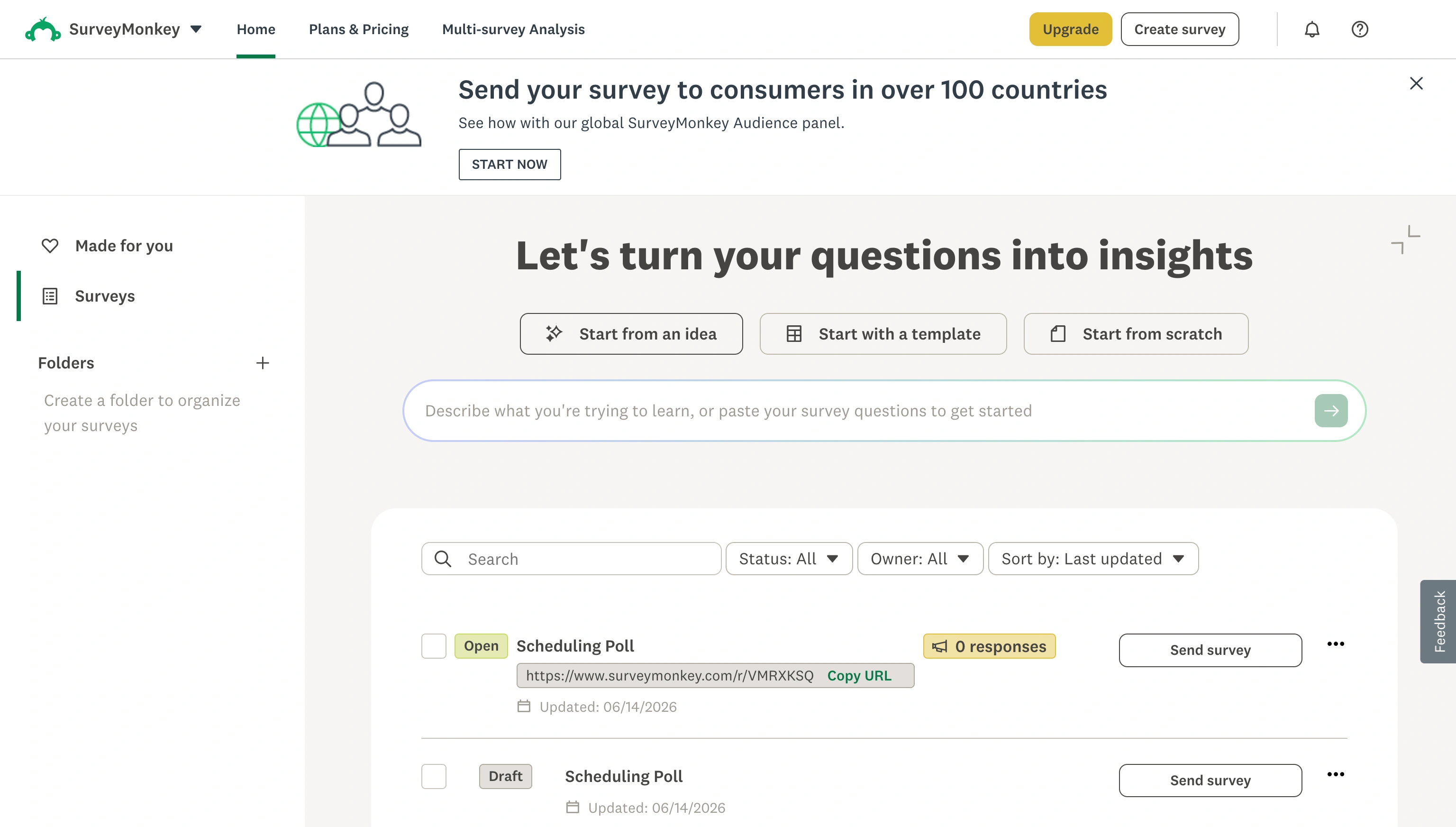
- Go to the Publish Survey page. Click Settings.
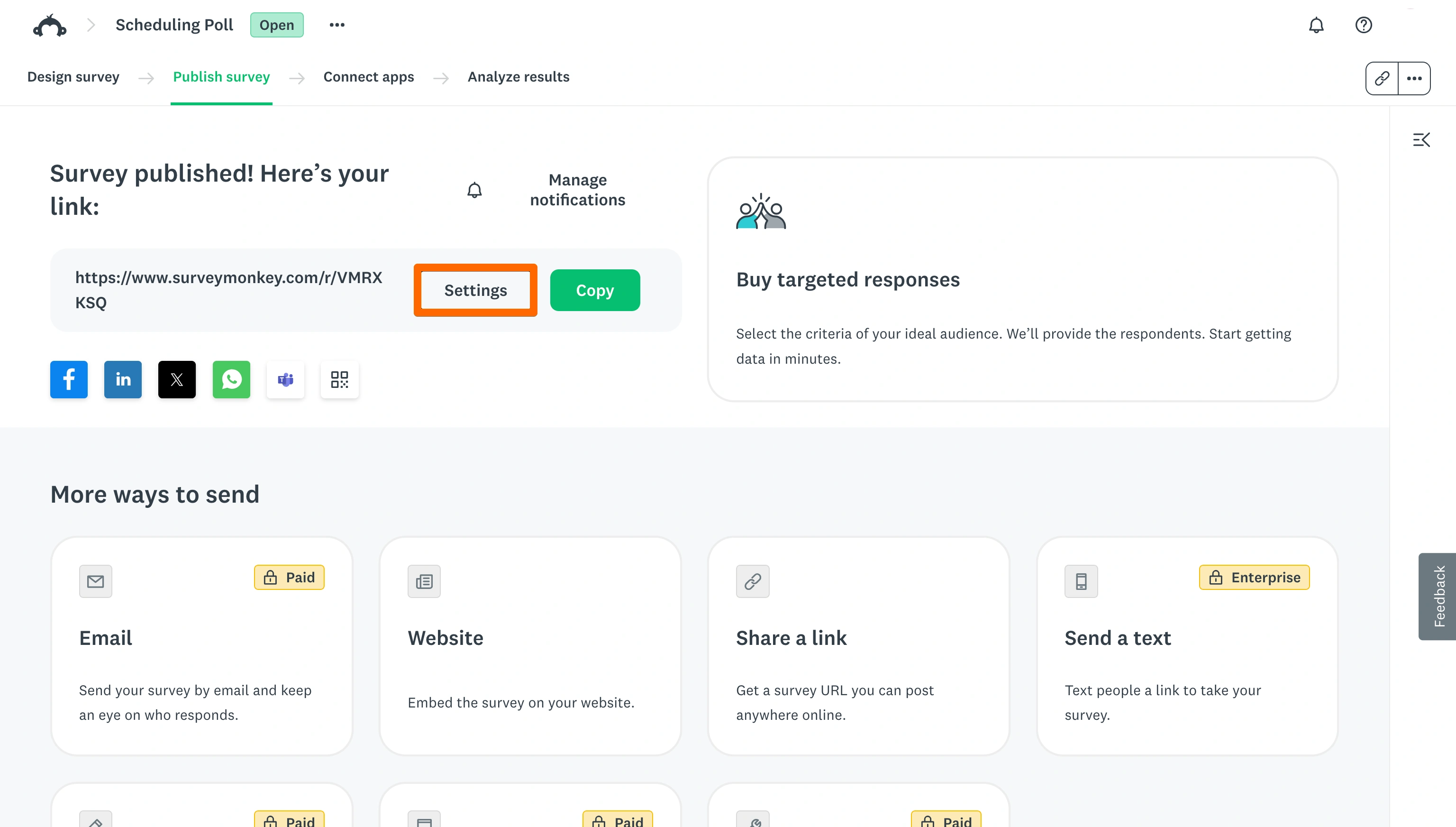
- Scroll down until you see “Anonymous responses,” and toggle “On, your respondents will be anonymous.”
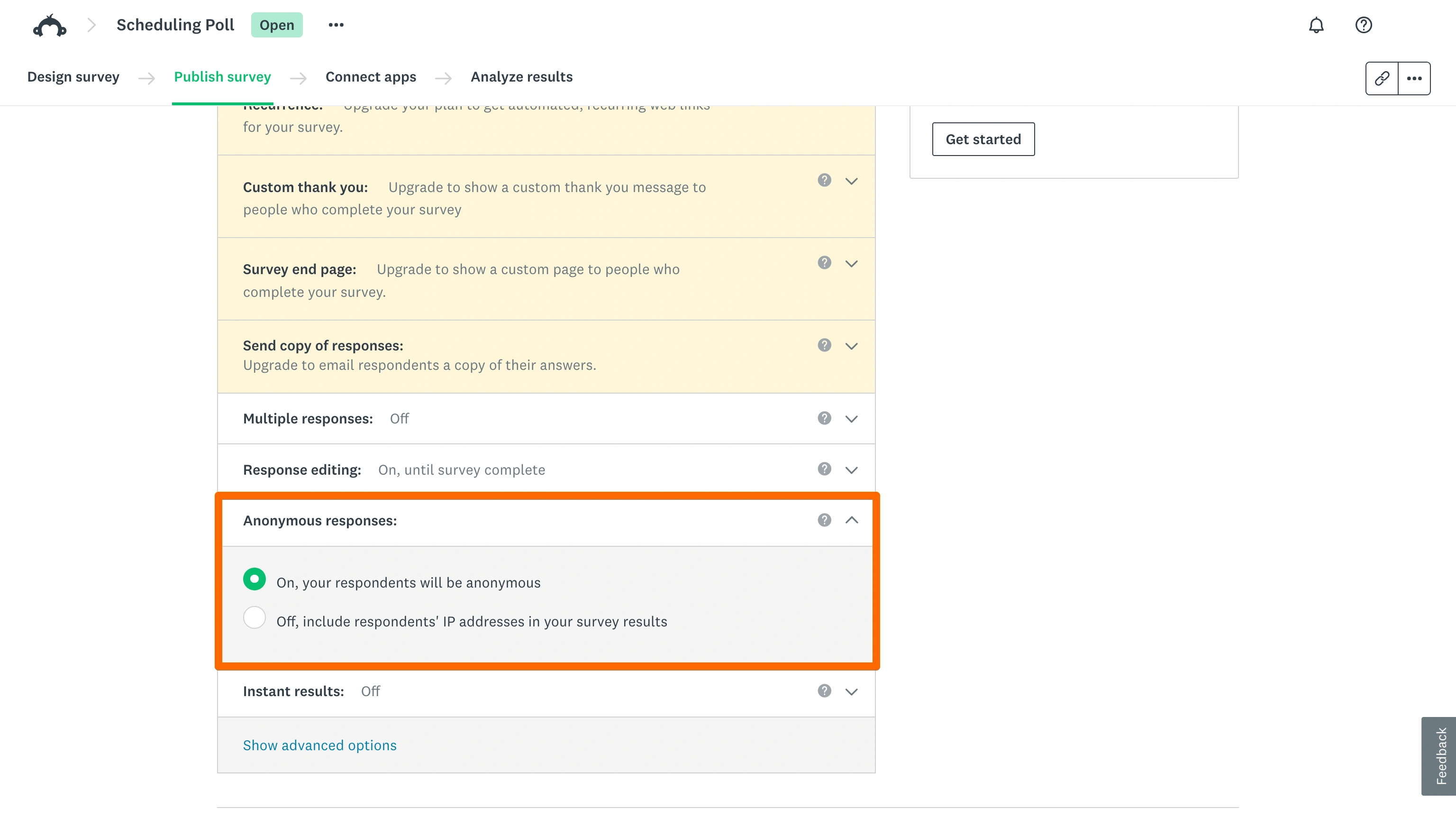
- Check anonymous surveys are turned on for every collector.
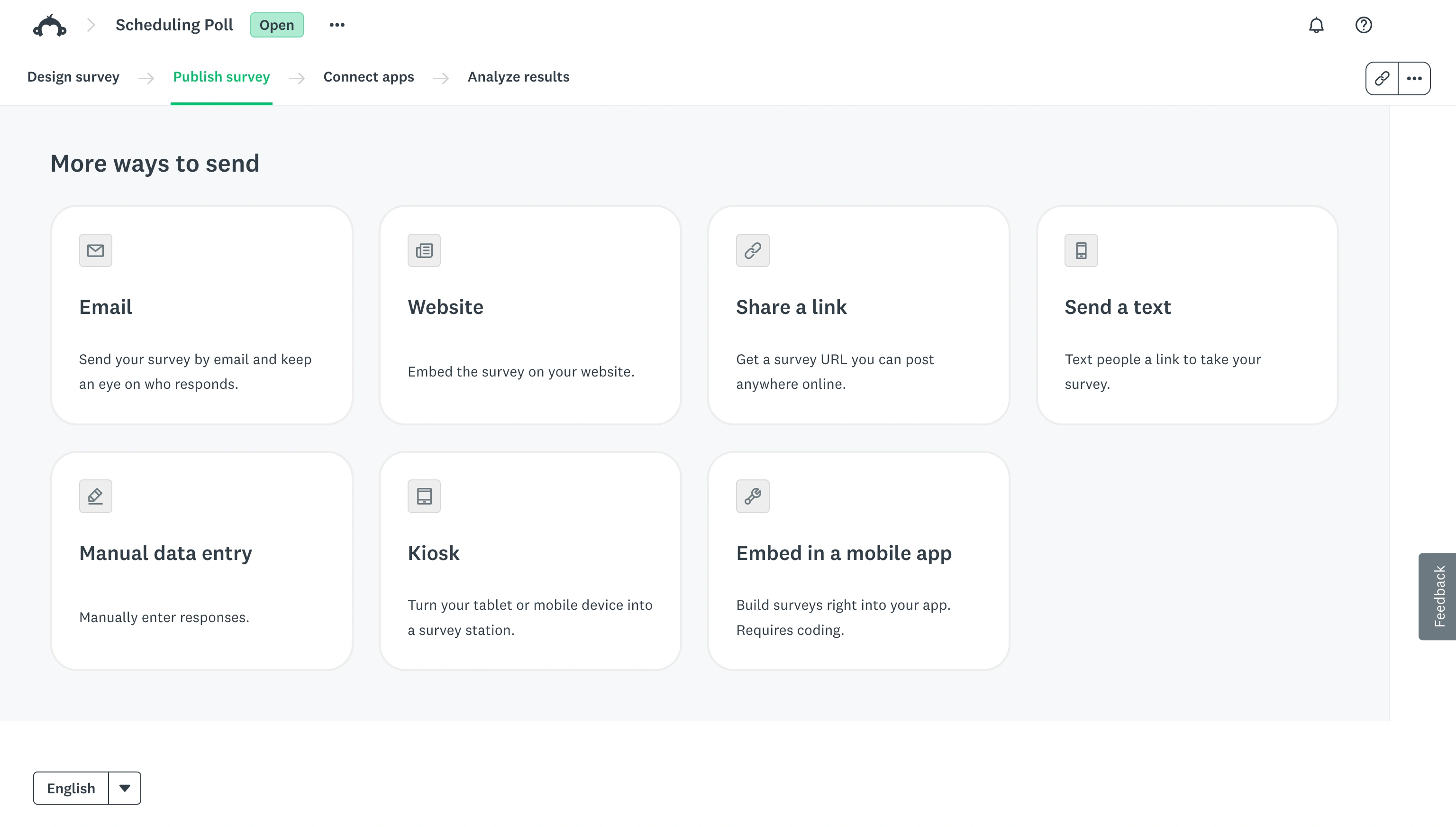
In SurveyMonkey, collectors are a means of sharing your survey. For free, you can share a link, build an audience, or embed the survey on your website. If you’re distributing your survey through more than one channel, you must turn anonymous responses on separately for each collector or the responses collected through the ones you skip won’t be anonymous.
Before making a confidential survey in SurveyMonkey, there’s one important note: Changing this setting only affects responses collected after you turn it on. It’s best to configure your anonymous survey settings before you send your survey. If you enable anonymous responses partway through collecting data, existing responses won’t retroactively become anonymous.
This setting makes the survey anonymous, but a SurveyMonkey survey isn’t private until you’ve also gone through your questions and methods of sending.
5 common mistakes that make a SurveyMonkey survey less anonymous
Turning on anonymous responses is only part of the job. Even with the setting enabled, a few common missteps can still make respondents identifiable.
1. Asking for personal details
The anonymous responses setting only stops SurveyMonkey from tracking IP addresses and email metadata; it doesn’t hide anything you directly ask for. If your questions request a name, work email, department, job title, or a combination of demographics narrow enough to point to one person, the survey isn’t truly anonymous.
Pro Tip
For inspiration on what questions to ask in your survey, read our survey question examples guide.
2. Sending personalized or unique survey links to each respondent
Custom variables pass values through the survey link, and custom data stores information tied to contacts in your account. Both can quietly reintroduce identifying details into your results, even when anonymous responses are turned on.
3. Forgetting to enable anonymous settings on every collector
If you’re distributing a survey through more than one collector, such as an email invitation and a web link, anonymous responses have to be turned on separately for each one.
Skipping a collector means any responses gathered through it won’t be anonymous.
4. Assuming old responses become anonymous after changing the setting
Turning on anonymous responses only applies going forward.
Responses collected before you changed the setting will still include any identifying data that was recorded at the time, and there’s no way to retroactively strip it.
5. Using authentication-based or identity-linked sharing methods
Methods like respondent authentication require survey-takers to log in through single sign-on (SSO), which ties their SSO profile information to their responses. When this is turned on, a survey can never be truly anonymous, regardless of your anonymous responses setting.
If you need truly candid feedback, the safest anonymous survey is one that combines the right settings with a carefully designed anonymous questionnaire in SurveyMonkey.
A simpler alternative for anonymous surveys: Jotform
Keeping track of collector settings is a lot, and it comes with risks. It’s easy to forget one, or collector management can lapse as a survey gets duplicated or handed to different team members.
Jotform surveys offer a more straightforward path to anonymous surveys. And that’s what makes it one of the best SurveyMonkey alternatives.
Instead of managing anonymity collector by collector, Jotform’s approach is simple: Leave out identifying fields like name, email, or department, and your survey stays anonymous by design.
There’s no separate toggle to remember for every distribution method.
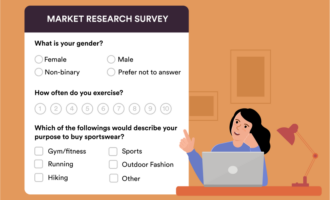
Jotform surveys come with broad customization options, along with a library of survey templates that you can adapt for almost any use case, such as teacher satisfaction surveys, event satisfaction surveys, market research surveys, and over 14,000 other use cases. Whether you’re building an anonymous feedback survey for customers, running internal pulse checks, or setting up an anonymous employee survey, Jotform makes it easy to get started quickly. (For more on building surveys specifically for staff feedback, see how to create anonymous surveys for employees.)
Beyond the basics of anonymity, Jotform also gives you stronger design control, conditional logic to tailor questions based on responses, and more flexibility to build the exact workflow you need — all without adding extra complexity. Plus, once responses start coming in, you can also learn how to analyze survey data with Jotform.
💡 Still not convinced?
Read Jotform vs SurveyMonkey for a full breakdown of how these two survey-making tools compare. The article takes a deep dive and covers more functionality, like sharing options, payment integrations, security and compliance, and more.
Build a better anonymous survey flow with Jotform
SurveyMonkey can support anonymous surveys with careful management and the right settings in place. But users must remember to enable them across every collector while designing questions carefully so that the survey isn’t accidentally collecting identifying information.
If that level of collector-by-collector management feels like more than you want to deal with, choose Jotform surveys. Anonymity in Jotform is simple: It comes down to leaving out identifying fields, so that teams can build anonymous feedback surveys without juggling separate settings for every distribution method.
Ready to get started? Browse Jotform’s ready-made surveys for an anonymous survey template you can customize for your audience in minutes.
This article is for SurveyMonkey users, researchers, HR teams, educators, and organizations that want to collect anonymous feedback, protect respondent identities, avoid common privacy mistakes, and explore a simpler alternative.























































































Send Comment: