
Alternatives to Delighted
Delighted, the platform many major brands use to get and analyze customer feedback, is going, going, gone on June 30, 2026. Qualtrics, which owns it, wants you on XM.
GetFeedback Direct is shutting down too, on December 31, 2026. SurveyMonkey is sunsetting it in the same way: by pushing customers to its enterprise options.
That’s two mid-market customer feedback software solutions retiring in six months.
But if you don’t want to use Qualtrics XM, where do you go? I’ve rounded up seven Delighted competitors worth a serious look.
TL;DR: Which Delighted alternative should you migrate to?
I tested the following survey automation tools using three qualifying questions:
- How does the interface feel?
- What’s the total cost of ownership?
- Does it integrate with the tools you might already use?
The following table answers the last two questions. The first question is explored further in this article (along with some reviewer comments).
| Tool | Best for | Key features | Pricing |
|---|---|---|---|
 Jotform |
Collection of responses, payments, and signatures without switching tools |
|
|
 Survicate |
Global teams, ability to create a survey once and autotranslate to 50 languages available in one survey |
|
|
 Qualtrics |
Research teams that need statistical validation |
|
|
 SurveyMonkey |
Teams without their own respondent pool |
|
|
 Medallia |
Enterprises tying feedback to business outcomes |
|
|
 Zonka Feedback |
Mid-market teams that want sentiment-based automation |
|
|
 Typeform |
Marketers optimizing form completion rates |
|
|
1. Jotform: Best for operational, CRM-connected feedback beyond NPS
Jotform is an online form and survey builder trusted by 35 million customers globally, including behemoths such as Microsoft, Google, and Apple. The platform centers on conditional logic, and it has a user-friendly interface. You design on the left panel and see live previews on the right (with desktop and mobile renderings side by side).
Jotform is known as the best survey maker for teams that need to create and analyze surveys quickly without technical setup. You can easily start with one of more than 12,000 survey templates or generate a survey using an AI prompt.
Jotform doesn’t lock you into NPS. Delighted (may it rest in peace) was brilliant at automated NPS programs and built its whole platform around that.
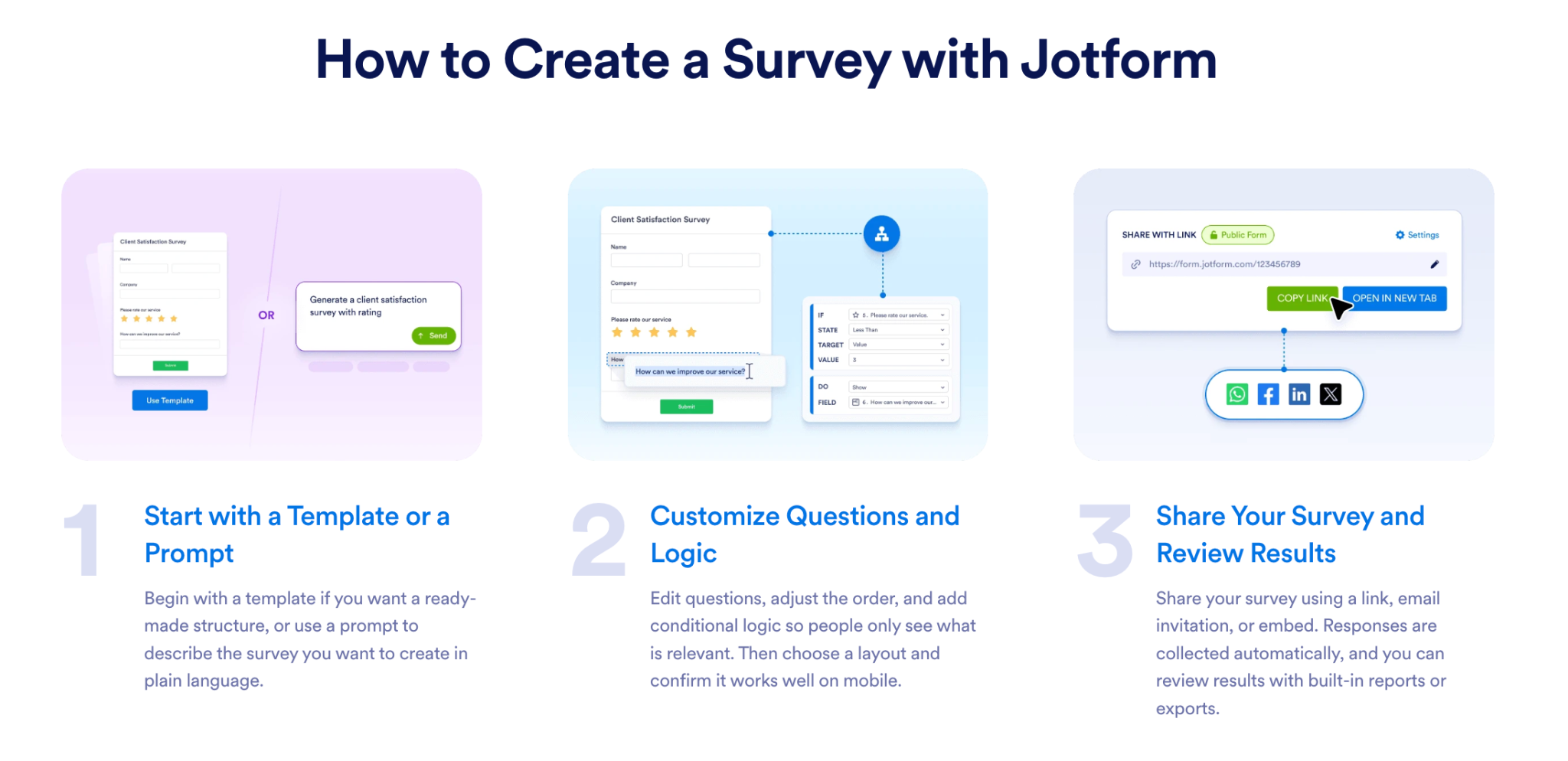
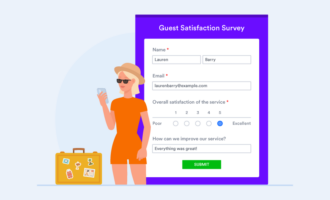
With Jotform, you can build an NPS survey, a post-purchase Jotform customer satisfaction survey, and a custom feedback loop with branching, using the same builder, logic, and integrations.
Your survey responses sync to more than 100 integrations, including Salesforce, HubSpot, Slack, Google Sheets, and Zapier. You can also export the raw data for your own analyses.
Customer success story
Golden Gate University ditched its paper surveys for Jotform. Its team uses Jotform’s conditional logic to tailor surveys to each student, asking only what’s relevant. Students can respond to whatever questions they feel comfortable answering.
“To be able to collect the student feedback in a way that’s easy for people to do on their phone, on a tablet, that gives us a big edge,” says Bob Pimm, associate dean of the School of Law’s Career Center.


Choose Jotform if
- You build forms in the AI workspaces you already use: Jotform connects directly to both ChatGPT and Claude, so you can generate surveys, edit questions, analyze responses, and summarize trends using natural language prompts. Prahlad K. says, “I appreciate how easily I can create forms with Jotform, thanks to the integration with ChatGPT.”
- You want to test powerful workflows and forms with no paywall: The free tier comes with a lot of features, and the paid tiers are budget friendly. So if you do need to upgrade, Jotform scales with your business. This is especially crucial if you’re migrating from Delighted and don’t want to increase your total cost of ownership.
- You need one survey platform for responses, payments, and signatures: Build your NPS form, collect payments directly via PayPal or Stripe (without requiring respondents to leave the form), and get e-signatures on documents.
Skip Jotform if
- You’re scaling high-volume always-on feedback: Jotform’s pricing and plans are structured by submission limit, storage usage, and upload quotas, rather than seat counts.
- You’ll need CSS knowledge for pixel-perfect layouts: If you need highly unconventional layouts or complex animations beyond the template framework, you’ll need to write custom CSS.
- You rely on niche or region-specific payment gateways: One reviewer noted that Jotform doesn’t integrate with WayForPay, a platform critical to their workflow. However, Jotform does support more than 30 major payment processors.
Jotform pricing
Jotform offers five core plans, with its paid plans billed annually:
- Starter (free): Five forms, 100 monthly submissions, and 100 MB storage
- Bronze, $34 per month: 25 forms, 1,000 monthly submissions, and 1 GB storage
- Silver, $39 per month: 50 forms, 2,500 monthly submissions, and 10 GB storage
- Gold, $99 per month: 100 forms, 10,000 monthly submissions, and 100 GB storage
- Enterprise (custom pricing): Unlimited forms, submissions, and storage
2. Survicate: Best for fast, multilingual NPS
Survicate is a multichannel feedback platform that lets you set up surveys for a Net Promoter Score (NPS), customer satisfaction score (CSAT), and customer effort score through email, web, app, or smartphone.
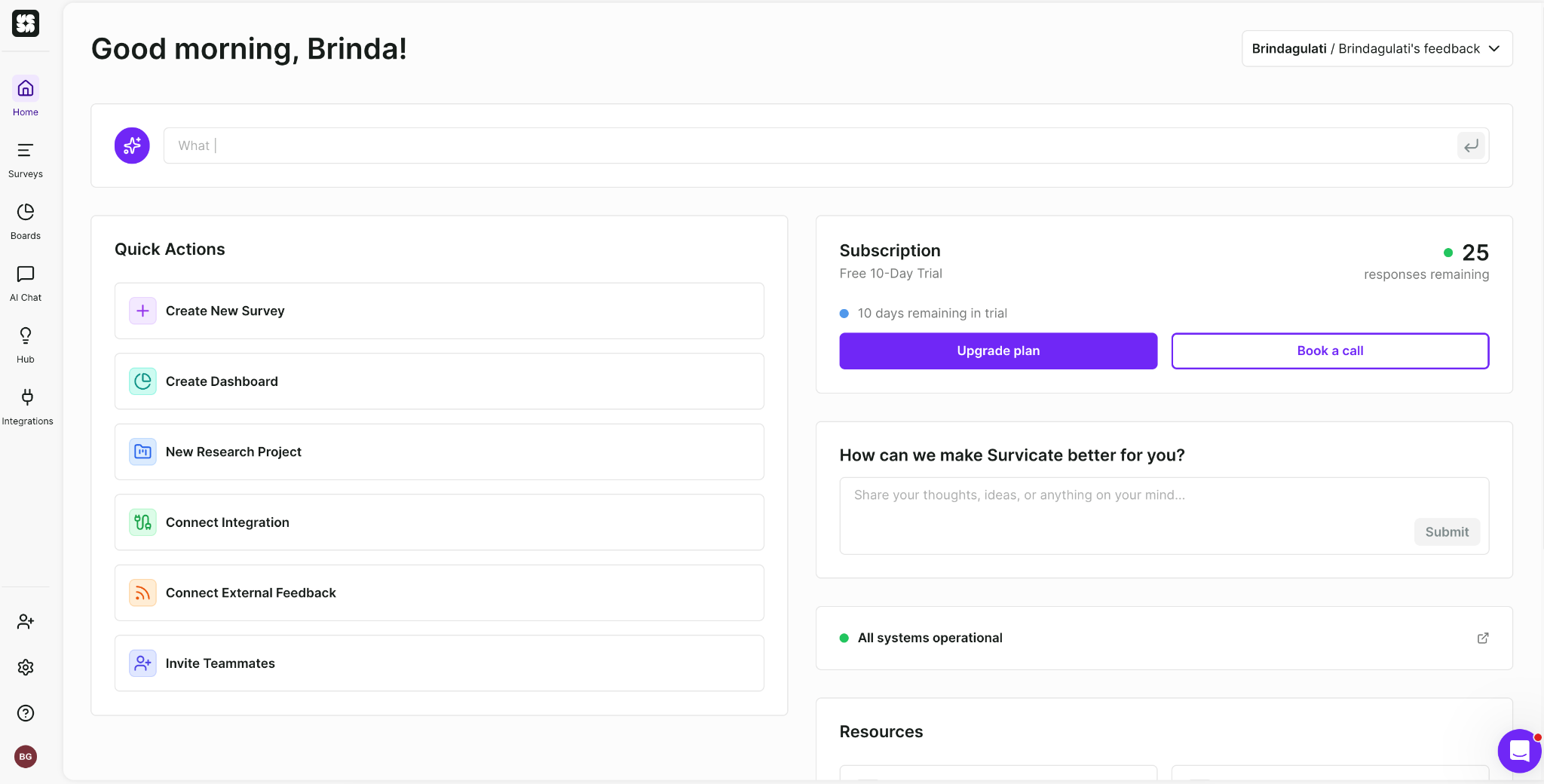
You can start with templates, generate surveys using AI prompts, or build them manually with a drag-and-drop editor.
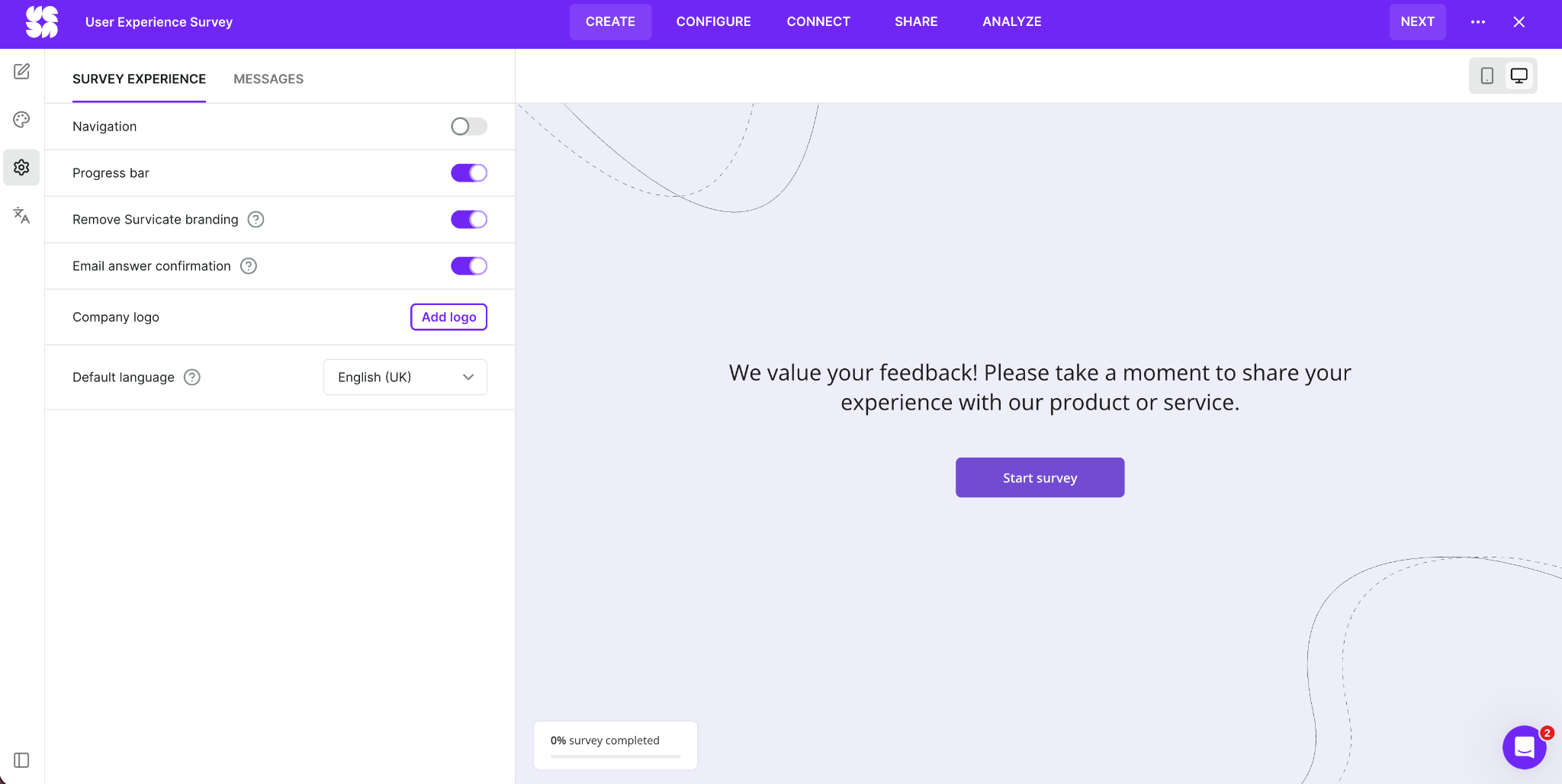
The setup takes less than 30 seconds. Once you’re inside the builder, you can drag and drop questions, preview the survey as you edit it, customize themes and progress bars, remove Survicate branding, upload your company logo, and configure multilingual surveys from the same interface.
Survicate lists more than 40 native integrations, including HubSpot, Salesforce, Slack, Zendesk, Intercom, Braze, Klaviyo, Mailchimp, and ActiveCampaign. (For anything else, you can use Zapier.)
Choose Survicate if
- You need multilingual survey support: Create your survey once and launch it in up to 50 languages with Survicate’s automatic translation. Reviewer Konjengbam M. says, “Love the fact that this platform supports various languages to create surveys, ensuring better reach of the targeted population.”
- You want AI-assisted survey building to save time: Akilah T. says, “[It’s] really simple to use and navigate, with AI features that can assist with drafting the survey questions, which makes the process less time-consuming.”
- You want behavioral targeting without learning how to code: Such targeting lets you trigger surveys based on user actions (e.g., visiting a certain page or attending certain events). Nathaniel M. says, “This precision means I get far more relevant, high-quality feedback than generic surveys.”
Skip Survicate if
- You need WhatsApp survey distribution: As of writing, Survicate doesn’t offer native WhatsApp support. One reviewer mentioned that because their client base is primarily WhatsApp users, the missing integration is a hassle.
- You need advanced design customization: Although Survicate allows basic logo and color customization, Preeti S. says, “Its customization and advanced features can feel somewhat limited.”
- You need a solid two-way Salesforce sync for NPS workflows: Survicate’s Salesforce integration allows you to map survey responses to Salesforce objects, but the integration is one directional. The data flows from Survicate to Salesforce, not back and forth. This is a problem even for five-star reviewers.
Pro Tip
Jotform Salesforce Agent looks up your contact by email, prefills the customer’s name, logs the NPS score in the record, and triggers follow-up tasks automatically. There’s zero manual work for you between systems.
Survicate pricing
Survicate charges by response volume and data limit, so costs can climb quickly if you’re running always-on NPS or high-traffic in-product surveys.
- Free: Basic email, link, and web surveys with AI generation and limited integrations
- Growth starts at $114 per month: 250 survey responses per month and 1,000 data points per month
- Pro starts at $349 per month: Custom response pools, advanced logic, CSS customization, and more than 40 integrations
- Enterprise starts at $569 per month: SAML single sign-on, access logs, dedicated support, and custom agreements
3. Qualtrics: Best for enterprise-grade research and regulated environments
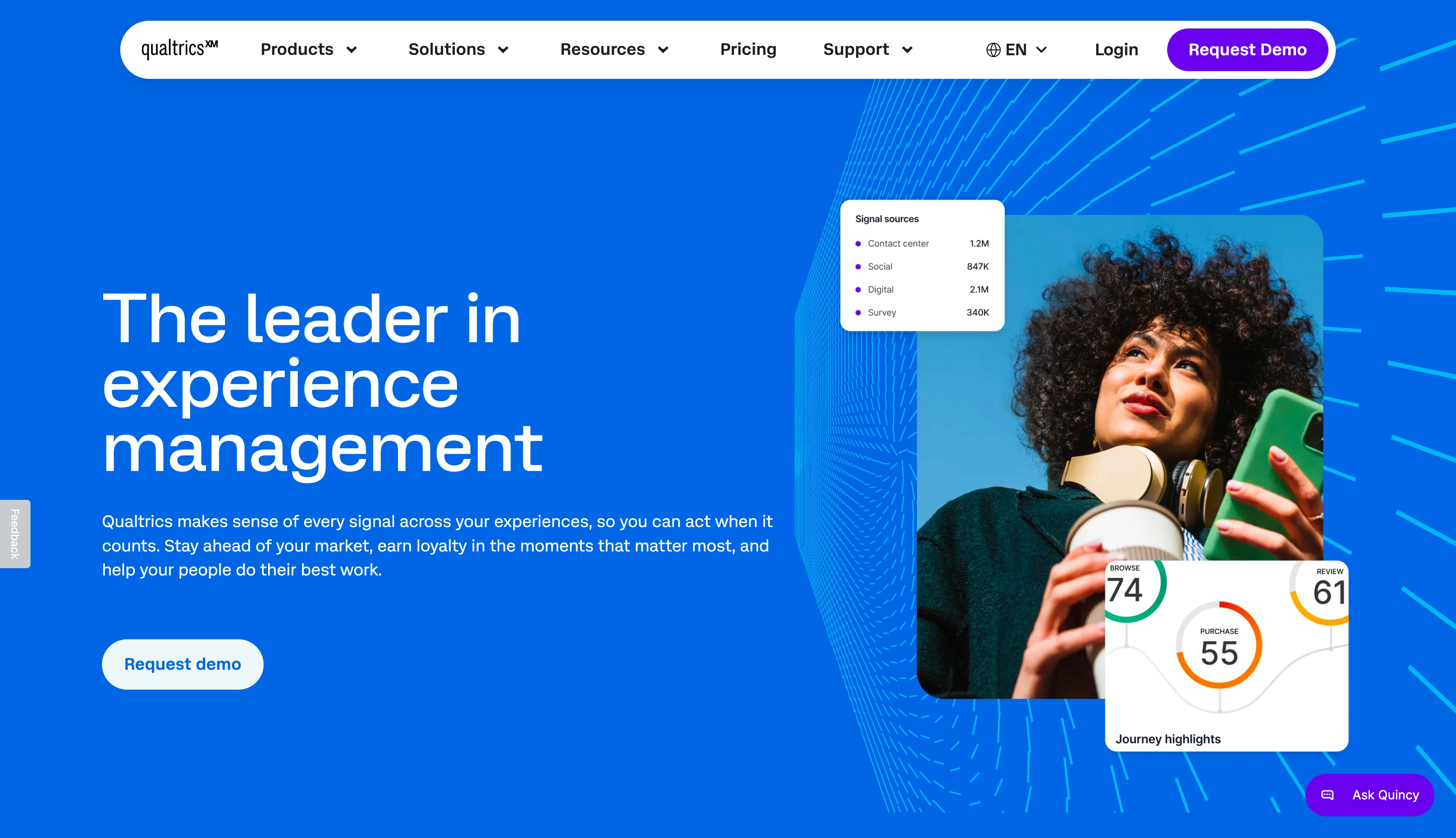
Qualtrics is an experience management (XM) platform built for large organizations running customer feedback and employee experience surveys, and conducting product research and brand tracking at scale.
It made this list for one reason: Qualtrics owns Delighted.
If you’re a former Delighted user, you’ll be nudged toward this upgrade path, so it deserves a fair review.
When we do look inside, though, it’s clear this isn’t Delighted 2.0. If the platform feels like enterprise survey software, that’s because it is enterprise survey software.
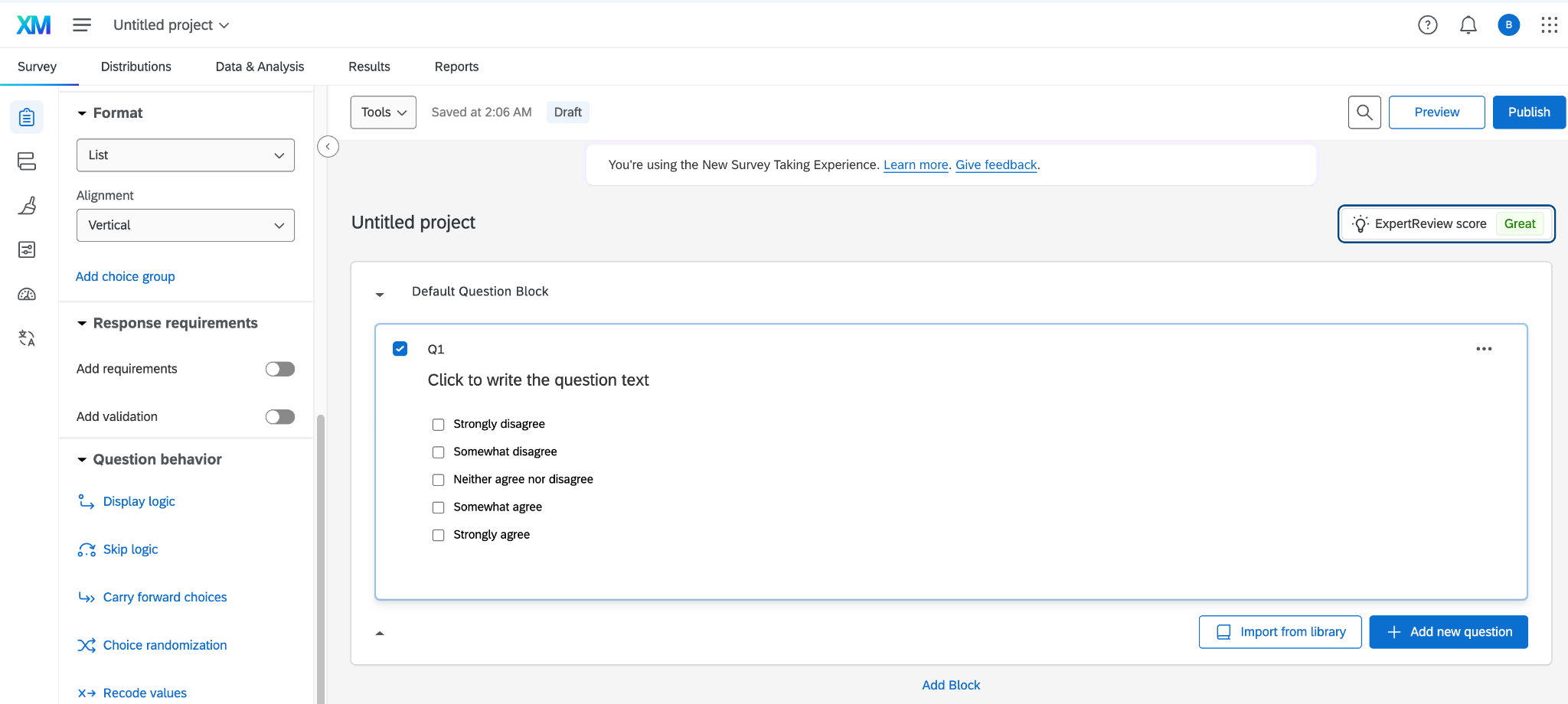
The left sidebar alone is a control tower. The five tabs on the top menu cover a lot, and every edit feels like you’ve opened a portal to another universe.
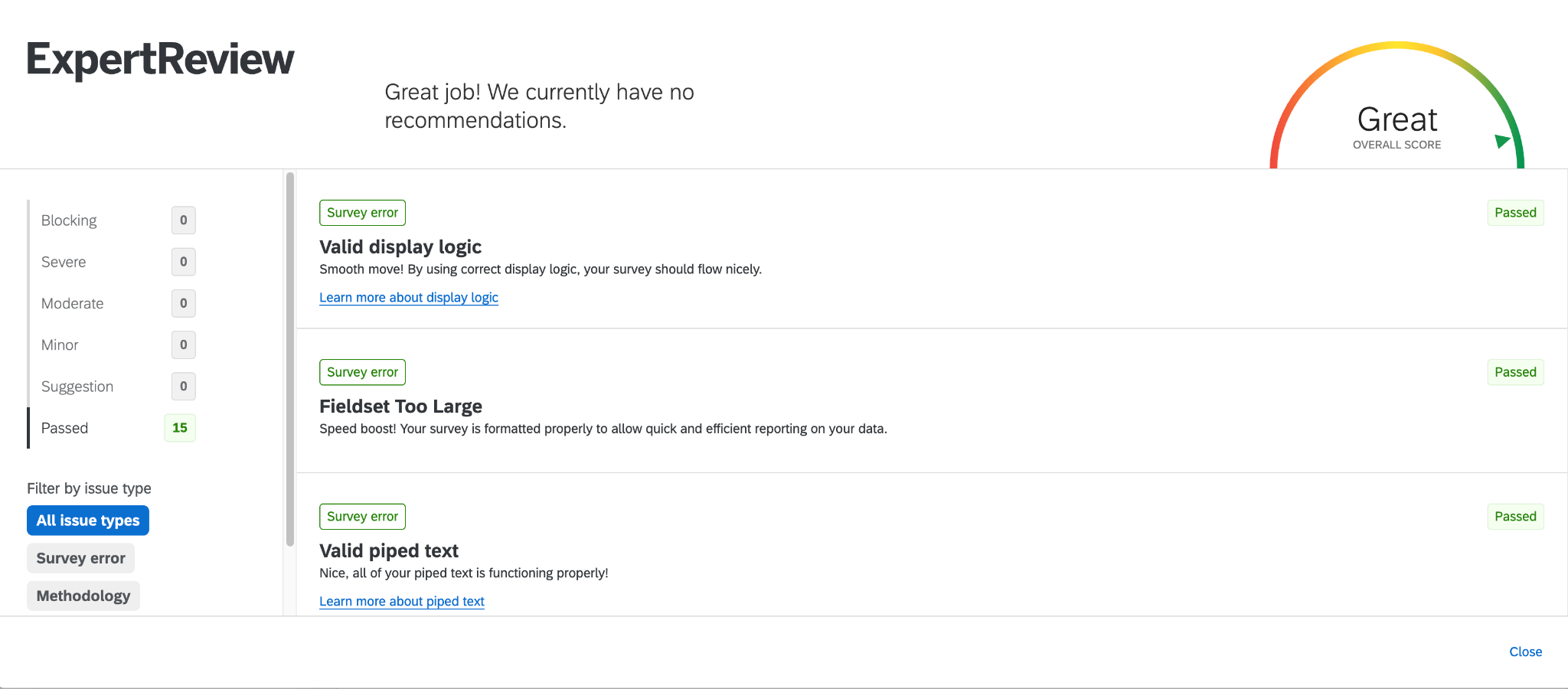
With that complexity, however, comes survey logic, statistical validation, AI-powered text analysis, and enterprise integrations that simpler tools can’t touch. I particularly love the ExpertReview Score, which flags survey design issues before you distribute.
Choose Qualtrics if
- You’re running enterprise-scale feedback programs with multiple parties: If you need to consolidate feedback across multiple touchpoints and integrate with Salesforce, Slack, and custom data warehouses, Qualtrics’s ecosystem handles that natively.
- You need built-in analytics and don’t want to export your data to third-party tools: Qualtrics’s dashboards are presentation-ready and built for speed to insight. According to one verified reviewer: “It has significantly cut down our time to insight, allowing us to pivot our strategies based on fresh feedback almost instantly.”
- In your regulated industry, platform pedigree is important: Qualtrics has established a reputation in research and compliance circles. Saskia S. says, “People already know that if you’re using it, you don’t have to explain that it’s HIPAA-enabled, which makes it easier.”
Skip Qualtrics if
- Your mid-market team wants to migrate from Delighted: Mid-market teams often find they’re paying for modules they don’t need because Qualtrics bundles features.
- You need to move fast and can’t afford to lose work because of mistakes: As of now, Qualtrics doesn’t have an Undo function. A verified reviewer says that a team member “can mess up [the] flow of a survey in one click, but fixing it can be 2-3 hours.”
- You need an easy-to-use NPS survey software: The Qualtrics interface feels heavy and lags with heavy datasets. Anoopkumar G. says, “It takes a lot of time to create a moderately complex survey.”
Qualtrics pricing
Qualtrics does not publish its pricing. It gives custom quotes based on the number of product modules and user licenses, response volume, and other contract terms.
According to Vendr’s analysis of 308 contracts, the median buyer pays $29,097 per year.
Read more: Top 10 Qualtrics alternatives for 2026
4. SurveyMonkey: Best for mid-market research with built-in audience sourcing
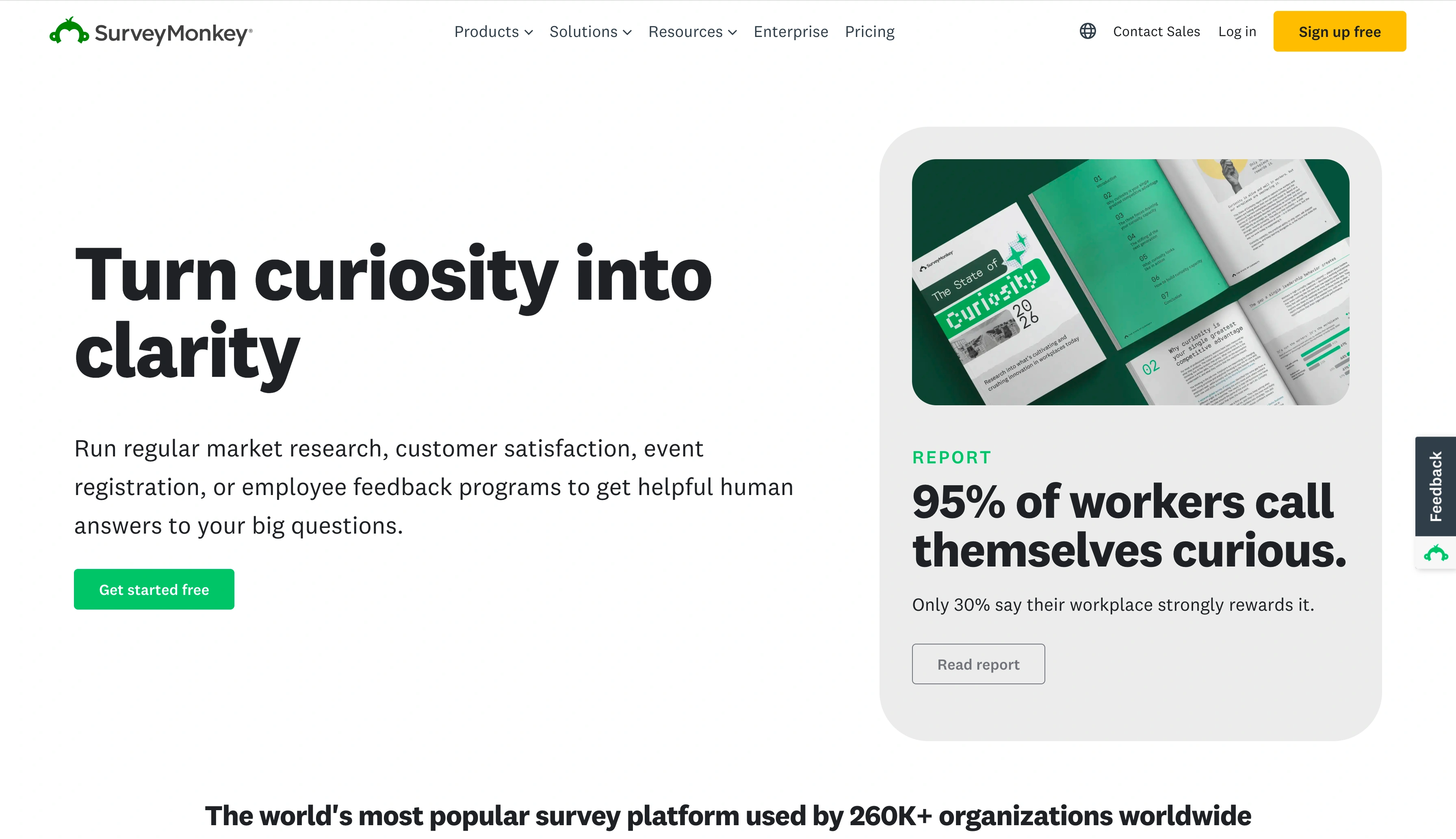
SurveyMonkey is a cloud-based survey and market research platform that helps businesses design, distribute, and analyze surveys across web, email, social media, and embedded channels.
A strong Delighted alternative, it’s not trying to be everything you could ever need in a form builder. That’s Jotform. It’s also not positioning itself as an enterprise research operating system. That’s Qualtrics.
The platform builds a customized workspace based on your industry and the prompt you give it.
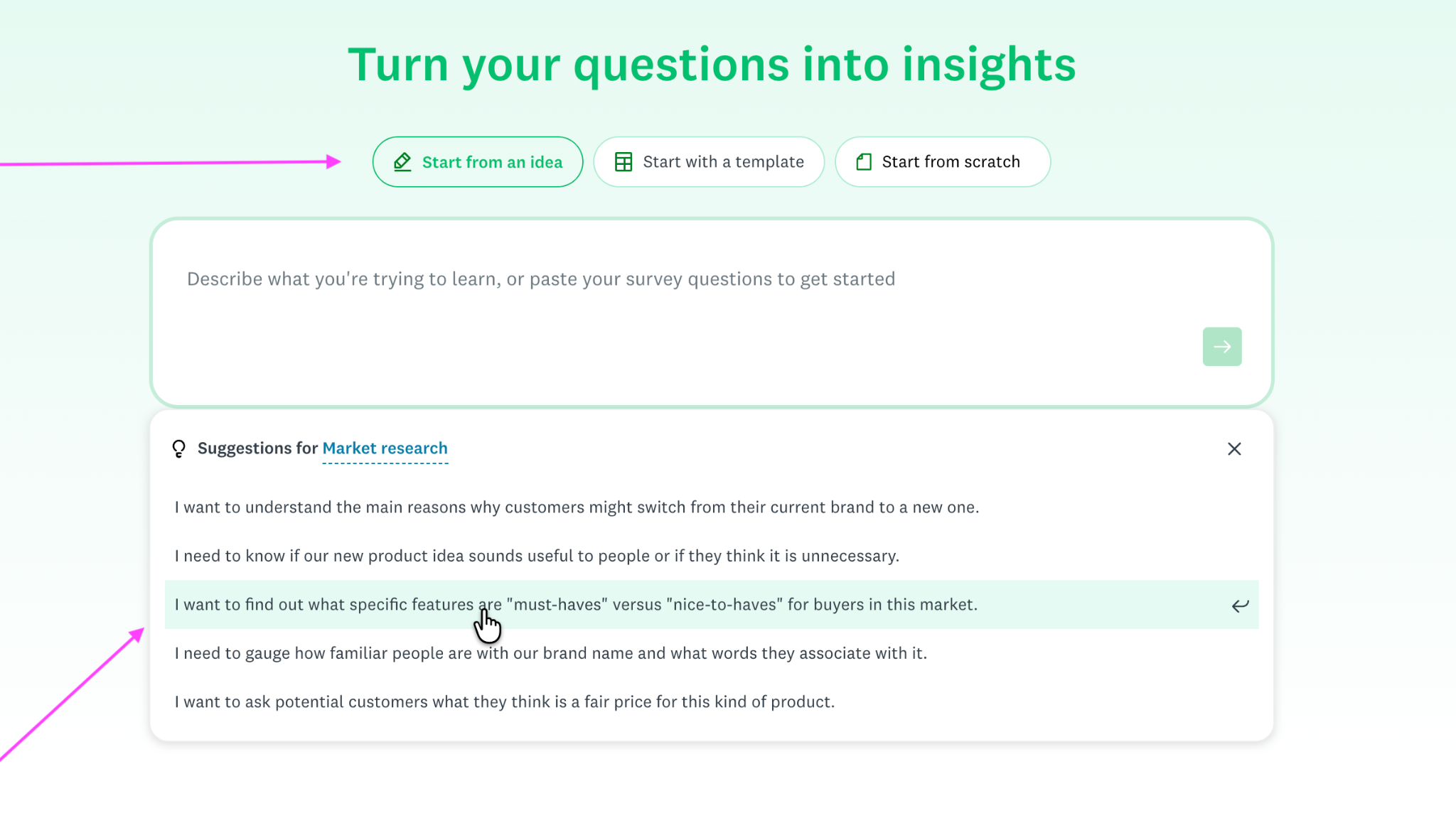
The interface feels modern and has clean spacing and strong color contrast, a notable departure from Qualtrics.
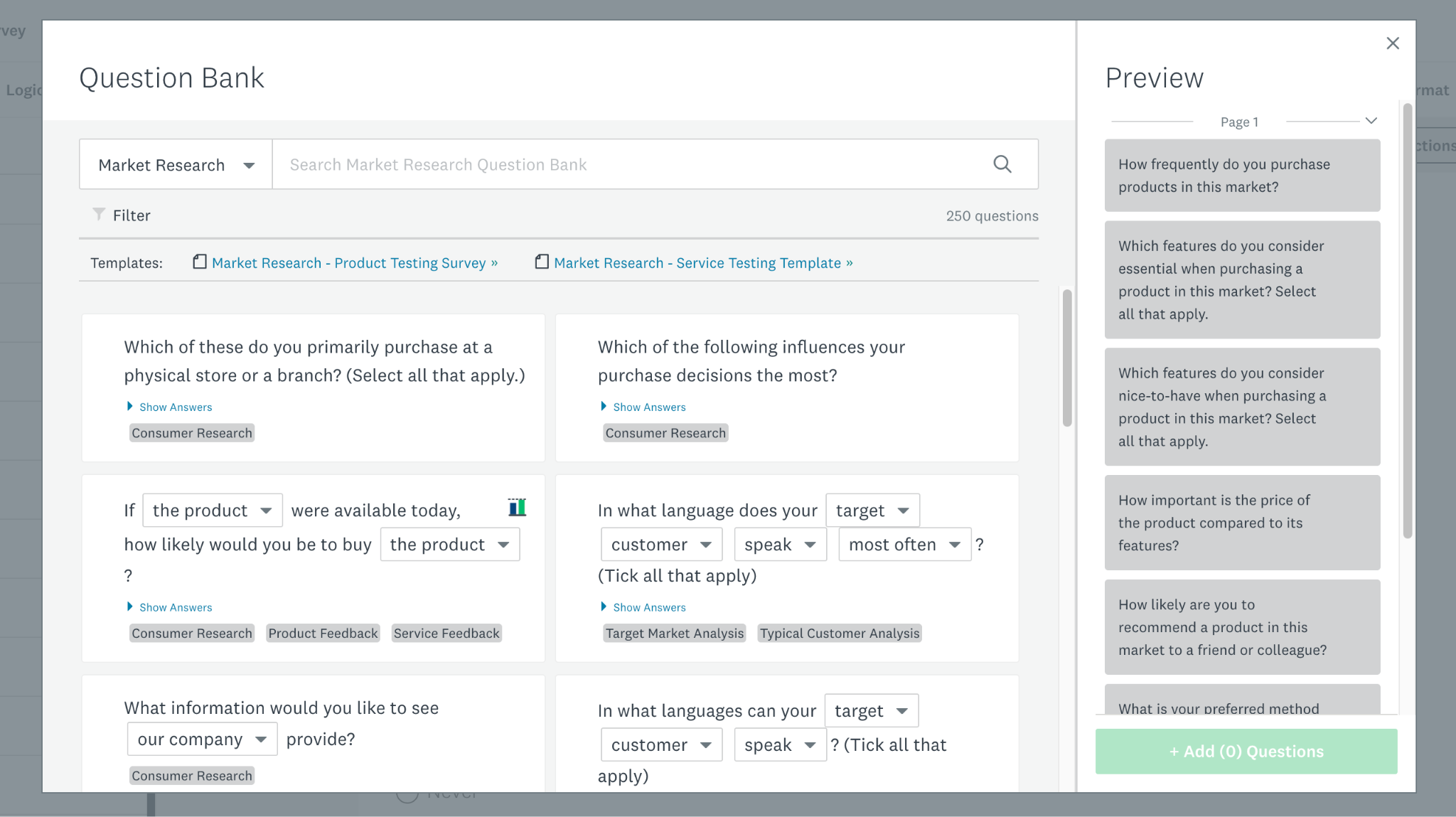
The Question Bank is one of SurveyMonkey’s stronger assets. You can drop in its pre-built, categorized, and tagged questions. I find this reduces survey design fatigue.
Distribution options span email, direct links, LinkedIn, website embeds, and mobile app integrations. If you don’t have a respondent list, you can pay for SurveyMonkey Audience, which sources respondents for you.
SurveyMonkey rolled out a Claude integration in May 2026, but that’s no match for tools (such as Jotform) that connect across multiple AI workspaces. However, it does offer a healthy repository of over 200 connectors.
Choose SurveyMonkey if
- You want analysis without the spreadsheets: The platform analyzes responses automatically, so you don’t need to export files to Excel and build formulas.
- You want a reliable platform but not support overhead: SurveyMonkey’s stability makes it easy to use. Matthew P. says he hasn’t “needed to contact support for assistance.”
- Your respondents have different technical skill levels: SurveyMonkey’s interface is user-friendly. Cynthia F. notes that the platform is “so easy for so many people to use, including a lot of senior citizens.”
Skip SurveyMonkey if
- You don’t want to operate in environments with tightly controlled access: SurveyMonkey restricts concurrent IP access on certain plans. Chris C. says that “allowing more than two IP addresses to access an account without having to kick someone else out” would be a major improvement.
- You’re migrating specifically for a tighter Salesforce-native workflow: The integration covers the basics, but it won’t feel native if Salesforce is at the center of your stack.
- You need deeper branding control and can’t upgrade: While SurveyMonkey’s themes and fonts are customizable, I found it pretty limiting when trying to create highly brand-forward survey experiences.
SurveyMonkey pricing
SurveyMonkey’s five core plans are split into two categories.
Individual plans
- Advantage Annual, $39 per month
- Premier Annual, $139 per month
- Standard Monthly, $99 per month
Team plans (three-user minimum, annual billing only)
- Team Advantage, $30 per user, per month
- Team Premier, $92 per user, per month
There’s a free plan, and enterprise plans have custom pricing.
Read more: 13 best SurveyMonkey alternatives in 2026
5. Medallia: Best for enterprise-level customer experience management
An XM platform, Medallia helps organizations collect, analyze, and act on customer and employee feedback across every major touchpoint.
I couldn’t test-drive Medallia, because it doesn’t offer a free trial. So I’m using G2 reviews and recent news coverage for this review.
The platform isn’t a direct Delighted equivalent (it’s far larger in scope), but it’s one of the top platforms that legacy customer experience (CX) buyers are directed to for more than simple CSAT software.
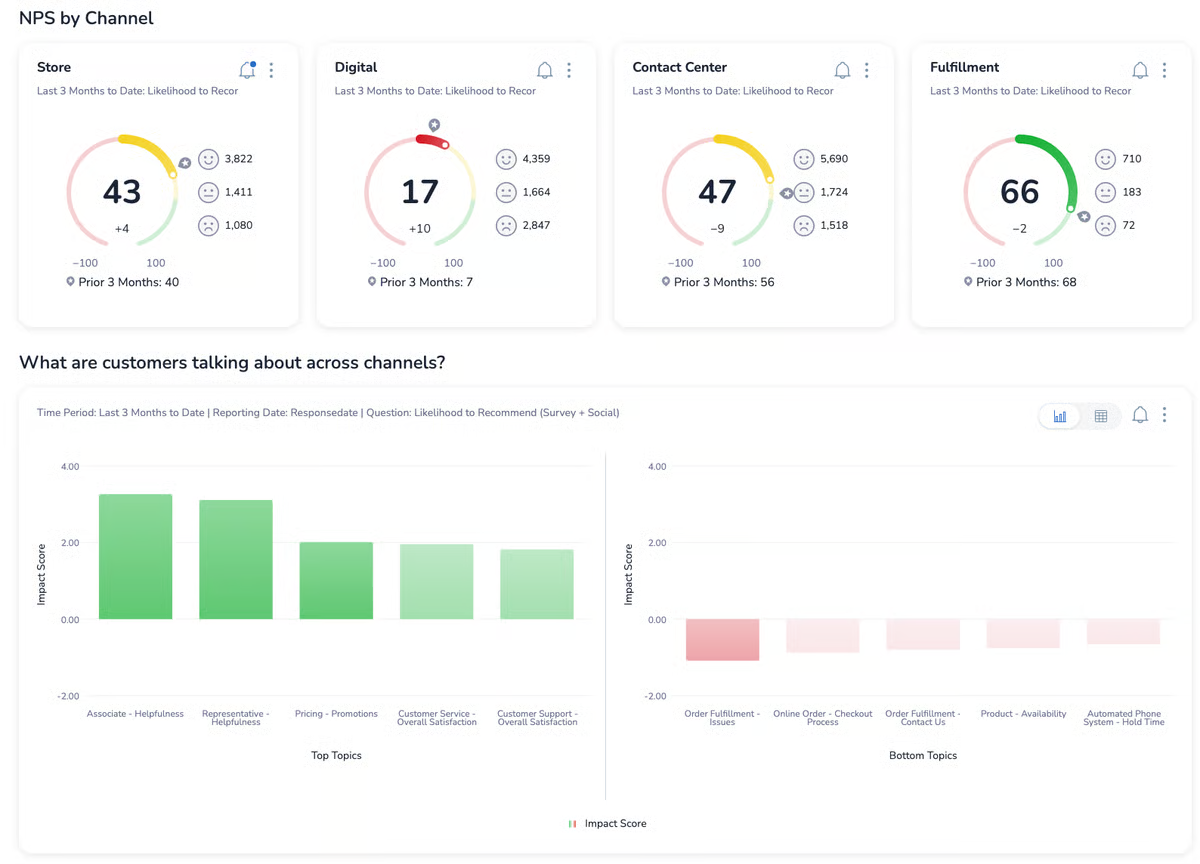
The platform centralizes feedback from every channel (including surveys; social media, web pages, apps, and contact centers) and uses AI-powered analysis to categorize open-ended responses by theme and sentiment.
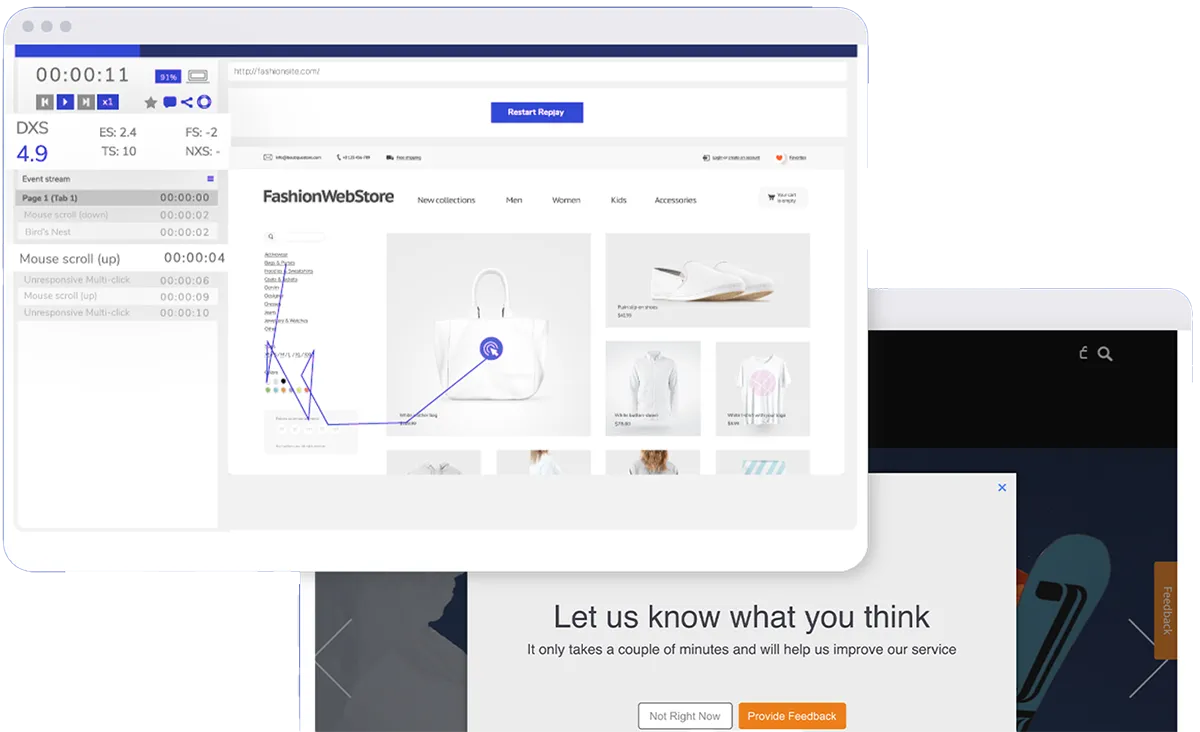
In May 2026, Medallia’s private equity owner handed control of the company to a group of lenders after a $5.1 billion equity wipeout. But lenders focus on financial stability, not product expansion. So the platform’s core features may stay strong, but newer features (such as AI coaching and advanced integrations) may evolve more slowly.
Choose Medallia if
- You want enterprise-level control without constant vendor dependency: A verified reviewer on G2 notes that Medallia’s self-service reporting is a major advantage: “It’s really valuable for us to have that level of control.”
- You need journey-level dashboards: Barbara A. highlighted how useful it is to have “a dashboard per journey surveyed” with filtering by date and domain.
- You’re willing to weather an ownership transition: If you’re evaluating Medallia now, ask your sales rep about 12- to 18-month product road map commitments, and lock in contract terms regarding service levels and renewal pricing.
Skip Medallia if
- You expect a rapid rollout of new features: Thomas T. says, “The delay between the shiny new features and the actual implementation can take some time.”
- You want a clean separation between CX and operational metrics: Medallia is built to connect experience data to business outcomes. If you prefer to keep survey sentiment and operational key performance indicators separate, that coupling may feel heavy.
- You value pioneering AI experimentation: Medallia’s AI capabilities are solid, but they’re not leading the industry. A verified reviewer who works in retail thinks Medallia is “pretty behind compared to other vendors in the AI and TA space.”
Medallia pricing
Medallia doesn’t publish its pricing plans. Its custom pricing, in annual tiered plans, is based on experience data records.
G2 reviewers report that Medallia’s prices are high; implementation takes five months, on average; and an ROI takes approximately 19 months to ROI.
6. Zonka Feedback: Best for operational VoC without enterprise complexity
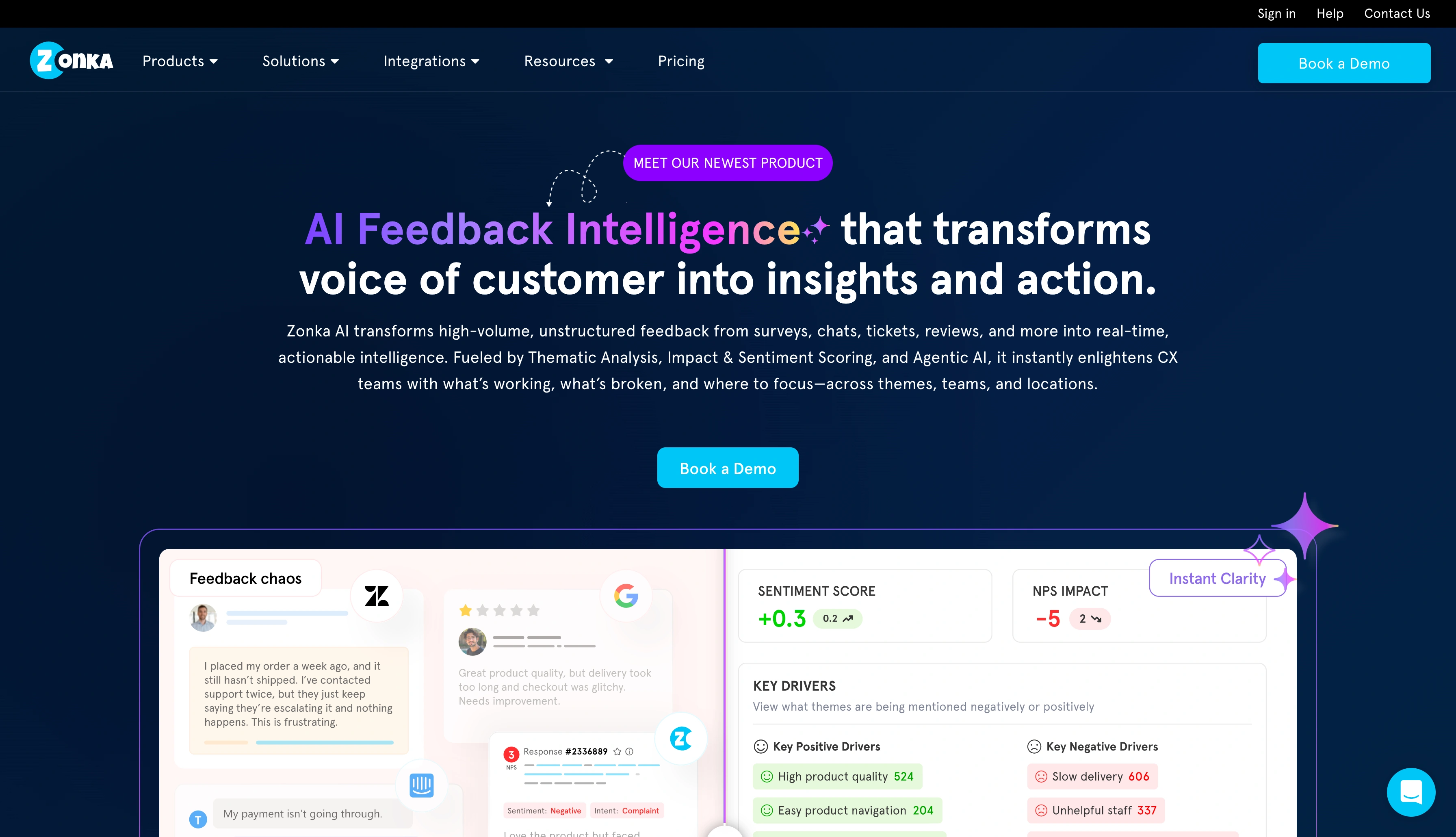
Zonka Feedback is a no-code feedback automation platform built for mid-market teams that want to collect, analyze, and act on feedback, without needing developers. I also couldn’t test this platform, so this review uses G2 information and industry reports.
Regarding ease of use, the platform sits between simple tools (such as SurveyMonkey) and complex platforms (such as Medallia and Qualtrics).
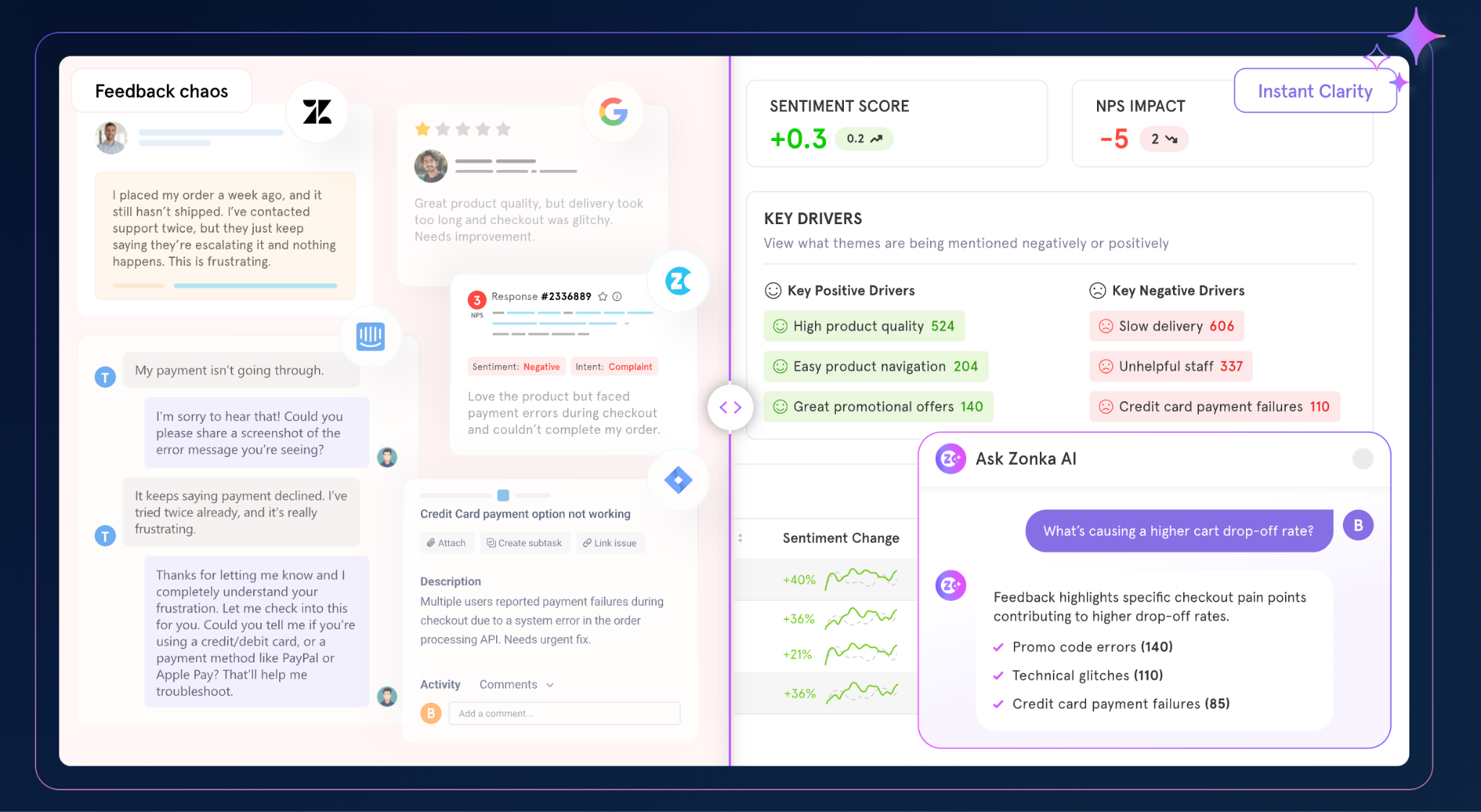
Zonka Feedback markets itself as a voice of customer (VoC) platform that centralizes customer feedback from every touchpoint and turns it into operational intelligence. The software uses AI-powered sentiment analysis and text categorization to turn open-ended responses into actionable themes.
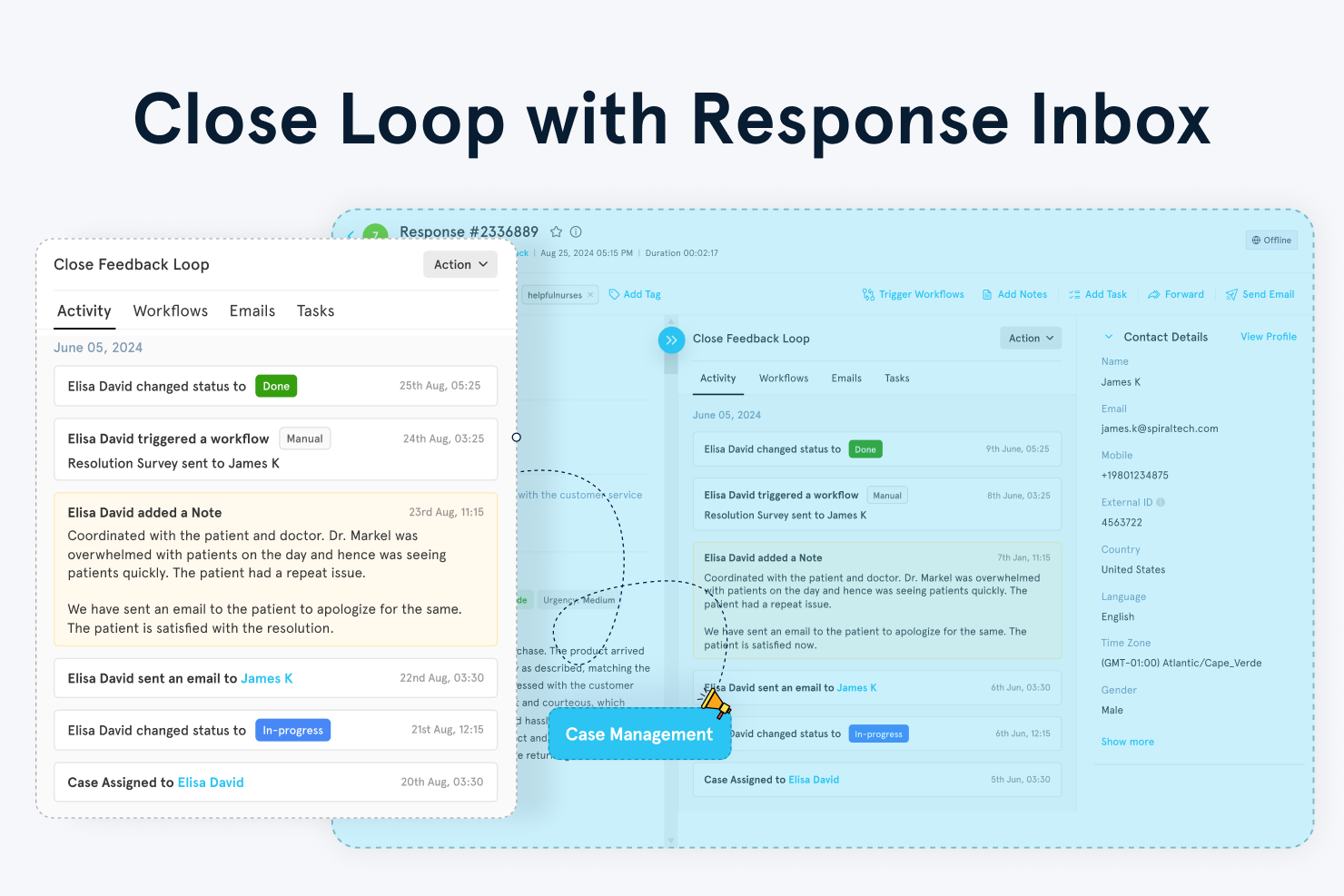
Zonka Feedback’s Workflows automate closed-loop feedback, so when a customer leaves negative feedback, the system can trigger alerts, assign cases, and route them to the right team.
Choose Zonka Feedback if
- You want feedback tied directly to measurable business outcomes: Khurram K. notes that Zonka Feedback transforms the client experience “from a subjective feeling into a measurable KPI [key performance indicator].”
- You value having new products to try and compliance maturity: Reviewer Jainam S. points out that Zonka Feedback has added “a bunch of new features and updates” alongside expanded compliance accreditations.
- You want AI-powered sentiment analysis with rule-based flexibility: Zonka Feedback’s sentiment analysis lets you build custom rules to automate actions based on tone.
Skip Zonka Feedback if
- You rely heavily on documentation and intuitive naming: If your team depends on clear, self-serve documentation and intuitive labels, you may experience a learning curve.
- You need a broad, mature integration network: While Zonka Feedback offers integrations, a verified reviewer on G2 flagged that the pool is “too small,” with several commonly used tools not yet supported.
- You’re migrating from Delighted and expect a 1:1 feature parity: Delighted was NPS-focused and lightweight. Zonka Feedback is more complex. SurveyMonkey or Jotform may be better for you if you don’t want to add operational overhead.
Zonka Feedback pricing
Zonka Feedback does not list pricing on its website.
But G2 lists pricing information submitted by Zonka. When this article was written, Zonka Feedback had last updated the pricing information May 20, 2026:
- Customer Feedback platform, starting at $99 per month
- AI Feedback Intelligence platform, starting at $399 per month
7. Typeform: Best for conversational, brand-forward surveys
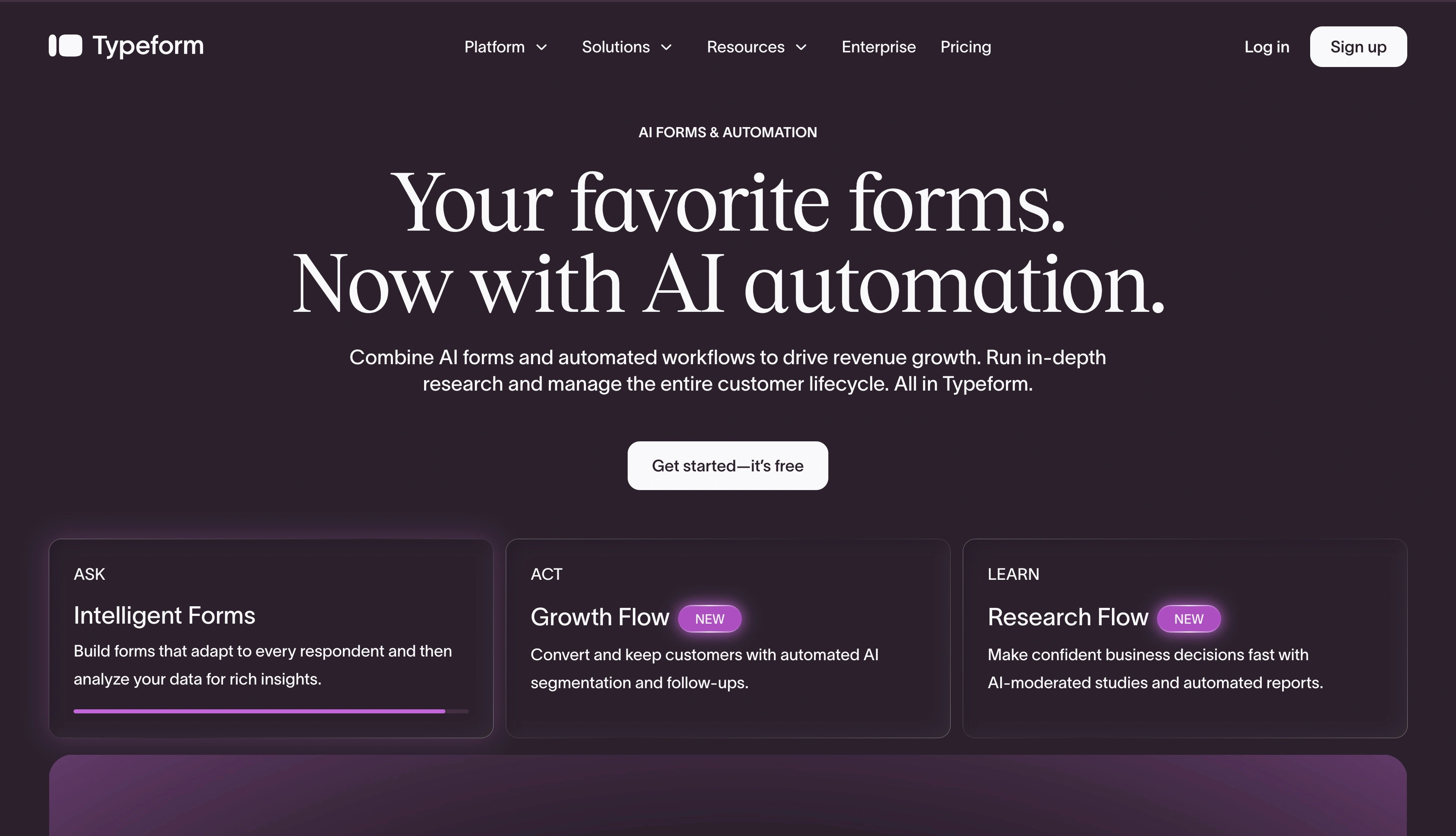
Typeform is comparable to traditional survey tools.
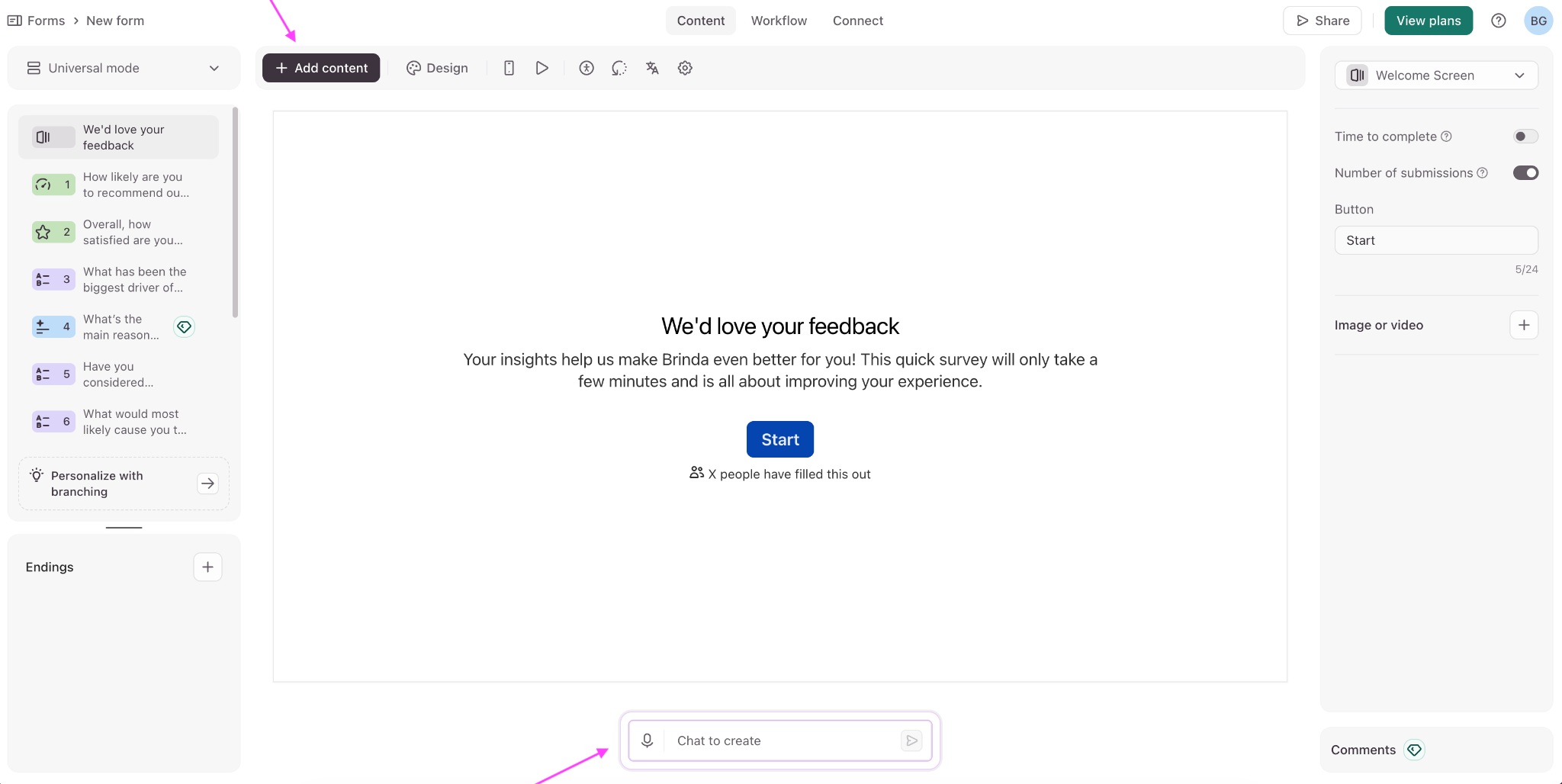
You can build from scratch, import questions, generate questions using AI, add progress bars, autosave work, and provide context to responses with enrichment data.
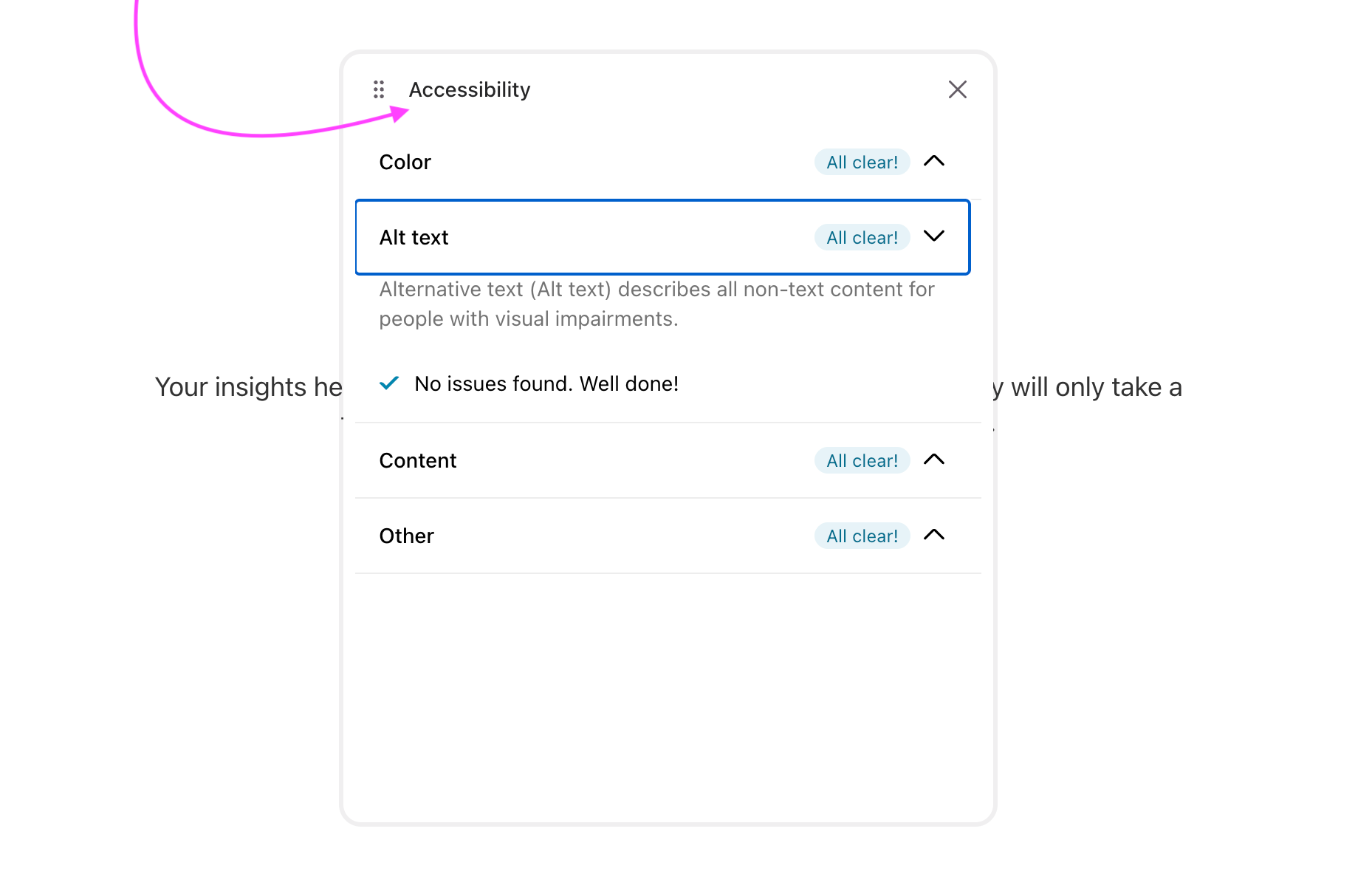
Typeform includes built-in accessibility checking for color contrast and alt text, to make sure people with blindness or low vision can use your forms.
In Design, you can tweak fonts, themes, and layouts. Paid plans come with AI-powered translations and the option to upload your own translations as a CSV file.
In Workflow, you manage surveys with a node-based logic builder. Each screen connects like a flowchart; you click a node, edit logic, and assign outcomes.
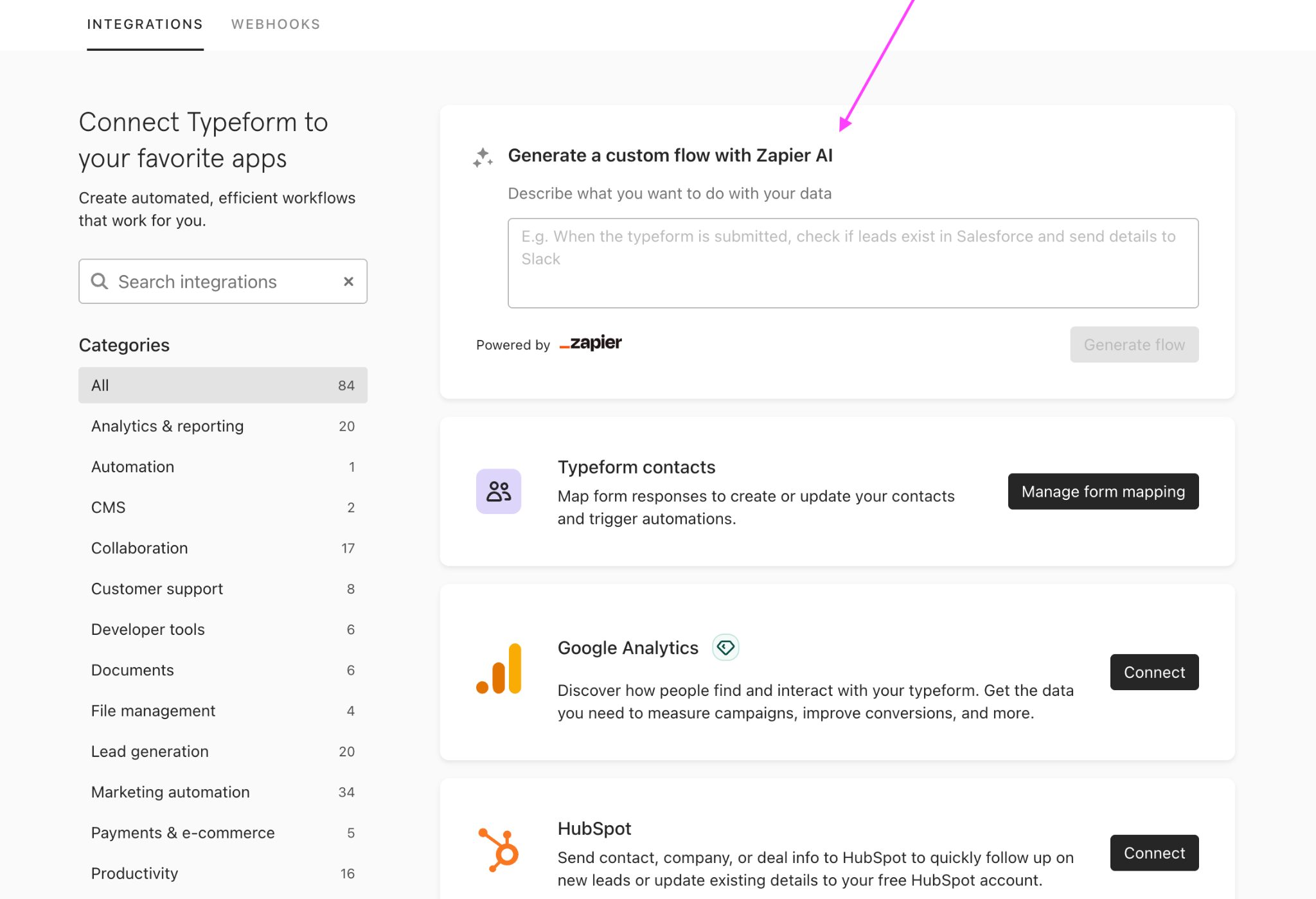
In Connect, Typeform offers 84 native integrations, alongside Zapier AI and webhooks.
Choose Typeform if
- You care deeply about the user experience and completion rates: Multiple reviewers highlight that Typeform feels more like a conversation than a traditional survey, which improves completion rates and creates a better end user experience.
- You want one-question-at-a-time flow with smart logic. As Candan I. says, the format avoids “form fatigue” and feels more natural.
- You want to create a survey in multiple languages from a single form: Tiffany S. appreciates that Typeform supports this capability, which is useful if you’re operating across regions and don’t want to duplicate forms for every market.
Skip Typeform if
- You’re running highly complex research surveys: Martha K. says, “The functionality isn’t really there” for more complicated surveys; their team uses Qualtrics instead.
- You need to build surveys on a mobile device: Reviewers such as Sarah P. share that mobile survey creation is “pretty hard” and not intuitive.
- You need deeper, segmentation-heavy analytics inside the platform: Murtaza Z. and other reviewers find they want more data visualization, including graphical segmentation by ZIP code, region, or lead type.
Typeform pricing
- Free: Unlimited forms and up to 10 responses per month
- Basic, $28 per month: Unlimited forms and nearly 100 responses per month
- Plus, $56 per month: Unlimited forms, nearly 1,000 responses per month, Typeform branding removal, and more users
- Business, $91 per month: Unlimited forms, 10,000 responses per month, five users, drop-off rates, conversion tracking, priority support, and live chat
There is also a Growth Flow plan, focused on lead capture and conversion, and a Talent plan for HR workflows.
Pro Tip
According to G2’s side-by-side comparison, Jotform edges out Typeform in nearly every core category and does so with a significantly larger review base. If you’re weighing the two, Jotform delivers the same conversational feel at a lower price.
Read more to learn why Jotform is the leading Typeform alternative.
Choose a Delighted alternative that does more
Of all the alternatives listed here, Jotform gives you more than 200 customer satisfaction form templates and over 12,000 free survey templates. Delighted was a feedback inbox, but Jotform is a feedback workflow.
Responses land in Jotform Tables, a collaborative workspace where your team can filter, organize, and spot what’s happening across responses instead of reading them one by one.
When you need to show leadership what you’ve found, the Jotform Report Builder turns that data into visually pleasing reports that update in real time.
Delighted’s June 30 deadline to shut down isn’t changing. Qualtrics’s prices aren’t either. The platform is betting that you’ll absorb the XM price tag rather than rebuild your stack. Jotform has a free tier you migrate to by lunch.
Take Jotform for a test-drive; it’s free forever.
This article is for CX managers, customer success teams, support leaders, product marketers, operations teams, and anyone who wants to replace Delighted with an easy-to-use survey platform for NPS, CSAT, CES, reporting, automation, and ongoing customer feedback collection.
































































































Send Comment: