
Top 10 enterprise document management software
An enterprise document management system (DMS) helps enterprise organizations securely create, store, and control documents at scale. The best document management software helps team members manage document version history, enables multiple team members to access documents, and ensures compliance.
There are many software programs to choose from, but which is right for you? In this guide, you’ll learn about 10 of the best enterprise document management software, including key features, pros and cons, and pricing.
6 key features of enterprise DMS platforms
Enterprise DMS platforms must handle high volumes of documents while maintaining security, compliance, and team efficiency.
Before you choose your enterprise file management system, it’s smart to create a shortlist of requirements. Offerings differ by software. Some, like Jotform Enterprise, offer a wide range of document solutions, from e-signatures to document organization and forms that integrate with content management systems. Others, like Docusign, handle only contract management and e-signatures.
What’s the best way to decide which key features you need?
Speak with your team to understand their workflows and identify what could be automated. Then look for the tools that offer the automation capabilities you need.
Also, consider your business and how it will scale. The goal is for your chosen software to support the needs of everyone in the company, today and in the future.
To help you decide, here are 6 common core features that enterprise companies tend to prioritize.
1. Version control and file history
Version control records every change made to a document and maintains a complete history of edits over time. For enterprise companies, this is essential when multiple teams collaborate on contracts, policies, or regulated documentation. It prevents overwrites, allows teams to restore or compare previous versions, and ensures accountability by showing who changed what and when. For contracts in particular, version history improves team-to-client communication by reducing confusion during revisions and protecting against accidental loss of critical changes.
2. Role-based access and permission management
Role-based access control defines who can view, edit, approve, or share documents based on their role within the organization. This ensures users interact only with content relevant to their responsibilities, reducing the risk of data exposure. At scale, permission management is critical for maintaining internal governance and supporting compliance with regulations such as GDPR, especially when documents are shared across departments or with external stakeholders.
3. Full-text search and metadata tagging
Full-text search allows users to find documents based on file content. When you search for words or phrases used within the document, the software will return all relevant documents. Metadata tagging adds structured labels, such as document type, status, client, or project. Together, these features make large document libraries instantly searchable. This reduces time spent hunting for information, improves knowledge-sharing, and ensures critical documents are accessible when decisions need to be made quickly.
4. Security and compliance controls
Security and compliance controls protect sensitive documents through encryption, access logging, and audit trails. Enterprise DMS platforms also support regulatory standards such as GDPR, HIPAA, and SOC 2. These features help organizations safeguard data, monitor document activity, and demonstrate compliance during audits or regulatory reviews, strengthening secure data collection while reducing both operational and legal risk.
5. Workflow automation and approvals
Workflow automation routes documents through predefined steps, such as review, approval, and sign-off. Instead of relying on email chains or manual reminders, automated workflows ensure documents move efficiently among stakeholders. This eliminates bottlenecks, reduces delays, and creates consistent, repeatable processes for document-heavy operations.
6. Collaboration and access tools
Collaboration and access tools enable multiple users to work on documents simultaneously while maintaining version control and permission rules. Controlled sharing allows teams to collaborate without losing oversight. This supports faster decision-making across teams and locations while keeping documents secure and governed.
The best enterprise document management software combines these features into a secure, scalable system that enforces access controls, supports compliance, and improves efficiency. It does this by centralizing documents, automating workflows, and giving teams fast, controlled access to the information they need.
10 best enterprise document management software
| Tool | Best for | Key features | Pricing |
|---|---|---|---|
 Jotform Enterprise |
Document automation, e-signatures, and contracts, all within a broader enterprise platform that meets many needs |
|
Custom |
 DocuWare |
Streamlined enterprise document management, especially invoicing |
|
Custom |
 Microsoft SharePoint |
Teams using the Microsoft ecosystem that need basic document management |
|
Starts from $12.50 per user, per month, billed annually |
 OpenText |
Enterprise-wide content governance and complex compliance needs |
|
Custom |
 Docusign |
Contract management |
|
Starts from $10 per month, billed annually |
 Google Workspace |
Small businesses that need team collaboration |
|
Starts from $4.90 per user, per month, billed annually |
 Egnyte |
Hybrid storage options and remote teams |
|
Starts from $22 per user, per month, billed annually |
 Dropbox Business |
Simple, scalable file access and syncing across teams |
|
Starts from $9.99 per month, billed annually |
 Adobe Document Cloud |
PDF-centric document workflows and e-signatures |
|
$23.99 per month |
 M-Files |
Metadata-driven, intelligent document organization and AI-powered search |
|
Custom |
1. Jotform Enterprise: Best for document automation, e-signatures, contracts, and many enterprise needs
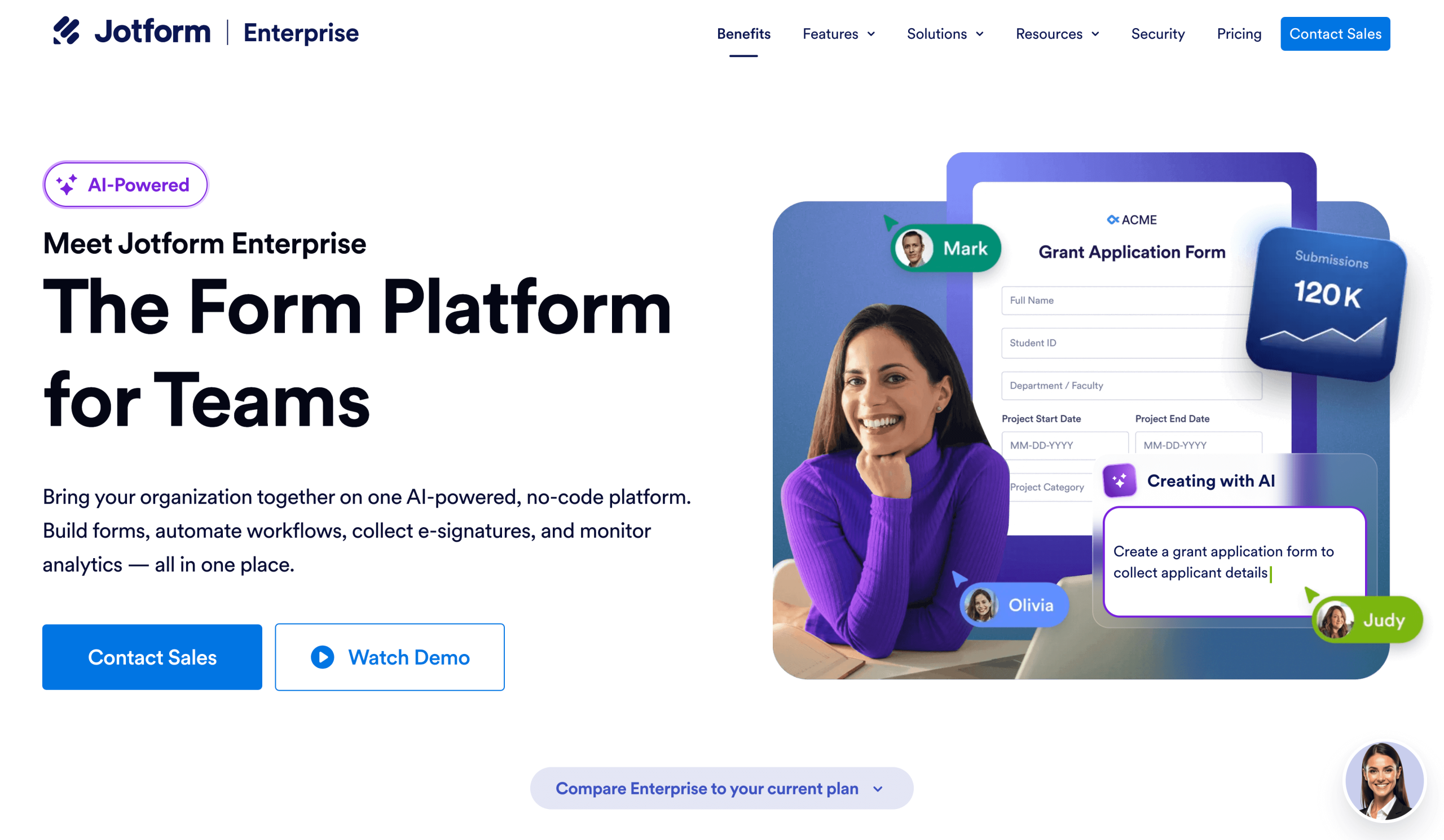
Jotform Enterprise is an enterprise-grade solution for document management. With multiuser accounts and role-based access controls, this software enables users to create, manage, approve, and secure documents.
All teams can work from a single centralized dashboard, and communications and workflows are more efficient thanks to activity monitoring and audit trails, providing complete visibility into document history and changes.
The number of integrations Jotform offers is a significant benefit for enterprise companies. Jotform Enterprise integrates with over 700 tools (more than any other tool on this list), so you can work it into your existing tech stack, including cloud storage, CRMs, and commonly used business tools.
Jotform Enterprise combines document generation, e-signatures, document management workflow, and compliance into a single, scalable platform.


- Key features
- Create documents for e-signature: You can collect e-signatures securely within automated workflows. For example, you can dynamically create documents ready for signatures from form data or from chats with Jotform AI Agents in real time.
- Unlimited, secure document storage and submissions: You choose where documents are stored, and there are no usage caps.
- Workflow and approval routing: You can automate document reviews, approvals, and handoffs. Read about how to automate with Jotform Enterprise.
- SSO and domain-driven authorization: This allows integration with enterprise identity providers.
- Pros
- One software does it all: Jotform Enterprise combines document creation, workflows, marketing, compliance, and much more in one platform. You can manage your enterprise business in one place, rather than fragmenting teams across multiple platforms. Plus, when a single tool offers multiple solutions, you can reduce costs.
- Highly scalable, with strong security, governance, and automation controls: Jotform Enterprise supports HIPAA, GDPR, the Payment Card Industry Data Security Standard, and enterprise-grade security standards. Read more about Jotform Enterprise’s security here.
- Cons
- More feature-rich than basic DMS tools: This may be more than small teams need, but you cut costs by not having to buy tools such as AI and CRM workflows, which are included with Jotform Enterprise tools.
- Pricing
2. DocuWare: Best for streamlined enterprise document management, especially invoicing
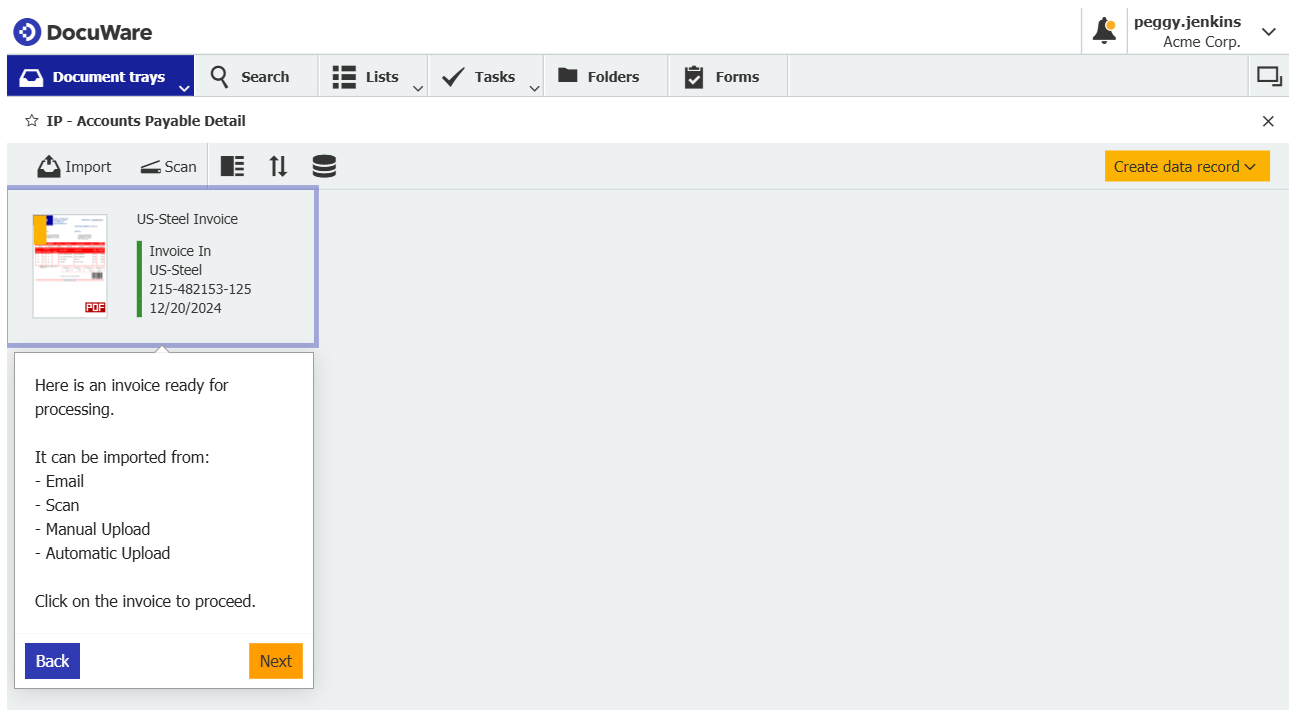
DocuWare is an enterprise document management and workflow automation platform. The software helps teams within enterprise organizations centralize, secure, and process business documents securely. Its automations reduce manual tasks and improve compliance. The platform is especially useful for processing invoices.
- Key features
- IDP solutions: DocuWare uses AI-powered OCR and handwritten text recognition (HTR) to extract data from documents, turning it into structured information that reduces manual work and speeds up processing.
- Centralized document repository: This feature securely stores and organizes all business files in one place.
- Automated workflows: Drag-and-drop workflow automation routes documents, approvals, and tasks to reduce manual processing and errors.
- Pros
- Improved efficiency: Automation and indexing cut out manual work and accelerate document-centric processes.
- Strong security and compliance: Built-in access controls, encryption, and audit trails help protect sensitive documents.
- Cons
- Learning curve for setup: Configuring workflows and advanced features can take time to master, so ensure you’re fully invested in the software before taking this step.
- Pricing
- DocuWare’s pricing is based on the amount of storage and number of users needed. On its pricing page, DocuWare cites costs ranging from $12 to $70 per month.
3. Microsoft SharePoint: Best for teams using the Microsoft ecosystem
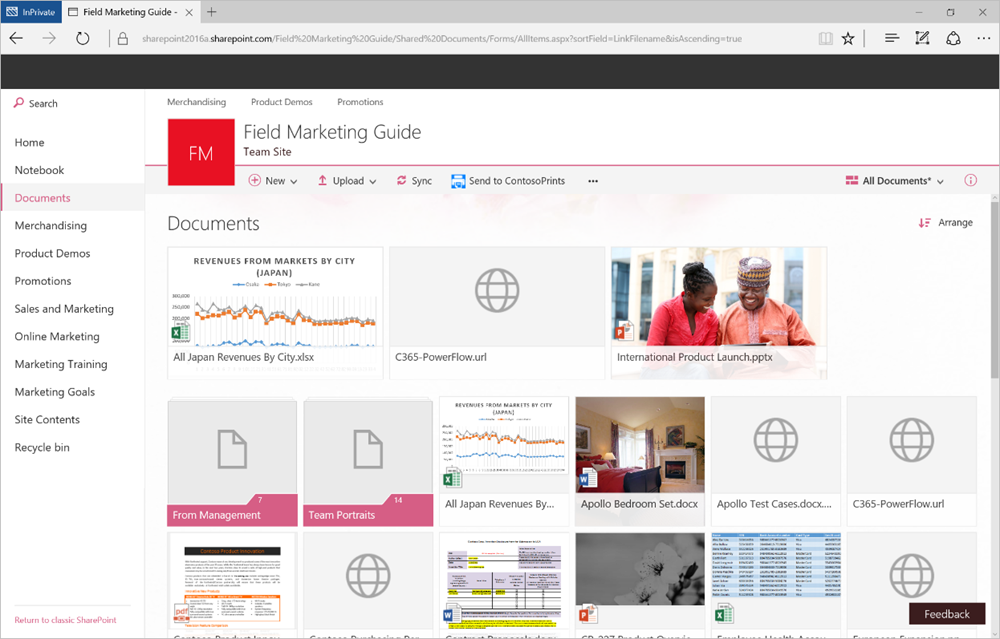
Microsoft SharePoint is part of the Microsoft 365 ecosystem. It may be a good fit for small companies that need basic document management. It enables organizations to store, share, and manage documents within Microsoft Office apps.
- Key features
- Document versions: This keeps files organized with automatic version history and easy rollback. Teams can easily compare versions to see who changed what.
- Role-based permissions and security: This feature enables teams to control who can view and edit content.
- Integration with Microsoft apps: This includes Microsoft Office, Teams, OneDrive, and Power Automate for workflows.
- Pros
- Seamless Microsoft 365 experience: SharePoint works naturally with tools that enterprises already use.
- Strong collaboration: Real-time coauthoring and Microsoft Teams integration boost productivity.
- Cons
- Configuring sites, permissions, and governance can be challenging without internal support.
- Pricing
- SharePoint is part of Microsoft 365 and is billed annually.
- Microsoft 365 Business Standard: $12.50 per user, per month
- Microsoft 365 Business Premium: $22 per user, per month
4. OpenText: Best for enterprise-wide content governance and complex compliance needs
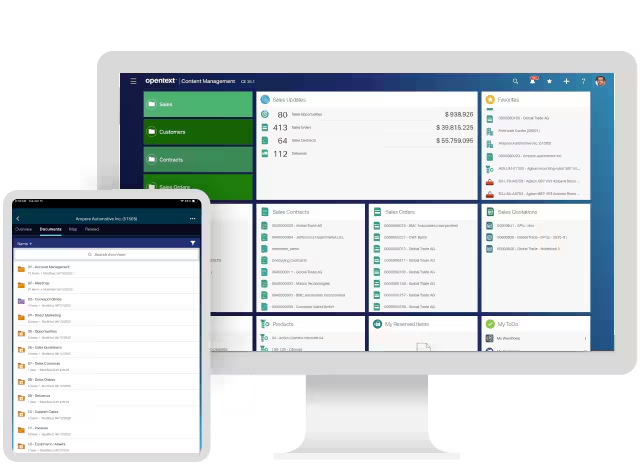
OpenText is built for large organizations that need tight control over documents, records, and content across multiple systems. It centralizes enterprise content while giving you the governance, automation, and compliance controls required for highly regulated environments.
- Key features
- Central content repository: This brings documents, records, and business content into one governed system so your teams can find and manage documents at scale.
- Automated workflows and governance: OpenText’s policy controls and life cycle management automates compliance and approvals so your teams can follow company policy and pre-governed rules without manual oversight.
- Enterprise integrations and scalability: OpenText integrates with existing enterprise systems so your documents move with your business processes.
- Pros
- Compliance-first architecture: This provides audit trails, retention policies, and security controls to help you meet regulatory requirements.
- AI-enhanced insights: OpenText’s AI capabilities can classify, extract, and analyze content so your teams spend less time on manual work and more on strategic tasks.
- Cons
- Complex to implement: The platform’s depth often requires specialist setup and ongoing IT involvement.
- Pricing
- OpenText’s pricing is complex and depends on the products you need. Contact OpenText or review its price list here.
5. Docusign: Best for contract management
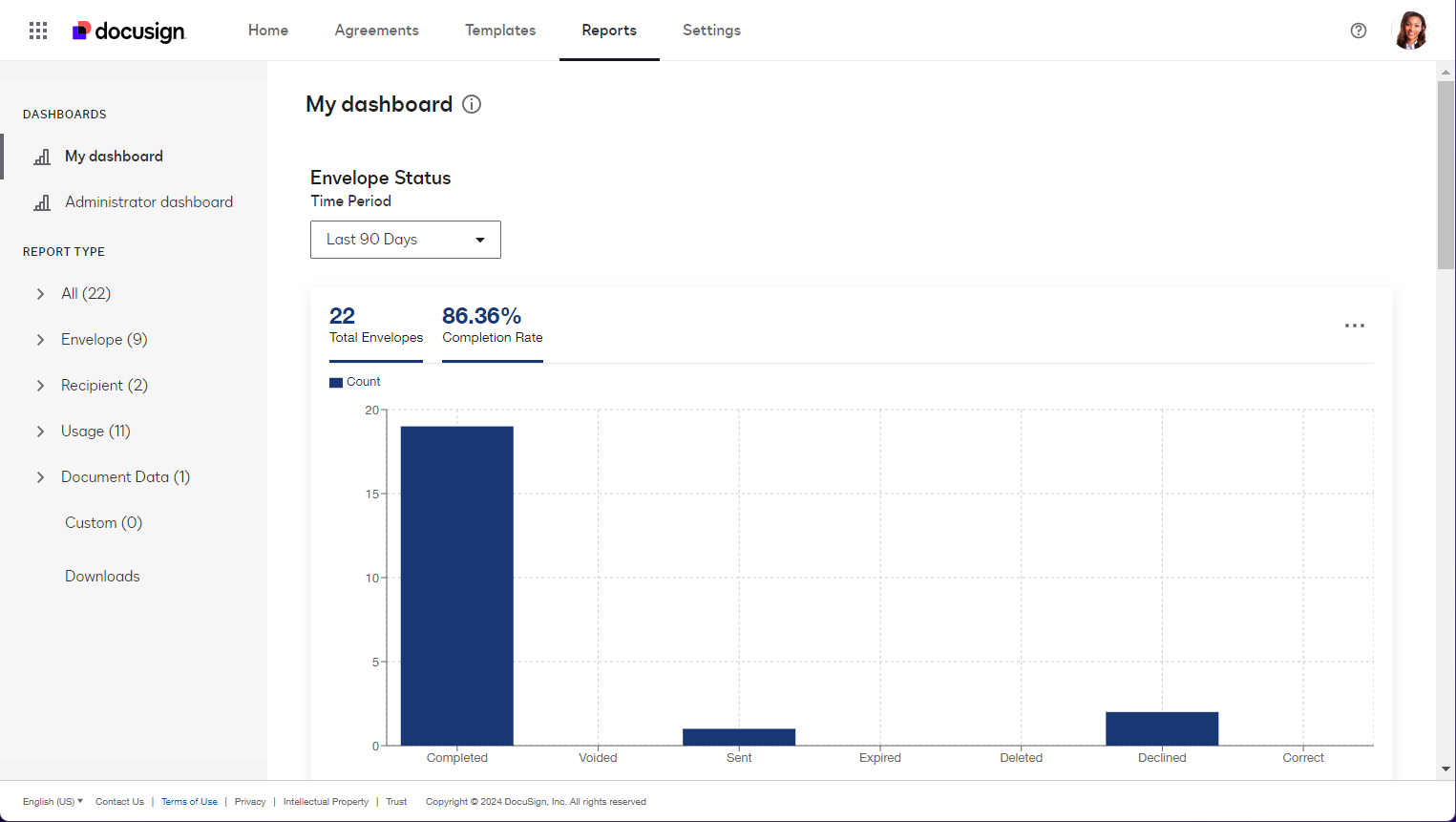
Docusign is designed for organizations that manage high volumes of contracts and agreements. It helps you prepare, send, sign, track, and store contracts digitally, reducing turnaround times while maintaining security and legal compliance.
- Key features
- E-signature and agreement workflows: Send contracts for legally binding signatures and automate reminders so deals move faster.
- Contract life cycle management: This helps you generate, negotiate, store, and renew contracts so nothing gets lost or overlooked.
- Audit trails and compliance controls: Record every action taken on a document to prove authenticity and meet regulatory requirements.
- Pros
- Fast contract turnaround: This lets your teams finalize agreements quickly without printing, scanning, or manual follow-ups.
- Trusted security and compliance: Docusign gives you confidence with encryption, identity verification, and global compliance standards.
- Cons
- Limited broader DMS functionality: Docusign focuses primarily on contracts rather than full enterprise document management.
- Pricing
- Personal: $10 per month, billed annually
- Standard: $25 per month, billed annually
- Business Pro: $40 per month, billed annually
- To use AI features and automated workflows, you need a Docusign Intelligent Agreement Management (IAM) package, which costs more per month:
- IAM Starter: $40 per month, billed annually
- IAM Standard: $45 per month, billed annually
- IAM Professional: $75 per month, billed annually
6. Google Workspace: Best for small business team collaboration

Google Workspace gives you cloud-first document creation, storage, and collaboration tools that are easy to adopt across teams. If you need multiple people editing the same document in real time, simple sharing, and integration with Gmail and Google Calendar, Workspace keeps your documents connected and accessible everywhere.
- Key features
- Real-time collaboration: This lets you co-edit Google Docs, Sheets, and Slides with your team so everyone stays synced and avoids version conflicts.
- Cloud storage with Drive: You can store your files securely in the cloud so you can access and share documents from any device.
- Smart search and AI suggestions: These help you quickly find the documents you need and provide AI-powered insights to improve content and efficiency. Google Workspace’s search function is exceptional.
- Pros
- Easily share documents: You can share them internally or externally.
- Seamless communication integration: Workspace connects naturally with Gmail, Google Chat, and Google Calendar.
- Cons
- Limited enterprise-grade governance: Google Workspace doesn’t have the deep compliance and access controls that dedicated enterprise document systems offer.
- Pricing
- Starter: $4.90 per user, per month
- Standard: $9.80 per user, per month
- Plus: $15.40 per user, per month
- Enterprise: Custom pricing
7. Egnyte: Best for hybrid storage options and remote teams
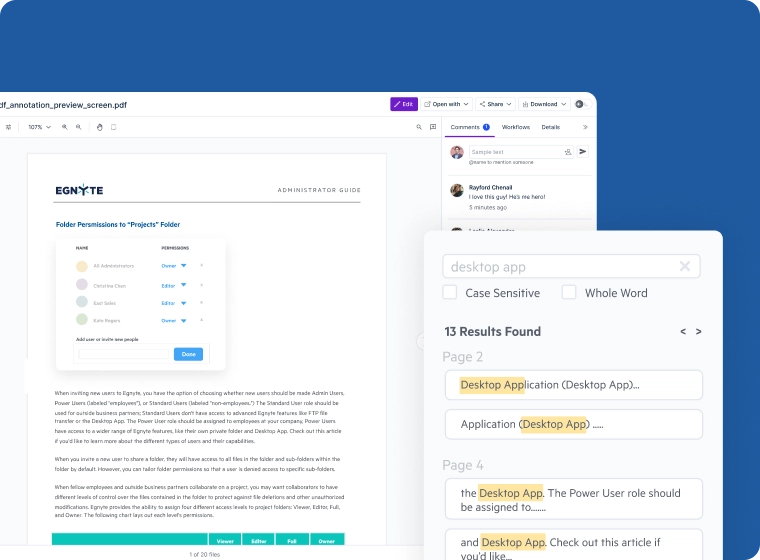
Egnyte provides enterprise companies with a unified platform that securely stores content in the cloud, on-premises, or both. Its hybrid architecture helps you balance collaboration and compliance across distributed systems and remote teams.
- Key features
- Hybrid cloud storage and sync: Egnyte lets you store files on-premises and in the cloud so your teams can access content seamlessly wherever they work. It’s an ideal solution for remote teams.
- Secure content governance: This lets you automatically classify and protect sensitive data, enforce compliance policies, and monitor document access.
- Enterprise file sharing and collaboration: These features enable secure sharing and real-time access across teams and external partners (when settings allow), improving productivity.
- Pros
- Strong security and compliance controls: You get encryption, sensitive content classification, and governance tools that help you manage risk and meet regulatory requirements.
- Flexible hybrid architecture: This lets you combine cloud and local storage so your teams have fast, reliable access to content without overloading on-premises infrastructure.
- Cons
- It can be expensive, especially for smaller teams.
- Pricing
- Business: $22 per user, per month
- Enterprise Lite: $38 per user, per month
- For packages with AI, you need one of the following:
- Elite: $46 per user, per month
- Ultimate: Custom pricing
8. Dropbox Business: Best for simple, scalable file access
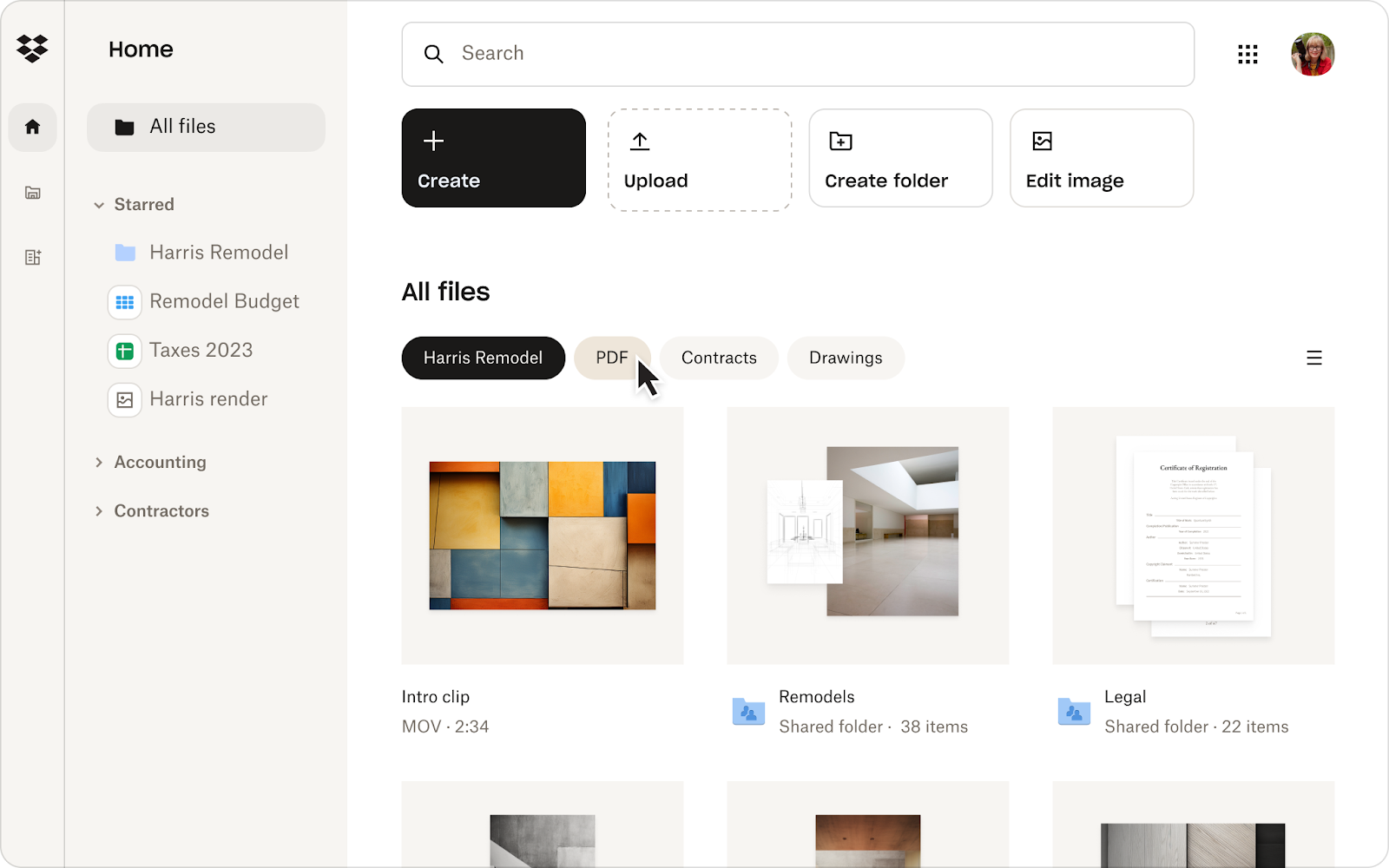
Dropbox Business is a cloud file storage and collaboration platform that enables teams to access, sync, and share documents from anywhere. It’s ideal if you want straightforward file management, strong cross-device support, and minimal complexity.
- Key features
- Cloud file storage and syncing: This keeps your documents up-to-date across all devices.
- Team folders and access controls: You can organize shared workspaces and set permissions so the right people see the right files.
- Smart search and file recovery: These features help you quickly find content and restore previous versions or deleted files when needed.
- Pros
- Easy to use and adopt: A familiar interface and simple setup enable you to onboard teams quickly, without extensive training.
- Reliable cross-device syncing: This ensures your teams can work and access files consistently across desktops, mobile, and web.
- Cons
- Limited advanced document governance: Dropbox Business lacks deeper workflow automation and enterprise-grade compliance controls found in dedicated DMS platforms.
- Pricing
- Plus: $9.99 per month
- Professional: $16.58 per month
- Standard: $15 per month
- Advanced: $24 per month
9. Adobe Document Cloud: Best for PDF-centric workflows and e-signatures
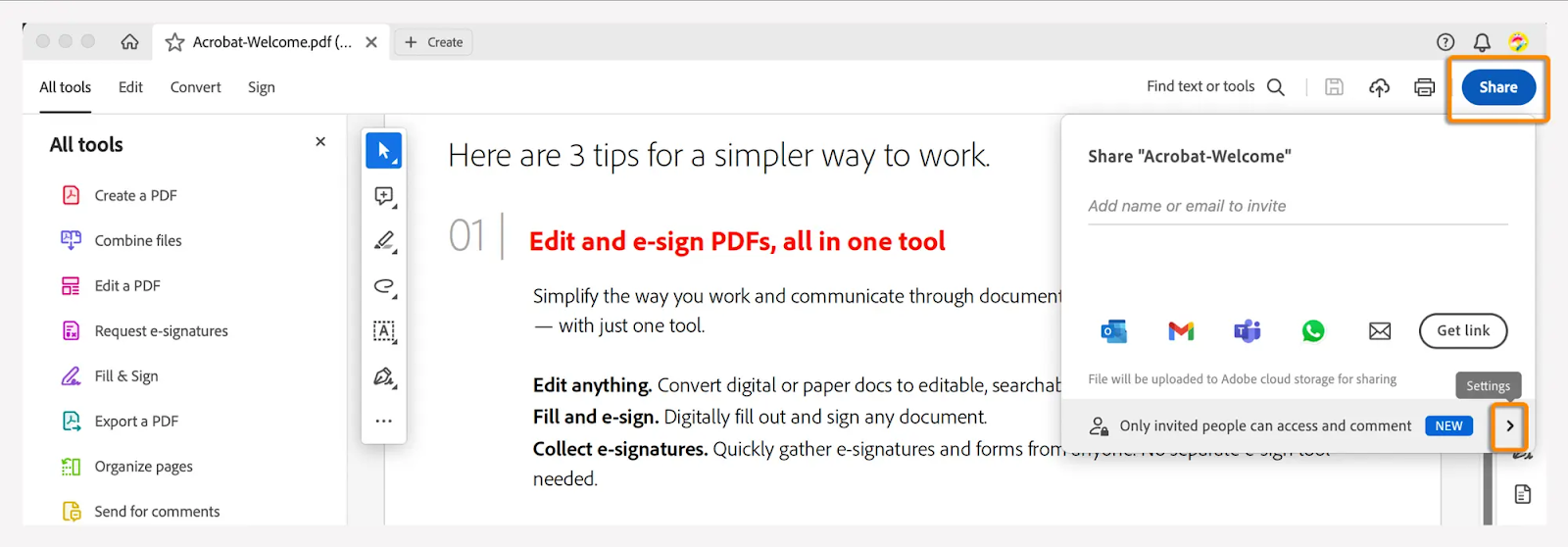
Adobe Document Cloud, part of Adobe Creative Cloud, is designed for organizations that rely heavily on PDFs for document review, signing, and sharing. It helps you create, edit, secure, sign, and track PDF documents while keeping workflows digital and compliant.
- Key features
- PDF creation and editing: Adobe Document Cloud lets you create, edit, convert, and combine PDFs so your documents stay consistent and professional.
- E-signatures: This feature enables you to send documents for legally binding signatures and track status so approvals move faster.
- Document security and access controls: You can protect PDFs with permissions, passwords, and audit trails..
- Pros
- Industry-standard PDF tools: Give your teams powerful, familiar tools for managing PDFs efficiently.
- Strong signing workflows: They’ll help you collect signatures quickly without printing or manual handling.
- Cons
- Narrow document management scope: Adobe Document Cloud focuses on PDFs and signatures rather than full enterprise document management.
- Pricing
- The package you need to create, edit, and accept PDF signatures is Acrobat Pro for Teams, which is priced at $23.99 per month.
10. M-Files: Best for metadata-driven, intelligent document organization
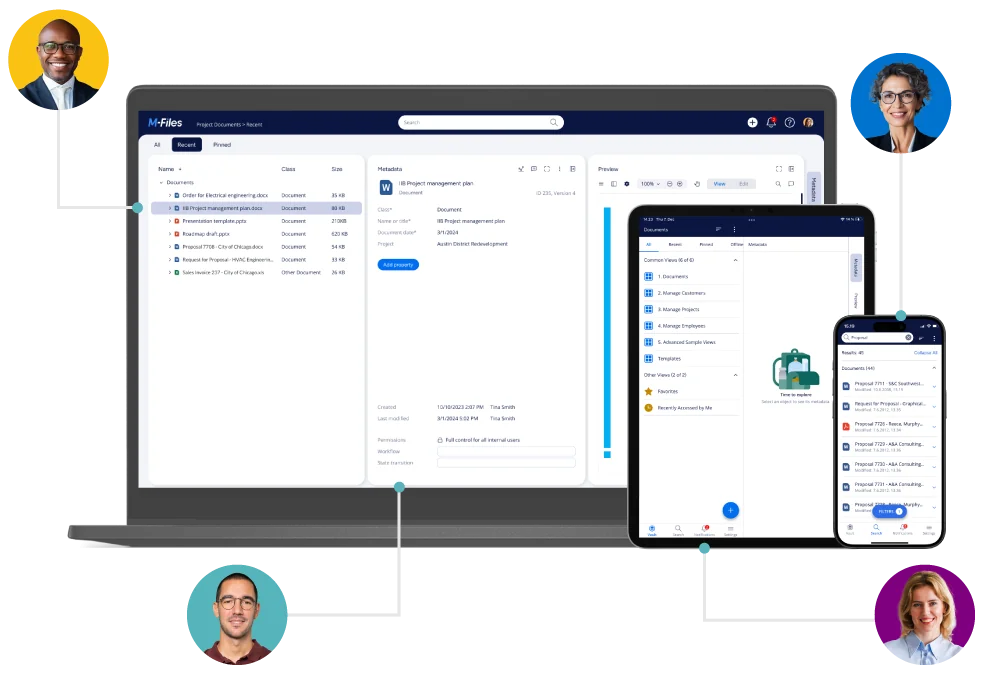
M-Files is the best enterprise document management software if you’re after a context-first approach. Instead of organizing content by location (i.e., folders), M-Files organizes content by what it is. Using metadata and AI, you can find, classify, and manage documents intuitively, reducing duplicates and making information instantly accessible.
- Key features
- Metadata-driven structure: This lets you organize documents based on attributes like project, client or status so you always find what you need without hunting through folders.
- AI-powered search and automation: M-Flies uses machine learning to tag, classify, and retrieve content so your teams spend less time searching and more time working.
- Version control and audit trails: These features track changes and display document history so you can maintain compliance and accountability.
- Pros
- Intuitive information retrieval: Metadata and AI help you find documents without depending on folder hierarchies.
- Reduced duplication and errors: Automatic classification keeps your content clean and consistent.
- Cons
- Mindset shift: You need a team that’s willing to shift their approach to data storage organization.
- Pricing
- Custom pricing
Organize smarter with enterprise document management
Choosing the right enterprise DMS directly affects how efficiently your teams work, how securely your documents are handled, and how well you meet compliance requirements as you scale.
The best solution is one that fits your workflows, supports your team structure, and grows with your business.
If you’re looking for a scalable, automated platform that goes beyond traditional document management, Jotform Enterprise stands out by combining document creation, workflows, e-signatures, and enterprise-grade security in one solution. Plus, it integrates with over 700 tools to fit into your existing workflow and tech stack.
Explore Jotform Enterprise to simplify document handling and future-proof your operations.
This article is for enterprise teams comparing document management platforms, anyone responsible for document-heavy workflows, compliance, and approvals, and organizations that need secure, scalable storage and collaboration across departments, locations, and external stakeholders.
















































































Send Comment: