
Key takeaways
- A clear RSVP text includes your name, a yes/no/maybe response, and the number of people attending.
- If you’re a “maybe,” include when you expect to confirm so the host can plan.
- Keep it short and polite — explanations are optional, not required.
- Don’t assume a plus-one; include a guest only if the invite allows it, and state the total head count.
- If you’re late in responding, acknowledge it briefly and ask whether it’s still OK to attend.
You’ve received an invitation, the date is approaching, and you’re staring at your phone thinking, “What’s the right way to RSVP by text?” It feels casual, but you don’t want to sound rude, vague, or awkward.
RSVPing by text is simple when you follow a clear formula. This guide breaks it down and gives you copy-and-paste RSVP text examples for different situations so you can reply confidently in seconds.
Are you event planning? Jump ahead to How to collect RSVPs by text (and actually stay organized) to make responses easier to manage.
3 things every RSVP text should include
A good RSVP text follows a simple formula. When you include these three details, the host can quickly understand your response and plan without needing to follow up.
1. Your name
Don’t assume the host has your number saved, especially for group texts, school events, or work invites. Adding your name avoids confusion and keeps things organized.
Example:
“Hi Sarah, this is Alex…”
2. Your answer (yes, no, or maybe)
Be direct. A clear yes, no, or maybe prevents awkward guesswork or last-minute chasing. If you’re a “maybe,” say that explicitly instead of sounding vague.
Examples:
“Yes, I’ll be there.”
“Sorry, I won’t be able to make it.”
“I’m a maybe right now.”
3. Your guest count
Always state the number of attendees, even if it’s just you. If you’re bringing a guest and the invite allows it, include the total head count, not just “+1.”
Examples:
“Just me.”
“Two of us.”
“My partner and I (two total).”
Together, these three elements make your RSVP clear, polite, and easy to track — exactly what hosts need when planning food, seating, or activities.
Now let’s make this effortless with ready-to-send templates.
Copy-and-paste RSVP text examples
The following RSVP text examples are short, polite, and ready to send. You can copy them and quickly edit names, dates, or details.
If you’re saying yes
Example 1 (casual):
“Hi Sarah, this is Alex. Yes, I’ll be there. Just me.”
Example 2 (friendly):
“Hi Sarah, Alex here. Thanks for the invite! Yes, I’m attending. One person.”
Example 3 (slightly more polished):
“Hello Sarah, this is Alex. Yes, I will attend. Just me. Looking forward to it.”
If you’re saying no
Example 1:
“Hi Sarah, this is Alex. I won’t be able to make it, but thank you for the invitation.”
Example 2:
“Hi Sarah, Alex here. Thanks so much for inviting me. Unfortunately, I can’t attend.”
Example 3:
“Hello Sarah, this is Alex. I won’t be able to attend this time. Hope it goes well.”
If you’re bringing a plus-one
Only use these if the invitation allows guests. Always include the total number attending.
Example 1:
“Hi Sarah, this is Alex. Yes, I’ll be there with my partner. Two of us total.”
Example 2:
“Hi Sarah, Alex here. I can attend and will be bringing a guest. Two people total.”
Example 3:
“Hello Sarah, this is Alex. Yes, I’ll attend with a plus-one. Total of two.”
If you’re a maybe (and want to be respectful)
Include when you’ll confirm so the host can plan.
Example 1:
“Hi Sarah, this is Alex. I’m a maybe right now, but I’ll confirm by Friday.”
Example 2:
“Hi Sarah, Alex here. I’m not 100% sure yet. I’ll let you know by Thursday.”
Example 3:
“Hello Sarah, this is Alex. I’m a tentative yes and should be able to confirm by the end of the week.”
If you need a detail before confirming
Ask your question clearly, then follow up.
Example 1:
“Hi Sarah, this is Alex. Quick question. What time does it start? I’ll confirm once I know.”
Example 2:
“Hi Sarah, Alex here. Is this event adults only? Once I know, I can confirm.”
Example 3:
“Hello Sarah, this is Alex. Can you let me know if guests are included? I need to check with the person I’d be bringing before confirming.”
For formal events (weddings, showers, graduations)
Example 1:
“Hello Sarah, this is Alex Montgomery. Yes, I will attend. One guest total. Thank you.”
Example 2:
“Hello Sarah, this is Alex Montgomery. Thank you for the invitation. Unfortunately, I won’t be able to attend.”
Example 3:
“Hello Sarah, this is Alex Montgomery. I will attend with my spouse. Two guests total. Looking forward to celebrating.”
Pro Tip
Are you planning a wedding right now? Click here for more help with wedding invitation wording.
How to collect RSVPs by text (and actually stay organized)
If you’re planning the event, collecting RSVPs by text can work well as long as you keep replies structured and easy to track. The goal is fewer follow-ups, fewer missed messages, and a clean guest list you can trust.
For anything beyond a very small gathering, pairing text messages with a simple RSVP link is usually the easiest option.
Collecting direct text RSVPs (best for small events)
When to use this:
- Small guest list
- Informal events like barbecues, playdates, or casual dinners
- You’re comfortable tracking responses manually
The key is to tell guests exactly what to include in their reply.
Host RSVP prompt to copy and paste:
“Hi! Please reply by Friday with your name, whether you’re attending (yes, no, or maybe), and the number of people attending. Thanks!”
This prompt works because it takes into account the RSVP formula:
- Name
- Yes/no/maybe
- Total attending
- Clear deadline
For five to 10 people, this is manageable. Beyond that, it gets messy fast.
Texting an RSVP link (best for medium to large events)
For parties, school events, weddings, or work gatherings, a shareable RSVP link saves time and prevents mistakes.

You can use our online RSVP tool to create simple RSVP forms and text the link to guests. There are also 500-plus ready-made RSVP form templates you can customize in minutes.
Why this works better than free-form texts:
- Guests respond from any device
- No guessing names or head counts
- Responses are automatically organized
- Easy to share via text, email, social, or QR code
Optional extras, if you need them:
- Collect payments or meal choices
- Add a countdown widget
- Organize responses in Jotform Tables
Building an RSVP app instead of a form (no code, best for an “event hub”)
If you want something more polished than a single form, you can build a no-code RSVP app using the Jotform Apps.
A ready-made RSVP app lets you
- Collect guest details like name, email, phone, and messages
- Share updates or event details in one place
- Send a single link or QR code
- Avoid any coding or app store downloads
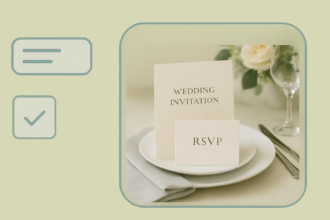
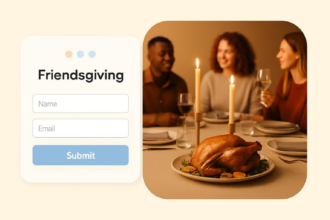
This option works especially well for weddings. The wedding RSVP app template is a great example of how to turn RSVPs into a simple event hub guests can access anytime.
RSVP with clarity and confidence
RSVPing by text doesn’t need to feel awkward or overly complicated. When you follow the right formula, you give the host exactly what they need to plan.
Whether you’re replying to a casual invite or a formal event, a clear RSVP shows respect for the host’s time and makes the entire planning process smoother. If you’re hosting an event, using a simple RSVP link can help you collect responses faster and avoid follow-up messages.
FAQs
Include your name, clearly state “yes,” and confirm the number of attendees. Keep it short and polite.
Example:
“Hi Sarah, this is Alex. Yes, I’ll attend. Just me.”
A good RSVP text includes three things: your name, your response (yes, no, or maybe), and your total guest count. That’s all the host needs to plan.
Example:
“Hi Sarah, Alex here. Unfortunately, I can’t attend, but thank you for the invitation.”
This article is for people planning to attend social events (parties, dinners, weddings, showers), parents responding to school invites, and professionals replying to casual work events who want quick, polite, copy-and-paste RSVP texts that clearly confirm attendance, guest count, and any key details.







































































Send Comment: