
10 alternatives to Quizlet
Online learning tools are useful in both schools and workplaces to help students and employees gain the knowledge they need to succeed. While much of initial learning is passive (where learners absorb through textbooks or lectures), online quizzes, flashcards, and tests get learners engaged and actively involved in learning, which often leads to a better understanding of the material.
Quizlet is a well-known piece of educational technology designed to support this active learning approach. In fact, Quizlet reports that 90 percent of students who use it get higher grades. With features like flashcards, quizzes, diagrams, and audio lessons, it provides many different ways for students to learn the material.
Teachers can try Quizlet for free for 30 days, after which they can sign up for one of its paid annual plans. Quizlet also offers a free version of its service, with feature limitations compared to the paid version.
Create quizzes with Jotform’s AI Quiz Generator
While many instructors choose Quizlet to enhance learning, it’s definitely not the only solution out there. In this article, we’ve gathered the top eight Quizlet alternatives so you can find the one that works best to improve your students’ learning outcomes. But first, consider why you might prefer alternatives to Quizlet in the first place.
Pro Tip
Transform your quiz-building process with AI. Discover Jotform AI Quiz Generator and see the difference.


Why look for Quizlet alternatives?
Before committing to any new technology solution, you should look at some of the competing tools available — you might find one that meets your needs better.
While Quizlet has many appealing features, it may not be the right choice for you based on your requirements, budget, and students. Quizlet has a strong 4.5/5 rating on G2, but users have a few issues with the tool, including
- Limitations of the free plan
- Some nonintuitive features
- Limited types of questions
- Costly pricing plans
- Glitchy performance
- Limited security and privacy
If you think any of these aspects may be challenging for you, look at these Quizlet alternatives below to find a solution that better meets your needs.
Top Quizlet alternatives
 Jotform |  Wayground |  Brainscape |  Kahoot! |  ProProfs Quiz Maker |  StudyStack |  iSpring QuizMaker |  HubSpot Free Online Form Builder |  Cram |  Knowt | |
|---|---|---|---|---|---|---|---|---|---|---|
| Best for | Custom quizzes | Accessible learning tools | AI-created flashcards | All-in-one teaching toolkit | Free premium features | User- generated flashcards | Basic quizzes and learning assessments | Tracking student performance | Flashcards and essays for higher education | Note summarizer |
| Key features | 120 quiz templates, Conditional logic to keep the questions relevant AI-powered quiz builder that’s intuitive and easy to use | 25+ accessibility features, including Read Aloud, translation, leveled text, and more. Leaderboards that encourage healthy competition. Data reports to check classroom trends | Flashcards with repeated difficult topics for better retention. Text, image, and sound-based flashcards, Thousands of subjects to choose from | Shared teacher workspaces and unlimited group sizes, Interactive game modes, Open-ended questions, word clouds, and brainstorm answers | 100,000+ quiz templates, 20+ question formats like multiple choice, open ended, matching, and moreBank of 1,000,000 ready-to-use questions | Games created from flashcards, Massive library of user-generated flashcards, Flashcards for standardized tests | 14 types of questions, Branching scenarios for more relevant tests, Compatible with over 150 learning management systems | Every quiz submission adds to HubSpot’s database to track your student’s performance, Drag-and-drop user interface for building custom quizzes and tests, Automated follow-up emails | Library containing millions of flashcards, Library of example college essays on a wide range of topics, Easy-to-use flashcard making tool | AI-powered summarizer for notes and presentations, AI-powered flashcards created from notes, Live lecture note taker |
| Pricing | Free forever plan; multiple paid plan tiers starting at $34 per month; a 50 percent discount for educators | Teachers can sign up with Quizizz for free; school and district administrators can get a quote for school or district-wide use online | Teachers can use basic features for free; paid plans (options for monthly, semesterly, and yearly payments) offer more advanced features; lifetime one-time payment option for $199.99 | Free plan plus different paid plans for teachers, students, workplaces, and more | Free forever plan with many premium features; paid plans for businesses and schools | Free to use; paid Pro plans that remove advertisements | $370 per year; free 14-day trial available | Free trial; comes with HubSpot’s Marketing Hub | Free to start; monthly, quarterly, and yearly subscription plans | Separate pricing and plans for teachers and students, starting at $4.99 per month; limited free trial |
| G2 Rating | 4.7/5 | 4.9/5 | 4.9/5 | 4.6/5 | 4.6/5 | 4.3/5 | 4.7/5 | 4.4/5 | 2.4/5 | N/A |
1. Jotform
Jotform is an online quiz maker that’s ideal for learners of any age and at any stage. Instructors and teachers can create quizzes that automatically grade themselves — without having to learn how to code. Plus, Jotform’s AI Quiz Generator creates quizzes using content from documents and presentations.

Best for: Custom quizzes
Key features:
- Over 250 quiz templates, so you never need to create anything from scratch
- Conditional logic to keep the questions relevant to individual students
- AI-powered quiz builder that’s intuitive and easy to use
Limitations: Jotform’s extensive customization options may take a little time to explore fully.
Pros: Jotform’s new AI Quiz Generator can create custom quizzes from presentations and documents using artificial intelligence, saving teachers time and effort.
Cons: The free plan has only 100MB of storage space, which may not be enough for some teachers.
Pricing: Jotform is available through a free forever plan. It also has multiple paid plan tiers starting at $34 per month and offers educators a 50 percent discount.
G2 rating: 4.7/5
Jotform is available through a free forever plan. It also has multiple paid plan tiers starting at $34 per month and offers educators a 50 percent discount.
2. Wayground (formerly Quizizz)
Wayground is a highly customizable educational platform made to motivate students. With Wayground, you can make interactive quiz content catered to your students, whether you want to assess their knowledge with multiple-choice questions, audio replies, or even drawings.

Best for: Learning tools with an emphasis on accessibility
Key features:
- 25-plus accessibility features, including Read Aloud, translation, leveled text, and more
- Leaderboards that encourage healthy competition
- Data reports to check classroom trends
Limitations: The free plan includes only a very limited number of activities.
Pros: You can easily integrate Wayground with your learning management system (LMS).
Cons: Performance can be glitchy when there are many active users.
Pricing: Teachers can sign up with Quizizz for free, and school and district administrators can get a quote online.
G2 rating: 4.9/5
Pro Tip
For an insightful look into the future of higher education, explore “8 Top Trends in Higher Education to Watch in 2024” on Jotform’s blog.
3. Brainscape
If you love to use Quizlet for its flashcards, Brainscape is a great alternative because of its focus on spaced repetition. It boasts a large library of flashcard decks for subjects that range from driver’s education to law, or you can make your own.

Best for: AI-created flashcards
Key features:
- Flashcards with repeated difficult topics for better retention
- Text-, image-, and sound-based flashcards
- Thousands of subjects to choose from
Limitations: Brainscape cannot create traditional quizzes.
Pros: Brainscape syncs between devices instantly.
Cons: The free version doesn’t allow image uploads.
Pricing: Teachers can use basic features for free. Paid plans offer more advanced features and have different pricing options for monthly, semesterly and yearly payments. Brainscape also has a lifetime one-time payment option for $199.99.
G2 rating: 4.6/5
4. Kahoot!
Kahoot! brings together education and gamification to make learning an enjoyable activity for everyone.
This Quizlet alternative includes flashcards that have videos and images in them, as well as individual learning modes. Educators can review students’ learning outcomes and assign specific challenges within the platform to improve their understanding of certain topics.

Best for: All-in-one teaching toolkit
Key features:
- Shared teacher workspaces and unlimited group sizes
- Interactive game modes
- Open-ended questions, word clouds, and brainstorm answers
Limitations: The free plan has a player limit of 40.
Pros: Kahoot! gamifies learning for students, getting them excited and engaged.
Cons: The customer service is lacking.
Pricing: Kahoot! is ideal for remote or at-home learning at all levels. It offers a free plan and a variety of paid plans for teachers, students, workplaces, and more.
G2 rating: 4.6/5
If you are interested in exploring alternatives to Kahoot!, you can check out our article that delves into various LMS tools and their features.
5. ProProfs Quiz Maker
ProProfs Quiz Maker is quiz-making software that works well in both the classroom and the workplace. With an easy-to-use platform, instructors can create engaging quizzes with images, videos, and text.

Best for: Free premium features
Key features:
- 100,000-plus quiz templates
- 20-plus question formats like multiple choice, open ended, matching, and more
- Bank of 1,000,000 ready-to-use questions
Limitations: While the free plan comes with many features, it includes only 12 questions.
Pros: This Quizlet alternative comes with many templates.
Cons: The editing interface is difficult to navigate.
Pricing: This solution has a free forever plan with many premium features, as well as various paid plans for businesses and schools.
G2 rating: 4.4/5
6. StudyStack
StudyStack is another app centered on developing flashcards and making them fun. With StudyStack, users can rate already available flashcard decks with stars, so you can see what’s popular before diving in.

Best for: User-generated flashcards
Key features:
- Games created from flashcards
- Massive library of user-generated flashcards
- Flashcards for a number of standardized tests
Limitations: StudyStack cannot make traditional quizzes.
Pros: StudyStack automatically creates games like crossword puzzles.
Cons: The interface can be unintuitive and clunky.
Pricing: StudyStack is free to use, but there are paid Pro plans that remove advertisements, available for both students and teachers.
G2 rating: 4.3/5
7. iSpring QuizMaker
The iSpring QuizMaker is ideal for teachers who want to test students on their learning comprehension. It works well for both schools and workplaces.

Best for: Basic quizzes and learning assessments
Key features:
- 14 different types of questions
- Branching scenarios for more relevant tests
- Compatible with over 150 learning management systems
Limitations: The annual cost may be too high for some teachers and schools.
Pros: You can import questions from Microsoft Excel spreadsheets.
Cons: You may have trouble getting the customer service you need.
Pricing: The iSpring QuizMaker itself is available for $370 per year. A free 14-day trial is available. For access to other e-learning features, the iSpring Suite has multiple tiered plans starting at $770 per year.
G2 rating: 4.7/5
8. HubSpot
If you’re an educator struggling to keep students engaged during online classes, HubSpot’s Free Online Form Builder might be the solution you’re looking for. You can create quizzes without coding knowledge. This saves time and lets you focus on content rather than technical details.

Best for: Tracking student performance
Key features:
- Every quiz submission adds to HubSpot’s database to track your student’s performance
- Drag-and-drop user interface for building custom quizzes and tests
- Automated follow-up emails
Limitations: HubSpot’s tool is not specific to the education field.
Pros: Users love the high visibility of the reporting dashboard.
Cons: HubSpot can have a high learning curve for those not familiar with it.
Pricing: HubSpot’s form tool is available for a free trial and comes with HubSpot’s Marketing Hub, for which there are multiple plans.
G2 rating: 4.4/5
9. Cram
Cram is a study tool, primarily for college students, enabling them to create their own flashcards, try user-generated flashcards, and get help with their college essays.

Best for: Flashcards and essays for higher education
Key features:
- Library containing millions of flashcards
- Library of sample college essays on a wide range of topics
- Easy-to-use flashcard making tool
Limitations: Cram cannot create different types of learning tools other than flashcards.
Pros: Cram comes with a writing tool that helps improve student work.
Cons: The tool can be unreliable and users risk losing work.
Pricing: Cram is free to start and has monthly, quarterly, and yearly subscription plans with access to more features. Contact Cram for pricing details.
G2 rating: 2.4/5
10. Knowt
Knowt is a Quizlet alternative that creates study tools using student notes. It can even import your materials from within Quizlet with just one click.

Best for: Note summarizer
Key features:
- AI-powered summarizer for notes and presentations
- AI-powered flashcards created from notes
- Live lecture note taker
Limitations: The existing study tools cover six main subjects.
Pros: Teachers can create live recordings with Knowt and make flashcards from the recordings.
Cons: Knowt may have a higher learning curve than some Quizlet alternatives due to the number of study tools.
Pricing: Knowt offers separate pricing and plans for teachers and students, starting at $4.99 per month. There is a limited-time free trial for schools.
G2 rating: N/A
Jotform: The best alternative to Quizlet
Whether you’re teaching at the grade school level, in the workplace, or anywhere in between, Jotform is one of the simplest tools for making learning more engaging and fun.
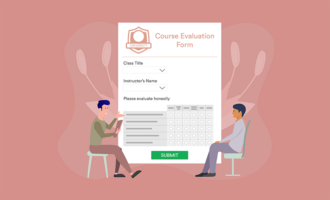
Teachers can create visually interesting quizzes, reduce manual work by automating marking, and connect Jotform with their other learning tools. Plus, unlike many other Quizlet alternatives, Jotform supports other education processes through templates for class registration, course evaluation, school admission, and much more.
This guide is for K–12 teachers, higher-ed instructors, tutors, homeschooling parents, and corporate L&D or training managers, plus edtech coordinators and school or district admins comparing tools.
































































































Send Comment: