

Square and PayPal are go-to payment solutions for small businesses, and you’ve probably used one or both as a customer without thinking twice. When you’re choosing one for your business, though, the differences matter.
Square’s strength is in-person sales, with integrated point-of-sale (POS) hardware. PayPal, on the other hand, is the classic tool for online checkout and invoicing. Depending on how you do business (storefront, online, or both), one might fit better than the other.
I’ve compared PayPal vs Square on pricing, features, and business use cases so you can figure out which one works for you.
 Square |  PayPal | |
|---|---|---|
| Ideal for | In-person retail and service businesses | Online stores and international sellers |
| Transaction fees | 2.6 percent + 15 cents (for in-person payments), 3.3 percent + 30 cents (for online payments) | 2.99 percent + 49 cents (for in-person payments), 3.49 percent + 0.49 cents (for online payments) |
| Countries/regions supported | Eight | 200-plus |
| Currencies supported | Works with most credit cards | 25 |
| PCI Compliance | PCI compliant | PCI compliant |
| POS Hardware | Seven hardware options | Two hardware options |
| Recurring Payments | ||
| Invoicing | ||
| Integrations | 600-plus (Jotform included) | 500-plus (Jotform included) |
How to choose between Square vs PayPal
The right choice between Square vs PayPal for small businesses depends on where and how you get paid. If your sales happen in person, such as in a brick-and-mortar store, and you want a no-frills payment gateway, Square is usually the better fit. If you sell online or internationally, PayPal gives you broader reach and checkout flexibility.
Choose Square if you
- Run a retail store, restaurant, or service business: Square’s built-in POS hardware and inventory tools are designed for physical operations.
- Process mostly in-person payments: Square works offline, so you never miss a sale during connectivity issues.
Choose PayPal if you
- Sell primarily online: PayPal integrates with digital wallets such as Venmo and Apple Pay, making digital checkout easy.
- Handle international transactions: PayPal lets customers pay in their local currency, simplifying cross-border transactions.
- Run a nonprofit: PayPal supports recurring donations and partners with several fundraising platforms, including Blackbaud, Classy, and FundRazr.
Square pros and cons
Square is your go-to mobile payment processing solution if you need solid in-person payment tools with built-in business management. It’s fast, simple, and made for high-volume businesses, including restaurants, retail shops, and service providers.
- Pros:
- POS functionality: POS software is Square’s main strength. It connects to cash drawers and receipt printers; works on Android and iOS; and lets you track employee hours, send invoices, collect tips, and close tabs.
- Hardware: You get seven options, from a free magstripe reader to the $899 dual-screen Square Register. Most run on batteries with wireless connectivity. You can pick what fits your setup and add pieces as you grow.
- Small-business solutions: You can get set up in minutes, with no dayslong background checks. Paid plans start at $29 per month and include inventory tracking, barcode scanning, and automated recurring payments.
- Integrations: Square connects with over 600 apps, including QuickBooks, GoDaddy, and Jotform. So you can sync accounting, your online store, employee management, and billing in one place.
- Cons:
- Limited country support: Square works in only eight countries. Plus, you can’t process multiple currencies, and some cards won’t work, depending on the location. If you have international customers, this is limiting.
- Transaction caps: Individual transactions cap at $50,000. Anything higher needs to be split. So it can be restrictive if you handle occasional large sales.
- Customer support: Phone support is not guaranteed, and live chat is limited to Monday through Friday, 6 a.m. to 6 p.m. PT. It may be challenging to find support outside those hours.
PayPal pros and cons
PayPal works best for online businesses and sellers that need global reach without exchange-rate risk and POS complexity. It’s been the standard for online payments since 1998, so you and your customers likely already know and trust the brand.
- Pros:
- Global reach: PayPal operates in over 200 countries/regions, compared to Square’s eight. You can also accept international payments without setting up multiple processors or dealing with geographic restrictions. If you’re selling to customers outside the United States, PayPal’s footprint gives you access to markets Square can’t touch.
- Brand recognition: Customers trust PayPal. When they see that button at checkout, they know their payment information is secure. That built-in trust can reduce cart abandonment.
- One Touch checkout: One Touch keeps users logged in for up to 180 days on their browser or phone. Customers skip reentering card details and shipping info with every purchase, so there’s less friction at checkout.
- Broad currency support: PayPal handles 25 currencies, so you can most likely charge customers in their local currency instead of forcing conversions. This makes international selling more straightforward.
- Cons:
- Customer support: Chat availability is restricted, and the self-serve options (developer portal and support forums) can go only so far when you’re dealing with a frozen account or a payment that didn’t process.
- Chargebacks: PayPal’s buyer protection program builds customer trust, but it also leaves sellers exposed. If you sell physical products or have customers who abuse the system, chargebacks can lock up your funds while you dispute claims.
Higher fees for Amex: PayPal charges 3.5 percent for American Express transactions vs 2.99 percent for other cards. That extra 0.51 percent can eat into your margins if you have a lot of Amex customers.
Where Square stands out
Square is built for the realities of small-business operations. You get multiple payment processing options (including email and QR code) and even some industry-specific features, such as kitchen display systems that track restaurant orders in real time.
Here are three reasons Square may be the right payment processor for your business:
POS flexibility
Square’s POS software includes inventory management, employee time tracking, customer databases, and sales analytics. The software also comes in industry-specific versions, such as
- Retail POS software with barcode scanning, product variants, and stock alerts
- Restaurant POS software with table management, kitchen routing, and tab splitting
Then there’s the hardware. Square designs all seven devices in-house, including the $59 card reader, the $299 Square Terminal with receipt printer, and the $899 Square Register with dual screens. They all sync to the same backend system, so you can start with a basic reader and upgrade to a register when checkout lines get longer.
Quick setup for small businesses
Setup is fast. You enter your business details and start processing payments immediately. The free plan includes basic POS functions, invoicing, and sales tracking. You can also accept payments by email and get a free online store. Gift cards are available, though you’ll pay a 2.5 percent load fee (apart from the regular transaction fees) when cards are purchased.
Plus, the Square Card deposits funds the same day instead of waiting one or two business days for standard bank transfers. Square also connects with 600-plus apps. If you need custom workflows, Square gives you 25-plus APIs for building online, mobile, and in-person payment integrations.
Offline payments
Square also lets you accept payments when your internet access drops. You can enable “Offline Mode” ahead of time or during an outage, and transactions will be stored securely on your device. If you reconnect within 72 hours, they automatically upload. After 72 hours, they expire.
This is useful for businesses in basements, rural areas, or outdoor venues and during peak times when networks slow down. But there’s a trade-off: You won’t know if a card declines until you’re back online, and you’re responsible for any failed payments. Square can’t recover customer details for declined offline transactions.
Where PayPal stands out
While it handles payments across channels and methods (online, in-store, and via QR codes), PayPal’s real strength is global reach and online checkout. So, if you’re selling internationally or need payment flexibility beyond what a POS-focused system (like Square) offers, PayPal is the choice for you.
Here are three reasons PayPal is the top choice for online and cross-border sellers.
Global reach and currency support
The 200-plus countries that PayPal works in isn’t just a big number. It means you don’t have to think about separate processors every time you sell in a new market. One setup covers all domestic and international customers.
That flexibility applies whether you’re selling through an online store with a PayPal-embedded checkout form, using PayPal Zettle for in-store transactions, or doing it all.
And with PayPal supporting 25-plus currencies and handling currency exchanges in the backend, those international customers can pay in their own currency. You and your buyers aren’t stuck calculating exchange rates at checkout.
So if you’re selling digital products or marketing outside the United States, PayPal is your best option.
Digital wallet ecosystem
PayPal also owns Venmo and Braintree, which influences how customers can check out. Venmo is popular in the United States, especially for peer-to-peer payments, and many users already have their bank or card details stored there. If you accept Venmo, those customers can complete a purchase without reentering payment information.
Braintree is PayPal’s backend payments platform. It supports Apple Pay, Google Pay, and other digital wallets through integrations. You’re not linking to each wallet individually.
Familiar checkout and trust factor
PayPal has been processing online payments since 1998. Customers using PayPal Checkout recognize the button and know their payment info is protected. When someone is about to spend money online, they’re almost always weighing risk, even if only subconsciously. PayPal removes that hesitation because customers already trust it.
You also get two other features that help with higher trust and lower cart abandonment rates:
- One Touch keeps users logged in for up to 180 days. They can complete a purchase without reentering card numbers or shipping details. Fewer steps at checkout typically means fewer abandoned carts.
- PayPal’s buyer protection program is a customer favorite. While it increases your exposure to disputes as a seller, it also makes customers more comfortable completing the purchase, especially if you’re a new brand.
Plus, you can tailor your solution based on your needs. PayPal Payments Standard lets you set up a payment button and accept payments via customers’ credit cards or PayPal accounts. For a monthly fee, PayPal Payments Pro adds extra features, including more customizability and the capacity to process payments directly on your own site.
There’s even a web application that uses machine learning to help businesses assess risk and manage disputes, though it’s available only to enterprise users.
Integrate with Jotform for a solid foundation
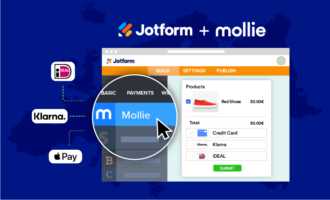
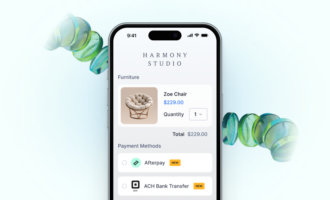
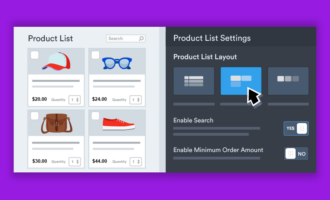
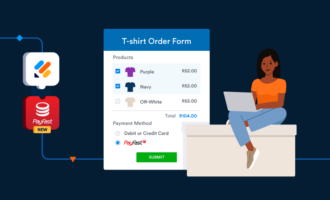
Both Square and PayPal integrate directly with Jotform, so you can connect either gateway to your forms without custom development. After linking your account, you can build payment forms for product sales, donations, subscriptions, or recurring payments, and you can even embed the form on your website for faster checkout.
You can use Jotform to handle the checkout process (pricing fields, quantities, and payment options), and Square or PayPal processes the transaction and records it in your dashboard.
If you choose Square, as a Jotform user, you receive free processing on your first $1,000 in Square payments. If you’re comparing Square vs PayPal, the easiest next step is to test the setup yourself. Create a free Jotform account, connect your gateway, and see how our AI Agents help simplify how the full workflow runs, end to end.
This article is for small business owners, founders, and finance or ops leads who need to choose a payment processor and want the decision to match how they actually get paid, in person, online, or a mix of both.





























Send Comment:
1 Comment:
March 17, 2021
Hey,
You did a great job man. Enjoyed reading the article above , really explains everything very well and also the article is very interesting and effective. This article gonna help me a lot. Thank you for sharing and good luck for the upcoming articles.