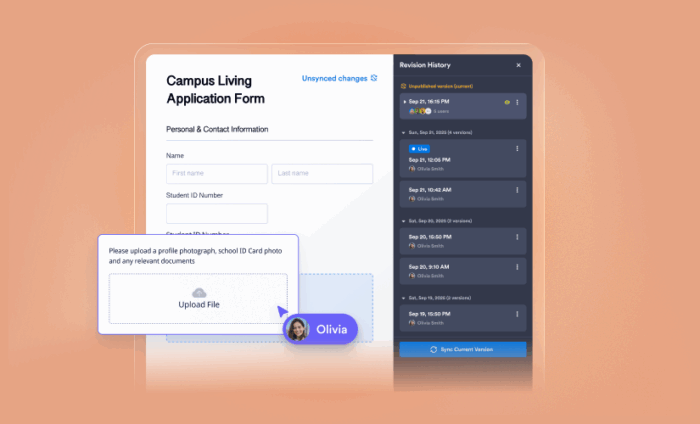

Jotform Enterprise has always been built for reliability, collaboration, and scale — and as part of the Enterprise 2.0 launch, we’re releasing a new way to safely make changes to your forms: Draft and Publish.
This new feature gives your team the freedom to make, test, and review form changes in a dedicated staging environment — without affecting your live forms. Once you’ve made your edits, you can review and publish them intentionally, ensuring that you stay in complete control of your form while giving form fillers an uninterrupted experience.
Why we built Draft and Publish
After analyzing how Enterprise users were editing their forms, we discovered that thousands of users were disabling their forms in order to make edits safely. During that downtime, users made an average of 35 edits before re-enabling the form, which confirmed what we already suspected: Users wanted a safe way to work on forms without risking disruptions or data loss.
Draft and Publish eliminates the need for these workarounds. With a simple toggle, it introduces a built-in, secure environment where you can confidently make changes to your forms and publish updates only once you’re ready for them to go live.
Along with the other features we’re launching as part of Jotform Enterprise 2.0 — including a revamped Admin Console and Insights, a new all-in-one analytics hub — we created Draft and Publish with the goal of giving Enterprise users even more complete control over their form data.
How it works
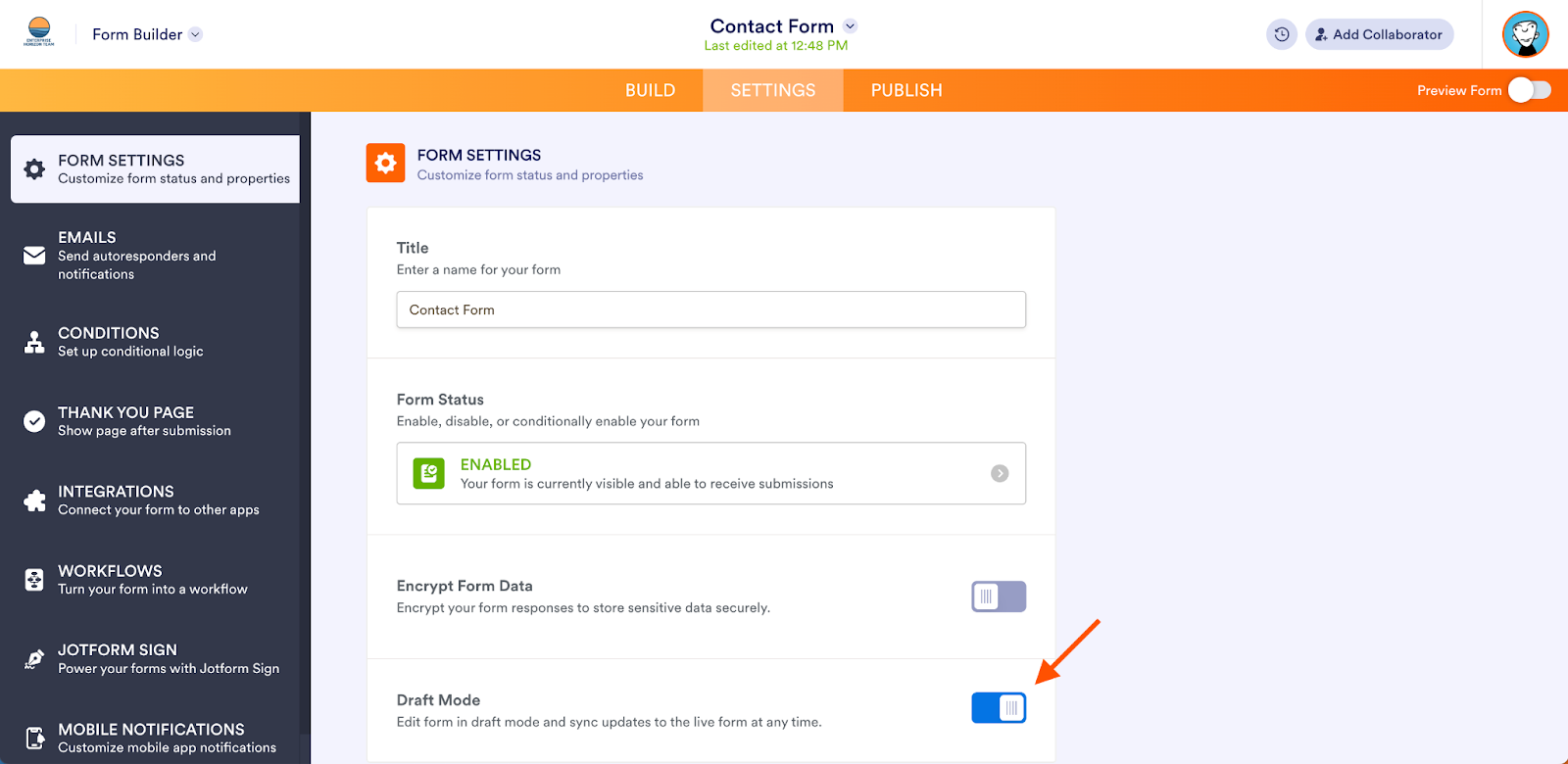
With this new feature, every Jotform Enterprise form now allows you to draft and publish on your own terms. By enabling Draft Mode in your form settings, you can turn your form editor into a draft environment where form changes won’t go live until you choose to sync them.
To enable Draft and Publish
- Open your form in the Form Builder and go to Settings
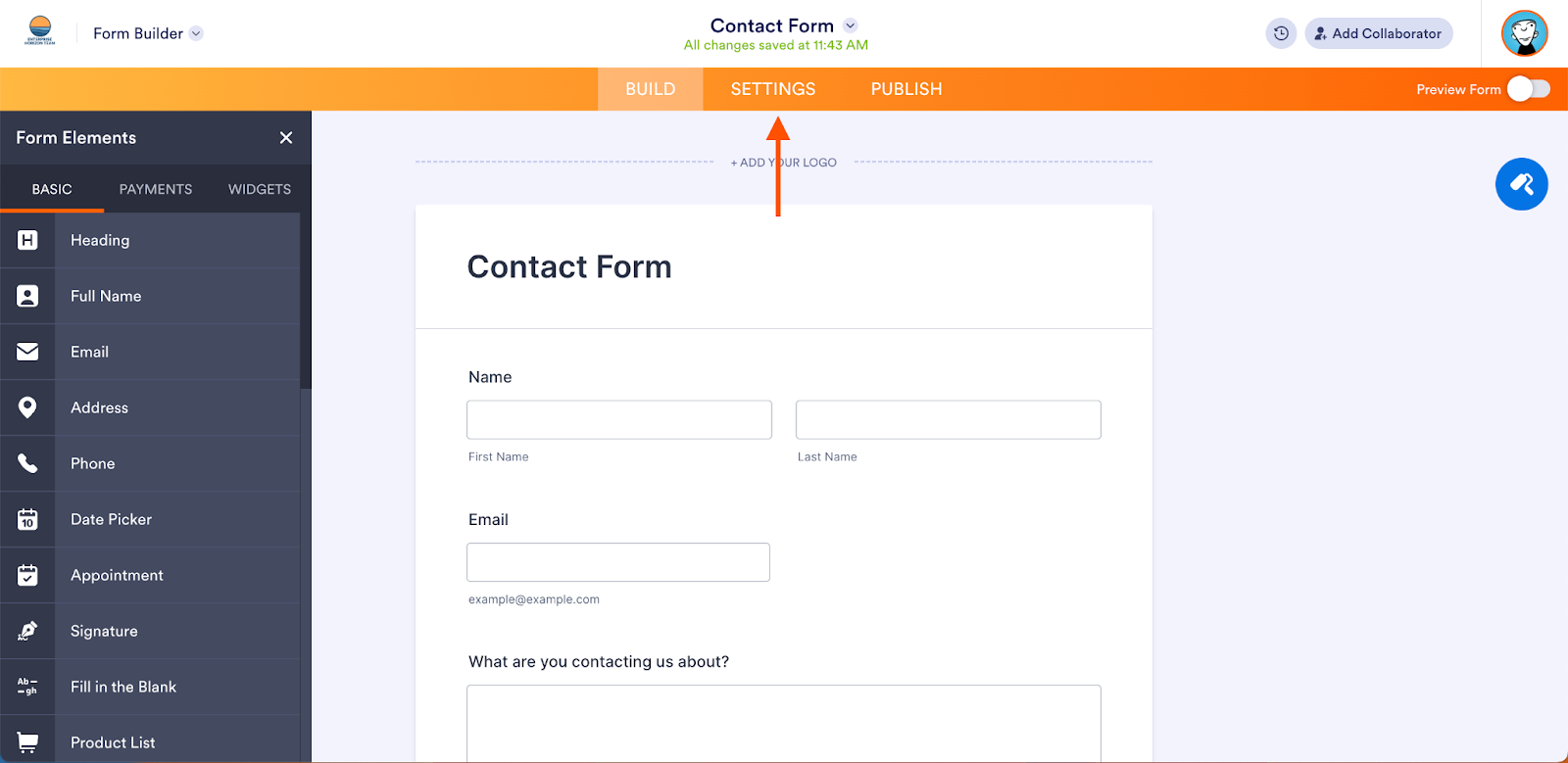
- Toggle Draft Mode on, then reload the page to enable Draft and Publish mode
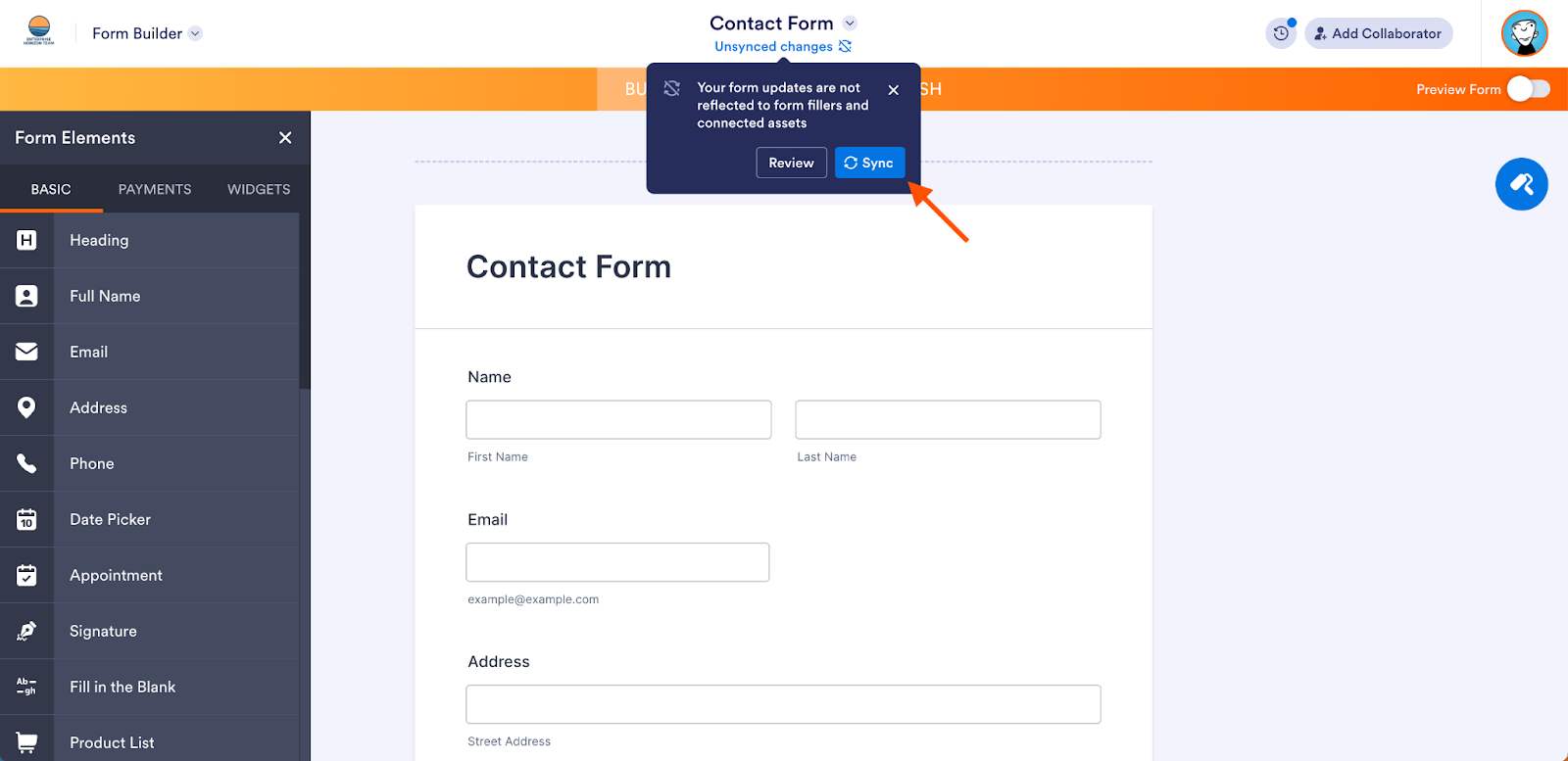
- Once you’ve made your edits and are ready to publish them, click Sync in the popup that appears at the top of the Form Builder
- That’s it! Your changes are now live
Benefits
1. Edit without risk
Make changes in your form design knowing that your live form remains active and continues collecting submissions. You no longer have to disable forms or duplicate them just to make updates.
2. Test in a safe space
Experiment with conditional logic, without worrying about losing data. The draft environment lets you test your new form before making it public.
3. Full control over publishing
Decide exactly when updates go live. Whether you’re coordinating a major rollout or making a last-minute fix, you have complete control over timing.
4. Maintain data integrity
By separating drafts from live forms, you avoid the risk of data loss or submission errors caused by in-progress edits. Your workflows and integrations stay intact as you customize.
5. Reduce stress for your team
Team members can review and test updates together before publishing — ensuring everyone’s aligned on form changes before they’re released.
Who will benefit most
This feature is especially valuable for teams managing complex or high-traffic forms, such as those in healthcare, finance, government, or education. For users in these industries, even small disruptions to a form can cause data loss or workflow issues. The feature is also ideal for organizations with multiple collaborators who need to review and approve updates before they go live.
Looking to the future
While this new feature is currently only available in the Form Builder, it lays the foundation for a broader vision. In the future, we aim to extend Draft and Publish to other Jotform products — like AI Agents and Jotform Apps — to create a unified editing experience across our entire platform.
By setting the new standard for safe and flexible form management, Draft and Publish reinforces Jotform Enterprise 2.0’s goal of empowering users to work more confidently with their forms and form data.




























































































Send Comment:
3 Comments:
December 18, 2025
Draft mode is great! But is there a way to test whether emails are sending as expected while in draft mode? For example, I'm updating the old signature component to the new Jotform Sign and updating my workflow approval process. I'd like to test how the new flow compares so I can catch mistakes and let staff know what to expect with the update. I can test filling out the form, but I'm not receiving any of the emails in draft mode.
November 29, 2025
We have several forms however, the "Draft Mode" option is not showing on any of them. Please advise?
November 18, 2025
As a longtime , yet low volume, client we have been pleased with the product, but still need an easy means of forwarding an existing health history form to a patient for editing before returning back to us, allowing all prior fields to be filled out so only changes are made an new form is signed and returned- is that workflow made easier with new updates ? Which level of product do we need to have that be a seamless process?