
Steps to create an event marketing plan
- Define success
- Identify your event audience
- Create a conversion-optimized event page
- Set up registration and confirmation
- Add an opt-in freebie (optional but powerful)
- Use email as your primary conversion driver
- Leverage social media for awareness and engagement
- Activate partners, speakers, and community networks
- Use paid promotion strategically
- Plan your pre-event content
Most event organizers spend months on logistics and days on marketing. It starts with careful consideration of the venue, speakers, sponsors, agendas, and more. Then, almost as an afterthought, comes the question that determines whether any of it matters: how do we get the right people there?
That’s the most common reason that well-planned events underperform — and it’s entirely unavoidable. An event marketing plan is more than a checklist; it’s a system that helps identify your audience, build your funnel, and foster relationships with event attendees. Done well, it makes every other piece of your event work harder.
For small businesses and nonprofits, that structure matters even more. With limited time and budget, you can’t afford to guess which channels work or what messaging resonates. You need a plan that focuses your energy on what actually drives results. And when you use online forms to support that plan, everything becomes more integrated and automatic.
Below, we break down 10 practical steps to help you clarify your message, choose the right channels, and promote your event with confidence.
Before you start, pick your goal and audience
If you jump right into promoting your event, you’ll end up with disconnected messaging and wasted budget. Instead, first define what success looks like and who you’re trying to reach.
Step 1: Define success
A successful event can mean different things depending on your organization’s goals. The key is to choose one primary goal that drives your marketing decisions.
Common event marketing goals include
- Generating qualified leads
- Selling tickets or maximizing registrations
- Retaining existing customers or deepening relationships
- Securing business partnerships or sponsors
- Driving product demos or consultations
While your event may support multiple outcomes, your marketing plan should prioritize one main objective. For example, if your primary goal is lead generation, your messaging, registration form fields, and follow-up emails should all be designed to qualify and capture those leads.
Pro Tip
When you set your primary goal, identify the one metric that best reflects it. That’s what you’ll optimize your event marketing around. For most events, these KPIs are a great starting point:
- Landing page conversion rate: Percentage of visitors who register
- Registrations by channel (UTMs): Which sources drive signups (email, social, partners, paid ads)
- Attendance rate: Percentage of registrants who show up
- Engagement: Measures of in-event interaction (Q&A participation, poll responses, key link clicks, chat activity)
- Outcome KPI: The result you care about (meetings booked, sales, demos, donations, signups)
Step 2: Identify your event audience
Your event audience is almost always a narrower slice of your overall market. For example, instead of targeting “small business owners,” your event audience might be
- Local restaurant owners in your city
- Nonprofit executive directors in healthcare
- First-time homebuyers under 35
- Existing customers who purchased within the last year
- Prospects who downloaded a specific resource
The more specific your audience, the easier it becomes to craft messaging that resonates and choose the right promotion channels.
Once you define your audience, you can tailor your registration form to ask relevant questions, segment responses, and personalize follow-ups instead of sending the same generic message to everyone.
Build the event funnel (the three must-have assets)
Now it’s time to build the infrastructure that turns interest into attendees. For most small to medium businesses and nonprofits, that comes down to three things: a high-converting event page, a seamless registration process, and (optionally) a list-building opt-in.
Step 3: Create a conversion-optimized event page
Your event website will be the hub of all your digital marketing efforts, so it’s important to get it right. This is where you’ll send people interested in learning more about the event, and where you’ll showcase the event details and the benefits of attending.
Instead of cramming in information, focus on clarity and conversion. A strong event page includes
- Clear value proposition: Who the event is for and what attendees will gain
- Agenda highlights: Key sessions, workshops, or experiences
- Speakers and featured guests: Include short, credibility-building bios
- FAQ section: Location, virtual access, refunds, accessibility, parking, etc.
- Pricing and deadlines: Early bird dates, tiered pricing, or donation levels
- Primary call to action (CTA): A prominent “Register Now” or “Save Your Spot” button
- Trust signals: Testimonials, sponsor logos, partner organizations, past event photos, etc.
Your messaging should reflect the specific audience you defined earlier. If you’re targeting nonprofit leaders, you could emphasize mission alignment, practical takeaways, and networking opportunities with peers rather than generic business language.
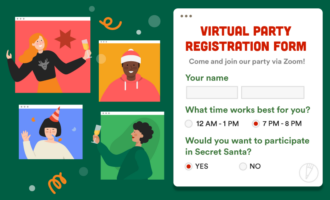
You also want to make signup as easy as possible. Jotform’s Form Builder and form embed feature allow you to insert your registration form directly on the page, so visitors can sign up without navigating away.
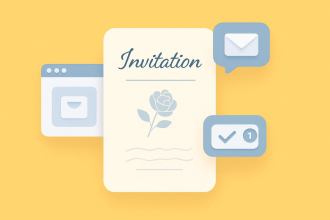
Step 4: Set up registration and confirmation
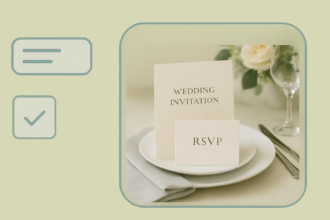
A registration form is more than a data collection tool; it’s the beginning of your attendee experience.
At a minimum, your registration flow should include
- A clear confirmation message immediately after submission
- A confirmation email with event details
- A calendar link (.ics file or Google Calendar link)
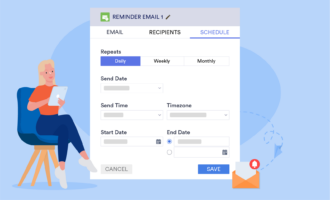
- Reminder emails as the event approaches
- A “what happens next” explanation (e.g., check your inbox, watch for updates, join the community)
The purpose of your registration flow is to reduce no-shows and build trust. By automating the flow, you can make sure that no one falls through the cracks. Here are a couple of tools that can help with that:
- Jotform Autoresponder Emails automatically send confirmations and reminders based on form submissions.
- Jotform Tables keeps everything centralized and organized, from payments and waivers to session selections.
Step 5: Add an opt-in freebie (optional but powerful)
If part of your goal is long-term list building, consider offering a free resource alongside your event registration.
Examples include
- A checklist for getting the most out of the event
- A curated resource list
- A short guide addressing a common audience challenge
This works especially well if some visitors aren’t ready to register yet. Instead of losing them, you capture their email and continue nurturing them before the event.
Place the opt-in strategically:
- On your event page sidebar
- As a pop-up or exit intent offer
- Within blog posts promoting the event
Make sure the free resource aligns directly with your audience’s goals. It should feel like a logical extension of the event, not a random download.
Promote your event across the right channels
With your event page and registration flow in place, your focus shifts to visibility. The goal is simple: show up consistently in the channels your audience already uses.
Start with a small set (2–4) of channels you can manage well, then expand if needed.
Step 6: Use email as your primary conversion driver
For most small organizations, email remains the highest-converting event marketing channel. You’re reaching people who already know your brand, making them more likely to register.
A simple email sequence might include
- Announcement email: Introduce the event and highlight the main value.
- Speaker or agenda spotlight: Build interest and credibility.
- Reminder email: Emphasize deadlines or limited spots.
- Last-call email: Create urgency before registration closes.
Segmenting your list can further improve results. For example
- Send VIP invites to existing customers or donors.
- Tailor messaging for past attendees.
- Create partner-specific versions with co-branded messaging.
Pro Tip
Using Jotform integrations with email services like Mailchimp and HubSpot can help you follow up consistently and keep your email lists organized.
Step 7: Leverage social media for awareness and engagement
Social media plays a different role than email. It builds awareness, excitement, and social proof.
Instead of posting generic announcements, mix formats such as
- Speaker highlights or behind-the-scenes content
- Countdown posts and deadline reminders
- Short video clips or testimonials
- Interactive polls or Q&A prompts
- User-generated content from past events
If your audience is local or niche, focus on the one or two platforms they use most, rather than spreading yourself too thin. Additionally, you’ll want to create a simple posting cadence (e.g., weekly → biweekly → daily as the event approaches) to maintain momentum.
Step 8: Activate partners, speakers, and community networks
One of the most overlooked event marketing strategies is leveraging other people’s audiences. Your speakers, sponsors, partners, and community groups can dramatically expand your reach, often with minimal cost.
To make it more likely that partners will give you access to their audience, you’ll want to make it easy for them to share by
- Providing ready-to-publish graphics and captions
- Offering unique tracking links or UTMs
- Creating short email templates that they can forward
- Highlighting partners publicly to encourage participation
Step 9: Use paid promotion strategically
Paid promotion isn’t always necessary, but it can help you reach new audiences quickly, especially for ticketed events or ambitious attendance goals.
Common options include
- Social ads targeting specific demographics or interests
- Retargeting ads for event page visitors who didn’t register
- Partner newsletter sponsorships
- Local event listings or community platforms
If you invest in paid promotion, start small, test messaging, and track registrations by channel so you can double down on what works.
Create your content plan (keep it lightweight)
You don’t need a complex content calendar to market an event, just a handful of repeatable content themes you can post consistently. The goal is to
- Build awareness.
- Answer common questions.
- Give people a reason to register now instead of “later.”
A simple way to stay focused is to pick 3–5 content types and reuse them across email, social posts, and partner promotions.
Step 10: Plan your pre-event content
Choose 3–5 of these and rotate them in the weeks leading up to your event:
- Speaker snippets: Short quotes, 30–60 second video clips, “what I’m covering” teasers
- “What you’ll learn” posts: Concrete takeaways (skills, templates, strategies) that avoid vague promises
- Objection-handling content: Address common barriers like time, price, travel, relevance, and virtual logistics
- Behind-the-scenes: Venue prep, agenda planning, sponsor spotlights, volunteer highlights, setup day
- Customer or attendee story: A quick success story from a past attendee, donor, customer, or partner
- Agenda highlights: Spotlight one session at a time (especially interactive or practical sessions)
- Countdown and deadline reminders: Early-bird pricing, limited seats, registration closing date
Pro Tip
Keep every piece tied to the same core CTA (register) and link back to your event page. Consistency beats variety.
Ready-made event marketing plan timeline
Not every event needs months of promotion. Your timeline will depend on your audience, budget, and event size. And many events can succeed with a simple but focused plan.
Use the framework below as a starting point and adjust based on your capacity.
Two-week timeline (lean and fast)
Best for: Small workshops, local meetups, virtual sessions, or events promoted primarily to an existing audience.
Week 2 (launch week)
- Publish your event page and registration form.
- Send an announcement email to your list.
- Share 2–3 social posts introducing the event.
- Ask speakers or partners to share the event once.
- Start collecting registrations and questions.
Week 1 (event week)
- Post 1–2 reminder updates on social media.
- Send one reminder email.
- Share an agenda or speaker highlight.
- Send day-before and day-of reminders.
This approach keeps promotion simple while still creating multiple touchpoints.
Four-week timeline (balanced and effective)
Best for: Mid-sized events, new audience segments, or events with modest attendance goals.
Week 4
- Publish the event page and send an announcement email.
- Share initial social posts.
- Provide partners and speakers with shareable assets.
Week 3
- Post speaker or agenda highlight content.
- Send a value-focused email (e.g., “what you’ll learn”).
- Begin light partner promotion.
Week 2
- Share objection-handling content or an FAQ post.
- Send a reminder email and highlight the deadline (if applicable).
- Encourage partners to reshare.
Week 1
- Publish countdown social posts and final reminders.
- Send a last-call email.
- Send day-before and day-of reminders.
This timeline adds momentum without significantly increasing workload.
8-week timeline (expanded reach)
Best for: Conferences, fundraising events, ticketed workshops, or events targeting new audiences.
Weeks 8–6
- Publish the event page and launch announcement.
- Create SEO-friendly blog posts related to the event topic (one is a good start, but a short series can be more effective).
- Begin social promotion and partner outreach.
Weeks 5–4
- Share speaker highlights and behind-the-scenes content.
- Publish newsletter placements or community listings.
- Start collecting early feedback and questions.
Weeks 3–2
- Publish objection-handling content and FAQ updates.
- Retarget visitors who viewed your event page but didn’t register.
- Send a reminder email and partner pushes.
Week 1
- Focus on countdown content and urgency messaging.
- Issue final email reminders.
- Send day-before and day-of reminders.
This timeline allows you to build awareness gradually while layering in additional reach tactics.
Pro Tip
No matter your timeline, keep your messaging consistent and drive all traffic back to the same event page. Repetition builds awareness, and awareness drives registrations.
How to follow up with event attendees after the event
Your event doesn’t end when the session finishes or the room clears. Thoughtful follow-up reinforces value, deepens relationships, and moves interested attendees toward meaningful next steps.
A simple way to approach this is to segment your audience into three groups: those who attended, those who didn’t, and those who showed strong intent.
Following up with attendees
Start with a message that reinforces the value of attending and keeps momentum going.
A simple follow-up might include
- A thank-you message: A short note expressing appreciation, plus a one- or two-sentence recap
- A replay or resource link: Slides, recordings, worksheets, or curated links
- Three key takeaways: Highlight the most actionable insights from the event
- One clear next-step CTA: Book a demo, start a trial, download a resource, or join your community
Keep the message focused and easy to scan. The goal is to help attendees revisit key insights while guiding them toward a natural next action.
Following up with no-shows
No-shows still showed interest by registering, so treat this segment as warm, not lost.
Your follow-up can include
- “Sorry we missed you” message: Friendly and pressure-free
- “What you missed” bullets: Key highlights or outcomes from the event
- Replay and timestamp highlights: Make it easy to jump to valuable moments
- Same CTA as attendees: Framed as an opportunity (“If this is a priority for you…”)
This approach keeps the door open and often converts no-shows into engaged participants afterward.
Following up with high-intent attendees
High-intent attendees are those who showed clear engagement signals such as asking a question, downloading resources, or staying until the end.
A simple follow-up structure for them might look like:
- Personal reference to their action: Mention the question they asked, the resource they downloaded, or the session they engaged with
- Short value statement: Reinforce how you can help with their specific goal or challenge
- Fast-lane CTA: Book a call, reply with their goal, request a recommendation, or access a tailored resource
- Reduced friction: Offer a quick-reply prompt or 2–3 scheduling options
Even a short, personalized message can significantly increase conversion and relationship-building after an event.
With clear goals and a focused funnel, your event marketing plan becomes a repeatable growth engine.
Simplify your event marketing workflow with Jotform
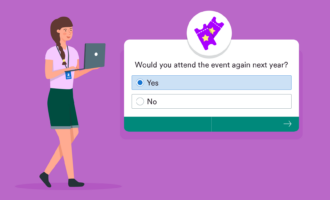
Managing registrations, attendee surveys, reminders, and follow-ups across multiple tools can quickly become overwhelming, especially for small teams. With Jotform, you can create branded registration forms, embed them on your event page, automate confirmation emails and reminders, and collect post-event feedback all in one place.
By centralizing your event workflow, you spend less time coordinating logistics and more time delivering an engaging experience to your attendees. Give Jotform a try for free today.
This guide is for event organizers at small businesses, nonprofits, and lean teams who need a repeatable way to fill seats, not just plan logistics, whether you’re promoting a workshop, webinar, fundraiser, community meetup, or product event.








































Send Comment: