
How to create a questionnaire with Jotform
- Start from scratch or use a ready-made questionnaire template
- Drag and drop the elements you need
- Customize with branding, logic, and layout options
- Share and collect responses
- Collect, analyze, and export respondent data in real time
A questionnaire is a structured set of questions created to gather specific information from people. Whether you’re running a customer survey, collecting employee feedback, or conducting user experience (UX) research, a questionnaire helps you organize responses so you can make sense of the data.
Unlike casual conversations or quick feedback chats, a well-built questionnaire gives you consistent input — making it easier to compare answers and spot trends. That’s what makes it so useful across a range of departments and sectors, like research, marketing, human resources (HR), and education. Of course, a questionnaire is only as good as its design: Clear wording, logical flow, and the right delivery method all matter if you want accurate results.
It’s also worth clearing up a common mix-up: the difference between a survey and a questionnaire. The questionnaire is the tool — the actual list of questions. The survey is the full process of distributing that questionnaire and analyzing the responses.
In this article, we’ll cover what a questionnaire is, the main types of questionnaire, when and how to use them, and how to easily create one with Jotform.
Types of questionnaires with examples
When you begin designing your questionnaire, it helps to be aware of the various types. That way, you can select the one that best matches your goal.
Below are some of the most common types, along with real-life examples.
Structured questionnaires
Structured questionnaires are highly organized and standardized. Every respondent receives the same set of closed-ended questions, usually with predefined answer choices (such as “Strongly Agree” to “Strongly Disagree”). Because the data is easy to quantify, this type is ideal for quantitative research, where consistency and comparability matter most.
Common use cases:
- Market research to identify consumer preferences
- Academic or scientific studies where uniform responses are required
- HR or employee engagement assessments
Example:
A risk tolerance questionnaire used by financial advisors asks clients to choose between fixed options like:
If your investment lost 10 percent in one year, how would you react?
A) Sell all investments
B) Sell some investments
C) Hold investments
D) Buy more at a lower price
This structure allows analysts to quickly categorize clients based on consistent, numerical data.
Unstructured questionnaires
Unstructured questionnaires, on the other hand, are open and flexible. Instead of giving predefined choices, they ask open-ended questions that invite detailed, narrative responses. These questionnaires are ideal for qualitative research, where you aim to understand feelings, perceptions, or personal experiences.
Common use cases:
- In-depth interviews and focus groups
- UX research exploring user behavior
- Post-event feedback forms or exit interviews
Example:
An employee feedback form might include:
Describe a challenge you faced in your role this quarter and how management could have supported you better.
These kinds of questions don’t yield tidy statistics, but they offer rich insights that reveal the why behind people’s behaviors or opinions.
Semi-structured questionnaires
Semi-structured questionnaires combine the best of both worlds: the reliability of quantitative data and the flexibility of qualitative responses. They feature both closed-ended and open-ended questions, enabling respondents to give measurable answers and elaborate when needed.
Common use cases:
- Customer satisfaction surveys
- Healthcare intake forms (where factual and narrative data are both important)
- Academic social research
Example:
A customer satisfaction survey could ask:
On a scale of 1–5, how satisfied are you with our delivery speed?
Please explain what could make your experience even better.
This format captures a clear numerical rating and the reasoning behind it — helping you understand both the trend and its cause.
Closed-ended questionnaires
A closed-ended questionnaire restricts answers to a specific set of options. This type is quick to complete and analyze, making it perfect for situations where time and standardization are key. Closed-ended formats include yes/no, multiple choice, ranking, and rating questions.
Common use cases:
- Online polls
- Product feature preference testing
- Quick feedback at events or in-app pop-ups
Examples:
- Did you find the checkout process easy to use? (Yes/No)
- Which of the following best describes your role? (Student, Educator, Business Owner, Other)
- Rank the following product features by importance.
Closed-ended questionnaires help you detect patterns at scale — like which product features customers love most — with minimal effort.
Open-ended questionnaires
Open-ended questionnaires encourage respondents to share detailed, free-form answers in their own words. They require more time to complete but provide deeper insights into human perspectives, motivations, and emotions.
Common use cases:
- Post-purchase reviews
- Academic research on attitudes or social issues
- UX testing sessions
Example:
A customer experience survey could include:
What was the most memorable part of your shopping experience today?
These responses help brands identify emotional touchpoints, recurring frustrations, and improvement opportunities that numbers alone can’t reveal.
Likert scale questionnaires
One of the most widely used formats in research and feedback forms, Likert scale questionnaires measure attitudes or opinions using a symmetric scale — typically from “Strongly Disagree” to “Strongly Agree.” They’re useful when you want to quantify subjective perceptions.
Common use cases:
- Employee engagement or satisfaction studies
- Brand perception analysis
- Educational evaluations
Example:
“I feel confident using our company’s new software platform.”
– Strongly Disagree
– Disagree
– Neutral
– Agree
– Strongly Agree
By averaging the scores, you can easily interpret general sentiment and identify problem areas.
Pro Tip
Build Likert scale surveys and questionnaires without any coding. Check out our Free Likert Scale Creator.
Why should I use questionnaires? And what are the key points of a good questionnaire?
Questionnaires may seem simple — just a list of questions — but when designed well, they become powerful tools for collecting insights. They help organizations, educators, and researchers measure satisfaction, discover needs, and make data-driven decisions.
Whether you’re seeking employee feedback or testing a new product idea, a good questionnaire turns scattered opinions into structured, actionable information.
Why use questionnaires?
Well-crafted questionnaires offer unique advantages over informal conversations or anecdotal observations. Here’s why they’re indispensable:
1. Gather large volumes of standardized data efficiently
When you need input from dozens, hundreds, or even thousands of people, questionnaires make the process fast and scalable. Every respondent answers the same set of questions in a consistent format, allowing you to analyze trends, identify patterns, and compare responses across groups. For example, an HR team can deploy the same engagement questionnaire company-wide and instantly compare satisfaction levels across departments.
2. Enable both quantitative and qualitative analysis
Depending on how you design it, a questionnaire can provide the best of both worlds: measurable statistics and human insight. Closed-ended questions (like ratings or yes/no responses) provide clean numbers, while open-ended questions uncover the reasoning and emotions behind them. Together, they give you a complete picture that numbers alone can’t provide.
3. Improve engagement and trust
When designed well, questionnaires don’t just collect data — they also strengthen relationships. Respondents appreciate being asked for their opinions, especially when questions are clear, concise, and relevant. In organizational contexts, regular feedback forms signal transparency and a willingness to listen, which can increase employee or customer loyalty over time.
4. Cost-effective and flexible
Unlike focus groups or interviews, questionnaires require minimal resources. With online tools like Jotform, you can design, distribute, and analyze results instantly — no specialized technical skills needed. Plus, they’re adaptable to any context, from academic research to healthcare check-ins or customer onboarding.
Key points of a good questionnaire
Designing an effective questionnaire means balancing clarity, structure, and tone. Here are the essentials to keep in mind:
1. Keep questions clear and concise
Use simple, direct language. Avoid jargon or double meanings so that everyone interprets the question in the same way.
2. Follow a logical flow
Start with easy, general questions, and then move to specific or sensitive ones. A natural order keeps respondents engaged and reduces drop-offs.
3. Avoid bias
Phrase questions neutrally. Instead of “How much did you love our service?”, say “How satisfied were you with our service?”
4. Choose the right question types
Match your question style to your goal — yes/no for quick checks, scales for opinions, open-ended for deeper insights.
5. Add a thank-you and consider anonymity
End with a short thank-you note and, if needed, reassure respondents that their answers are confidential. This builds trust and encourages honesty.
6. Test before sending
Run a quick pilot test to check for confusing wording or missing options, and then refine based on feedback.
When these fundamentals are in place, your questionnaire feels effortless to complete — and delivers reliable, meaningful data.
How to create a questionnaire with Jotform


Now let’s walk through how to create an effective questionnaire using Jotform, a user-friendly, no-code solution.
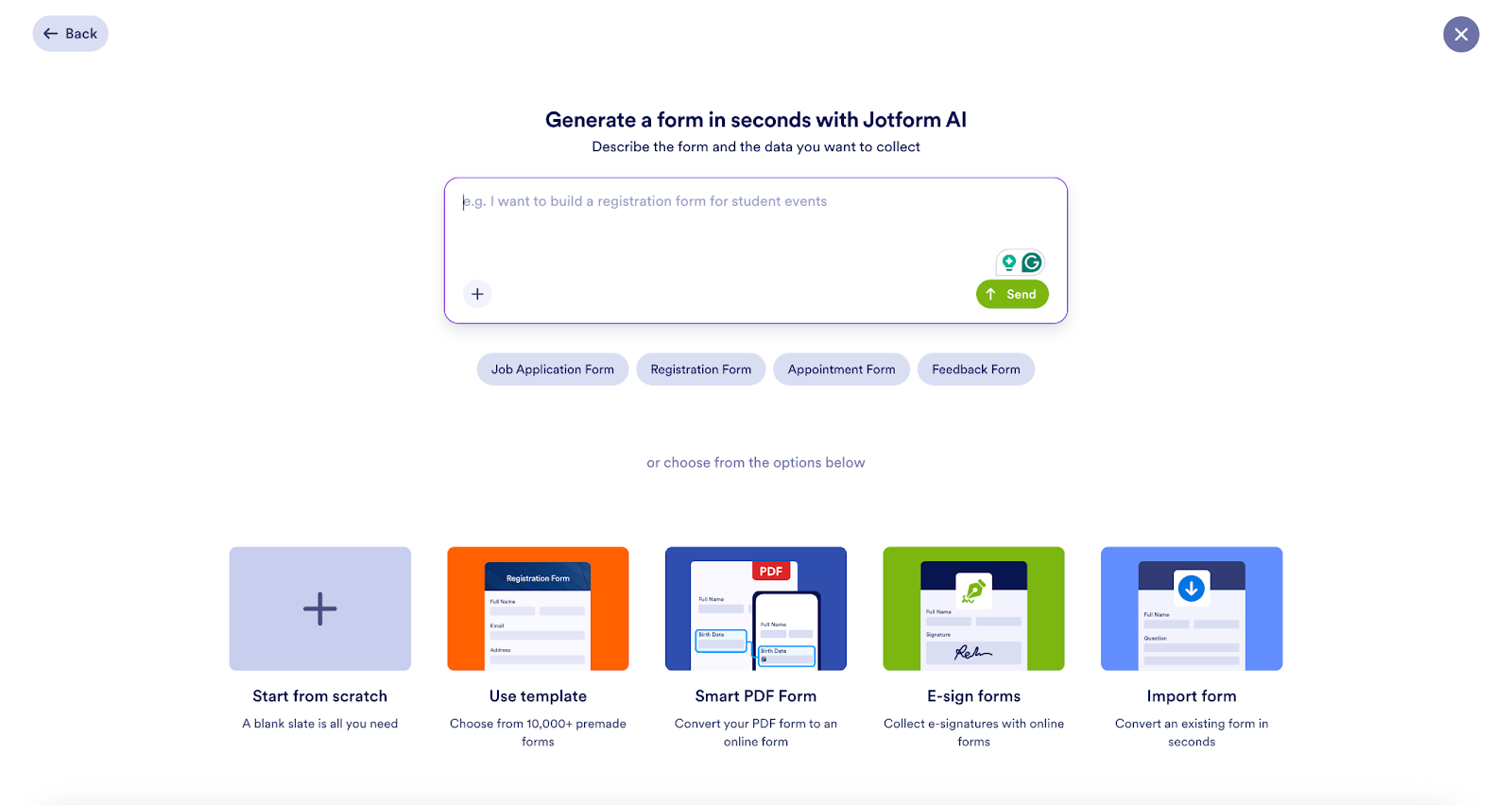
1. Start from scratch or use a ready-made questionnaire template
You can either build your questionnaire from the ground up or choose a questionnaire template available in Jotform’s template library.
2. Drag and drop the elements you need
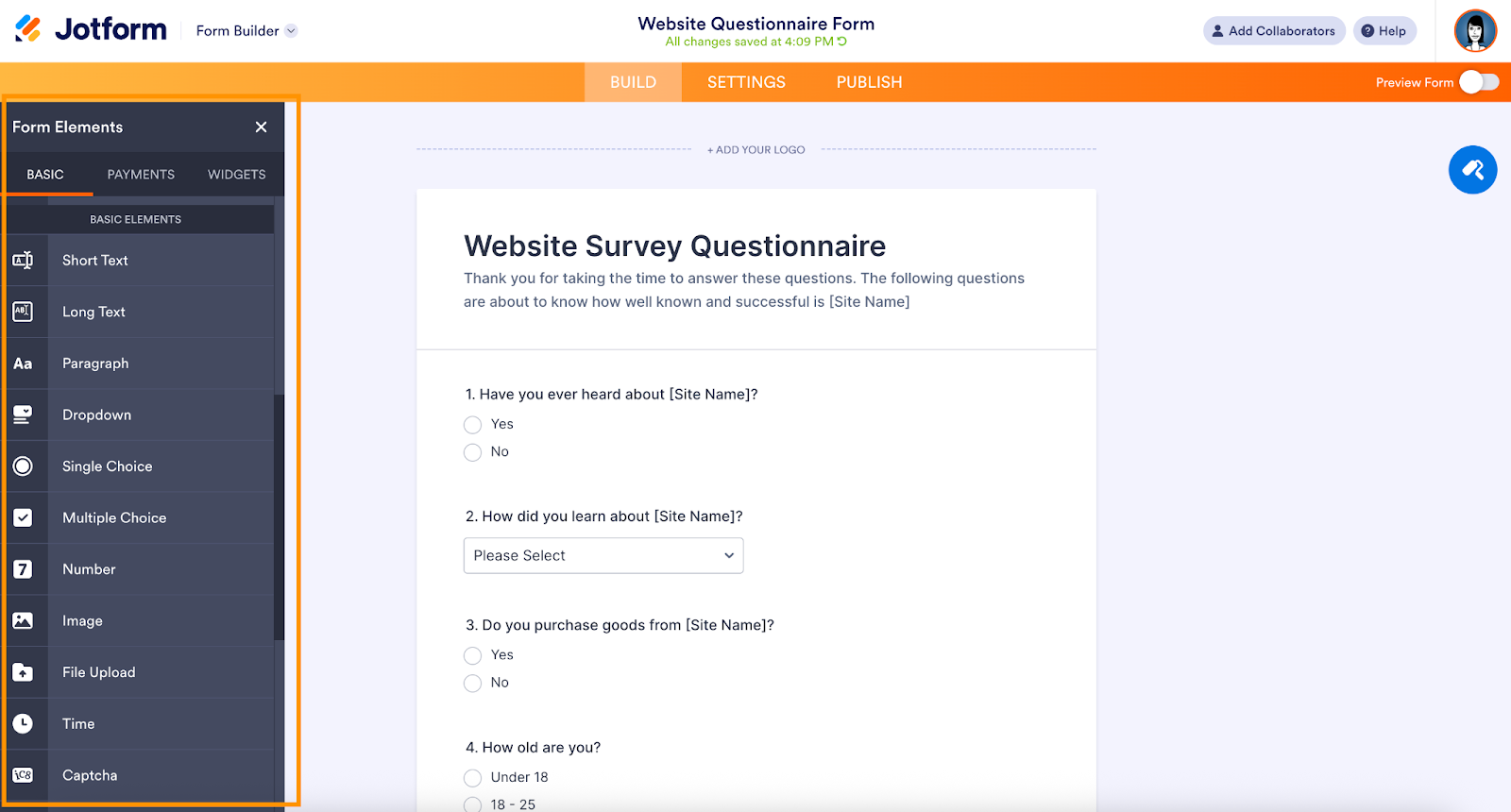
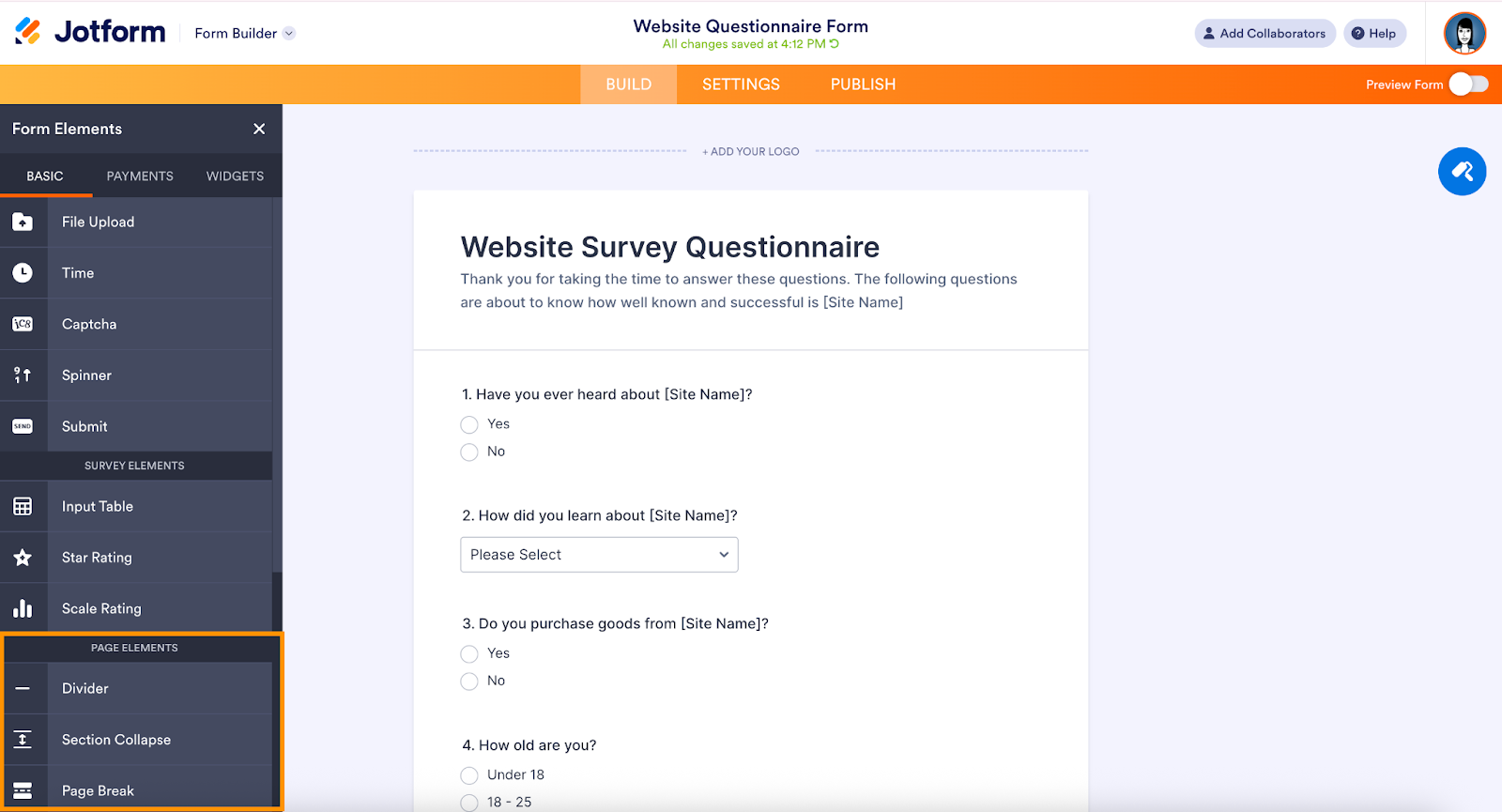
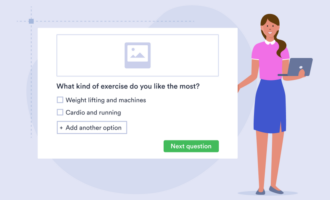
With Jotform, you’ll find elements like “Single Choice”, “Multiple Choice”, “Short Text”, and “Matrix.” Just drag them into your form and configure labels, answer options, and required fields.
3. Customize with branding, logic, and layout options
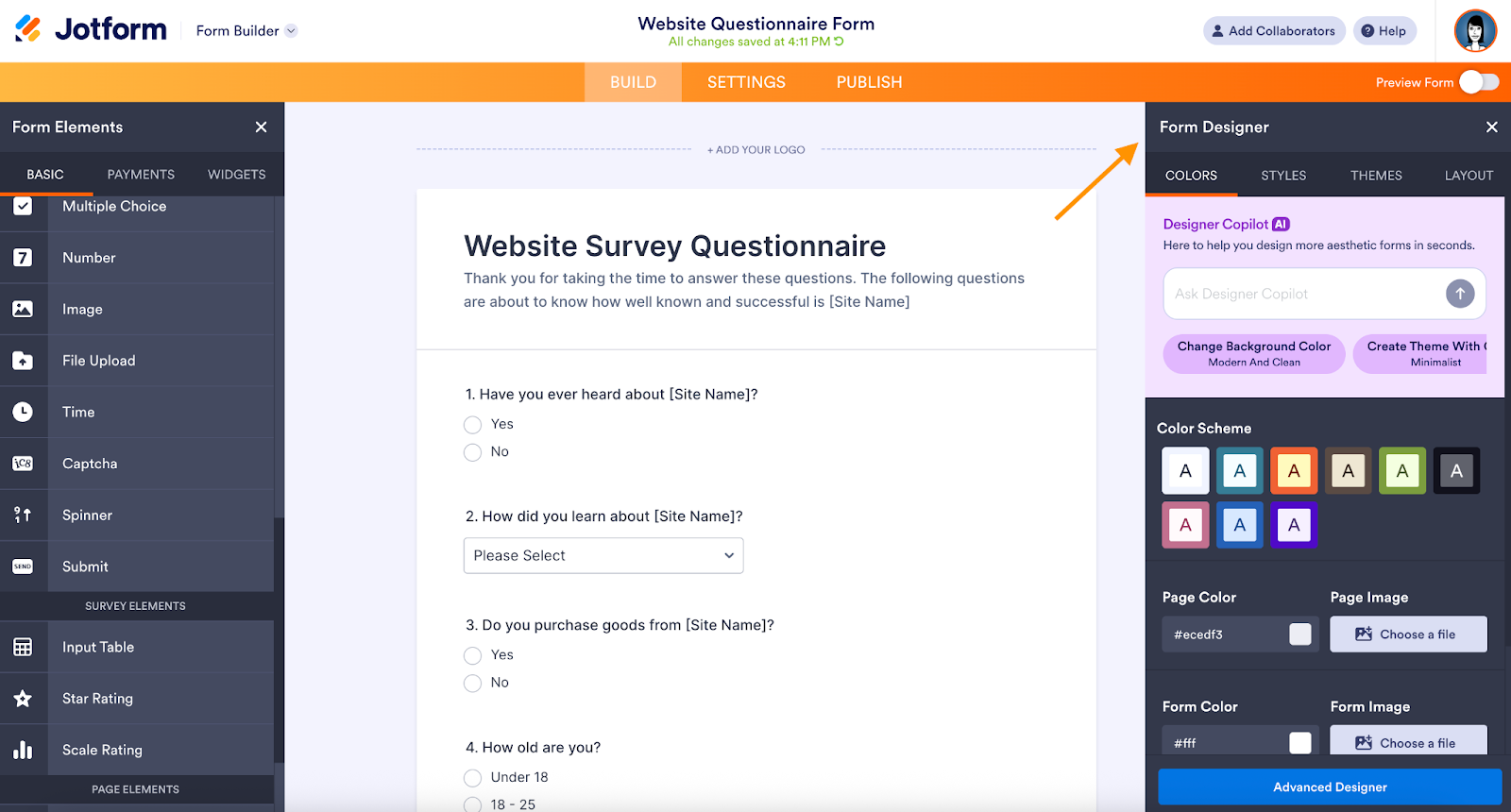
- Use the form designer to match your brand.
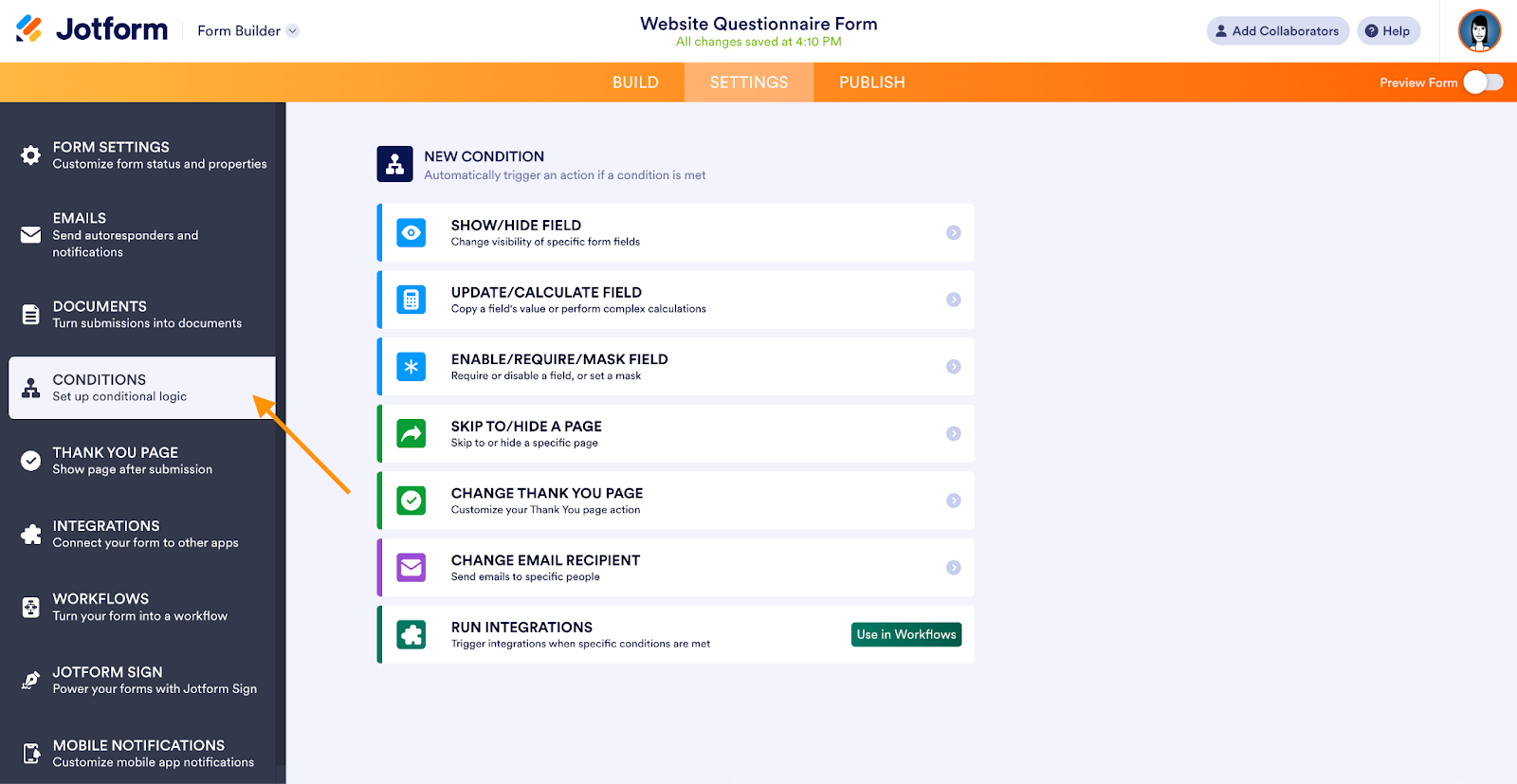
- Use conditional logic (e.g., show follow-up questions if a certain answer is selected).
- Arrange the layout with sections, page breaks, and even a progress bar.
4. Share and collect responses
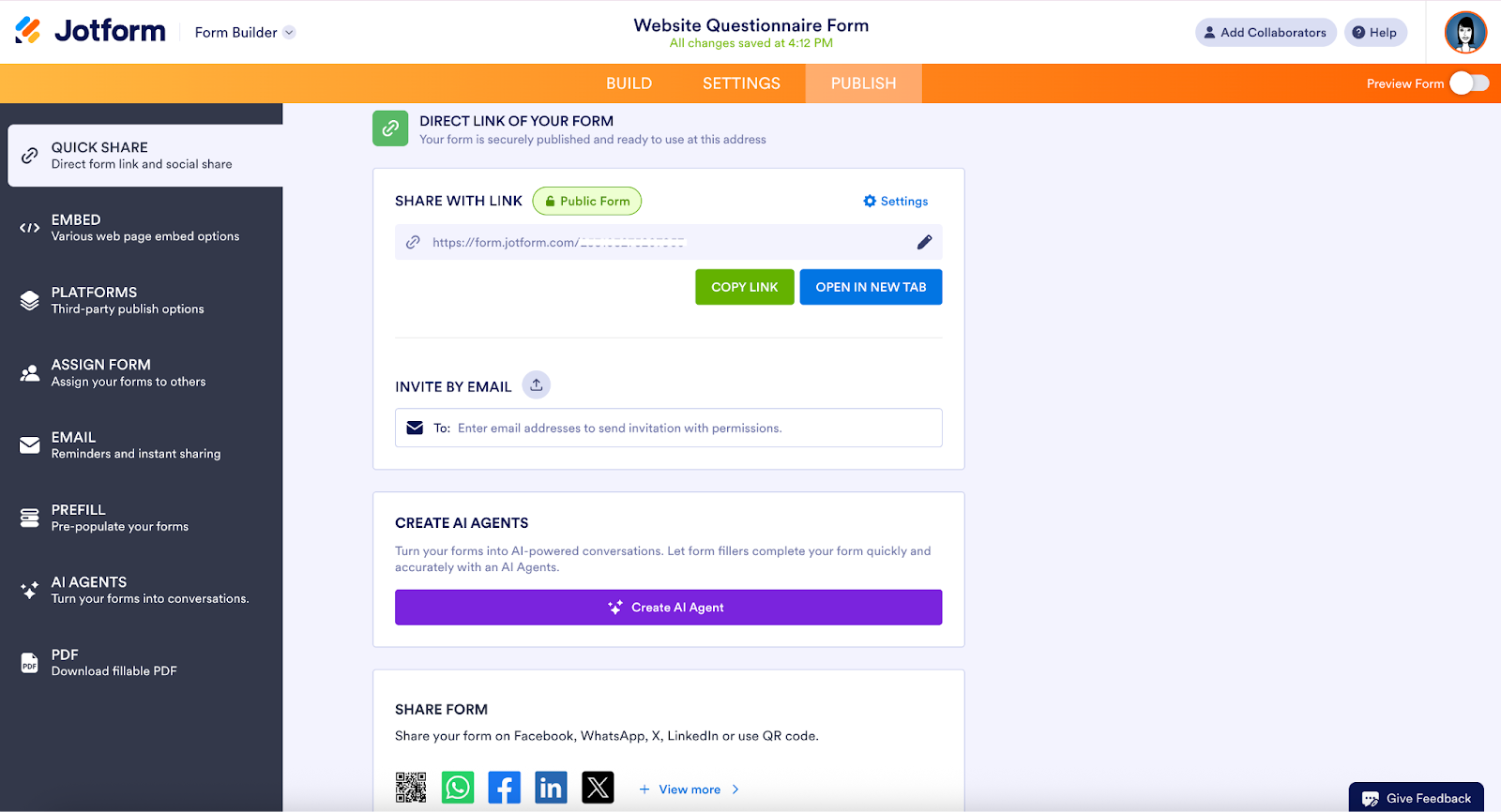
Jotform offers multiple sharing options:
- Send via email link
- Embed on your website
- Share via QR code
- Use landing-page mode
5. Collect, analyze, and export respondent data in real time
Monitor completion rates and drop-off points, view individual or aggregated responses, and export to CSV, Excel, or PDF. You can also build dashboards for stakeholders in minutes, so decisions don’t wait.
Jotform’s use cases across different roles
One of the biggest advantages of using Jotform is its versatility — questionnaires built with it can be adapted to virtually any field or purpose.
Here’s how professionals in different roles use them to collect insights, improve workflows, and make smarter decisions.
HR professionals: Employee engagement and performance questionnaires
Human resources teams rely heavily on questionnaires to measure employee satisfaction, track engagement, and identify workplace trends.
A simple employee engagement questionnaire can include questions like:
How valued do you feel at work?
What motivates you to stay with the company?
With Jotform, HR departments can automate distribution (e.g., quarterly or post-onboarding), ensure anonymity, and instantly visualize results in Jotform Tables. This helps leaders take proactive steps — like improving communication, recognizing achievements, or redesigning workloads — before small issues turn into larger retention challenges.
Digital marketers: Customer satisfaction and product use questionnaires
Marketers use questionnaires to understand what drives customer decisions and how people experience a brand.
For example, a post-purchase questionnaire might ask:
How likely are you to recommend our product to a friend?
Which feature do you use most often?
By analyzing responses, marketers can fine-tune messaging, improve features, and even identify upselling opportunities.
With Jotform’s integrations — like Google Sheets, HubSpot, or Mailchimp — the collected data can instantly feed into marketing dashboards or customer relationship management systems for follow-up campaigns.
UX researchers: Usability and user-experience questionnaires
For UX and product design teams, questionnaires provide valuable context following usability testing.
After observing how users interact with a prototype, researchers can follow up with questions like:
Was it easy to find what you were looking for?
What part of the interface felt confusing or unnecessary?
These structured insights help teams prioritize design improvements, test interface iterations, and validate assumptions — all without needing external analytics tools.
Educators: Course or training feedback questionnaires
In education, questionnaires are indispensable for improving teaching methods and learning outcomes.
A course feedback questionnaire might ask students to rate clarity, relevance, or overall satisfaction, and include an open-ended prompt like:
What would you change about this course next semester?
Jotform allows instructors to quickly review results and spot patterns — such as recurring confusion about a topic or praise for interactive lessons — making continuous improvement simple.
Healthcare and compliance: Patient intake and satisfaction questionnaires
In the healthcare field, questionnaires are crucial for both clinical efficiency and compliance.
A patient health questionnaire helps collect basic information before appointments — such as medical history, current symptoms, or lifestyle habits — to reduce wait times and improve accuracy. Meanwhile, post-visit satisfaction questionnaires can measure patient experience to ensure high-quality care.
Because Jotform offers HIPAA-friendly and GDPR-ready forms, healthcare providers can more safely gather sensitive information while helping to maintain data privacy and regulatory compliance.
Turn insights into action
Questionnaires are versatile, structured tools for collecting information — from opinions and attitudes to behaviors and preferences. The right questionnaire gives you data you can act on, and clear questions, logical flow, appropriate types, and thoughtful testing all contribute to success.
Today’s online tools make the process easier than ever. Using a platform like Jotform, you can start with a goal, pick the right type of questionnaire, build it visually, share it broadly, and analyze the responses — all without writing code.
Ready to get started? Head over to our guide on how to create a survey and browse our questionnaire templates to find one that fits your needs. And of course, explore our survey question examples for inspiration.
This article is for digital marketers, UX researchers, HR professionals, educators, and anyone who wants to understand what a questionnaire is, how to use it effectively, and how to create one using intuitive online tools like Jotform.




































































































Send Comment: