Whether you need specific individuals to regularly fill out your forms or collect data on your behalf, Jotform’s Assign Form feature ensures efficient tracking and easy access for your assignees. You can assign forms via email or a direct link and your assignees can even fill out forms offline with the Jotform Mobile Forms app, making the process seamless and convenient.


Note
Assignees need to sign up for a Jotform account or log in to their existing account to access the forms assigned to them.
Follow these steps to assign your form by email:
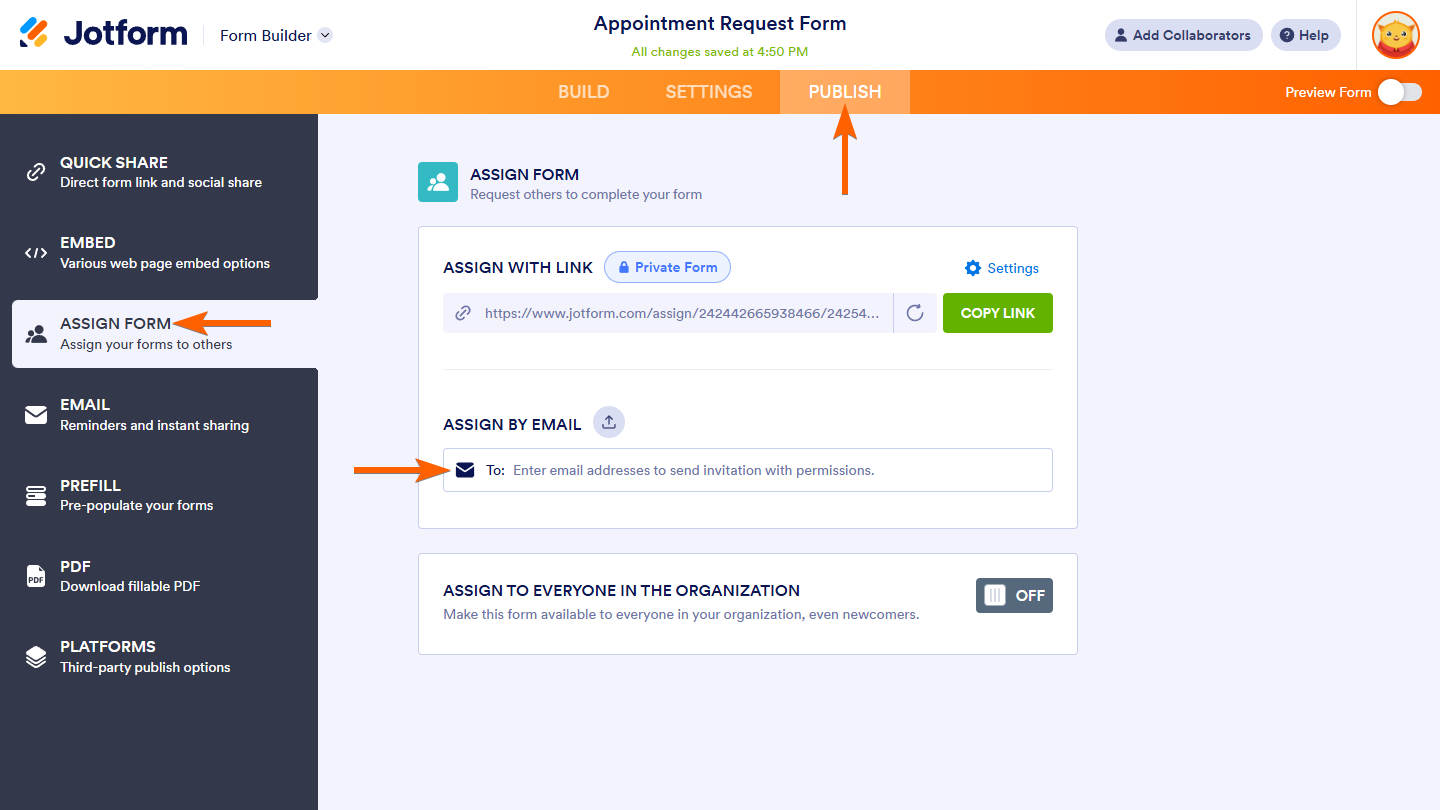
- In Form Builder, click on the Publish tab.
- Next, click on Assign Form on the left side of the page.
- In the Assign Form section on the right, click on the Recipient field under Assign By Email to start sending invitations to your assignees.
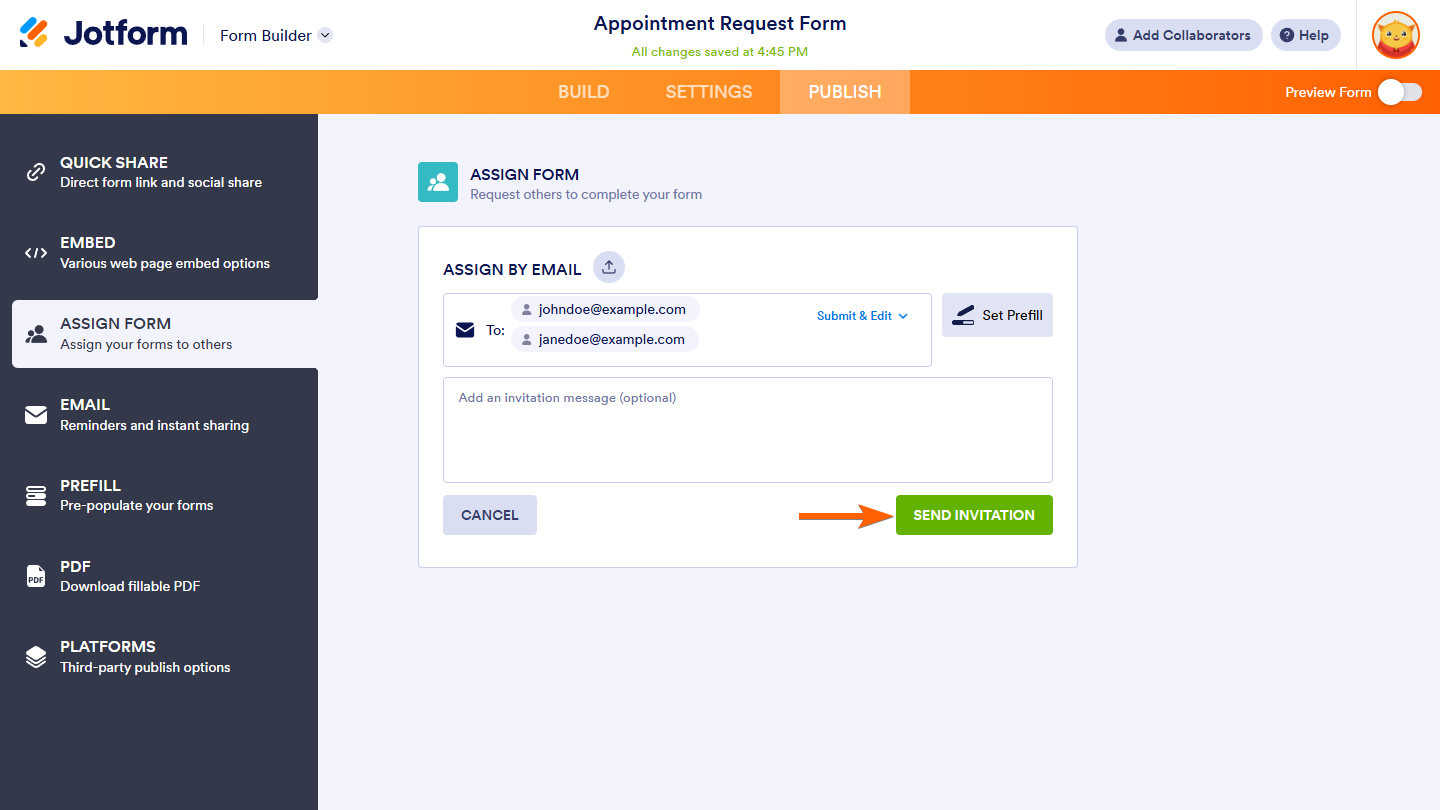
- In the next screen, enter the email addresses of your assignees and click on Send Invitation. You can also add an invitation message.
Sending the Assign Link in Other Ways
To share your form with assignees externally, click on the Copy Link button next to the Assign Link.

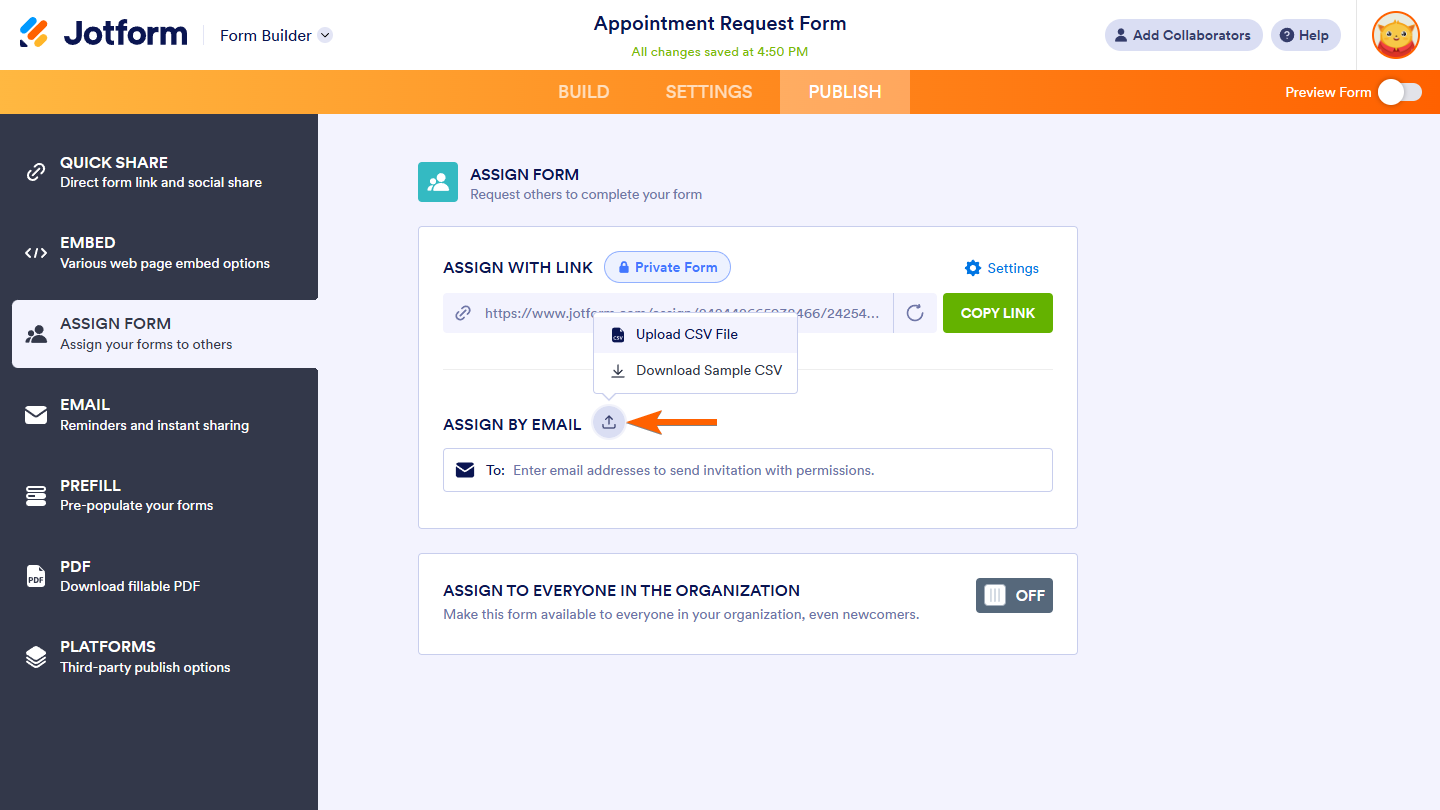
If you have a long list of assignees, you can upload a CSV file with their email addresses. Click on the Upload File icon next to Assign By Email and select Upload CSV File.
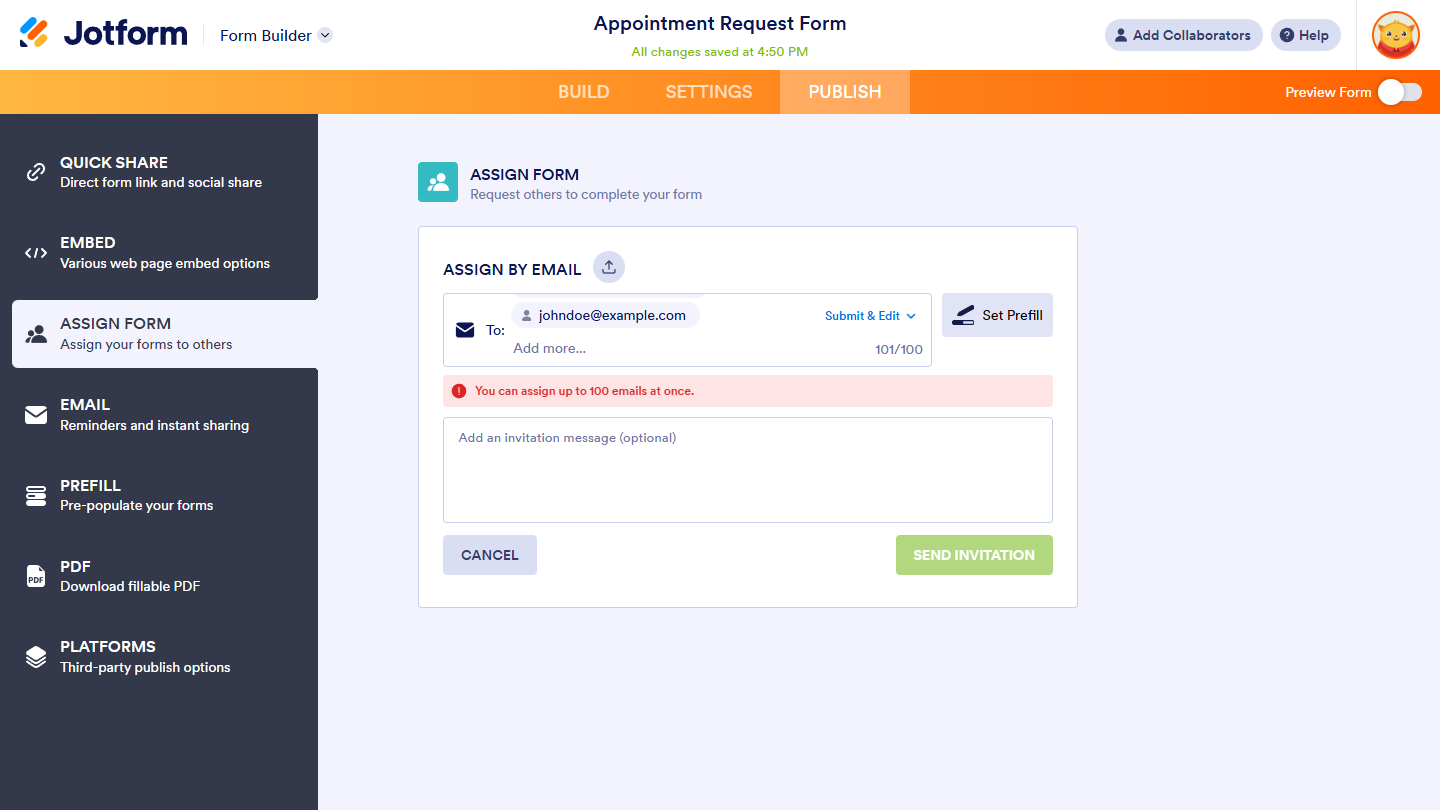
There is no limit to the number of people you can assign your forms to. However, you can send invitations to up to 100 email addresses at a time. To assign your form to more than 100 assignees, send additional invitations for the next batch.
Managing Assignees
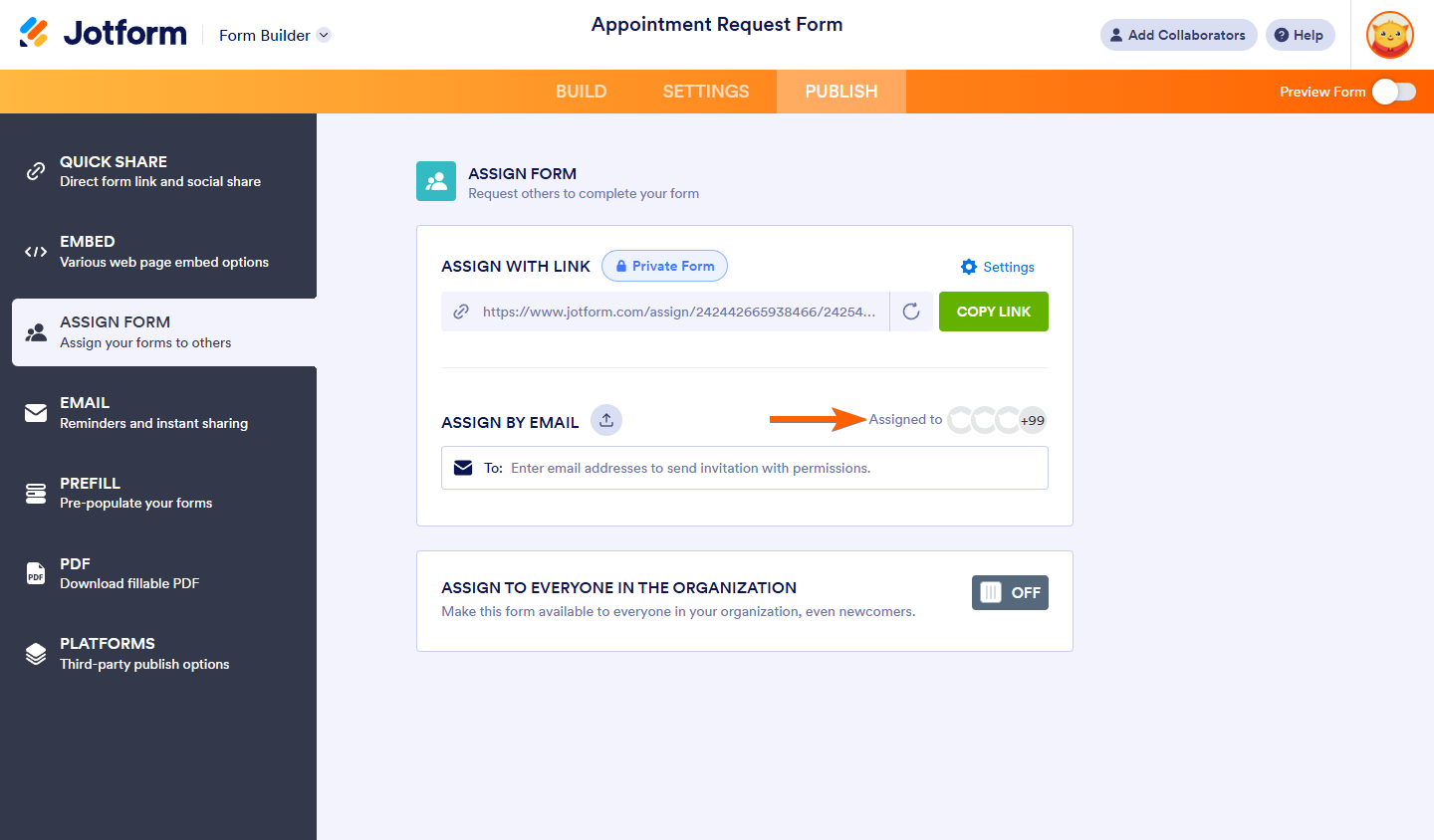
To manage the permission of your form assignees, view their status, and revoke their access, click on the Assigned To button on the right of the Assign By Email.
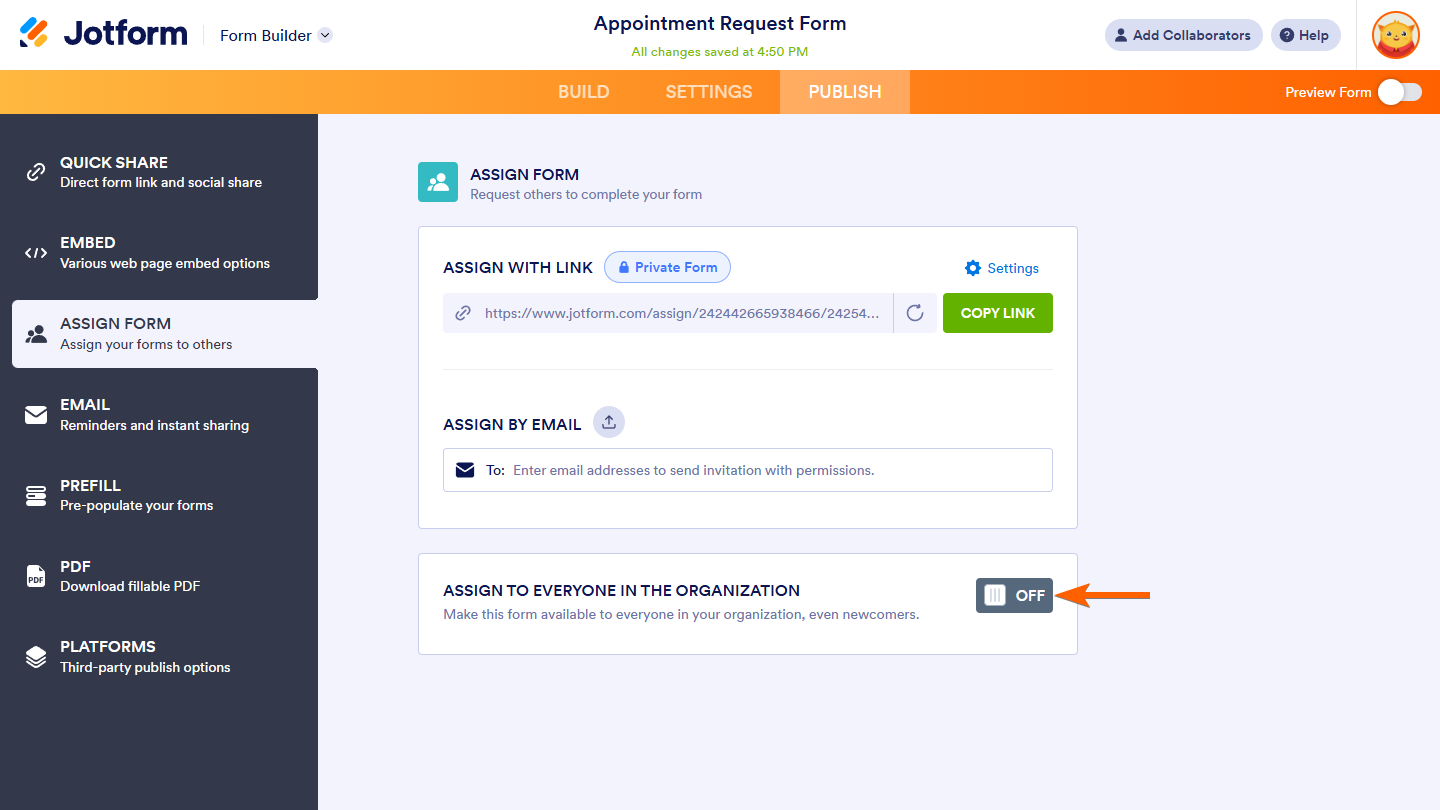
Jotform Enterprise users can turn on Assign to Everyone in the Organization at the bottom to make the form available to everyone in their company.
See also: Accessing Forms Assigned to You.

Send Comment:
35 Comments:
March 19, 2026
Is there a way to manage these assignments by groups? Manually adding a user to several forms individually seems like a lot more work than it should be.
December 11, 2024
Puedo asignar un formulario a un colaborador de otra tienda, y que los datos de pedidos que recopilen en este formulario, podamos conocer de alguna manera que provienen del colaborador?
September 20, 2024
Once the form is assigned to someone via email, if i edit the form will they see the updated version or do i need to re-assign the form to them once i have made the edit? Thanks
May 29, 2024
Is the assignee sentbox a feature available to any respondent? or is this reserved for paid platform users only?
April 23, 2024
Can you assign a form to multiple people (a team) so they can all collaborate on that particular form?
April 11, 2023
Is it possible to get the submitter's name of an assigned user into a field?
August 30, 2022
I have created accounts for my customers to private access to my form. But they are unable to receive verification emails. Will the accounts get deleted or blocked if they don't verify? Or is there anyway to verify for them?
February 15, 2022
Is there a requirement to create an account if assigned by email and/or link? Or just if assigned by link? What is the max number of assignments per form in an enterprise account?
Thank you’
February 4, 2022
Is there a limit to the number of people the form can be assigned to? Is it 100 or dependent on your account level? And if so where do I find that info?
December 28, 2021
On March 29, 2021 "Margaret" asked a question about not having a message displayed to users when they have the ASSIGNED link (meaning I want to force the user to log in) that tells them they have to contact the form designer or something in order to have access. It seems like from what's ACTUALLY happening is that the message should say instead "go to your email and click to verify your email address in order to proceed with filling out this form."
Users are getting the WRONG message in the following situation:
1. I send them the "assigned" link - I do NOT have their email addresses ahead of time, so I am just posting this link on our website.
2. I need to have the assigned link because we need to force them to login to Jotform before filling out the form. In order to have this functionality, the form HAS to be PRIVATE (according to Jotform's own instructions).
3. they get the message when they go to the "assign" link that they need to register - this is fine.
4. after entering their email address/info to register, they then get a message saying that they don't have access and that they will need to request access.
5. Automatically, and with NO intervention from me at all, they are getting an email saying to click to verify or something, then they click on it, and they then are able to fill out the form.
So all of this seems to be working as I would expect, EXCEPT for the message they are getting immediately after giving their registration info - the message that tells them they need to "request access" - that totally doesn't make sense in this situation, and is VERY confusing to our users.
What is the right way to achieve what I need to achieve?
December 20, 2021
Can I send a form while being in my phone? And if so how?
November 10, 2021
Hi can I assign a form to someone so they can also view and manage submissions?
Best
Norm
May 24, 2021
I wanted to know how to edit an assigned form to me and how can I upload the form to the website
May 18, 2021
Can assigned users see their own data?
Can they see other users or forms data?
April 20, 2021
Is an assignee required to create a jotform account in order to complete a form?
March 29, 2021
Is there a way for our students not to have to get a form access request to forms they should be able to get to freely
February 16, 2021
Hi Team,
Is this Assign Form features also available for the HIPAA Account? - that users being assigned to fill in the Form can edit their submission later??
February 5, 2021
Hi,
Is there a maximum assignees for a form?
Currently I have a free account (upgrading soon) and I only can assign 10 email-adresses.
Please help.
Kind Regards,
Sven
February 1, 2021
Can you edit the assignee name & email that are entered in the "Assigned to" list?
I have some that are emails only & would like to add their names.
January 22, 2021
great. very helpful
January 3, 2021
Can you assign multiple forms at the same time to one user vis assign forms via email?
November 16, 2020
October 12, 2020
Hello,
Our organization has approximately 30 recipients that need to receive this soon. However, we will be sending it to over 100 individuals. We would like to send the forms via text and need to know how we can make that happen.
When we go to the publish section, we only see area for email address, not phone number.
Wendy
June 25, 2020
I am trying to share a created form with another member of my team to use. She is new to Jotform and has already created a Jotform account. I've tried all of the instructions provided and NOTHING seems to be working. Please help!
June 24, 2020
I just assigned a form to a colleague in my organization, my intention is to allow him to fill out the form in offline mode (with the jotform app). He received the email invitation, but when he opens the invitation the form is nowhere to be found , the form is also not available for him in the app. Am I missing something?