

Insurance Apps

Employee Travel Management App
Employee Travel Management App is an app template designed to transform the way companies and their employees handle business travel. This innovative application provides an all-inclusive platform to streamline trip requests, approval workflows, itinerary management, and expense tracking. The app is ideal for companies of all sizes, enabling employees to submit travel plans and receive approval in a systematic, efficient manner. It offers a central location for tracking all travel-related activities, significantly reducing the time spent on coordinating and managing business trips. The Employee Travel Management App also promotes adherence to travel policies, maintaining compliance while saving time and money. It is best suited for travel coordinators, financial administrators, and operations teams who are tasked with managing and optimizing their company's business travel.With Jotform's no-code app builder, customizing the Employee Travel Management App to fit the specific needs of your organization is effortless. The drag-and-drop interface allows you to tailor the app's features, elements, and layouts to perfectly mirror your company's brand and workflow. Whether it's adding new forms or widgets or adjusting the colors and fonts, Jotform provides a seamless, code-free experience. Furthermore, the app's cross-platform compatibility means it can be accessed and utilized on any device, be it a smartphone, tablet, or desktop, offering convenience and accessibility. The Employee Travel Management App from Jotform delivers a streamlined, efficient solution for business travel management, simplifying processes and enhancing productivity.
Go to Category:Company Portal Apps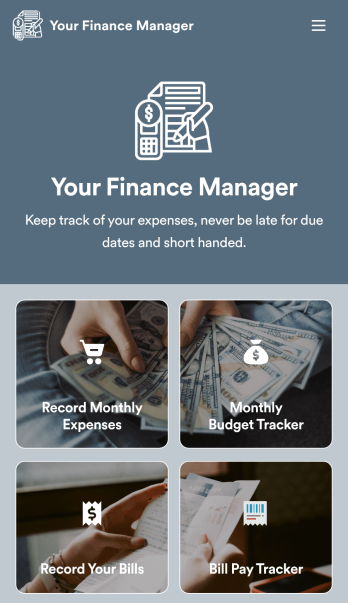
Personal Finance Management App
Manage your personal finances with Jotform’s free Personal Finance Management App. This fully customizable mobile app includes a monthly expense form, budget tracker, bill record form, and bill payment log to help you stay on track when it comes to your finances. Once you’ve downloaded the app to your favorite, you can fill out your forms and view your logs at any time. All entries will be synced instantly and automatically, so you can keep all your important finance info in one easily accessible place.Customize your Personal Finance Management App without any coding. Jotform’s drag-and-drop interface makes it easy to add forms, tables, links, documents, and other elements to your app. Then you can save your app onto any computer, tablet, or smartphone for easy access. Take control of your spending with a custom Personal Finance Management App!
Go to Category:Finance & Accounting Portal Apps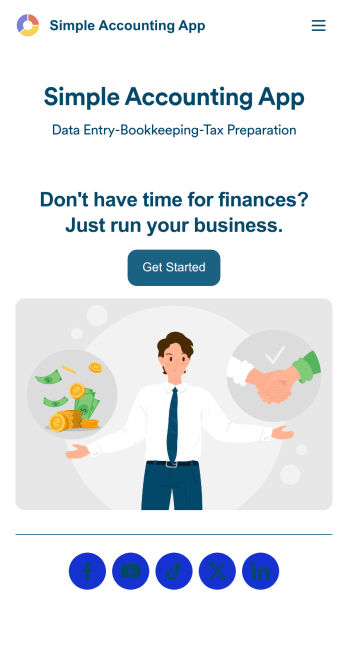
Simple Accounting App
Looking for an easy and convenient way to manage your accounting clients? With Jotform’s Simple Accounting App, you can create a bookkeeping app that works seamlessly for both you and your clients. Build your app from scratch or pick one of our ready-made app templates to spark your creativity. Add pricing information, contact forms, showcase past client reviews, and more.Customize your Simple Account App with Jotform’s easy-to-use app builder. Use our drag-and-drop app builder to change up the look and feel of your app, add powerful app elements, install helpful app widgets, and integrate with one of our 30+ payment processors, including Stripe and Square to collect fees and payments. Share your customized app via email or embed it directly into your own website. Help your clients reach their finance goals with your very own Simple Accounting App.
Go to Category:Company Portal Apps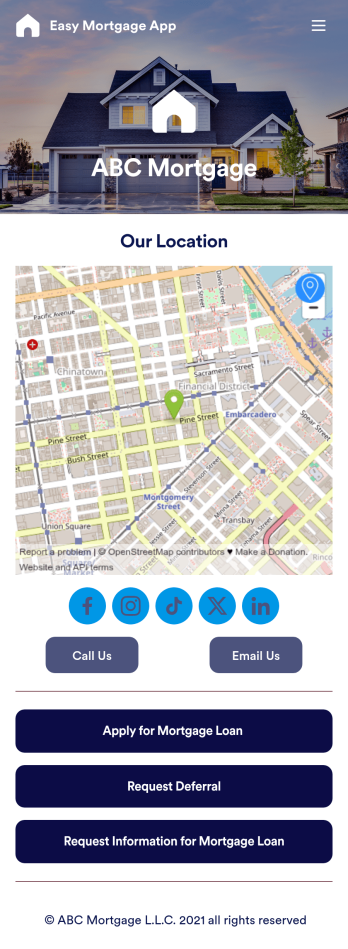
Easy Mortgage App
With Jotform’s Easy Mortgage App, members of your mortgage loan company can collect client information in the field from their smartphone or tablet — no messy paperwork required! Once the app is downloaded onto each employee’s device, they can submit mortgage loan requests for new clients, help clients request deferrals, or accept formal mortgage loan applications online.Customizing this Easy Mortgage App is, well, easy. Just drag and drop to rearrange the design, add or remove forms, include your logo for a professional touch, and make other design changes with no coding. Share the app with a link to be saved to any device instantly, and your team will be ready to start collecting information through the Easy Mortgage App and storing it in your secure Jotform account.
Go to Category:Finance & Accounting Portal Apps
Insurance Agency App
An insurance agency app is used by insurance agencies to provide customers with insurance policy quotes. Clients can download your custom Insurance Agency App onto their preferred device and fill out forms requesting quotes for car, life, business, or medical insurance. There are separate pages to showcase insurance agents and provide contact information. Client submissions are stored in your secure Jotform account, which you can access and manage from any device.Want to make changes to this app template? Jotform’s drag-and-drop app builder makes it easy to add or change form elements, edit text fields and checklist items, create additional pages, choose fonts and colors, upload your unique logo, and more — all without any coding. Share your custom app with clients by sending email invites, sharing the app link in your social media bios, or embedding it in a company website. Making shopping for insurance quotes simple and convenient with this free Insurance Agency App from Jotform.
Go to Category:Automotive Apps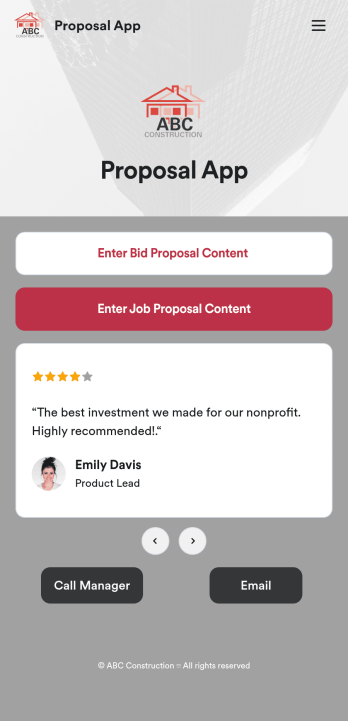
Custom Proposal App
Proposals are necessary for assuring clients that your construction services are the right fit for the job. Share and fill out your proposal forms in one place with our free Proposal App for construction companies and contractors. This ready-made app template includes a bid proposal form and job proposal form where users can enter client, contractor, and project details from any device. Since this app works with our Job Proposal PDF Template, form submissions will automatically turn into professional PDFs!Customizing your Proposal App only takes a few minutes with our drag-and-drop builder. Without any coding, you can create and add new forms, embed links to other pages, include images, and update app details such as name, icon, and splash page for a fully-custom design. When your app is ready to use, it can be downloaded from any smartphone, tablet, or computer. Make a good impression on your clients with a professional and personalized Proposal App for your services!
Go to Category:Finance Apps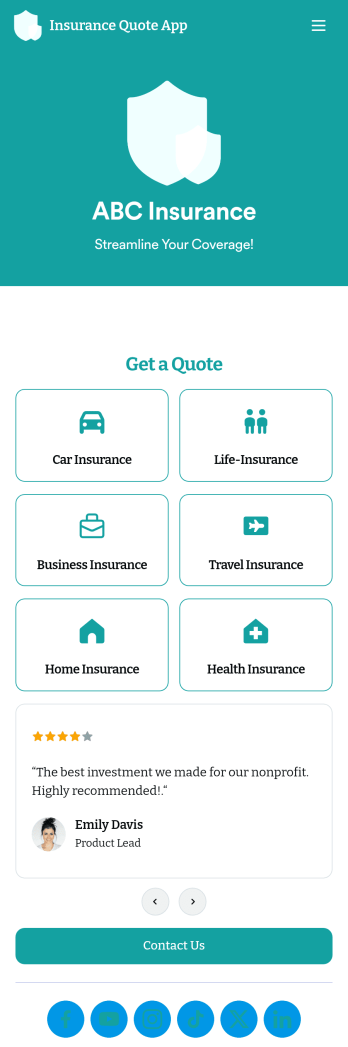
Customizable Insurance Quote App
An insurance quote app is used by insurance companies to collect quote requests from their customers. Whether you provide car insurance, health insurance, travel insurance, or another type of insurance, this ready-made downloadable Insurance Quote App lets you quickly and easily collect customer inquiries from any device.Need to customize the app template? Add your logo and branding, update forms, change the app icon, and make other design changes — with no coding knowledge required — using Jotform’s drag-and-drop app builder. Once your app is ready to go you can share it with a link, add it to your social media bio, or embed it in your website to start collecting responses.
Go to Category:Estimation Apps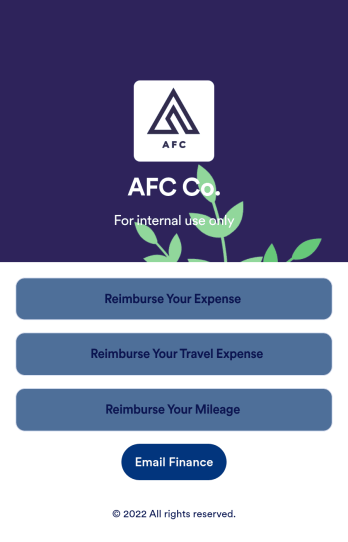
Reimbursement App
Jotform's Reimbursement App template is designed to streamline the process of submitting and managing expense reports. Ideal for corporate employees, freelancers, and small business owners, this no-code app builder allows users to easily log business or travel expenses, upload and organize receipts, and submit reports for approval. The Reimbursement App allows users to customize forms, add e-signature fields, and integrate with payment gateways, simplifying the reimbursement process for all users. Looking for a hassle-free way to manage expense reports and reimbursements? Look no further than Jotform's Reimbursement App. With a drag-and-drop builder, powerful app elements, and over 70 widgets to choose from, creating a customized app has never been easier. Add e-signature documents for quick approvals, connect with payment gateways for seamless transactions, and enjoy the flexibility of building a unique app that fits your specific needs. Plus, with features like advanced sharing options, custom URLs, and push notifications, staying on top of expense management has never been more convenient.
Go to Category:Finance Apps
Retirement Planning App
A retirement planning app is used by retirement planners to gather important information from their clients. With this ready-made Retirement Planning App, your business can quickly and efficiently collect contact details, payments, e-signatures, and more from any device. Simply customize the app and share it with a link or via social media to start collecting responses!Add your company logo and branding, update forms within the app, and change fonts and colors in seconds with our intuitive drag-and-drop builder — no coding knowledge required. You can include a retirement calculator for clients to use, plus your contact information so they can get in touch. Take your retirement services to the next level with a free Retirement Planning App that works great on any device.
Go to Category:Consulting Apps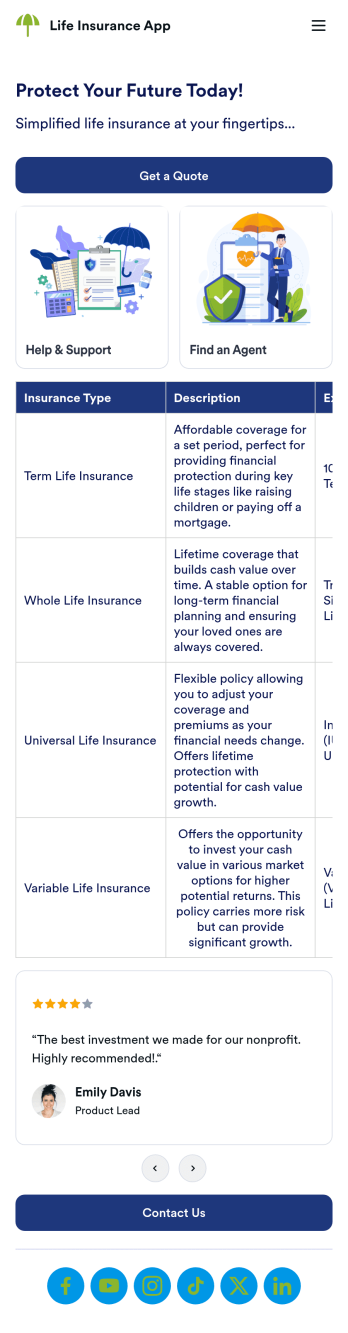
Life Insurance App
A Life Insurance App is a customizable no-code app template designed to streamline life insurance services, offering users an intuitive way to explore, request, and manage insurance plans. Ideal for insurance companies, brokers, or agencies, this app simplifies processes such as submitting applications, gathering quotes, and accessing policy information. By offering an organized and accessible digital experience, it ensures clients can conveniently navigate insurance options, schedule consultations, and securely upload necessary documents. Whether you’re managing a large insurance agency or running a small consultancy, this app helps you build trust and deliver a seamless customer experience.With Jotform’s no-code app builder, creating a professional life insurance app is fast and hassle-free. Use the drag-and-drop interface to customize app elements, such as adding detailed forms for claims and scheduling consultations.Its compatibility with all devices ensures that your clients can access the app anytime, anywhere. Additionally, enhance user engagement with push notifications, keeping clients updated on policy renewals, claims status, or exclusive offers. Build a branded app that reflects your business while simplifying insurance management for your clients.
Go to Category:Consulting Apps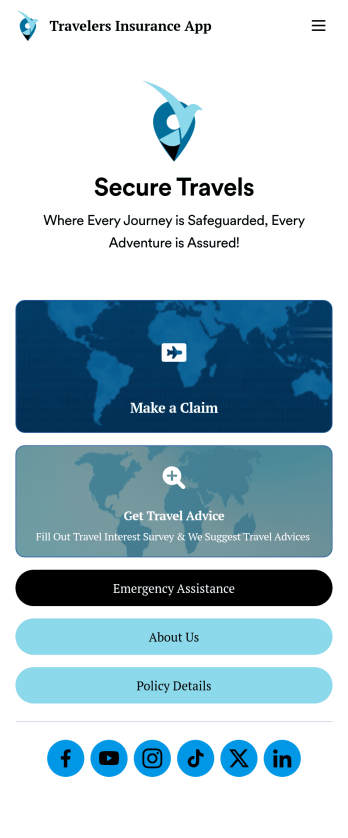
Travelers Insurance App
A travelers insurance app is used by travel insurance companies to provide information for and collect important information from their clients. With this ready-made Travelers Insurance App, your company can start collecting insurance claims from your clients in just a few clicks! Simply update the app design to perfectly match your needs, then share it to be used seamlessly on any device.Make changes to the design with Jotform’s drag-and-drop builder — no coding required. Add your company branding, include intake forms or other types of forms, and add resources for your clients to access. Once the design is ready to go, your custom Travelers Insurance App is easy to share on social media, via email, or to be downloaded for iOS and Android.
Go to Category:Finance Apps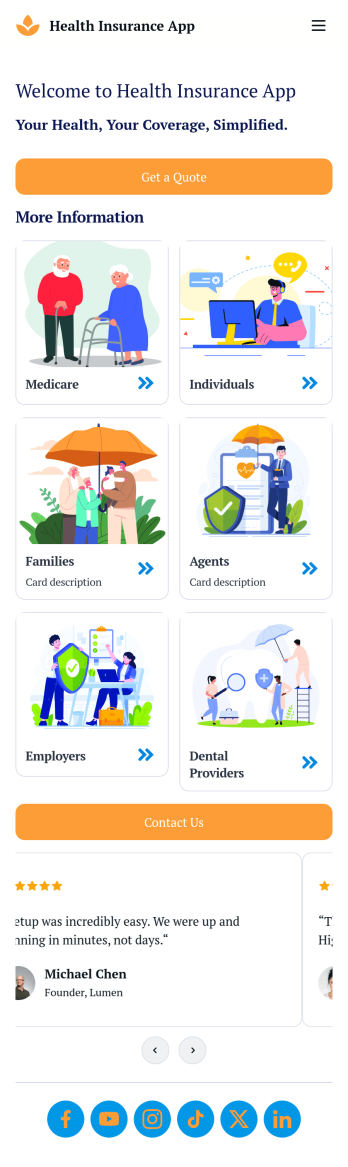
Health Insurance App
A Health Insurance App is a customizable no-code app template designed to streamline the management of health insurance services for providers and clients alike. With this app, insurance companies, agents, and brokers can offer a convenient platform for clients to explore coverage options, submit claims, schedule appointments, and access policy details — all in one place. Whether it’s facilitating faster claims processing or improving communication between providers and clients, this app simplifies complex processes, ensuring a seamless and user-friendly experience. It’s a great solution for professionals aiming to deliver exceptional service while staying ahead in the competitive health insurance industry.Creating your Health Insurance App with Jotform’s no-code app builder is simple, efficient, and fully customizable to your business needs. Leverage the drag-and-drop builder to add claims forms, payment integrations, e-signature fields, and secure document uploads. Engage clients with push notifications for updates on claims or policy renewals, and integrate features like scheduling tools to streamline consultations. Jotform’s app builder also allows you to create apps compatible with any device, making it easy for users to access your services on the go. Build a modern, branded app that saves time, boosts productivity, and enhances customer satisfaction.
Go to Category:Healthcare Apps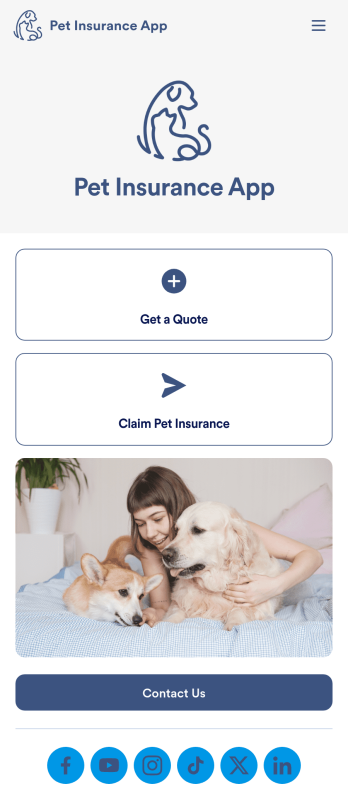
Pet Insurance App
A pet insurance app is a type of mobile application used by pet insurance companies as a centralized place to give insurance quotes, receive customer inquiries and questions, and sell pet insurance. With Jotform Apps, you can create your own professional Pet Insurance App for free. Get started with this template, customize it to your liking, and send it to your potential clients.Our drag-and-drop builder makes designing your app to fit your needs a breeze. Add or remove forms, change fonts and colors, select a unique app logo, and more. You can even integrate with 250+ useful platforms like payment processors and data management to take your pet insurance business even further. Start selling your pet insurance packages today with Jotform Apps.
Go to Category:Insurance Apps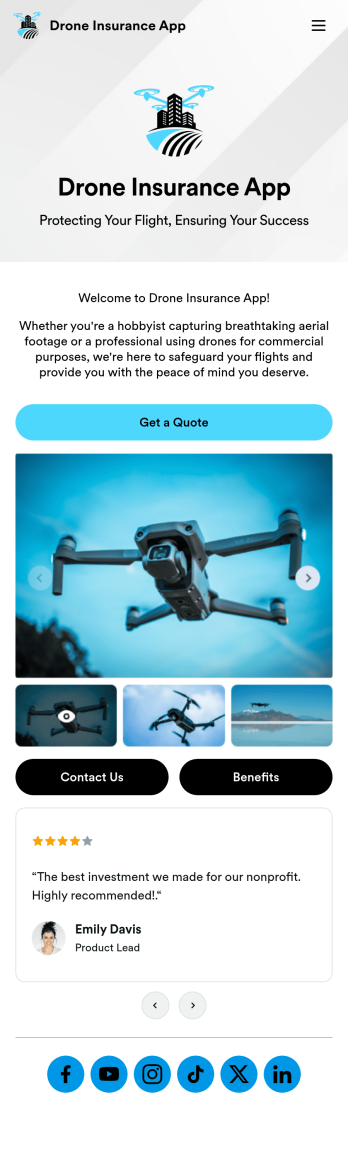
Drone Insurance App
A drone insurance app is used by insurance companies to centralize information about their insurance plans, send quotes, collect payments, and list insurance benefits. This type of app is mainly used by interested clients that own drones and need a fast and reliable way to get insurance. With Jotform Apps, you can create your own Drone Insurance App for free — no coding required.Personalizing the look and feel of this Drone Insurance App template is a breeze with our intuitive interface. Drag and drop to make changes to fonts, colors, app icons, and more. You can even integrate with 250+ platforms to send client data straight to your other accounts. Share your professional Drone Insurance App with your users today.
Go to Category:Online Service Apps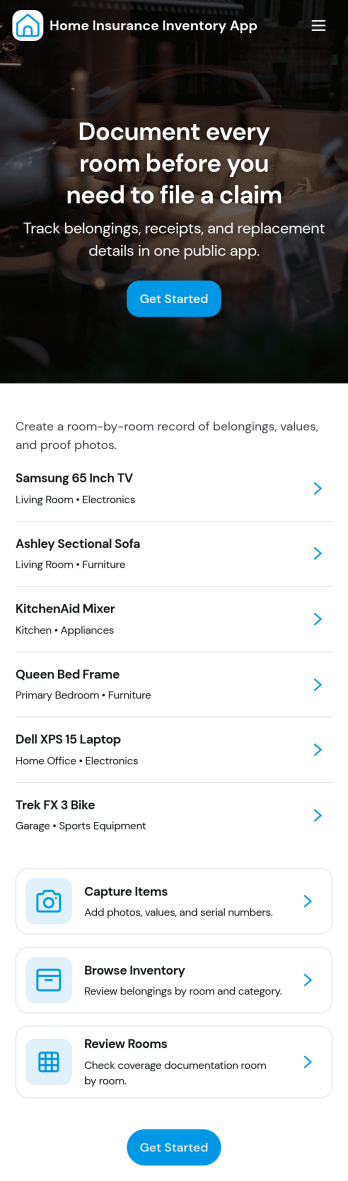
Home Insurance Inventory App
Home Insurance Inventory App helps homeowners and property managers document household belongings so they’re easier to reference during policy updates, moves, or claim situations. Use it to add items as you purchase them, browse your inventory by category or room, and keep a single place to review what you own when you need it most. With quick links to add an item and view inventory, it supports consistent recordkeeping without relying on scattered photos, notes, or spreadsheets.Jotform makes it simple to publish this kind of self-service experience using its no-code app builder and drag-and-drop interface. Connect buttons and pages to your inventory form, route entries into Jotform Tables, and keep everything organized for ongoing data collection. Share the app with a link so household members can contribute, then use connected views to revisit records anytime and keep your home inventory workflow up to date.
Go to Category:Insurance Apps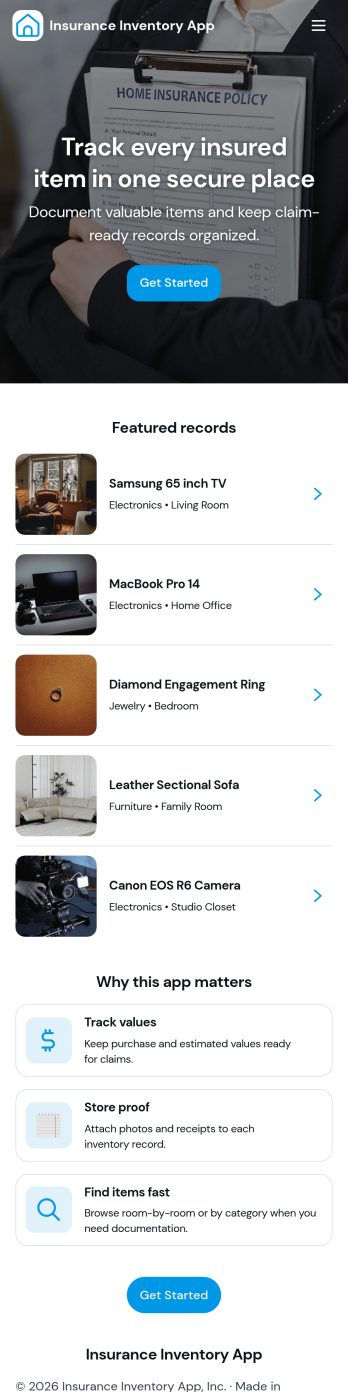
Insurance Inventory App
An insurance inventory app helps policyholders and teams keep a clear record of insured assets and the coverage tied to them, so it’s easier to prepare for losses and act quickly when something happens. This template brings assets, claims, and policies into one place with simple navigation, letting users browse an insured assets list, open an individual asset detail view, and review claim records without juggling spreadsheets or scattered files. It’s a practical fit for households documenting valuables, property managers tracking covered items across units, and small businesses that need a consistent way to organize insured equipment, tools, or office assets.With Jotform, you can turn this Insurance Inventory App into a branded self-service experience using a no-code app builder and a drag-and-drop interface. Connect the app to your workflows for data collection, route claim intake through the included submit claim form, and keep records organized in connected tables for faster follow-up. Share a single link or QR code so people can access the right pages, and update the app layout anytime as policies, assets, or processes change.
Go to Category:Insurance Apps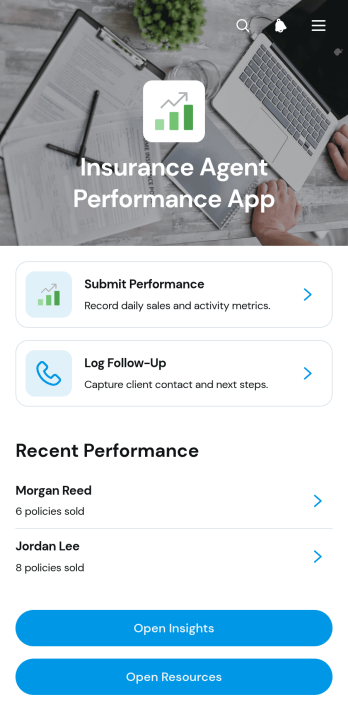
Insurance Agent Performance App
Insurance Agent Performance App gives insurance sales teams a central place to record agent activity, review results, and plan client follow-ups. Agents can submit performance updates, log follow-up details, and view records covering premium value, leads contacted, appointments set, review status, and performance notes. Agency managers, sales leaders, team supervisors, and independent insurance professionals can use this app template to replace scattered spreadsheets and disconnected updates with a consistent workflow. It supports daily activity reviews, coaching conversations, follow-up planning, and clearer visibility into individual progress without requiring teams to manage multiple tools.Jotform makes this App Template easy to adapt with a no-code app builder and an intuitive drag-and-drop interface. Teams can customize pages, cards, buttons, navigation, colors, and fonts to match their internal processes and visual identity. Connected forms support data collection, while records and resources remain organized in a mobile-friendly experience for convenient employee self-service. Share the finished app through a direct link or QR code, connect it with approvals and other workflows, and update its content as performance goals or reporting needs change.
Go to Category:Insurance Apps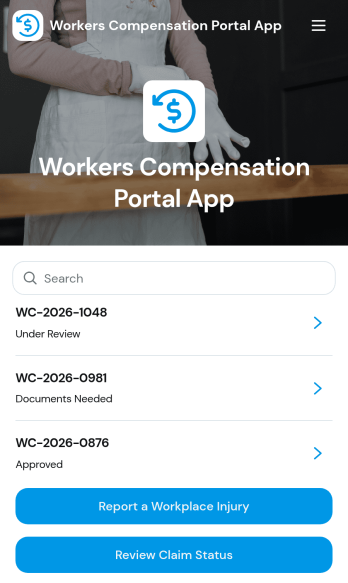
Workers Compensation Portal App
Workers Compensation Portal App gives employees and HR or safety teams a single place to report workplace injuries and follow a claim from first notice to updates. It supports faster incident reporting, clearer communication, and easier access to key claim details such as claim number, employer, injury type, work location, and assigned adjuster. Use it across offices, warehouses, job sites, and field teams when you need a dependable self-service path for injury reporting and a simple way for workers to check claim status without extra emails or phone calls.With Jotform, you can publish this app template quickly and tailor it to your process using a no-code app builder and a drag-and-drop interface. Link the app to forms for injury reporting and portal support, connect records for claim lookups and status review, and keep your workflow consistent from intake to follow-up. Share the portal by link or QR code so people can access it on any device, and update pages as your internal steps or contact points change.
Go to Category:Insurance Apps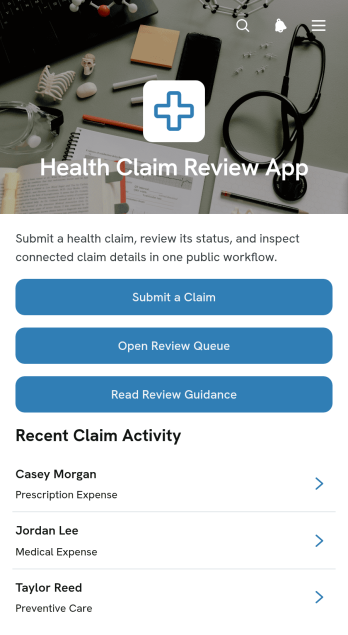
Health Claim Review App
The Health Claim Review App is a ready-to-use workspace for collecting health claims and guiding them through an organized internal review process. It suits insurance teams, benefits administrators, healthcare offices, and claims specialists who need one accessible place to receive claim details, open a review queue, consult review guidance, and manage connected records. By bringing intake and review resources together, the app helps reduce scattered files, gives reviewers clearer visibility into pending work, and supports more consistent handling from initial submission through follow-up. It can serve teams processing reimbursement requests, benefit claims, or other health-related claim records while offering claimants a straightforward submission route.Built with Jotform Apps, this app template can be adapted without coding to match an organization’s review workflow, terminology, and visual identity. Teams can use the drag-and-drop App Builder to update pages, buttons, instructions, and navigation, then connect forms and tables for coordinated data collection and record management. As one of Jotform’s customizable App Templates, it can also support self-service access, mobile-friendly browsing, direct-link sharing, and notifications tied to connected processes. Publish the finished app quickly and make future changes as claim procedures evolve.
Go to Category:Insurance Apps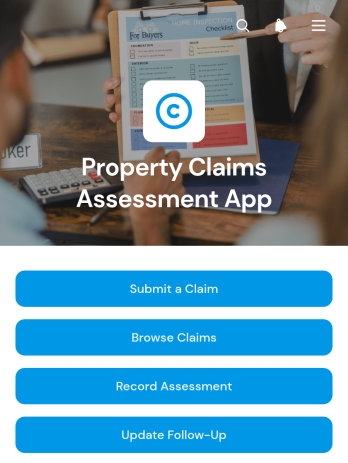
Property Claims Assessment App
Property Claims Assessment App is an app template for organizing property damage claims from initial reporting through assessment and follow-up. Insurance teams, claims adjusters, field assessors, property managers, and inspection service providers can use it to keep claim activity accessible in one place. Users can submit and browse claims, record assessment findings, and update follow-up status without relying on scattered documents or disconnected messages. Clear claim records make it easier to review property and incident details, understand estimated losses, document damage, and identify cases that still require action. The template supports office-based reviews as well as on-site assessments, helping teams maintain consistent records and clearer handoffs throughout the claims process.Jotform makes this Property Claims Assessment App easy to adapt with a no-code app builder and a flexible drag-and-drop interface. Teams can customize pages, navigation, colors, fonts, and branding while connecting forms, tables, approvals, notifications, and other workflow steps. The app can be shared through a direct link or QR code, giving authorized staff convenient mobile access during inspections and follow-up work. Ready-to-use App Templates reduce setup time while leaving room to shape data collection around internal procedures. With Jotform, organizations can create a practical self-service experience for claim intake and a centralized workspace for ongoing assessment activity.
Go to Category:Insurance Apps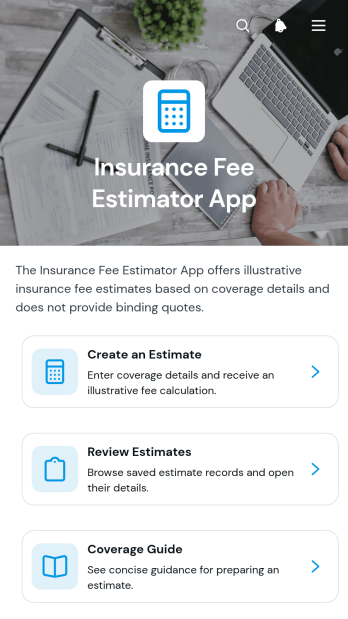
Insurance Fee Estimator App
The Insurance Fee Estimator App is a ready-to-use app template for insurance agencies, brokers, advisers, and customer service teams that want to help applicants explore preliminary insurance costs before receiving a formal quote. It brings estimate creation, saved-estimate review, and coverage guidance into one accessible experience. Using relevant applicant information, payment frequency, coverage amount, and risk level, the app presents an estimated monthly cost that can support early conversations and option comparisons. Teams can use it for lead qualification, client consultations, and customer self-service while reducing manual calculations and keeping educational resources close to the estimation process.Jotform makes it easy to adapt this template with a no-code app builder and a drag-and-drop interface. Teams can update the layout, branding, guidance, and navigation, then connect forms, tables, approvals, and workflows for data collection and follow-up. The app can be published through a direct link, shared by QR code, or embedded in an existing website. Among Jotform App Templates, this app template offers a flexible starting point for creating a polished estimation journey without programming knowledge.
Go to Category:Insurance Apps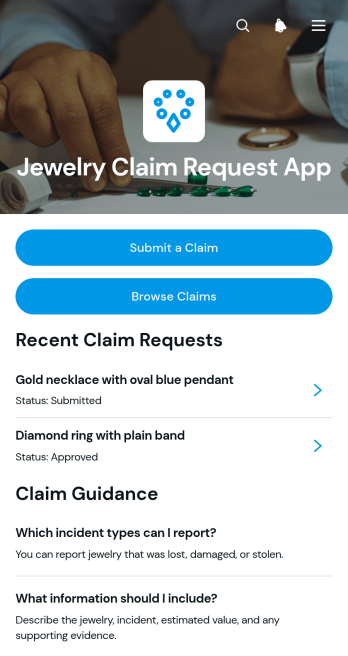
Jewelry Claim Request App
Jewelry Claim Request App provides a central place for customers to submit requests concerning lost, stolen, or damaged jewelry and follow their progress. It is well suited to insurers, jewelry protection providers, retailers, claims teams, and service administrators that need a clear intake experience. Claimants can submit a claim, browse existing requests, check submitted or under-review claims, and read guidance before providing information. Organized access to claimant details, estimated values, incident dates, and contact information helps staff review each request with relevant context. This app template reduces scattered communication, gives customers a convenient self-service channel, and helps teams maintain a more consistent claim workflow.Jotform makes it easy to adapt this App Template without writing code. Using the no-code app builder and its drag-and-drop interface, teams can update pages, branding, navigation, instructions, and connected forms to match their claim process. Submitted data can be organized with Jotform Tables and connected to notifications, approvals, and other workflows for easier follow-up. Publish the finished app through a direct link, personalized URL, or QR code so claimants and staff can access it from a phone, tablet, or computer. The result is a branded data collection and request-tracking experience that can evolve alongside operational needs.
Go to Category:Insurance Apps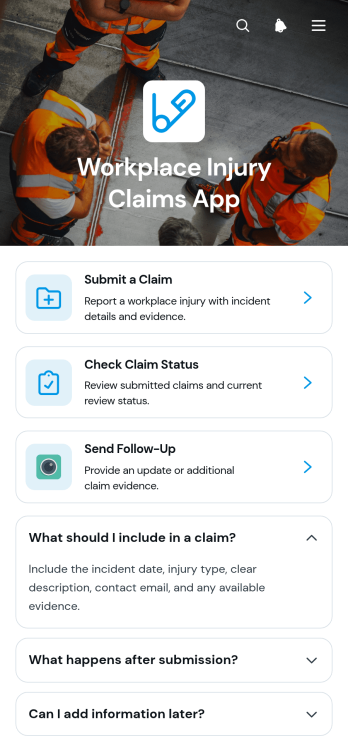
Workplace Injury Claims App
The Workplace Injury Claims App gives employees, supervisors, human resources teams, safety managers, and claims administrators a central place to report and review injury claims. Employees can submit a claim after an incident, check its current status, and send follow-up information without relying on scattered emails or paper documents. Claim summaries help authorized users view key incident details and supporting evidence in context. This app template is well suited to offices, warehouses, construction teams, hospitality businesses, field operations, and other workplaces that need a consistent process for receiving injury reports and keeping claimants informed.With Jotform, organizations can adapt this app template to their internal claim workflow without writing code. The drag-and-drop app builder makes it easy to update pages, adjust branding, add guidance, and connect forms or related processes. Collected information can support organized review, notifications, and collaboration while giving employees a convenient self-service experience. Publish the app with a direct link, share it through a QR code, or embed it in an existing resource center so staff can reach it from a phone, tablet, or computer.
Go to Category:Safety and Compliance Apps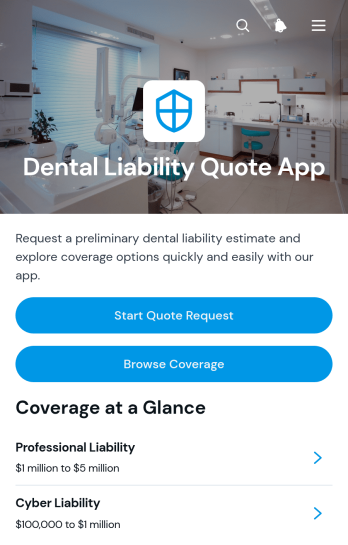
Dental Liability Quote App
The Dental Liability Quote App gives dentists, dental practice owners, insurance brokers, and agency teams a focused way to begin a professional liability insurance inquiry. Visitors can start a quote request, browse and compare coverage options, review summaries such as coverage types and typical limits, and prepare key information before sending their details. This app template suits independent practitioners, group practices, new practice owners, and insurance teams that want to replace scattered emails and unclear inquiry steps with a guided experience. It supports lead intake, helps prospective customers understand available choices, and gives staff more complete information for quote follow-up without suggesting that displayed details are final policy terms.With Jotform, teams can adapt the Dental Liability Quote App through a no-code app builder and drag-and-drop interface. Update the branding, wording, navigation, and coverage content, then connect the request form with tables, notifications, approvals, and other workflow steps. The app can be published through a direct link, shared with a QR code, or embedded into an existing website. As a ready-to-use choice among Jotform App Templates, it offers a practical starting point for mobile-friendly data collection and customer self-service while keeping quote inquiries and related resources in one accessible location.
Go to Category:Insurance AppsAbout Insurance Apps
Insurance Apps are mobile and web applications designed to streamline various processes within the insurance industry. These apps are utilized for diverse operational use cases, such as client data management, policy tracking, claims processing, and premium payment facilitation. Industries including health, auto, property, and life insurance regularly integrate these apps into their workflows to enhance customer interactions, improve data accuracy, and accelerate administrative procedures.
Jotform Apps, as a no-code app builder, provides a powerful and flexible platform for creating Insurance Apps. Leveraging Progressive Web App (PWA) technology, users can install these apps directly via a browser without the need for an App Store, making them accessible on iOS, Android, tablets, and desktops. Jotform Apps offer centralized data management through Jotform Tables, ensuring a seamless workflow that enhances operational efficiency and data integrity across multiple devices and platforms.
Why Use Insurance Apps?
- Insurance Apps offer a centralized platform for managing client information, reducing the likelihood of errors and ensuring that all data is up-to-date and accessible. This centralization makes it easier for insurance professionals to access the information they need quickly, leading to more efficient decision-making processes.
- These apps facilitate seamless communication between insurance agents, clients, and other stakeholders. By integrating features such as push notifications and email updates, Insurance Apps allow for real-time communication, ensuring that all parties are informed of policy changes, renewals, or claims status.
- By incorporating payment integrations like Stripe, PayPal, and Square, Insurance Apps streamline the process of premium collection and policy payments. This not only simplifies the transaction process for customers but also ensures timely payments for the insurance company, improving cash flow management.
- With the ability to operate offline, Insurance Apps ensure that agents can access and input critical data even in areas with limited connectivity. This offline capability is crucial for field agents who need to collect data or manage claims in remote locations.
- Insurance Apps support workflow automation, which reduces the burden of repetitive tasks such as data entry and policy updates. This automation allows insurance professionals to focus on more strategic activities that require human insight, thereby increasing productivity and job satisfaction.
Common Problems Solved by Insurance Apps
- A common challenge in the insurance industry is managing vast amounts of client data while maintaining accuracy and accessibility. Insurance Apps solve this problem by providing a centralized database that can be easily updated and accessed by authorized users, reducing errors and streamlining operations.
- Communication gaps between insurance providers and clients can lead to misunderstandings and delays in service delivery. Insurance Apps bridge these gaps by offering real-time communication features, ensuring that clients receive timely updates and responses to their inquiries.
- Collecting payments from clients can often be cumbersome and fraught with delays. Through integrated payment solutions offered by Insurance Apps, this process is simplified, allowing for secure, quick, and efficient transactions that improve customer satisfaction and company revenue.
- Insurance agents frequently face the challenge of limited access to necessary information while on the field. With offline capabilities, Insurance Apps enable agents to access and input data even without an active internet connection, thus maintaining productivity in various work environments.
- Workflow inefficiencies can hinder the service speed and quality that insurance companies provide. Insurance Apps address this issue by automating routine tasks, allowing agents to focus on client engagement and complex problem-solving, thereby enhancing overall service delivery.
Matching Use Cases to Features
- For insurance companies aiming to enhance customer engagement, the Drag-and-Drop Interface allows for the easy customization of app layouts, creating a user-friendly experience that caters to specific client needs.
- Utilizing the Store Builder feature, insurance companies can offer clients a seamless policy purchasing experience, showcasing different insurance products and allowing clients to make informed decisions quickly.
- Push Notifications are invaluable for keeping clients informed about policy renewals, upcoming payments, or claim status updates, ensuring they never miss critical information.
- Payment Integrations with services like Stripe and PayPal facilitate hassle-free premium payments directly through the app, which streamlines financial transactions and improves customer satisfaction.
- With Publish Options set to Public, Private, or Company-only, insurance providers can control who accesses their apps, ensuring security and relevance in the dissemination of information.
- Sharing Methods such as Direct Link and QR Code make it easy for insurance agents to distribute the app to clients or team members, expanding its reach and usability without technical barriers.
- Workflow Automation within Jotform Apps helps insurance companies reduce manual data entry and processing errors, leading to faster and more reliable service delivery.
How to Create an Insurance App
- Choose a category-relevant template from the Template List or start from scratch.
- Customize using the Drag-and-Drop Interface to tailor the app to your specific needs and branding.
- Share via Link, QR Code, or Embed to distribute the app to users efficiently and effectively.
Top Use Cases for Insurance Apps
- For Managers: Insurance Apps provide managers with a comprehensive overview of all operations within their team. With centralized data management and automated workflows, managers can easily track performance metrics, policy sales, and client interactions. This visibility allows them to make informed decisions quickly, addressing any issues that arise and optimizing team performance for better outcomes.
- For Teams: Insurance teams benefit from the streamlined communication and data access provided by Insurance Apps. By facilitating real-time updates and seamless collaboration, these apps enhance the efficiency and coordination of team efforts. This leads to improved service delivery, as team members can quickly address client inquiries and process claims without unnecessary delays or miscommunications.
- For Customers: Customers enjoy a more convenient and engaging experience with Insurance Apps, which offer easy access to policy details, payment options, and claims processing. Through user-friendly interfaces and integrated payment solutions, clients can manage their insurance needs effortlessly, leading to higher satisfaction and loyalty. Additionally, real-time updates keep customers informed, fostering trust and transparency.
Summarizing Insurance Apps
Insurance Apps offer significant business value by enhancing operational efficiency, improving communication, and simplifying data management within the insurance industry. By leveraging features like payment integrations, offline capabilities, and workflow automation, these apps support a wide range of use cases that benefit managers, teams, and customers alike. Jotform's no-code app builder empowers users to create customizable and accessible apps that meet the unique needs of their insurance operations, ultimately driving better business outcomes.
Frequently Asked Questions
1) Is it free to create and use Insurance apps on Jotform?
Yes, Jotform offers a Starter plan that allows you to create and use Insurance apps for free. This plan includes access to essential features and supports basic usage, making it an ideal starting point for individuals and small businesses. As your needs grow, you can explore Jotform's paid plans for additional features and higher usage limits.
2) Are the data and payments collected through the app secure?
Jotform ensures that all data and payments collected through its apps are secure and comply with industry-standard security practices. The platform uses SSL encryption to protect data in transit and offers GDPR compliance to safeguard user privacy. Payment integrations with Stripe, PayPal, and other services are also secured, ensuring safe financial transactions.
3) Do I need any coding skills to create an Insurance Apps with Jotform?
No, you do not need any coding skills to create an Insurance app with Jotform. The platform's no-code app builder features a user-friendly Drag-and-Drop Interface, allowing you to customize and design your app without writing a single line of code. This accessibility makes it easy for anyone to create professional-grade apps tailored to their specific needs.
4) Can I collect payments for services directly through the app?
Yes, you can collect payments for services directly through the app using Jotform's integrated payment solutions. Options like Stripe and PayPal are available, enabling you to set up secure and efficient payment processes within your app. This capability simplifies the transaction workflow for both your business and your customers.
5) Does Jotform support offline data collection for Insurance apps?
Yes, Jotform supports offline data collection for Insurance apps through its Mobile Forms feature. This allows users to access and input data even when they are not connected to the internet. Once the connection is restored, the app automatically syncs the data, ensuring that all information is up-to-date.
6) Are Jotform Apps compatible with both iOS and Android devices?
Jotform Apps are fully compatible with both iOS and Android devices, thanks to their Progressive Web App (PWA) technology. This cross-platform compatibility ensures that users can access and use the apps on any device, whether it be a smartphone, tablet, or desktop, without the need for downloading from an App Store.
7) How can Insurance Apps help reduce manual data entry errors?
Insurance Apps significantly reduce manual data entry errors by automating data collection and processing tasks. With centralized data management and integration capabilities, these apps ensure that information is accurately captured and easily accessible, minimizing the need for repetitive manual entry and reducing the risk of human error.
8) What role do Insurance Apps play in enhancing customer service?
Insurance Apps enhance customer service by providing clients with easy access to their policy information, payment options, and claims processing. With features like real-time updates and seamless communication, these apps improve transparency and responsiveness, leading to increased customer satisfaction and loyalty.