

Ticket Selling Apps

Custom Online Cinema App
An online cinema app is used by movie theaters to allow customers to purchase tickets and watch movie trailers from any smartphone, tablet, or desktop computer. Jotform’s Online Cinema App is the perfect way to create an all-in-one app for processing online ticket sales ahead of time to gauge audience attendance numbers. Ticket sales are instantly stored in your secure Jotform app for ease of use.Make this app template your own with Jotform’s intuitive app builder. No coding knowledge is required—just drag and drop to add or change form elements, choose fonts and colors, upload your branding, attach movie posters, and more. Jotform’s List Element feature lets you connect Tables and add actions, making it easy to organize data and manage your app’s flow. You can also choose from 30+ of Jotform’s popular payment gateways to process tickets directly from your app. When you’re finished, share your app by posting the app link on your website or social media, or generate a QR code to affix to the outside of your theater. Create a custom theater portal and start selling movie tickets online with this free Online Cinema App that works on any device.
Go to Category:Booking Apps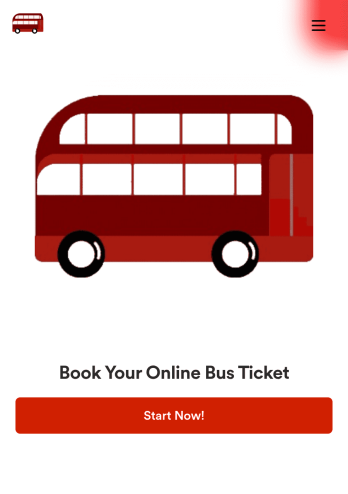
Bus Ticket Booking App
With a Bus Ticket Booking App, users can book buses to reach the destination in an easy, secure and faster way. An online bus ticket booking app allows customers to book bus tickets from any smartphone, tablet, or desktop computer. Need to know how to sell bus tickets online? Customers can create reservations online by filling out a form with their destination, departure date, and general contact information. They can also cancel their tickets through your app using a unique order number or ID found on their original ticket. Bus reservations are instantly synced and stored in your secure Jotform account, which you can fiter, search, and sort from your dashboard.Want to make changes to this app template? Jotform’s app builder makes it easy to create a fully custom app with just a few clicks. Simply drag and drop to add form elements, choose fonts and colors, upload your bus company’s branding, integrate payment gateways for taking online payments, and much more — all without any coding. Share your custom app with customers by embedding a link in your website or social media, or by generating a unique QR code to affix to the outside of your bus station. Give your customers an easy way to book ahead with this Online Bus Ticket Booking App from Jotform.
Go to Category:Online Store Apps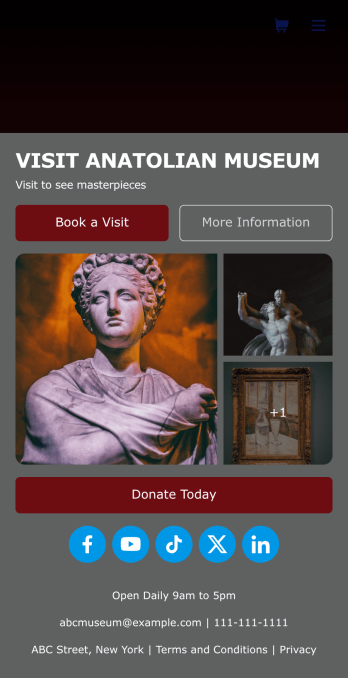
Museum App
A museum app makes it easier for visitors or members to book visits, submit donations, and more. Whether you manage a natural history museum, science center, or art gallery, make a mobile app for your museum with Jotform’s free Museum App. This customizable app template includes a homepage with a booking form and donation form, as well as menu pages containing exhibit details and FAQs. Visitors can easily download the app onto their computer or mobile device, so they can schedule their visits, pay for tickets, give donations, and submit feedback no matter where they are.Customize this Museum App for your museum or gallery in just a few clicks. With Jotform’s drag-and-drop builder, you won’t need to do any coding to add or remove forms, update text and images, upload logos, and include other app elements such as links, documents, or tables. Once your app is ready to use, share it on your museum website or social media accounts for visitors to save onto their own devices. With a fully-custom Museum App, you’ll make it easier for visitors to plan their next visit, helping to increase museum attendance!
Go to Category:Booking Apps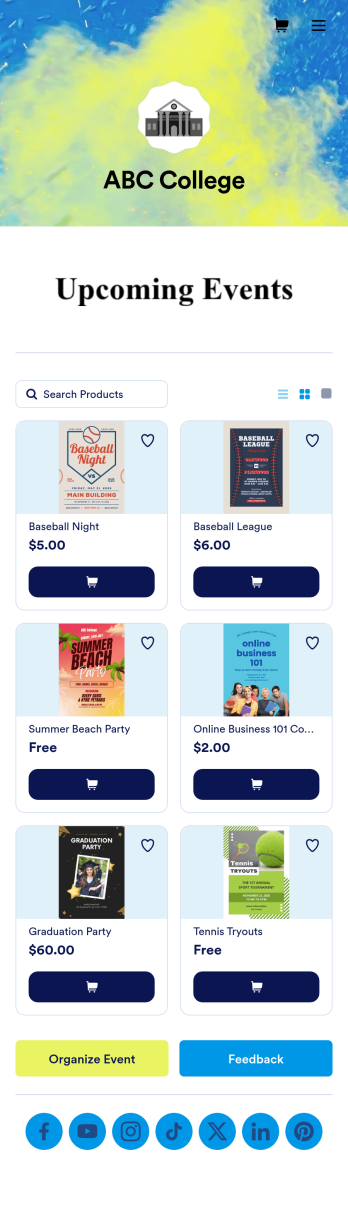
Custom College Events App
A college events app connects students to university events from any device. No matter what school you plan events for, let students know what’s coming soon with Jotform’s free College Events App. This customizable app template includes event posters, guest registration forms, and links to social media accounts that students can access from their smartphone, tablet, laptop, or computer. All submitted responses will be instantly synced to your secure Jotform account to be viewed or approved by you and other event staff.Make this College Events App stand out by using our drag-and-drop builder to customize it for your school. Without coding, you can add or remove forms, upload promotional images and videos, include tables and links, create buttons and pages, change the color scheme and fonts, and update the app name and icon to better represent your school. When it’s ready, your app can be shared on social media, your school website, or via the app link. Inform and excite students about upcoming events — and boost school pride — with a custom College Events App for your school!
Go to Category:Booking Apps
Community Membership App
A community membership app allows community members to connect to each other from any device. Build your own Community Membership App without any coding with our free template. It includes a membership application form and a list of qualifications that can be accessed from any smartphone, tablet, or desktop computer. Submitted applications will be received instantly and stored in your secure Jotform account, ready to view, share, and approve.Make this Community Membership App your own by customizing it with our drag-and-drop builder. You can easily add more forms, upload logos, change the qualifications, embed links to other resources, and update the app name, icon, and splash page. Share your app by adding the link in your website, posting it on social media accounts, or sending it directly to interested applicants. Keep your community connected with an easy-to-use Community Membership App that works on the go.
Go to Category:Booking Apps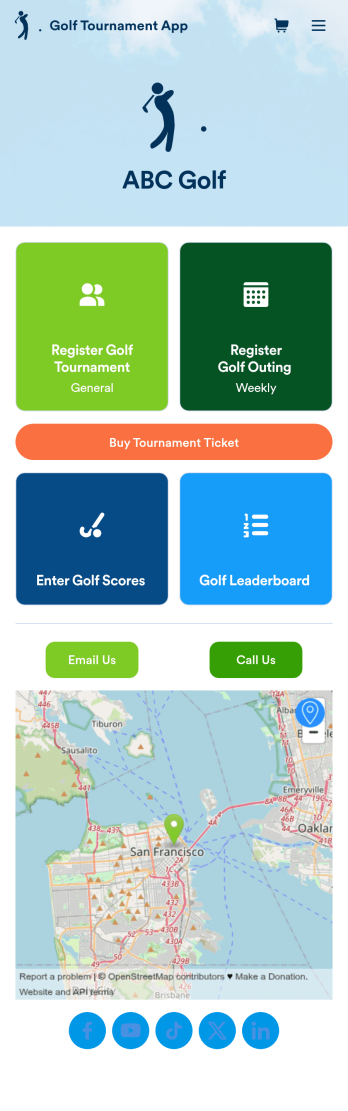
Golf Tournament App
A golf tournament app is used by tournament organizers to register guests, enter scores, and track leaderboards from any device. No matter what type of golf tournament you’re running, get started with Jotform’s free Golf Tournament App! This customizable template includes a player registration form, golf score entry form, leaderboard table, interactive map, and contact buttons that players, viewers, and organizers can access on any mobile device or computer. Form entries will be synced to your Jotform account for secure record-keeping.Customize this Golf Tournament App for your events with our drag-and-drop builder. No coding necessary — in just a couple of clicks, you can add or remove forms and tables, embed links, upload documents, images, or videos, or include as many other app elements as needed. When it’s tournament time, share the app by posting the link on your website or social accounts, or send email invites directly to players, judges, and guests. Go above par with a professional and fully custom Golf Tournament App for your next competition!
Go to Category:Sports Apps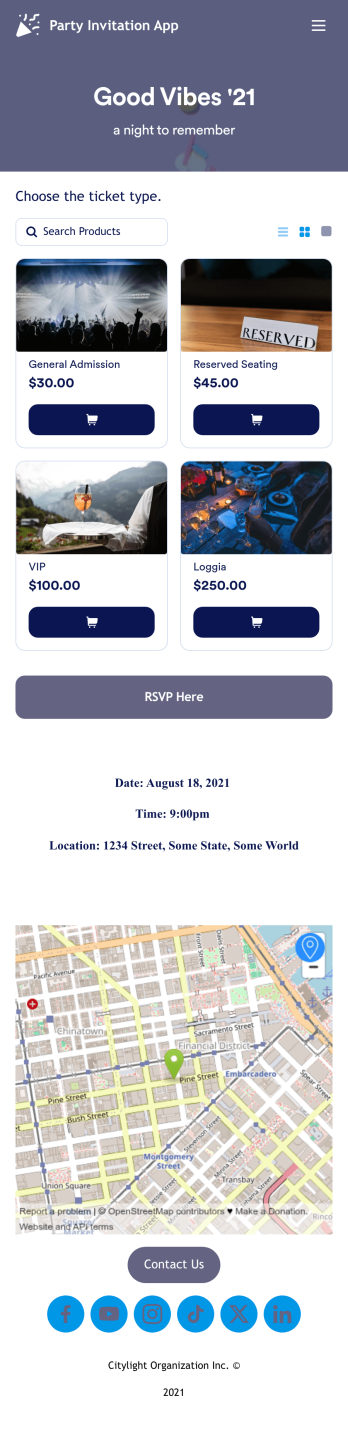
Party Invitation App
Get guests excited for your next event with a free Party Invitation App! By creating an app for attendees to download on their mobile devices, you can collect RSVPs, sell party tickets online, share information, and easily stay in touch with your party guests. Just customize the app design to match your party and share it with others to save to their computer, tablet, or smartphone.Update the RSVP form, change the app icon or background, and include party details in a few clicks. With our drag-and-drop app builder, you won’t need any coding knowledge to know how to sell party tickets online and create the perfect app design. You can then share your app with a link or invite guests via email so they can download it instantly. Become a pro party planner with the help of a free Party Invitation App from Jotform.
Go to Category:Entertainment Apps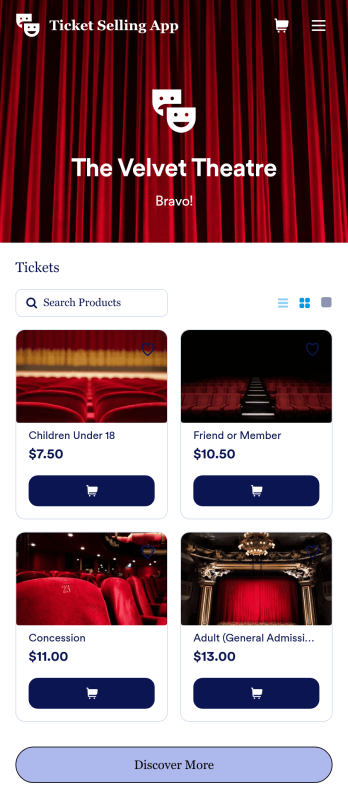
Customizable Ticket Selling App
Discover the best way to sell tickets online with a free Ticket Selling App from Jotform. Whether you’re selling tickets for a raffle, concert, play, or other type of event, you can create an online store to list your tickets, pricing levels, descriptions of your events, photos, and more. Once you’ve customized your app to your liking, you can share it as a downloadable app for iOS and Android, or embed it in your website to be used in any internet browser.Want to make this Ticket Selling App your own? Drag and drop to change the store design by uploading your logo, choosing a new app icon or background, or selecting new fonts or colors. All ticket orders through the app are stored securely in your Jotform account, so you can keep track of them in a powerful online platform. Stop accepting ticket orders over the phone or via email and do it more efficiently with a Ticket Selling App.
Go to Category:Online Store Apps
Customizable Beauty Contest App
Manage all your future beauty contests from one easy to use space with Jotform’s free Beauty Contest App. Both management and contestants can utilize your app for viewing and submitting applications as well as sending and receiving contest information. Set up payment forms, send schedules out, and more – all from one centralized place. All contestant submissions and payments will be kept in your Jotform account so all judges and managers can access the data from any device.Make your app as unique as your contestants with our free drag-and-drop app builder. Change up the fonts and colors, upload your own app image, change your layout, and more – no coding knowledge required. You can even integrate with hundreds of widgets and payment processors to make your next beauty contest a breeze. Embed your app’s link in your website or send a direct download link via email or a QR code. Everyone’s a winner with Jotform’s free Beauty Contest App.
Go to Category:Entertainment Apps
Festival App
A festival app is used to give festival attendees a way to buy tickets, view the festival lineup, see a venue map, and more. Using this free Festival App from Jotform, you can give your festival goers a downloadable mobile app where they can access all the information they need! Simply update the template to include details relevant to your festival and share it for download on iOS and Android.Make changes to this app with our drag-and-drop builder. Add your lineup and performance times, upload photos, and integrate with a form payment processor to sell tickets while paying no extra transaction fees to Jotform. Once your app is good to go, you can share it via email or add it to your social media bio to be downloaded onto any device.
Go to Category:Entertainment Apps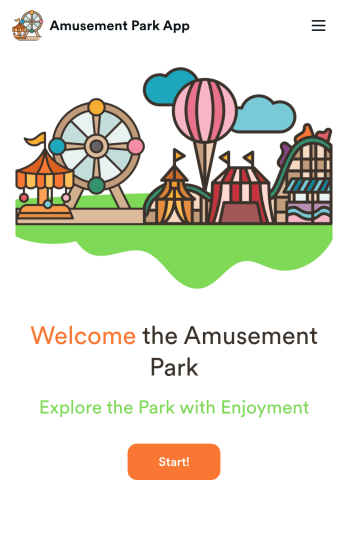
Amusement Park App
Need an efficient way to sell tickets and keep track of your amusement park guests and all their questions? Try out our free Amusement Park App from Jotform today. With this custom app, you can keep track of ticket orders, manage feedback, and set up an FAQ page for those visiting for the first time. Any responses from guests will be stored in your Jotform account – creating an easy all in one place to manage information. Want to make your app as fun as your amusement park? Try using our easy, no-code drag-and-drop builder to spice up the look and feel of your app. Choose a new logo to upload or pick a cool app icon and background image to encourage people to visit. Guests can access your app quickly via direct message, email, or even through a scannable QR code. Fun for everyone is just around the corner with Jotform’s free and easy Amusement Park App.
Go to Category:Entertainment Apps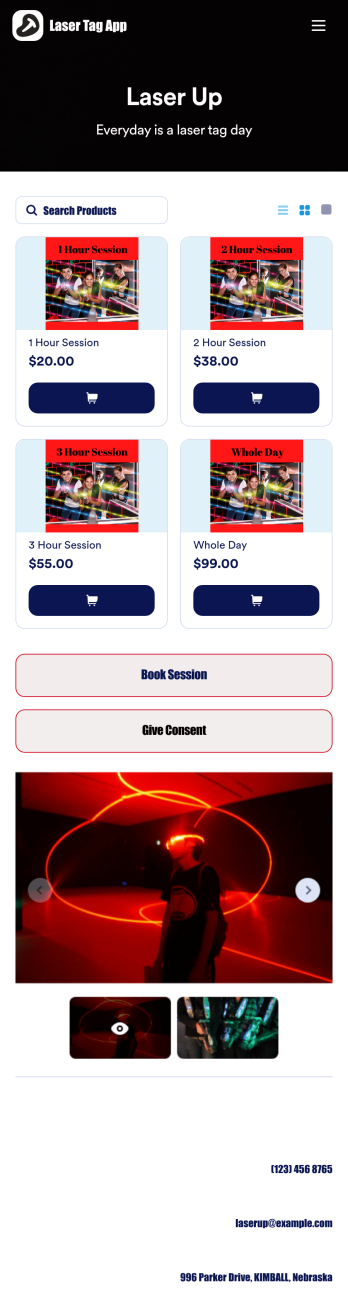
Laser Tag App
A laser tag app allows guests to book games and events at your laser tag location. Wondering how to sell laser tag tickets online? Create a mobile app for your laser tag location with our free Laser Tag App. Guests can open your app from any smartphone, tablet, or computer and fill out your laser tag online booking form and laser tag consent form with ease. You’ll receive instant notifications for each form submission, which will be stored in your easily-accessible and secure Jotform account.Customize this Laser Tag App for your business without any technical coding. All you have to do is drag and drop to add or remove forms, upload your branding, and change the app name and icon to represent your laser tag location. When you’re happy with your app design, share the app link on your website for customers to open and download onto their own devices. Zap away the stress of online bookings and sell laser tag tickets online with an efficient Laser Tag App for your business.
Go to Category:Booking Apps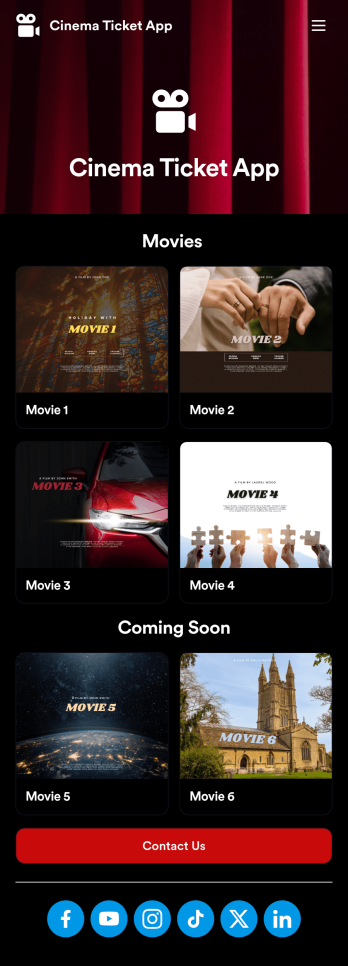
Cinema Ticket App
A cinema ticket app is a type of mobile application used by cinemas and movie theaters to sell tickets to customers. List your running movies, collect ticket payments, display available snacks and drinks, and more. If you’re looking for an easy way to sell movie tickets, use this ready-made Cinema Ticket App from Jotform Apps — no coding or additional fees required.Want to customize the look of this Cinema Ticket App? No problem. Use our drag and drop app builder to make any changes to the design or content of your app. Add or remove app elements, integrate with 200+ platforms, change fonts and colors, choose a unique app icon, and more. Make your cinema experience as enjoyable as possible with this free app from Jotform.
Go to Category:Entertainment Apps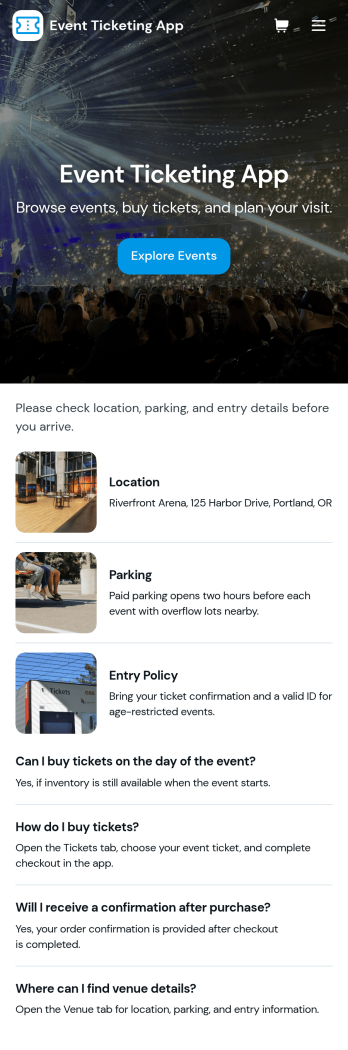
Event Ticketing App
Event Ticketing App helps event organizers sell tickets online while giving attendees an easy way to browse events, view featured options, and complete ticket checkout from one place. Use it for concerts, community festivals, theater performances, workshops, school events, and fundraisers where you want a clear path from discovery to purchase. The app structure supports a simple flow that matches real event behavior, explore what’s on, open an event to read details, then select tickets and check out, with an option to request seating help when needed.Built with Jotform, this app template can be tailored with a no-code app builder and a drag-and-drop interface, so you can update event listings, change featured events, and adjust the checkout experience without involving developers. Connect the app to Jotform forms and tables to support data collection for seating assistance and to track ticket-related requests through views like My Requests and All Requests. Publish a self-service experience you can share by link or QR code, and keep your ticketing workflow organized as events and demand change.
Go to Category:Ticket Selling Apps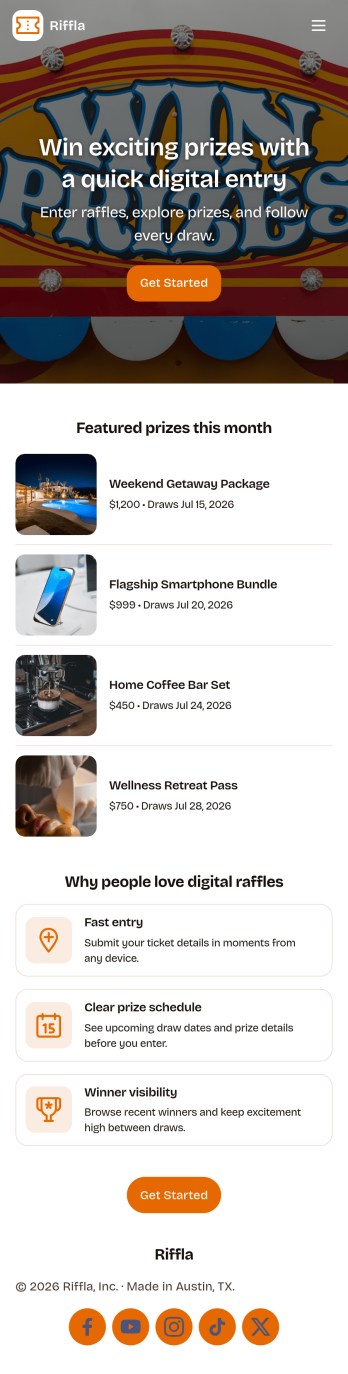
Digital Raffle App
Digital Raffle App helps you run a raffle online by giving participants a simple place to enter the raffle and browse tickets, while organizers keep the experience clear and easy to follow. It’s a strong fit for nonprofits, schools, community groups, and event teams that need a digital option for fundraising nights, giveaways, or seasonal campaigns. With built-in navigation for tickets and prizes, you can reduce confusion about what’s available, keep entries organized, and make it easier for people to participate from any device.Jotform makes it easy to build and publish app templates like this using a no-code app builder with a drag-and-drop interface. Connect your app to forms for data collection, route updates through a workflow, and keep everything in one self-service experience you can share with a link or QR code. Customize pages, branding, and content so your Digital Raffle App matches your event and stays consistent from entry to ticket browsing and prize viewing.
Go to Category:Event Planner Apps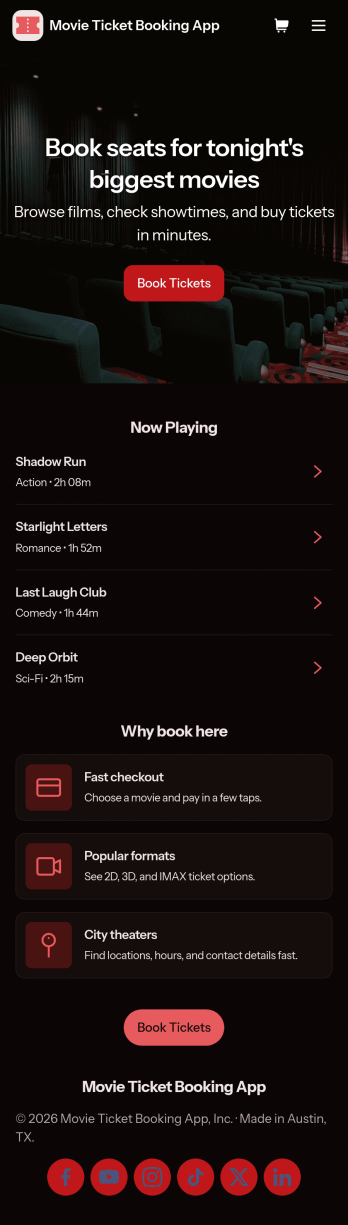
Movie Ticket Booking App
Movie Ticket Booking App gives cinemas, indie theaters, and event organizers a simple way to let audiences browse what’s playing, reserve seats, and keep track of purchases in one place. With dedicated paths to browse movies, book tickets, and view tickets, it fits teams that want to reduce walk-up lines, centralize booking details, and provide a clear self-service experience for guests across showtimes and venues.Jotform makes it easy to launch and tailor this app template with a no-code app builder and a drag-and-drop interface. Connect your booking form to the app, route entries into a workflow you can manage, and keep data collection organized as reservations come in. Share your Jotform app through a link or QR code, update listings quickly, and collaborate with staff so customers always see the latest movie options and booking access.
Go to Category:Booking Apps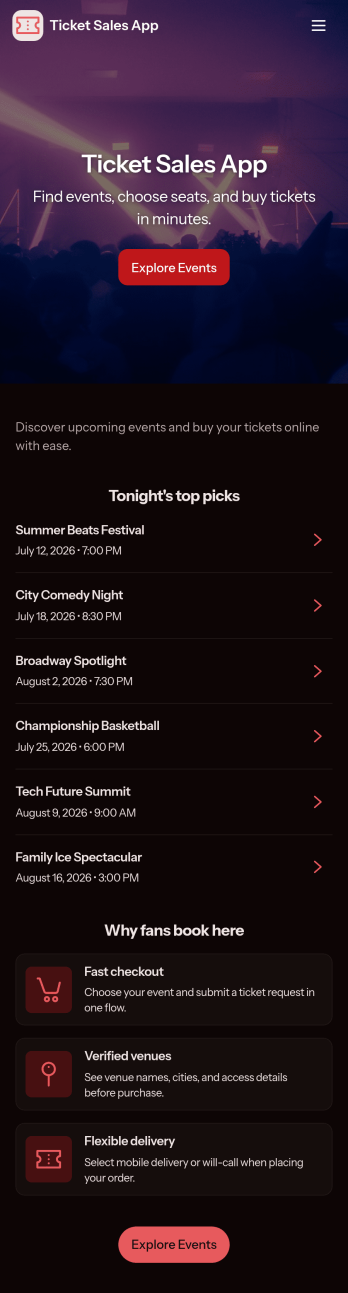
Ticket Sales App
Ticket Sales App helps event organizers and venues publish upcoming events, guide attendees to event details, and collect ticket purchases in one place. Visitors can browse an event list, open an event page to review key information like the venue, then move to a ticket-buying screen to select what they need and check out. It’s a practical fit for concerts, community events, workshops, school performances, pop-ups, and any organizer that wants a simple way to present events and sell tickets without juggling multiple links.Jotform makes it easy to tailor this app template to your brand and process using a no-code app builder with a drag-and-drop interface. Connect your ticket order flow to your forms and data collection, keep event info organized, and give attendees a self-service experience they can access from a single link. You can also route questions to a dedicated support page, so customers know where to go before and after they purchase.
Go to Category:Ticket Selling Apps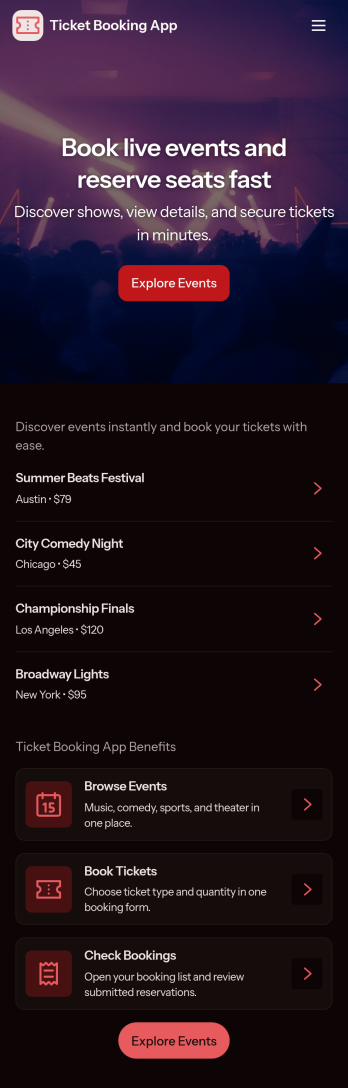
Ticket Booking App
Ticket Booking App helps event organizers and venues publish events, let attendees browse what’s available, and collect ticket reservation requests in one place. With pages for browsing events, viewing event details, and a dedicated area for My Bookings and booking requests, it’s easy to guide people from discovery to reserving tickets without confusion. Use it for concerts, workshops, community events, pop-ups, school functions, and any recurring or one-off gathering where you want a simple, trackable booking flow.Jotform makes it easy to turn this experience into a polished, mobile-friendly destination using App Templates and a no-code app builder with a drag-and-drop interface. Connect the app to your forms for data collection, keep booking requests organized, and update event information fast as schedules change. Share your Jotform app with a link or QR code so guests can reserve tickets and check their bookings from anywhere, while your team stays aligned with a clear workflow behind the scenes.
Go to Category:Booking Apps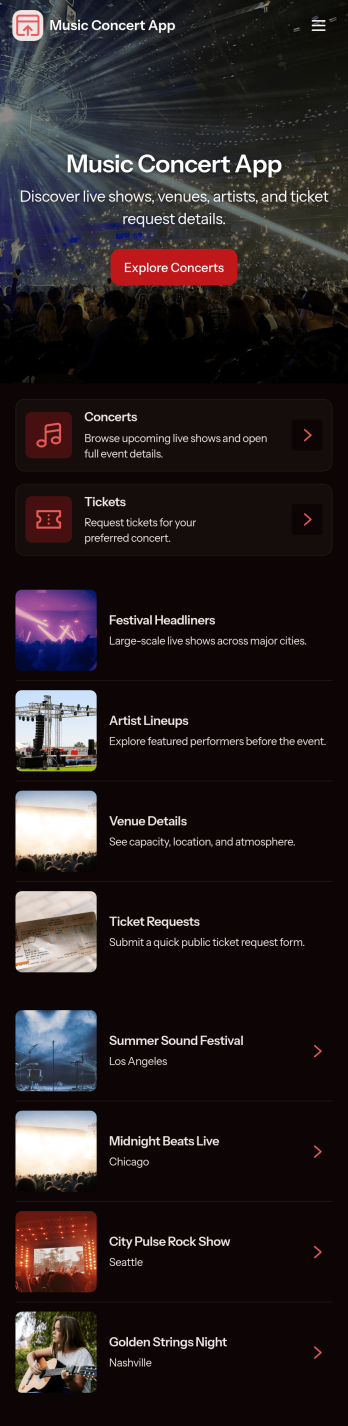
Music Concert App
Music Concert App brings upcoming shows into one place so fans can browse concerts, view key details, and quickly navigate to booking. It’s a practical fit for concert promoters, venues, artist teams, and event coordinators who want a simple, mobile-friendly way to showcase a lineup and guide attendees from discovery to reservation without relying on scattered posts or long email threads. With dedicated pages for exploring concerts and a clear path to book tickets, the app helps reduce missed inquiries, improves the attendee experience, and keeps event information easy to find and share.Built with Jotform App Templates, this app template is easy to tailor using Jotform’s no-code app builder and drag-and-drop interface. Connect the app to your booking form to support consistent data collection, route information to the right workflow, and keep your concert list and booking history organized. Share your Music Concert App with a link or QR code, update content anytime, and deliver a polished self-service experience for your audience.
Go to Category:Entertainment Apps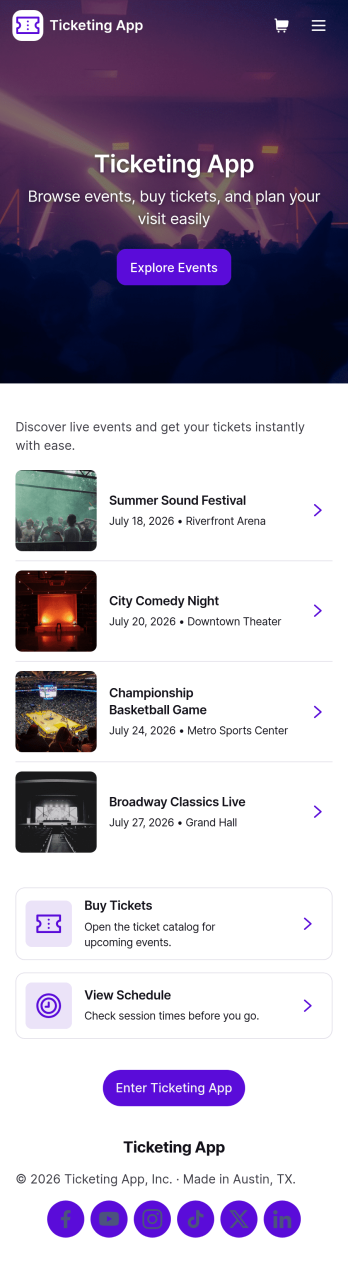
Ticketing App
Ticketing App helps event organizers and venues sell tickets online and give attendees a simple place to find events, book tickets, and review purchases. Use it to highlight upcoming events in one browsable list, guide visitors into the ticket booking form, and reduce support questions by offering a clear help path. It’s a practical fit for concerts, workshops, community fundraisers, school performances, tours, and pop-up experiences where you need a clean, mobile-friendly way to move people from discovery to purchase and then to order lookup.With Jotform, you can turn this app template into a branded ticketing experience without coding. Customize pages with a drag-and-drop interface, connect the booking button to your existing forms for data collection, and keep ticket requests and order details organized for your workflow. Share the app with a link or QR code, update event information fast, and create a smoother self-service experience for attendees from browsing to order follow-up.
Go to Category:Ticket Selling Apps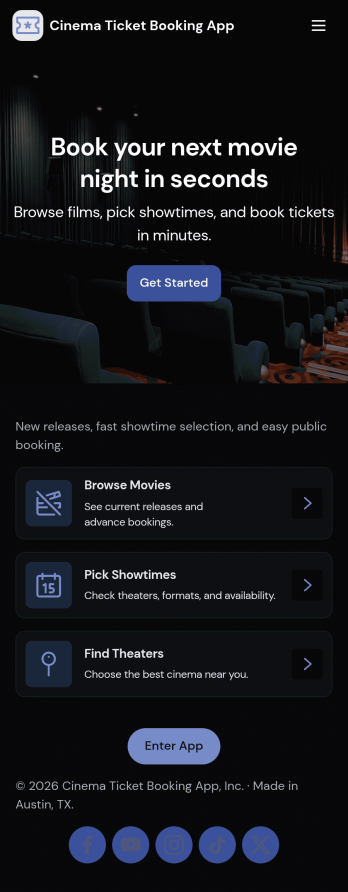
Cinema Ticket Booking App
Cinema Ticket Booking App brings movie discovery and ticket requests into one easy, mobile-friendly experience. Visitors can browse available movies, check showtimes, and send a ticket request without hunting through separate pages or channels. It’s a great fit for independent cinemas, pop-up screenings, campus film series, and community theaters that want a simple way to guide guests from browsing to booking while keeping choices clear and organized.Jotform makes it simple to turn this experience into a polished self-service app with a no-code app builder and a drag-and-drop interface. Customize pages, buttons, and visuals to match your venue, then connect your ticket request form to your workflow so responses are collected consistently and can be tracked over time. Share your Jotform app with a link or QR code so guests can access show information and manage their booking requests from anywhere.
Go to Category:Booking Apps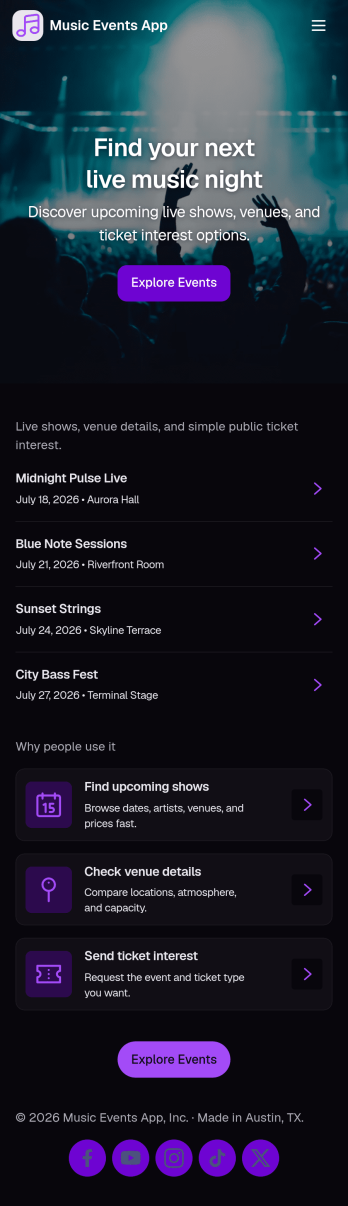
Music Events App
Music Events App helps you present upcoming shows in a clean, mobile-friendly experience where fans can browse event listings, open event details, and quickly request tickets. It’s a practical fit for venues, promoters, festivals, campus event teams, and independent organizers who need a single place to share what’s happening next, highlight when and where each show takes place, and guide people to a simple ticket request step without confusion.With Jotform App Templates, you can publish this experience fast and tailor it to your brand using Jotform’s no-code app builder and drag-and-drop interface. Connect your event list to Jotform Tables for easier updates, link buttons to your ticket request form for consistent data collection, and keep the workflow organized as your schedule changes. Share the app with a link or QR code so attendees can self-service event info and ticket requests from anywhere.
Go to Category:Entertainment Apps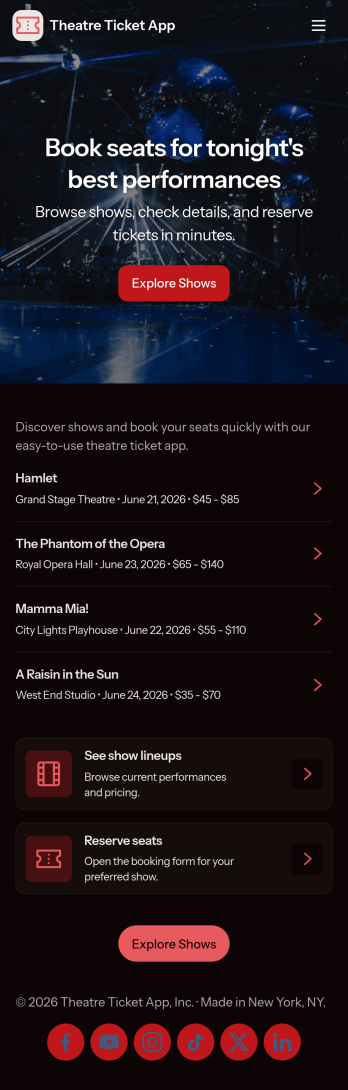
Theatre Ticket App
Theatre Ticket App brings your show listings and ticket sales into one simple, mobile-friendly place so audiences can explore what’s on and purchase seats in minutes. Visitors can browse shows from a central list, open show details, then move to a dedicated ticket-buying area with products and a connected order form. It’s a practical fit for theaters, community playhouses, touring productions, and venue managers who want a clear path from discovery to checkout without sending patrons across multiple pages.Jotform makes it easy to create and publish app templates like this with a no-code app builder and a drag-and-drop interface. Customize pages, cards, buttons, and visuals to match your brand, then connect your app to forms and tables for reliable data collection and smoother workflow steps. Share your Jotform app with a link or QR code so customers can self-service from any device while your team keeps information and sales organized.
Go to Category:Ticket Selling Apps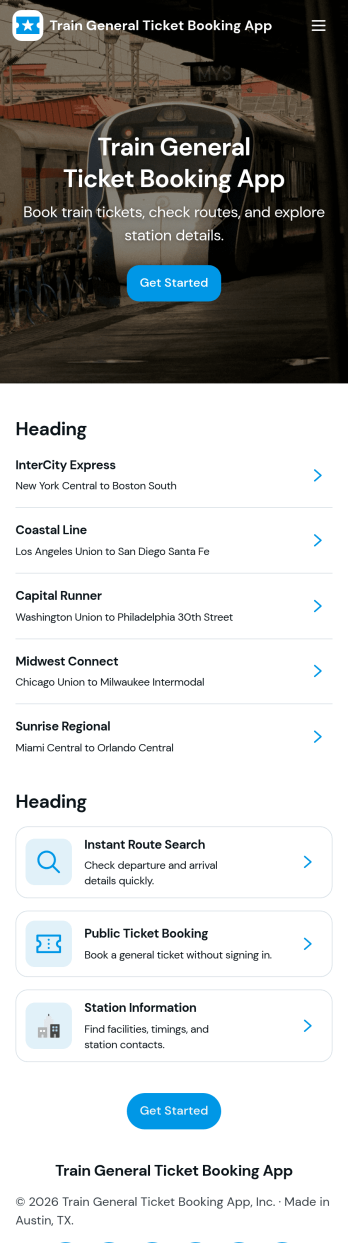
Train General Ticket Booking App
Train General Ticket Booking App brings train ticket booking into one simple, guided experience for passengers and operators who need a clear way to browse options and reserve seats. Visitors can browse trains, check routes, and move into booking when they’re ready, making it useful for rail services, transit teams, tour operators, and travel desks that handle frequent inquiries. It also supports repeat riders by keeping booked ticket details easy to find, helping reduce missed information and manual follow-ups.Built with Jotform, this app template can be tailored with a no-code app builder and a drag-and-drop interface, so you can quickly adjust pages, navigation, and the booking flow. Connect the experience to Jotform forms and data collection to capture passenger details and booking requests in an organized workflow. Share the app through a link or QR code to offer self-service access on mobile, and keep updates centralized for staff and customers.
Go to Category:Transportation AppsAbout Ticket Selling Apps
In today's digital age, Ticket Selling Apps have revolutionized the way organizations manage event ticketing, enhancing both operational efficiency and customer experience. These apps are designed to address the complex needs of ticket sales, from live events and concerts to conferences and workshops. Whether you're in the entertainment industry, hospitality, or corporate event planning, these apps streamline the entire ticketing process, enabling businesses to engage customers through seamless mobile and web interactions, while simplifying backend operations like inventory management and sales tracking.
Jotform Apps stands out as a premier no-code app builder in the Ticket Selling category, leveraging Progressive Web App (PWA) technology to offer a versatile solution that installs directly via the browser. This eliminates the need for downloads from the App Store, ensuring compatibility across iOS, Android, tablets, and desktops. With centralized data management through Jotform Tables, businesses can effortlessly handle vast amounts of ticketing data, ensuring that workflows are not just efficient but also secure and organized. This functionality is particularly beneficial for event organizers who need to access real-time data and analytics to enhance decision-making and customer satisfaction.
Why Use Ticket Selling Apps?
- Ticket Selling Apps provide a streamlined approach to managing ticket sales, eliminating the need for manual processes and reducing errors associated with traditional methods. This efficiency translates into increased sales and customer satisfaction, as potential attendees experience a smoother transaction process.
- With the capability to handle high volumes of transactions, these apps ensure scalability for events of any size. Whether hosting a small workshop or a large concert, businesses can confidently manage ticket distribution without the risk of overbooking or technical glitches.
- Through Jotform Apps, event organizers can leverage powerful features such as push notifications to keep attendees informed about event updates, changes, or promotions. This proactive communication fosters a better relationship with customers and enhances the overall event experience.
- The integration of payment gateways like Stripe, PayPal, and Square allows businesses to offer secure and diverse payment options, catering to a wide range of customer preferences and ensuring a seamless checkout experience.
- By using the Publish Options, businesses can control who accesses their ticket selling app, tailoring its availability to the public, specific companies, or private groups. This flexibility is crucial for events that require exclusivity or limited access.
Common Problems Solved by Ticket Selling Apps
- One of the primary challenges in ticket sales is managing inventory and preventing overselling, which can lead to dissatisfied customers and financial losses. Ticket Selling Apps address this by offering real-time visibility into ticket availability, ensuring accurate sales tracking and customer satisfaction.
- Traditional ticketing methods often result in delayed customer service responses due to manual data entry and retrieval. With these apps, all information is centralized and easily accessible, enabling quick response times and improved customer support.
- Data security is a significant concern for organizations handling sensitive customer information. Ticket Selling Apps ensure compliance with data protection regulations, providing encrypted transactions and secure data storage to protect both the company and its customers.
- Marketing and promotion efforts can be fragmented and inefficient without proper tools. These apps enable targeted marketing campaigns through features like push notifications and social media sharing, helping businesses reach a broader audience effectively.
- Coordinating ticket sales across multiple platforms can be cumbersome and error-prone. Ticket Selling Apps integrate seamlessly with various sales channels, ensuring consistent and accurate data across all platforms and simplifying the management process.
Matching Use Cases to Features
- For event organizers looking to attract a global audience, the Publish Options feature allows them to set their app as public, making it easily accessible via direct links and social media. This broadens their reach and increases event visibility.
- Businesses aiming to offer a direct purchasing experience can integrate Payment Integrations such as Stripe and PayPal into their app, allowing customers to complete transactions without leaving the platform, which enhances convenience and reduces cart abandonment rates.
- The Drag-and-Drop Interface is ideal for users who need to customize their ticket selling app without technical expertise. This feature enables quick modifications to app layouts and functionalities, ensuring that unique business needs are met efficiently.
- Offline Mode, available through Mobile Forms, is a critical feature for events where internet connectivity may be unreliable. It ensures that ticket sales and data collection can continue uninterrupted, safeguarding against potential sales losses.
- Push Notifications serve as a powerful tool for engaging attendees with timely updates about events, special offers, or last-minute changes. This keeps the audience informed and maintains high levels of engagement.
- For organizations requiring a branded ticket purchasing experience, the Store Builder feature allows for the creation of a fully customized storefront within the app. This not only enhances brand identity but also provides a consistent user experience.
- Centralized Data through Jotform Tables allows for seamless data management, enabling businesses to track sales, monitor inventory, and analyze customer data from a single platform, thereby improving strategic decision-making.
How to Create a Ticket Selling App
- Choose a category-relevant template from the Template List or start from scratch.
- Customize using the Drag-and-Drop Interface to tailor the app to specific business needs.
- Share via Link, QR Code, or Embed to distribute the app efficiently across desired channels.
Top Use Cases for Ticket Selling Apps
- For Managers: Ticket Selling Apps empower managers to oversee the entire ticketing process from a single, intuitive platform. They can track sales in real-time, manage inventory, and gain insights into customer behavior, which aids in making informed strategic decisions. The app's centralized data feature streamlines operations, allowing managers to focus on improving event quality and maximizing revenue.
- For Teams: Teams benefit from the collaborative features of Ticket Selling Apps, which facilitate seamless communication and coordination. With shared access to up-to-date sales data and customer information, team members can work more efficiently to ensure successful event execution. Integrated workflow automation further reduces manual tasks, enabling teams to concentrate on customer service and engagement.
- For Customers: Customers enjoy a hassle-free purchasing experience with Ticket Selling Apps, thanks to user-friendly interfaces and secure payment options. The ability to receive instant updates via push notifications keeps them informed about event details and special promotions. This level of service enhances their overall experience, encouraging repeat business and positive word-of-mouth referrals.
Summarizing Ticket Selling Apps
Ticket Selling Apps are an indispensable asset for businesses looking to streamline their event management processes. By leveraging Jotform's no-code app builder, organizations can create customized, user-friendly apps that enhance both operational efficiency and customer satisfaction. The integration of advanced features such as payment gateways, centralized data management, and real-time notifications ensures a comprehensive solution for all ticketing needs. As a result, businesses can focus on delivering unforgettable events while enjoying increased sales and customer loyalty.
Frequently Asked Questions
1) Is it free to create and use Ticket Selling apps on Jotform?
Yes, Jotform offers a Starter plan that allows users to create and use Ticket Selling apps free of charge. This plan provides access to essential features, enabling small businesses and individuals to efficiently manage ticket sales without incurring upfront costs. While the Starter plan is a great introduction to Jotform's capabilities, organizations with more complex needs can opt for paid plans that offer additional features and higher submission limits.
2) Are the data and payments collected through the app secure?
Absolutely, Jotform prioritizes the security of your data and transactions. All data collected through Ticket Selling apps is protected by high-level encryption, ensuring it remains confidential and secure. Additionally, Jotform complies with GDPR regulations, providing peace of mind that your business is operating within legal standards. Payments processed via integrated gateways like Stripe and PayPal are also secured with industry-standard security protocols.
3) Do I need any coding skills to create a Ticket Selling app with Jotform?
No coding skills are required to create a Ticket Selling app with Jotform. The platform's intuitive Drag-and-Drop Interface allows users to build and customize their apps effortlessly. This user-friendly design ensures that even those with no technical background can create professional-grade apps tailored to their specific business needs.
4) Can I collect payments for services directly through the app?
Yes, you can collect payments directly through your Ticket Selling app using integrated payment gateways such as Stripe and PayPal. These integrations provide a seamless and secure payment processing experience, allowing customers to complete their transactions quickly and easily. This functionality not only enhances customer convenience but also reduces the likelihood of abandoned carts and missed sales opportunities.
5) Does Jotform support offline data collection for Ticket Selling apps?
Indeed, Jotform supports offline data collection, ensuring that your ticket sales can continue even without an internet connection. This is particularly beneficial for events held in locations with unreliable connectivity. Offline Mode, available through Mobile Forms, allows you to capture and store data, which automatically syncs with your app once a connection is reestablished, ensuring no data is lost.
6) Are Jotform Apps compatible with both iOS and Android devices?
Yes, Jotform Apps are compatible with both iOS and Android devices, thanks to their Progressive Web App (PWA) technology. This means users can install and access the app directly from their web browsers, eliminating the need for downloads from the App Store or Google Play. The app's cross-device compatibility ensures a consistent user experience across smartphones, tablets, and desktops.
7) How do Ticket Selling Apps handle high-volume ticket sales during peak times?
Ticket Selling Apps are designed to efficiently manage high volumes of sales, especially during peak times such as event launches. The apps utilize robust backend systems that ensure transactions are processed smoothly, preventing server overload and minimizing downtime. This capability ensures that your customers have a seamless purchasing experience, even during high-demand periods.
8) Can I customize the branding of my Ticket Selling App?
Yes, Jotform allows you to fully customize the branding of your Ticket Selling App. With the Store Builder feature, you can incorporate your company's logo, color scheme, and other brand elements to create a cohesive and recognizable brand presence. This customization enhances brand identity and ensures that your app aligns with your overall marketing strategy, providing a professional and consistent experience for your customers.