
Whether you’re creating a course registration form, asking for customer feedback, or quizzing students on the latest lesson, an online form builder makes tasks more manageable. You can gather information from multiple people simultaneously and quickly organize and analyze the data to glean insights and make decisions.
Choosing the right form builder is important, so let’s compare two leading options, Jotform vs Microsoft Forms, to determine which is right for you.
 Jotform |  Microsoft Forms | |
|---|---|---|
| Best for | Advanced features, deep customization, complex workflows, and extensive third-party integrations. | Quick surveys, quizzes, and basic data collection within the Microsoft 365 ecosystem. Ideal for internal teams and educators using Office apps. |
| User experience | Features an intuitive, drag-and-drop interface for ease of use and a simple setup for integrations. Easy for beginners and more advanced applications. | Simple, clean, and straightforward interface, making it very easy for beginners to quickly create forms. |
| Design & customization | Offers vast customization options, including themes, CSS, widgets, and over 20,000 templates. Also includes e-signatures and advanced branding options. | Limited to simple themes, colors, and a smaller template library. Focuses on simplicity and functionality over complex aesthetics. |
| Automation & logic | Advanced automation supports complex conditional logic, workflow automation (including approvals), and powerful features such as PDF generation and offline forms. | Offers simple branching logic suitable for straightforward surveys and quizzes. Workflow automation is primarily handled through Power Automate. |
| AI features | Offers an AI Form Builder, AI-powered chat features for respondents, and integrations with third-party AI tools. | Offers an AI form generator, AI quiz maker, and smart recommendations for design. |
| Platform support (ecosystem fit) | Extensive integrations with over 150+ third-party apps, including payment gateways, CRMs, marketing, and communication tools. | Seamless and native integration with the Microsoft 365 ecosystem |
| Pricing | Starter plan: Free (feature-limited), Bronze plan: $34/month, Silver plan: $39/month, Gold plan: $99/month, Enterprise plan: Custom pricing | Free plan: For Microsoft account holders. Up to 400 forms and 50,000 responses, Microsoft 365 Personal Plan: $99.95/year, Microsoft 365 Family: $129.99/year, Microsoft 365 Premium: $199.99 per year |
| Try It Now | Learn More |
Who should use Jotform, and who should use Microsoft Forms?
Choose Jotform if: you need features such as deep customization, payments, e-sign, complex logic and approvals, branded PDFs, or advanced reporting.
Jotform is an optimized solution for a broad range of needs, from larger businesses to solopreneurs, nonprofits to local organizations. It offers powerful, customized data collection tools and excels where forms need to become sophisticated business applications, offering deep customization with CSS and widgets.
Choose Microsoft Forms if: you want quick polls or quizzes, lightweight surveys inside the Microsoft 365 ecosystem, and basic branching.
Microsoft Forms is best suited to internal users of companies or organizations who primarily use the Microsoft 365 ecosystem. The platform is ideal for deploying quick polls, simple surveys, and quizzes without needing advanced customization or complex integrations outside of the Microsoft environment. Since it is often included at no extra cost with a Microsoft 365 license, its main benefit lies in its accessibility and low learning curve for existing users.
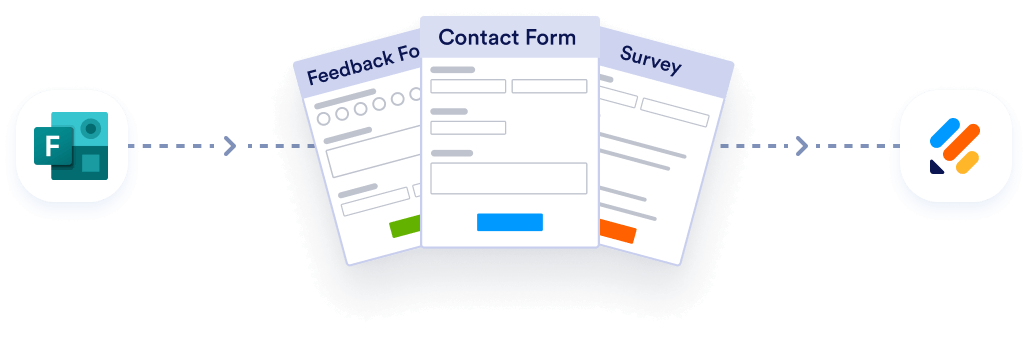
Migrate existing forms instantly
There’s no need to rebuild your online forms from scratch. Instead, migrate existing forms and submission data into your Jotform account in one click — so you can collect data without skipping a beat.
Your form can not be migrated.
Please ensure that your form URL is correct and that your form is set to “public” before attempting to migrate it again.
What is Jotform?
Jotform is a form builder with a comprehensive feature set. The software allows you to create forms, surveys, quizzes, and other online data-gathering tools, as well as accept payments, generate reports, and automate workflows associated with data collection and analysis. Jotform is used by businesses in all industries, from healthcare to technology to the education sector.
One of the key advantages of using Jotform is that it comes with tens of thousands of templates to speed up the form-creation process. Each template is fully customizable down to the details, including fonts, styles, and colors, so you can tailor any type of form to match your requirements. Jotform has an easy-to-use drag-and-drop interface that allows you to build sophisticated forms with features like conditional logic, without any coding knowledge.
Jotform supports real-time collaboration among teams or coworkers for quick and efficient resolutions. The platform also offers a file-upload field, so respondents can upload images, documents, or other files.
To make the processes of collecting and sharing information even easier, Jotform can send email notifications every time a form is filled out. Plus, it allows you to convert a form into a PDF for worry-free sharing.
Pro Tip
Learn more about the best Microsoft Forms alternative to compare Jotform and Microsoft forms to pick the best fit for your organization.
Products and services
Jotform’s products and services include:
- Forms. The no-code environment and 20,000+ templates make it easy to quickly create forms and efficiently collect data. Features such as mobile-friendliness and the ability to accept payments help streamline the user experience.
- Surveys. From the Classic format (all questions on one page) to the card format (one question per page), along with drag-and-drop customization and conditional logic, surveys are easy to create. Simplified formats increase response rates, while the Survey Analysis Tool helps distill useful insights.
- Quizzes. Features like automatic grading upon completion (using the Quiz Maker), customizable question formats, and custom conditional logic for personalized question paths make for a streamlined experience. Educators and trainers can save hours of time on grading while creating engaging, interactive quizzes.
- Apps. The no-code drag-and-drop app builder includes over 800+ app templates, the ability to embed forms, e-signature, documents, and payment gateways. Organizations can bundle multiple forms, links, and elements into a single, shareable, and branded mobile app.
- Tables. The spreadsheet-database hybrid platform includes multiple views for data (Card, Calendar, Reports), formula and calculation capabilities, search and filter options, and revision history. Businesses get an all-in-one workspace to organize, manage, and analyze form submission data, collaborate with teammates, and easily access data.
- Reports. Report Builder automatically generates reports from form data and can create visual reports (like charts and graphs) or standard reports (like CSV and Excel), all with one-click PDF conversion. Businesses and organizations can produce customized, polished reports and eliminate manual data entry through embedded reports with automated updates.
- Workflows. The workflow features include an intuitive drag-and-drop Workflow Builder, conditional logic for smart workflows, automated group and individual approvals, progress tracking, and integration with third-party applications. Organizations benefit from streamlined, automated decision-making and clear task tracking.
- Documents. Convert existing forms and data into customizable PDF documents, and store documents in a central repository. The PDF Editor can automatically create polished documents, keeping them organized and accessible.
- E-sign. Jotform Sign is a tool for gathering electronic signatures, customizable roles, and automated document sharing and tracking via the Jotform Sign Inbox. This convenient and secure system can replace paper documents, maintain a traceable process, and save money on printing and shipping costs.
Standout features
Here are some of Jotform’s standout features:
Artificial intelligence
Jotform integrates cutting-edge AI to greatly reduce form creation time and maximize data utility. The AI Form Builder allows users to instantly generate complex forms simply by typing a descriptive prompt or uploading an existing document (like a PDF or contract). This quickly provides a structured, usable form draft.
Beyond initial creation, AI functionality in Jotform allows users to:
- Refine questions to optimize the form for better response rates and clarity with AI suggestions.
- Summarize responses and quickly extract key insights.
- Identify trends and understand sentiment from large volumes of data
AI is one area where Jotform fundamentally differs from Microsoft Forms in terms of scope, utility, and user focus. Jotform’s AI has a broad scope for more complex forms, including prompts from texts and document uploads. Microsoft Forms has a limited scope, based on text prompts for simple forms.
Integration
Jotform is built for connectivity. It offers a vast range of connectors that integrate seamlessly with your tech stack. This includes direct, native integrations with essential tools like leading CRM systems (Salesforce, HubSpot), spreadsheets (Google Sheets), cloud storage (Google Drive, Dropbox), and chat platforms (Slack, Microsoft Teams).
Unlike platforms limited to one ecosystem, Jotform ensures data flows exactly where it’s needed. Jotform also offers flexible embed and publish options, allowing forms to be easily integrated into any website (WordPress, Shopify, etc.), social media, or dedicated mobile app.
Payments & e-signature
Users can easily configure forms to take one-time payments, manage recurring subscriptions, or collect donations using one of over 40 trusted payment processors (Stripe, PayPal, Square, and more).
On the e-signature side, Jotform Sign allows users to collect and track electronic signatures from customers and clients. This seamless integration eliminates the need for separate tools for customer-facing transactions and contract signing.
Logic & automation
Jotform’s automation features enable users to build sophisticated, highly efficient workflows. Conditional branching directs users through personalized form paths based on their answers, while multi-page flows break up long forms to improve completion rates.
The powerful Jotform Workflows tool enables organizations to design and automate multi-step business processes from a single, visual canvas. These can be set up in minutes with no coding necessary. Users can streamline approvals, assign tasks, and trigger actions based on form data.
Beyond the form itself, Jotform Workflows automate email notifications and follow-ups. Using autoresponder notifications and logic-based alerts helps teams ensure timely and consistent communication with customers and internal teams. Through comprehensive logic, manual tasks are reduced, and business process reliability is increased.
Customer service
Jotform is known for quick, helpful customer support via a few key channels:
- 24/7 email support
- AI chatbot support
- Help Center, for self-service through a large library of articles and tutorials
- Jotform Academy, for extensive training options
Pricing
Jotform has five pricing tiers: Starter, Bronze, Silver, Gold, and Enterprise. The Starter level is free and comes with extensive features, although it limits the usage on these as compared to paid plans. Each paid plan level moving up allows more usage and adds more key features. For example, look for HIPAA-compliance features in the Gold and Enterprise plans, which aren’t available at lower tiers.
- Starter: Free
- Bronze: $34/month
- Silver: $39/month
- Gold: $99/month
- Enterprise: Custom pricing
What is Microsoft Forms?
Available free as part of the Office 365 suite and other Microsoft accounts, Microsoft Forms is another web-based form builder. It comes with several templates you can use as a starting point and allows you to integrate forms into some Microsoft applications, such as SharePoint and Teams. It’s also easy to export form data into Microsoft Excel so you can fully analyze the data to make business decisions.
One of the key features of Microsoft Forms is branching, a logic-enabled tool that allows form users to view only the questions relevant to them through automatic skipping or switching of questions.
A drawback to consider is the level of customization Microsoft Forms offers. In Jotform, it is easy to customize every aspect of a template; Microsoft Forms has certain limitations, including limited question types compared to advanced builders.
Products and services
Microsoft Forms products and services include:
- Forms, polls, and quizzes. Create quickly with simple drag-and-drop, basic branching logic, support for various question types (text, rating, choice), and automated grading for quizzes. Rapidly enable simple data collection tools, ideal for internal feedback and fast decision-making.
- Tight Microsoft 365 embedding. Includes seamless, native integration with Microsoft 365 apps such as SharePoint, Teams, and Excel. This provides a secure, centralized environment for data collection that works well for organizations that are Microsoft 365-based.
Standout features
Here are some of Microsoft Forms’ standout features:
Artificial intelligence
Microsoft Forms primarily uses AI for quick setup and basic refinement. Its AI capabilities are focused on form generation based on simple, text-based prompts and offering helpful suggestions for question types, layout, and image placement to enhance visual appeal. In the context of quizzes, the AI helps automate the creation of answer keys.
Microsoft Forms’ AI is limited in scope and does not offer the advanced features seen in other leading form builders. Instead, the AI is designed for speed and simplicity within the Microsoft 365 ecosystem.
Integration
Microsoft Forms’ primary strength lies in its tight ecosystem fit within the Microsoft 365 environment. It features native, seamless integration with products like Microsoft Teams (for quick polls and sharing), SharePoint (for embedding forms on internal sites), and Excel (for immediate, simple data export and analysis). This deep integration is instantaneous and requires no external setup, making it efficient for organizations already invested in Microsoft.
On the other hand, its third-party connectors are limited. While users can achieve sophisticated workflows using Power Automate, the automation tool, these integrations are not native to Forms itself and require separate technical configuration. It’s a more complicated process than form builders with direct, out-of-the-box integrations with CRMs, payment gateways, and marketing tools.
Payments & e-signature
Microsoft Forms does not include native support for payments or e-signatures. Its design is focused on data collection, not financial transactions or document execution. To collect money or manage subscriptions, users must rely on external third-party payment links or integrate Forms with Power Automate, adding complexity and cost.
Logic & automation
Microsoft Forms includes basic logic capabilities, primarily through conditional branching, which allows the form to skip questions or sections based on a user’s previous answer. This is sufficient for simple surveys and quizzes. For advanced approvals, notifications, and complex multi-step automation, Microsoft Forms relies heavily on its companion product, Power Automate.
This is required to set up routing, scheduled emails, and complex notifications after a submission occurs. While effective within the Microsoft stack, this reliance means that complex automation is not an inherent feature of Forms itself.
Customer service
Microsoft Forms’ customer service primarily relies on extensive self-service options and leveraging existing corporate support channels.
- Direct technical assistance is typically handled through the organization’s Microsoft 365 Administrator or IT department.
- Microsoft Support website contains official documentation, how-to guides, and FAQs for self-service.
- Microsoft Community Forums offer peer-to-peer support.
Pricing
Microsoft Forms pricing starts with a free, limited plan for Microsoft account holders. As Microsoft Forms is bundled into the Microsoft 365 ecosystem, pricing depends on the type of Microsoft 365 account the user has. Pricing as of December 2025 is:
- Microsoft 365 Personal: $99.99 per year
- Microsoft 365 Family: $129.99 per year
- Microsoft 365 Premium: $199.99 per year
Jotform vs. Microsoft Forms: Which one should you choose?
Comparing the features of Microsoft Forms vs Jotform is a good first step, but now you need to consider your own requirements.
Choose Jotform if you need to:
- Elevate your brand: Go beyond generic layouts with total design control and custom CSS.
- Transact with confidence: Securely collect payments and legally binding e-signatures.
- Handle sensitive data: Ensure peace of mind with enterprise-grade HIPAA compliance features.
- Automate the “after”: Use advanced logic and Workflows to turn a submission into a multi-step business process.
Choose Microsoft Forms if you need to:
- Poll your team: Deploy simple surveys or academic quizzes in seconds.
- Stay in the family: Keep data strictly within your existing Microsoft 365 environment at no extra cost.
The bottom line
The choice comes down to your audience and your objective: Jotform is built for high-stakes, branded, and transactional external data capture, while Microsoft Forms is the go-to for lightweight, secure internal feedback and quick classroom assessments.
Ready to migrate from Microsoft Forms to Jotform?
If you’ve been using Microsoft Forms and find you need deeper customization or the ability to handle more complex customer-facing interactions, you can migrate your current forms from Microsoft to Jotform.
Jotform’s dedicated migration process streamlines this crucial step, minimizing your setup time so you can start benefiting from enterprise-grade features immediately:
- Migrate forms and responses without rebuilding from scratch. Our migration tool quickly transfers your existing Microsoft Forms and their collected submission data directly into your Jotform account.
- Preserve structure and formatting, then fine-tune in the builder. The initial import preserves your form’s layout as much as possible, giving you a perfect starting point to add advanced features like conditional logic and payment integrations.
- Help is available for setup guidance and best-practice support. Our responsive 24/7 support team is on standby to provide setup guidance and ensure a smooth, worry-free transition.
Best of all, migrating to Jotform instantly unlocks the full suite of tools — from Jotform Workflows to Jotform Sign — to keep your data consistent and compliant across all channels.
Ready to upgrade your forms from simple data collectors to sophisticated business applications? Securely migrate your Microsoft Forms to Jotform today and start building without limits.
This guide is for teams such as IT admins, ops/HR leads, educators, and marketers weighing a simple, built-in form tool for quick polls and quizzes against a fully customizable form platform for internal and external data capture.




































































Send Comment:
1 Comment:
September 23, 2025
Help me to migrate a form from microsoft forms to jotform