
Certify’em is a Google Forms add-on that automatically creates and emails personalized PDF certificates to people who pass a quiz or complete an online course. As soon as a user submits a passing Google Form, Certify’em sends them a certificate via email. It also records usernames, email addresses, scores, and unique certificate numbers in a linked Google Sheet.
Certify’em offers simple default certificate templates, or you can create your own custom designs in Google Slides with merge tags.
Today, we’ll take an in-depth look at Certify’em pricing and the features included (or missing) at each level. We’ll also examine a native certificate alternative we think you’ll love, and we’ll let you decide which option belongs among the best Google Forms add-ons.
Before we go deeper into our Certify’em review, here’s a quick comparison table showing the four Certify’em plans at a glance:
| Free plan | Gold plan | Platinum plan | Event Pass | |
|---|---|---|---|---|
|
Best for |
Educators, small businesses, event organizers |
Professionals, midsize classrooms, or trainers who need to remove Certify’em branding |
Large-scale operations, enterprise training, high-security compliance |
Short-term events, single-day workshops, high-volume seasonal exams |
|
Price |
Free |
$7.99/month or $79.99/year |
$12.99/month or $129.99/year |
$25.99 (one-time) |
|
Billing term |
N/A |
Monthly or annually |
Monthly or annually |
60-day access to Platinum tier |
|
Daily email recipients |
60 |
400* |
1,500** |
1,500** |
|
Google account requirements |
N/A |
*Access to Gmail (without it, limited to 60 recipients/day) |
**Mature Google Workspace account |
**Mature Google Workspace account |
|
Certificate branding |
“Made for free by Certify’em” |
None |
None |
None |
|
Key features |
• Automated certificate delivery • Custom Google Slides templates • Automatic exam tracking |
• Remove branding watermark • Additional customization options • Edit Google Form responses |
• Send emails from alias • Back up all sent certificates • Maximum email volume • Native QR code verification |
• 60-day access to all Platinum features |
|
Support |
Help center and FAQ pages |
|
|
|
It’s important to note that, regardless of tier, all outgoing emails you send through Certify’em count toward your daily limit.
- Failed attempts: If you enable the Send Email on Attempt feature under the Certify’em Advanced Options Guide, the program generates an email to notify the user they did not pass. Each of these notification emails counts toward your limit.
- CC and BCC recipients: If you set your exam to carbon copy (cc) or blind carbon copy (bcc) an administrative archive automatically, every extra email address counts as a recipient against your quota.
Pro Tip
The Jotform AI Form Builder add-on in Google Workspace Marketplace can instantly create Google Forms with AI. It can also import questions from Google Docs, Google Sheets, Google Slides, and other sources.
1. Certify’em Free plan
The Certify’em Free plan is a basic, no-cost tier designed for educators, small businesses, and event organizers who need to automate the delivery of online certificates. Operating directly as a Google Forms add-on, the program monitors user submissions, grades responses, and automatically emails a personalized certificate to anyone who meets the passing score you set. Offering up to 60 email recipients per day, the Free tier is an accessible entry point for basic credentialing without the need to invest in a paid Certify’em subscription.
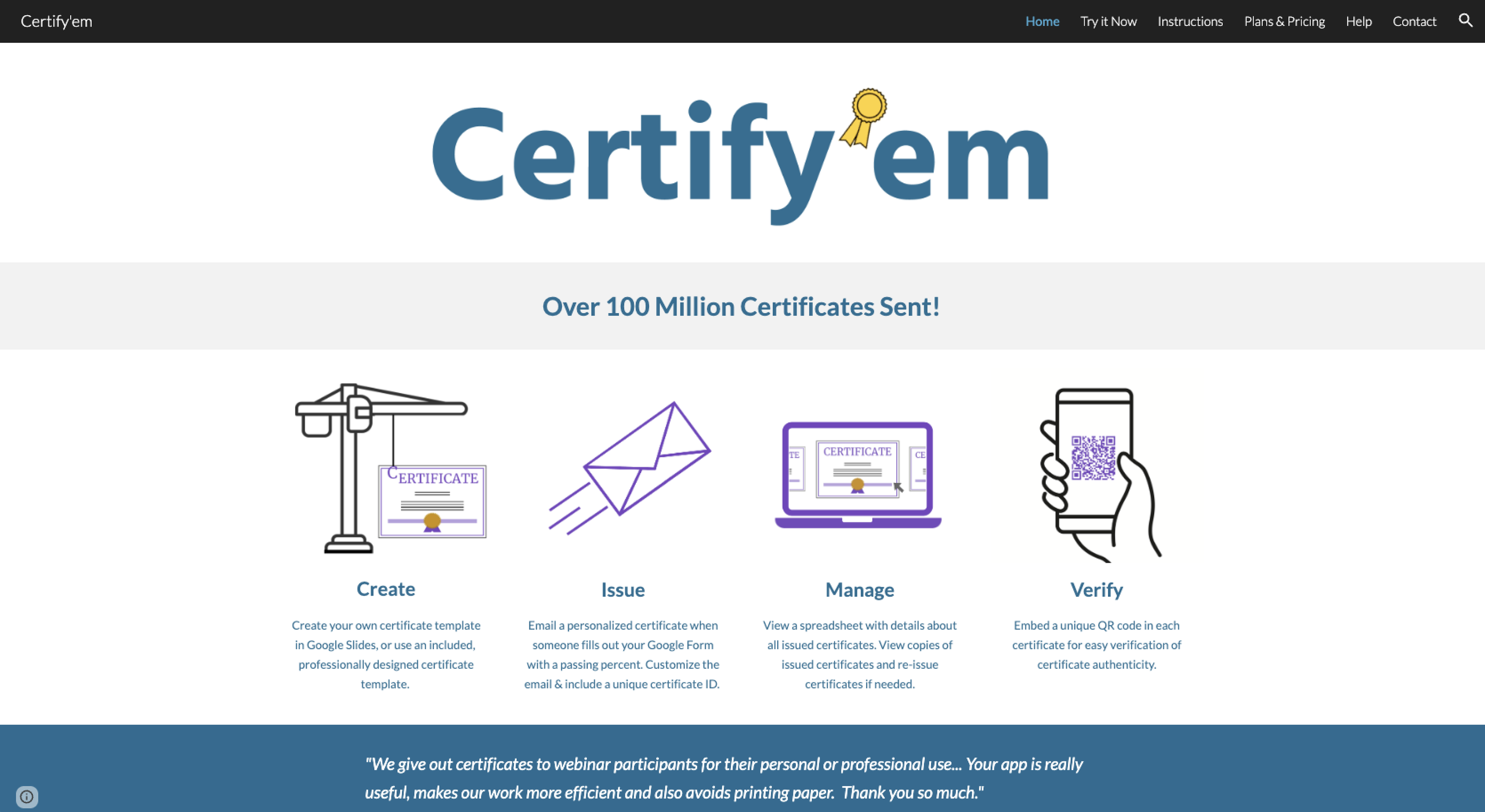
However, the free tier is strictly for low-volume or casual operations. It caps daily automated activity heavily compared to paid tiers, and it includes mandatory branding — “Made for free by Certify’em” — on all issued documents.
For a teacher handing out certificates to a single class or a small organization running an occasional workshop, 60 recipients per day may be perfectly adequate. A busy training program, large online course, or event can rapidly burn through that allowance, especially if you turn on failed-attempt notifications or cc/bcc recipients. If you need to process large volumes or access premium verification tools, you’ll hit a wall quickly at this tier.
Key features included
- Automated certificate delivery: Issues and emails personalized PDF certificates to recipients automatically when they cross your designated minimum passing percentage
- Custom Google Slides templates: Connects with Google Slides so you can design completely custom templates with dynamic text tags like recipient name, date, and unique certificate ID
- Automatic exam tracking: Automatically populates a “Certify’em Records” spreadsheet in Google Sheets to log every user’s score, pass/fail status, and historical certificate data
Key features missing
- Unbranded certificates: Cannot create documents without the mandatory Certify’em attribution watermark
- Advanced verification and utilities: Lacks premium features such as native QR code verification, custom certificate ID prefixes, custom email body/subject formatting, and direct customer support
2. Certify’em Gold plan
This is where Certify’em pricing kicks in. The Certify’em Gold plan is a mid-tier paid subscription ($7.99 per month or $79.99 per year) intended for professionals, midsize classrooms, and anyone who needs a higher operational cap and professional aesthetics. The defining improvement in this tier is the removal of the watermark from issued certificates, so your organization can maintain full branding integrity.
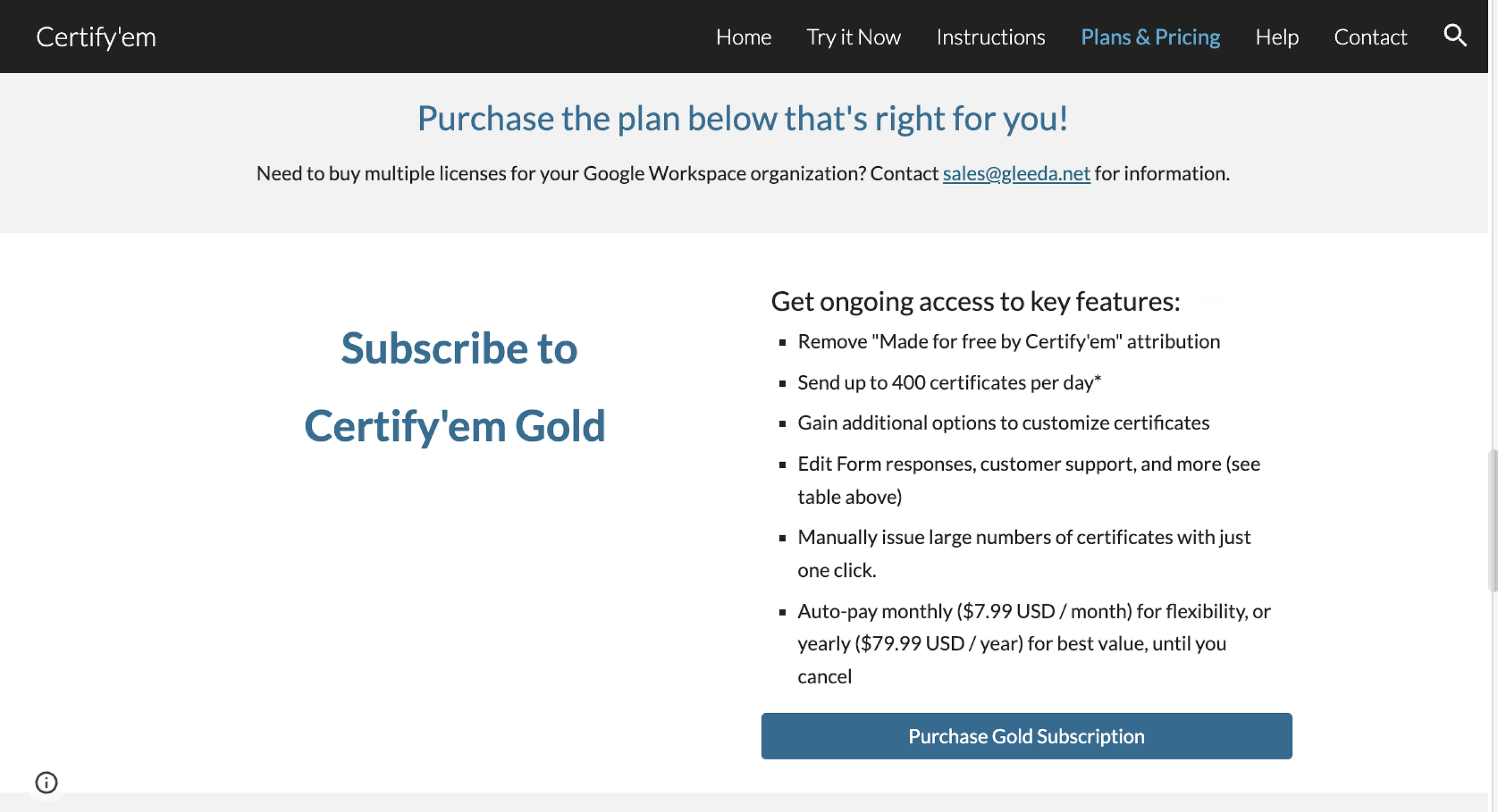
For many users, that may be reason enough to upgrade. If your certificates go directly to customers, employees, or students, the Certify’em watermark gives a less professional impression. The Gold plan eliminates that issue while providing more room to manage form responses and certificate IDs.
At the Gold tier, you get 400 email recipients per day, provided your account has access to Gmail; if not, your daily cap is still 60. You also get additional administrative flexibility, such as allowing creators to fix typos by editing form responses. However, you’re still working within Certify’em’s daily email limits and tied to Google Forms and Google Sheets for the rest of the workflow.
The Gold plan eliminates the glaring restrictions of the free tier, but it doesn’t provide the freedom or functionality of the enterprise-grade Platinum plan. If you run high-volume certifications, this tier’s email cap and functionality won’t meet your needs.
Key features included
- Expanded daily quotas: Increases your daily issuance capacity up to 400 recipients per day from any standard Gmail account
- White-labeled certificates: No more “Made for free with Certify’em” branding watermark in the footer of your issued documents
- Advanced administrative controls: Allows editing student/taker responses, expanding up to four custom user identifiers, customizing the certificate ID prefix, and accessing priority email support
Key features missing
- Native QR code verification: Doesn’t allow printing unique, scannable QR codes directly onto certificates to allow instant credential authenticity verification
- Advanced email customization: Lacks premium communication utilities, such as setting up a custom email alias, writing customized email body/subject templates using merge tags, and specifying custom Google Drive storage folders
3. Certify’em Platinum plan
The highest-tier subscription at $12.99 per month or $129.99 per year, the Certify’em Platinum plan is designed for large-scale operations, enterprise training, and high-security compliance. It offers the maximum email volume possible for a Google Forms add-on, increasing the daily cap to 1,500 recipients per day, as long as you have a mature Google Workspace account, which means you reached the $100 Google payment threshold at least 60 days ago.
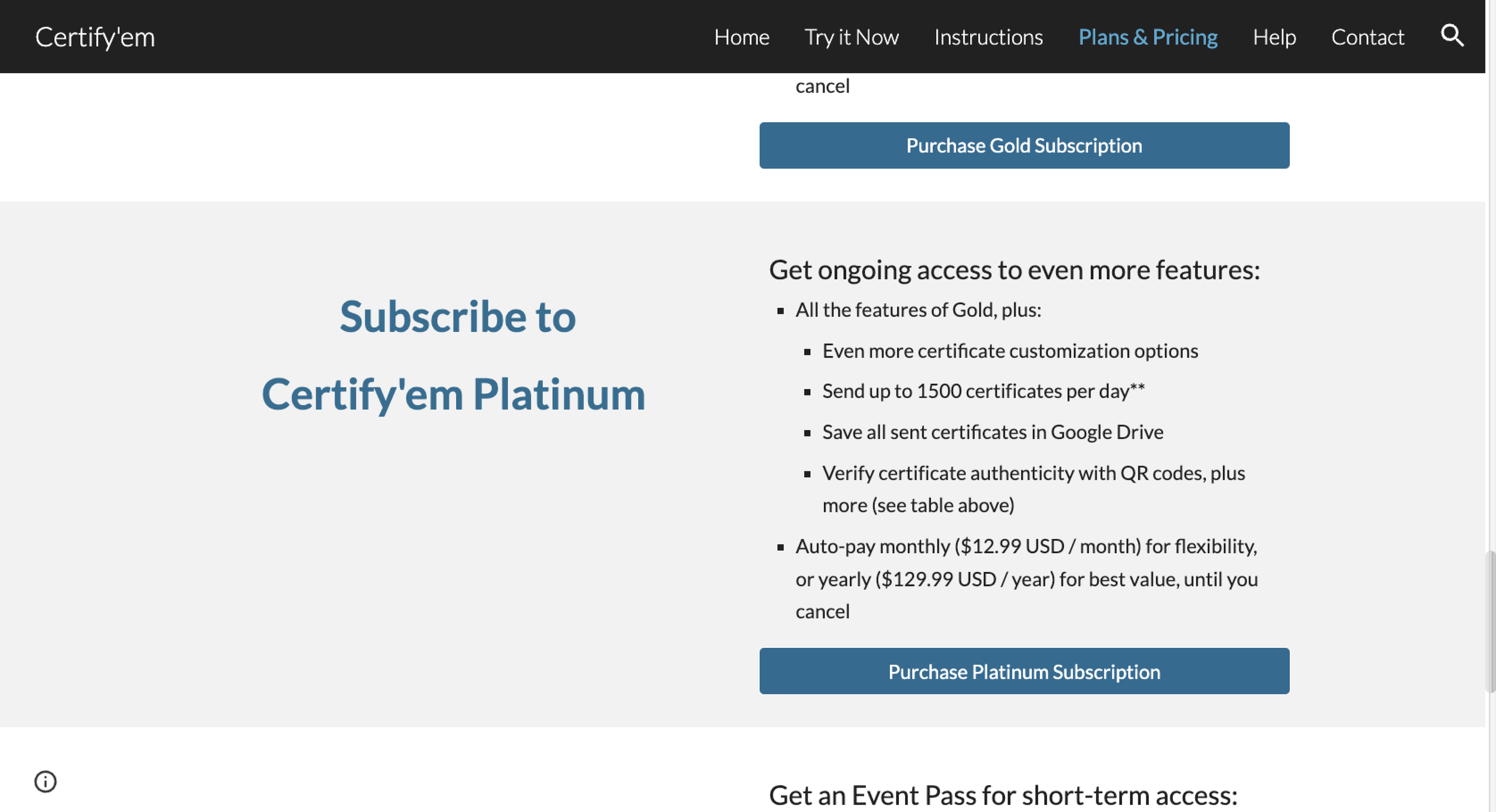
That’s an important distinction when you compare the tiers. The 1,500-recipient limit applies only if you have a mature Google Workspace account. A standard Gmail account still caps you at 400 recipients per day, even if you subscribe to the Platinum plan. Before you pay for the highest tier, check the Google account you plan to use with Certify’em, or you’ll end up paying for a higher limit you can’t actually use.
Key features included
- Maximized email volume: Increases the daily cap to 1,500 recipients per day with a mature Google Workspace account
- Native QR code verification: Generates a scannable QR code directly on each certificate, allowing third parties to verify credential authenticity instantly
- Advanced communication and customization: Provides the ability to use an email address alias, build custom email subject/body templates with merge tags, capture up to six unique user identifiers, and automatically back up copies of issued certificates to a designated Google Drive storage folder
4. Certify’em Event Pass
This is less of a tier and more of a standalone Certify’em pricing option. Coordinators running short-term events, workshops, or high-volume seasonal exams may find the Certify’em Event Pass the best fit for their needs. For a $25.99 one-time fee, the Event Pass grants you full Platinum-tier privileges for 60 days. This is ideal if you need high-capacity certificate processing for only a brief period and want to avoid the hassle of subscribing (and forgetting to cancel).
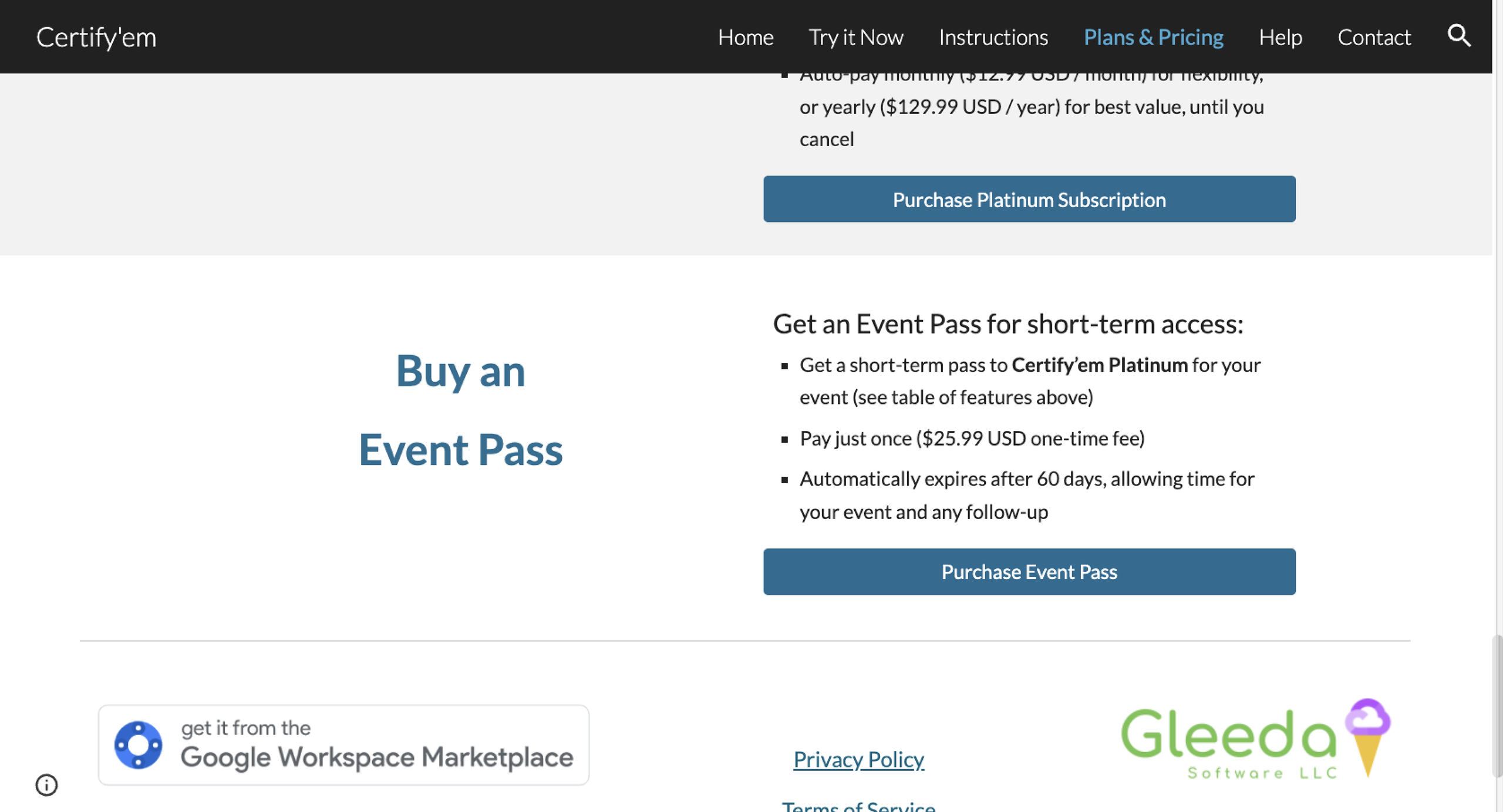
Because the Event Pass simply unlocks the Platinum plan’s features for a limited time, it provides the same features as that tier.
Is paying for Certify’em worth it?
Is Certify’em worth it? The Certify’em cost practically pays for itself for some workflows, but not so much for others. Let’s take a look at Certify’em vs. Jotform, so you’ll know which tool will better serve your organization.
The biggest deciding factor isn’t so much the monthly price as how much work you want the certificate process to require. Certify’em makes sense if your workflow already centers on Google Forms and you only need to add automated certificates. Once you start combining forms, certificate design, notifications, verification, and recordkeeping, you’re managing several pieces of a process you could handle in one place.
Certify’em is worth it if;
- You already know how to use Google Forms, run every course, quiz, or event through it, and don’t want to switch platforms
- You’re comfortable designing certificates in Google Slides and tracking results in a separate spreadsheet
- Removing the “Made for free by Certify’em” watermark is more important to you than gaining new features
Consider Jotform if
- You want to access your form, certificate template, and delivery settings through one dashboard rather than three separate tools
- You need more design flexibility than Google Slides merge tags offer
- You want electronic signatures, conditional logic, and certificate delivery built into the same platform that creates the form itself
If you’re trying to decide whether to renew Certify’em, upgrade your tier, or try something else, the real question is whether you want to continue juggling Google Forms, Certify’em, Google Slides certificate templates, merge tags, add-on permissions, daily sending quotas, and a separate records spreadsheet — or handle it all within a single platform.
Choose Jotform for native certificate generation
While Certify’em bolts certificate generation onto Google Forms as an add-on, Jotform brings the form, certificate design, PDF generation, email delivery, electronic signatures, and submission management into one connected platform, with no Google Slides templates or merge tags required.
That all-in-one access makes a bigger difference than any individual feature. Instead of flipping between Google Forms, Google Slides, Google Sheets, and Certify’em to create, send, and track certificates, you handle all the steps within your Jotform account.
Here’s just some of what Jotform offers:
- More than 60 ready-made certificate PDF templates
- Drag-and-drop certificate customization with Certificate Maker
- 150-plus integrations, including Google Sheets, Google Drive, and other Google tools
- Quiz Maker
- The ability to turn a form into a quiz or exam
- Quiz and exam scoring
- Automatic PDF generation from form submissions
- PDF Editor
- Personalized certificates populated with respondent data
- Automatic certificate delivery via email notifications and autoresponder emails
- Conditional PDF delivery based on form answers
- Logos, photos, custom fonts, colors, and layouts
- Electronic signatures through Jotform Sign
- Centralized certificate and submission management
- Jotform Workflows
Instead of paying Google Forms certificate add-on pricing and dealing with daily sending limits, with Jotform, you set your certificate rules once and let the platform handle the rest.
How much does Jotform cost?
Let’s take a quick look at Jotform pricing.
Unlike Certify’em pricing, Jotform’s free plan is generous and should meet basic quiz, assessment, and certificate-generation requirements. Teachers and educational institutions can access a 50 percent discount on paid plans, cutting the Bronze tier from $34 to $17 per month when billed annually.
With Jotform Education, educators benefit from more than 60 ready-made certificate templates and 7,200 education form templates across quizzes, exams, registrations, evaluations, and other school workflows.


If you already have a Google Form constructed for your quiz or course, you don’t need to rebuild it from scratch. With Jotform, you can migrate Google Forms to Jotform in seconds. Once you’ve imported your form, you can customize it, create a certificate PDF, automate its delivery, and manage submissions directly from your Jotform account — and much more.
This article is for educators, corporate trainers, HR and compliance teams, webinar organizers, nonprofit staff, and small business owners who are using or considering Certify’em to automatically issue certificates through Google Forms and want to understand what each plan includes before committing.




















































































Send Comment: