
If you’re a project manager, operations leader, or agency team member using Google Forms and monday.com, your day probably includes plenty of project briefs, client intake forms, and bug reports. Can you imagine how much it would streamline your work if you could link the two tools, so that form submissions automatically appear on your work plan?
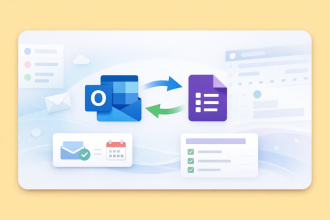
Unfortunately, setting up this automated process isn’t easy because there’s no native Google Forms–monday.com integration. If you really want to connect Google Forms to monday.com, you’ll have to get creative. This means looking at third-party workarounds to enable the integration. There are a few different routes you can take, and we’ll share the Google Forms-monday.com integration options with you in this article.
For those who want to avoid dealing with complex workarounds involving third-party tools, we’ll also introduce you to another easy-to-use form builder that does have a native integration with monday.com: Jotform.


The Google Forms-monday.com integration with third-party tools
One of the most frustrating things about using Google Forms is dealing with its lack of advanced features and integrations. You’re forced to jump through hoops to create any kind of Google Forms workflow automation that would make life easier.
To build a process that would automatically create a monday.com item from Google Forms, you can try any of these integration methods:
- Zapier: This no-code automation platform offers a Quick Connect solution for integrating monday.com with Google Forms. It also has several pre-built automation templates for different use cases.
- Google Forms Integration Plus: An app in the monday.com marketplace, this can sync Google Forms responses to items and subitems on your monday.com board.
- Form Director Google Workspace add-on: This add-on tool, available in the Google Workspace Marketplace, connects Google Forms to monday.com to streamline automations. You’ll need an API key to use it, though.
- Unito: This no-code enterprise automation tool can create a two-way sync between Google Forms and monday.com, similar to Zapier.
Zapier is the most popular of these options because of its flexibility and customizability.
Here’s an overview of how to use Zapier for a Google Forms–monday.com integration. Keep in mind that you’ll need to have a Google account (with a Google Form you want to connect), a monday.com account (with a board you want to populate), and a Zapier account.
- Go to the Google Forms-monday.com Quick Connect page on Zapier.
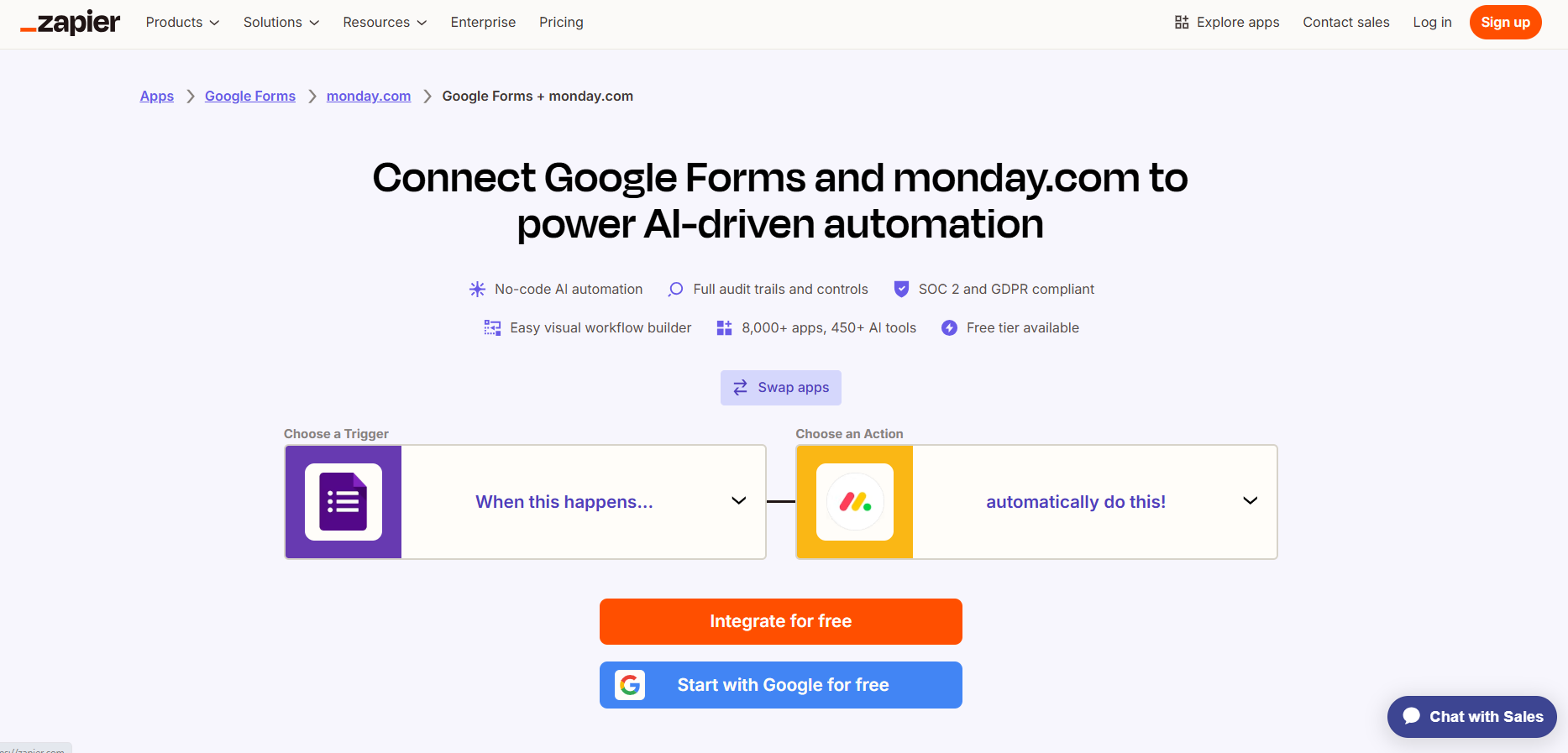
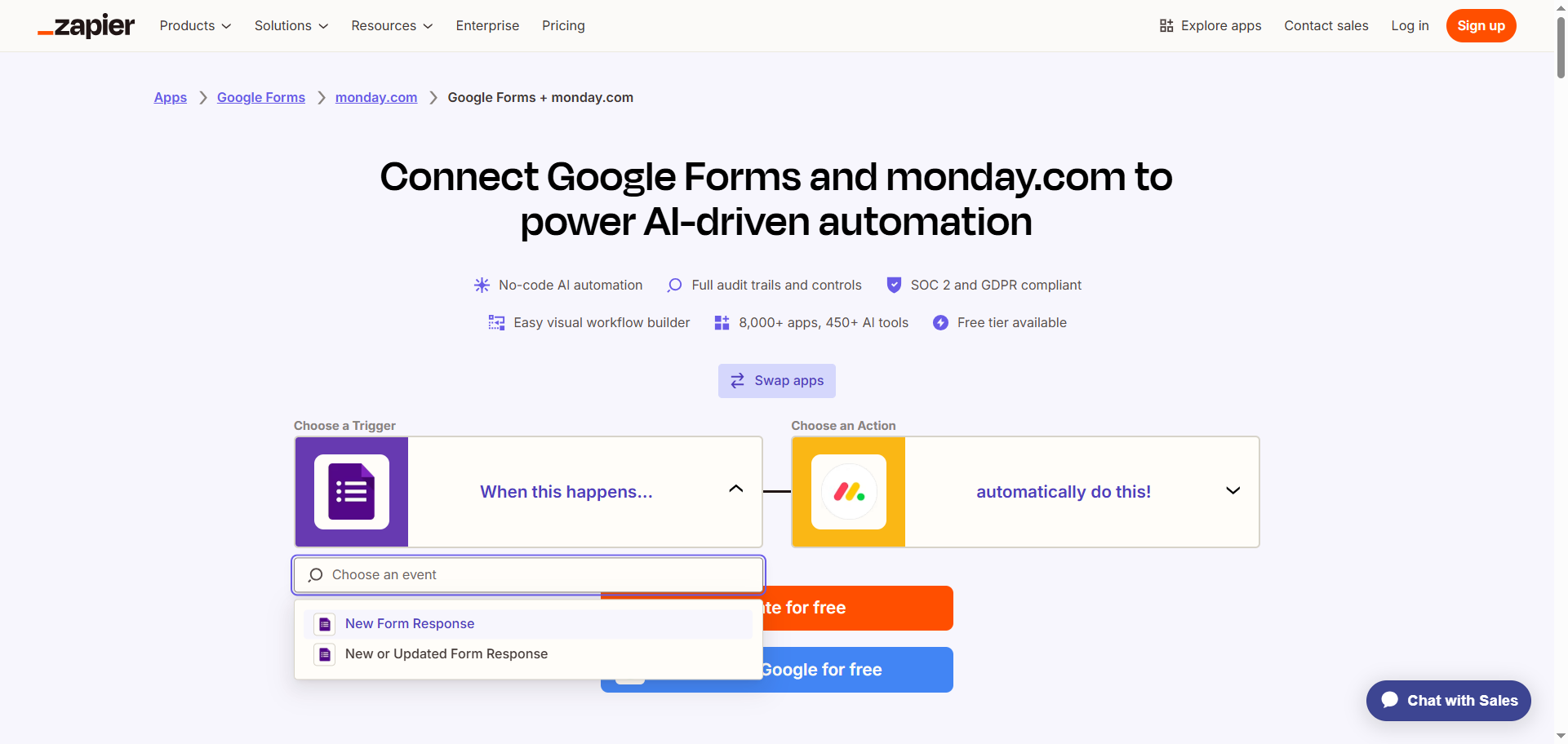
- Select the Google Forms trigger you’d like to use from the dropdown menu, such as “New Form Response.”
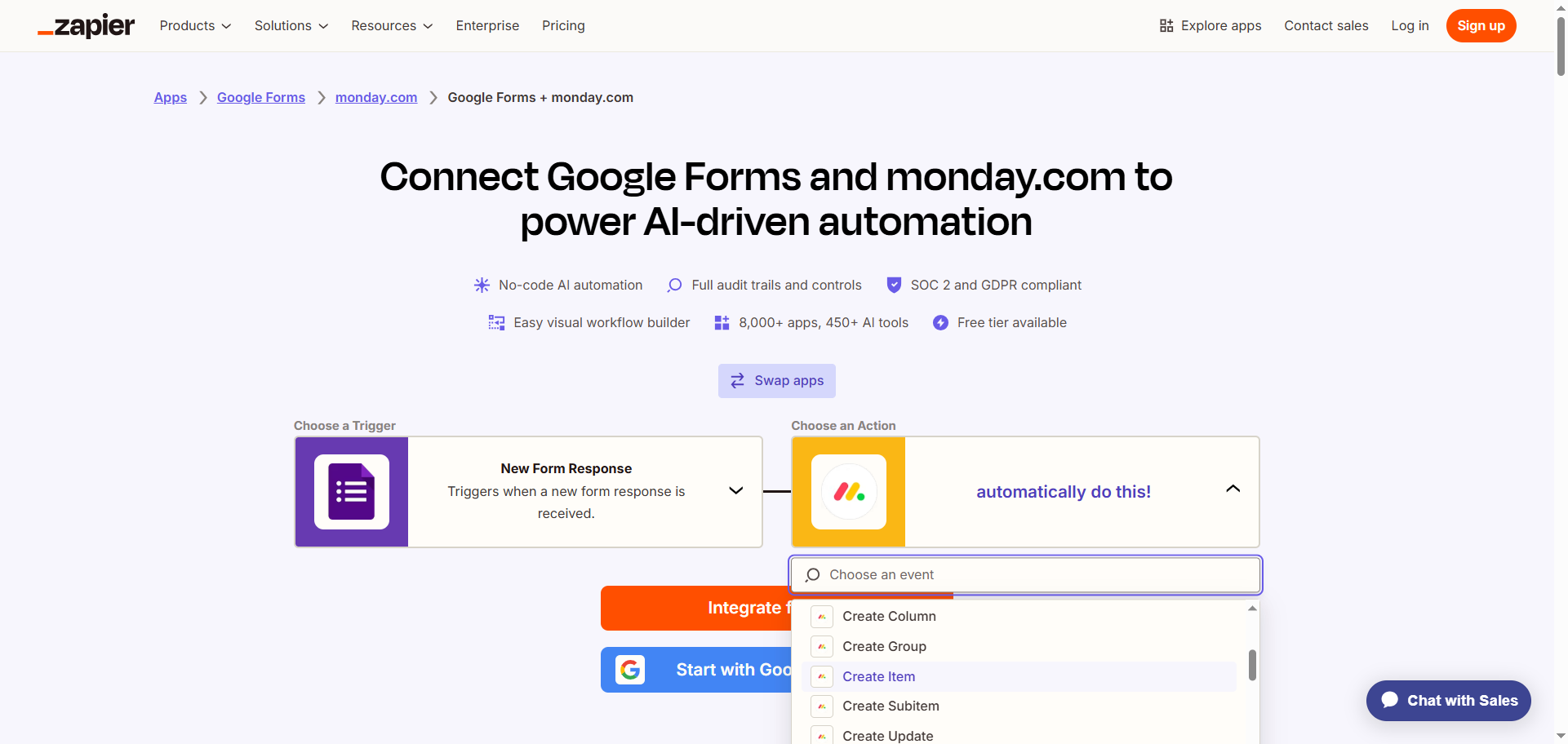
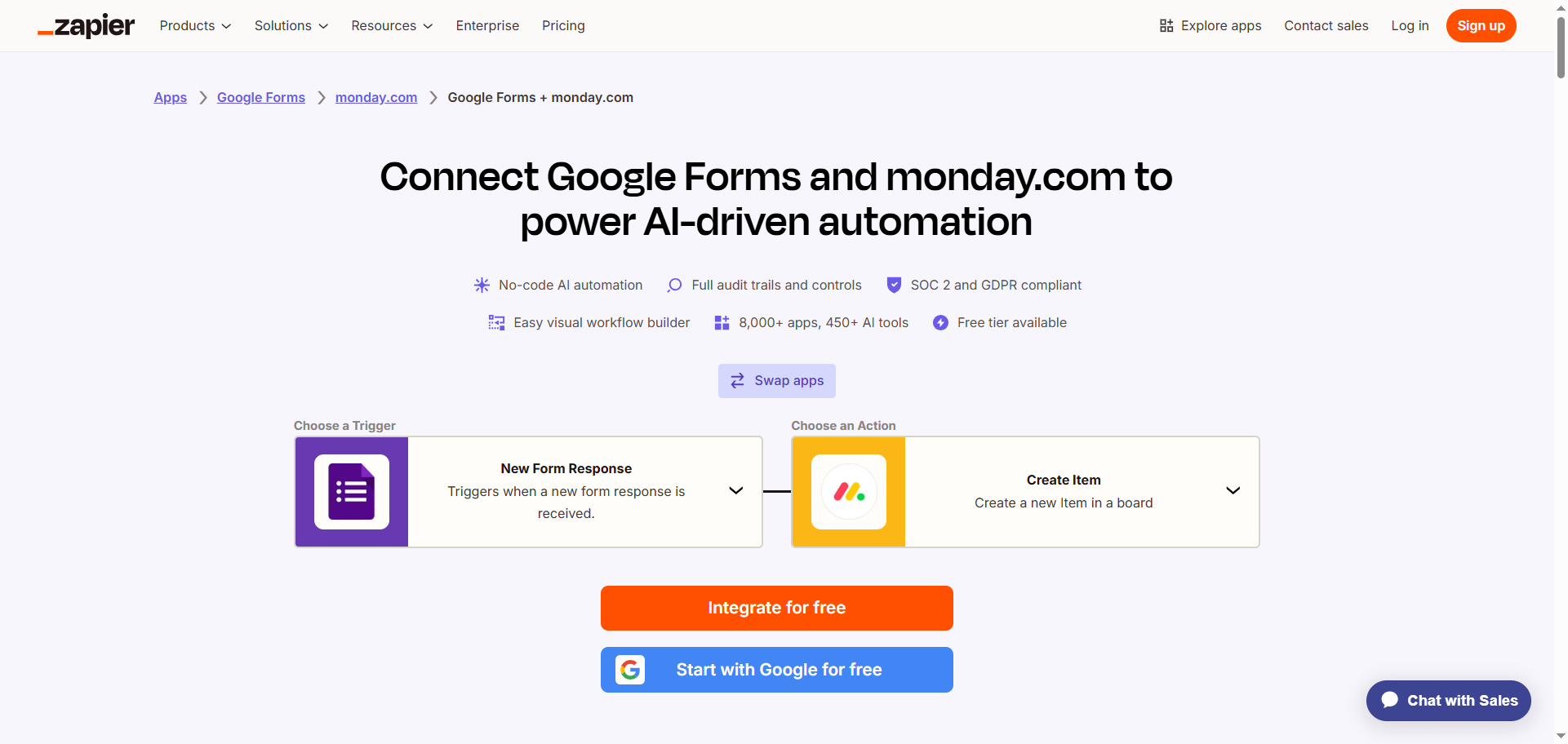
- Select the action that should then occur in monday.com from the dropdown menu, such as “Create Item.”
- Click Integrate for free.
- Sign into your Zapier account.
- Click Google Forms and follow the prompts to connect it to your Zapier account. Configure and test the connection with Google Forms.
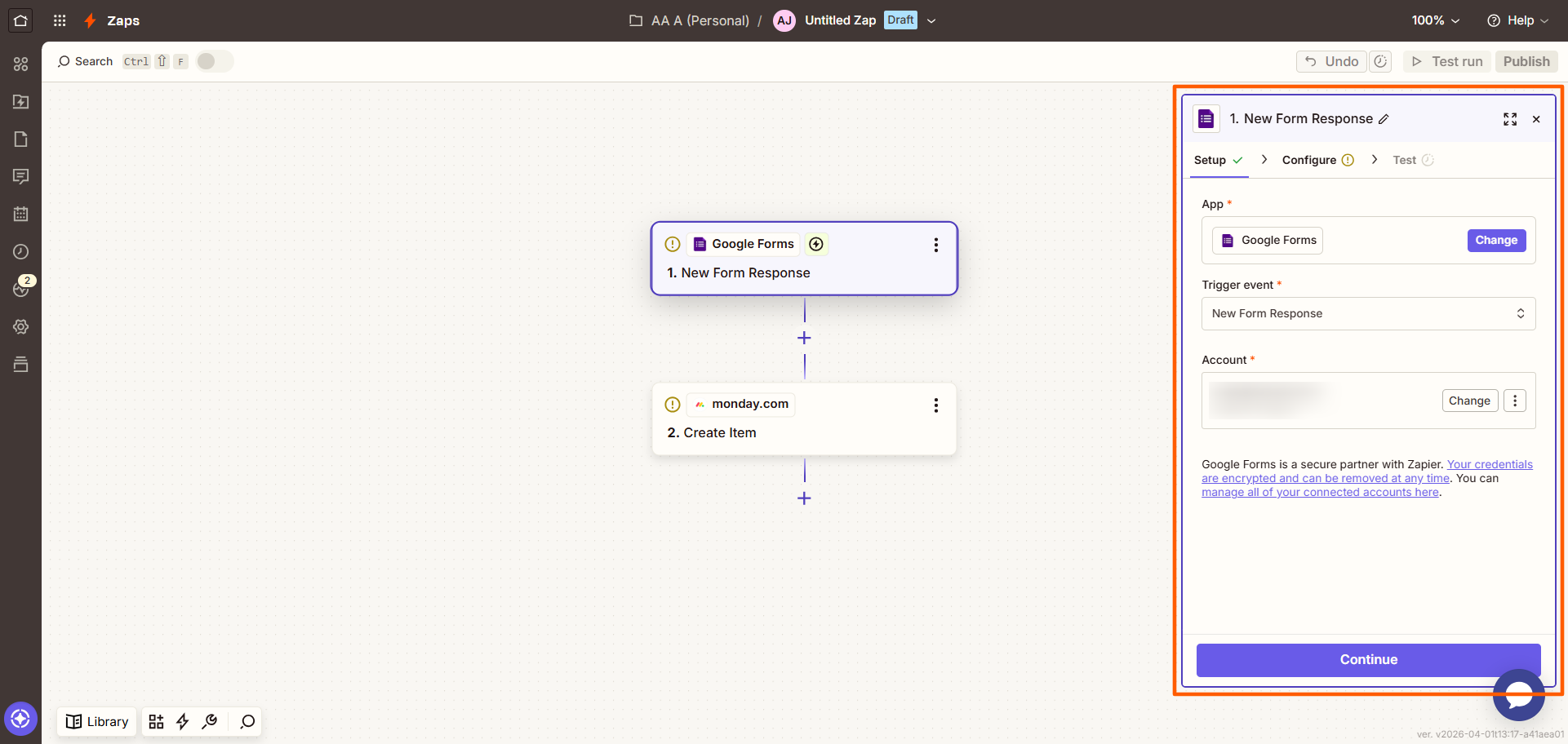
- Click monday.com, and follow the prompts to connect it to your Zapier account. Configure and test the connection with Google Forms, ensuring you’ve mapped the data from Google Forms to monday.com.
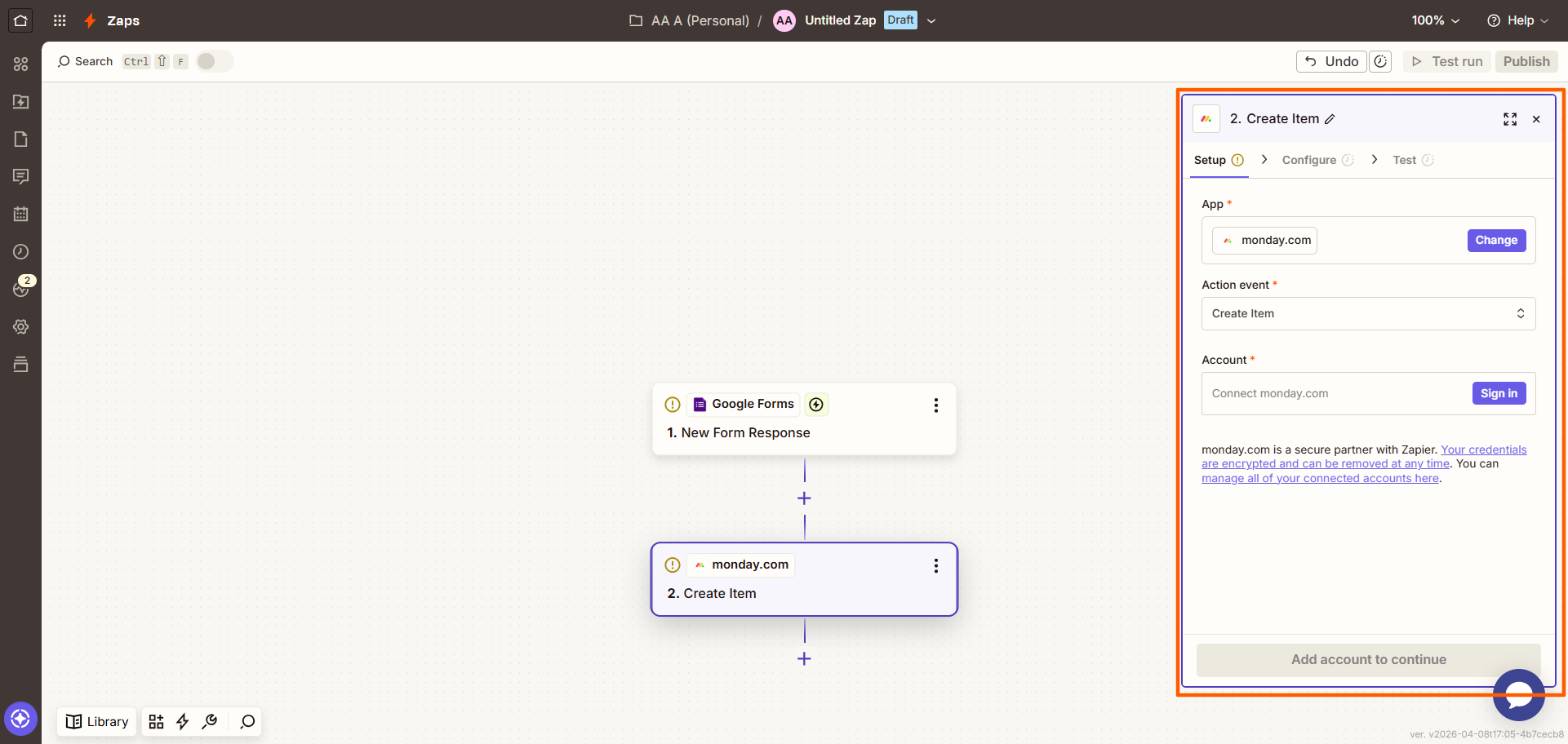
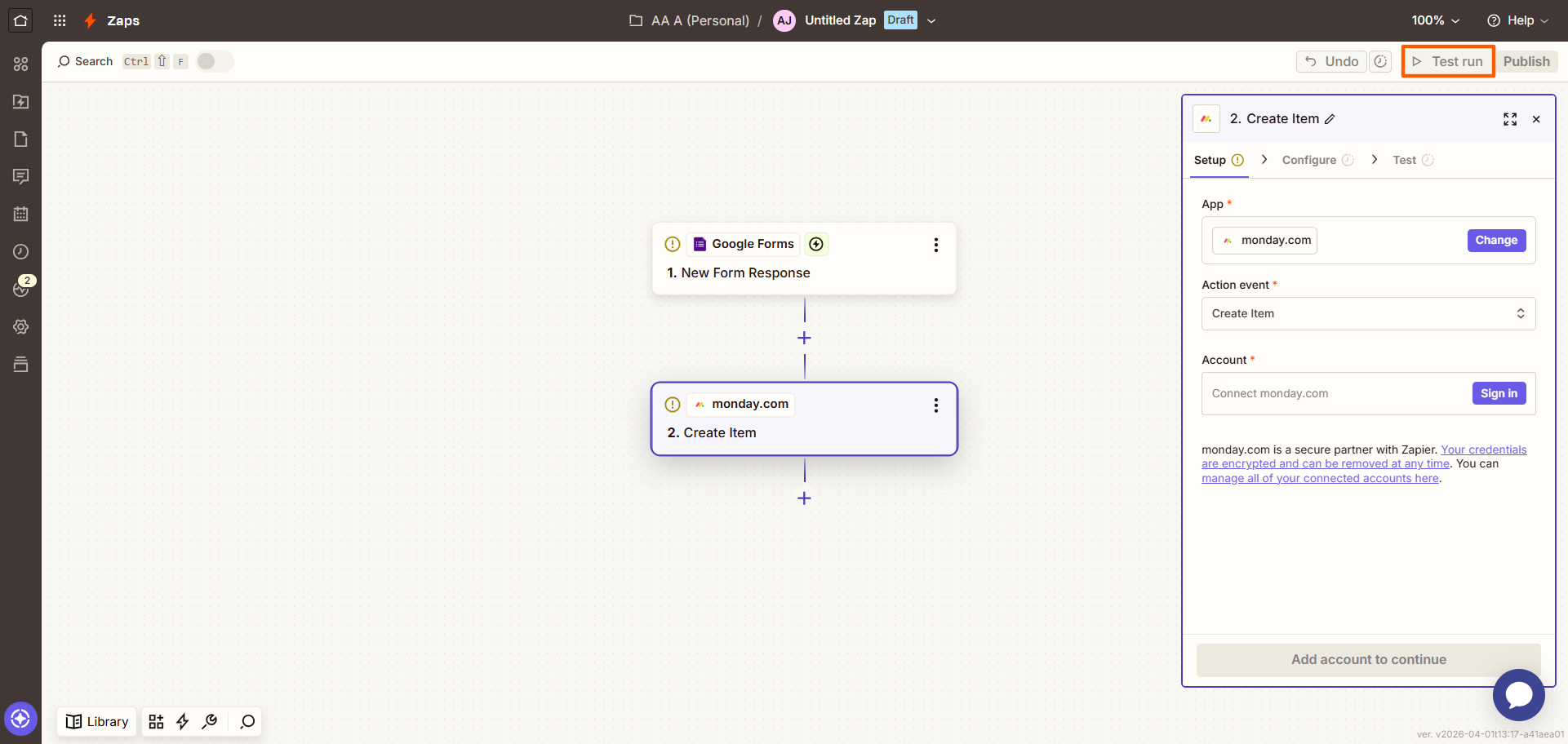
- Click Test run in the top right to try out your automation, and make any necessary adjustments.
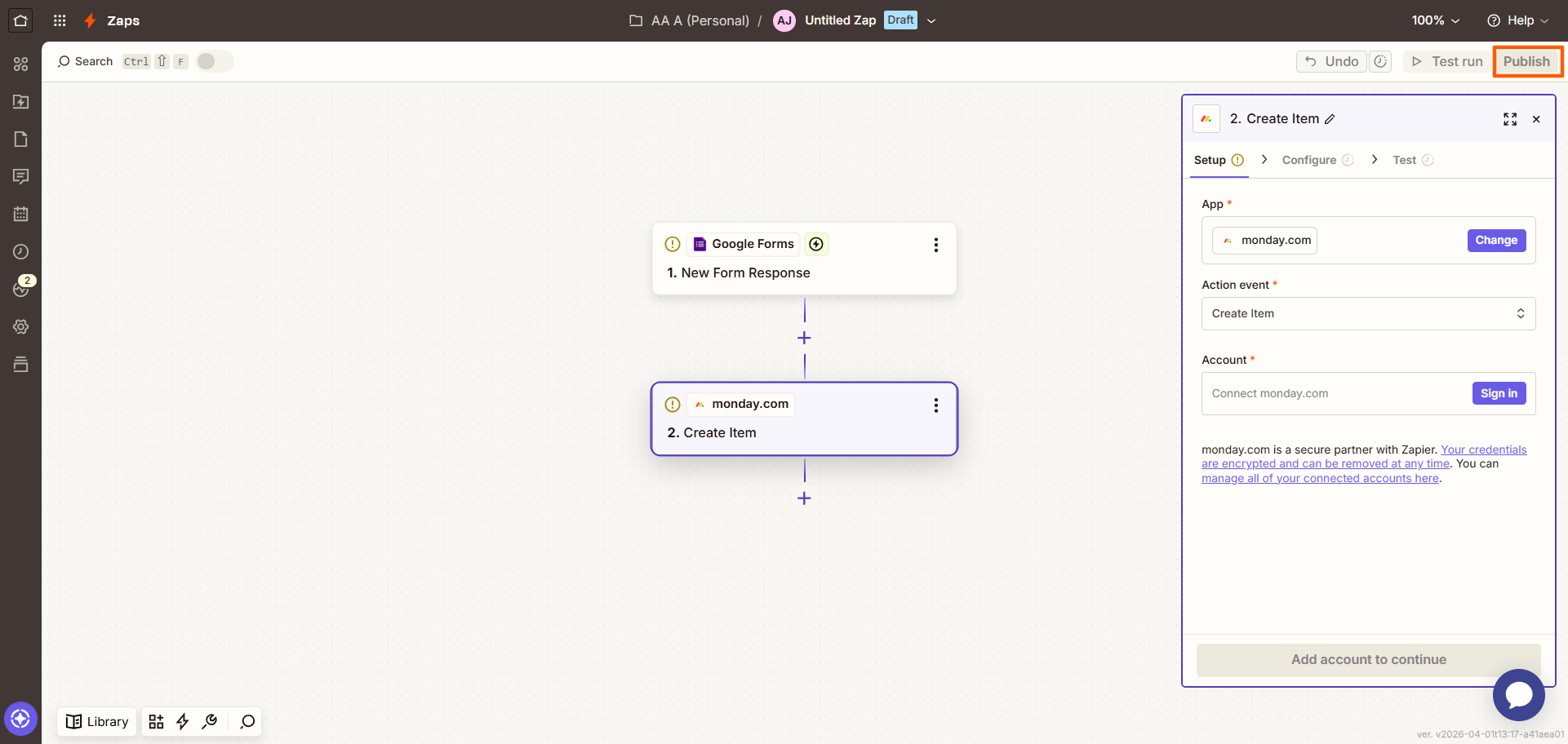
- Click Publish in the top right. You’ve now connected Google Forms to monday.com and set up an automated workflow.
If this Google Forms task automation process seems overly complex and time-consuming, you have options. The simplest one is to try out another form builder that has a native integration with monday.com.
Jotform natively integrates with monday.com
The best Google Forms alternative available, Jotform has a native integration to monday.com. This means you can quickly and easily create an automated workflow between this form builder and monday.com without having to use any third-party tools like Zapier.
With the Jotform-monday.com integration, Jotform sends information to your monday.com account whenever someone submits a form, such as a bug report or a project brief. Preselected data in Jotform gets exported to fill in details in your boards, groups, or items in monday.com — no manual data entry, no third-party integrations.
Setting it up is simple. Once you’ve created a free Jotform account and have your first form ready, here’s how to integrate monday.com with Jotform:
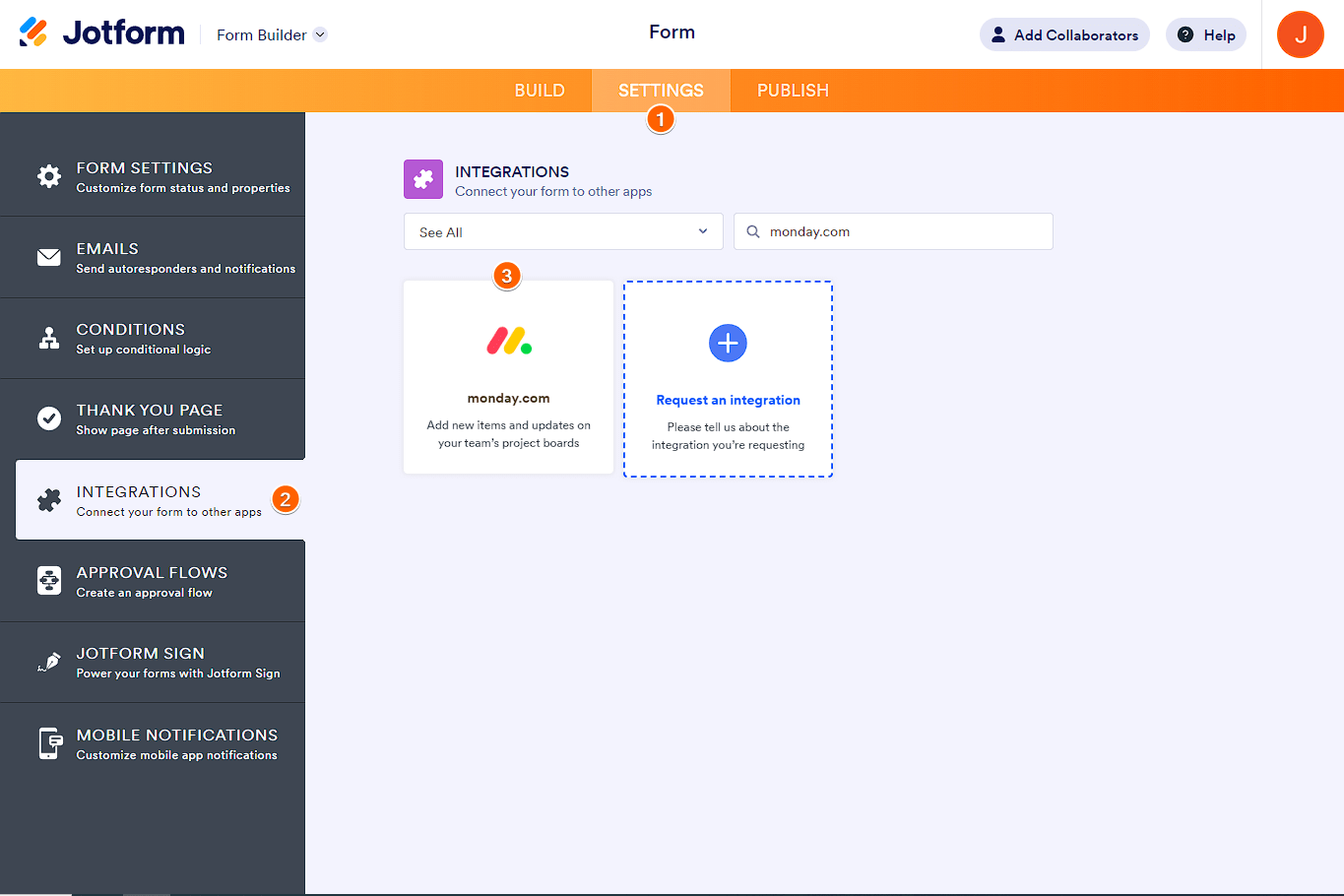
- Open the form in Jotform that you want to connect with monday.com. Click Settings in the top bar.
- Click Integrations on the left-hand menu.
- Search for and select monday.com.
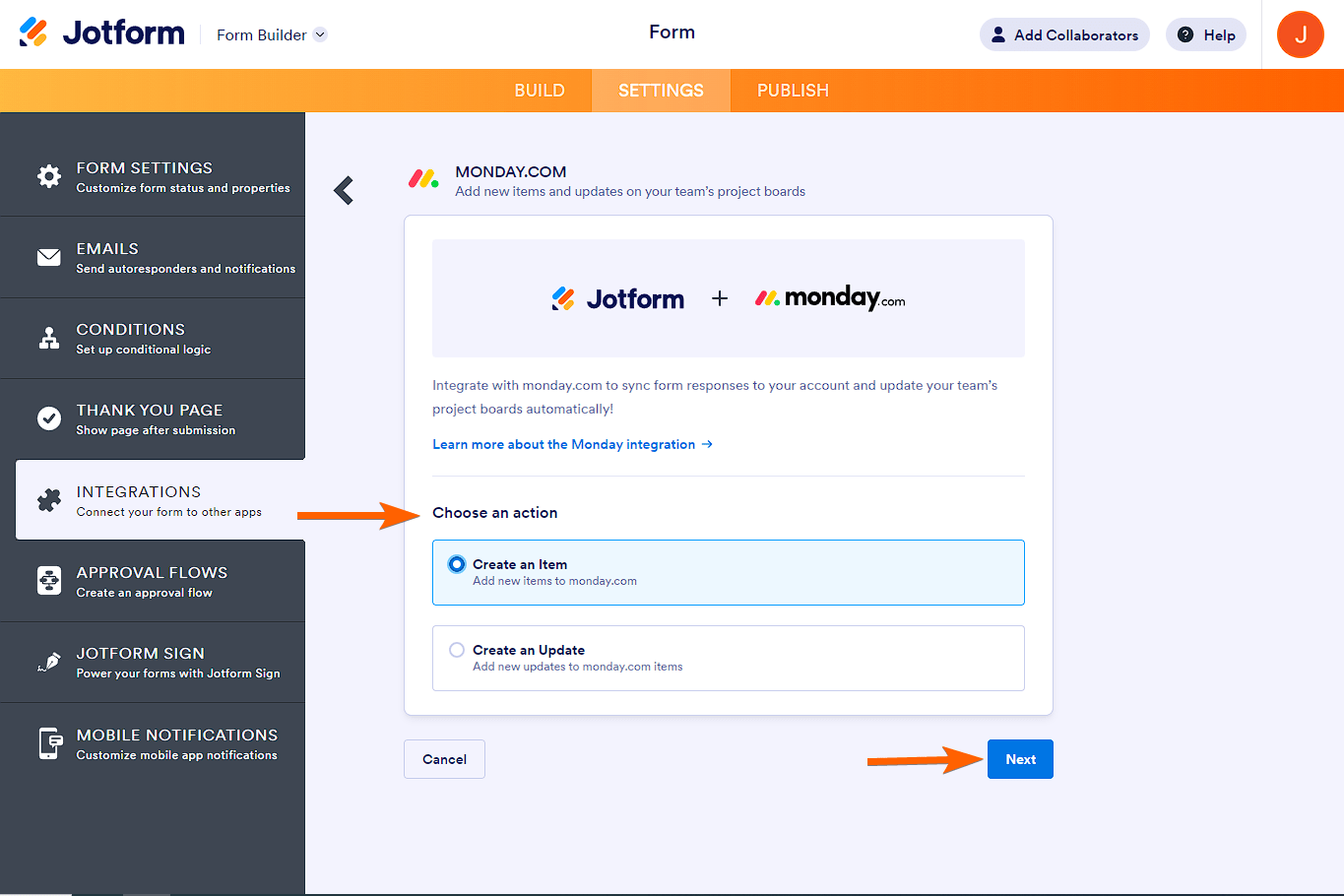
- Choose the action you want to automate:
- Create an Item: Choose this option if you want to automate item creation on a monday.com board or group.
- Create an Update: Choose this option if you want to automate updates to existing items.
Click Next.
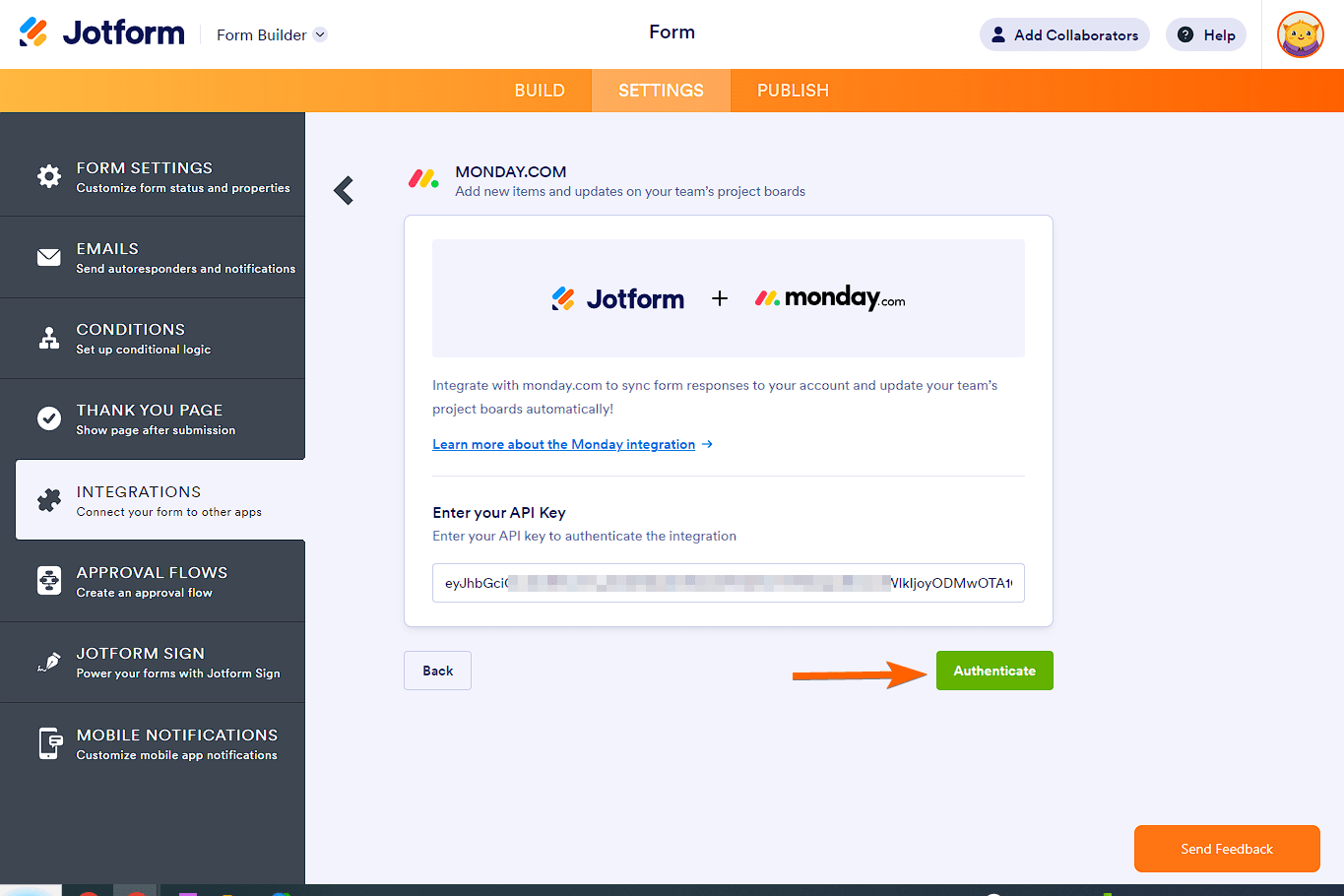
- Copy and paste your monday.com API key. Click Authenticate.
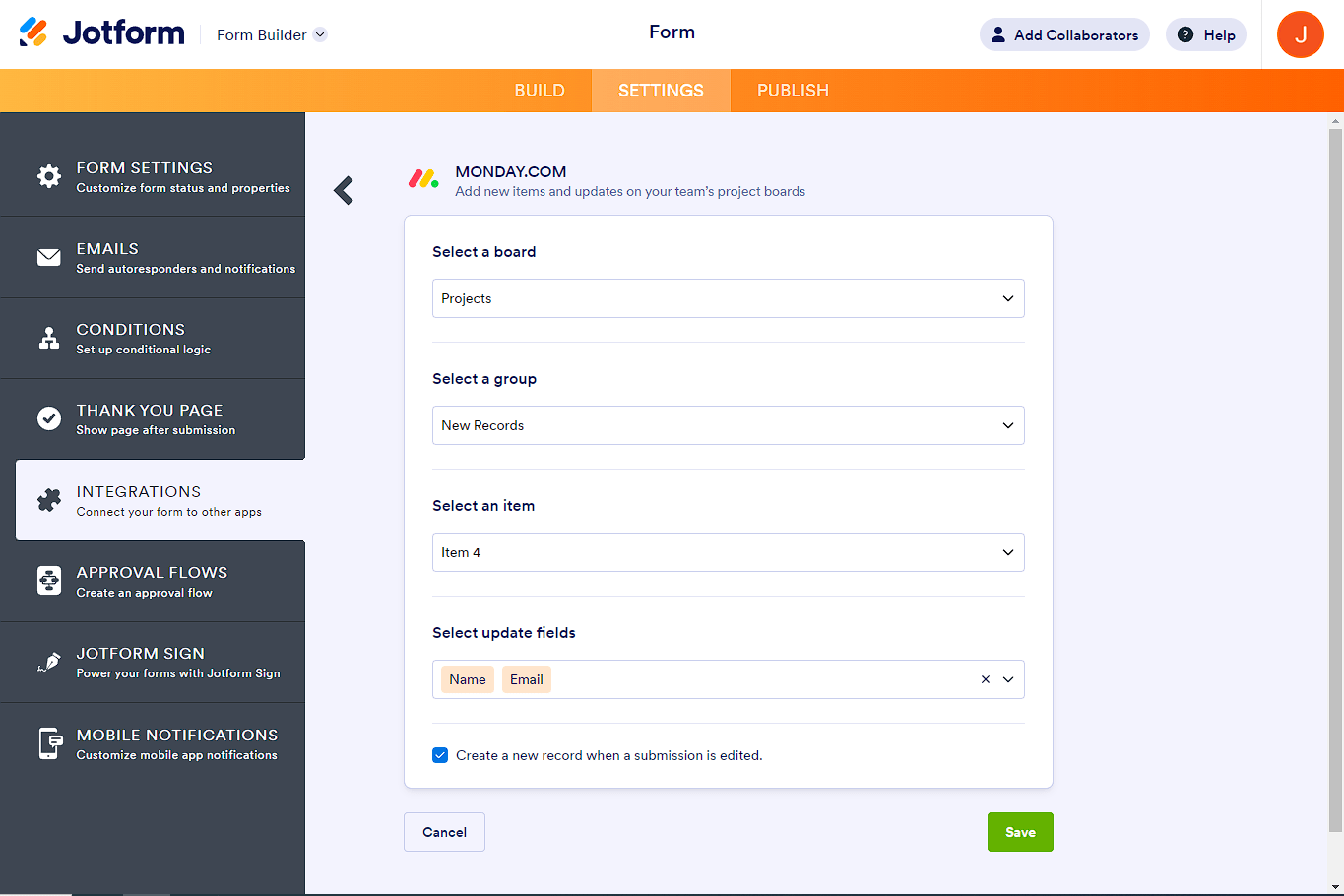
Your Jotform form is connected to monday.com. You can now complete the settings for the specific monday.com action you selected in step 4 (more details on that here). Then all you have to do is click Save and your automated workflow is ready to go.
Switch to Jotform for a native monday.com integration and much more
When you compare Jotform with Google Forms, there’s really no competition.
 Jotform |  Google Forms | |
|---|---|---|
| Native monday.com integration | ||
| Fields and widgets | More than 20 basic fields and 100 widgets | 12 question types |
| Conditional logic | Limited capability | |
| Integrations | More than 150 | Add-ons supported |
| Templates | More than 20,000 | 17 |
| Themes | More than 1,000 ready-made themes as well as custom theme creation | Limited theme customization |
| Custom notifications and auto-responder emails | ||
| Reporting features | Report Builder and Form Analytics | Limited graphs |
| Mobile app | Jotform Mobile |
If you’re looking for a form builder that offers advanced features, native integrations with your tech stack, and a high degree of customization, then Jotform is the way to go. It comes with over 20,000 form templates, so you never have to create a form from scratch — simply customize every aspect using the intuitive form builder.
Jotform also offers over 150 native form integrations with tools you use daily, such as monday.com, Slack, and Canva. Plus, it comes with advanced analytics tools that you can use to fully understand the data you gather from your forms.
Not only that, but Jotform offers several ways to enhance your form functionality. Try any of the 100-plus widgets or use one of the 1,000-plus themes. You can also fully customize your form notifications and auto-responder emails. And everything you can do on your desktop with Jotform you can also do on your phone with Jotform Mobile Forms.
Even though it offers advanced functionality, Jotform is intuitive and straightforward for new online form users and experts alike. You’ll be a pro in no time.
Migrate your Google Forms to Jotform with a single click
With no native way to create Google Forms workflow automation with monday.com, you’re left with workarounds using third-party tools. While platforms like Zapier can help bridge the gap, setup isn’t always simple or straightforward.
If you’re looking for a more seamless option, switching to Jotform gives you the native integrations you need right out of the box.
And don’t worry — you won’t have to start from scratch. With Jotform’s one-click migration tool, you can import your Google Forms in minutes, including your questions and structure. Once done, you can explore all of Jotform’s advanced features and take your forms to the next level.

Stop struggling with complicated Google Forms project management integrations. With Jotform, you can get started for free, connect your forms with tools like monday.com, and build automated workflows without the developer expertise.
Make the switch from Google Forms to Jotform, and see how much simpler form management can be.
This article is for project managers, operations teams, and agency leads using monday.com who want Google Forms submissions — such as project briefs, client intake forms, or bug reports — to automatically create items on their monday.com boards.




























































































Send Comment: