
Key takeaways
- Tally is best for users who want unlimited forms and submissions with a lightweight, Notion-like building experience.
- Typeform is best for brands prioritizing polished, conversational respondent experiences and marketing-focused forms.
- Both tools support core form-building features, but their free plans and pricing models serve very different audiences.
- Jotform is a stronger fit for teams that need forms to feed into broader processes, including payments, approvals, secure data collection, and response management.
Typeform and Tally have strong opinions about how to create and structure web forms. While Typeform eventually added the ability to show more than one field per page, almost everything about the app pushes you into conversational, one-question-at-a-time experiences. Tally differentiates itself by ditching all notions of a drag-and-drop builder, all but forcing you to piece together forms from keyboard commands. But different as they may appear at first glance, there is still a fair amount of overlap.
Both platforms cover the form builder basics, with dozens of field types, branching logic, team collaboration, and submission storage features. For simpler types of forms, like collecting contact information from leads, either app will work fine. Neither option will do everything you want it to, though.
Ultimately, Typeform costs more, but its forms look better and are nicer to use. Tally forms give you fewer premium features but make up for it with unlimited submissions on all plans. If you want more nuance than that, I’ve put together a detailed comparison of these two apps across several categories to see which is a better fit for common use cases in 2026.
 Tally |  Typeform |  Jotform | |
|---|---|---|---|
| Best for | Unlimited forms and submissions | Premium branding and design features | Forms that fit into larger workflows |
| Who should use it? | Freelancers and small teams | Medium-to-large marketing and design teams | Teams that want forms, databases, and automations under the same roof |
| Unique feature(s) | Keyboard-first form builder | Brand kits, video forms, contact info enrichment | Agent, chatbot, and app builders |
| Free plan | Yes | Yes | Yes |
| Pricing | Starting at $24 per month | Starting at $28 per month | Starting at $34 per month |
| Learn more | Learn more | Try now |
What is Tally?
Tally is a relatively recent entry into the form builder market, launching in 2020 out of Belgium. Still a small team of around 10 full-time employees, Tally has not taken outside investment and has grown to support more than 500,000 businesses.
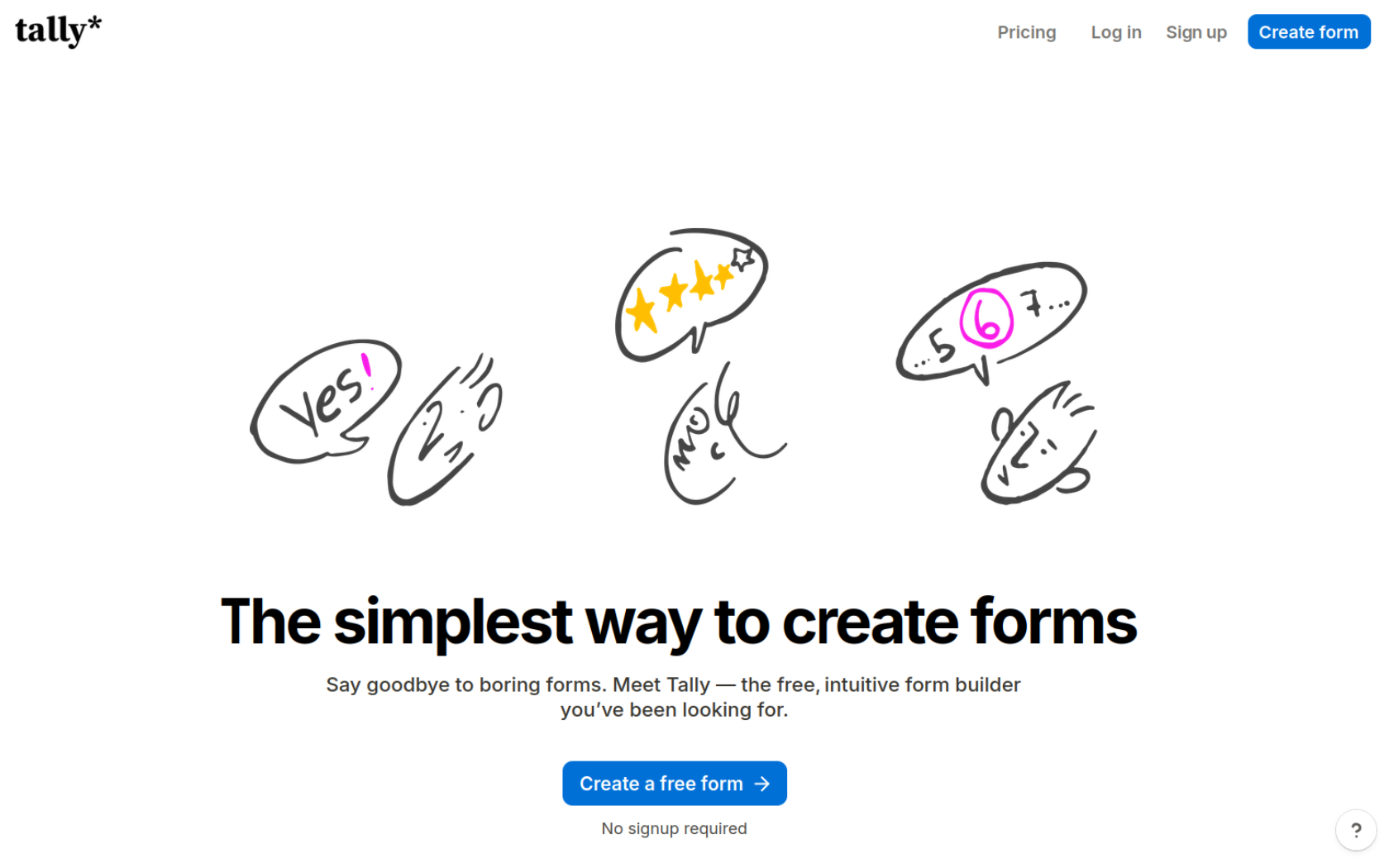
Although it doesn’t have as many bells and whistles as some of the best online form builders, Tally has produced a steady stream of updates since its launch. The team constantly adds new features without compromising on what made it famous: a free plan with unlimited submissions and text-based form creation.
What makes Tally unique?
Tally’s free plan includes unlimited forms and submissions, payment fields, e-signatures, file uploads, conditional logic, answer piping, and premium integrations. There is a somewhat vague Fair Use Policy that says you may be moved to a paid plan for “consistently collecting high volumes of submissions,” but as far as I could tell, it’s rarely enforced.
Beyond the incredibly generous free plan, Tally is also unique because of its form-building interface, which looks more like a text editor than a typical drag-and-drop canvas. To add a field to your form, you press the / key to bring up a list of field or “block” types. Although it takes some getting used to and requires memorizing a few new keyboard shortcuts, you can build and publish entire forms without ever touching the mouse.
Tally’s opinionated approach to form creation isn’t for everyone. If you want something similar without the keyboard-first navigation, or an app with better automation features, check out our Tally alternatives article for more options.
What is Typeform?
Typeform has been around since 2012, headquartered in Barcelona and backed by outside investment since the very beginning. Today, it’s one of the larger online form builders around. With more than 250 employees and nearly $200 million in VC investments, Typeform claims its forms generate 48 million responses every month.
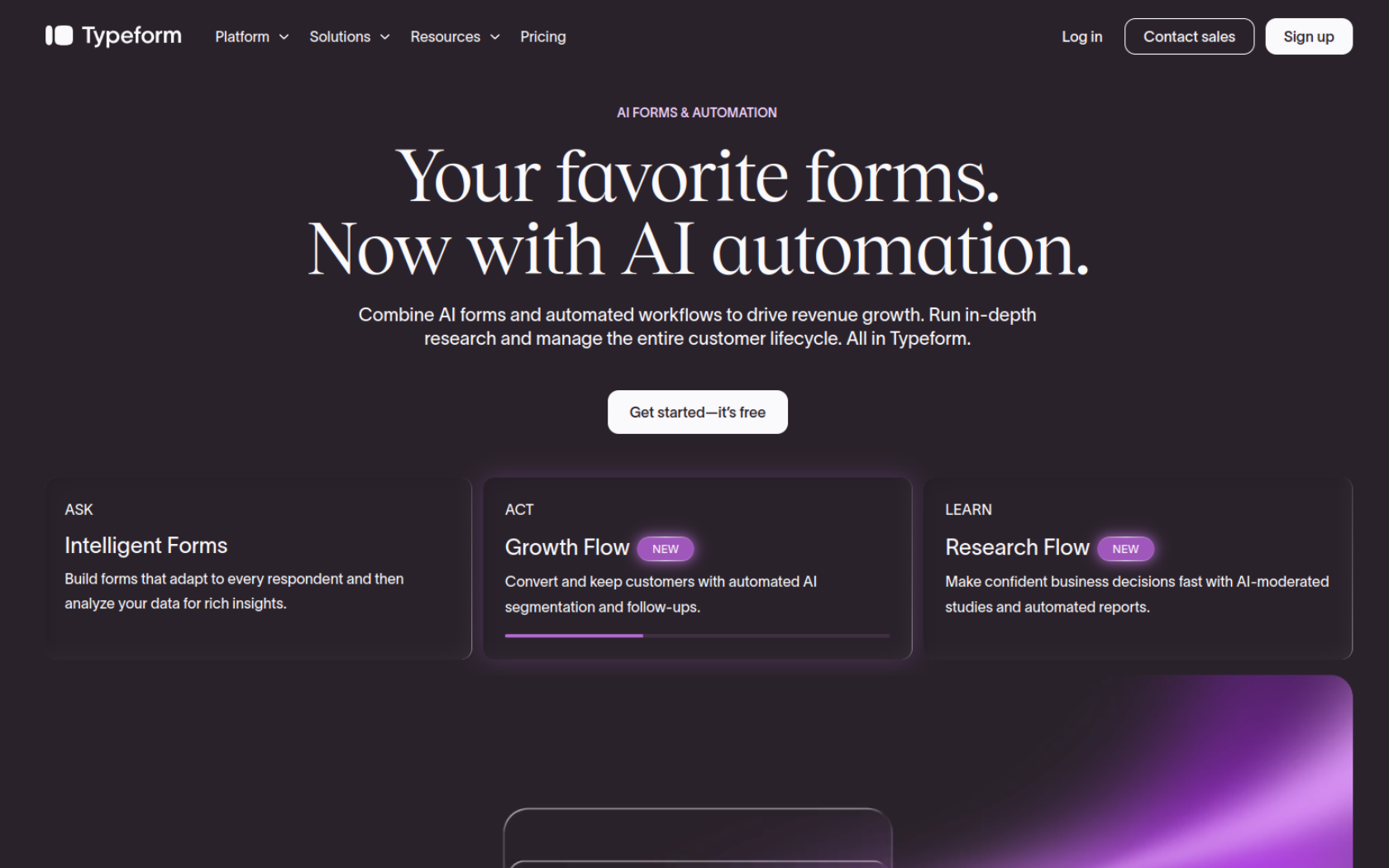
Recently, Typeform has de-emphasized the feature that made it famous (one-question-at-a-time forms) in favor of a host of new AI tools. Beyond building forms from an AI prompt, Typeform can enrich lead data, run sentiment analysis on submissions, and automatically generate follow-up questions.
What makes Typeform unique?
AI pivot aside, Typeform is still mostly known for its “conversational” forms that simplify the process of answering questions by minimizing the number of fields per page. Beyond that one tactic for increasing user engagement in forms, Typeform puts a lot of emphasis on broader design customization. It has some of the best form templates, branding tools, theme options, and transition animations. Apps like Jotform include many of the same features, but Typeform seems happy to deprioritize other aspects of form creation to put aesthetics above everything else.
Between its relatively high pricing and its market research tools, Typeform feels more tailored to large companies with mature design and marketing teams than to freelancers or small businesses.
Tally vs Typeform: Head-to-head comparison
I spend a lot of time comparing apps that look almost identical. UX designers often coalesce around a series of conventions and best practices until all CRMs or AI chatbots become indistinguishable from one another. That is absolutely not the case here. Typeform and Tally have very different interfaces and workflows, sometimes for better and sometimes for worse.
Form design and user experience
It’s immediately apparent how different building a Tally form is from building a Typeform form. From input methods to how much freedom you have to customize your design, few apps look and feel as dissimilar as these two.
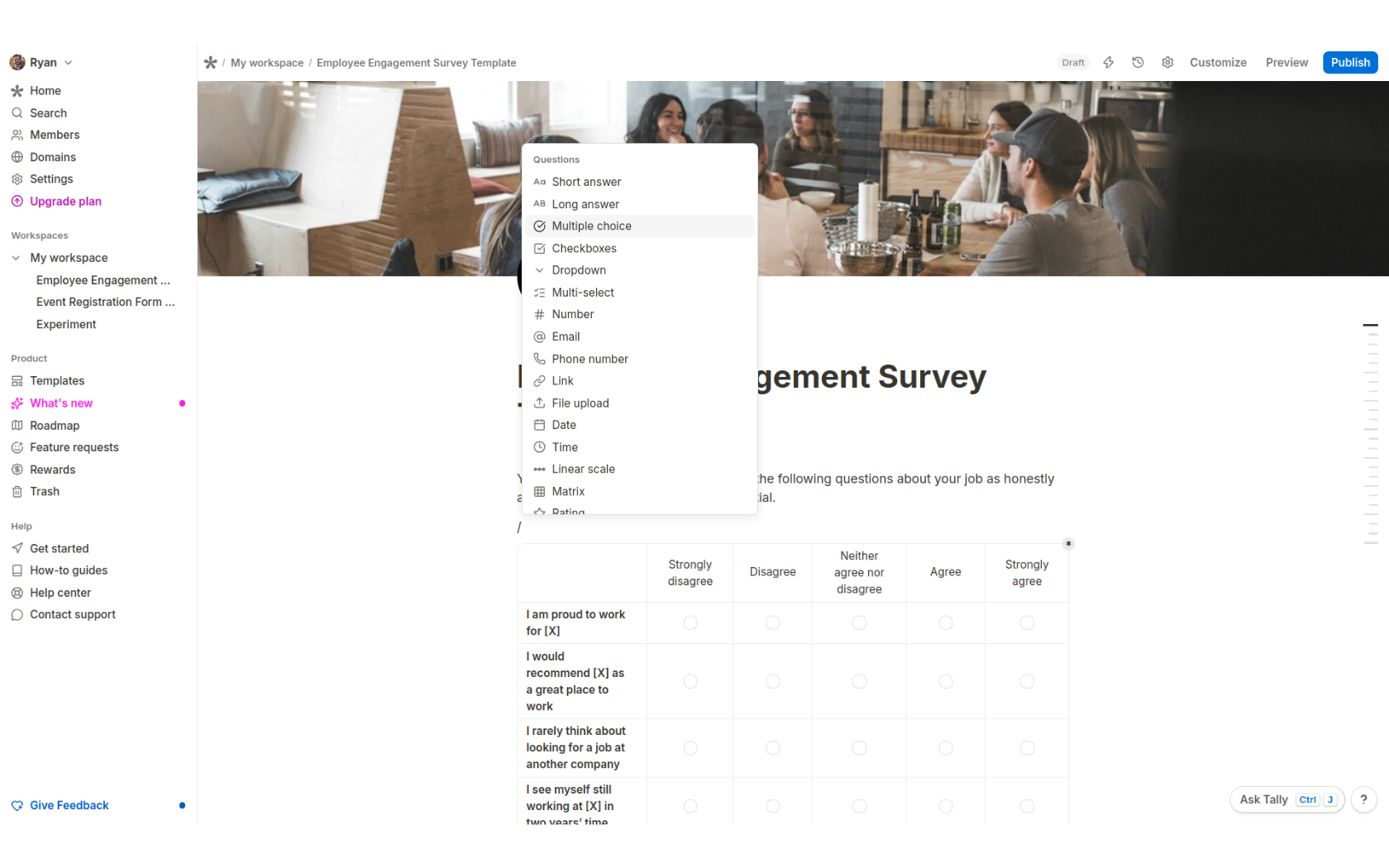
If you’ve ever used Notion, you’ll immediately feel at home with Tally. Create a form from scratch, or use an AI prompt or a template, then click anywhere on the canvas, press /, and start typing the type of field you want to add. It’s incredibly easy to pick up for most people, aside from a few quirks. For example, I never saw it explained anywhere that cmd/ctrl + shift + R is the only way to toggle whether or not a field is required. Likewise, the Customize button for design settings is completely invisible until you hover your mouse over it (above the top heading). Still, some of that minimalism is meant to make Tally look cleaner, while other choices are simply the result of having fewer customization options.
When you open the Customize menu, your theme options are Light, Dark, and Custom. Everything in the Layout and Custom CSS sections is reserved for Pro subscribers, and you can only change the color of five types of form elements (Background, Text, Button background, Button text, and Accent). If you love the keyboard-driven navigation, that alone is enough to go with Tally. For everything else design-related, Typeform feels comfortably ahead.
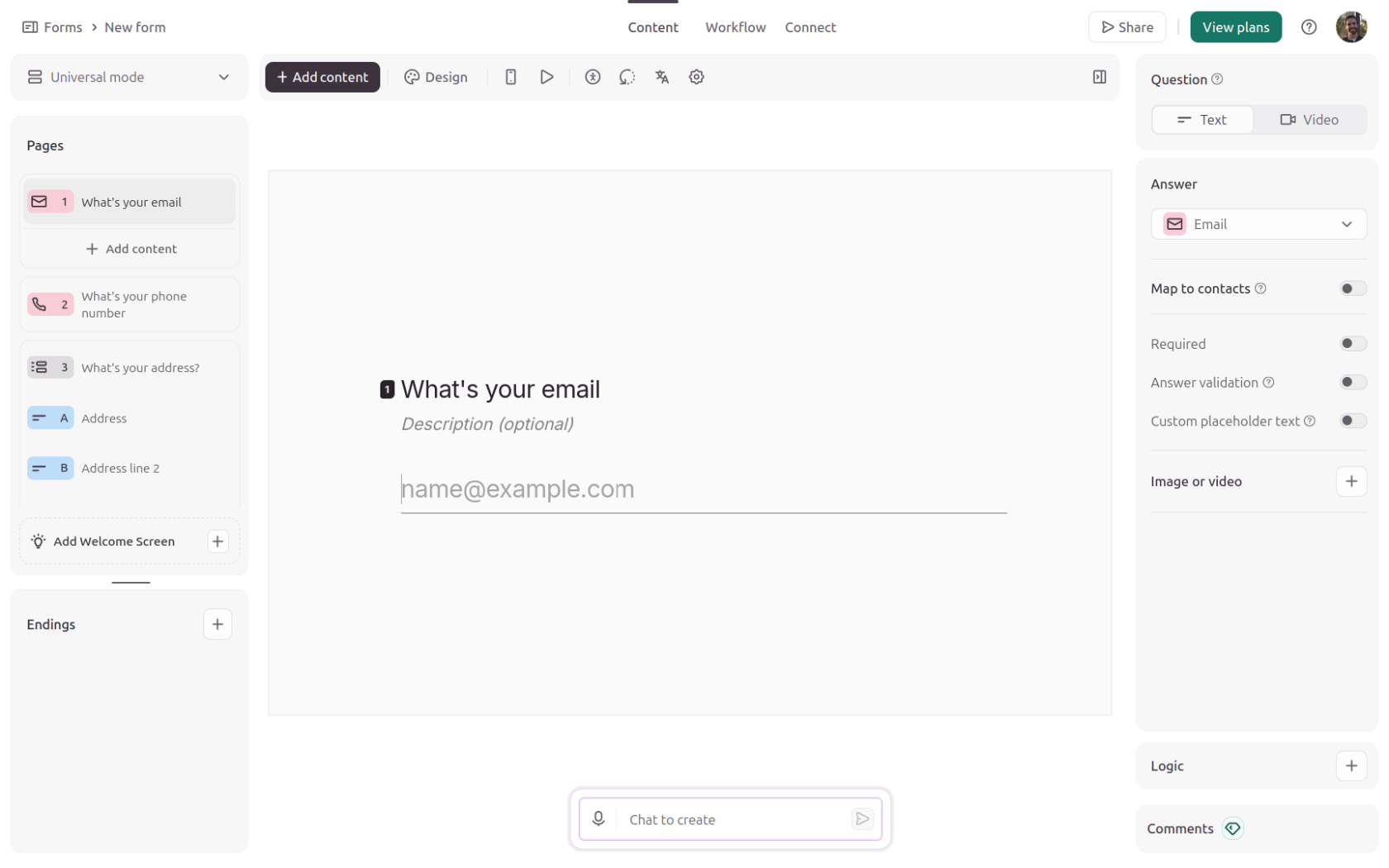
Typeform doesn’t so much offer more design features as provide an overall more well-rounded and intuitive approach to design. It lets you add background images (including animated GIFs), choose from 35 themes and more than 3,000 form templates, change form layouts, pick button shapes, and save brand kits. And, as much as I personally prefer that my hands never leave the keyboard, Typeform’s UX felt more intuitive to me than Tally’s.
Another thing is that Typeform’s default one-question-at-a-time format is just as straightforward to navigate and manage when creating a form as it is when submitting a form. Typically, when you select a field that you’ve created, it’ll appear on a page all by itself with its field-specific settings in a sidebar on the right. That lets you focus on each question, one by one, without getting overwhelmed by a dozen other elements on the same page.
Winner: Typeform
Form logic, integrations, and workflows
Typeform and Tally are closer to feature parity in this category than in any other. And if there’s something else you like about one of these two apps, logic is unlikely to be the deciding factor — even if there are a few small differences.
You can add a logic block to a Tally form by either typing /logic or pressing cmd/ctrl + shift + L. I struggled to figure out how to edit the logic settings without using my mouse, though, so I’m not sure how useful a shortcut is. Like its design settings, Tally’s logic options are hard to find even with a mouse, so there’s a bit of a learning curve. However, it does have a few more actions or outcomes than Typeform’s logic.
Unfortunately, Tally’s integration list is significantly shorter than Typeform’s, especially on the payments front. That said, you can accept Stripe payments and add signature fields on the free plan — neither of which is true for Typeform.
Typeform’s page- and field-level logic settings are accessible from the right-hand sidebar and, despite doing everything most people need, feel pretty basic. The 300-plus integrations are solid, albeit fairly skewed toward enterprise-level software.
The thing that clinches Typeform as the winner of this category is its automations builder. While not nearly as advanced or as affordable as Jotform’s Workflow Builder, Typeform does let you create workflows based on a decently long list of triggers and their actions. And if you have the Growth Flow plan, you can send emails and SMS messages, route leads, and enrich contact information from submissions. It’s all mapped out in a robust but easy-to-use diagramming tool, available on Business plans and higher.
Winner: Typeform
Analytics, tracking, and reporting
This is the comparison that was hardest for me to evaluate. Typeform’s analytics are unquestionably better than Tally’s. It’s just that Typeform relegates the most useful and valuable reporting features to Business-level plans, which cost four times more than Tally’s Pro plans.
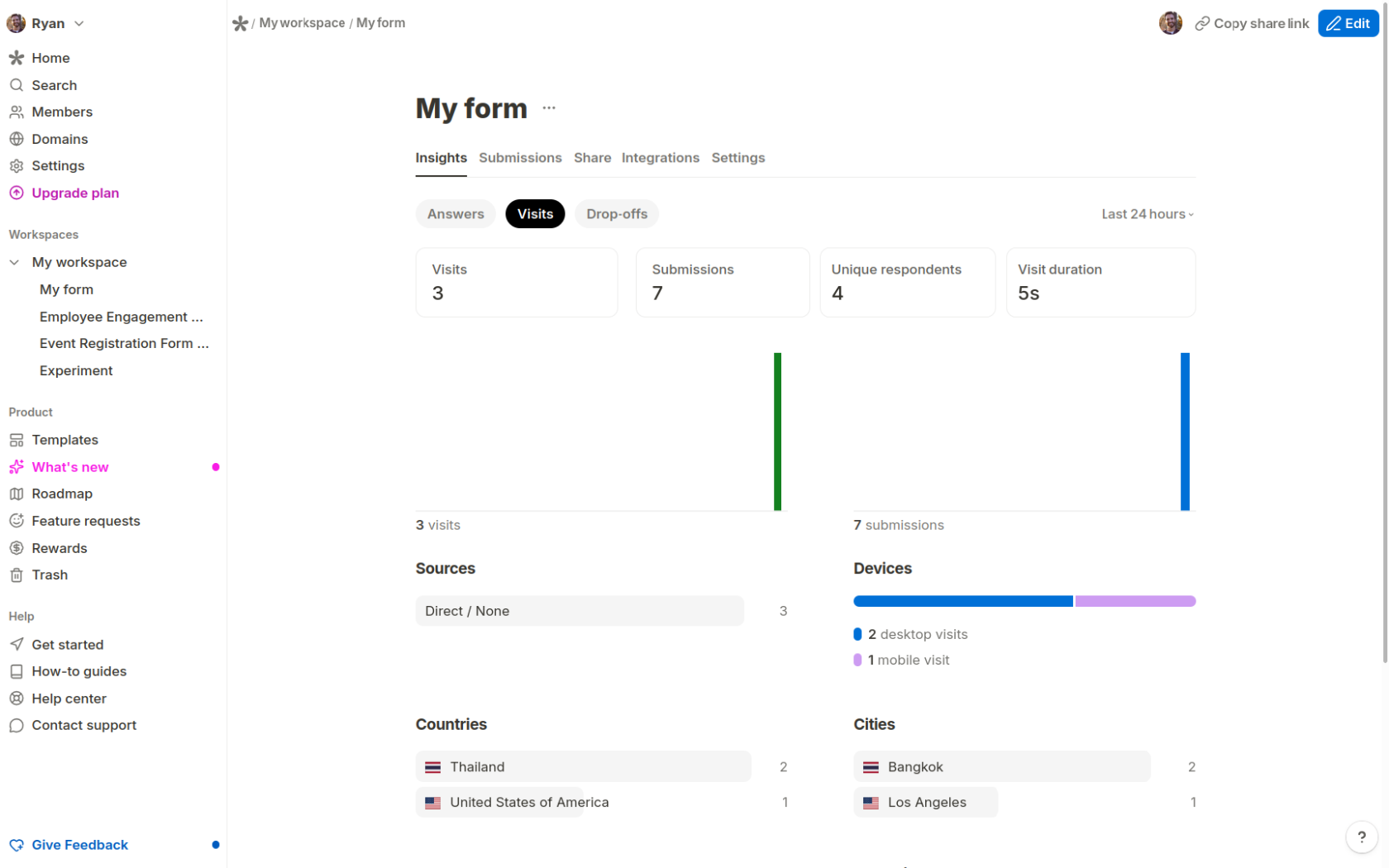
To be clear, Tally’s analytics are not subpar. You can see how many people visited a form, how long they left it open, and what website they came from — all on the free plan. With a paid subscription, you get drop-off analytics, partial submissions, and the ability to insert Google Analytics 4 and Meta pixels.
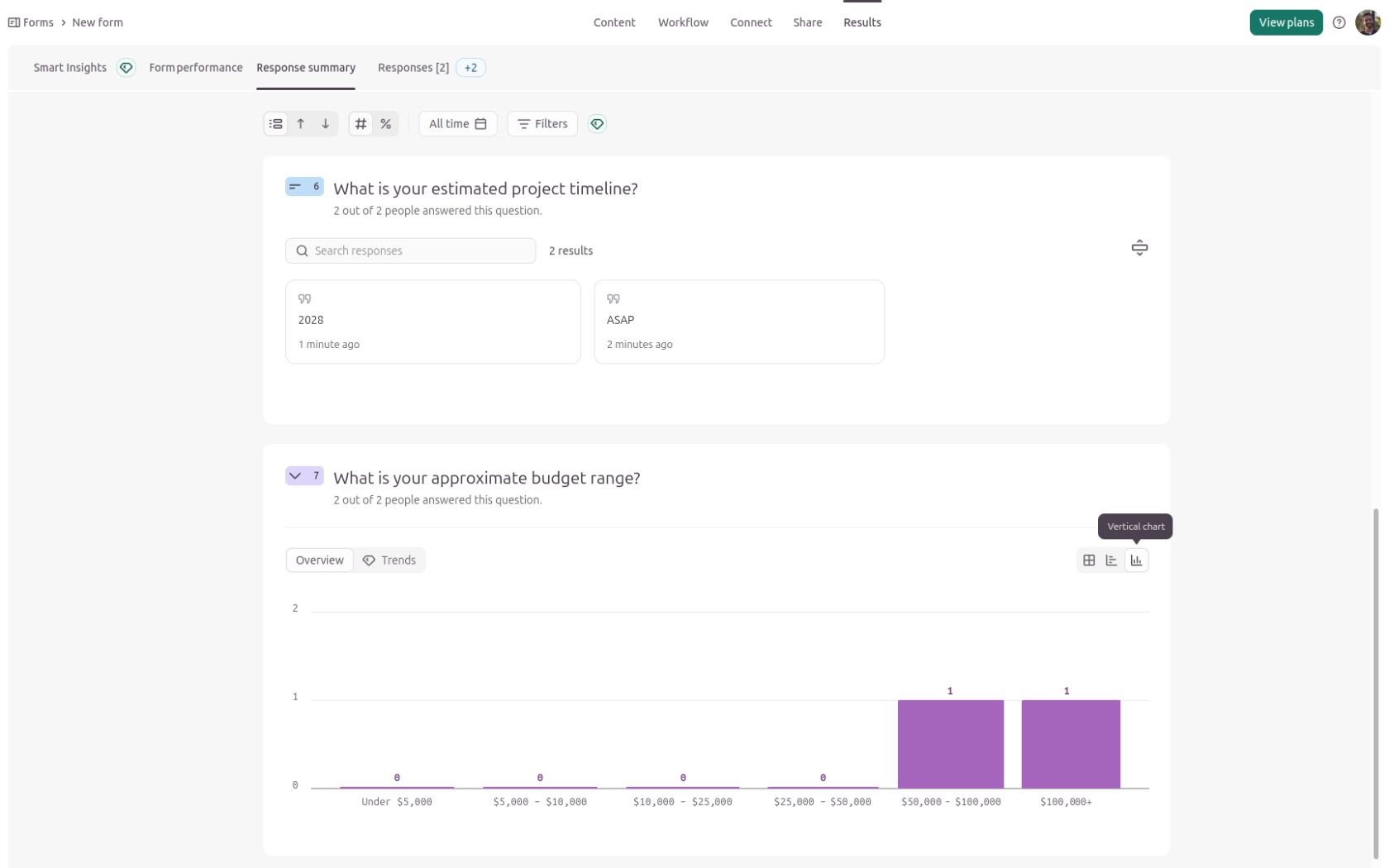
Typeform doesn’t open up drop-off analytics, GA4 tracking, or Meta pixels until you reach its Business tier (the second highest). But that also gets you AI-assisted form optimization, multi-language forms, and more leeway on partial submissions.
Personally, I would pick Tally over Typeform in this category, even if I were working at a larger company with budget to spare. Just keep in mind that, more than in any other category, this pick comes down to personal preference.
Winner: Tally
What free plans cover
This one isn’t even a contest. Typeform is easily one of the most expensive form builders relative to its submission ceilings, and its free plan is essentially unusable for anything but prototyping and testing basic workflows. Tally, on the other hand, has one of the most liberal and unrestricted free plans that you’ll find.
The word “unlimited” is visible in four places on Tally’s homepage before you even scroll past the main headline. I think that sort of overshadows all the things you get other than unlimited forms and submissions on Tally’s free plan, though. You also get payment fields, e-signatures, file uploads, conditional logic, duplicate submission detection, answer piping, and integrations (including webhooks!).
The potential caveat of Tally’s free plan is the Fair Use Policy, which states that “when your usage causes pressure on our infrastructure we will contact you to create a custom plan.” The lack of clear limits was a red flag to me, but I couldn’t find a single story of anyone running afoul of Tally’s Fair Use Policy. And, based on a few social media posts, monthly submissions under 5,000 shouldn’t be an issue.
Typeform’s free plan lets you create as many forms as you want, but your monthly submission ceiling across all of those forms is limited to 10. You have access to the full template library and most design settings, but not premium themes. Logic and calculations are included, but payment, file upload, and e-signature fields aren’t.
To be fair, Typeform lets you play around with many of its paid features — you just can’t use them in a form published on the free plan. But with a 10-response limit, even simple test runs are hard to manage.
Winner: Tally
Tally vs Typeform pricing
One of the main selling points of Tally is how much it offers on the free plan. And one of Typeform’s main drawbacks is how expensive it is. So it’s usually not hard to decide which is better for your needs. You get way more volume for your money with Tally but far more advanced features by splurging on Typeform.
Tally | Typeform | |
|---|---|---|
| Free plan | Yes | Yes |
| Entry-level paid plan | $24 per month | $28 per month |
| Response limits | Unlimited on all plans | 10 per month on free and 1,000 per month on Plus |
| Branding removal | Available on Pro plans | Available on Plus plans |
| Custom domain | Top-level domains available on Pro plans | Subdomains on Plus and top-level domains on Enterprise |
| Collaboration | Available on Pro plans | Available on Plus plans |
| Analytics | Available on Pro plans | Available on Business plans |
The main reason most people upgrade from a free Tally plan to the $24 per month Pro plan is to remove Tally’s branding. That same “feature” requires a $56 per month Plus plan from Typeform. Drop-off analytics are another reason to upgrade, and over at Typeform, those same analytics are gated behind the $91 per month Business plan.
At $34 per month to upgrade to 100 monthly submissions, payment fields, and some basic conditional logic, I’m not sure who Typeform’s Basic plan is for. You have to make it to the Plus plan ($56 per month for 1,000 submissions) before you get to the app’s best features, like brand kits, premium themes, and the option to remove Typeform branding. And that doesn’t even cover all of what I would consider table stakes for most form creation. Email notifications, signature fields, and duplicate submission detection are all limited to the Growth Flow plan that costs a whopping $266 per month.
Tally or Typeform: Which should you choose?
With such different interfaces and approaches to form creation, most people will probably have a strong preference within the first few minutes of hands-on testing these two apps. If you can’t test them yourself, or you aren’t sure which one your team prefers, here are the big-picture takeaways I’ll leave you with.
Choose Tally if
- You expect more than 100 submissions per month, or that number is likely to grow quickly. Migrating later is a hassle, and even if you assume low numbers for the foreseeable future, a sudden surge could push a Typeform form past its limit and take it offline.
- You need payment fields, e-signatures, file uploads, or conditional logic on a budget. Branding removal, drop-off analytics, and GA4 or Meta pixels cost $24 per month at Tally vs $91 per month at Typeform.
- You’re already comfortable in Notion-style editors and would rather build forms with keyboard shortcuts than drag fields onto a canvas.
Choose Typeform if
- Your forms are customer-facing and the design matters as much as the data. You’ll want the brand kits, premium themes, image backgrounds, and transition animations that Tally doesn’t really try to match.
- You want conversational, one-question-at-a-time forms that are as easy to build as they are to fill out, with each field’s settings in its own sidebar instead of buried behind hover menus and shortcuts.
- You need automations beyond notifications and integrations, like Growth Flow’s email and SMS follow-ups, lead routing, and contact enrichment. You also need the budget for a Business plan or higher.
Need forms that do more than collect responses? Meet Jotform
Tally and Typeform are both good at getting someone from a blank form to a submitted one. Where they start to feel limiting is what happens after that. Most teams using Tally will probably sync submissions to Notion, Airtable, or Google Sheets, creating yet another connection to manage. Typeform’s automations builder is better, but its most useful workflow features are locked behind wildly expensive plans. If your form is only one step in a bigger process, like collecting a deposit, getting a manager’s sign-off, or updating a CRM, Jotform tends to be a better fit.
Jotform gives you 20,000-plus free form templates to start from, along with conditional logic, calculations, and multipage forms. And, if you like Typeform’s one-question-at-a-time layout, Jotform’s Card Forms work in a similar way. Payment fields, e-signatures, and file uploads can all go in the same form, too, with 40-plus payment integrations to choose from instead of just Stripe.
Once published, every submission is automatically added to Jotform Tables, where you can filter, sort, and share responses with the rest of your team. From there, Jotform Workflows can route submissions through multistep approvals and automated follow-ups. You can also push data to any of the 150-plus form integrations, from CRMs and email marketing platforms to cloud storage tools.
You don’t have to give up engaging forms to get the operational side right. You can sign up for free, describe your form to Jotform AI or pick a template, and have a working payment or approval form live in a few minutes. Payment fields and the Workflow Builder are both on the free plan, so you can see how far one form can take you before you ever need to upgrade.
FAQs about Tally vs Typeform
Yes, but it doesn’t have much utility beyond testing. Typeform’s free plan lets you create unlimited forms with access to the full template library, logic, and calculations, but you can only collect 10 responses per month across all of them. Payment, file upload, and e-signature fields aren’t included.
For most small businesses, yes. Tally’s free plan covers unlimited submissions, payments, and e-signatures. Its $24 per month Pro plan unlocks branding removal, team collaboration, and basic forms management features that Typeform reserves for its $56 per month and $91 per month plans. Typeform is only worth the extra cost if form design and brand consistency are a top priority.
It depends on your volume and budget. Typeform’s conversational forms, more than 300 integrations, and Growth Flow features like contact enrichment, lead routing, and email and SMS follow-ups make it the more complete lead generation tool. But that comes at a high cost. If you can survive without data enrichment and Typeform’s integrations list, Tally should work fine.
Jotform is the best alternative if you need forms to feed into larger processes. It offers more than 20,000 templates, over 40 payment integrations, e-signatures, and a dedicated Workflow Builder for approvals and automations that’s more advanced and affordable than Typeform’s. Its free plan also includes 100 monthly submissions — 10 times Typeform’s — plus app, chatbot, and AI agent builders.
This article is for creators, marketers, founders, small businesses, and growing teams choosing between Tally and Typeform for surveys, lead capture, applications, and customer feedback. Address the practical trade-off between Tally’s free-first, document-style builder and Typeform’s polished conversational experience, then show where Jotform fits for teams that need more operational flexibility.















































































Send Comment: