
TL;DR: Which Formaloo alternative should you pick?
- Use Jotform if you want an all-in-one platform that goes beyond forms.
- Use Typeform if your priority is a polished, conversational form experience.
- Use Fillout if you want forms that sync with an existing Airtable or Notion base.
- Use Airtable if you need a simple input method for a relational database.
- Use Tally if you want a free, minimalist form builder and don’t need a database or CRM.
- Use Formstack if you’re an enterprise looking for a form-to-signed-contract workflow.
- Use Google Forms if you use Google Workspace and need basic forms for internal surveys.
A decade or two ago, employees had to request internal apps, portals, workflows, databases, and forms from the IT department. That’s all changed. People can build things themselves with no-code and low-code tools. Innovation and development happen faster, to the point that 81 percent of corporate decision-makers say low-code tools are “strategically important.”
Formaloo is one of many no-code platforms benefiting from this trend. It brings together a form builder, client portals, databases, and a PDF creator in one workspace. It also offers unlimited forms and unlimited submissions. Even so, plenty of teams run into growing pains with Formaloo, especially related to offline data collection, payments, integrations, and form customization.
This guide is designed to help you consider other options. I’ll cover the seven best Formaloo alternatives and explain the trade-offs of each, so you can pick the best form builder for your work.
Why look for a Formaloo alternative?
While Formaloo works well for portals, lead forms, and lightweight CRMs, it’s not the right fit for every circumstance. You might need a Formaloo alternative if
- You’re looking for a full-featured free plan: While Formaloo’s free plan gives you unlimited submissions, you have to upgrade to the Pro plan for core features such as payments, PDF creation, e-signatures, and customization (only the Business plan removes branding and allows custom CSS).
- You need offline form collection: Formaloo doesn’t offer an iOS app, and its Android app hasn’t been updated for years. If you’re collecting data in places without Wi-Fi, it’s not the best choice.
- You want a wider selection of payment options: Formaloo connects with only PayPal, Square, Stripe, and Razorpay. It doesn’t support ACH payments or niche payment processors.
- Your form designs have lots of interactive fields: While Formaloo has fields for star ratings, rankings, sliders, and product showcases, you won’t find a wider selection of embeddable widgets, as some competitors offer.
- You need to integrate with other apps: Formaloo integrates with HubSpot, ActiveCampaign, Slack, Calendly, Google Sheets, NetSuite, and some payment processors. Alternatives like Jotform offer 150-plus integrations.
Top 7 Formaloo alternatives at a glance
| Tool | Best for | Key features | Pricing |
|---|---|---|---|
 Jotform |
All-in-one platform for teams that need more than forms |
20,000-plus templates, Jotform Tables, Jotform Sign, no-fee payments |
Free plan available; paid plans from $34 per month, billed annually |
 Typeform |
Polished conversational forms |
AI form builder, video questions, conditional logic, contact hub |
Free plan available; paid plans from $28 per month, billed annually |
 Fillout |
Two-way sync with apps including Airtable and Notion |
Native bidirectional sync with database apps, PDF generation, scheduling, payments |
Free plan available; paid plans from $15 per month, billed annually |
 Airtable |
Teams that need to sync forms to a relational database |
Automations, multiple views, database sync, prefill fields |
Free plan available; paid plans from $20 per user, per month, billed annually |
 Tally |
Solopreneurs looking for a free form builder |
Unlimited forms and free signatures, workflows, logic, and payments |
Free plan available; paid plans from $29 per month |
 Formstack |
Enterprise teams that need forms and document generation in one workflow |
Document workflows, Salesforce sync, SSO, approvals |
14-day trial; paid plans from $83 per month, billed annually |
 Google Forms |
Teams using Google Workspace that need basic internal forms for free |
Google Sheets sync, real-time collaboration, section branching |
Free with any Google account |
1. Jotform: Best all-in-one platform for teams that need more than forms
With some form builders, you need a paid plan to access most features. Not with Jotform: Nearly all of its features are available on the free plan, and you can scale up based on your usage. As with Formaloo, you get access to forms, portals, and approval workflows. But Jotform offers more complementary features, including AI Agents and offline data collection for both iOS and Android.
Jotform is a good option for teams looking to take advantage of AI. Jotform AI can generate forms, apps, documents, workflows, and conditional logic. Jotform AI Agents make it easy to collect data by phone, chatbot, email, SMS, WhatsApp, Messenger, Instagram, Salesforce, and more. Jotform’s AI Data Assistant can convert your data into charts, trends, and visual summaries.
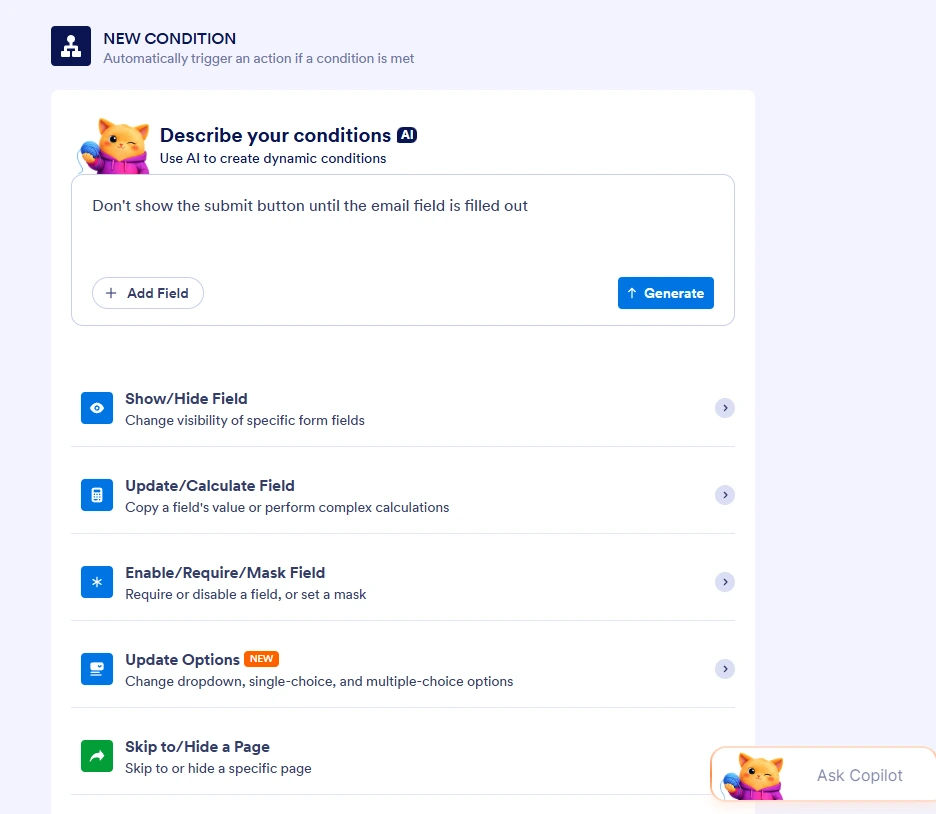
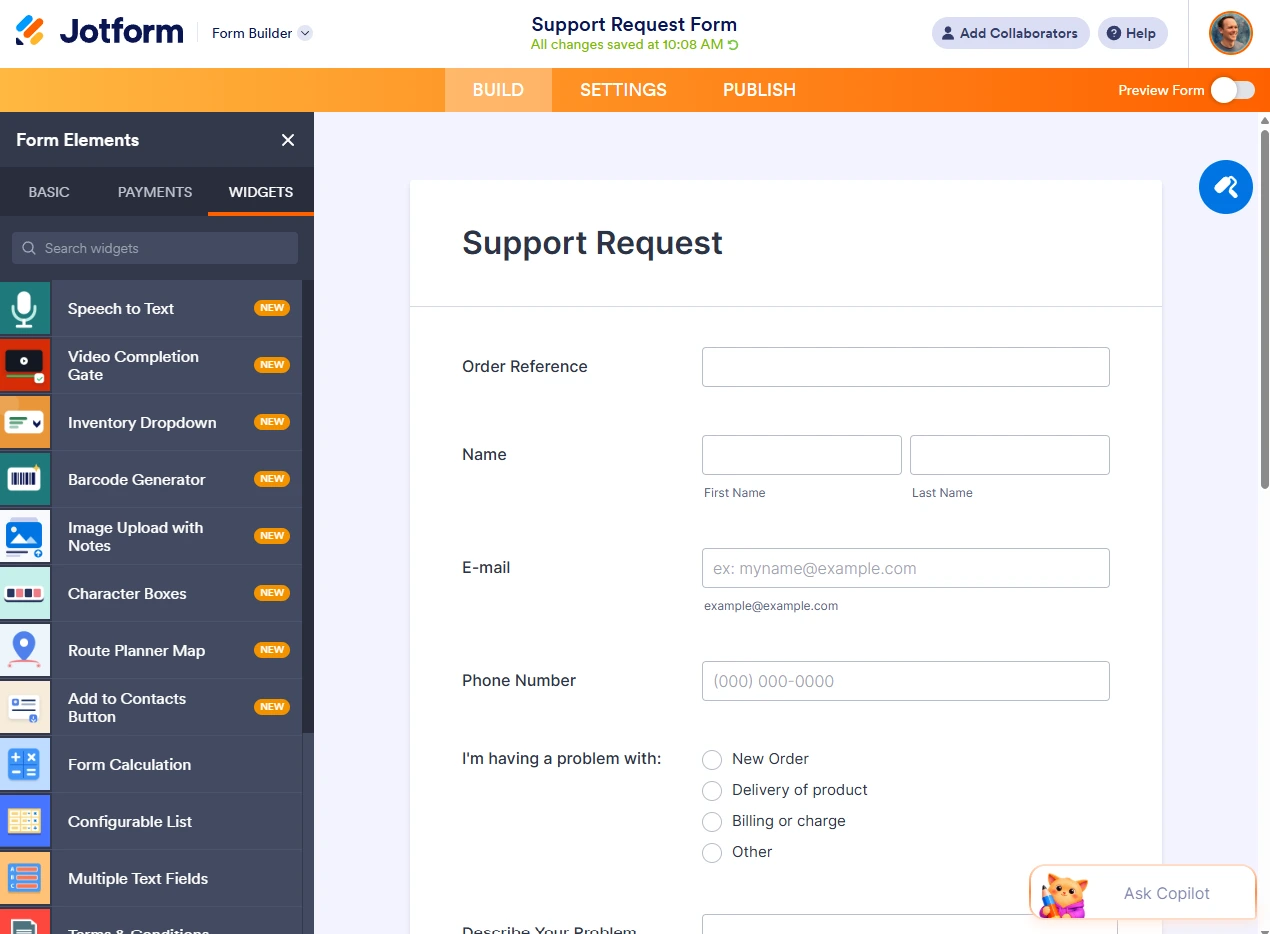
It’s tough to beat Jotform if you want to customize a form. Unlike Formaloo, which allows custom CSS only on its Business and Enterprise plans, you can tweak Jotform’s CSS styling on any plan. Jotform has specialized templates to help you quickly launch and customize surveys or quizzes. It also offers hundreds of widgets that you can embed into your form, including image sliders, checklists, QR codes, automatic address lookups, barcode scanners, and countdown timers.
- Key features
- Drag-and-drop form builder with 20,000-plus free templates
- 150-plus integrations, including Claude, Google Sheets, Airtable, and Salesforce
- Jotform Tables for organizing submissions and Jotform Sign for collecting e-signatures
- Jotform Report Builder for transforming your data into comprehensive reports
- Jotform AI Agents that handle data across chat, SMS, and voice calls
- Jotform Apps, a no-code app builder that lets you build custom apps with AI
- Integration with about 40 payment processors and no added transaction fees
- Offline form collection, including mobile apps and kiosk mode
- Pros
- Robust customization options, including hundreds of form widgets and CSS editing
- Easy integration with the rest of your tech stack and payment infrastructure
- Prompt-based form, app, and conditional-logic creation with Jotform AI
- Cons
- Limit of 100 monthly submissions on free plan
- One-user limit on all plans but the Enterprise plan
- Pricing
- Starter plan: Free (five forms, 100 monthly submissions)
- Paid plans: From $34 per month, billed annually (25 forms, 1,000 monthly submissions).
- Enterprise plans: Custom pricing
2. Typeform: For polished conversational forms
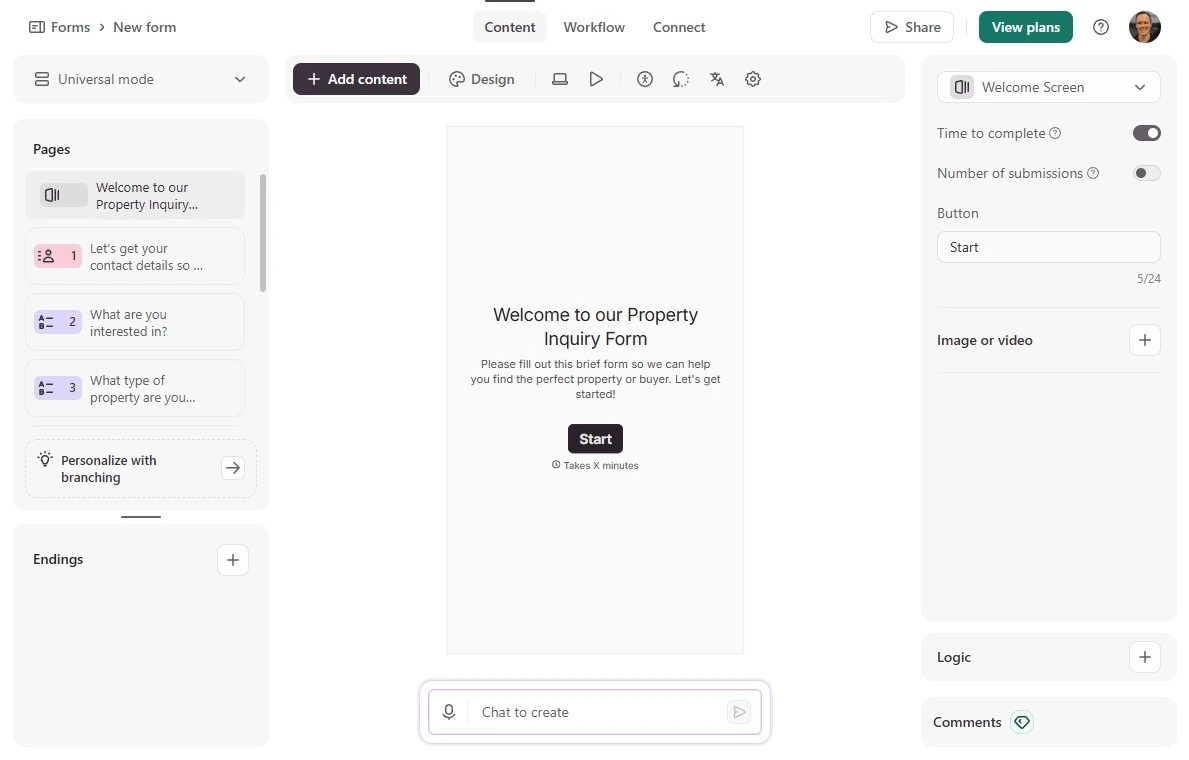
Typeform’s central insight is that people are more likely to fill out forms that are attractive and conversational. It offers a slick “one question at a time” format, many branding options, and built-in video questions and answers.
It’s not cheap, and it doesn’t replicate Formaloo’s dashboards or client portals, but Typeform makes sense for brands looking for an ultra-polished data collection experience. Two paid add-ons are available: Research Flow lets you run studies and analyze them with AI, while Contacts & Automations enriches your leads and runs personalized nurture campaigns.
- Key features
- AI form builder that generates forms from a prompt
- Ability to both ask and answer questions with video (included in Growth Flow plan)
- Answer piping and conditional logic that adjust the form experience to each respondent
- Contact hub for customer data, segments, and multichannel automations
- Pros
- Premium form experience that can be customized to feel like your brand
- Features including drop-off analysis and multimedia questions that help boost completion rate
- Integrations with HubSpot, Salesforce, and Google Sheets
- Cons
- Limit of 10 responses per month on free plan
- Limit of 100 responses per month on Basic plan ($28 per month)
- Focus on data collection that doesn’t offer a wider ecosystem for building custom apps, portals, or CRMs
- Pricing
- Free plan: Capped at 10 responses per month
- Paid plans: From $28 per month, billed annually (100 responses and one user)
- Plus plan: $56 per month, billed annually (1,000 responses and three users)
- Growth Flow plan: $266 per month, billed annually (10,000 responses and advanced features including video questions, video answers, and contact enrichment)
Pro Tip
Looking for Typeform-style conversational forms that also connect to a broader ecosystem? Jotform offers more than 20,000 templates, support for 40 payment processors, databases, workflows, AI Agents, and an app builder, all in one place.
3. Fillout: For two-way sync with Airtable, Notion, and other databases
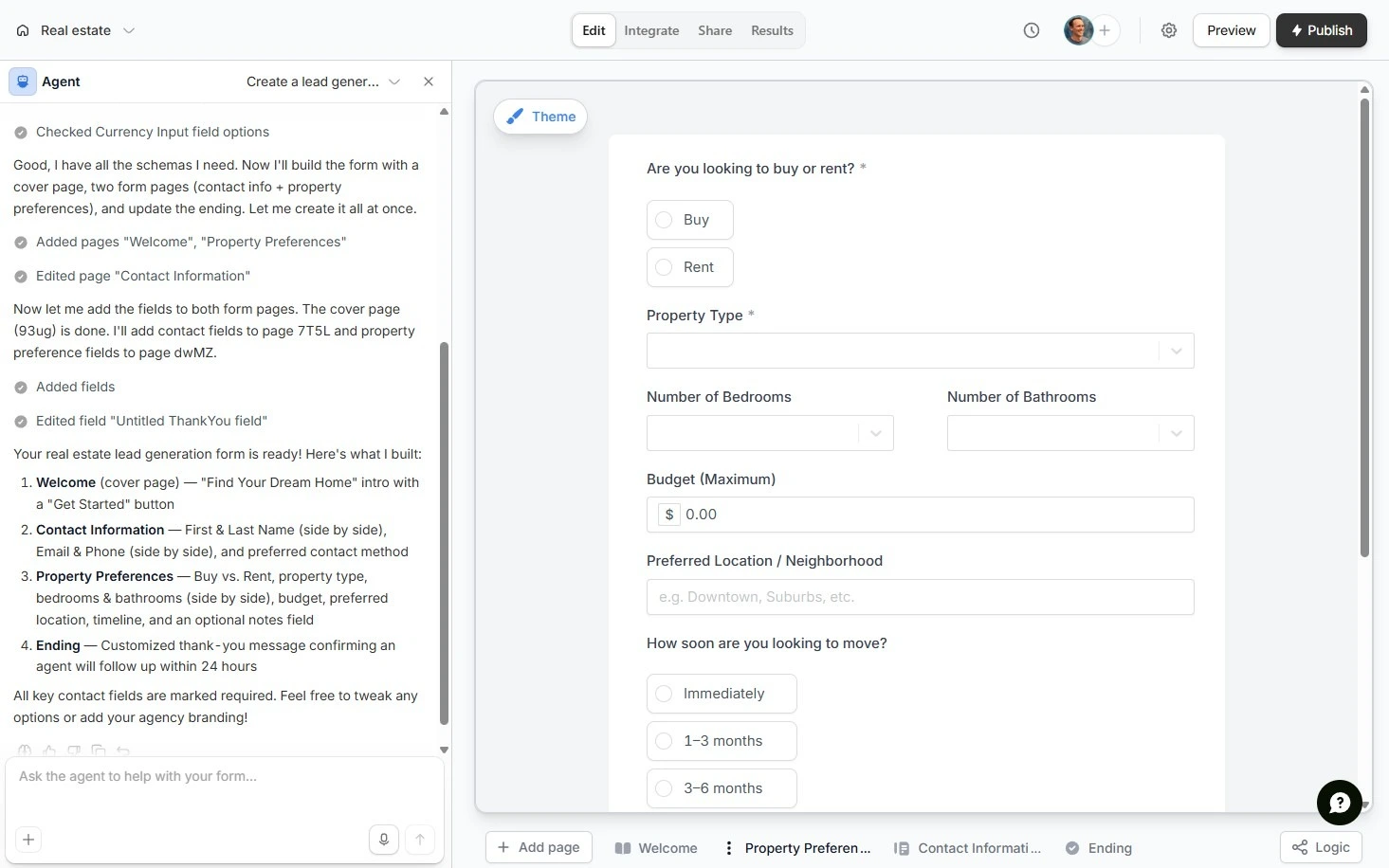
Fillout’s forms offer real-time, two-way syncing with apps including Airtable, Notion, and HubSpot. Fillout integrates especially deeply with Airtable: You can prefill forms with information pulled from Airtable, update existing records, and set fields to read-only. Fillout can create a unique link for every record in your Airtable database, which you can send to clients or team members so they can update their own data.
Beyond integrations, Fillout supports workflows, approvals, payments, and PDF generation. It also has a Calendly-style scheduling app that syncs your availability to Google Calendar or Microsoft Outlook.
Fillout is part of the same platform as Zite, which includes databases, portals, and no-code apps. While you can integrate those features into your Fillout workflow, you need a separate subscription to use Zite.
- Key features
- More than 50 integrations, including native two-way sync with Airtable and Notion
- PDF import and conversion into forms (and completed form conversion into PDF)
- One-time payment collection and subscription purchase with no added fees
- Scheduling app with round-robin and collective meetings
- Pros
- Unlimited forms on every plan, including free
- Form synchronization and automatic updates with Airtable data and other apps
- Ability to handle approval requests via email or Slack
- Cons
- No mobile app and no offline mode
- Fillout branding on forms in the entry-level paid plan
- Need for Zite subscription if your forms must integrate with databases, portals, or no-code apps
- Pricing
- Free plan: Unlimited forms, unlimited seats, 1,000 submissions per month
- Starter plan: $15 per month, billed annually (2,000 submissions)
- Pro plan: $40 per month, billed annually (5,000 submissions and custom branding)
- Business plan: $75 per month, billed annually (unlimited submissions)
4. Airtable: For teams that need to sync forms directly to a relational database
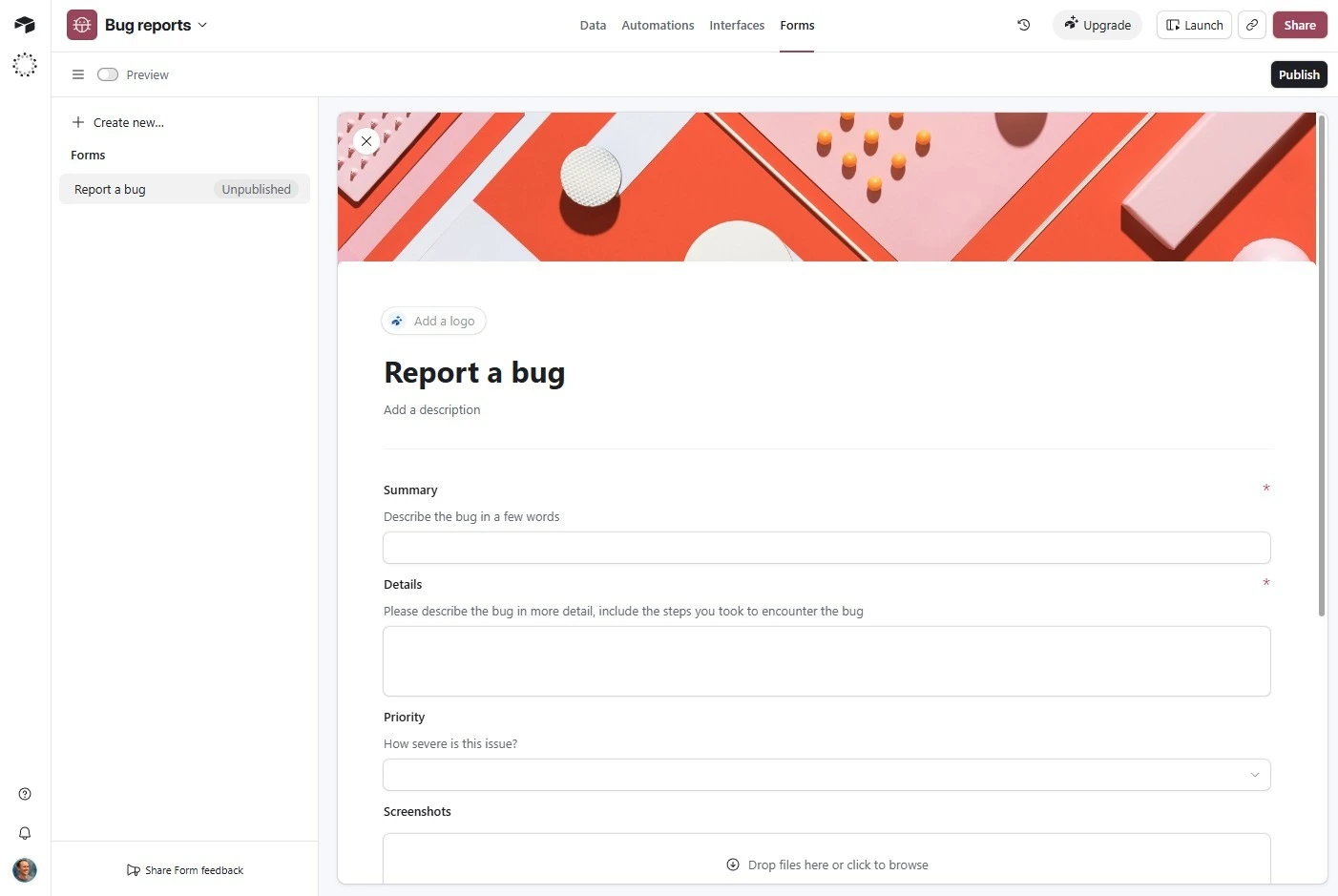
Airtable doesn’t position itself as a form platform, and it’s not the most attractive form builder that uses Airtable data. But it’s a contender if you’re looking for the simplest way to turn form submissions into Airtable records that power your team’s work.
With Airtable, you can set up sophisticated views of your form-submitted data, such as Gantt charts, timelines, kanban boards, and high-level dashboards. You can also link records across your database and set up complex automations that trigger when forms are submitted.
I was able to quickly build a bug submission form and use Airtable’s AI app builder to create a portal to view the data. Creating automations took trial and error, but I was able to assign tasks to team members, set a due date, and trigger alerts. Airtable’s forms are utilitarian, and there are just a handful of templates, but that’s less of an issue if your team uses them as part of a larger operational process.
- Key features
- Ability to trigger Airtable automations through form submissions
- Automatic sync between forms and your Airtable database
- Ability for multiple teams to interact with the same data in real time while using different views (for example, kanban, Gantt, grid, and timeline)
- Ability to prefill specific fields to make form submission quicker
- Pros
- Single platform that consolidates your forms, databases, and workflows
- Little to no manual data entry, since form submissions flow straight into your operational system
- Automatic transfer of all user-submitted data, including file attachments such as PDFs, to your database
- Cons
- No native payment processing
- Limited conditional logic and branding options compared with competitors
- Fairly steep learning curve for functions such as automations
- Pricing
- Free plan: Up to five editors and 1,000 records per base
- Paid plans: From $20 per user per month, billed annually (50,000 records per base)
- Free read-only viewers and form submitters on every plan; billed seats needed only for editors
5. Tally: For solopreneurs looking for a minimalist form builder for free
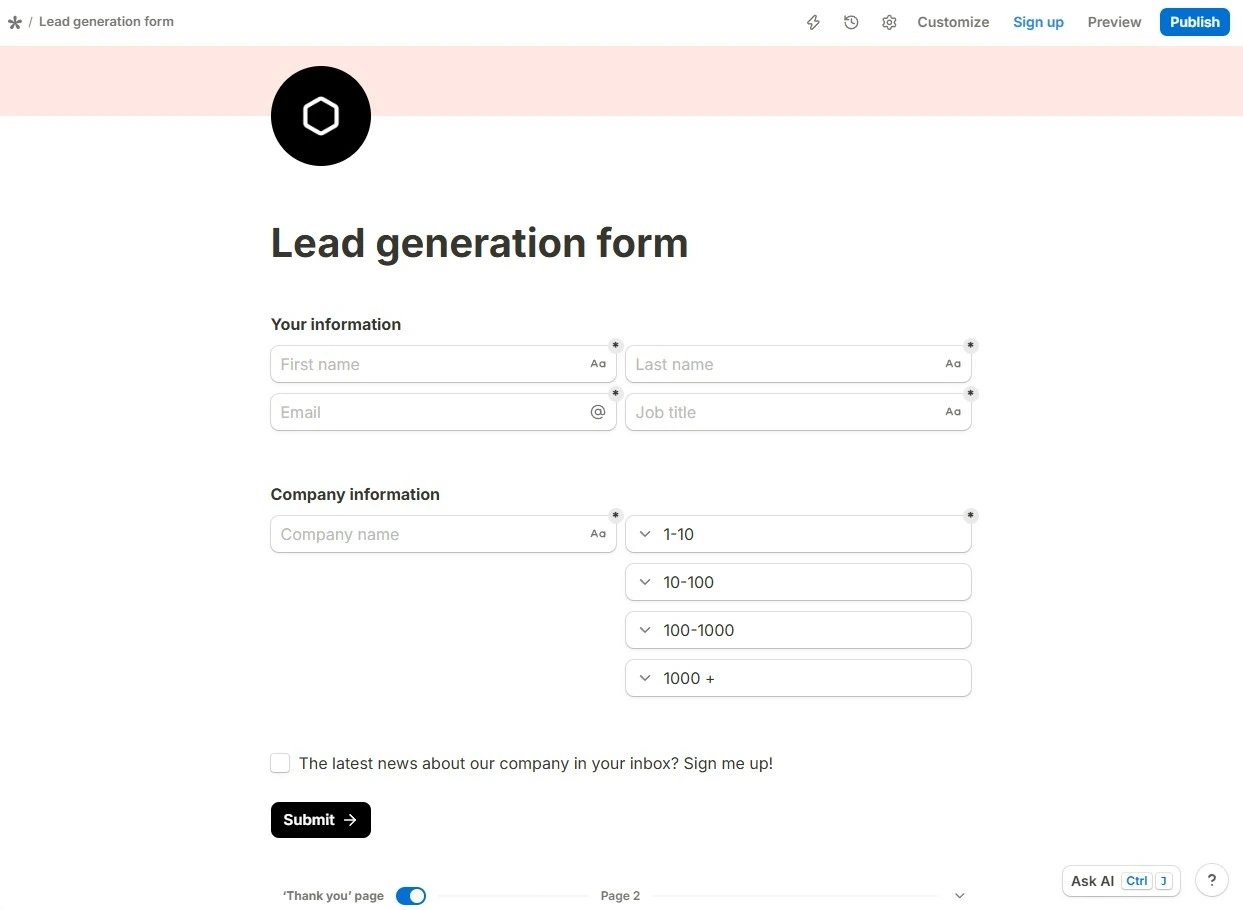
With its minimalist design and text-based form builder, Tally looks and feels more like Notion than traditional form builders. To create a form, just start typing. To add fields to your form, type a slash (/), select the input block you want, and press Enter. There are dozens of templates, and you can also use AI to generate your form.
You get unlimited forms, unlimited submissions, and nearly all features for free if you’re a solo user, with options to upgrade for teams. A paid plan is also required for anyone who wants to remove Tally’s branding or access certain advanced features.
Tally is built for collecting data, but its scope is limited beyond that. If you need to do more with your data, such as create portals, relational databases, or complex automations, an alternative may make more sense.
- Key features
- Unlimited forms and submissions on the free plan
- Notion-like interface that lets you create forms using a block-based editor
- Signatures, conditional logic, and calculations, available for free
- Answer piping to create a conversational-style form experience
- Native one-time payment collection
- Pros
- Generous free tier that includes most of the platform’s features
- Minimalist aesthetic that feels modern and renders well on mobile screens
- User-friendly block-based experience with minimal learning curve
- Cons
- Limited design flexibility, since everything exists in a document-style layout
- No support for recurring payments and no HIPAA compliance features
- Pricing
- Free plan: Unlimited forms and submissions, along with most of the platform’s advanced features
- Pro plan: $24 per month, billed annually, (unlimited team members, removal of Tally branding, and ability to view partial submission data)
- Business plan: $74 per month, billed annually (email verification, data controls, and version history)
6. Formstack: For enterprise teams that need forms and document generation in one workflow
Most of Formstack’s customers are in heavily regulated industries. Regulation comes with specific risks that Formstack is built to address:
- Healthcare organizations are subject to HIPAA compliance rules.
- Government agencies have to keep the personal data of their constituents secure.
- Financial and insurance firms deal with sensitive documents such as tax returns and bank statements.
With Formstack, organizations with heavy compliance needs can use a single platform to securely collect data, generate documents, manage approval workflows, and gather signatures.
I found Formstack to be surprisingly user-friendly, especially given that it’s an enterprise tool. I was able to launch a medical information release process by clicking on a template, which then started an integrated process including a form, document generation, and e-signature. Any step in the process can be easily adjusted with drag-and-drop modules.
- Key features
- AI form builder, plus dozens of pre-built form-to-document workflow templates
- Bidirectional Salesforce sync that prefills forms and pushes signed documents to records
- Multistep routing and conditional logic
- Enterprise security features including SSO and user-level permissions
- Pros
- All-in-one solution that handles signed agreements and releases end to end
- Features that allow organizations to stay compliant with rules such as HIPAA and PCI-DSS
- Ability to handle complex chains of approval
- Cons
- $250 per month Suite plan requirement for bringing forms, document generation, and e-signatures into a single workflow
- AI form generator that does not automate conditional logic
- Pricing
- Paid plans: From $83 per month, billed annually, (one user, 25 forms, and 1,000 submissions per form)
- Suite plan: $250 per month, billed annually (three users, 100 forms, 5,000 submissions per form, e-signatures, workflows, and document generation)
- Custom pricing for HIPAA compliance features and Salesforce-native forms
- Paid Conversion Kit add-on for abandonment rate tracking and partial submissions
Pro Tip
For enterprise-friendly features without the enterprise price tag, try Jotform. Every paid plan includes PCI DSS compliance, and HIPAA compliance features are available starting with Jotform’s Gold plan ($99 per month, billed annually). Forms, document creation, and e-signatures are available on every plan.
7. Google Forms: For teams using Google Workspace
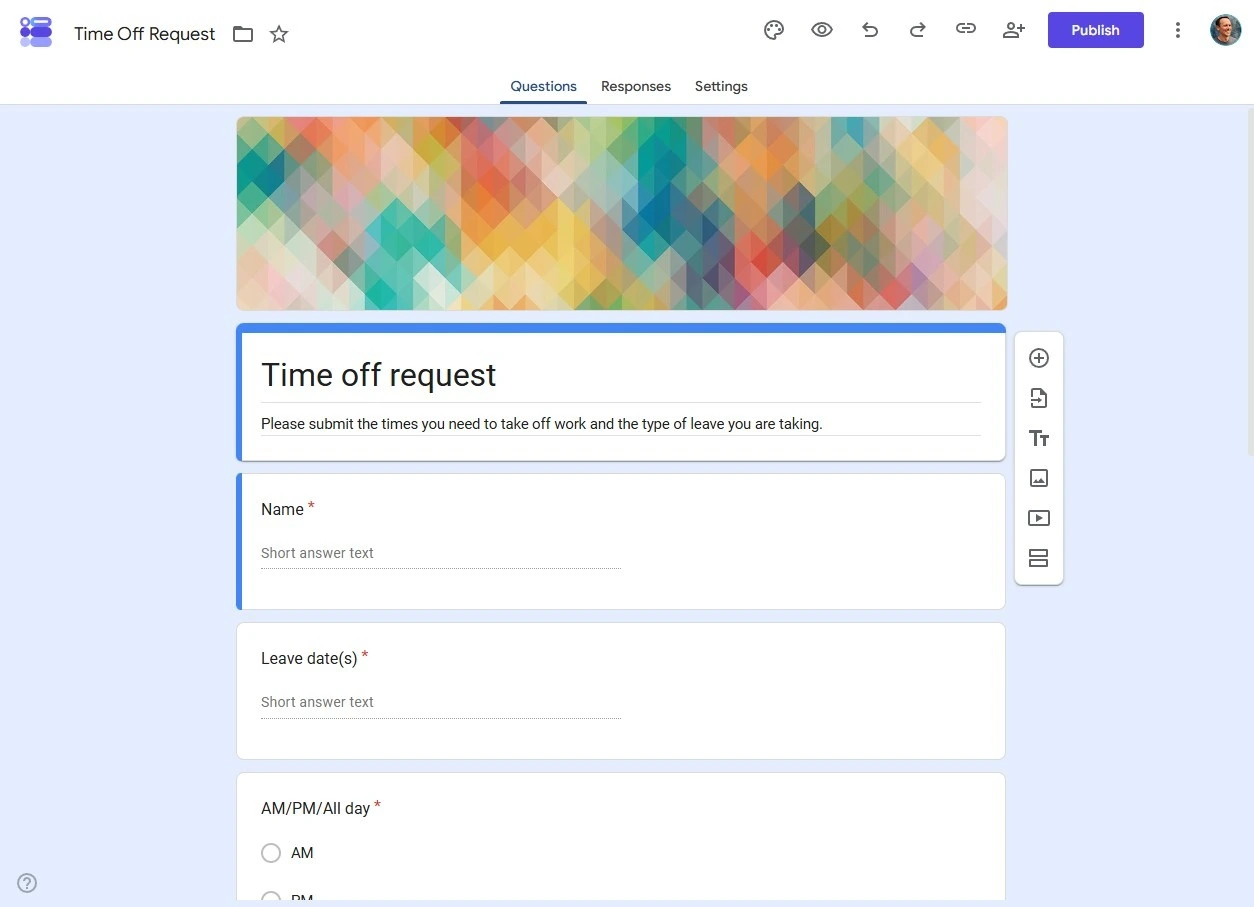
Google Forms isn’t a direct replacement for Formaloo: You won’t find an app builder, client portals, lead enrichment, approvals, or payments. But if you don’t need those features, Google Forms can be a solid substitute, and it’s free. For simple internal surveys, signup sheets, and data collection, it performs reliably and lets you send responses to Google Sheets for management and analysis.
For enterprise teams, you don’t have to buy extra licenses for Google Forms, and because user provisioning is already part of your Google Workspace settings, it’s easy to manage internal surveys at scale.
- Key features
- Automatic sync with Google Sheets
- Collaboration with multiple team members in real time while building forms
- Section branching using conditional logic
- Unlimited forms and responses
- Pros
- No cost for Google Workspace customers and personal Google accounts
- Existing Workspace access controls to determine who can interact with each form
- Simple form builder and response submission
- Cons
- Weak branding options
- No native workflow automation, approval flows, or payment processing
- Pricing
- Free with any personal Google account, and included with all Google Workspace subscriptions
Choosing the right Formaloo alternative for your setup
Formaloo is convenient for teams who want to bundle forms, a database, portals, and workflow tools into one subscription, but it doesn’t make sense for everyone. If you’re looking for a full-featured free plan, offline form collection, or a wider selection of integrations, other platforms offer features beyond Formaloo’s limitations.
Jotform consolidates everything you need into one platform. You can create powerful forms for free, collect data offline, and connect to hundreds of other apps natively. Like Formaloo, it offers forms, tables, workflows, e-signatures, and no-code apps, but Jotform also goes beyond most competitors by offering AI Agents and an AI Data Assistant.
To experience it for yourself, try Jotform for free and design your first form in minutes.
Frequently asked questions
Google Forms is the closest equivalent to Microsoft Forms. It’s a free way to send simple forms and surveys, and the responses sync automatically to a spreadsheet. Like Microsoft Forms, Google Forms operates within a larger suite of workspace software, making it simple to send forms and surveys to people within your own organization. For more advanced needs, such as payments, e-signatures, and workflow automation, Jotform is a better option.
Not on its own. ChatGPT can draft form questions and structure, but it can’t host forms or collect responses. Jotform’s ChatGPT App lets you create, design, and edit forms with ChatGPT, then analyze submissions in a single interface.
Submitting forms is always free. If you want to build forms for free, nearly every tool mentioned in this article offers a free plan, including Jotform, Formaloo, Typeform, Fillout, Airtable, Tally, and Google Forms. The exception is Formstack, which doesn’t offer a free form-building plan.














































































Send Comment: