Key takeaways
- Google Forms works well for text-only forms: While you can add photos of your baked goods, you are limited to just one image per question. You can attach images to multiple choice or checkbox answer choices, but those images are small and difficult to see.
- You’ll need an additional tool for payment collection: Unless you use a third-party add-on, you will need to manually bill customers after the fact. This could lead to unpaid orders and no-shows.
- Be prepared to manually calculate order totals: Google Forms doesn’t have dynamic pricing, so customers may need to calculate their own order totals, including taxes and shipping.
- If you want a visual menu that calculates totals and collects payments, look to Jotform instead: This leading form builder offers order form templates you can customize for your bakery business.
If you’re running a small bakery, using online forms is a good way to collect orders. In this article, we’ll show you how to set up a bakery order form in Google Forms, a commonly used form builder, with step-by-step instructions.
You will come across certain limitations. For example, it’s difficult to visually showcase your delicious products in Google Forms. Plus, Google Forms doesn’t have native payment integrations or the ability to calculate order totals.
We’ll also introduce you to Jotform, a form builder that supports visual product promotion, automatically totals orders, and collects payments.


How to set up a bakery order form in Google Forms
To create a professional order form for your bakery business, follow these instructions. You can use the same instructions for a bake sale order form or a custom cake order form in Google Forms; just edit the fields to meet your specific needs. (See our article on how to use Google Forms for more in-depth info on using this tool.)
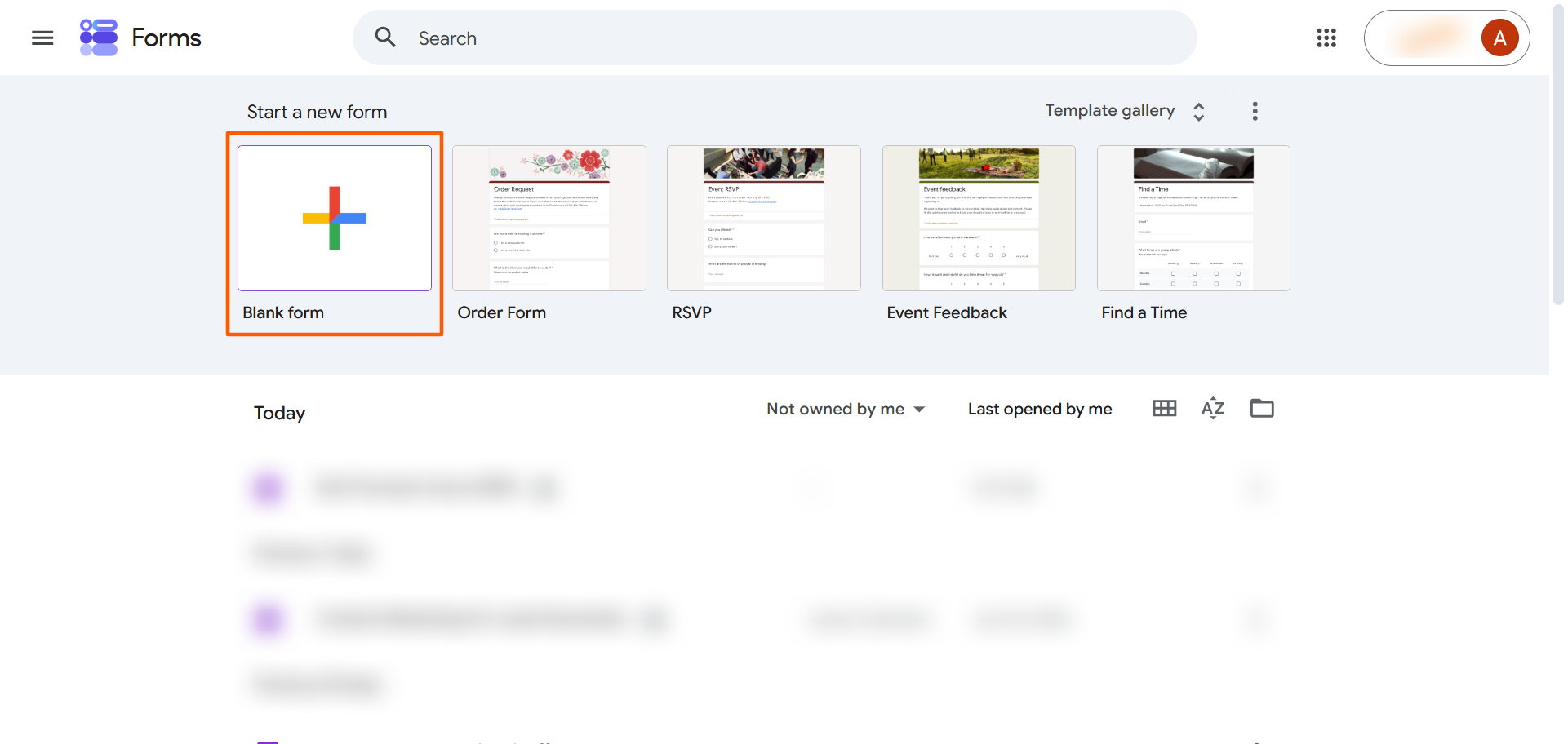
- Open Google Forms.
- Click Blank Form. (While Google Forms has a generic order form template, it doesn’t have a bakery order form template that includes the necessary fields.)
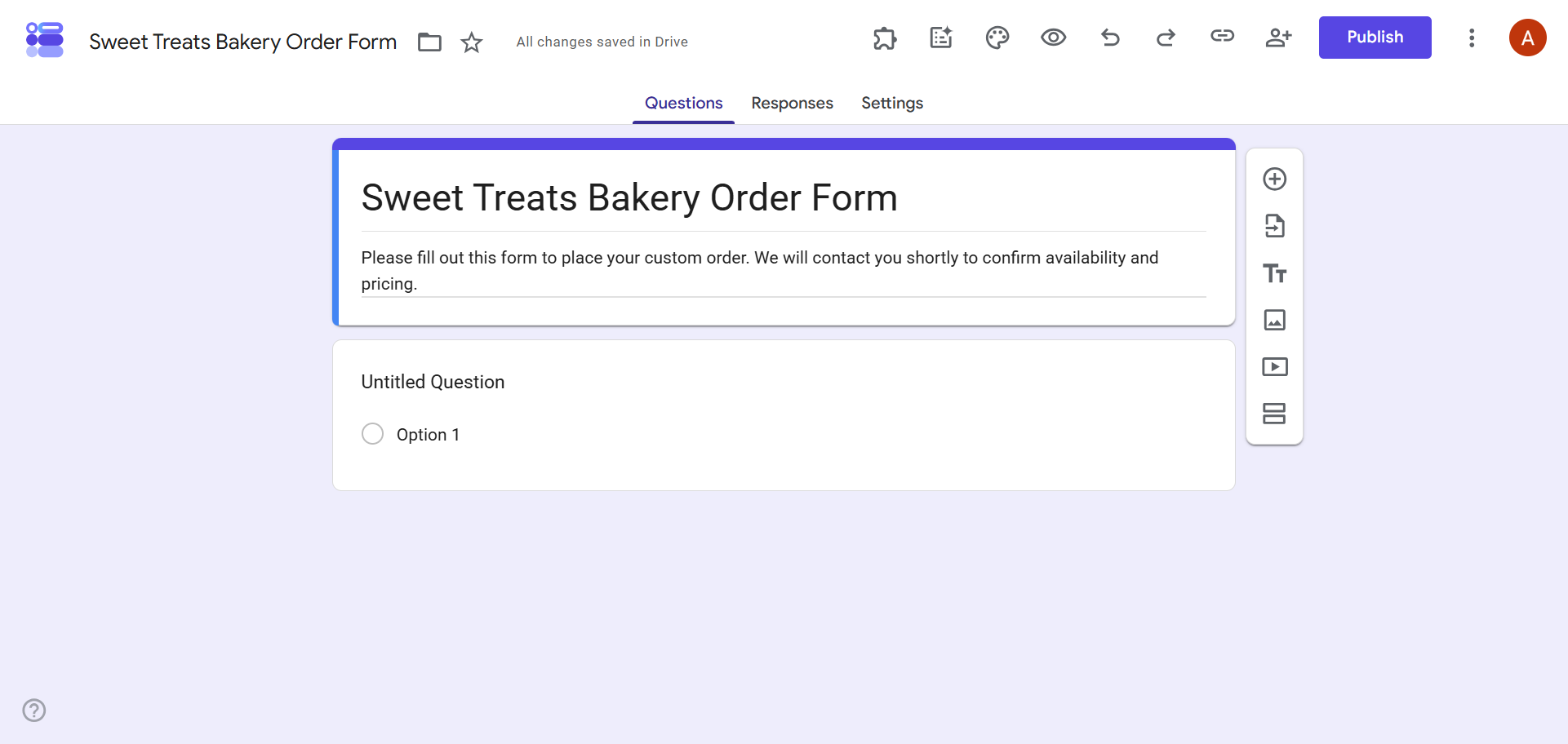
- Type in your form title and description. For example, you can include your bakery name in the title and instructions for customers in the description.
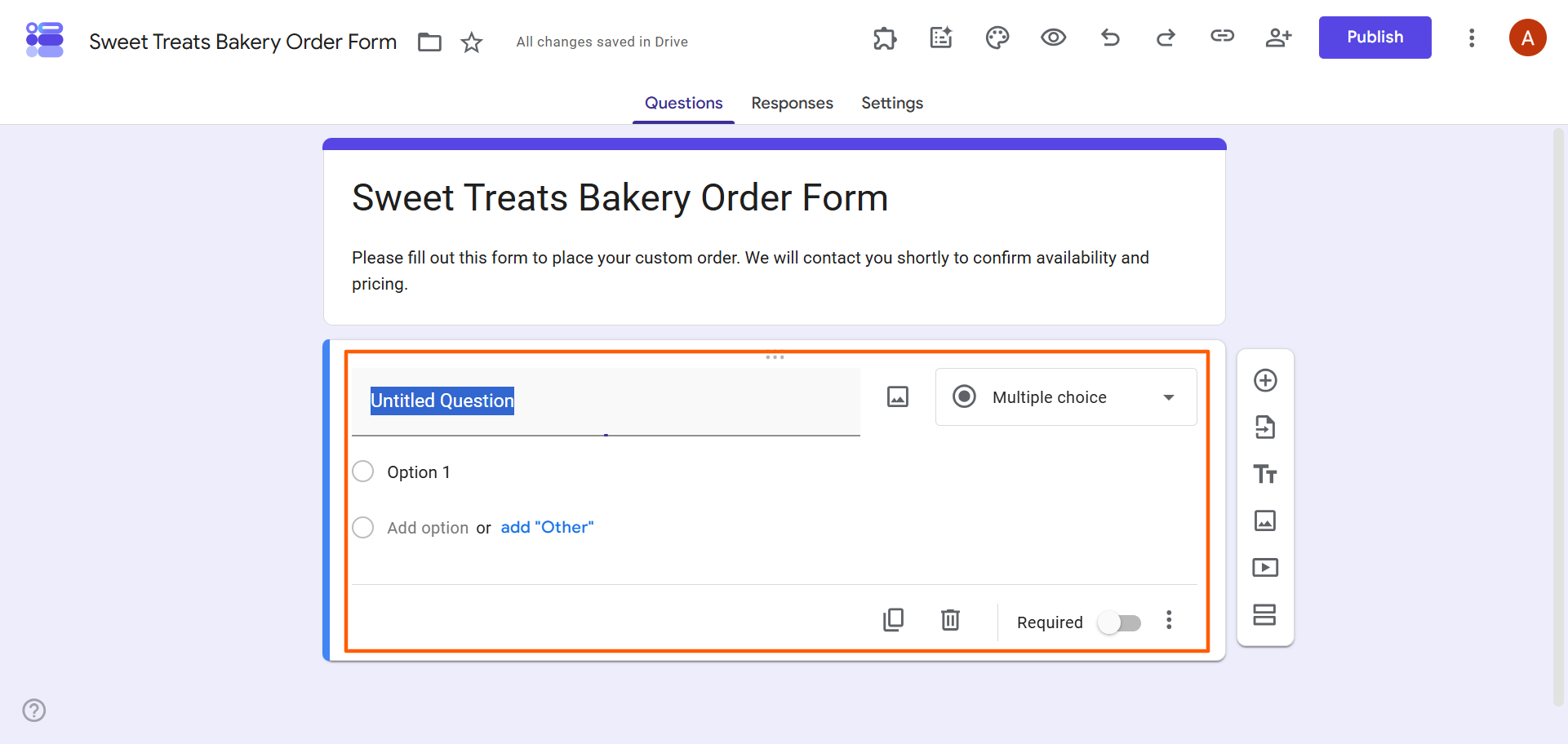
- To add questions for the information you need to collect from your customers, click on the question type dropdown and select the kind of question you want to use, such as Multiple Choice or Short Answer.
- Type in all the necessary questions (and answer choices, if relevant). For a bakery order form, you may need the following information:
- Customer name
- Customer contact information
- Pickup date and time
- Product selections
- Product quantities
- Dietary restrictions
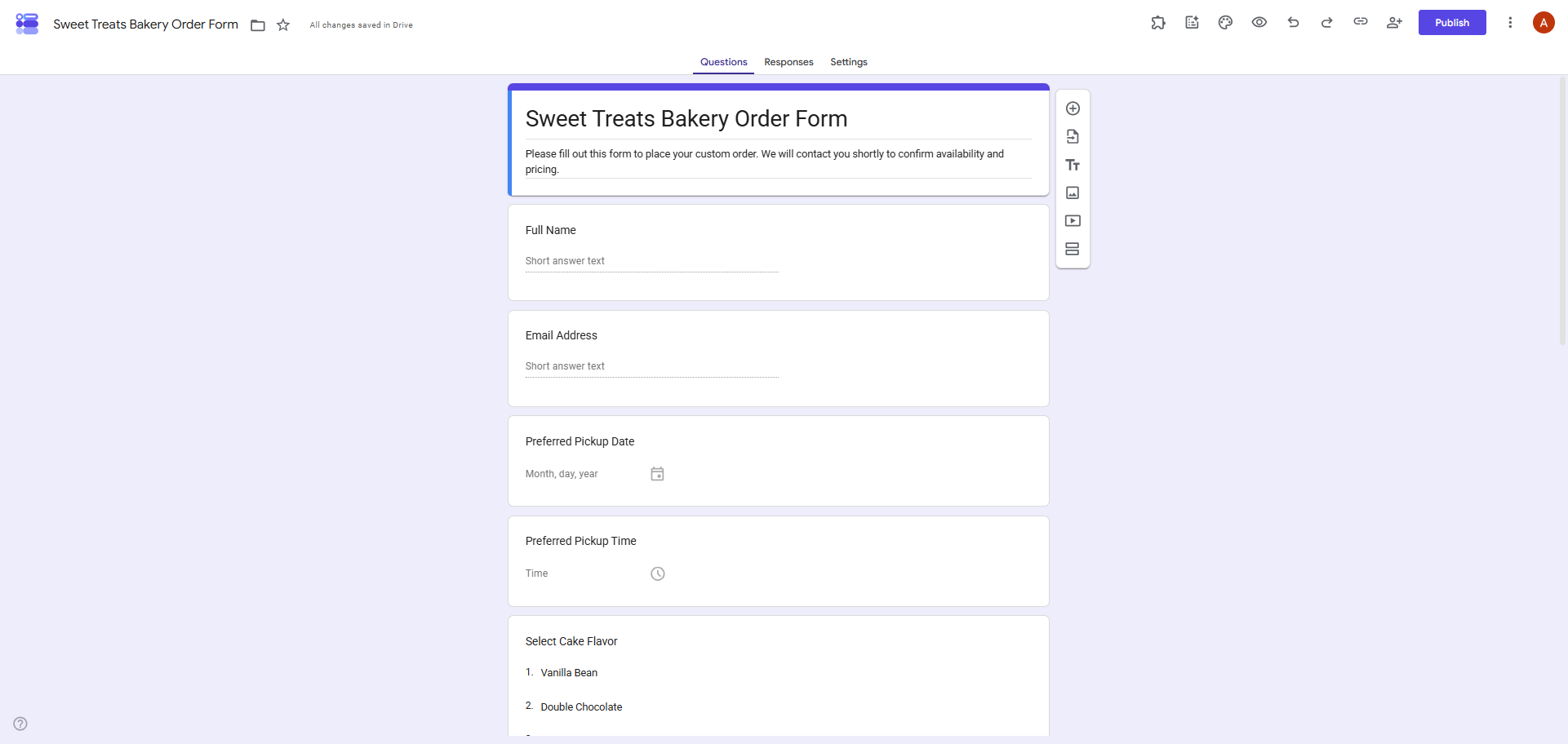
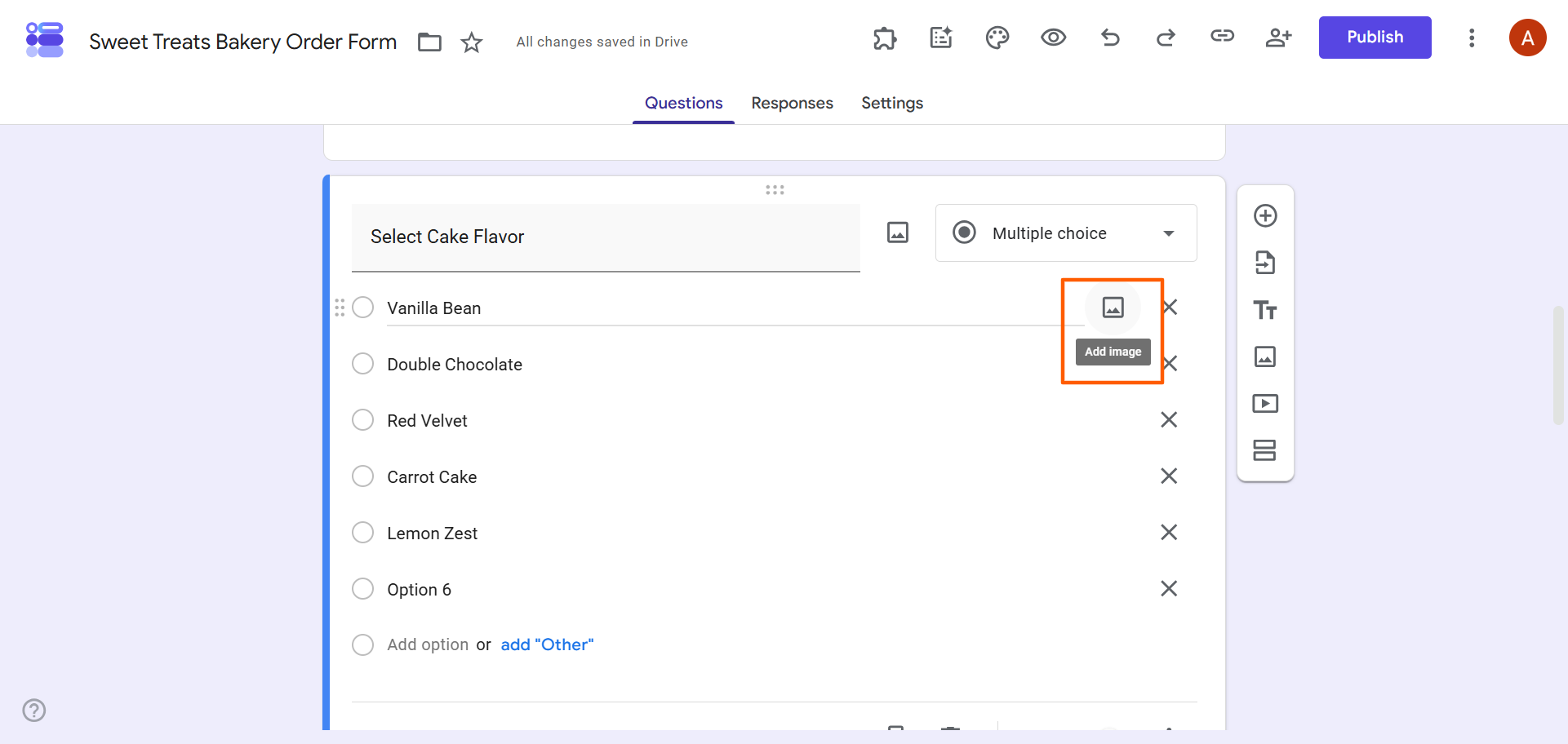
- Upload product images to provide your customers with a visual. In Google Forms, you can add small images to a question or answer choice. To do so, click on the image icon next to the text field. You will be prompted to upload photos.
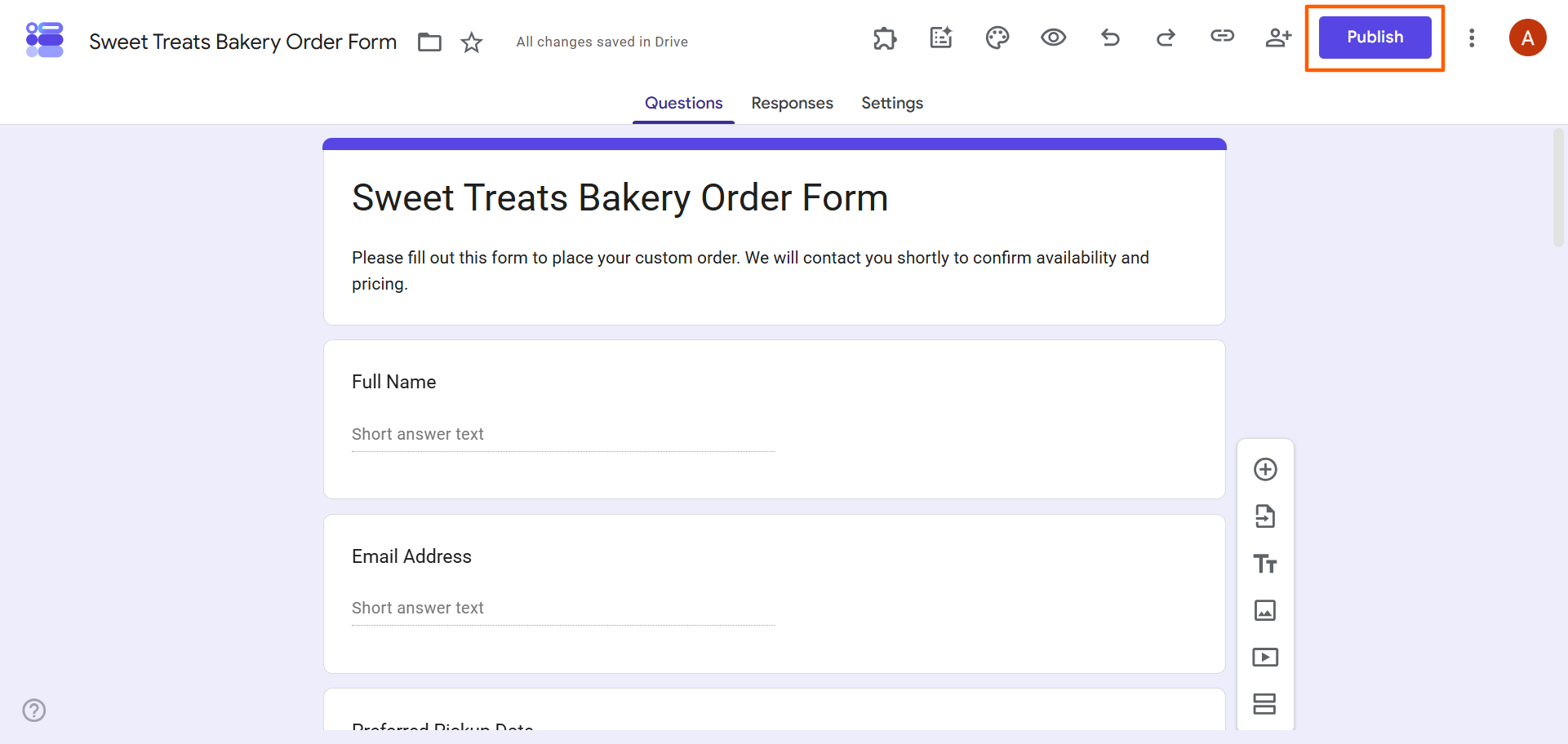
- Once complete, click Publish. Share your form with customers.
Google Forms does not support payment calculation or collection, so you will need to use an add-on or a solution outside of Google Forms. Both options can be costly.
Pro Tip
If you need a document for procurement or business purchasing, use a purchase order. Our article on how to create a purchase order in Google Forms gives you step-by-step instructions and expert tips.
Using Google Forms for bakery orders is costing you money—here’s how
The look of your Google Form may leave something to be desired, but design isn’t the biggest problem you’ll encounter with this tool. Google Forms is a basic form builder that lacks the features businesses need to effectively showcase and sell their products. These missing features could lead to a loss of revenue over time. Here are a few reasons why Google Forms isn’t ideal for bakery order forms:
- A completed form doesn’t include payment: Because Google Forms doesn’t calculate totals or collect payments, you have to use another solution for those tasks after the customer has already completed the order form. Because the transaction isn’t fully closed, the customer may change their mind between filling out the form and making a payment.
- You can’t entice buyers with mouthwatering photos: People eat with their eyes first. While you can add photos of your goods in Google Forms, they appear small and are difficult to see.
- It allows people to order out-of-stock items: Google Forms does not include native inventory calculation, so it is not aware when you’ve sold your last doughnut or cookie. You have to constantly monitor your inventory and adjust the form.
Sell your baked goods with Jotform, no commission required
A leading Google Forms alternative, Jotform is a form builder that can do more than just take orders. It’s a valuable business tool that small bakeries can use to showcase their goods, collect payments, and more.
Here’s why bakeries use Jotform:
- Professional-looking, visually captivating order forms: With over 20,000 free form templates, including more than 500 product order forms and cake order forms, you don’t need to build any order forms from scratch. Choose a template, edit the fields in the form builder, upload your product photos, and share with your customers. You can customize any template to reflect your brand, and you can share large, appealing photos to tempt customers to buy more.
- Relevant form fields: Use conditional logic to create forms that are relevant for individual customers. For example, you can show the customer your cake flavors only if they select the cake option. No need to overwhelm customers with too much information. You can give them just what they need.
- Frictionless ordering: Your customers will never need to sign in to fill out a Jotform order form. This can help increase your conversion rate, which isn’t always the case with Google Forms.
- Instant, secure payments: Although accepting payments on Google Forms isn’t possible natively, Jotform offers over 40 payment integrations with payment processors such as PayPal, Stripe, and Square. That means you can collect payments while customers are placing orders, not after.
- No additional commissions: Some form tools charge commissions on your sales, but Jotform doesn’t. You keep 100 percent of the dough you earn through order form sales, minus only the payment processor’s standard fees.
- Automatic sales calculations: Jotform adds up your totals, taxes, and delivery fees automatically, so your customers can see exactly how much they owe on the order form.
- Inventory tracking: Jotform tracks inventory so you don’t end up taking orders for products that are already sold out.
Migrate your bakery order Google Form to Jotform in seconds
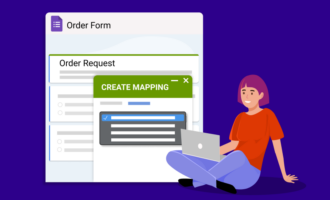
If you’ve already built your bakery order form in Google Forms, you don’t need to build it again in Jotform. Our migration tool moves your form over to Jotform in just a few clicks. Your questions and form structure stay intact. Once your form is in Jotform, you can immediately access advanced features, including large product images and native payment integrations.
Migrate your bakery order form from Google Forms to Jotform today and start increasing your revenue.
This article is for independent bakers and cottage food entrepreneurs outgrowing Instagram DMs. While technically savvy enough for digital solutions, they are losing time to manual invoicing and losing revenue because Google Forms cannot collect payments at checkout.
































































































Send Comment: