
Key takeaways
- Google Forms doesn’t have a built-in NPS form field. You’ll have to use a workaround with the linear scale (0-10) question type option and calculate the score yourself in Google Sheets.
- You can use an add-on, but it might cost you. Tools like Formfacade offer NPS surveys for a cost. While they usually provide free trials, you’ll need to upgrade to a paid plan in order to use the NPS features regularly.
- Switch to Jotform for a better experience. If you’re looking for professional NPS features, why not use a tool that handles it all — from form design to automated analytics? Jotform is a better alternative to Google Forms when it comes to data collection and insights.
A Net Promoter Score® (NPS) survey is a great way to measure customer satisfaction and brand loyalty. But while it’s quick and easy for respondents to complete, unfortunately it’s not that easy to create if you’re using Google Forms.
In this article, we’ll show you a couple of different ways to make Google Forms NPS surveys with step-by-step instructions: You can use a manual hack in Google Forms or purchase an add-on for a smoother experience.
If, in the end, you find Google Forms limiting, we’ll introduce you to Jotform — a Google Forms alternative with a free NPS survey tool that makes getting customer feedback a breeze.
How to create a Net Promoter Score (NPS) survey in Google Forms
While there’s no NPS scale in Google Forms or an NPS survey Google Forms template, you can still create an NPS survey. You just have to use the linear scale (0–10) question type and then calculate the NPS score yourself from the results in Google Sheets.
If you’re new to Google Forms, check out this article first for a breakdown of the basics: How to use Google Forms. Follow these instructions to create a Net Promoter Score survey in Google Forms:
- Open Google Forms.
- Click Blank form.
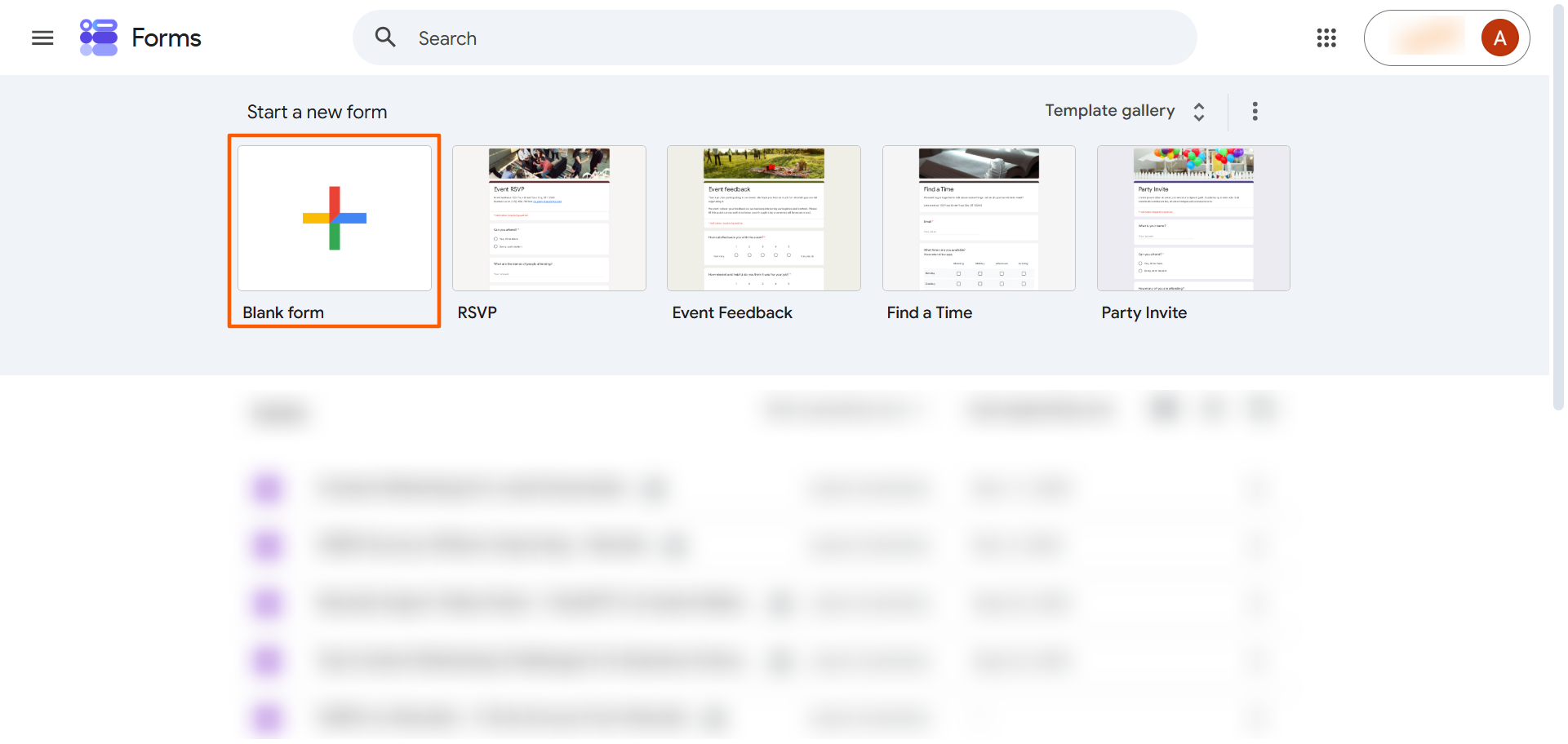
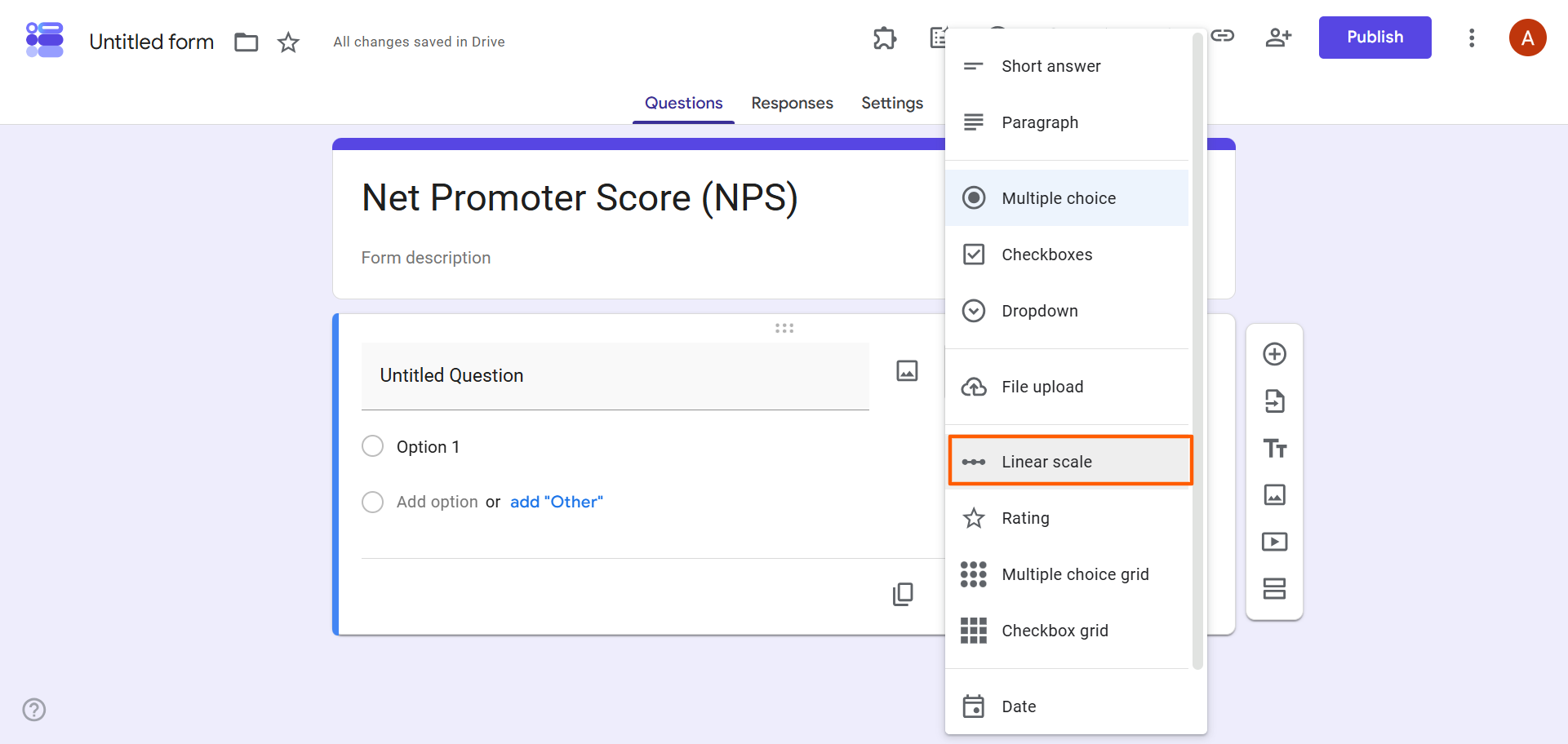
- Fill out the form details, adding a form title and description. For your form question, select Linear scale from the dropdown menu.
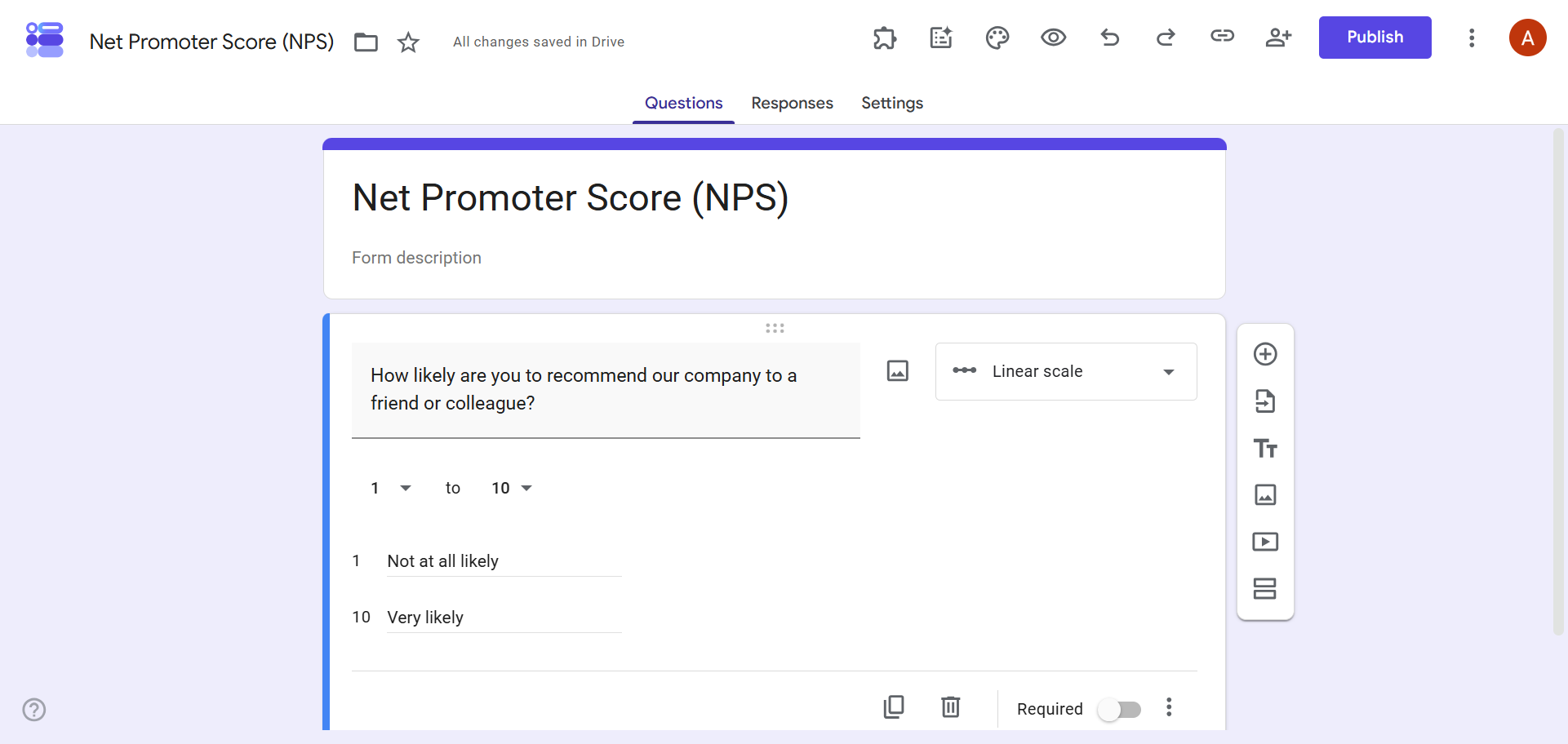
- Specify the scale by choosing the numbers 1 through 10. Identify what each number stands for, as in the example below.
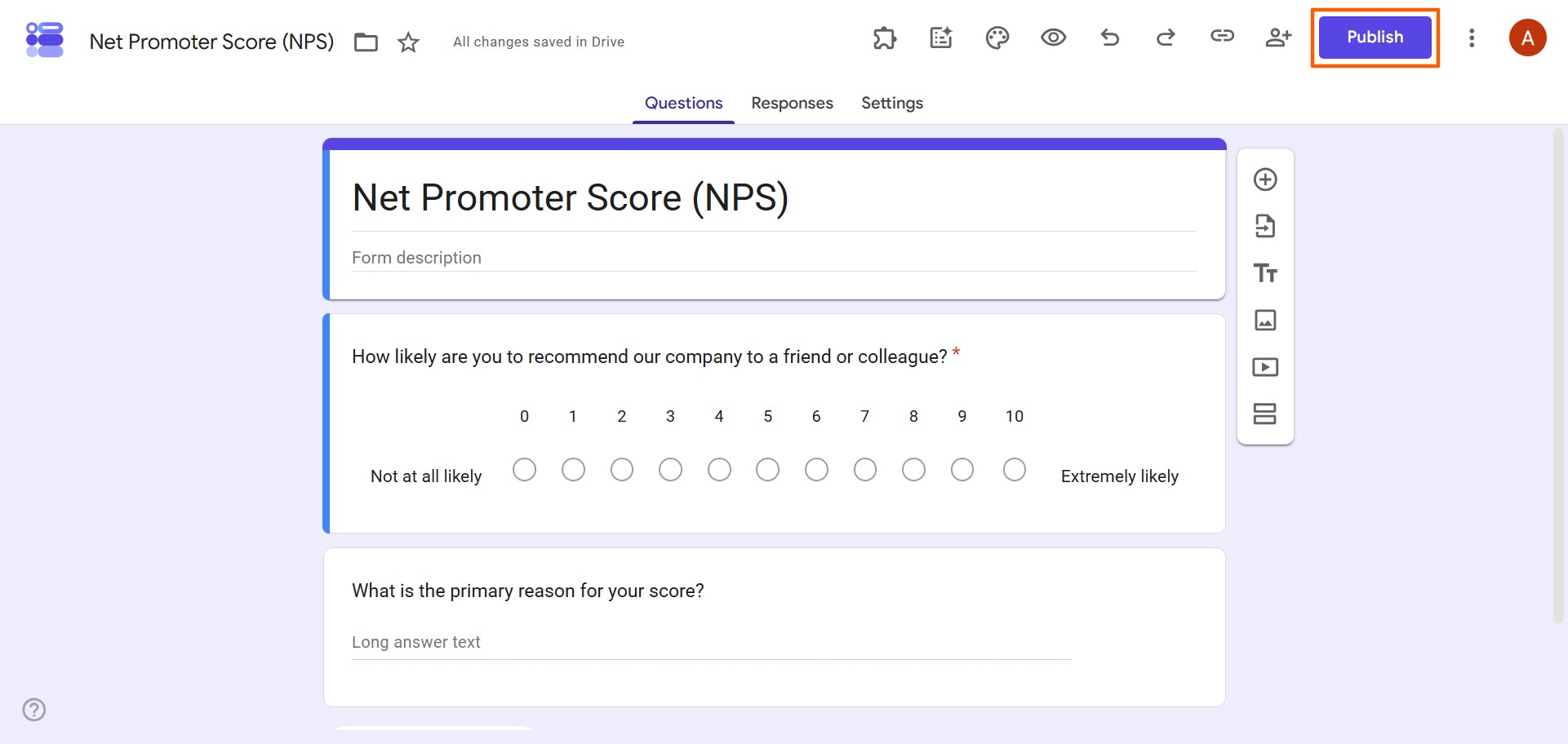
- Finish creating the rest of your form.
- Click Publish. Google Forms gives you the option to copy the form link, which you can then send in different ways, such as in an NPS survey email, via SMS, or on social media — whichever method works best for your needs.
- As your responses start rolling in, you can see the NPS summary in the Google Forms Responses tab. To see the NPS responses in a Google Sheet, click Link to Sheets. Here, you can manually calculate the NPS scores.
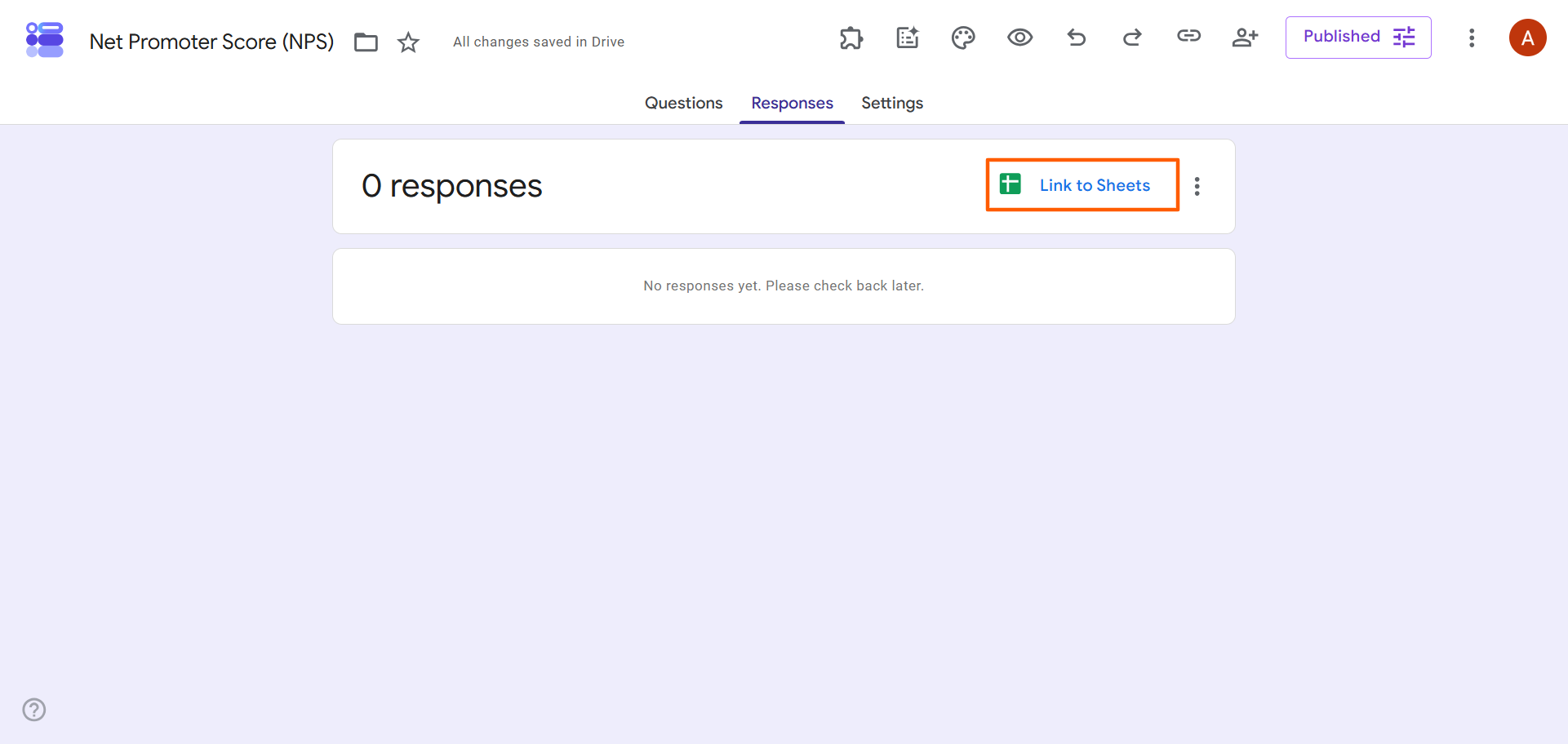
Wondering how to calculate NPS in Google Forms? You’ll have to use the NPS formula (% Promoters – % Detractors = NPS) to get insights in Google Sheets. Note that this process can be tedious and doesn’t offer real-time analytics. Google Forms also doesn’t have the ability to send automated follow-ups to responders based on their NPS scores.
Pro Tip
Want to learn more about NPS scores and what they mean? Check out our article, how to calculate NPS to learn more about the formula. Our article, What is a good NPS score?, provides context on how to interpret the results.
Using add-ons to create a Google Forms NPS survey
Another way to create a survey for Net Promoter Score in Google Forms is to use a third-party add-on like Formfacade. Add-ons provide additional functionality to basic Google Forms, helping to create smarter workflows. In the case of Formfacade, it offers the ability to customize the Google Forms user interface so that the survey looks more professional and aligned with your brand.
Here’s how to create a Google Forms NPS survey using Formfacade’s NPS tools:
- Visit the Formfacade Net Promoter Score landing page.
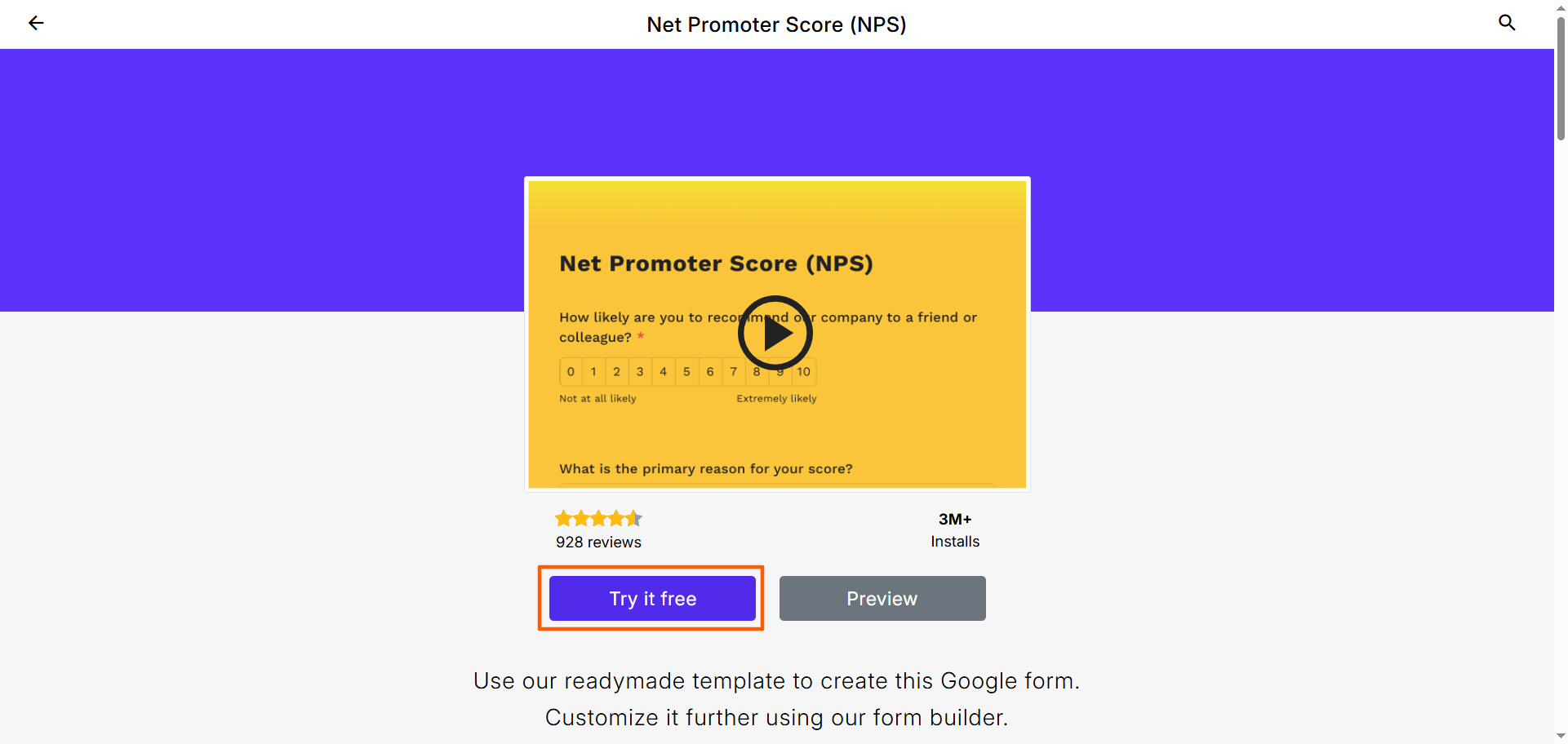
- Click Try it free. Formfacade will prompt you to log in or sign up. Note that while the NPS product is a paid tool, you can use it for free for a limited time with Formfacade’s free trial. For pricing details, check out Formfacade’s pricing.
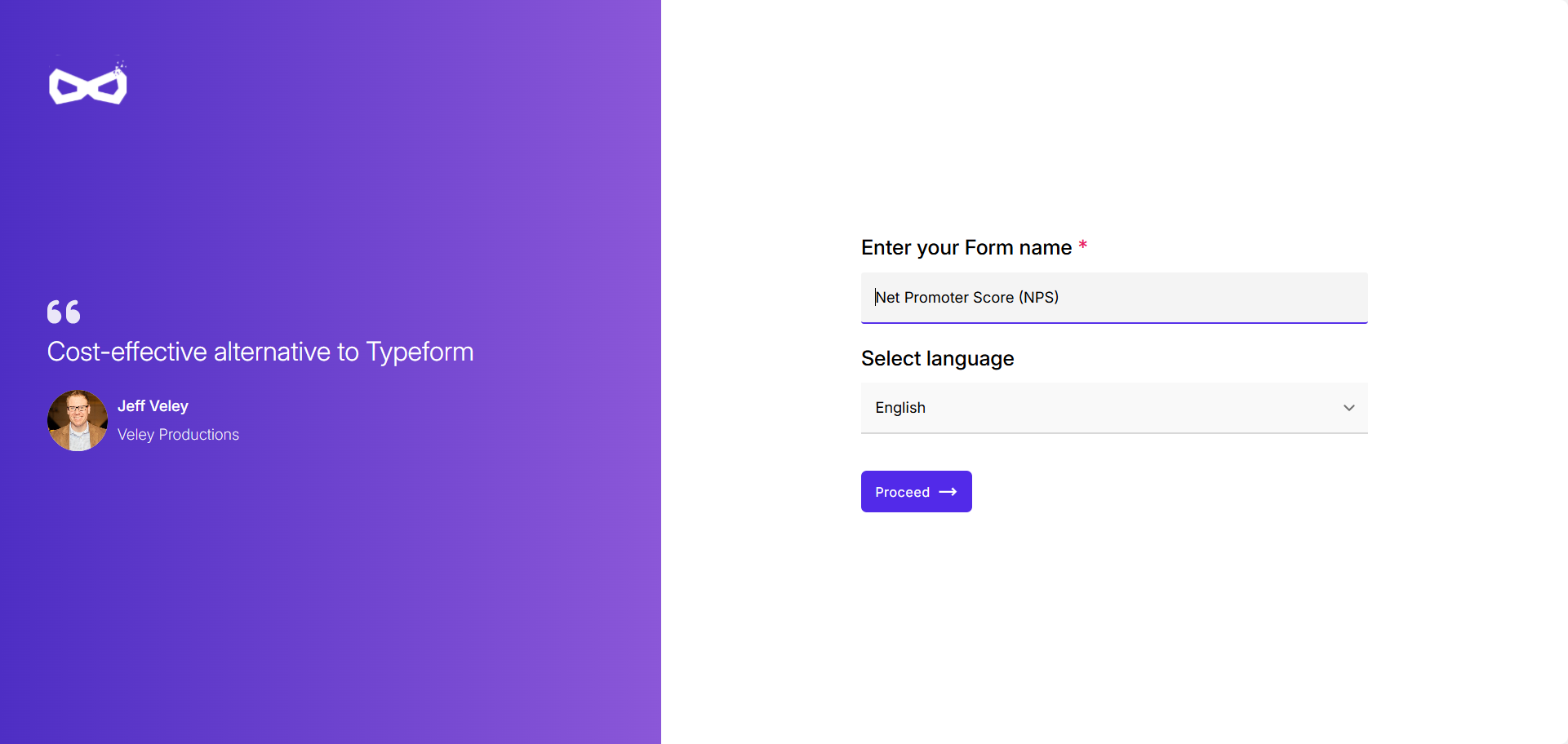
- Enter your form name and select your preferred language. Click Proceed.
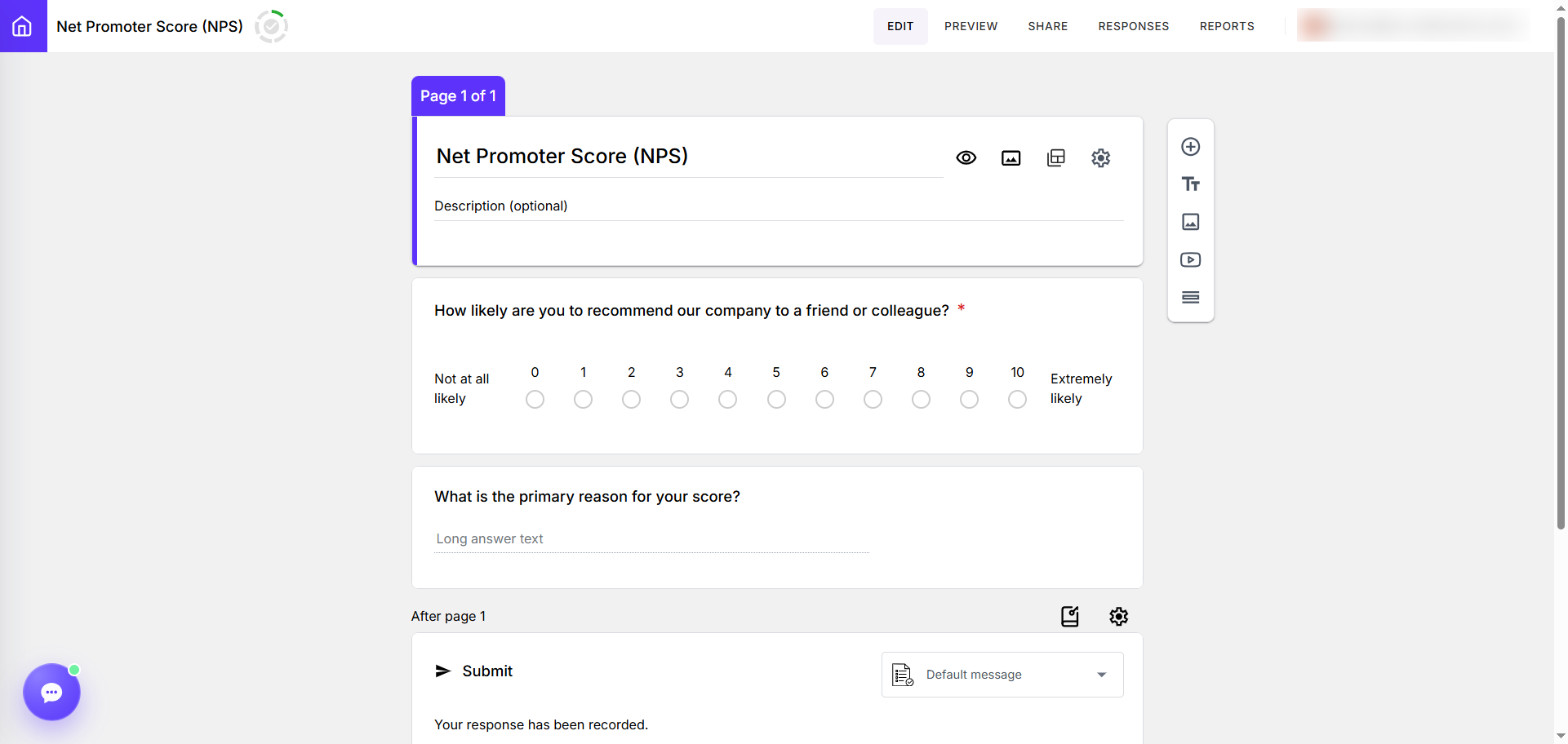
- Formfacade will create a simple NPS survey which you can then edit to customize. Formfacade’s editing tools are similar to Google Forms’ options, so you should find it pretty intuitive.
Once you’ve completed the form in Formfacade, click Share to send it to your customers. Formfacade gives you a few options for sharing, such as email, WhatsApp, and embedding in a website.
In Formfacade’s paid tiers, you have the option to review responses and create reports from the form submission data. Like with Google Forms, you’ll have to manually calculate the NPS scores using the NPS formula — a tedious process.
Stop looking for workarounds — Jotform has it all
Making a Google Forms NPS survey requires manual hacks with question types. And when you use add-ons like Formfacade to get more functionality, you end up paying for the privilege. Good thing there’s a great Google Forms alternative that offers sophisticated NPS functionality for free: Jotform.
Unlike Google Forms, Jotform comes with more than 20,000 free form templates, including 13,000-plus free survey templates, NPS survey templates, and hundreds of marketing survey templates. You don’t need to create surveys from scratch if you don’t want to.
Plus, Jotform provides different ways to automatically interpret survey results without having to do the math. Confused about how to use the Google Forms NPS formula in Google Sheets? You’re not alone. With Jotform, you can use tools like Jotform Tables and Jotform Report Builder to automate, organize, understand, and visualize your results.
There are even more reasons users choose Jotform over Google Forms:
- Jotform is intuitive and easy to use: With a straightforward drag-and-drop user interface, Jotform has a tiny learning curve. It offers several customization options, too, so you can create a stunning, professional form that reflects your business’s brand identity in minutes.
- Jotform comes with advanced functionality to create highly relevant surveys and forms: As well as creating stunning NPS surveys, you can add advanced features like conditional logic, answer piping, and auto submitting.
- Jotform integrates with the tools you already use daily: Jotform has the most integrations for forms in the industry, including over 40 payment integrations. We don’t collect any additional commissions, so you keep 100 percent of the money you collect from customers (excluding your payment processor’s transaction fees).
Jotform goes above and beyond Google Forms with NPS survey templates, advanced form functionality, and data analysis tools. When you use Jotform, you don’t have to connect to spreadsheets or use add-ons. Everything you need is already in Jotform.
Make the switch with a single click
Jotform is a free online survey maker like Google Forms, but it has so much more to offer. That’s why Google Forms users consistently switch to Jotform when they discover it.
Think migrating form builders is a pain? Moving from Google Forms to Jotform is a breeze. With Jotform’s migration tool, you don’t need to rebuild your forms from scratch. All it takes is a single click, and we’ll move your forms in Google Forms over to Jotform — no other manual steps needed.


Migrate your forms to Jotform today and see how easy it is to create NPS surveys and more.
This article is for CS managers, product Owners, and marketers who need to track loyalty but are stuck using basic tools.
Net Promoter®, NPS®, NPS Prism®, and the NPS-related emoticons are registered trademarks of Bain & Company, Inc., NICE Systems, Inc., and Fred Reichheld. Net Promoter ScoreSM and Net Promoter SystemSM are service marks of Bain & Company, Inc., NICE Systems, Inc., and Fred Reichheld.



































































































Send Comment: