

教師用フォーム
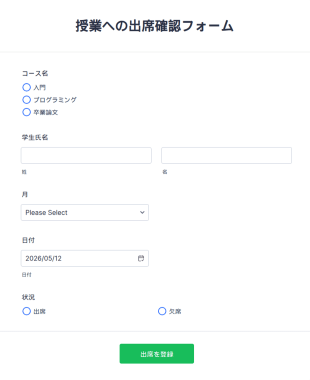
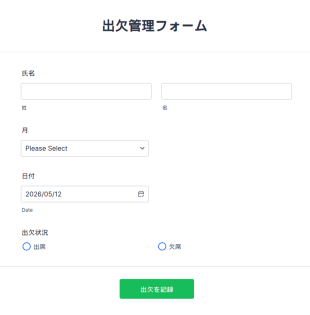
授業への出席確認フォーム
授業の出席記録をオンラインで管理。簡単にカスタマイズでき、どのデバイスからでも入力可能。Jotformテーブルで追跡し、100以上のアプリと連携できます。
カテゴリーへ移動:教育フォーム
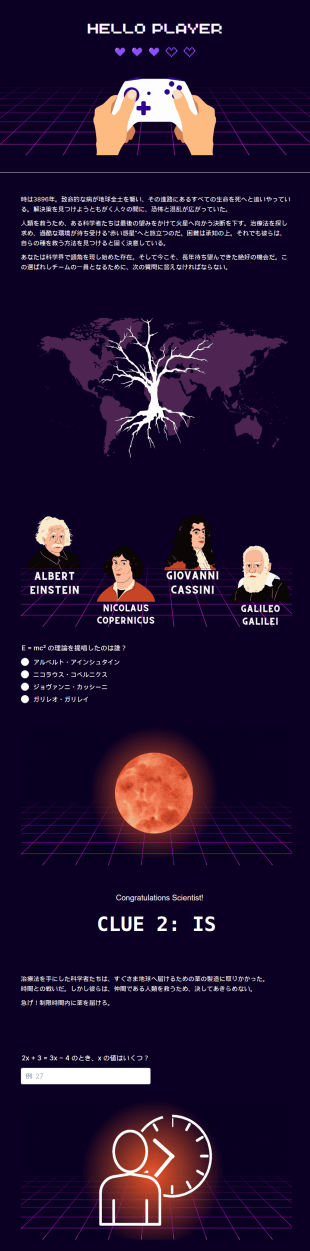
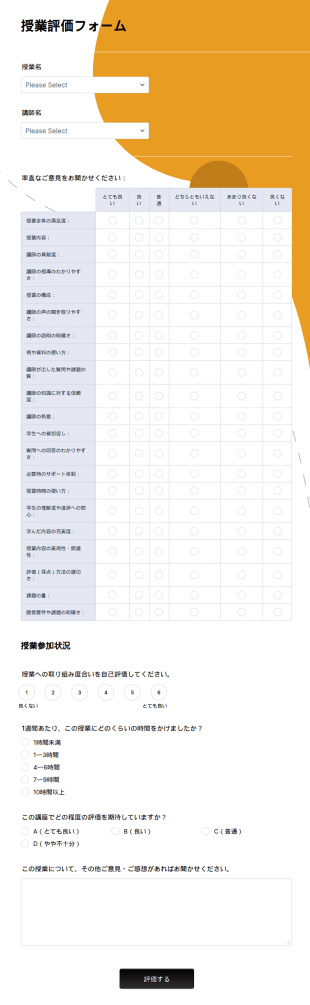
サンプル授業評価フォーム
無料のサンプル授業評価フォームで学生のフィードバックをオンライン収集。簡単にカスタマイズ・埋め込み可能。100以上のアプリと連携でき、先生に最適です。
カテゴリーへ移動:教育フォーム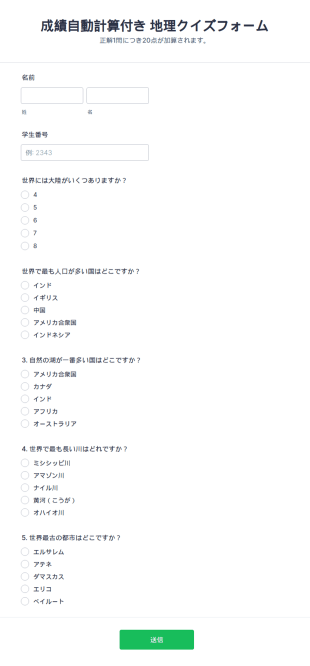
教師用フォームについて
無料のオンライン教師用フォームで、教室運営に必要なすべてのデータを収集しましょう。満足度調査、進捗報告、出席記録など、オンラインフォームを利用すれば、重要な教育情報のデータベースをオンラインで安全に作成できます。まずは、以下の無料フォームテンプレートを選択し、ドラッグ&ドロップビルダーを使ってコーディングなしでカスタマイズしましょう。ブランディングの追加、100種類以上のサードパーティプラットフォームとの統合、その他のデザイン変更も数回のクリックで簡単に行えます。フォームをリンクで共有したり、ウェブサイトに埋め込んで、あらゆるデバイスで入力できるようにすることができます。Jotformのパワフルな教師用フォームで、情報の収集と管理の方法をアップグレードしましょう。
Jotform stands as the premier online form builder in the realm of Teacher Forms, offering an intuitive platform that simplifies form creation and data collection. Users can easily customize forms to meet specific educational needs, enabling automation of routine tasks and ensuring that data is systematically organized and accessible. Jotform’s centralized data management feature, Jotform Tables, enhances the user experience by providing a secure and efficient way to manage the collected information. This not only saves time but also reduces the likelihood of errors associated with manual data handling, ensuring that educational professionals have reliable access to the information they need.
Why Use Teacher Forms?
- Teacher Forms offer a high level of accuracy in data collection, minimizing errors that are common with manual entry processes. By using digital forms, educators can ensure that the information gathered from students, parents, and colleagues is precise and easily verifiable, enhancing the reliability of their data management practices.
- Speed is a critical factor in the educational environment, and Teacher Forms significantly reduce the time required to collect and process information. The digital nature of these forms allows for rapid dissemination and collection, enabling educators to quickly respond to the needs of students and parents without the delays associated with traditional paper forms.
- Professional data handling is another key benefit of Teacher Forms. These forms are designed to ensure that sensitive information is handled with the utmost care, adhering to privacy standards and safeguarding against unauthorized access. This is particularly important in educational settings where the confidentiality of student and staff data is paramount.
- The use of Teacher Forms also facilitates better organization and management of educational data. By centralizing information in a digital format, educators can easily track student progress, manage classroom resources, and coordinate activities with colleagues, all from a single platform. This level of organization helps streamline educational processes and improves overall efficiency.
- Teacher Forms allow for seamless integration with other digital tools and platforms used in education. With capabilities such as integration with Google Sheets and Salesforce, educators can enhance their data management practices and ensure that information is easily accessible and actionable.
Common Problems Solved by Teacher Forms
- One of the most significant challenges in education is the reliance on paperwork, which can be time-consuming and prone to errors. Teacher Forms eliminate the need for physical paper documents, allowing educators to collect information digitally and reduce the administrative burden associated with processing paper forms.
- Manual data entry is another common pain point in educational settings, often resulting in errors and inefficiencies. By utilizing digital forms, educators can automate data entry processes, ensuring that information is recorded accurately and efficiently, thus saving time and reducing the potential for mistakes.
- Lost data is a frequent issue when relying on paper forms, as documents can be easily misplaced or damaged. Teacher Forms provide a secure digital repository for all collected information, ensuring that data is safely stored and readily accessible when needed.
- Communication breakdowns between teachers, parents, and students can hinder educational progress. Teacher Forms facilitate clear and efficient communication channels, allowing for timely feedback and information exchange, thereby fostering a more collaborative and supportive educational environment.
活用例に適した機能
- For educators who need to customize forms for specific classroom activities, the Drag-and-Drop Form Builder offers an intuitive way to tailor form fields and design, ensuring that forms meet the unique needs of each educational scenario.
- When managing event registrations or parent-teacher conferences, Conditional Logic allows educators to create dynamic forms that adjust based on user inputs, providing a more personalized and efficient user experience.
- For schools that need to collect payments for events or activities, Jotform supports over 30 Payment Gateways, including Stripe and PayPal, enabling secure and seamless transactions directly through the forms.
- Electronic Signatures (Jotform Sign) are particularly useful for obtaining parental consent or staff approvals, ensuring that all necessary authorizations are captured digitally and stored securely.
- The PDF Editor feature allows educators to automatically generate professional PDF documents from form submissions, streamlining the process of creating reports and documentation that can be easily shared and archived.
- With Jotform's 100+ Third-party Integrations, educators can connect forms to platforms like Google Sheets or Salesforce, enhancing data management and analysis capabilities across multiple software environments.
- Approval Workflows provide an automated process for routing forms for review and approval, ensuring that important decisions and actions are expedited and documented efficiently.
How to Create a Teacher Form
- Begin by browsing the Template List for a Teachers template that meets your needs, or start from a blank form if you wish to create a custom design from scratch.
- Customize the design and fields of your form using the Drag-and-Drop Form Builder, allowing you to tailor the form to collect specific information relevant to your educational context.
- Once the form is complete, publish it and share it with your audience via Direct Link, Email, or Website Embed, ensuring that it is easily accessible to all intended recipients.
Top Use Cases for Teacher Forms
- For Managers: Teacher Forms provide educational managers with a streamlined method for overseeing administrative tasks, such as staff evaluations, student assessments, and resource allocations. By centralizing data collection and management, managers can gain valuable insights into school operations and make informed decisions that enhance educational outcomes.
- For Teams: Collaboration among educational teams is crucial for student success, and Teacher Forms facilitate this by enabling efficient communication and coordination. Teams can use these forms to organize meetings, track project progress, and share resources, ensuring that everyone is aligned and working towards common goals.
- For Customers: Although students and parents are not typical customers, they are critical stakeholders in the educational process. Teacher Forms allow for seamless interaction, providing a platform for parents to register for events, provide feedback, and communicate with educators, thereby enhancing the overall educational experience.
Summarizing Teacher Forms
Teacher Forms are an invaluable asset for educational professionals, offering a robust solution for data collection, management, and communication. By leveraging the capabilities of Jotform, educators can streamline their workflows, enhance collaboration, and ensure that information is handled with accuracy and professionalism. The ability to customize and automate these forms ensures that they meet the specific needs of educational settings, ultimately contributing to more effective and efficient educational operations.
よくあるご質問
1) Is it free to create Teacher Forms on Jotform?
Yes, Jotform offers a free plan that allows users to create and deploy Teacher Forms with a variety of features. However, higher usage limits and additional features are available through paid plans.
2. 組織にとってなぜ重要なのですか?
Absolutely. Jotform prioritizes data security, implementing measures such as SSL encryption and GDPR compliance to ensure that all forms and submitted data are protected.
3) Do I need coding knowledge to build a Teacher Form?
No, Jotform's platform is designed to be user-friendly and requires no coding knowledge. The Drag-and-Drop Form Builder makes it simple for anyone to create customized forms.
4. ITフォームには、さまざまな種類がありますか?
Yes, you can collect payments directly through your forms using Jotform's integration with over 30 Payment Gateways, including popular options like Stripe and PayPal.
5. ITフォームは誰が使うべきですか?
Certainly, Jotform forms are responsive and can be accessed and completed on any mobile device, ensuring convenience for users on the go.
6. ITフォームは、どのようにワークフローの効率を向上させますか?
Yes, with Jotform’s PDF Editor, you can automatically convert form submissions into polished PDF documents for easy sharing and archiving.
7) Can Teacher Forms be integrated with other software used in schools?
Indeed, Teacher Forms can be integrated with over 100 third-party platforms, including Google Sheets and Salesforce, to enhance data management and streamline educational workflows.
8) How do Teacher Forms facilitate communication with parents?
Teacher Forms provide an efficient platform for collecting feedback, scheduling meetings, and sharing important updates with parents, ensuring that communication is clear and effective.