

人事フォームテンプレート(HR)
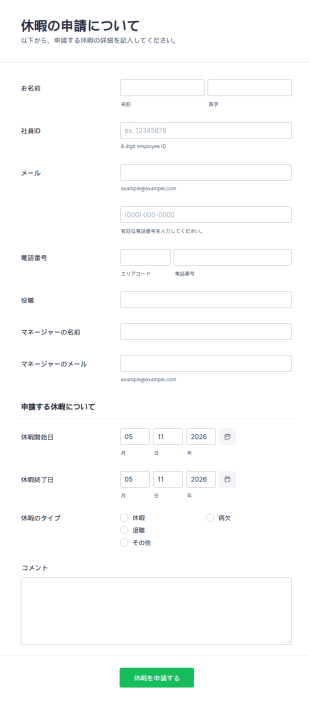
休暇申請フォーム
こちらの簡単に使用できる従業員休暇申請フォームを使えば、従業員からの休暇申請を即座に受け取ることができ、あらかじめ詳細を把握することで、様々な問題を未然に防ぐことができます。社員ID、マネージャーに関する情報、休暇の期間などのフィールドが用意されており、後ほどフォローアップする必要もなく、すべての関連情報を収集することができます。このサンプルを使って、あなたの会社に合ったフィールドにカスタマイズしてみてください。従業員の休暇申請フォームのテンプレートには、Jotformのアプリやウィジェットが利用でき、情報収集を簡単かつ迅速に行うことができます。
カテゴリーへ移動:人事フォーム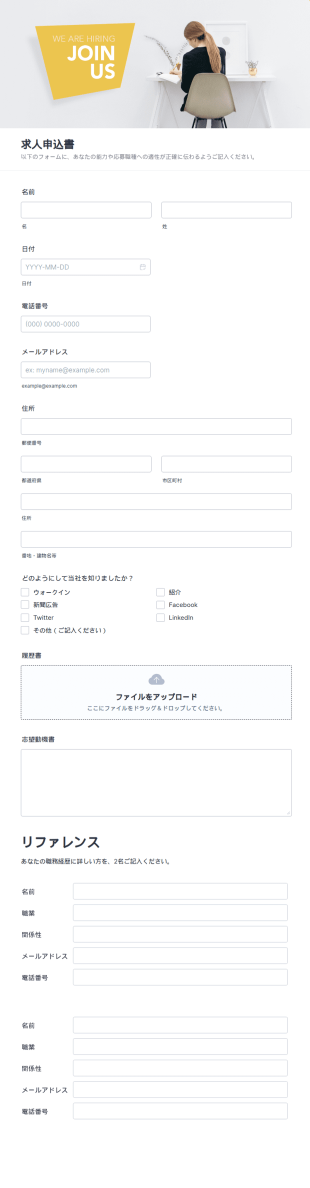
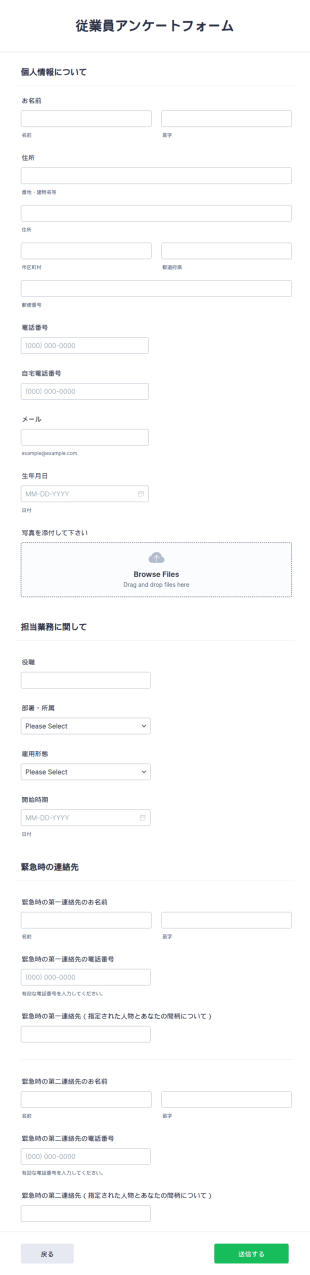
従業員に関する情報収集フォーム
従業員に関する情報収集フォームは、従業員の情報を記録して情報化し、データベースに必要な詳細な情報を収集するために多くの企業で使用されています。テンプレートには、従業員の連絡先や個人情報、仕事やポジションに関連するすべての必要な情報、緊急連絡先などを収集できるさまざまなセクションが含まれています。さらにカスタマイズ可能なツールやウィジェットも多数用意されているため、このテンプレートをベースにして独自のフォームを構築することができます。
カテゴリーへ移動:人事フォーム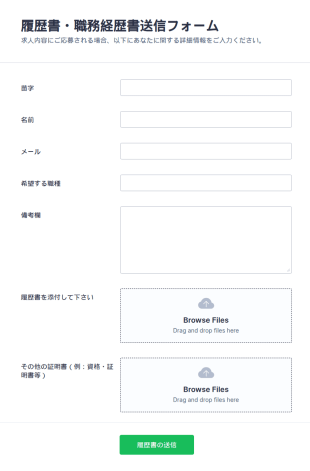
履歴書送信フォーム
この履歴書送信フォームのテンプレートは、履歴書を迅速に収集し、候補者がスムーズに履歴書を提出するのに役立ちます。このテンプレートは、応募者の必要な連絡先を収集するためのフィールドを中心に構成されており、応募しているポジションを指定し、応募者は自分の履歴書と職務経歴書などの他のファイルを添付することができます。
カテゴリーへ移動:人事フォーム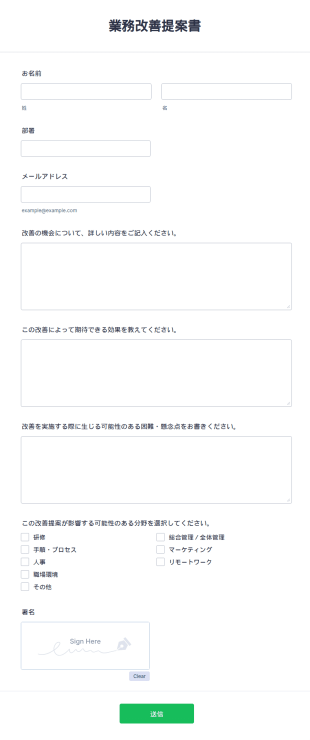

目標管理シート(年間・月間・週間)
年間・月間・週間の目標や行動計画、達成度をまとめて管理できる無料の目標管理シートテンプレート。個人やチームの進捗管理にも活用できます。
カテゴリーへ移動:管理フォームテンプレート
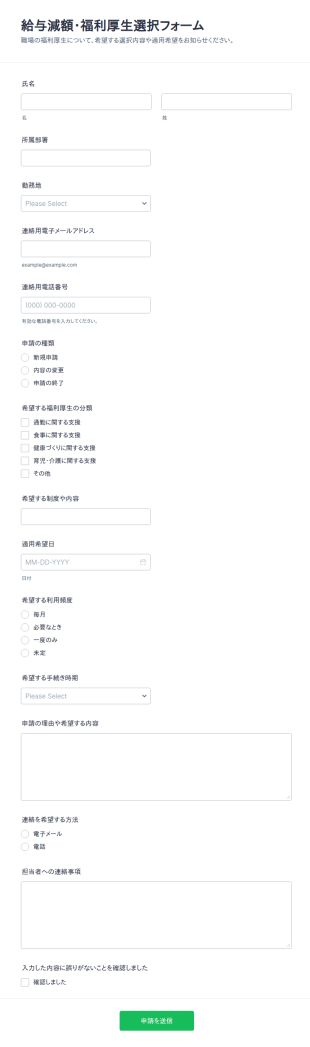
給与サクリファイス選択フォーム
従業員からの給与減額に伴う福利厚生の申請や変更、終了の希望をオンラインで受け付け、担当者の確認と社内共有を進めやすくする給与減額・福利厚生選択フォームです。
カテゴリーへ移動:福利厚生申請フォーム
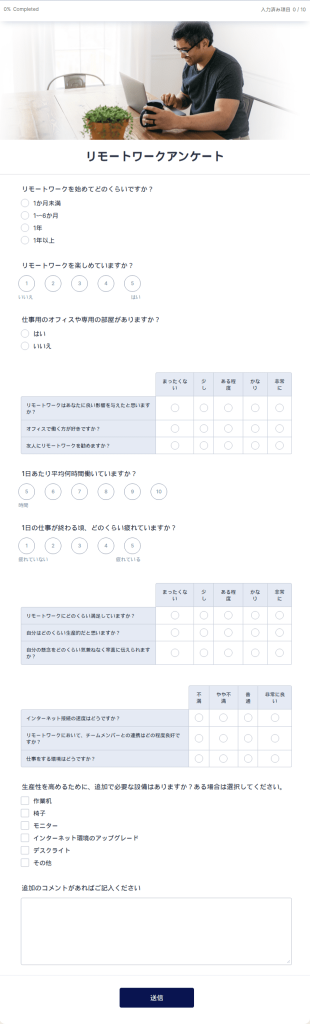
リモートワークアンケート
無料のオンラインリモートワークアンケートで、在宅勤務を分析できます。会社のリモートワーク環境に最適です。回答を100種類以上のアプリと同期できます。
カテゴリーへ移動:マネージャーフォーム人事フォームテンプレート(HR)について
人事フォームとは、企業の人事部門が従業員の採用や管理に使用する書類です。Jotformのオンライン人事フォームテンプレートを使えば、人事部は従業員情報、雇用確認、雇用満足度、履歴書提出、求人応募、休暇申請などを管理することができます。まずは下記のテンプレートを選んで、無料で編集してみましょう。
Jotform serves as the premier online form builder for creating and managing Human Resources (HR) Forms. With its user-friendly interface, Jotform allows HR professionals to customize forms effortlessly, tailoring them to meet specific organizational needs. The platform's ability to automate data collection processes ensures that information is captured consistently and accurately, reducing the risk of errors. Moreover, Jotform Tables offer centralized data management, enabling HR teams to organize, analyze, and access data from a single, secure location. This comprehensive solution empowers HR departments to enhance their efficiency and focus more on strategic HR initiatives.
Why Use Human Resources (HR) Forms?
- Human Resources (HR) Forms significantly boost data accuracy by eliminating the need for manual data entry, which is prone to human errors. By having employees fill out digital forms, organizations ensure that the captured data is precise and reliable, leading to better decision-making processes.
- The speed of data collection is greatly enhanced with HR forms. As opposed to traditional paper forms, digital HR forms enable instant submission and processing of information, allowing HR teams to act swiftly on the data received, whether it be for onboarding new employees or processing leave requests.
- Professional data handling is a hallmark of HR forms, offering a structured approach to managing sensitive employee information. By adhering to industry standards for data protection and confidentiality, HR forms ensure that all collected data is handled with the utmost care and security.
- HR forms facilitate seamless communication between employees and HR departments. By providing a centralized platform for submitting inquiries, feedback, and requests, these forms help streamline communication channels, ensuring that all parties are on the same page.
- Automation of routine HR tasks is made possible with digital forms. By integrating HR forms with existing systems and workflows, organizations can automate repetitive tasks such as sending email confirmations or updating employee records, thereby freeing up valuable time for HR professionals.
Common Problems Solved by Human Resources (HR) Forms
- One of the primary issues HR departments face is the overwhelming amount of paperwork, which can lead to inefficiencies and lost documents. HR forms digitize this paperwork, making it easier to manage and reducing the risk of misplaced documents.
- Manual entry of employee data is not only time-consuming but also increases the likelihood of errors. HR forms automate this process, ensuring that information is accurately captured and reducing the need for redundant data entry.
- Lost data can have significant implications for an organization, especially when it comes to compliance and employee management. HR forms provide a secure and reliable way to store and manage data, ensuring that all information is preserved and easily retrievable when needed.
- Keeping track of employee requests and approvals can be challenging without a standardized process. HR forms streamline these workflows by providing a structured format for submissions and approvals, ensuring that nothing falls through the cracks.
活用例に適した機能
- The Drag-and-Drop Form Builder is ideal for customizing HR forms to suit specific departmental needs. HR professionals can easily add, remove, or modify fields to tailor forms for various purposes, such as performance reviews or employee feedback, ensuring that all necessary information is gathered efficiently.
- Conditional Logic in HR forms allows for dynamic form interactions, making the user experience more intuitive. For instance, forms can be set to display specific questions based on previous answers, streamlining the data collection process and ensuring only relevant information is requested from employees.
- With over 30 Payment Gateways, HR forms can facilitate transactions such as employee reimbursements or event registrations. By incorporating these gateways, organizations can handle financial transactions directly within the form, providing convenience and efficiency.
- Electronic Signatures (Jotform Sign) enable HR departments to collect legally binding signatures directly on forms. This feature is particularly useful for contracts and agreements, ensuring that all documentation is completed and signed in a timely manner.
- The PDF Editor allows for automated PDF generation, creating professional documents from form submissions. This is particularly useful for generating employee records, contracts, or reports, ensuring that all documentation is consistent and easily shareable.
- Jotform's 100+ Third-party Integrations, such as with Google Sheets or Salesforce, enhance workflow efficiency by ensuring that data collected through HR forms is seamlessly integrated into existing systems. This connectivity allows for real-time data updates and streamlined operations.
- Approval Workflows facilitate the routing of forms for necessary approvals, ensuring that requests such as leave applications or expense claims are properly vetted and authorized in a timely manner.
How to Create a Human Resources (HR) Form
- Browse the Template List for a Human Resources (HR)s template or start from a blank form. This step allows you to select a starting point that best fits your organization's requirements.
- Customize the design and fields using the Drag-and-Drop Form Builder. This intuitive process allows you to add or modify fields to create a form that meets your specific data collection needs.
- Publish and share via Direct Link, Email, or Website Embed. This ensures that your form is easily accessible to all intended participants, facilitating smooth data collection.
Top Use Cases for Human Resources (HR) Forms
- For Managers: Managers can leverage HR forms to streamline employee evaluations, goal setting, and feedback collection. By utilizing digital forms, managers can ensure that evaluations are conducted consistently and that feedback is gathered in a structured manner. This not only enhances the performance review process but also aids in identifying areas for employee development and growth.
- For Teams: Teams benefit from HR forms through streamlined communication and collaboration. Forms such as team feedback surveys or inter-departmental requests facilitate efficient information exchange and ensure that all team members are aligned with organizational objectives. This collaborative approach fosters a cohesive work environment and promotes team synergy.
- For Customers: While primarily designed for internal use, HR forms can also enhance customer interactions by ensuring that HR-related inquiries and processes are handled smoothly and professionally. For example, forms can be used to manage client training sessions or to gather feedback on HR service delivery, ensuring that client expectations are met and exceeded.
Summarizing Human Resources (HR) Forms
Human Resources (HR) Forms serve as a vital component in modern HR management, offering a comprehensive solution for streamlining data collection, enhancing communication, and automating routine tasks. By adopting digital forms, organizations can significantly reduce the administrative burden on HR teams, allowing them to focus on strategic initiatives that drive business success. With Jotform's powerful features and integrations, HR departments are equipped with the tools needed to efficiently manage their workflows, ensuring that employee data is handled with precision and security.
よくあるご質問
1) Is it free to create Human Resources (HR) Forms on Jotform?
人事(HR)フォームは、従業員の情報や活動を収集、追跡、管理するために組織が使用する文書です。これらの書式は、企業やNPO団体が雇用法や規制に準拠し、従業員のライフサイクルを管理し、人事部門と従業員との効果的なコミュニケーションを確保するのに役立ちます。
2. 組織にとってなぜ重要なのですか?
人事担当者は、新入社員の受け入れから休暇申請管理まで、多くの職務を遂行するために人事フォームを必要とします。従業員情報を扱う人事フォームがなければ、企業は手元に置く必要のある重要なデータを置き忘れたり、無視したりする危険性があります。
3) Do I need coding knowledge to build a Human Resources (HR) Form?
人事書式は、企業の継続的な運営に不可欠なものです。人事フォームを使用することで、雇用プロセスを合理化し、従業員情報の収集を標準化し、正確な記録を維持し、法的要件を満たすことができます。人事フォームは、企業が従業員に関する重要な情報を失うことがないよう支援します
4. ITフォームには、さまざまな種類がありますか?
Jotformの無料テンプレートを使えば、数分で人事フォームを作成できます!Jotformのテンプレートディレクトリを開き、お客様のニーズに合ったテンプレートをお選びください。直感的なオンラインフォームビルダーでテンプレートのカスタマイズが完了したら、メール、リンク、QRコードで従業員と共有し、すぐに記入してもらうことができます。
5. ITフォームは誰が使うべきですか?
採用、保険、懲戒、事故報告、休暇、調査などのプロセスには全て人事フォームが使用されます。人事フォームのその他の一般的な使用例としては、給与、報酬、昇進、対立解決などがある。
6. ITフォームは、どのようにワークフローの効率を向上させますか?
人事フォームにはさまざまな種類があります。求人申込書、内定通知書、従業員情報フォーム、勤怠フォーム、契約書などです。人事部は、人事評価フォーム、休暇申請、経費精算、トレーニングフォームの管理も担当します。採用や解雇のプロセスでも、多くの人事フォームが必要になります。
7) How do HR forms streamline the onboarding process?
HR forms simplify the onboarding process by automating the collection of necessary information and documentation from new hires. This ensures a smooth transition and reduces the administrative workload on HR teams.
8) Can HR forms integrate with our existing HR systems?
Yes, Jotform offers over 100 third-party integrations, allowing HR forms to seamlessly connect with existing HR systems and applications such as Google Sheets, Salesforce, and Slack, enhancing workflow efficiency.