

At Jotform Enterprise, we believe that powerful data collection shouldn’t be complicated. While our robust security and dedicated servers often take center stage, it’s our specialized features and widgets that truly allow large-scale organizations to thrive. From automating manual entry to ensuring compliance with global regulations, these “hidden gems” are designed to make your workflows more efficient, professional, and secure.
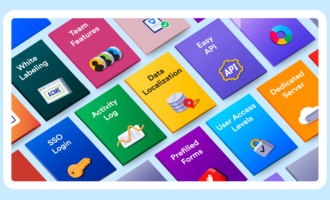
Here are 20 standout features worth celebrating that help Enterprise users do more with their data.
- Spreadsheet to Form widget: With this widget, you can say goodbye to repetitive data entry by populating form fields with data from an external file. Simply upload an Excel or CSV file to the widget that identifies records with unique codes. When a user enters the access code, the form instantly fills with the corresponding information for that record.
- Grid Listing Report: Transparency is key in any large organization, and the Grid Listing Report provides a clean, table-style view of your form submissions that you can add to a web page. It’s a perfect way to share real-time data with stakeholders or team members in an easy-to-read, filterable, and manageable format.
- Pre-populating form fields from URL parameters: Deliver a personalized experience by pre-populating form fields using custom URL parameters. This feature allows you to pass data from one form to another or send unique form links to users with their name, email, or ID fields already populated, significantly increasing your form completion rates.
- Form translation: Global organizations need to communicate in many languages. Our form translation feature makes it easy to create a single, multilingual form. Users can select their preferred language from a dropdown menu, ensuring your data collection is accessible and inclusive for all your international branches.
The ease of setting up, duplicating, and translating our forms — including the legal translation of our waiver — was incredible.
Amy Lester, Ventures Project Coordinator, The Arbor Day Foundation
- Form Calculation widget: Automate complex logic and calculations directly in your forms to eliminate manual errors. Whether you are calculating order totals, scoring a quiz, or determining a risk assessment value, this widget performs real-time calculations, so your team doesn’t have to.
- Form draft mode: This feature lets you make edits to a “staging” version of your form while the original remains live, so you can test new logic and designs without disrupting your data collection.
- Custom domains: Implementing your own custom domain for your forms can help them appear more professional to your end users, reinforcing trust and brand recognition. You can also set up a server-wide customized sender email address with Jotform Enterprise.
- Role-based access control: Admins on Enterprise accounts can assign specific roles — such as Data Viewer, Form Submitter, or Workspace Admin — to ensure that the right people have exactly the level of data access they need to complete their tasks securely.
The really big thing for us moving to Enterprise was the admin control and being able to see who has access to what.
Catherine Warren, Director of Operations, Latin American Association
- SSO Prefill: Streamline the user experience by using your organization’s existing identity provider to sign in users. By using SSO Prefill, your forms can automatically pull verified data from your single sign-on provider to fill in a user’s profile information, saving them valuable time and ensuring data accuracy.
- Jotform Enterprise for Salesforce with Dynamic Prefill: Take your CRM integration to the next level by pulling real-time data from Salesforce to prefill your forms dynamically. This ensures that your records are always up to date and provides a frictionless experience for your customers and leads.
- Local data residency: Compliance is a non-negotiable for Enterprise organizations, which is why we offer the ability to choose where your data lives. With over 19 data centers worldwide, you can host your data in a specific region to meet local regulations such as GDPR, CCPA, or the Australian Privacy Principles.
- Admin Console analytics: Data-driven leadership requires a bird’s-eye view of your entire organization’s activity. The Admin Console provides comprehensive analytics on form usage, submission trends, and user activity, giving you the insights needed to optimize workflows across every department.
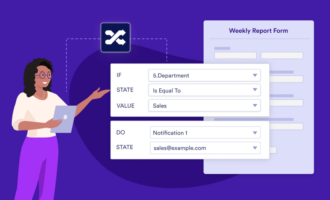
- Conditional logic Jotform’s smart conditional logic allows you to create dynamic forms that react to user input. By showing or hiding fields, skipping pages, or changing the thank-you page based on a respondent’s answers, you can ensure a streamlined and relevant experience for every user.
Jotform Enterprise solves issues. It makes people’s jobs easier. If I press a button, it does five things. Why wouldn’t I want that?
Justin Van, Web Director, Plainfield Community Consolidated School District 202
- SSO user management: Scale your team effortlessly with automated user provisioning. Just-in-time (JIT) creates new user accounts instantly when they first log in, while SCIM keeps your Jotform Enterprise server in sync with your identity provider, automatically deprovisioning users the moment they leave your organization.
- Jotform Sign: Transform your documents into e-signature workflows with Jotform Sign. This product allows you to automate the signing process, track document status in real time, and get a detailed audit trail for each document.
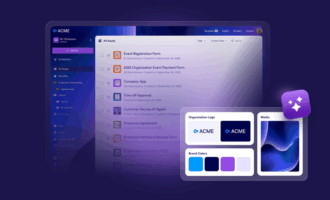
- Jotform Enterprise Brand Kit: Consistency builds trust, especially at scale. The Brand Kit allows administrators to set global styles, logos, and color palettes across the entire server, ensuring every form created by any department aligns perfectly with your organization’s visual identity.
- Jotform Apps: Bundle your forms, links, and documents into a centralized, custom-branded app that your team can install on any device. Jotform Apps provide a seamless mobile experience for internal portals, field data collection, or customer-facing resources — all without requiring you to write a single line of code.
- HIPAA PHI form fields: For healthcare providers, safeguarding protected health information (PHI) is paramount. Our Enterprise platform allows you to designate specific fields as “Protected,” ensuring that data is encrypted and handled in compliance with HIPAA standards. Learn how to set up HIPAA PHI fields on your forms.
- AI Agents: Bring the power of artificial intelligence to your data collection and customer service. AI Agents can help you automate complex tasks, analyze submission patterns, and even assist in building smart workflows, allowing your team to focus on high-level strategy while agents handle routine interactions.
- Enterprise-level support: From white-glove onboarding and migrations to live, one-on-one Zoom calls with a customer success manager, you are never alone with Jotform Enterprise. Our Professional Services team can also do the heavy lifting of setting up systems for you, delivering a fully functional solution. Contact our sales team to discuss your project scope and pricing for this add-on service.
If you can imagine it, the Jotform Enterprise support team can help you get there.
Paul Cianci, Director of Special Operations, Freedom Boat Club
These features are the cornerstones of the Jotform Enterprise experience, offering the power, security, and partnership required to scale effectively. By using these tools, your organization can move beyond simple data collection to automated, secure, and highly efficient workflows. Whether you’re a long-time user or just getting started, there is always a new way to enhance your team’s productivity with Jotform Enterprise.























































































Send Comment:
1 Comment:
February 18, 2026
But I do like this app a lot