

Today, we are releasing Embed Form Plugin for WordPress. Using Embed Form Plugin adding a form to your blog post is very easy. Simply click on the Jotform icon on your post editor (Jotform icon appears if Classic editor block is selected.
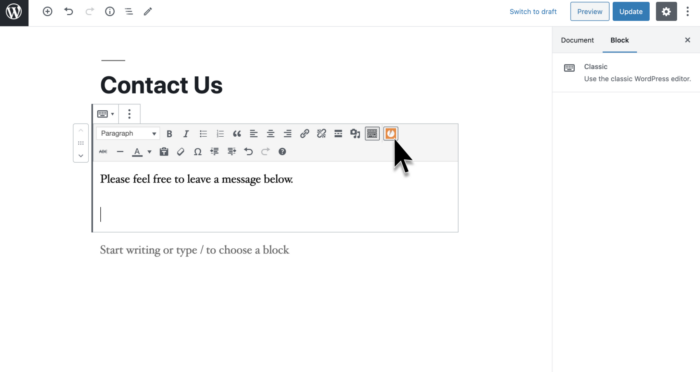
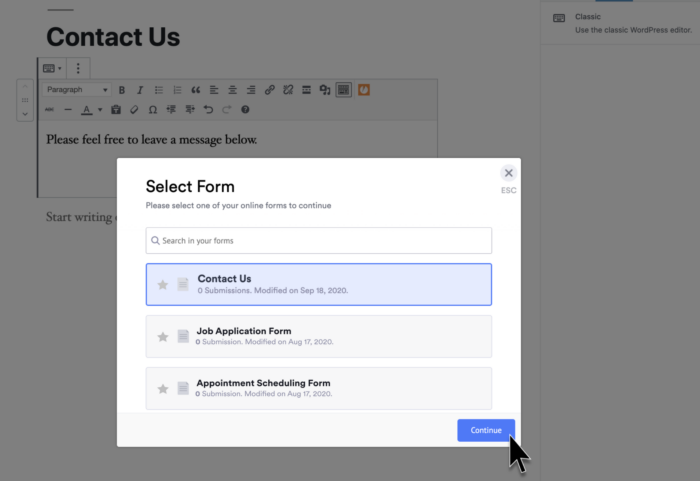
You can pick a form with a simple click of a button right from the WordPress editor.
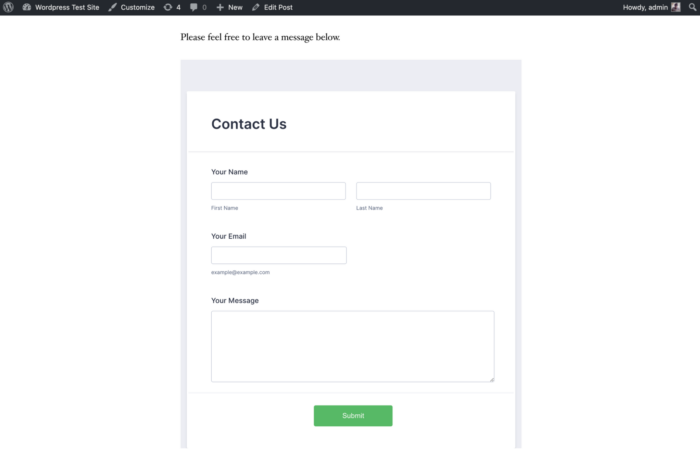
The form will be added within your blog post. Ready to accept submissions.
Pro Tip
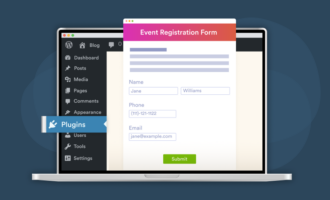
Connect Jotform’s AI Chatbot for WordPress to your site to transform it into a 24/7 customer service hub, answer form questions in real time, guide visitors through completion, and nudge them to submit for higher conversions.
If you use online forms in WordPress a lot for things like surveys, contest entries, online petitions, PayPal payments, bookings, or just for simple feedback/AMA this plugin will make things quick and easy for you.

























































































Send Comment:
22 Comments:
October 20, 2018
we are facing a delay in submitting forms integrated with wordpress
how can we solve this problem?
Thanks
September 6, 2018
Unfortunately, it does not work with the Divi Builder.
May 23, 2017
I have developed windows form (VB 2012), i wonder if I could use this plugin to directly upload into Wordpress..
March 8, 2016
Unable to log into jotform account from Wordpress icon - keeps saying sign in successful, but does not sign me in
June 26, 2015
Not working with Wordpress 4.2.2
The jotform icon appears in the editor but it isn't functionalJune 10, 2015
Are you guys aware this plugin doesn't work with the latest version of wordpress?
I've tried embedding a form from Safari, Firefox and Chrome and the selection windows never disappears and no shortcode (or anything otherwise) is embedded into the wordpress content editor.
September 26, 2014
any plugin for wordpress.com ??
September 3, 2014
Its very great.
June 27, 2014
Hi: I do not get the list of forms as it is shown in the screen shot. I can either embed the script or try to use a short code. Neither of which work. I'm working with Wp v3.9.1 and v1 of your plugin. Thanks for any help!
April 25, 2014
it does not send the message of the form to my email.please help.
I am using word pressFebruary 22, 2014
if i wanted to say add this blog to my website i have it added now where it sends the form information i wanted it to be posted on the same website how would i do this?
November 1, 2013
The plugin doesn't seem to work in my wordpress 3.7.1 version. I can see the button, but clicking doe nothing
October 1, 2013
OK scratch that, as I have tried it in Chrome and not Firefox where a window did pop up for sign in to my Jotform account. I couldn't see anywhere in your instructions that I would get this.
Thanks
Jim..
October 1, 2013
Hi
Am I missing something? I have installed the plug in, and yes see the button in the page editor. Clicking on it does nothing. I can't see how it would know what my Jotform account is to bring me back a list of forms to use, so where do I set that up?.Help!
Thanks
Jim..
August 19, 2013
Error: Warning: preg_match(): Compilation failed: unrecognized character after (?< at offset 18 in /misc/2/000/232/468/1/user/web/4star.zcsassociates.com/wp-content/plugins/embed-form/jotform-wp-embed.php on line 42
August 16, 2013
Oops, guess it was released a little too soon. the plugin is broken. Installed, pencil icon appears. Clicking it does nothing. Not the only one having this issue.
June 16, 2013
That is pretty fantastic! Thank you.
June 12, 2013
Merhaba ben bu eklentiyi kurdum, ancak çalışmadı. aşağıdaki linkteki gibi jotfoem id gözüküyor.
June 11, 2013
Finally!
June 7, 2013
Scratch that - Sorry..
Great plugin!...
June 7, 2013
Hi
Just installed plugin.
Can't seem to put two forms on one page.
Is that right?
June 7, 2013
Great job on the new WordPress plugin, you guys rock!