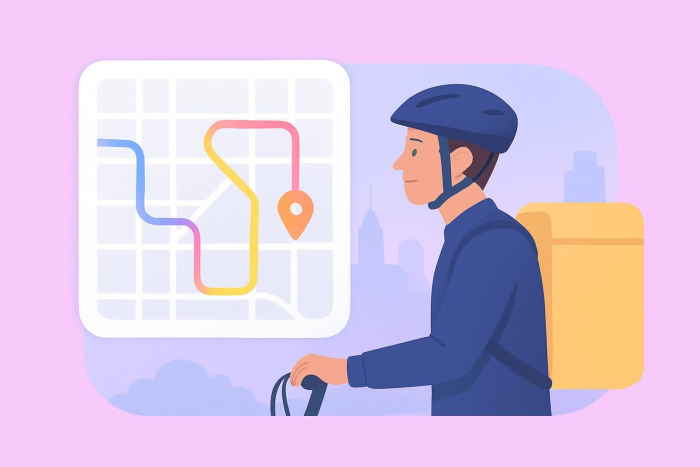
Steps to making a delivery app
- Define your delivery model and business logic
- Identify all user roles and responsibilities
- Design the core user journeys
- Define the MVP set
- Choose a development approach and platform
- Build and test real-world scenarios
- Launch in a limited environment
- Monitor performance and optimize continuously
- Prepare for scaling and long-term growth
Whether for a quick pizza dinner on a weeknight or a large catering order for a party, a food delivery app makes it quick and convenient to get what you want, delivered straight to your door.
Want to know how to create a delivery app without spending weeks and thousands of dollars on development? This guide breaks down what a delivery app does, the most common types out there, the essential features, and how to build one step by step.
What is a delivery app?
A delivery app is a mobile or web-based platform that connects customers with businesses and delivery services so they can place orders, pay online, and have items delivered wherever they need. Most delivery apps include tools customers can use to browse items and place and track orders; other tools let businesses manage incoming orders and couriers accept and complete deliveries.
Depending on the company’s business model, a delivery app might support food, package or grocery delivery; same-day courier services; or local on-demand deliveries.
Types of delivery apps
Delivery apps come in different formats, depending on what’s being delivered and who owns the delivery network. Some of the most common types are
- Restaurant and meal delivery apps: Customers order from restaurants and receive food from either platform couriers or restaurant drivers. For tips on how restaurants can build their own ordering and engagement experience, check out this guide on creating a restaurant app.
- Grocery delivery apps: Users order groceries for scheduled or on-demand delivery, often with substitutions and inventory updates. See this guide on grocery app development cost for insights and key considerations.
- Package and courier delivery apps: These are designed for documents, parcels, and same-day courier needs and are typically optimized for pickup/drop-off flows. In specialized industries, this category can also include medical courier apps for drivers, which help manage time-sensitive deliveries of lab samples, prescriptions, and medical supplies.
- Multi-vendor marketplaces: A single app aggregates multiple stores or restaurants so users can compare options in one place.
- Local business delivery apps: These apps focus on a specific region or niche, such as pharmacies, flower shops, or specialty retail.
- Business-owned delivery apps: A brand creates its own app to manage orders and delivery operations without relying on a marketplace.
Some apps combine types, such as a marketplace app that supports restaurants, groceries, and retail under one platform.
How to build a delivery app
Building a delivery app involves more than designing screens or choosing technology. A successful app aligns user experience, logistics, and business operations from the very beginning.
Here’s a detailed, step-by-step breakdown to guide the process.
1. Define your delivery model and business logic
Before writing a single line of code or choosing a development tool, you need clarity on how your delivery service will actually work.
Key questions to answer:
- What is being delivered? (food, groceries, parcels, retail goods, services)
- Who fulfills the delivery? (your own couriers, vendor staff, third-party drivers)
- When does delivery happen? (on-demand, same-day, scheduled time slots)
- Where will you operate? (single neighborhood, citywide, multi-city)
2. Identify all user roles and responsibilities
Most delivery apps serve multiple types of user. Clearly defining each role prevents confusion during development.
Common roles include
- Customers: Browse items, place orders, pay, track delivery, leave reviews
- Vendors/businesses: Manage menus or catalogs, accept orders, prepare items
- Couriers/drivers: Accept delivery requests, navigate routes, confirm delivery
- Admins: Oversee operations, manage users, resolve issues, view analytics
Each role requires a different interface and set of permissions, even if they exist within the same app ecosystem.
3. Design the core user journeys
Next, map the full journey for each role, starting with the customer. A typical customer flow includes
- Researching available vendors or products
- Browsing menus or catalogs
- Selecting items and quantities
- Entering delivery details
- Completing payment
- Receiving order confirmation
- Tracking delivery status
- Rating or reviewing the experience
Repeat this process for vendors and couriers. Clear journey mapping helps eliminate unnecessary steps and reduces user friction.
4. Define the MVP set
Instead of launching with every possible feature, focus on what’s required to complete a successful delivery.
Core minimum viable product (MVP) features usually include
- Product or menu listings
- Order creation and checkout
- Secure payments
- Order status updates
- Basic notifications (order received, out for delivery, delivered)
- Simple admin visibility into orders
Advanced features such as loyalty programs, voice notes, AI recommendations, or detailed analytics can be added after validation.
5. Choose a development approach and platform
Once you’re clear on your requirements, select how you’ll build the app. Options include
- No-code or low-code tools for fast setup and iteration
- Pre-built app platforms or templates for common delivery use cases
- Custom development for complex workflows and full control
Your choice should reflect your budget, timeline, and technical capacity. Many successful delivery apps start with a simpler setup and evolve as demand grows.
6. Build and test real-world scenarios
Testing should simulate real delivery conditions, not just ideal ones. Validate the following:
- Payment success and failure scenarios
- Order cancellations and refunds
- Delayed or missed deliveries
- Incorrect addresses or unavailable items
- Courier availability issues
Testing these edge cases early can prevent operational breakdowns after launch.
7. Launch in a limited environment
Instead of launching everywhere at once, start small:
- One city or neighborhood
- A limited number of vendors
- A controlled courier group
This makes it easier to monitor performance, gather feedback, and fix issues before scaling.
8. Monitor performance and optimize continuously
After launch, focus on improving
- Order completion times
- User drop-off points
- Courier efficiency
- Customer satisfaction
- Support requests and complaints
Delivery apps succeed through constant iteration. Data and feedback should guide every improvement.
9. Prepare for scaling and long-term growth
As usage increases, plan for the following:
- Expanding to new locations
- Adding vendors or service categories
- Improving tracking accuracy and notifications
- Enhancing dashboards and reporting
- Introducing monetization strategies (commissions, subscriptions, promotions)
A scalable delivery app balances technology, logistics, and gaining user trust over time.
Determine must-have features for your delivery app
Incorporating the right features into your food delivery app is key; they will make the app useful for your audience and keep them coming back. If you lack must-have features, users may get frustrated and switch to a competitor’s app.
Popular features for food delivery apps include
- Easy payment options: Ensure the delivery app works with a variety of payment gateways so users can check out quickly and businesses can receive payments easily.
- Reviews and ratings: Customers often look at reviews and ratings before making a purchase. Make sure users have a way to give feedback on food quality, delivery times, and more.
- Simplified order placement: Menus should be easy to browse and include descriptive text and mouth-watering images. Ordering should be intuitive and encourage users to add more items to their purchase.
- Order history: Some customers are creatures of habit and may want to order their favorite dishes again and again. An order history makes it easy for them to reorder meals they loved.
- Offers and promotions: Loyalty points, rewards, discounts, and other promotions are key to encouraging users to keep coming back to the app.
- Dashboard: From the administrator’s perspective, a dashboard provides a clear view of all open, completed, and in-progress orders, and multiple other functions.
Use the best software to make a delivery app: Jotform Apps
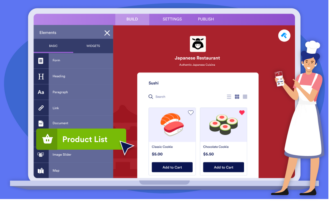
Thinking about starting a food delivery business? Start with Jotform Apps, a no-code app builder that enables you to create a custom delivery app with widgets, forms, links, and your own branding. Using its straightforward drag-and-drop user interface, you can create an app in days rather than weeks or months. Once the app is ready, it’s easy to share with your audience through a link or QR code, which you can send via email. Users can download the app and use it anywhere, anytime.
Jotform Apps gives you a head start by providing hundreds of customizable templates. Popular templates include the package delivery app template and the food delivery app template. Customize form fields, add your own logo, and select the payment gateways you want to use to make an app your own.
Now that you know which features to include in your food delivery app and the software that can help you get the job done, it’s time to make the app a reality. Get started with Jotform Apps and begin accepting orders within days.
FAQs
To develop a delivery app, start by defining your delivery model and user flows, and then choose a build approach (no-code/low-code, templates, or custom development). Focus on the essential features first, test the order-to-delivery process thoroughly, launch in a small region, and iterate based on real customer and courier feedback.
Costs vary based on how you build the app and how complex it needs to be. Building a simple MVP with fast tools is typically much cheaper than custom development. Beyond development, you should also plan for ongoing costs such as payment processing, customer support, marketing, maintenance, and delivery operations.














































































Send Comment: