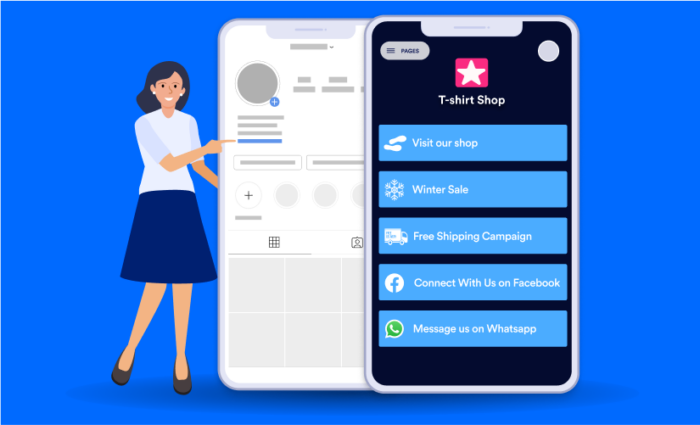

Top Linktree alternatives
- Jotform Apps: Best for building a link-in-bio page with AI
- Hopp: Best for customizing your theme before building
- Buffer Start Page: Best for scheduled updates to a landing page
- Link in Bio: Best for adding links to your Instagram photos and TikTok posts
- Shor: Best for the fastest way to build a basic landing page
- Carrd: Best for fully customizing a landing page with code-style changes
- Lnk.bio: Best for syncing new RSS articles, blog posts, product listings, and more into your landing page
“Capture and share the world’s moments,” reads Instagram’s original mission statement. And it does. But what it captures better than anything is the world’s attention. As though on a mission to bring “Hotel California” to fruition, denizens of Silicon Valley turned social networks into a place you can almost never leave.
X ( formerly Twitter) restricts bios to a single link, dampens visibility for tweets that contain a link, and opens links in an in-app browser to keep you around. Instagram doesn’t allow links in posts, and until 2023 only allowed a single link in your bio (today, it allows up to five links — but only a single link is visible). TikTok locks things down even more: No links in posts, and only a single Instagram, YouTube, or Lemon8 profile link in personal accounts.
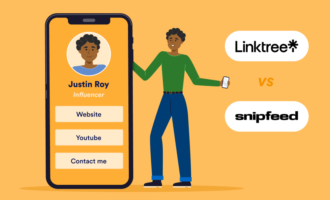
That, in large part, has driven the rise of Linktree and similar sites. One page with details about yourself or your business, followed by a list of your most important links, has become the new personal website. If you want to make the most out of a single link on your social profiles, here are the seven best Linktree options worth considering.
What is Linktree?
Linktree was founded in 2016 by an agency running campaigns for its clients. “Endlessly updating singular bio links felt like a waste of time, or worse, often got overlooked,” found the cofounders. So instead of updating that precious single link on clients’ bios every time a new campaign or promotion started, they simply updated their Linktree page, and the old link on each social media profile instantly sent customers to the new content.
Linktree spread by one Instagram account at a time, growing into a unicorn that has acquired two other link-in-bio apps: Koji and Bento.
Linktree today is still one of the most popular ways to quickly build a bio page. Basic pages are free with Linktree branding; paid plans start at $8 per month for custom themes, subscriber management, and social media scheduling. It’s easy to use, automatically pulling in details from your social media profiles to personalize your page. But it can, at times, be tedious, taking 11 steps to go from signup to published landing page.
What to look for in a Linktree alternative
The key reason to use Linktree or a similar app is to quickly build a one-page site you can update whenever needed. You could create a Linktree-style site in any website builder like Framer or a content management system like WordPress. You could hand-code one in HTML or ask AI to build one for you. What you’d miss out on is the simplicity of being able to create a site in about five minutes and update it in a minute or less, anytime.
The best link-in-bio apps let you
- Quickly build a one-page profile site. Start with a template, add details, and get a link to share within minutes. Linktree takes 11 steps from signup to completion; the best competitors get the job done in half as many clicks.
- Personalize your link. Most link-in-bio apps automatically give you a page like site.com/yourname, typically with a random name at first that you can customize with your real name or a social media handle. You can also typically add a custom domain with paid plans if you want.
- Add social media profiles. Link-in-bio apps should ask for your social media profiles during the setup process; the best should use the data from them to automatically personalize your page for even quicker setup.
- Customize your design. While starting with a theme makes it easier to build your first link-in-bio site, customization lets you make that site your personal homepage. From fonts and colors to custom content sections, integrations, and secondary pages, the best link-in-bio apps let you customize your site without code.
- Update your site anytime. The key reason the Linktree team built their app still stands: You need a way to update the content that your social media followers see when they click your link, without having to update that link manually on every social network. Your link-in-bio app should make it as simple as possible to add new links, update content, and keep your landing page as up to date as possible.
How I tested the best link-in-bio apps
I’ve been building websites for over a decade, from simple landing pages and WordPress blogs to hand-coded HTML sites and AI-directed apps. For this roundup, I started by building a new landing page in Linktree for a baseline comparison of its features and how many steps it required to build a landing page.
I then researched 22 alternative link-in-bio apps and signed up for the 16 most promising apps. In each app, I created an account, built a landing page, and customized it with the same avatar, details, and social media profiles. Once I did that, I launched it with a customized permalink where possible. I also tried any unique features or integrations when I had the option.
Based on that testing, here are the seven best Linktree alternatives to build a link-in-bio landing page in 2026.
| Tool | Best for | Key features | Pricing |
|---|---|---|---|
 Jotform Apps |
Building a link-in-bio page with AI |
– AI to build landing pages – Support for multiple pages – AI chatbots built in |
Free for unlimited landing pages and five forms; from $34/month for 25 forms |
 Hopp by Wix |
Customizing your theme before building |
– Mix-and-match theme elements – Add a store, blog, or event bookings to page |
Free for core features; from $10/month for custom branding |
 Buffer Start Page |
Scheduled updates to a landing page |
– Publish social media style updates to page – Get a custom sub-domain |
Free for one page and two social media channels; from $5/month per additional channel or page |
 Link in Bio |
Adding links to Instagram photos and TikTok posts |
– Automatically create page from social media – Link images from Instagram and TikTok |
Free for basic Link in Bio page with 12 posts per month; from $25/month Starter plan |
 Shor |
The fastest way to build a basic landing page |
– Build a landing page without signing up – Automatically update with RSS |
Free 5-day trial; from $12/month for 5 pages |
 Carrd |
Fully customizing a landing page with code-style changes |
– Add section IDs, CSS, Javascript, and more – Embed any content |
Free for three sites; from $19/year Pro plan |
 Lnk.bio |
Syncing new RSS articles, blog posts, product listings, and more into your landing page |
– Deep integrations library – Schedule events with booking calendar |
Free for a basic site; from $0.99/month Mini plan |
Jotform Apps: Best for building a link-in-bio page with AI
Developer: Jotform
Pros:
- Build a landing page without signing up
- Create a landing page with AI in two clicks
- Include multiple pages and contact forms
Cons:
- Detailed templates that take longer to customize
- No AI to update or edit the site once it’s built
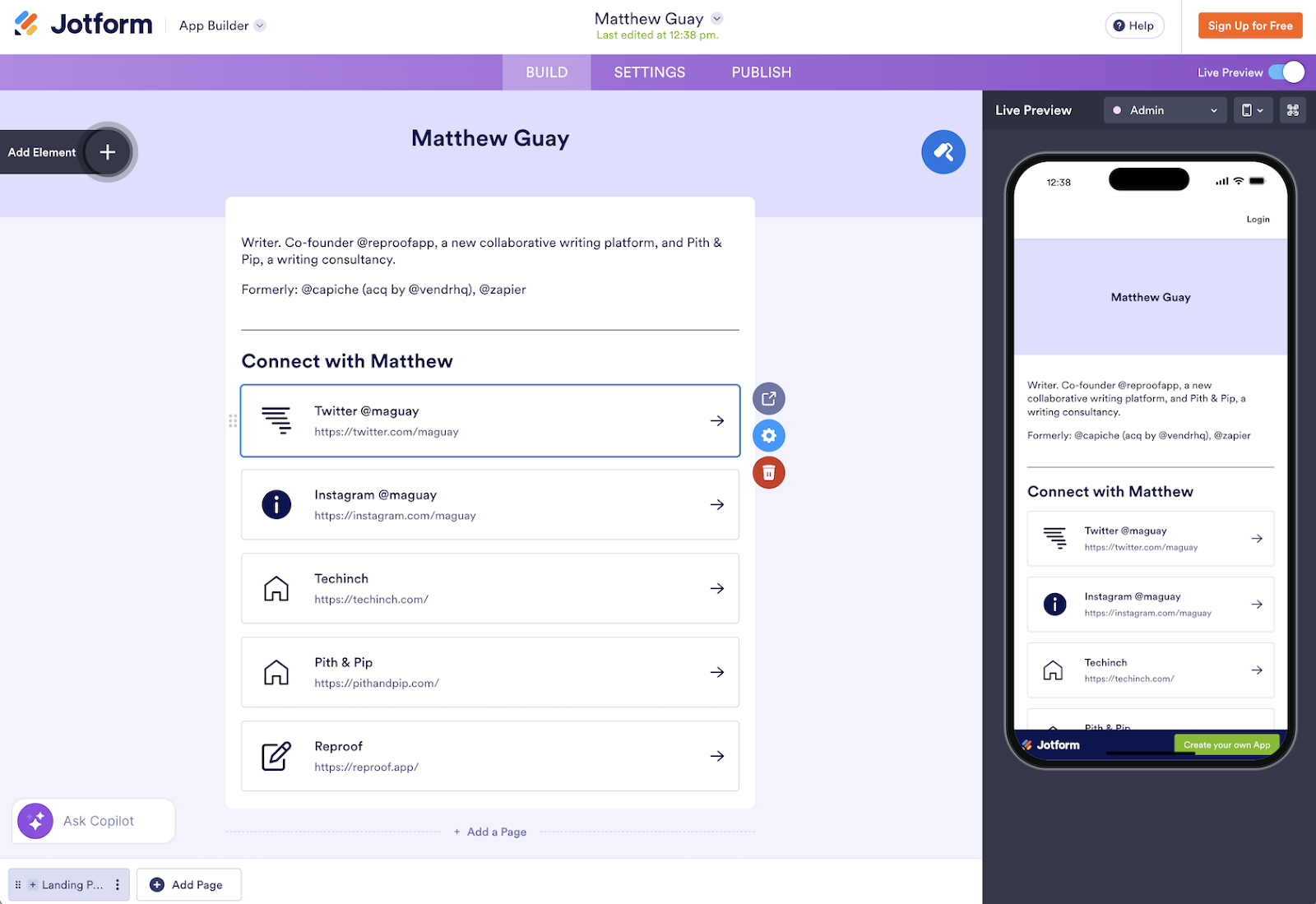
Jotform Apps was the only link-in-bio app I tested where AI could reliably build a landing page in a single click. I started from Jotform’s AI App Builder and asked for a Linktree-style site with links to my X/Twitter, Instagram, and personal website. Seconds later, Jotform’s AI had built a link-in-bio landing page similar to the page above, complete with the links I’d requested. I could duplicate the link buttons to add more links, update the bio text, add my avatar, and more. All of that works without signing up, so you can first build a landing page and make sure Jotform Apps is right for you before you commit to creating an account and publishing your site.
Jotform Apps is a great option to manually design a landing page, too. It includes over 700 app templates, with 15 Linktree-style Social Bio Link Apps templates along with other designs to build landing pages for real estate, restaurants, retail, and more. You can drag and drop elements to your site, customizing them much like in Jotform’s form builder. Speaking of, you can include a Jotform form in your page to let people contact you, gather email subscribers and leads, then sync them to your email marketing list, CRM, spreadsheets, and more with Jotform workflows.
It’s more than just a landing page, too. A link-in-bio page took me only a couple of minutes to build. In not much more time, you can build a site designed for conversions, with additional pages to share directions to your business, embed a contact form, or add product listings and checkout for a mini e-commerce store in your bio. And with Jotform’s AI Agents and Chatbot Builder, you could add customer support chat to your page to answer customers’ most common questions, complete with an Instagram agent to handle your direct messages all from the same Jotform app.
- G2 rating: 4.7/5 stars
- Plans/Pricing: Free for unlimited apps and five forms with 100 monthly submissions; from $34 per month Bronze annual plan for unlimited apps and 25 forms with 1,000 monthly submissions
Hopp: Best for customizing your theme before building
Developer: Wix
Pros:
- Customize designs quicker with modular templates
- View site analytics from your dashboard
- Add a store, blog, bookings, and events to your page
Cons:
- Multiple clicks required for edits
- Single Hopp site per account
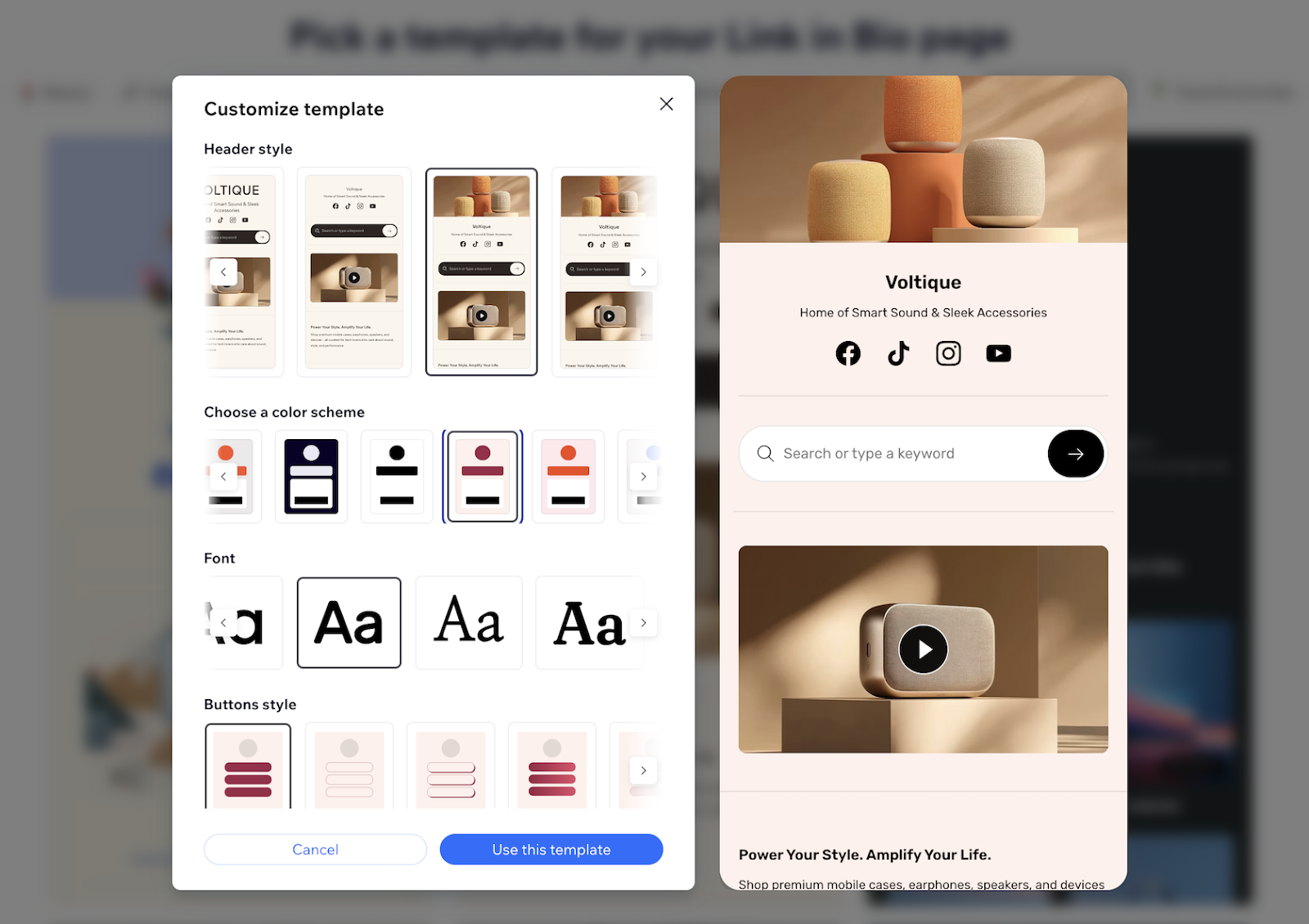
Hopp by Wix made customizing the site theme easier than any other landing page builder. When you select a theme, Hopp shows alternative header styles, color schemes, fonts, and button styles, with a preview of how your landing page will look with those choices. Unlike custom color and font options where it’s easy for your design to go off the rails, Hopp’s theme options made it easier to build a unique site with a tasteful design than any other link-in-bio app I tested.
As a tool from the website builder Wix, Hopp includes more features for its sites than most other link-in-bio apps, too. Many of the default templates include product listings, search, embedded media, contact carts, and more. The site builder includes blocks to add customizable content to your site, everything from property and clothes listings to contact forms and blog posts.
It also lets you embed X posts, TikTok and YouTube videos, Twitch livestreams, and Facebook content to showcase your posts from other networks. And when I added a blog post link to a Hopp widget, it automatically pulled in the header image, title, subtitle, and publication date to embed the blog post into my Hopp site with a single click. That makes it easier to keep your landing page updated, no matter where you publish online.
- G2 rating: 4.2/5 stars for the core Wix website builder
- Plans/Pricing: Free for core page features; from $10 per month Design plan to remove Hopp branding, add a blog, use premium layouts and automations, and integrate with Wix sites
Buffer Start Page: Best for scheduled updates to a landing page
Developer: Buffer
Pros:
- Schedule updates to your site in your Buffer queue
- Embed Spotify music and YouTube videos
- Create an image grid with links to posts
Cons:
- Start pages count against your social media channels
- Inability to add each social media account unless you use a full domain
Buffer is one of the most popular apps to schedule updates to your social networks, so your posts will show up exactly when your products launch, your content is published, or your followers are most likely to be online. If you’re already using it to manage social media, Buffer Start Page is an easy option to build a landing page so you can manage everything social in one place. What surprised me in testing, though, is that Buffer Start Page is the easiest link-in-bio app to keep up to date with scheduled content in Buffer.
You start by building a landing page with a template; then you edit each block with the details you want. Uniquely, Buffer gives you a yourname.start.page sub-domain for an easy-to-remember, branded URL. Buffer does little of the work for you, though, so you’ll need to manually add links to each social network. It only includes a handful of content blocks, including social links, images, subheadings, and an image link grid where you could manually add each Instagram image along with a link to relevant content. And the only signup form it offers is one that adds email subscribers to MailChimp.
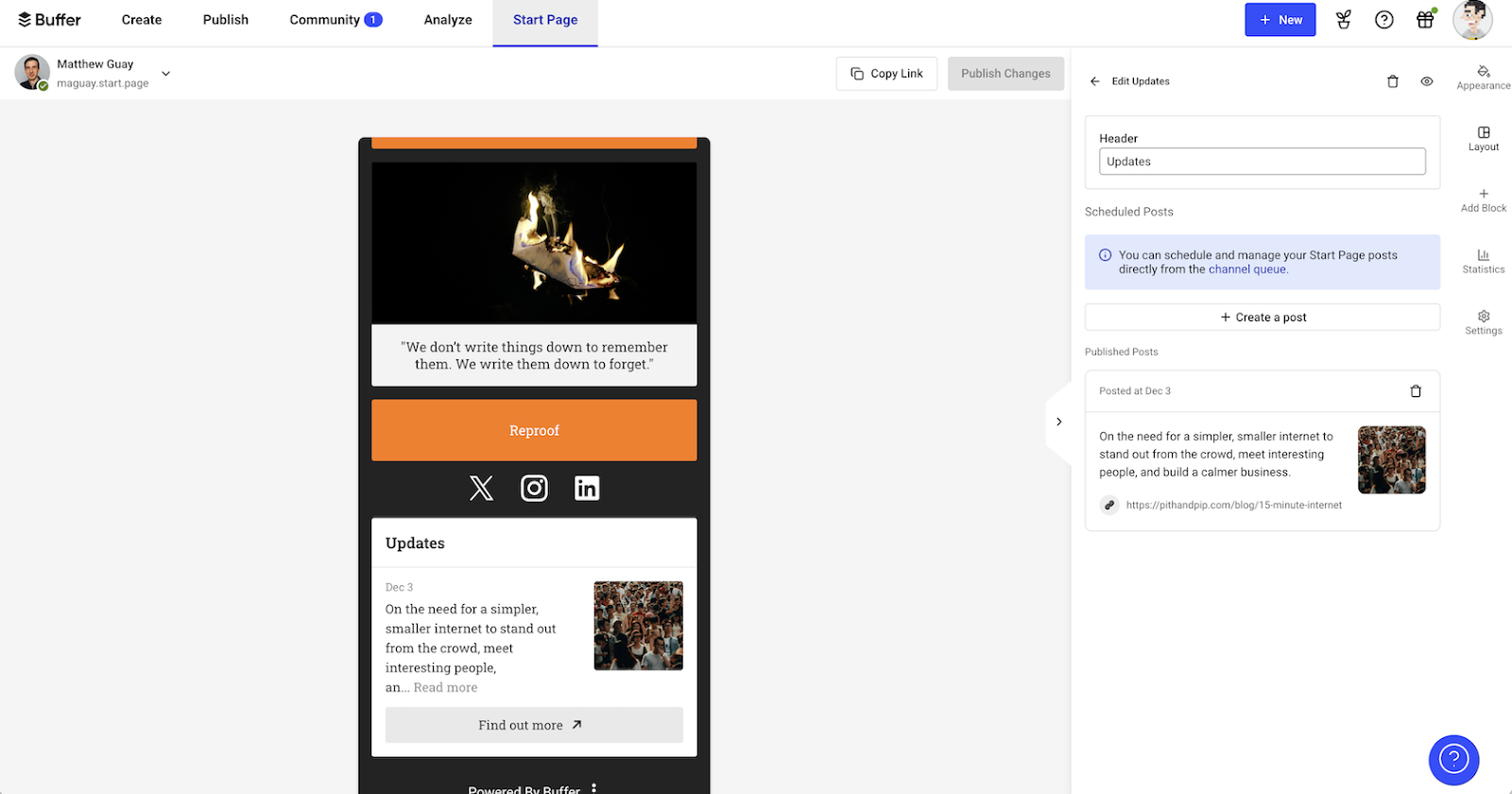
Where Buffer Start Page excels is its Updates block, where you can add social media-style updates with an image, text, and link. Your Start Page also shows up in your standard Buffer Publish tab, so you can schedule updates to be added to your Start Page at the same time you’re scheduling posts on Facebook, Instagram, and your other social networks. That makes it easy to keep your landing page updated right from your standard social media publication workflow.
- G2 rating: 4.3/5 stars for the core Buffer social media scheduler
- Plans/Pricing: Free for up to three channels, including a Start Page as one channel, with 10 scheduled posts per channel; from $5 per month per channel for unlimited scheduled posts
Link in Bio: Best for adding links to your Instagram photos and TikTok posts
Developer: Later
Pros:
- Automatically create page from your social media accounts
- Pull in Instagram and other social media posts automatically
- Add links to Instagram posts
Cons:
- The need to save every time to publish changes
- Forms limited to CSV export or Mailchimp newsletters
Since Instagram doesn’t allow posts to include links, the most common workaround is to mention the link in bio in your photo’s caption. Brands then, including media companies like The Verge, often use tools like Dash Social’s Likeshop for a landing page that shows each of your Instagram photos, and redirects you to the relevant post on their site when you tap a photo. That’s a great option, but prohibitively expensive for smaller brands and creators with plans that start at $999 per month.
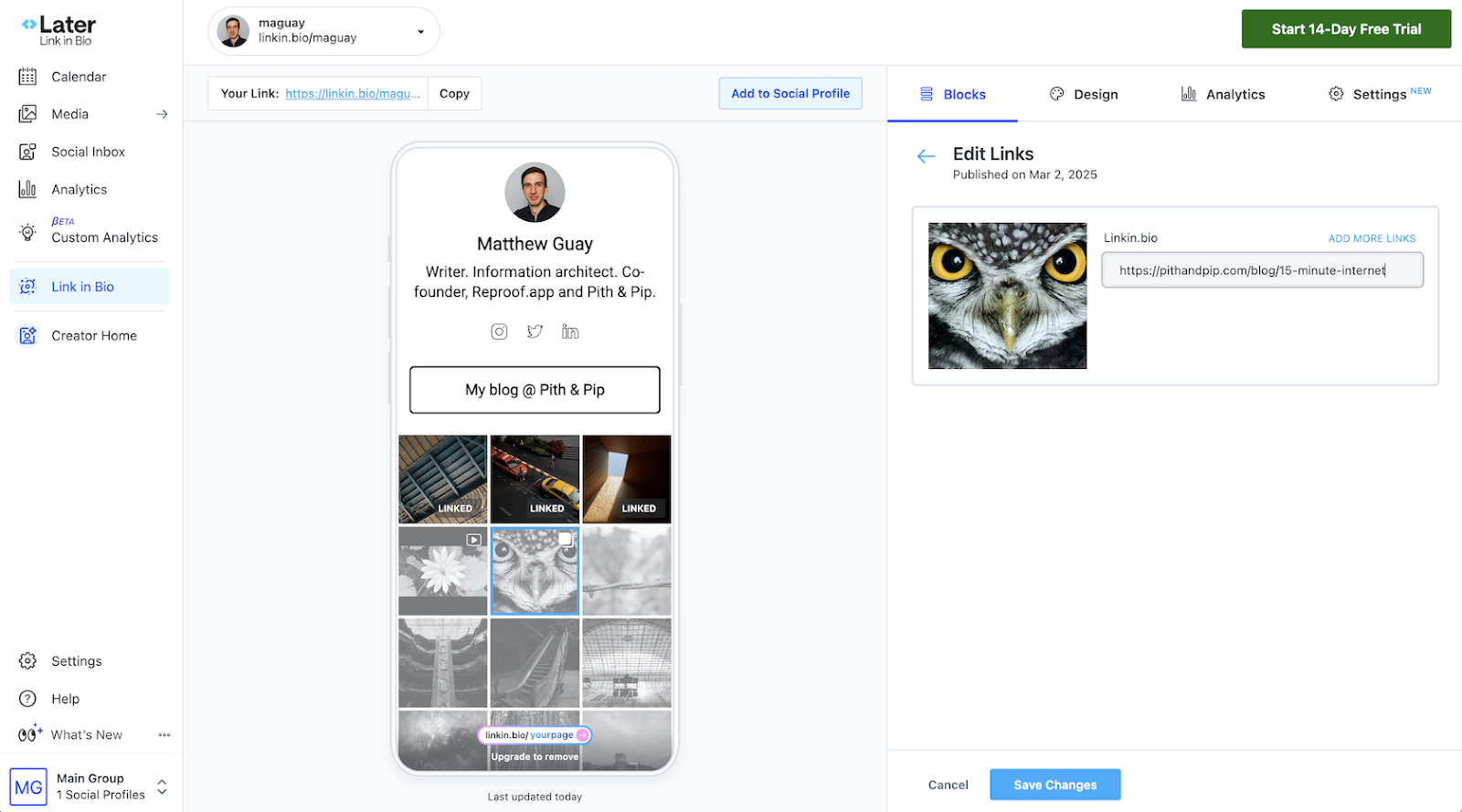
Later’s Link in Bio offers the same feature, either for free or for $25 per month, depending on your publishing volume. It was also the best landing page app at creating a page automatically from my social media profiles. Start by choosing your username and selecting your persona, then connect an Instagram or TikTok account. I connected my Instagram account and it pulled in my profile picture and bio from my Instagram account, and showed all of my most recent Instagram photos, slightly grayed out. Tap a photo to add a link, and in only a couple minutes and a few clicks, you have the perfect companion for your social media profile.
Link in Bio doesn’t automatically save changes, so you’ll find yourself tapping Save every time you edit anything. It’s also less flexible than many other landing page apps, with themes limited to a few color and font options that share a basic layout. But it simplifies sharing links on Instagram and TikTok enough that the design matters far less than your photos, videos, and the links you add to them.
- G2 rating: 4.5/5 stars for Later’s core social media tools
- Plans/Pricing: Free for basic Link in Bio page with 12 posts per month. From $25 per month starter plan for one set of social media profiles, 30 scheduled posts per profile, and a Link in Bio page
Shor: Best for the fastest way to build a basic landing page
Developer: Dream Prints Inc.
Pros:
- Build a landing page without signing up
- Include automatically updated RSS content
- Quickly add tracking pixels
Cons:
- Paid plan required to edit after trial
- Very limited design options
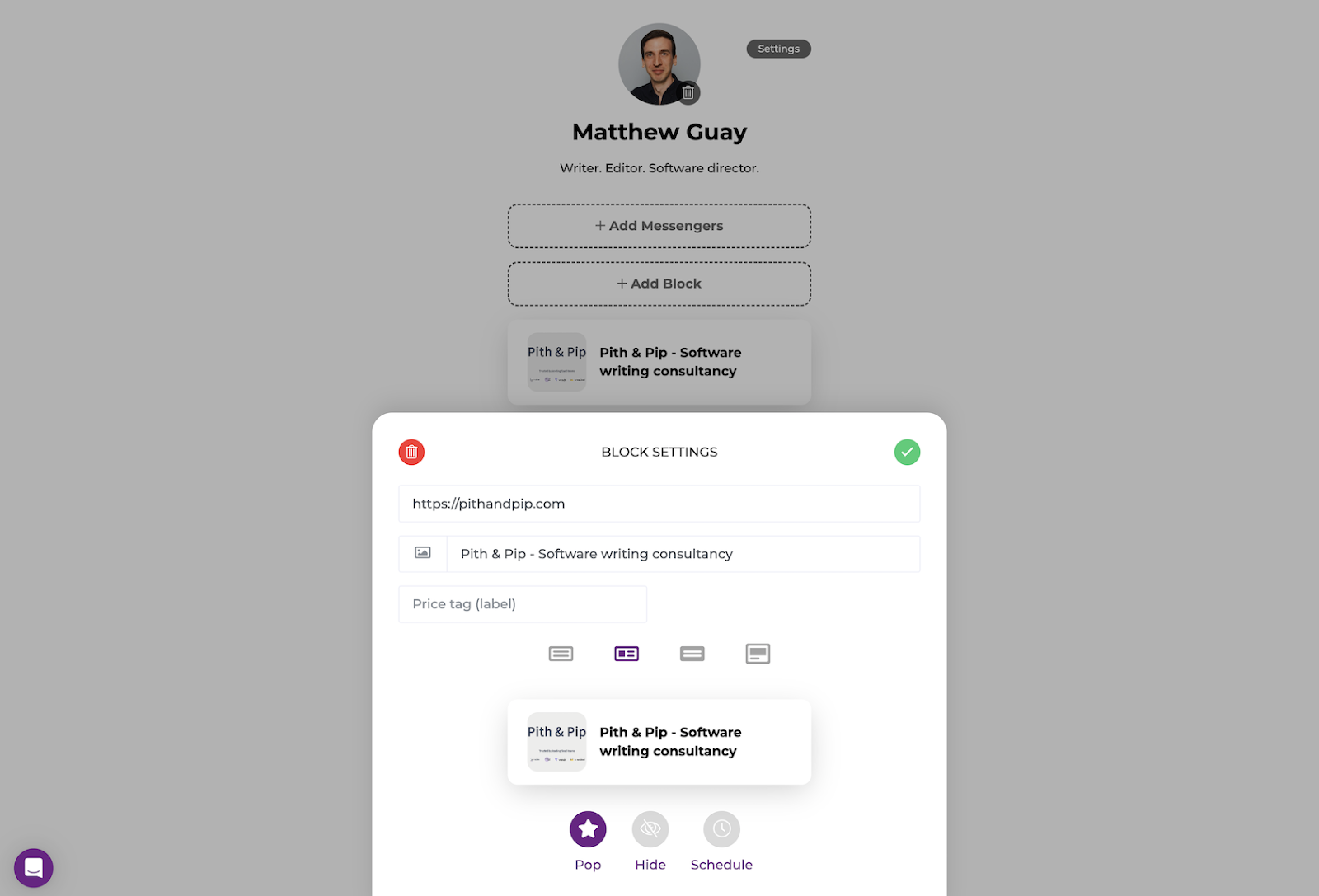
Shor, formerly known as Shorby, surprised me at how simple it makes building a link-in-bio page. Open shorby.com and you’re immediately dropped into the site editor, no login required. Add your avatar to the top, type a title, and add content.
Shor’s first focus is Messengers, where you can list your phone number, WhatsApp account, email address, and other contact details. Blocks are where you’ll add a text block with details, a button or card for visitors to take action, a countdown timer, or a dynamic feed powered by RSS. Finally, Links let you add your social media accounts, with most requiring only your username. Most landing page builders show the options in a sidebar; Shor shows them in a popup on the bottom of the screen, making it easy to edit your pages on the go.
With your content in place, you can set your theme color (no other design customizations are offered), customize your page link, and add tracking pixels to attribute visits to ad campaigns if you want. That, combined with its incredibly simple workflow, makes it a good way to build a quick landing page for a social media ad campaign or promotion, complete with a countdown timer and contact info for people to get in touch.
- G2 rating: 4.1/5 stars
- Plans/Pricing: Free to test; from $12 per month for up to five pages with direct messenger buttons and traffic insights.
Carrd: Best for fully customizing a landing page with code-style changes
Developer: Carrd
Pros:
- Start quickly with templates
- Build more unique, responsive sites without the standard link-in-bio design
- Add forms, embeds, and Google Analytics with paid plans
Cons:
- Multiple pages only available via a workaround
- CSS-style editing can be confusing for non-developers
Carrd is different from most of the other Linktree alternatives. It’s built for one-page sites in general, so while it’s a good option to build a profile page with a list of your social media accounts, it’s an equally good tool to build a “coming soon” page for your startup or a portfolio page for a designer or photographer.
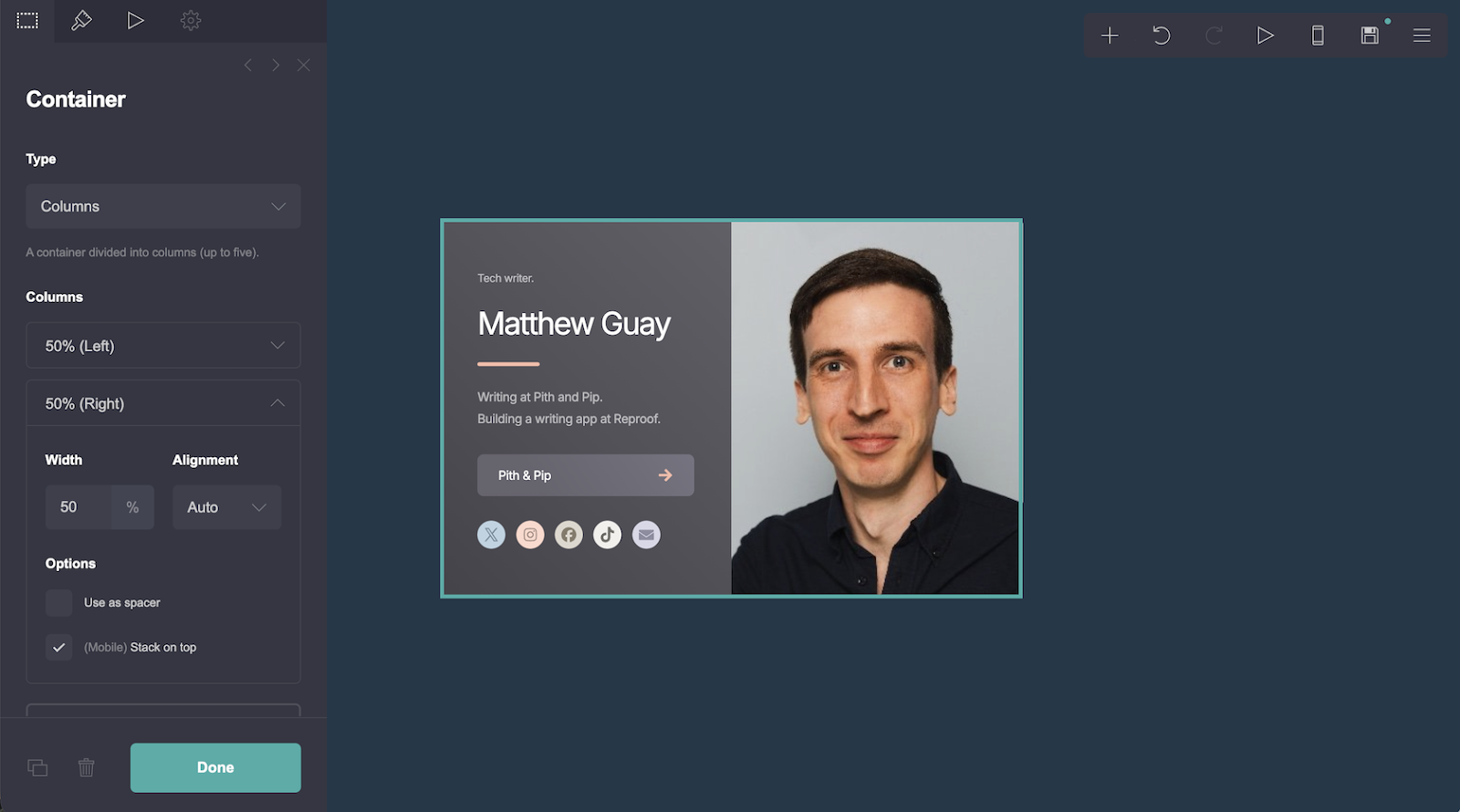
Like other landing page builders, Carrd starts with templates. Choose the Profile designs for something close to Linktree. Click any widget in the template to open an editing sidebar where you can add Markdown-formatted text, CSS-style font and spacing settings, and options to add custom DIV IDs and classes. With a paid plan, you can add any custom code you’d like, from iFrame embeds to CSS style tags to JavaScript scripts. That makes it the most flexible landing page builder I’ve tested, perfect for those with developer skills who still want a simple way to build and host a landing page.
Carrd is primarily designed for single-page sites. You can add multiple pages with a workaround involving hidden elements and IDs, but I’ve found if you want a larger site, it’s better to switch to a full website builder instead. Carrd’s best when making landing pages, and its cheap annual plans make it one of the more affordable and flexible options to do so when you need more control over your designs.
- G2 rating: 4.5/5 stars
- Plans/Pricing: Free for building three sites with core features; from $19 per year Pro plan for custom domains, forms, payments, and more on 10 sites with custom branding.
Lnk.bio: Best for syncing new RSS articles, blog posts, product listings, and more into your landing page
Developer: Lnk.bio
Pros:
- Deep integrations library to automatically update site
- Booking calendar to schedule appointments
- Apple Wallet integration for a digital business card
Cons:
- More complicated setup than most apps
- Themes offer limited customization
Lnk.bio does one thing better than any other landing page builder: It automatically updates your site with content from a wide variety of sources. I added my personal blog’s RSS feed to my Lnk.bio site, and seconds later my latest blog posts were listed on my landing page. The same integration tool can pull in blog posts from WordPress, Ghost, and Blogger; e-commerce listings from Shopify, Squarespace, and Etsy; and content from any other app integration with tools like Zapier, IFTTT, and Make. With an affordable paid account, it syncs media from TikTok and Instagram to your page as well.
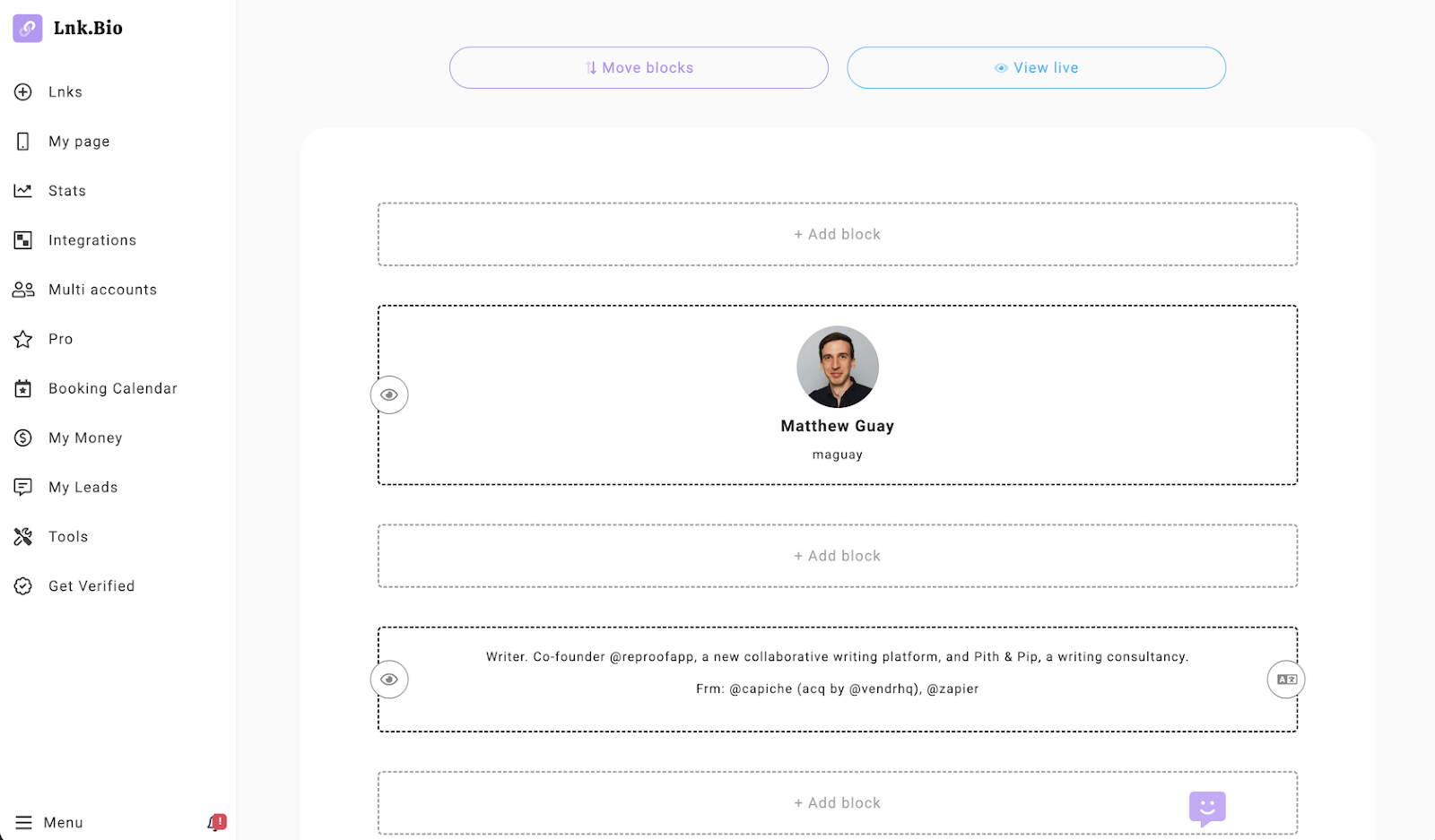
Lnk.bio’s themes are more basic than the competition, with options to select colors along with a wallpaper-style background photo. Similarly, its designer isn’t drag-and-drop and instead shows an Add block button between every section and a separate mode to rearrange content.
You won’t want to build a deeply customized site in Lnk.bio. Instead, if you’re looking for the quickest way to build a page that automatically shows all of your latest content from your blog, store, and social networking accounts, Lnk.bio is a great option. With unique content blocks, including a booking calendar, countdown timer, and an old-school visit counter, along with an Apple Wallet business card creator, you can tweak just enough to get a unique site for your needs.
- G2 rating: 4.5/5 stars
- Plans/Pricing: Free for a basic page; from $0.99 per month Mini plan for scheduling links, highlighted links, password protected site, grid layouts, and analytics tracking
Jotform is a link-in-bio companion
Whether you use Linktree or any of its alternatives to add a link to your social media bio, Jotform’s core tools are a great companion to your page. It’s best in Jotform Apps, with its built-in integration to Jotform AI, forms, workflows, and chatbots. But you can get many of the same features with Jotform alongside almost any link-in-bio tool.
At a minimum, you can build a Jotform form to gather contact info, or you can use a Jotform AI Agents to chat with visitors and share details about your products. Then you can include those as links in your link-in-bio page or embed them in builders like Hopp and Carrd that support iFrame and other code embeds. And you can add Jotform’s AI with Instagram and Gmail agents to chat with customers or draft replies automatically when people reach out.
With all of those tools together, you can turn your link-in-bio page into a lightweight app that showcases your content and social media profiles while driving conversions and assisting customers all from the same simple page you can build in minutes.
Creators, solo founders, e-commerce shops, agencies, social media managers, and marketing teams who want a customizable, trackable, mobile-first “link in bio” page with forms, payments, and integrations for 2026.































































































Send Comment:
3 Comments:
October 6, 2023
Hello. What great content. I only have one thing to consider: we, Linkfree, could be on this list. =)
August 27, 2023
Table of contents link to LinkList includes the letter s, invalidating the anchor link.
May 14, 2023
Thanks a lot for mentioning ContactInBio, I founded it in 2018 and sold to Taplink in 2021. Now launched a better alternative, would love to receive feedback on it as well :)