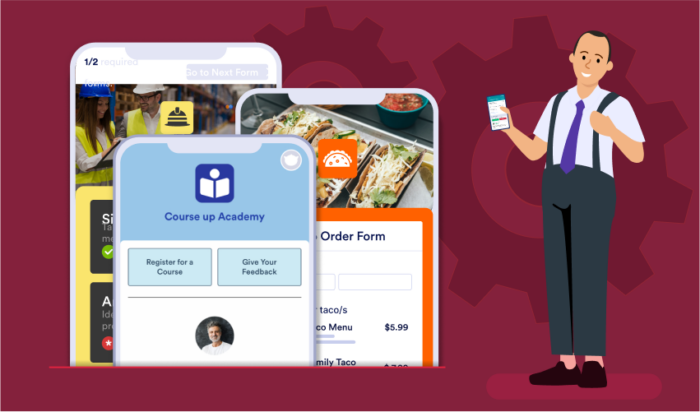

14 AppSheet alternatives
Whether you want to create an app to establish strong, loyal relationships with your customer base, build brand awareness, or increase access to your services (since more than 6.4 billion people are smartphone users), app-building software can meet your business needs.
As a no-code app-building platform, AppSheet helps businesses create automated processes, multiplatform apps, and powerful, feature-rich customer experiences. Users can scan barcodes, accept signatures, and generate reports. And since people have already created close to 4 million apps using AppSheet, your app will be in great company.
Why you may want an AppSheet alternative
Although AppSheet boasts a suite of useful products, there are some reasons it could be incompatible with your goals. Some things to consider:
- Appsheet’s databases might be too limiting. Appsheet’s own databases have some existing issues that could pose a challenge. For one thing, grouping and filtering isn’t available on every column type for now, so you might be in a pinch if you’re trying to search for something specific.
- You may find Appsheet’s builder difficult to navigate. Some users have claimed that understanding Appsheet requires at least a little bit of coding knowledge. If you’re not familiar with programming languages, you should probably find a more user-friendly option.
- Per-user pricing could make this relatively pricey. If you’re looking for an app solution for a large number of accounts, keep in mind that Appsheet charges per user per month. Their starter plan is $5 per user per month, while their standard is $10 per user per month. There are also custom enterprise plan options.
Top AppSheet alternatives in 2026
Finding the right no-code app builder can transform how your business operates. While AppSheet offers solid functionality, the platform landscape has evolved significantly, with numerous alternatives now offering unique features, pricing models, and capabilities that might better align with your specific needs. Let’s explore the top alternatives that could be the perfect fit for your business.
1. Jotform Apps
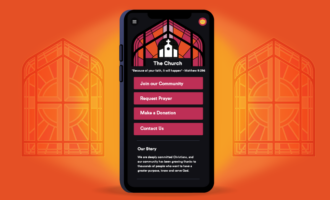
Jotform Apps is a free, no-code app builder, which makes it ideal for organizations without experience or expertise in software development. Using this intuitive tool, businesses can create apps with forms, links, documents, images, videos, and more with an extensive array of widgets — and customize the apps with their branding.
With its drag-and-drop interface, Jotform Apps is easy to use and takes just minutes to get started with. Plus, you can extend your reach effortlessly. Share your app across various platforms via direct links, emails, social media, or QR codes, and tailor the access with detailed permission settings.
Jotform Apps enables the creation of multipage apps for better navigation and the integration of e-signature documents for gathering signatures on any device. Furthermore, users can connect their app with over 30 payment gateways for seamless transactions. The ability to manage data through Jotform Tables and the PWA technology ensures that the apps work across all devices, including mobile and desktop.
When it comes to creating bespoke apps that cater to your business needs, Jotform Apps emerges as a stellar alternative to Appsheet . Known for its user-centric design and comprehensive set of features, Jotform Apps empowers businesses and individuals to build custom apps with unparalleled ease and flexibility.
- Best for: Overall usage
- Best features
- 30+ payment gateways to provide you and your customers with options
- Over 700 app templates for almost every use case imaginable
- Sync your data to Jotform with one of our many web app integrations
- Drag-and-drop builder makes app development a breeze
- Pros
- You can use Jotform completely for free
- Additional Jotform products like Jotform Tables and Jotform Inbox help you manage data more efficiently
- No coding needed at all
- Pricing and limitations
- Free: Jotform’s free plan will give you access to Jotform’s entire suite of products, including Jotform Apps. You’ll get up to five forms, 100 monthly form submissions, 10,000 monthly form views, and 10 monthly payment submissions.
- Bronze: On a Bronze plan, you can create up to 25 forms and receive up to 1,000 monthly submissions for $34 per month. You’ll also have up to 100,000 monthly form views and 100 monthly payment submissions.
- Silver: With a Silver plan, your limits get bumped to 50 forms, 2,500 monthly submissions, one million monthly form views, and 250 monthly payment submissions for $39 per month.
- Gold. For $99 per month, you can upgrade to a Gold plan, which gets you up to 100 forms, 10,000 monthly submissions, ten million monthly form views, and 1,000 monthly payment submissions.
- Enterprise: An enterprise plan grants you unlimited usage for custom pricing. Contact Jotform for an enterprise quote.
- G2 rating: 4.7/5
Here’s what users had to say:
“A few months ago, I encountered Jotform Apps, and I was astounded by its capabilities. It presents itself as a pure no-code platform, complete with comprehensive drag-and-drop functionalities that render app creation a piece of cake. It’s akin to playing a game, and the experience is incredibly enjoyable.”
“We’ve rolled out many apps for our customers to use. The replicability of the apps into a standard model is incredibly helpful for a quick turnaround. The only other forms I’ve used is Microsoft forms, and this blows those out of the water.”

2. AppMachine
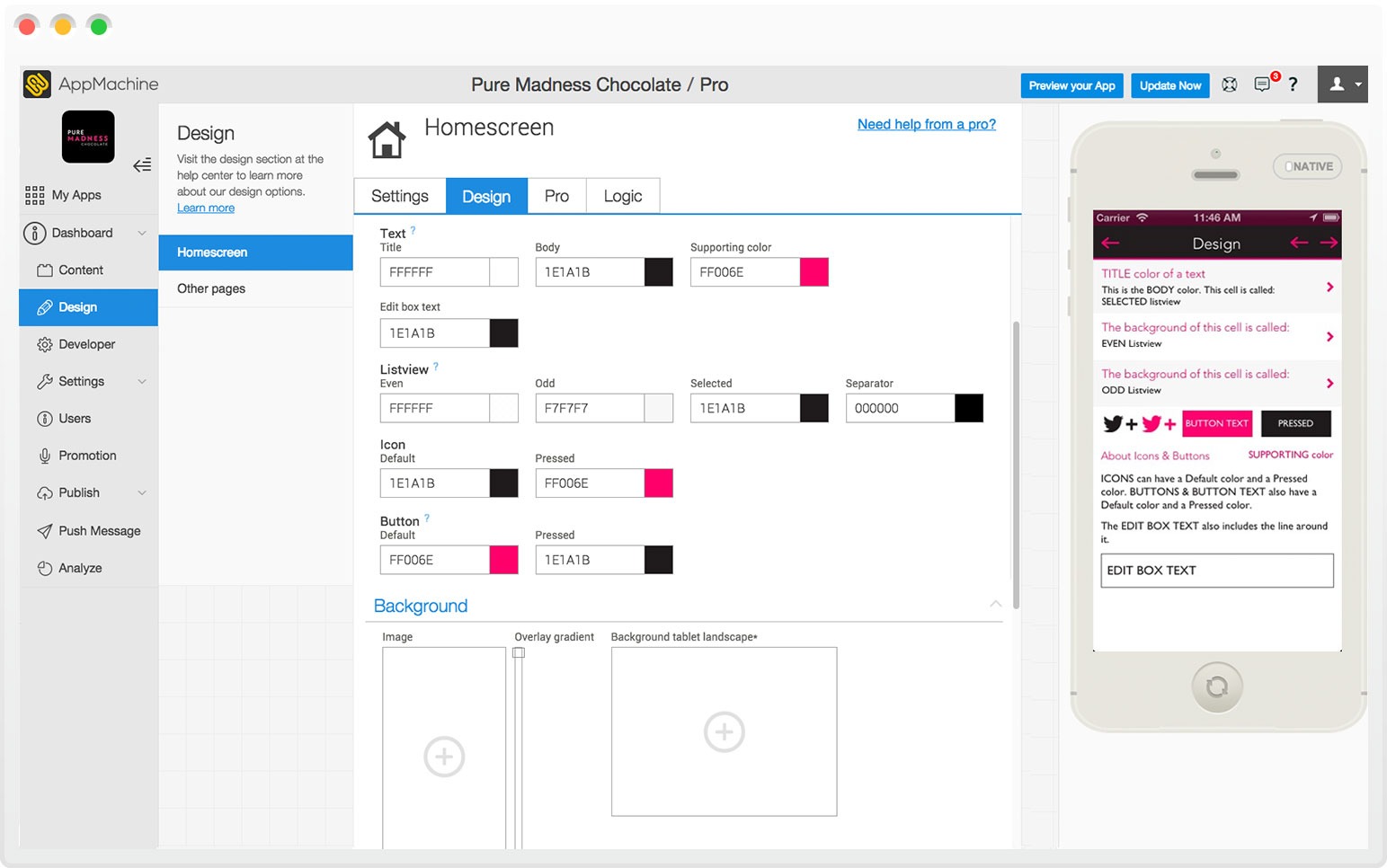
Another great AppSheet alternative is AppMachine, a no-code application builder that promises quick, simple app creation in just four easy steps: plan, build, test, and publish. With over 30 building blocks and several templates to choose from, AppMachine can help you match your app to your vision.
AppMachine makes sharing your app to any device easy, and you can customize the templates of your choice with design tools.
- Best for: Pricing
- Best features
- Ready-made templates
- Sync data with Google Sheets
- Drag-and-drop builder
- Pros
- Importing data is a breeze thanks to AppMachine’s Google Sheets and Excel integrations
- AppMachine’s network of experts can build your app on your behalf
- Cons
- AppMachine has up to eight templates available, which is fairly limited
- Pricing and limitations
- Instant: For $15 per month, an Instant plan will give you one web app, and one user account.
- Professional: $63 per month for a Professional plan will get you one app that can be published on the web or iOS and Android app stores. You can also host two team members.
- Agency: You can upgrade to an Agency plan for $159 per month to get five apps, and three team members.
- Capterra rating: 4.7/5
3. Caspio
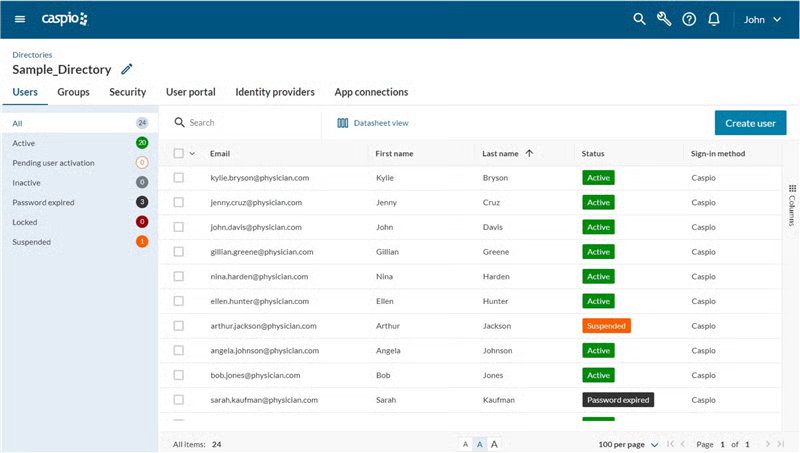
Whether you need an app builder for business or pleasure, popular no-code platform Caspio is a viable option, thanks to its visual app development tools, plentiful customizable features, and limitless scalability on Amazon Web Services. And since you can embed it on any website, portal, or content management system (CMS), it’s worth consideration.
The other features that make Caspio competitive are its integrations, admissions management solutions, and agile methodologies.
- Best for: Educational institutions
- Best features
- Embeddable apps
- Integrations
- Admissions management solutions
- Pros
- No limit on app users gets you the best amount of engagement possible
- Built-in CRM portal gives you access to data visualizations and reports
- Use Caspio’s partner network to find assistance for your project
- Cons
- Caspio bills itself as a “low-code” platform because you possibly still need to utilize some Javascript language
- Pricing and limitations
- Lite: For $100 per month, the Lite plan provides unlimited app users, 50 DataPages, and 15K data records.
- Plus: At $300 per month, the Plus plan upgrades you to 100 DataPages, 250K data records, and adds AI capabilities, automation, and integrations.
- Business: For $600 per month, you get 200 DataPages, 1M data records, and premium-tier features including enhanced AI, automation, and integrations.
- Enterprise: The Enterprise plan offers unlimited DataPages, 2M+ data records, and ultimate-tier automation and support. Contact sales for custom pricing.
- G2 rating: 4.5/5
4. Appy Pie
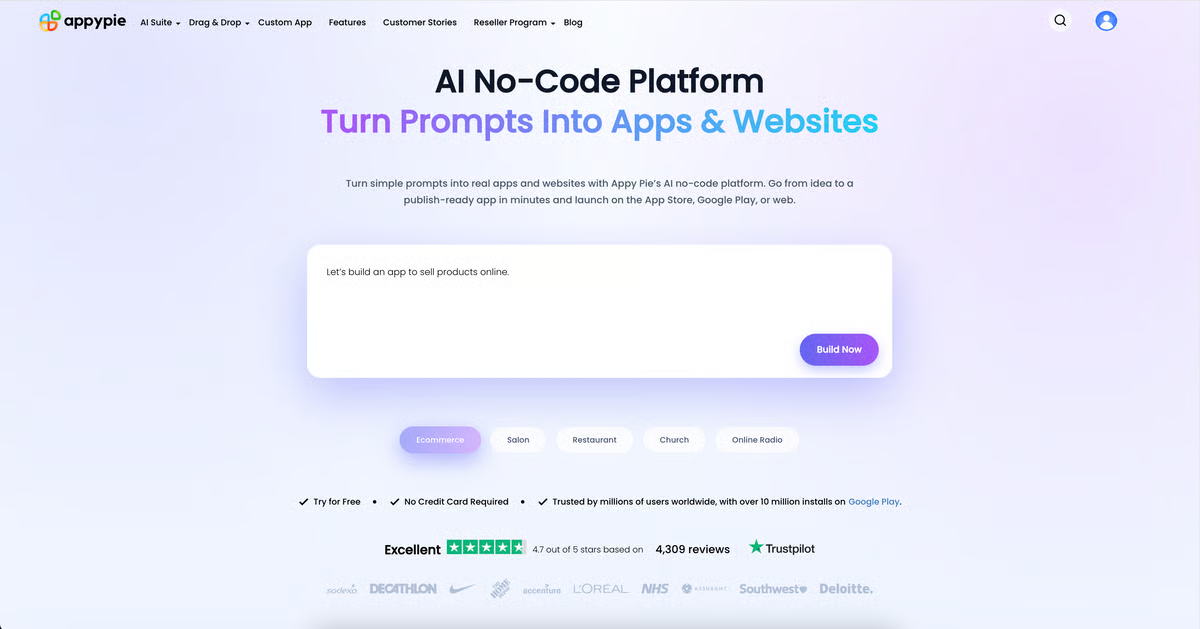
With Appy Pie’s no-code app builder, users can leverage features like chatbots, offline capabilities, and user-friendly design and development tools to make the app of their dreams. Whether you’re creating an app for your company, restaurant, or retail store, Appy Pie can help.
The software includes a number of AI-powered features, such as a text-to-image generator, a text-to-logo generator, a photo enhancer, and an NFT generator, as well as AI-generated templates.
- Best for: Lower-grade schools and student program
- Best features
- Wide variety of AI tools
- Your own chatbots
- Offline builder
- Pros
- Appy Pie is stocked with plenty of AI-powered tools to generate apps, slogans, blog posts, and more so you can get a head start on text-heavy items
- Their student developer program is useful for classrooms
- Cons
- iOS support is only available with their Platinum plan, which charges $60 per app per month
- A few essential integrations, like Google Sheets, Google Drive, and Mailchimp are only available as premium features
- Pricing and limitations
- Basic: Get the Standard plan for up to 500 push notifications and 500 app downloads, both on a per month basis. This costs $16 per app per month.
- Gold: For $36 per app per month, a Professional plan will upgrade you to 1,000 push notifications and 1,000 app downloads per month.
- Platinum: $60 per app per month on a Business plan will grant you up to 2,000 notifications and 2,000 app downloads per month, on top of the benefits from the lower tier plans.
- Enterprise: An enterprise plan provides stock management, dedicated representatives for help with data security and integration, and PCI DSS compliance, as well as all features in the Standard, Professional, and Business plans. Enterprise pricing is custom.
- G2 rating: 4.7/5
5. TrackVia
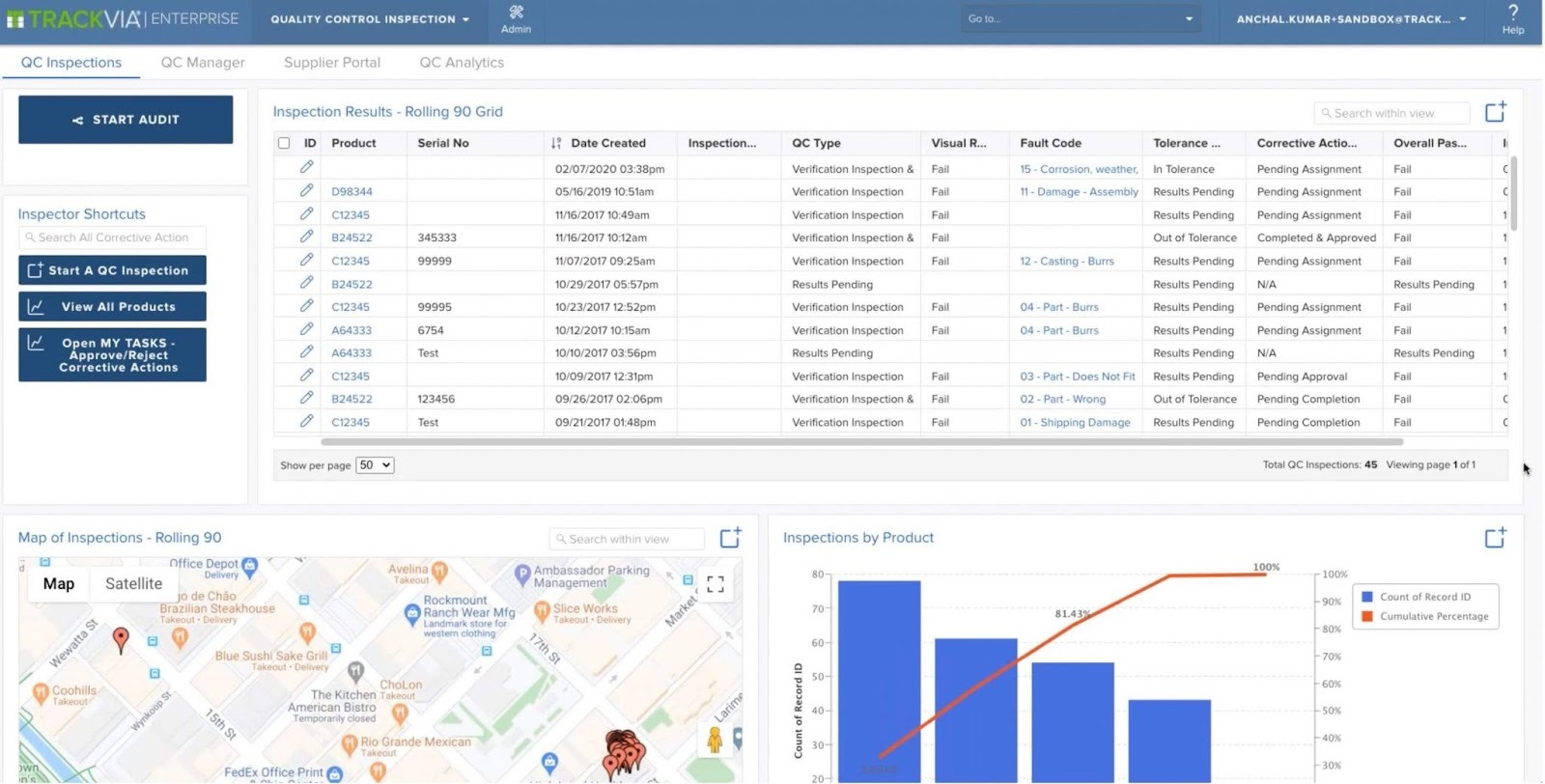
Another great AppSheet alternative is TrackVia, an app-building platform that helps you build no-code apps for your business, no matter your industry. TrackVia helps you digitize everything — like paper or PDF forms, for example — so you can instantly turn data into an app with a simple photo upload.
TrackVia offers a drag-and-drop builder with tools for adding custom branding, code extension capabilities, expansive data control options, and more. You’ll also get access to FasTrack, TrackVia’s automatic form editor that immediately gathers information from a picture or imported document.
- Best for: Document digitization
- Best features
- Drag-and-drop builder
- Code extension
- FasTrack, TrackVia’s form editor
- Pros
- Import physical documents and quickly transform the data into apps with FasTrack
- Drag-and-drop builder makes the app creation process a breeze
- Easily view your data with TrackVia’s real-time charts and graphics
- Cons
- TrackVia’s pricing is comparatively higher than its competitors if you account for the minimum user amount
- Pricing and limitations
- Quick Start: For $2,500 per month (1 admin, 5 users), you get unlimited applications, unlimited storage and records, and standard support.
- Business: Contact for pricing. Includes 2 admins, 10 users per month, unlimited applications and storage, plus everything in Quick Start.
- Enterprise: Contact for pricing. Includes 3 admins, 30 users per month, unlimited applications and storage, plus everything in Business with maximum security and scale.
- G2 rating: 4.6/5
6. Glide
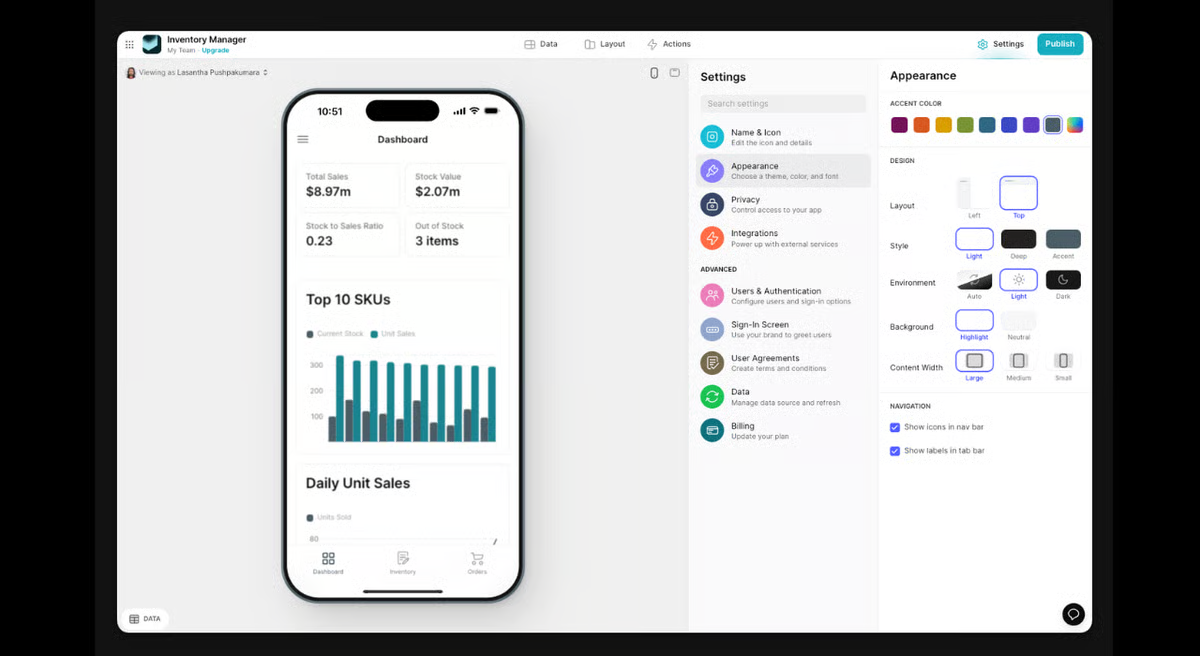
In just three easy steps, users can create an app with Glide without doing any coding. Connect your data, whether from a Microsoft Excel or Google Sheets file, and then customize it using one of Glide’s hundreds of prebuilt templates. Finally, publish your app and share it easily with anyone you’d like using a unique link.
On Glide’s app builder, you can create portals, dashboards, and directories, with options to organize data in collections or menus.
- Best for: Free plan
- Best features
- Import data from other platforms
- Portals, dashboards, and directories
- Data organization and management options
- Pros
- Immediately import your data to create an app with Glide
- Glide Tables also helps you store and manage your data and import spreadsheets from other platforms like Google Sheets, Airtable, Microsoft Excel, and more
- Glide AI will generate emails, grab invoice data, and transcribe audio snippets on your behalf
- Cons
- Users report that Glide offers limited advanced customization options
- Pricing and limitations
- Free: You get unlimited drafts, 1 editor, up to 25K rows, and 40+ components with community support at no cost.
- Business: Starting at $199 per month (billed yearly), you get unlimited apps, 30 users included ($5 per additional user), 5,000 updates ($2 per additional update), up to 100K rows, workflows, Call API, Glide API, and Glide Express Support.
- Enterprise: Custom pricing gets you unlimited apps, custom users, custom updates, custom rows, SSO, data backups, enterprise integrations, account manager, and Glide Priority Support.
- G2 rating: 4.7/5
7. Airtable
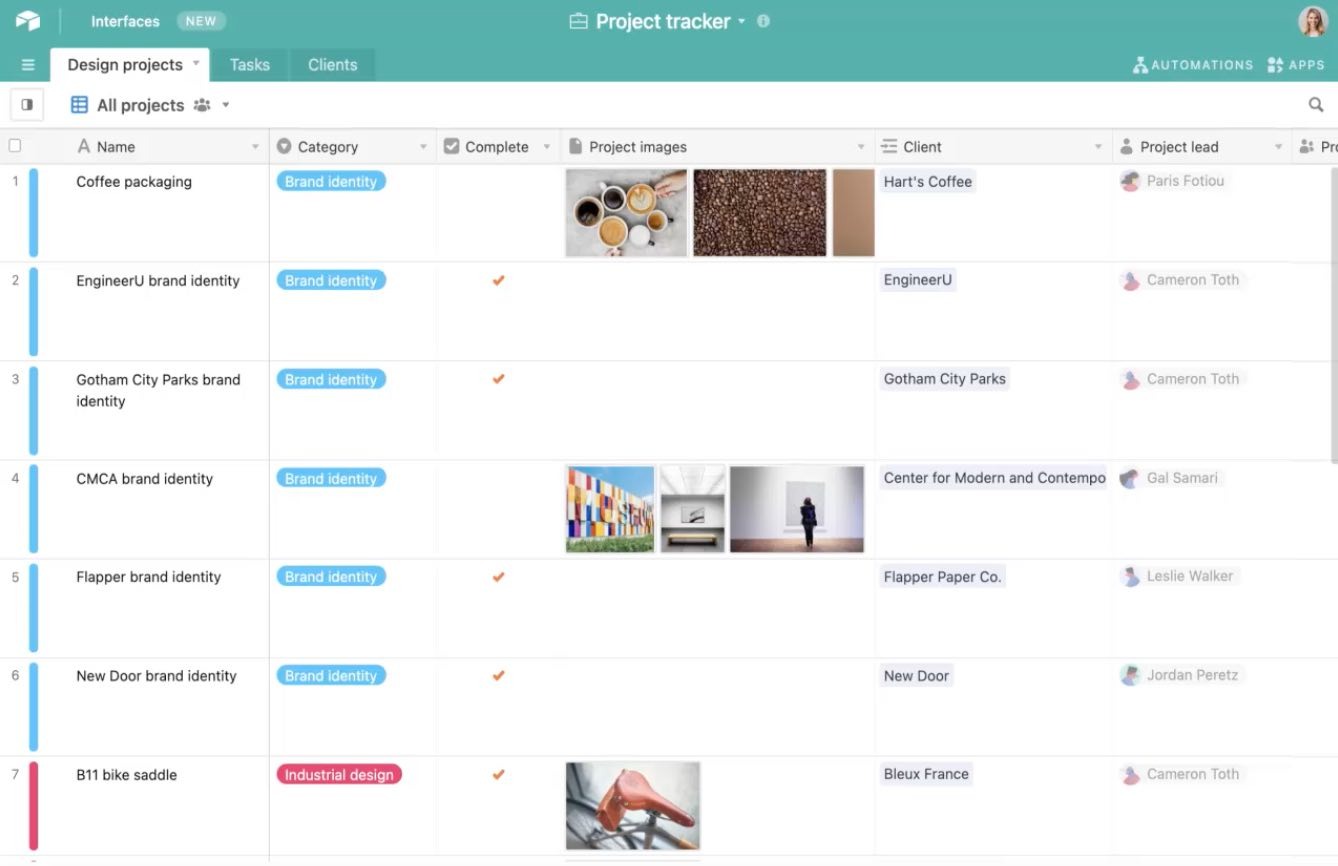
Code-free platform Airtable is another formidable AppSheet alternative, thanks to its countless design templates, tools, features, and integrations.
Over 200,000 companies trust Airtable — including Levi’s, Expedia, and Shopify — and its simplified workflows, native AI components, and relational database, so you can be confident your business is in good hands.
- Best for: Businesses that want to take advantage of AI tools
- Best features
- AI tools for workflow shortcuts
- Design templates
- Unlimited databases on all plans
- Pros
- Robust platform with tools for multiple needs that cover
- Use Airtable AI to save time on drafts, organization, translation, and more
- Ability to track marketing campaigns from start to finish
- Cons
- Users say that Airtable’s mobile experience lacks the same user experience as its desktop version
- Pricing and limitations
- Free: With Airtable’s free plan, you can use unlimited databases,1,000 records per database, five editors, and 100 automation runs.
- Team: The first tier of their paid plans costs $24 per seat per month. Your limits are upped to 50,000 records per base and 25,000 automation runs, and you’ll gain access to integrations and extensions.
- Business: With Business, you get upgraded to 125,000 records and 100,000 automation runs. Along with that, you earn additional features like premium integrations, two-way sync, and verified data. A Business plan on Airtable costs $54 per seat per month.
- Enterprise Scale: For organizations, this option provides 500,000 records per base, 500,000 automation runs, more integrations, enterprise API, and more. Contact sales to discuss pricing information.
- G2 rating: 4.6/5
8. Kintone
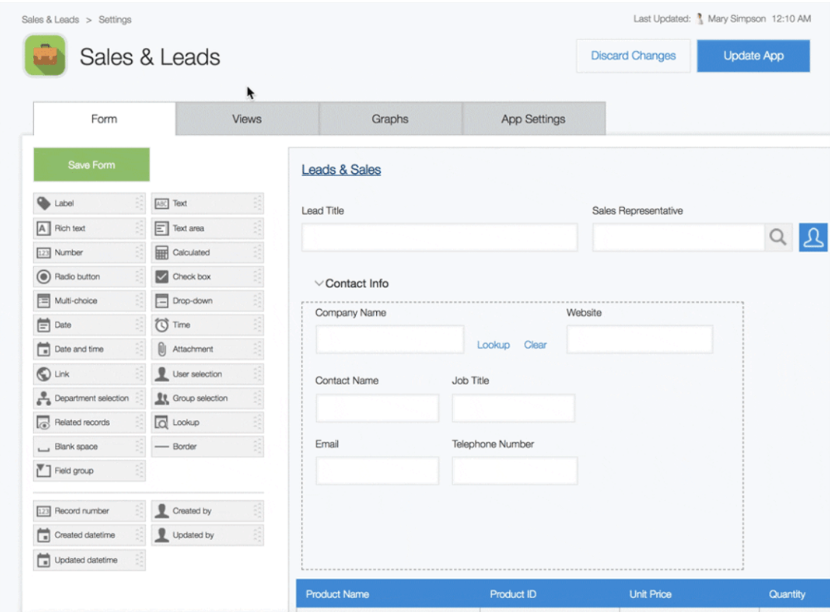
Kintone’s no-code platform prides itself on facilitating teamwork, as well as allowing users to collaborate on projects, communicate via group chats, and access the same reports and documents, all in one shared place.
Since it’s accessible anywhere — whether you’re on your mobile device or desktop — you can complete your work in the office, at home, or on the go.
- Best for: Teams that need collaboration features
- Best features
- Collaboration functionalities
- Group chats
- Template library
- Pros
- Kintone makes collaboration easy thanks to comment and tagging capabilities
- Customizable dashboard helps keep all of your work easy to view and accessible
- Cons
- Some users report disappointment with the aesthetic design of Kintone’s platform
- Pricing and limitations
- Base plan: Kintone has just one plan for $24 per user per month, with a minimum of five users. This plan gives you access to all of Kintone’s features, including up to 900 apps, 50,000 records per app, 10,000 API calls per day, and 150 fields per app.
- G2 rating: 4.6/5
9. Ninox
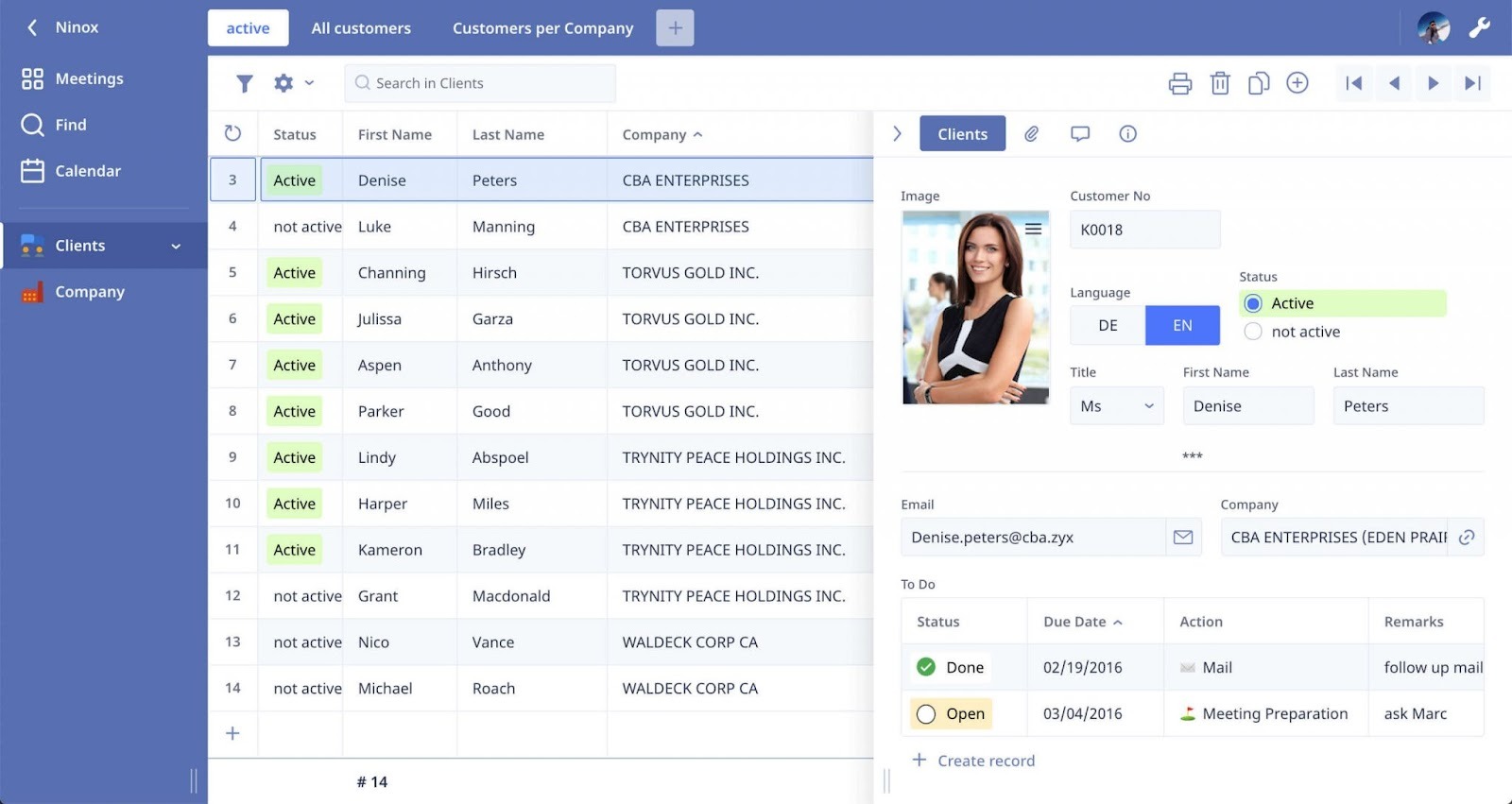
No-code app builder Ninox is another helpful AppSheet alternative. It’s fully customizable, accessible from anywhere, and easy to use, allowing you to digitize and streamline your business processes to make your work life easier. Plus, you can access a blog, tutorials, and webinars on its website, so you won’t have to look far for answers if you have questions.
Ninox is compatible with any device, and you can integrate with other platforms, automate workflows, and process data securely.
- Best for: Learning materials
- Best features
- Built-in CRM
- Integrations with Zapier and Make
- Desktop and mobile accessibility
- Pros
- Ninox’s partner network can connect you with experts for advice and implementation support
- Ninox can also act as enterprise resource planning, or ERP, software
- Cons
- Ninox calls itself a “low-code” platform, so app development would likely require a bit of coding knowledge
- Pricing and limitations
- Starter: For $13 per user per month, you get 1GB storage per user, unlimited workspaces and databases, API integration, low-code script automations, automatic backups, and community-based support.
- Professional: At $26 per user per month, you get everything in Starter plus 2GB storage per user, unlimited change history, advanced views like Gantt and Pivot, user-defined roles, role-based access control, and individual email support.
- Enterprise: Custom pricing gets you everything in Professional plus 5GB storage per user, dedicated server infrastructure, SSO with OIDC/SAML/ADDS, unlimited users and API calls, customizable security policies, SQL connector support, and priority email support.
- G2 rating: 4.7/5
10. Quickbase
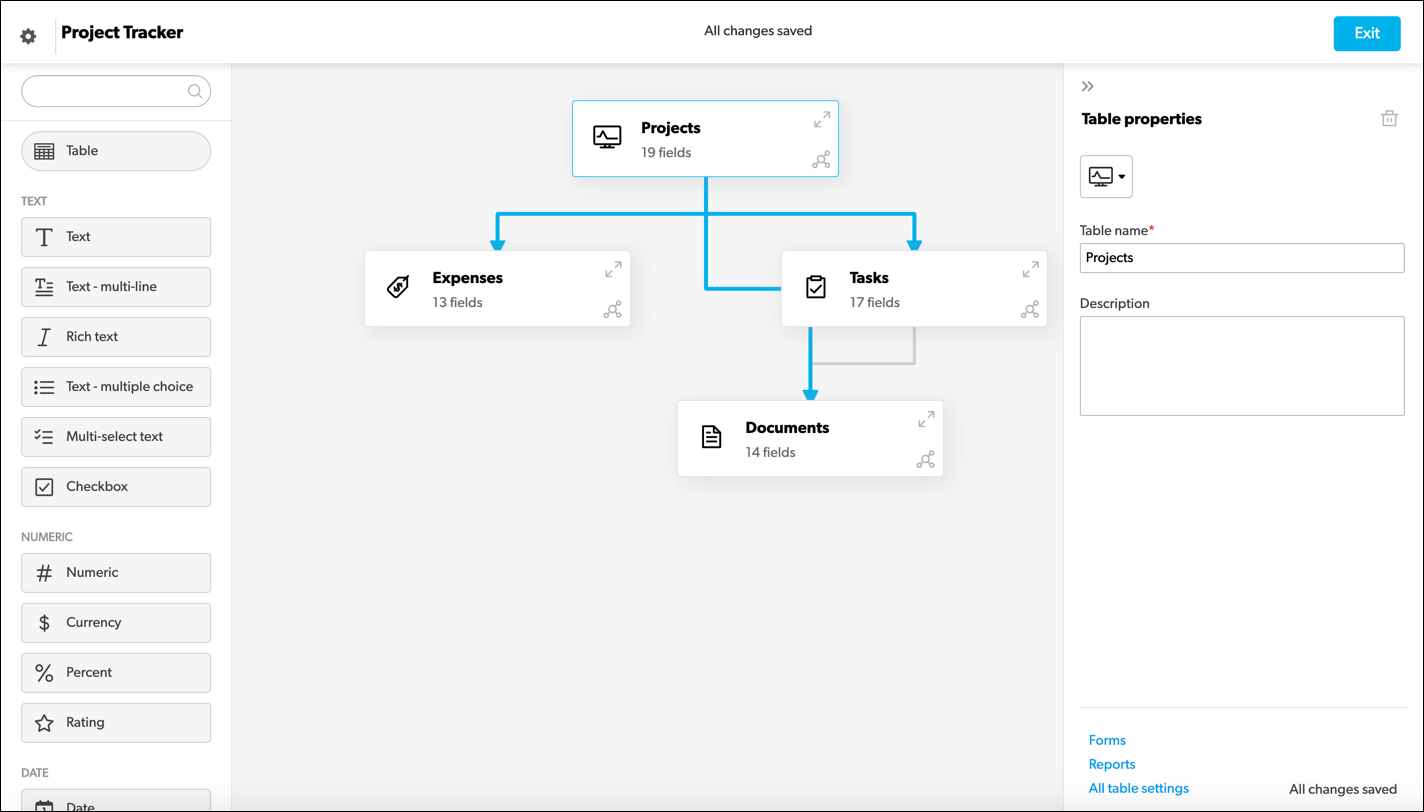
Quickbase is one of the most popular no-code app builders on the market, and with clients like Amazon, P&G, and CVS, it’s easy to see why. With Quickbase, if you want faster, more efficient operations in your company, all you need to do is upload your data (through a spreadsheet, for example), integrate your app with popular cloud services, and enable user access for your employees.
Built to solve problems, Quickbase is an ideal AppSheet alternative if you’re looking for a better organized, more streamlined workflow.
- Best for: OSHA-friendly features
- Best features
- Cloud service integrations
- Ability to immediately turn your data into an app
- Data insight and reports
- Pros
- Quickbase boasts a library of resources to support your organization, like webinars, videos, training courses, and more
- Specific features that help with OSHA compliance
- Mobile compatibility lets you control your workflows from anywhere
- Cons
- Pricing per user may end up making your plans fairly pricey
- Pricing and limitations
- Free trial: Try Quickbase free for 30 days with all business features.
- Team: Starting at $35 per user per month (priced annually), you get personalized dashboards, workflow automation, data security controls, and audit logs.
- Business: Starting at $55 per user per month (priced annually), you get everything in Team plus SSO, SCIM provisioning, Gantt charts, sandbox environment, and FDA & HIPAA compliance.
- Enterprise: Fully customizable pricing gets you everything in Team and Business plus advanced performance tools, data encryption, on-prem connectivity, governance APIs, and AI-powered sensitive data scanning.
- G2 rating: 4.4/5
11. Adalo
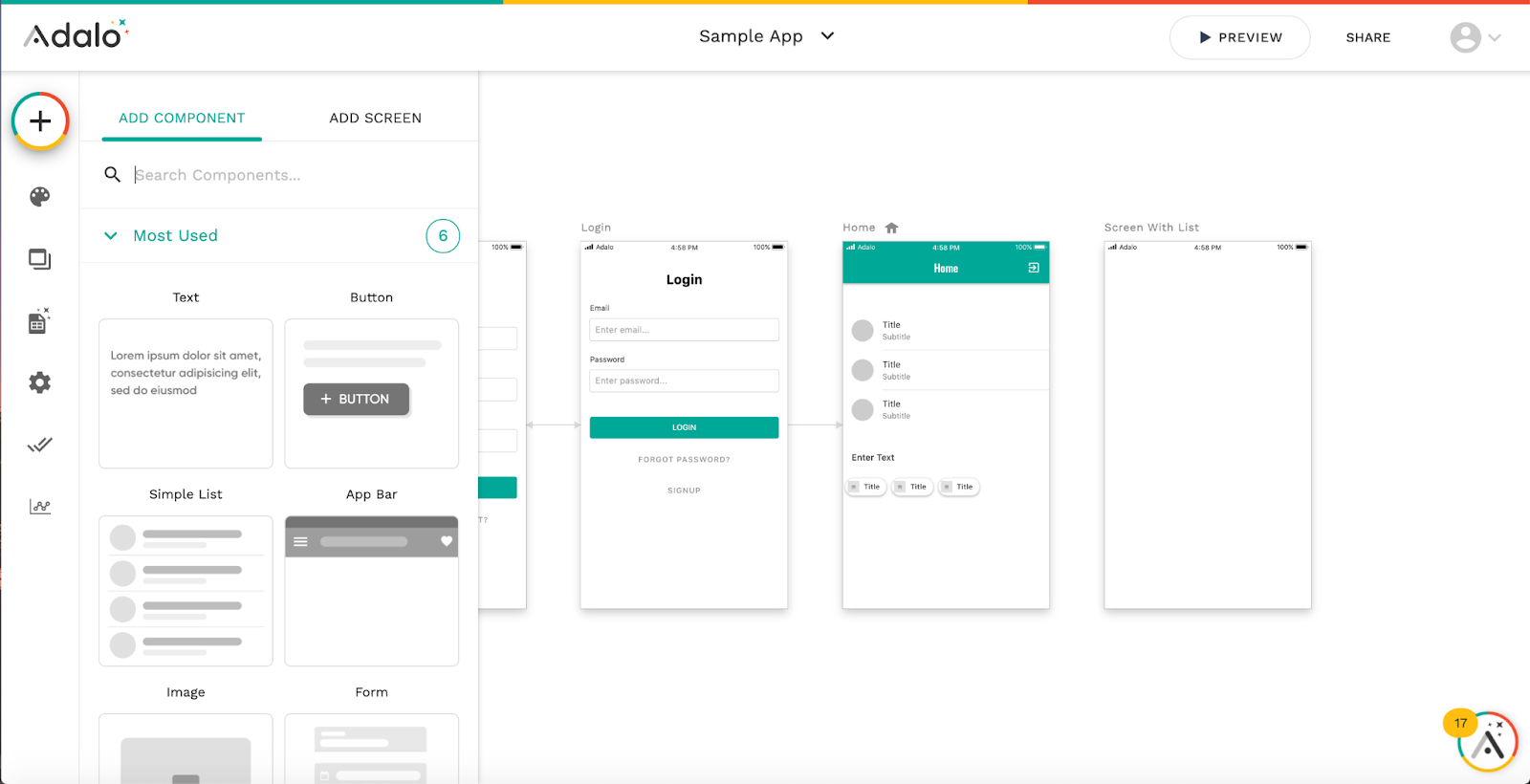
Adalo offers a no-code solution that allows users to create dynamic, custom apps with ease. Featuring a drag-and-drop interface, simple database spreadsheets, and 25-plus useful app components to add features like calendars and embedded videos, Adalo is a suitable competitor to AppSheet.
Plus, you can easily build responsive layouts for any device and seamlessly continue editing your app even after you’ve published it to the web or app stores.
- Best for: Data management
- Best features
- Drag-and-drop builder
- Spreadsheets for data management
- Stripe integration for quick payments
- Pros
- You can set up mobile camera access and push notifications for your mobile app
- Zapier integration helps you integrate your data with many other apps
- You can store information for all of your apps in one database
- Cons
- Pricing plans apply limits on the number of actions your app’s users can take, meaning you might not be able to get the most engagement possible
- Pricing and limitations
- Free: The free plan on Adalo grants you up to 500 records per app, unlimited app actions, one app editor, and unlimited test apps.
- Starter: This starter plan, for $36 per month, bumps your limits to one published app. You’ll also get the ability to publish your app on both the web and app stores.
- Professional: Built for small and medium-sized businesses, the Professional plan boosts your limits to two published apps, and five app editors. Custom integrations and geolocation also open up on this plan. This plan upgrade costs $52 per month.
- Team: A Team plan provides five published apps, 10 app editors, Xano integration, and collections API for $160 per month.
- Business: Adalo’s version of an enterprise plan is their Business plan.This comes with 10 published apps, and unlimited app editors for $200 per month, but you can also pay to add on more features.
- G2 rating: 4.3/5
12. Stacker
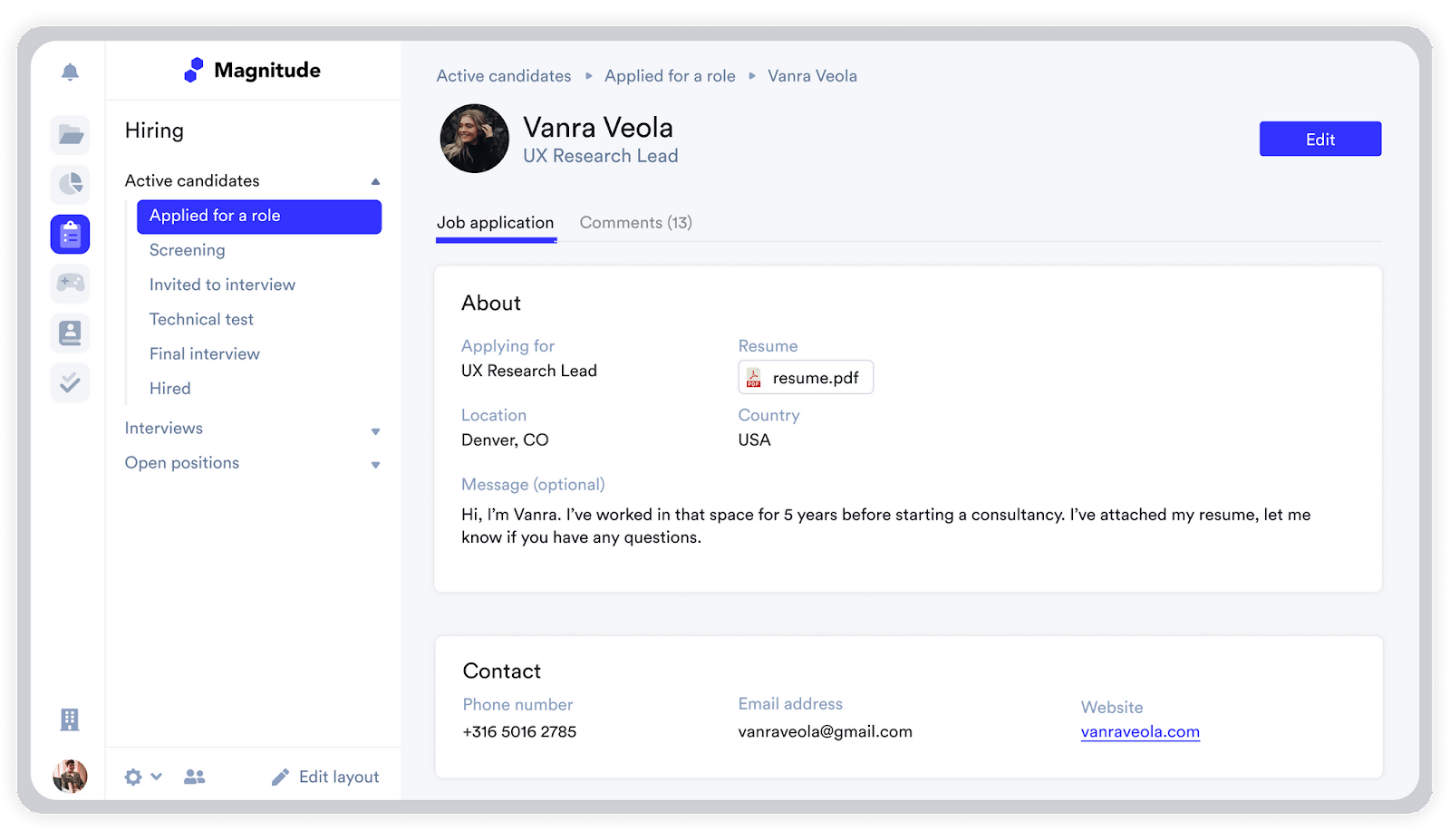
With Stacker, you can collaboratively build and customize business software in minutes while managing all of your team’s data in one place.
You can also automatically create a working app with data populated from Airtable or Google Sheets and customize it according to your needs. Create custom dashboards to share updates with partners, speed up your internal processes, and keep track of contacts and accounts with a flexible CRM tool.
Contact Stacker for pricing information.
- Best for: Automating business workflows
- Best features
- Stacker’s own CRM
- Custom dashboards and portals
- Workflow management platform
- Pros
- Stacker provides tools for real-time collaboration with comments
- Easily transfer data from your spreadsheets and have an app immediately created for you
- Cons
- Pricing on their website isn’t transparent, so you’ll have to contact Stacker yourself for more information
- Pricing and limitations
- Starter: For $39 per month, you get 1 app, 10,000 records per app, 50 external users, 5 internal users, 10 tables, and 1 portal with custom domain.
- Plus: At $199 per month, you get everything in Starter plus 3 apps, 100,000 records per app, unlimited external users, 10 internal users, data connections, 20 tables per app, and 3 roles per app.
- Pro: For $349 per month, you get everything in Plus with unlimited apps, unlimited records, unlimited users, unlimited tables, and unlimited roles.
- G2 rating: 4.5/5
13. Bravo Studio
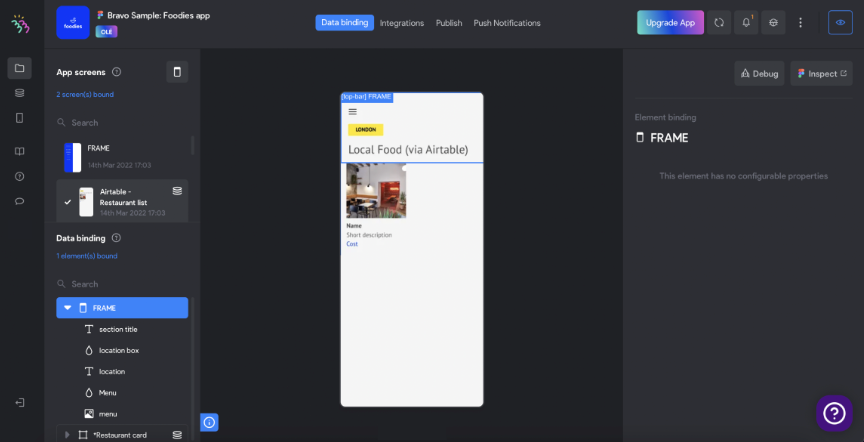
Bravo Studio is an app-building tool that allows users to seamlessly develop Figma and Adobe XD prototypes into native iOS and Android applications. Over 100,000 users and businesses across the world trust it, including Unity, Novo Nordisk, and G42, and it’s easy to see why.
With fully clickable prototypes that give you the feel of live mobile apps and the ability to test variations in real time with Bravo Vision, this is a great no-code app builder option for growing businesses.
- Best for: Figma and Adobe users
- Best features
- Compatibility with Figma and Adobe designs
- Stripe payment processor
- RevenueCat integration
- Pros
- Attractive design options
- Test your app out before you publish on app stores with Bravo Vision
- Cons
- Bravo Studio only offers two pre-built app templates
- Pricing and limitations
- Starter: Bravo Studio’s beginner plan is free, supplying you with unlimited apps and 15 pages. You can also share your app with up to three email addresses per app.
- Solo: The Solo plan costs $22 per month for 30 pages and unlimited sharing.
- G2 rating: 4.8/5
14. GoodBarber
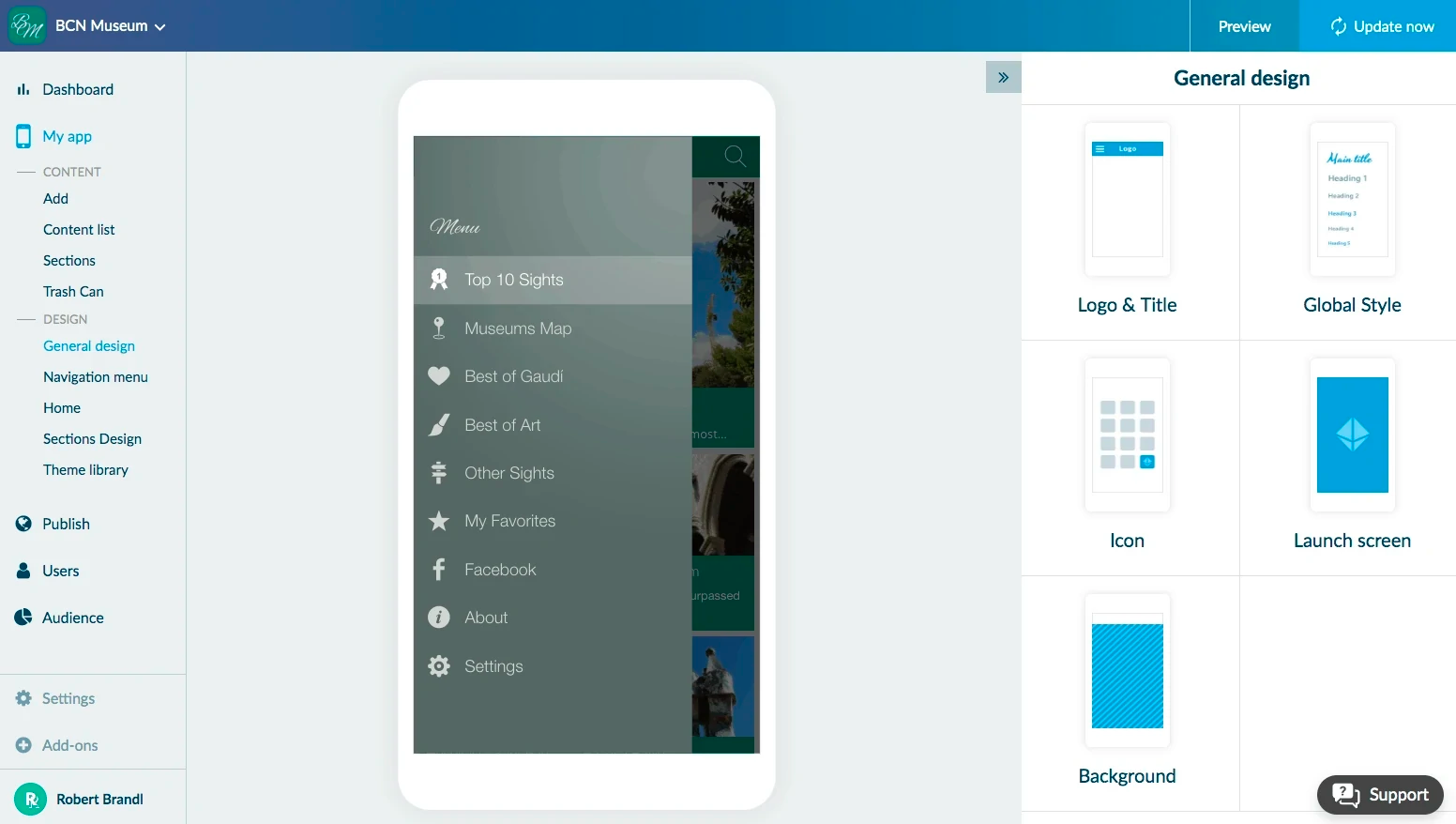
For users who are serious about design and user experience, GoodBarber is another great no-code app-building solution. GoodBarber offers app templates for e-commerce, restaurants, online courses, and much more. Plus, you can enjoy modular design features that make customization a breeze.
With perks like access to analytics in an intuitive dashboard and a robust content management system, GoodBarber is a competitive solution.
- Best for: Free trial
- Best features
- Expansive design options
- Accessible template library
- Content management system
- Pros
- Over 160 extensions let you handle workflows in connection with GoodBarber
- A free GoodBarber trial is a month long, giving you ample time to experiment and see if it’s a good fit
- You’ll have access to multiple payment processors for free
- Cons
- Using some of GoodBarber’s most useful extensions, like appointment booking and authentication, come at an additional cost
- Pricing and limitations
- Classic: Starting at $25 per month (billed annually), you can create and publish apps on web, Android, and iOS. Includes push notifications, advanced add-ons, unlimited downloads, and unlimited pages.
- eCommerce: Starting at $35 per month (billed annually), you can sell online with apps on web, Android, and iOS. Includes push notifications, 20 beautiful themes, Stripe payment gateway, and discount coupons.
- Reseller: Starting at $200 per month, designed for agencies to sell apps and increase income. Includes unlimited apps, access to both Classic and eCommerce apps, reseller dashboard, and white label options.
- Free trial available
- G2 rating: 3.4/5
Ready to build your no-code app?
While building your own app can be incredibly useful for your business, it can seem intimidating at first. Luckily, you have plenty of low-code or no-code app builder platforms at your disposal, and the hard part is really just choosing the right one.
So don’t sacrifice your business’s efficiency at the altar of coding. No-code app builders like AppSheet and its many alternatives make it easy to automate your workflows and streamline your business processes. Consider trying out one of the 15 above, or even better yet, sign up for a Jotform account to see just how easy the entire process can be.
Happy building!
This article is for anyone comparing no-code or low-code app builders, including teams that want to automate workflows, centralize data, and publish apps faster, without heavy development resources or a steep learning curve.





































































































Send Comment: