
Top citizen developer tools
With the rise of low- and no-code software tools, a new role has emerged: the citizen developer. While these professionals aren’t expert software developers, they can use these tools to create custom apps and support their personal or team projects in other ways. They can work in any department, from sales to marketing, solving unique problems with custom-built solutions.
Some citizen developers have basic coding knowledge — others have none at all. Finding the right tools can be difficult because there’s a range of options for professionals at different skill levels.
As a nontechnical marketing professional, I tested 10 of the top-recommended software options for citizen developers and give my honest opinions on what they can do, what I would recommend them for, and how they can simplify your processes.
Top 10 citizen developer tools at a glance
| Tools | Best for | You should know | Cost |
|---|---|---|---|
 Jotform Apps |
Turning ideas into working apps in just minutes without any technical knowledge |
Connects with the Jotform ecosystem for deeper context to build tools |
|
 Quickbase |
Building custom workflow applications that adapt to your team’s unique business processes |
Adapts to your unique workflows instead of forcing you to change |
|
 Zoho Creator |
Creating AI-powered apps rapidly |
Uses a proprietary scripting language called Deluge to handle complex logic within a low-code environment |
|
 Bubble |
Building complex, scalable web applications |
Offers full-stack visual programming without code, allowing for pixel-perfect design and complex database logic |
|
 Airtable |
Providing app functionality for teams that usually think in spreadsheets |
Offers a hybrid between a spreadsheet and a database; features Interface Designer to build apps directly on top of base data |
|
 Glide |
Creating mobile apps from spreadsheets |
Turns existing data sources (Google Sheets, Excel, Airtable) into functional apps instantly using a data-first builder tool |
|
 Retool |
Building internal business tools for technical operations |
Highly developer-centric; focuses on building internal tools quickly using drag-and-drop components that easily connect to any database or API |
|
 FlutterFlow |
Building native mobile apps for iOS and Android |
Offers a visual builder specifically for the Flutter framework; allows users to export clean, deployable code and build high-performance native apps |
|
 Mendix |
Building complex, scalable applications with both business users and developers at the enterprise level |
Provides visual development with the option to add custom code for complex needs |
|
 Figma Make |
Converting Figma designs into interactive prototypes and simple apps |
Converts static Figma designs and text prompts into functional, interactive prototypes or web code |
|
How I tested software for citizen developers
I spent time with each tool on this list, testing how easy it was to use, discovering how it could streamline processes, and seeing how friendly it was for nontechnical users. Since all these tools are essentially no-code app builders, I used the same prompt to create my test project with each one:
“Create an inventory management application for office equipment. I need a table to track Item Name, Category (Electronics, Furniture), Status (Available, Assigned, Broken), and Assigned Employee. Please generate a form to add new items and a dashboard showing how many items are currently broken.”
I then tested how easy it was to customize the generated app, played around with how much of the building process was manual vs AI-assisted, and explored which features made each tool stand out from the competition. Keep reading to learn what I discovered.
1. Jotform Apps
Jotform Apps is a no-code tool that lets you create and launch web apps easily. I liked the flexibility to either start from scratch — using Jotform’s drag-and-drop tools to get my app looking exactly how I imagined — or to use the AI App Generator to create a starting point from a natural language prompt.
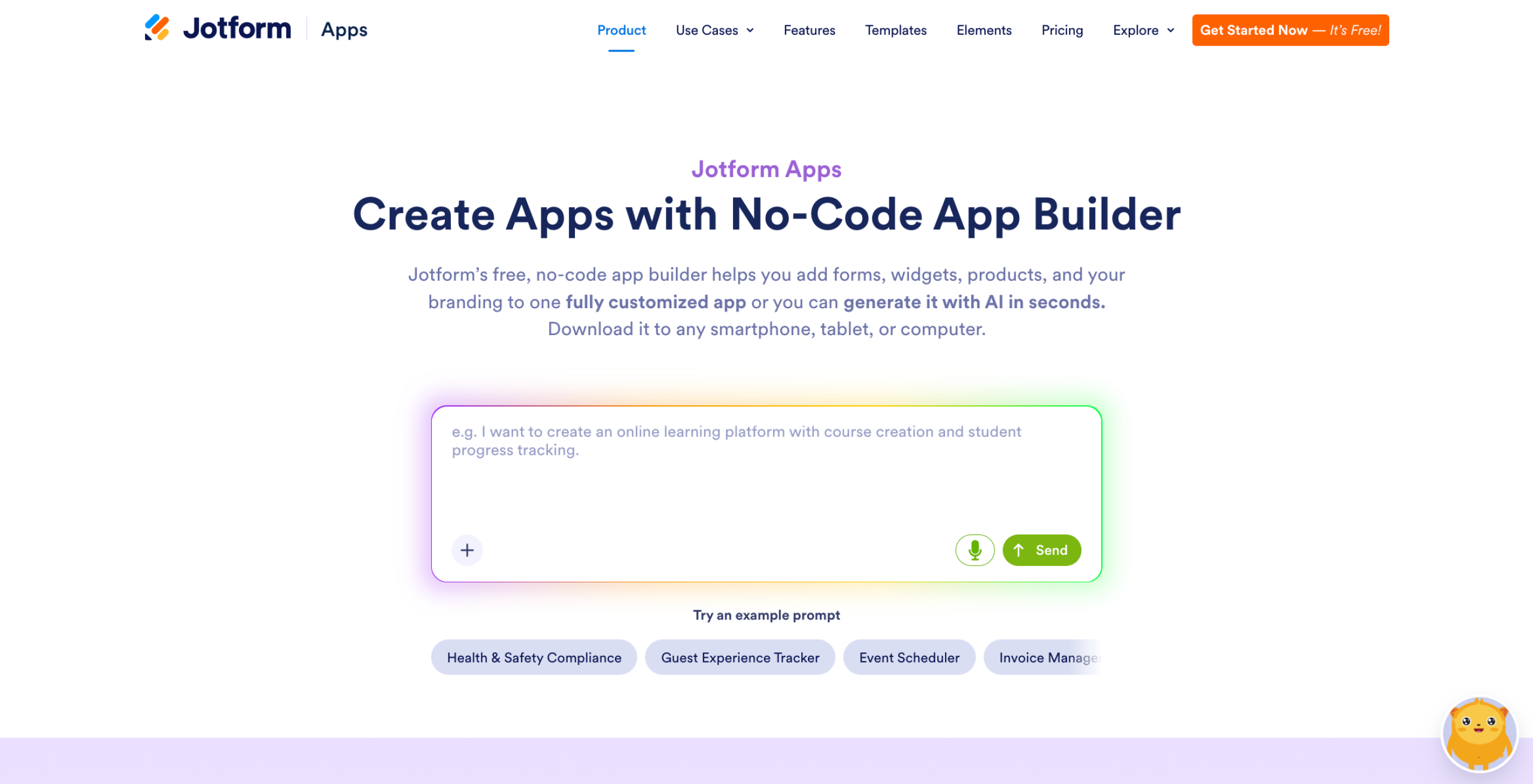
I tested how well I could create an app using my fixed text prompt, then tested how much I could edit using the chat feature and making changes on my own. It was simple to move around buttons and make edits using the chat. I also really appreciated how easy it was to edit user interface (UI) elements like the splash page and app icon, which was something I didn’t find in the other tools I tested.
Manual editing was very easy and intuitive. All I needed to do was drag elements from the sidebar, and I liked the side-by-side layout that showed me how my app would appear on mobile as I worked. It was also super easy to create and add a dedicated Jotform AI Agent to my app, which could be difficult for novice citizen developers on other platforms.
- Best for: Turning ideas into working apps in just minutes without any technical knowledge required
- You should know: Jotform Apps connects with the entire Jotform ecosystem for deeper context to build tools.
- Pros
- Rapid creation of fully functional apps from simple text descriptions
- No learning curve
- Forms, tables, workflows, and PDFs included in a unified platform
- 800+ templates for common use cases
- Strong HIPAA compliance features for healthcare applications
- Cons
- Some AI-generated apps may need manual refinement
- Image generation is not supported, so users will need another tool for custom design assets
- Plans/Pricing
- Starter: Free
- Bronze: $34 per month (billed annually)
- Silver: $39 per month
- Gold: $99 per month
- Enterprise: Contact for pricing
- G2 rating: 4.7/5
2. Quickbase
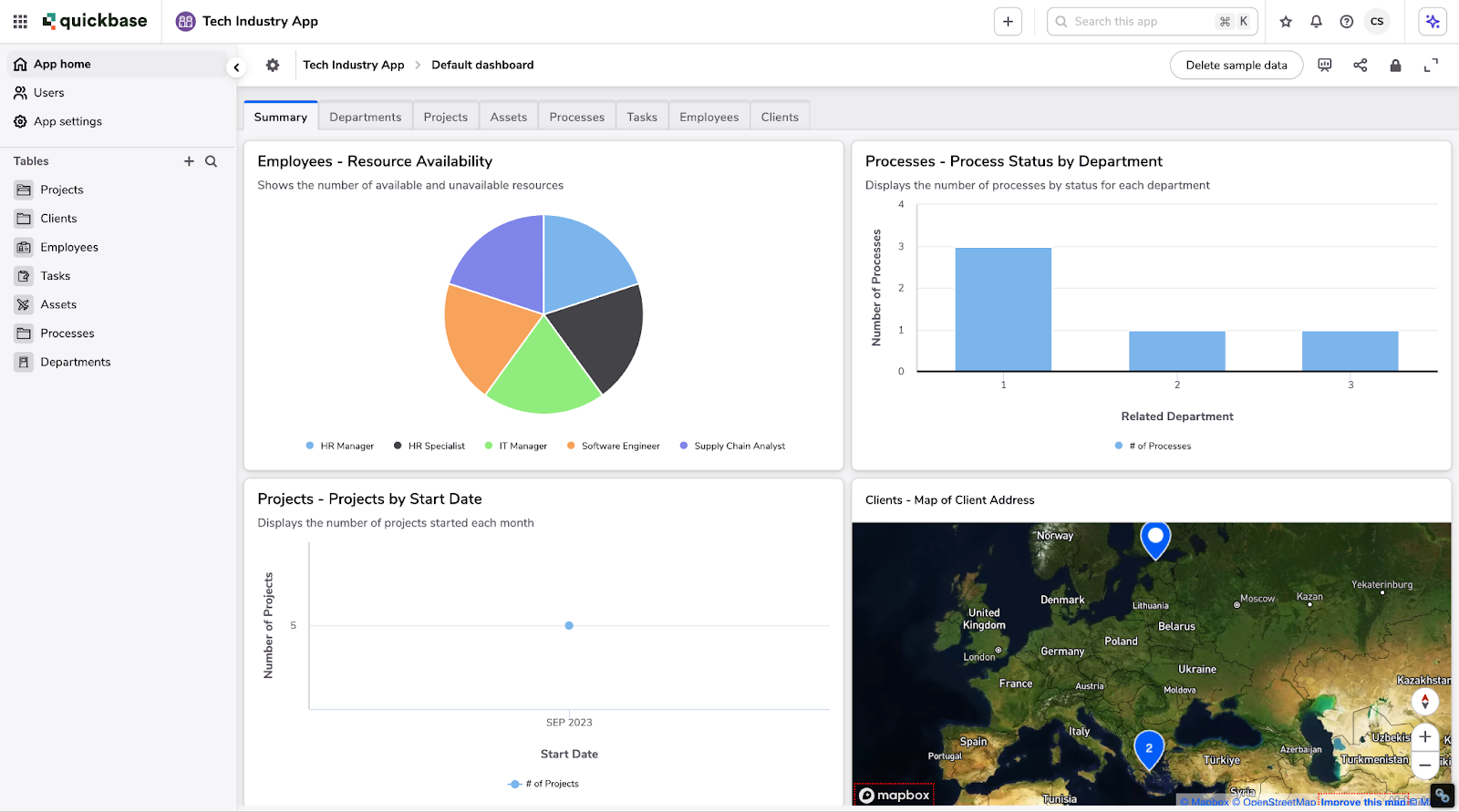
Quickbase allows users to create complex apps and workflows by connecting scattered data. Best suited for companies that need to scale or adapt to rapid change, it can handle the complex workflows and automations needed to manage growth.
I found Quickbase a little difficult to test because I didn’t have access to a large volume of sample data to use, and the tool is built for high-lift tasks like complex project management, supply chain optimization, and resource tracking. But I enjoyed the visual, node-like interface and how well the tool simplified data management.
- Best for: Building custom workflow applications that adapt to your team’s unique business processes
- You should know: Quickbase adapts to your unique workflows instead of forcing you to change.
- Pros
- AI-assisted pipeline creation for automated workflows
- Ability to handle large data volumes without performance issues
- Strong customization options for unique business needs
- Unlimited apps included with all plans
- Real-time reporting and customizable dashboards
- Cons
- A minimum 20-user requirement prices out smaller teams
- Customer support quality varies significantly
- Permission settings can be confusing to configure
- Learning curve is steeper than with simpler form builders
- No free plan is available, only a 30-day trial
- Plans/Pricing
- Team: $35 per user per month (billed annually)
- Business: $55 per user per month
- Enterprise: Contact for pricing
- 30-day free trial available
- G2 rating: 4.4/5
3. Zoho Creator
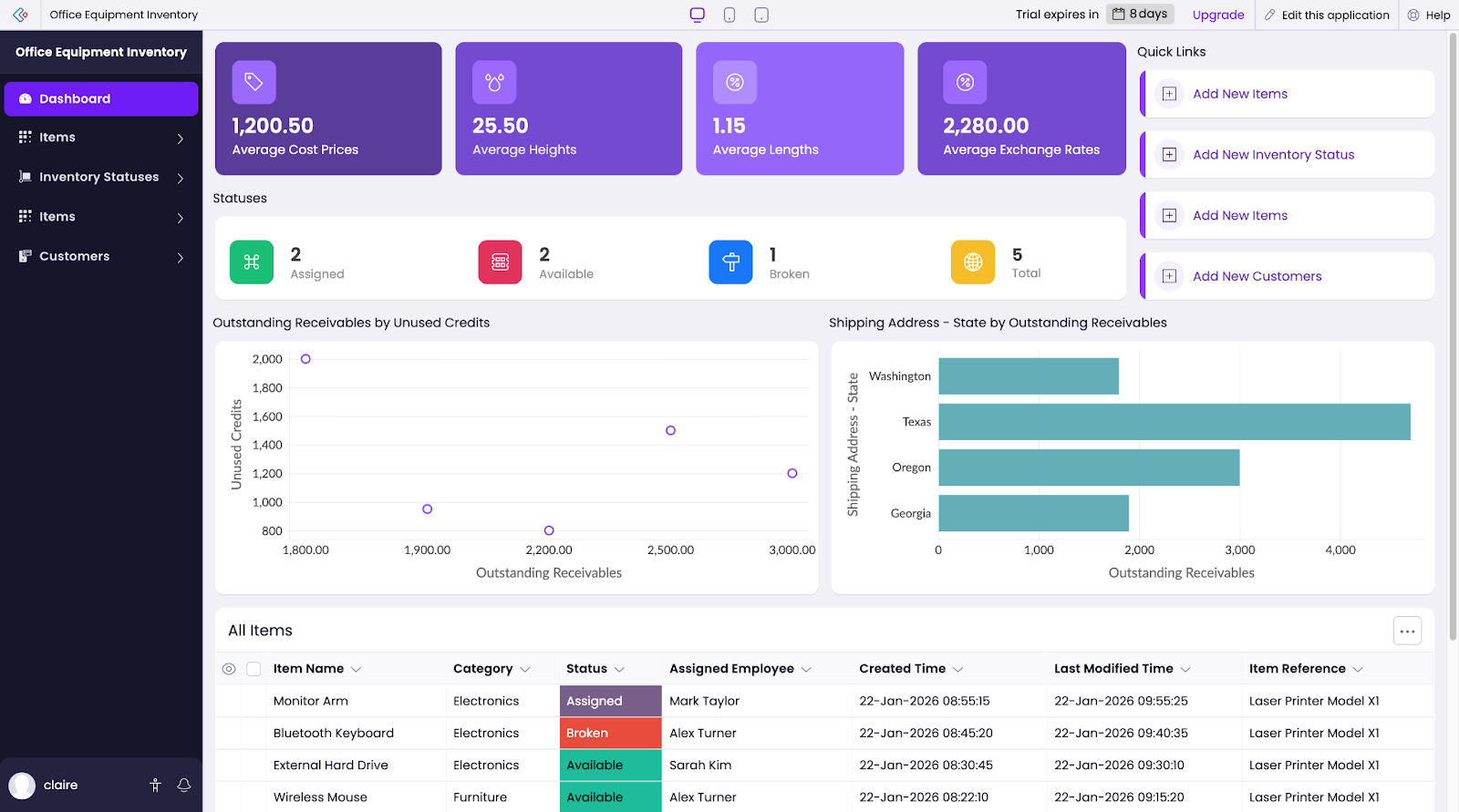
Zoho Creator looks intimidating at first. You can use a natural language prompt to create your app, but before Zoho shows you the result, the app generates the data model it will use. During this phase, you can make changes with AI or edit manually before Zoho actually creates your app.
Once you click Create application, you can edit the app via a drag-and-drop interface, then select any element to edit how it looks or set up actions. In my opinion, this tool works best for data management, making it ideal for creating custom dashboards and internal tools.
- Best for: Creating AI-powered apps rapidly
- You should know: Zoho Creator uses a proprietary scripting language called Deluge to handle complex logic within a low-code environment.
- Pros
- Affordable pricing for small to midsize teams
- Strong workflow automation capabilities
- Seamless integration with other Zoho products
- Mobile apps on all paid plans
- Multi-platform support (web, iOS, Android)
- Cons
- The interface feels dated compared to newer platforms
- Customer support quality varies by plan tier
- Deluge scripting requires a learning curve
- Third-party integrations aren’t as smooth as with some competitors
- Plans/Pricing
- Standard: $8 per user per month (billed annually)
- Professional: $20 per user per month
- Enterprise: $25 per user per month
- Flex: Contact for pricing (annual subscriptions only)
- 15-day free trial available
- G2 rating: 4.3/5
4. Bubble
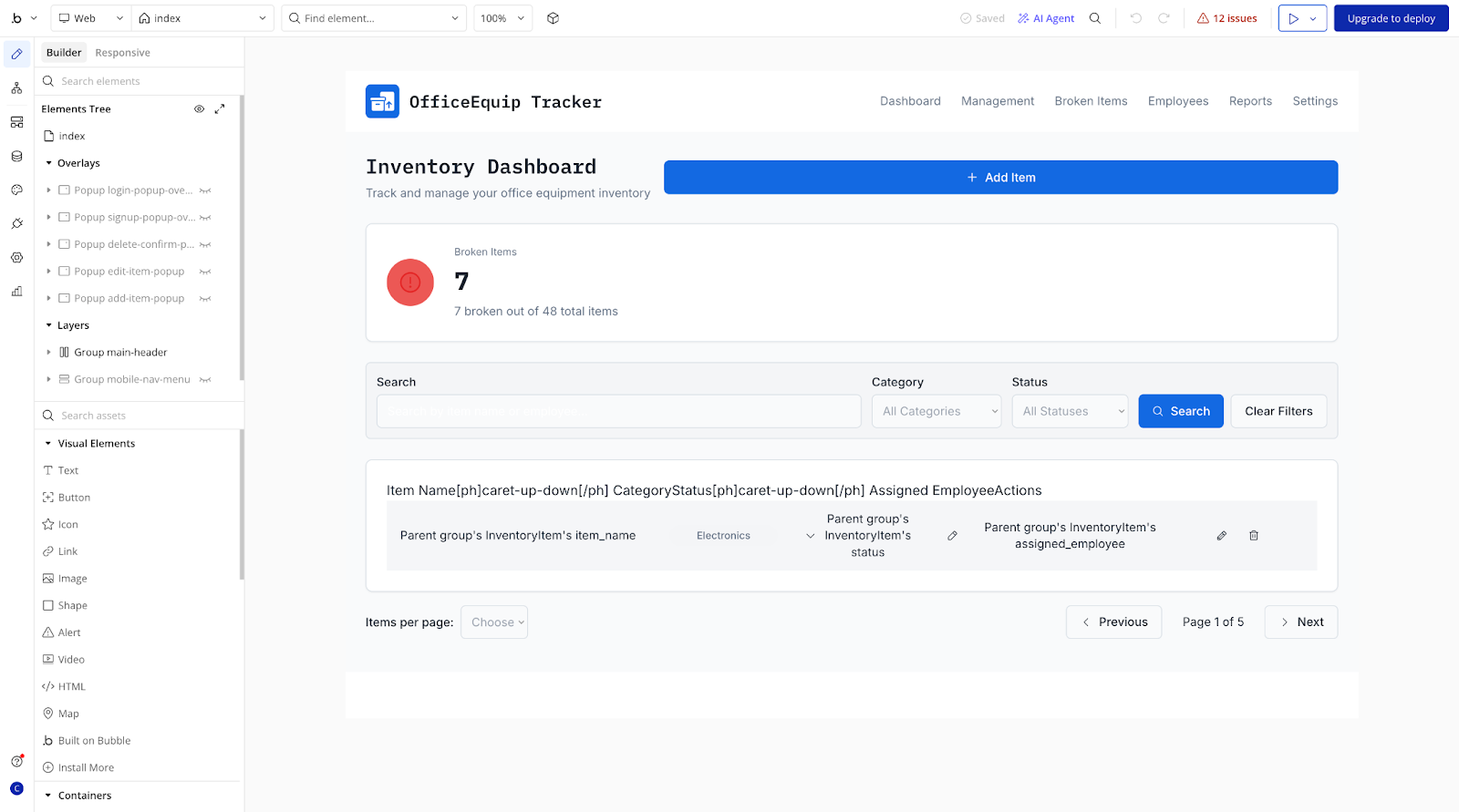
Bubble is another generative AI tool for business that works using natural language prompting. This might be a nitpicky comment, but Bubble takes more time during the generation phase than the other tools I tested. And if you switch tabs, it automatically cancels, so you’ll need to keep the window open and make sure your device doesn’t go into sleep mode during this step.
Bubble’s editing interface can also be a little confusing, and there’s not a lot of hand-holding to help you navigate the tool. If you’ve never coded an app or worked with a similar low-code tool, you’ll want to budget some time for exploring and learning how to use it. This is especially true for adding workflows, which isn’t necessarily complicated but can be overwhelming without a clear idea of the logic and processes you need to create.
This tool is well suited for creating minimum viable products (MVPs), so it’s a good choice for teams that want to stick with one low-code software solution for multiple use cases.
- Best for: Building complex, scalable web applications
- You should know: Bubble offers full-stack visual programming without code, allowing for pixel-perfect design and complex database logic
- Pros
- Capacity to build virtually any web application without code
- Extensive plug-in marketplace for added functionality
- Strong community with abundant tutorials and examples
- Full database and API capabilities
- Ability to handle complex business logic and user flows
- Cons
- The learning curve is steep, especially for nontechnical users
- Workload unit pricing can become expensive at scale
- Performance issues can arise with complex applications
- Migrating apps off the platform can be difficult
- Users report community moderation issues
- Mobile app creation is still in beta
- Plans/Pricing
- Free plan available
- Starter: $59 per month for one user only (billed annually)
- Growth: $209 per month for two users
- Team: $549 per month for five users
- Enterprise: Contact for pricing
- G2 rating: 4.4/5
5. Airtable
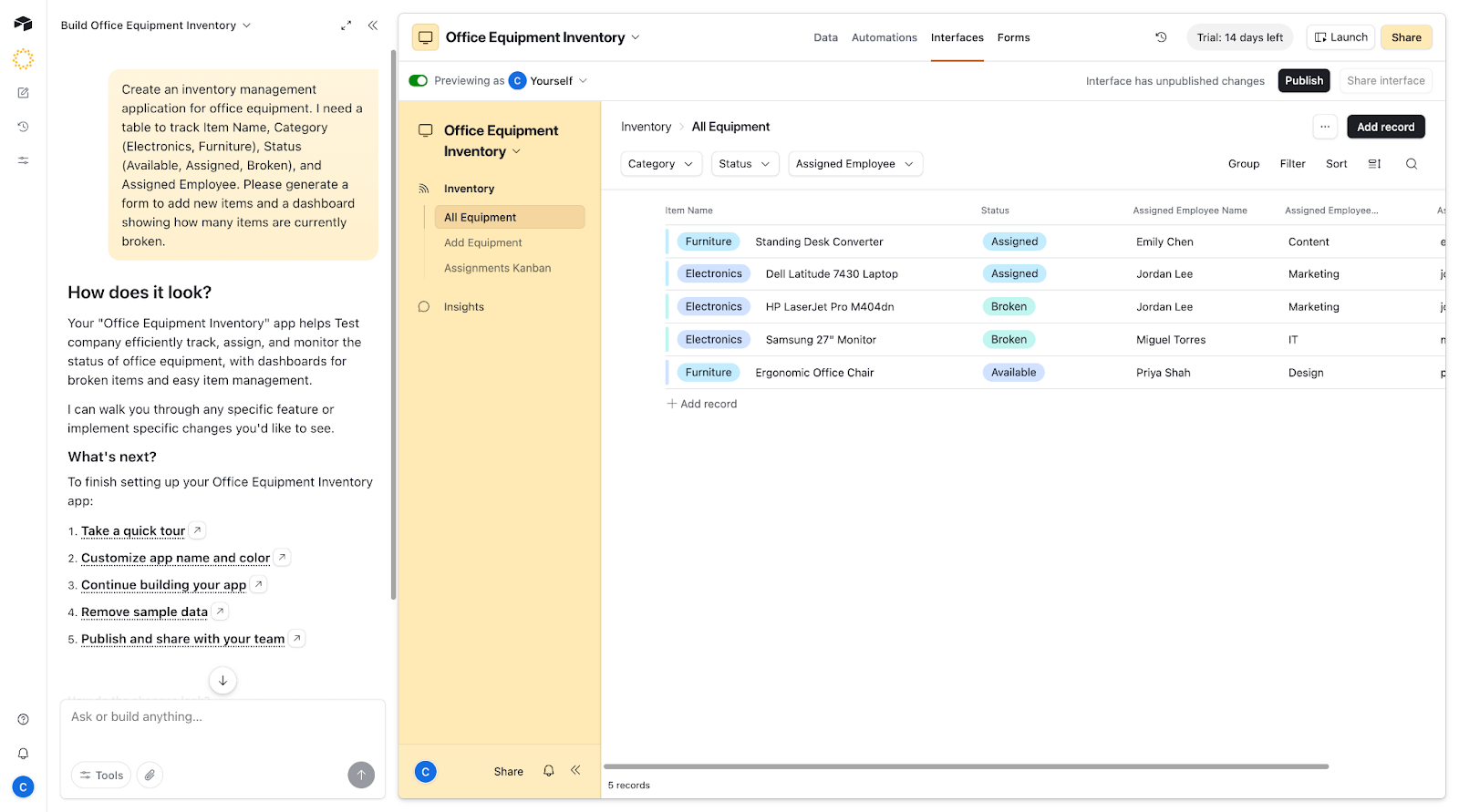
I’d say Airtable’s AI App Builder is a good fit for intermediate citizen developers who are creating internal tools for their organization. After generating your app, the interface doesn’t require any coding to edit, but it’s not as intuitive as other tools with simple drag-and-drop functionality.
You can get around the manual editing process by using the built-in chat to make edits, although you’ll need to create specific prompts to get exactly what you want. One thing I really appreciate about Airtable’s interface is how easy it is to toggle between editing and preview modes. This allows users to quickly test how even the smallest changes will affect their final app.
- Best for: Teams that think in spreadsheets but need app functionality
- You should know: Airtable is a hybrid between a spreadsheet and a database, featuring the Interface Designer tool which allows you to build apps directly on top of base data
- Pros
- Familiar spreadsheet interface for reduced learning curve
- Excellent fit for data-centric applications
- Strong collaboration features
- Beautiful, intuitive user interface
- Robust API for custom integrations
- Cons
- Not ideal for workflow-heavy applications
- Separate setup required for interface builder
- Potentially expensive for large teams
- Limited offline functionality
- Limited records on lower-tier plans
- Plans/Pricing
- Free plan available
- Team: $20 per user per month (billed annually)
- Business: $45 per user per month (annual)
- Enterprise Scale: Contact for pricing
- G2 rating: 4.6/5
6. Glide
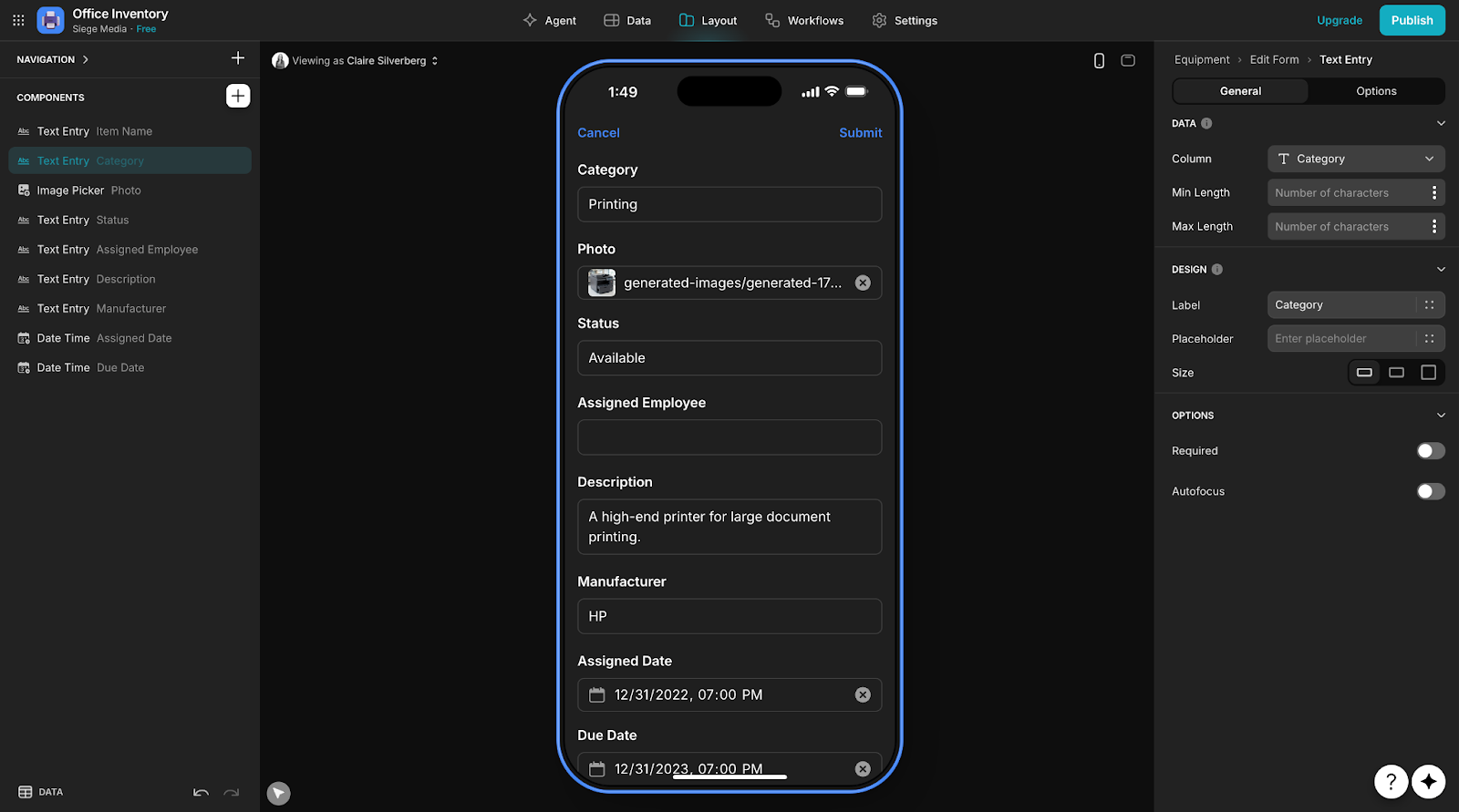
Glide uses natural language prompting to create web and mobile apps with a tool interface that’s similar to Airtable’s. I thought it was pretty easy to figure out how to select and edit different elements.
The sidebar tool acts as an editor, letting you drag and edit elements while the app preview updates in real time. You can also use the app’s chat feature, which acts as an AI code generator, to execute edits, navigate the software, and optimize your projects. Glide doesn’t create web apps, so I see it working best for citizen developers who want to focus on building mobile tools for their teams.
- Best for: Creating mobile apps from spreadsheets
- You should know: Glide is a data-first builder tool that instantly turns existing data sources (Google Sheets, Excel, Airtable, etc.) into functional apps
- Pros
- Incredibly fast time-to-app from existing data
- Beautiful templates for common use cases
- Progressive mobile apps
- No app store submission required
- Simple pricing structure
- Cons
- Limited to relatively simple applications
- Dependent on Google Sheets or Glide Tables
- Unable to build complex business logic
- Degraded performance with very large datasets
- Limited offline functionality
- Plans/Pricing
- Free plan available
- Business: $199 per month for 30 users (annual billing)
- Enterprise: Contact for pricing
- G2 rating: 4.7/5
7. Retool
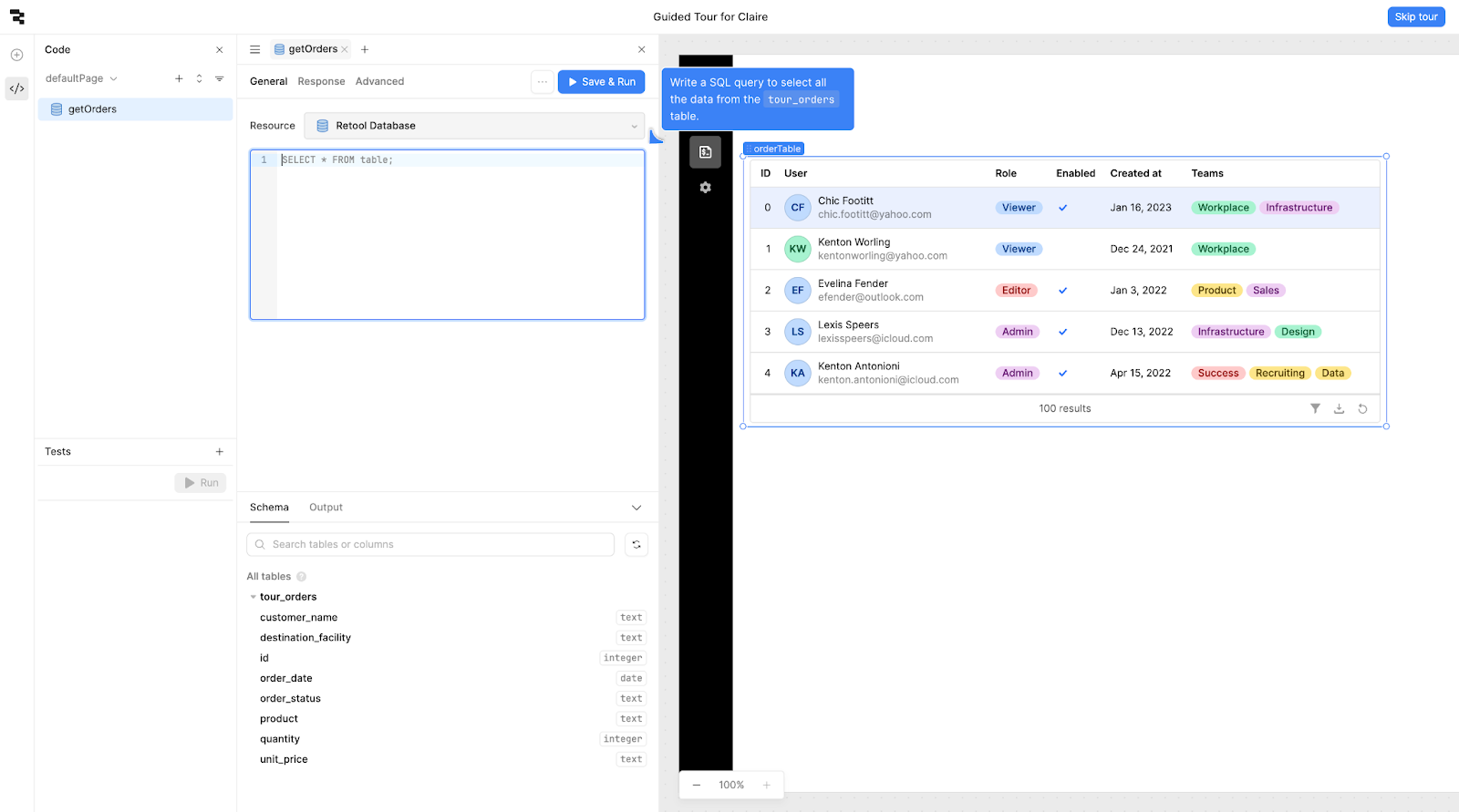
When you first start creating in Retool, it triggers a guided tour of the app. As a nontechnical user, I wasn’t a fan of the fact that you need to know basic SQL to use the tool — even just to get through the tutorial. There were a few points where I actually got stuck and couldn’t progress because I wasn’t familiar with SQL. The button to skip the tour and explore the tool myself didn’t work, so I had to figure things out on my own. For citizen developers, this probably won’t be much of an issue.
While the guided tour helps show what Retool can do, it doesn’t actually walk you through how to do it. For example, when prompting you to set up the search bar, Retool shows you how to connect your data, but the search bar itself just appears without showing you how it got there. Overall, I think Retool is a solid tool for working within databases and it’s great for users familiar with SQL, but other tools I tried were definitely more user-friendly.
- Best for: Building internal business tools for technical operations
- You should know: Retool is highly developer-centric and is focused on building internal tools quickly using drag-and-drop components that easily connect to any database or API
- Pros
- Excellent fit for database-driven internal tools
- Pre-built components for common UI patterns
- Strong integration with databases and APIs
- Fast development for technical users
- Self-hosted option available
- Cons
- Technical knowledge required to use effectively
- Not suitable for customer-facing applications
- Limited mobile support
- Expensive for larger teams
- Sharp learning curve for the component model
- Plans/Pricing
- Free plan available
- Team: $10 per builder per month + $5 per internal user per month
- Business: $50 per builder per month + $15 per internal user per month
- Enterprise: Contact for pricing
- G2 rating: 4.6/5
8. FlutterFlow
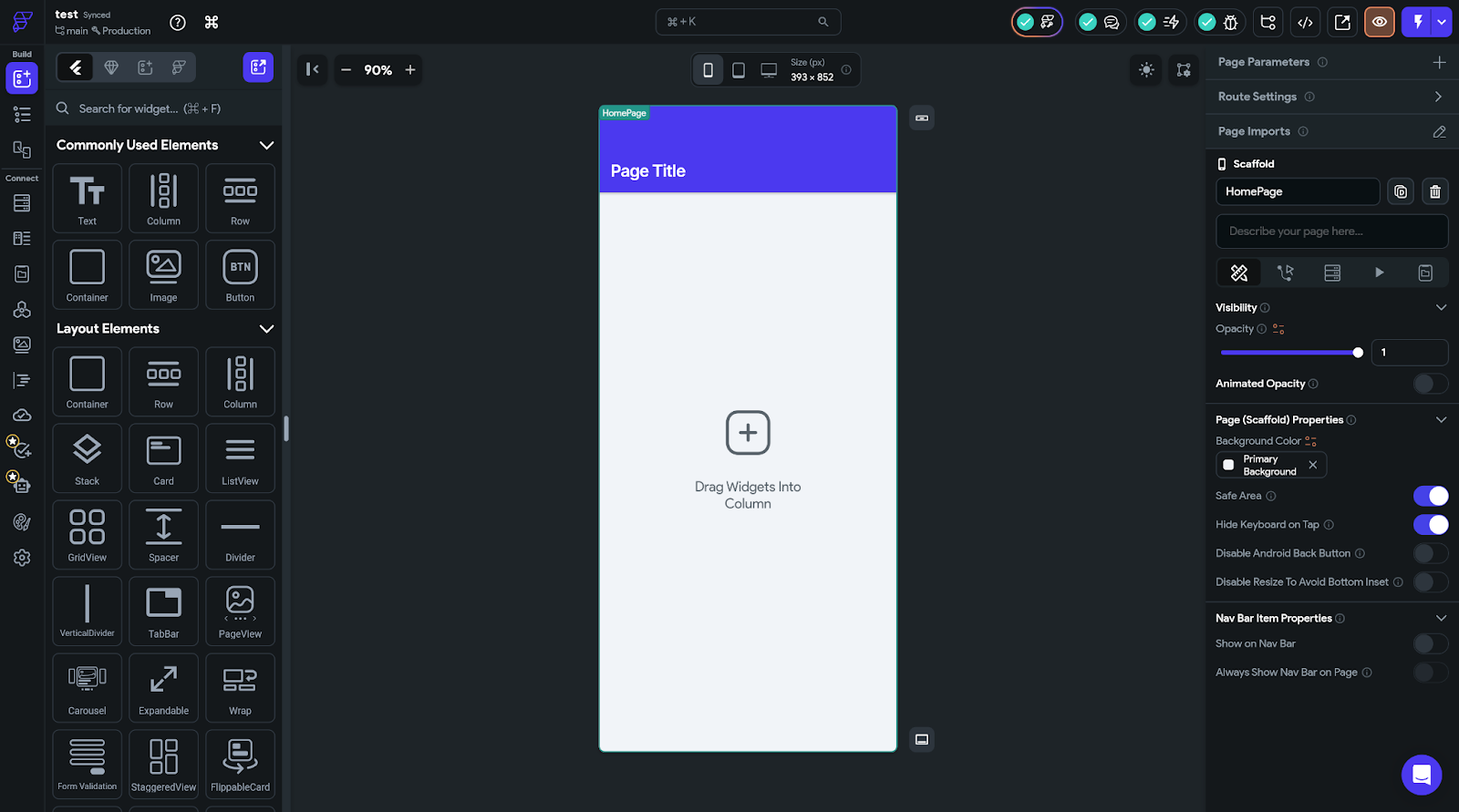
FlutterFlow uses a visual drag-and-drop builder to create apps without any coding. Another Flutter-based platform, Dreamflow, lets users build apps by generating code from natural language prompts. FlutterFlow really maximizes what you can do without coding. And it’s the only tool I tested that can also run automated tests on your project.
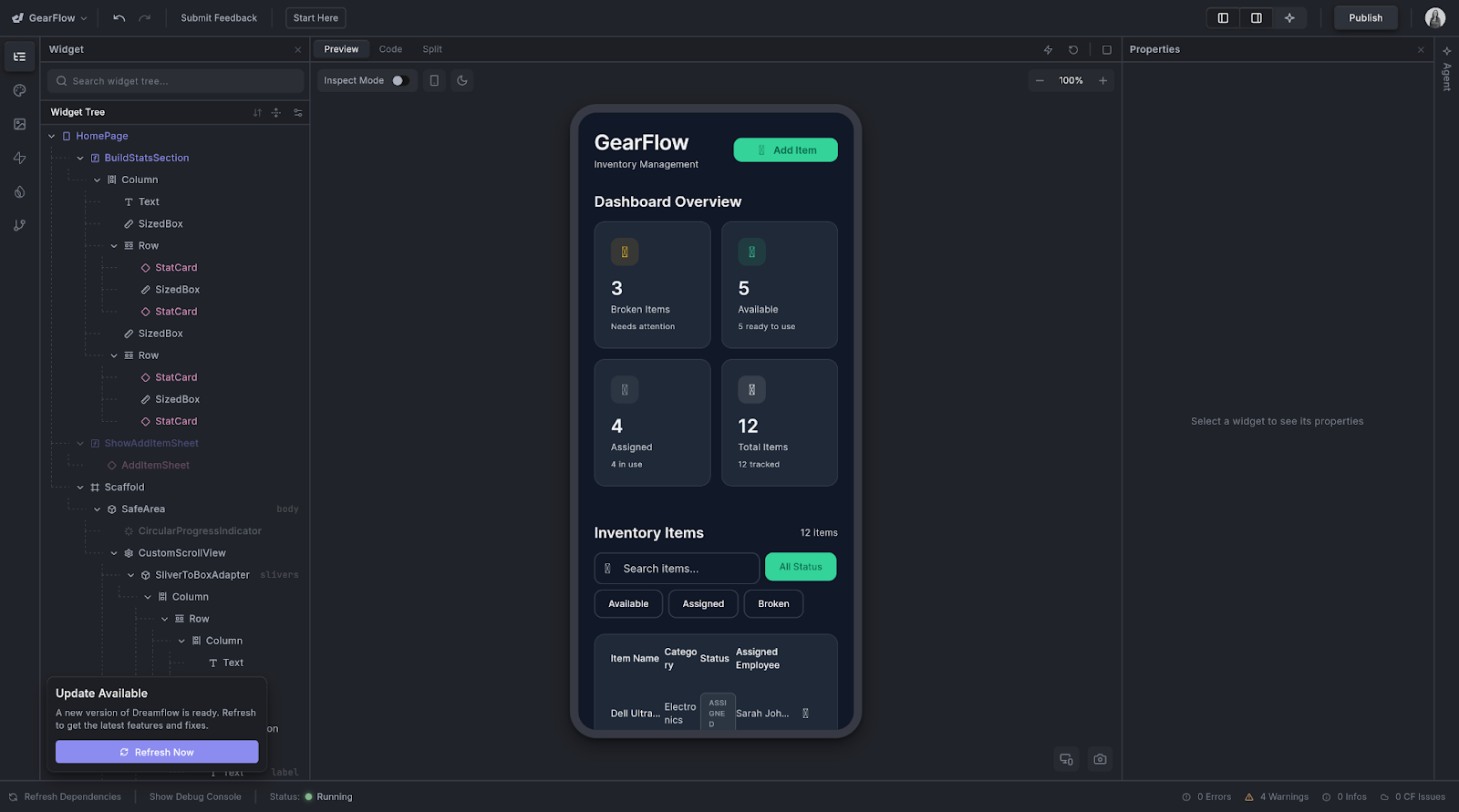
Like other software for citizen developers, this tool works best if you have a clear plan for your project, including what it needs to do, how it will connect to your data, and how you want the UI to work. If you don’t know the answer to any of these questions, Dreamflow can give you a starting point, although its editor isn’t as user-friendly as FlutterFlow’s. If you know what you need to create and value an easier building interface, then stick with FlutterFlow.
- Best for: Building native mobile apps for iOS and Android
- You should know: FlutterFlow is a visual builder designed specifically for the Flutter framework. It allows users to export clean, deployable code and build high-performance native apps
- Pros
- Native iOS and Android app generation
- Excellent performance compared to web-based alternatives
- Firebase integration for backend services
- Code export available for continued development
- AI-assisted design and component generation
- Cons
- Understanding of mobile app concepts required
- Subscription required for app store publishing
- Less template variety than web app builders
- Custom code needed for some advanced features
- Learning curve for platform-specific differences
- Plans/Pricing
- Free plan available
- Basic: $29.25 per month (billed annually)
- Growth: $60 per month for first seat + $41.25 per month for second seat
- Business: $112.50 per month for first seat + $63.75 per month each for two to five additional seats
- G2 rating: 4.5/5
9. Mendix
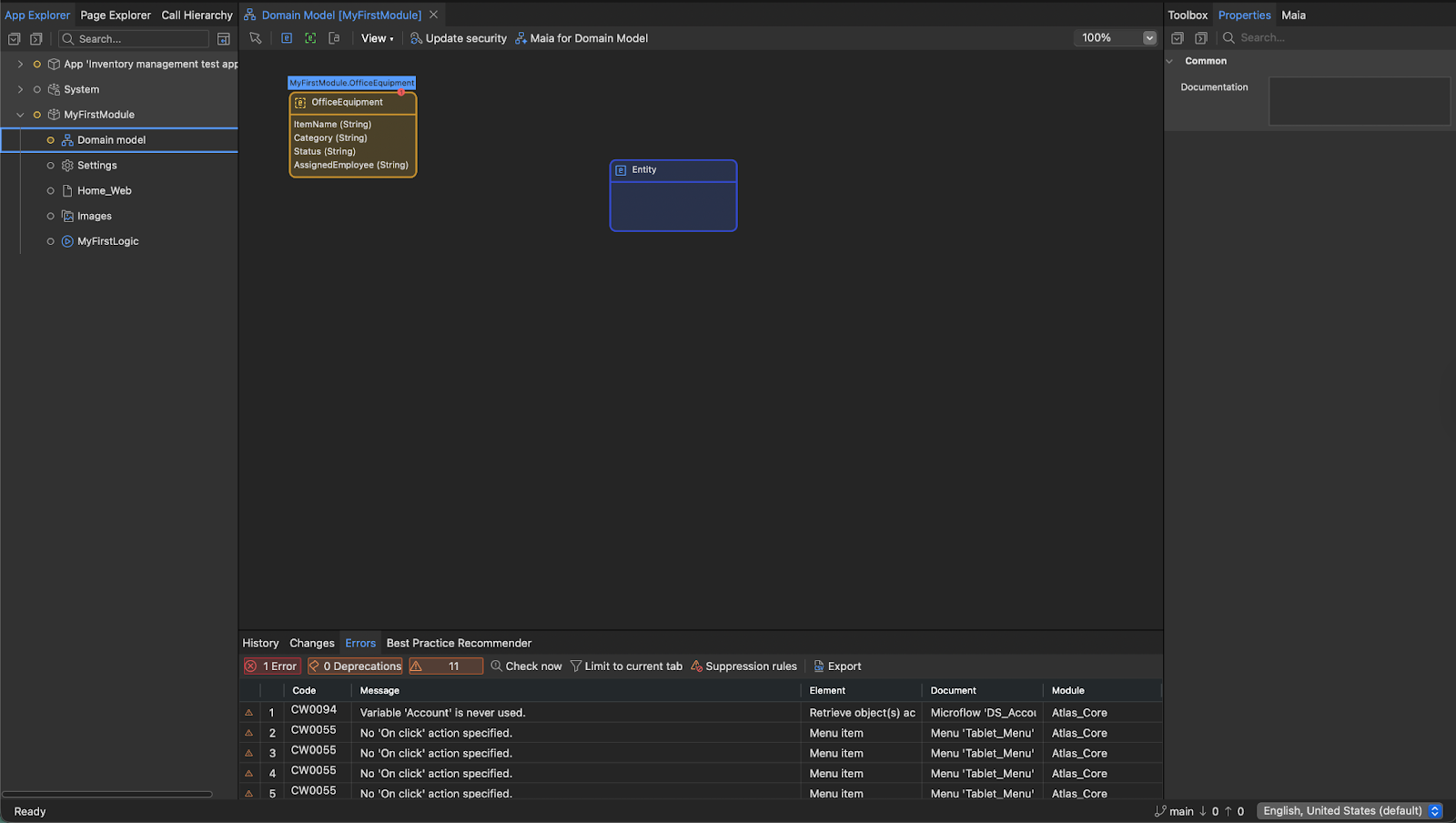
Mendix is a low-code integrated development environment (IDE) tool with its own AI chat, Maia, which acts as a coding assistant. In my experience testing Mendix, it’s not a tool for beginners. Maia can answer questions and provide suggestions, but it can’t make any direct edits in the app. This could be user error on my end (I don’t have the technical expertise to get the most out of this tool), but I still had trouble navigating and using Mendix even after watching tutorials and using the chat.
I see this tool working well for citizen developers with intermediate to more advanced coding skills. It’s more powerful than other tools I’ve covered and offers an extensive app marketplace and customization options using Java, JavaScript, and CSS. The trade-off, however, is that the platform is more difficult to use.
- Best for: Enterprise organizations building complex, scalable applications with both business users and developers
- You should know: Mendix offers visual development with the option to add custom code for complex needs
- Pros
- Visual development combined with custom code options
- Built-in version control and collaboration features
- Strong enterprise security and governance controls
- Extensive app marketplace with reusable components
- Support for complex data integrations with enterprise systems
- Cons
- Increasingly expensive as applications scale
- Steeper learning curve than pure no-code alternatives
- Limited documentation for some advanced features
- Understanding of software development concepts required
- Cloud deployment costs not included in standard tier
- Plans/Pricing
- Free plan available
- Standard: Starts at $998 per month for one app or $2,495 per month for unlimited apps
- Premium: Contact for pricing
- G2 rating: 4.4/5
10. Figma Make
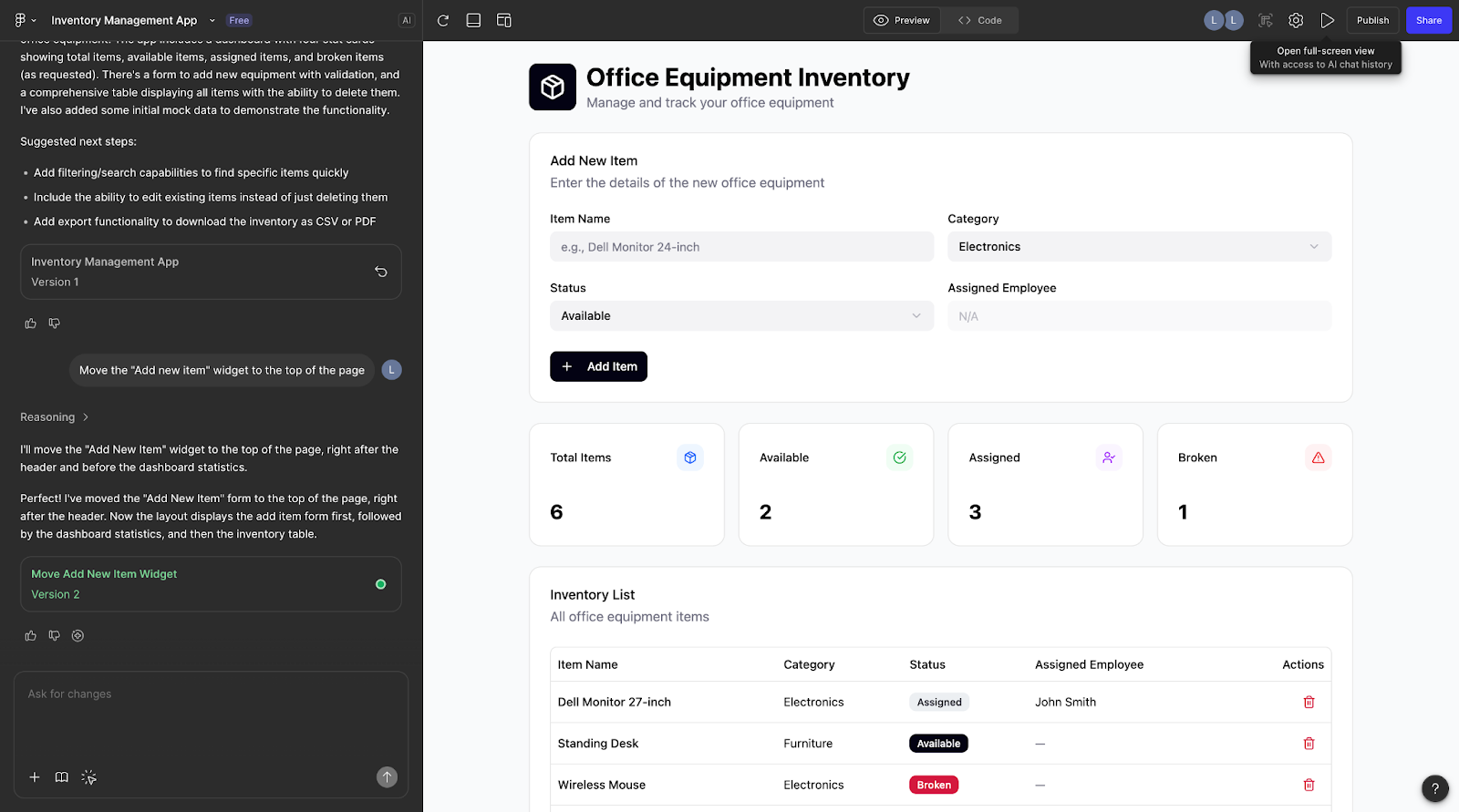
Figma Make is a great citizen developer tool for users who are already familiar with other Figma products. It’s very easy to use, though, so you won’t get lost even if you’re not a Figma user. This prompt-to-prototype tool relies on AI-powered chat to help you create apps and make edits.
I did not love that Figma Make limits how users can edit their prototypes. You can either use the chat to make changes or edit the code directly. The lack of a drag-and-drop builder tool limits its usefulness for citizen developers who aren’t confident in their coding skills or would prefer using a visual builder to make quick changes.
- Best for: Converting Figma designs into interactive prototypes and simple apps
- You should know: Figma Make converts static Figma designs and text prompts into functional, interactive prototypes or web code
- Pros
- Seamless integration with Figma designs
- Pixel-perfect visual fidelity
- Minimal handoff friction between design and development
- Familiar interface for Figma users
- AI assistance for adding interactions
- Cons
- Limited to the Figma ecosystem
- Beta product with evolving features
- Not suitable for complex business logic
- Not designed for robust data management
- Plans/Pricing
- Starter: Free
- Professional: $16 per user per month (billed annually)
- Organization: $55 per user per month
- Enterprise: $90 per user per month
- G2 rating: N/A
Bring your best ideas to life with Jotform
The citizen developer movement shows no signs of slowing down. And with the best software out there becoming more powerful and accessible, it’s the perfect time to start building your own solutions.
No matter which tool you choose, the key is to start small. Build one simple app that solves a real problem for your team. Learn the basics first, then gradually tackle more complex projects as your confidence grows.
Ready to transform your ideas into working applications? Explore Jotform Apps to build your first app in minutes, connecting it to essential business data with Jotform Tables, robust task management with Jotform Boards, or powerful integrations with third-party tools you’re already using.
By generating an app or building one with the simple drag-and-drop builder, anyone can turn complex data into actionable workflows.
FAQs: Software for citizen developers
Professional developers use integrated development environments (IDEs) like Visual Studio Code, IntelliJ IDEA, or PyCharm, along with version control systems like Git. They write code in languages like Python, JavaScript, Java, or C#.
Citizen developer platforms like those discussed in this article are designed specifically to avoid traditional coding, making them accessible to nonprogrammers.
With its deep hardware control, C++ is the industry standard for high-performance AAA games. It is used in common engines like Unreal Engine. C# is the primary language for the popular Unity Engine, great for both 2D and 3D games. Meanwhile, Java is often used for mobile games and web games, while Python is excellent for beginner game developers looking for rapid prototyping and simple game designs.
Enterprise citizen developers should try tools like Jotform Apps or Mendix, both of which offer enterprise-level security and governance features to keep essential business data secure.
The main difference between low-code vs no-code tools is the amount of technical experience you need to use them. Low-code tools typically offer a mix of capabilities that require little to no coding knowledge, whereas no-code tools are built for people who’ve never coded before.
This article is for anyone exploring citizen developer tools, including teams looking to build internal apps, workflows, dashboards, or mobile tools without deep coding experience, and people comparing platforms by ease of use, customization, and pricing fit.






































































































Send Comment: