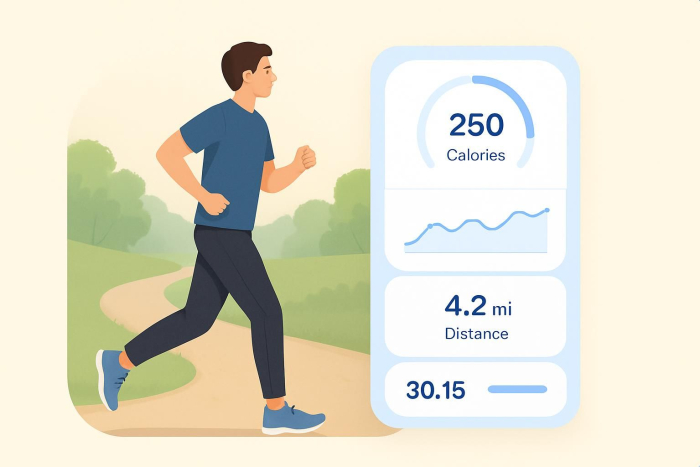
Steps to building a fitness app
- Define the problem your app will solve
- Understand your target users
- Outline the core user journey
- Select features that support consistency
- Choose a development approach
- Test with real users and iterate
- Plan for growth and sustainability
Many people, both young and old, are focused on fitness. Some people want to gain strength and stamina, while others are looking to lose weight or eat more consciously. A fitness app can help them stay on track and become the healthiest version of themselves.
Wondering how to create a fitness app? Make sure you understand the goals of your target audience, figure out the right features for the app, and use the best app builder for your needs.
What is a fitness app?
A fitness app is a mobile or web-based tool that helps users plan, track, and improve health-related habits such as workouts, movement, nutrition, sleep, and recovery. Depending on the app, users may follow guided training plans, log exercise or meals, monitor progress toward goals, and get reminders that keep them consistent.
Fitness apps are popular because they make routines easier to follow and they can turn long-term goals (such as losing weight or building strength) into manageable daily activities.
Types of fitness apps
Fitness apps come in many formats, and the best one to build depends on what your users are trying to accomplish. Here are some of the most common types of apps and what they include:
- Workout and training: Guided workouts, training plans, exercise libraries, timers, and progress tracking.
- Habit and wellness: Movement breaks, hydration reminders, sleep tracking, and mindfulness features.
- Weight loss and nutrition: Meal logging, calorie and macro tracking, recipe planning, and food databases. Many apps now also include AI-powered tools, and you can explore the best AI calorie tracker.
- Activity tracking: Step and distance tracking, heart rate integration, and wearable device syncing.
- Personal trainer and coaching: Customized programs, check-ins, client dashboards, and progress updates. For ideas on how coaches can leverage apps to streamline client management and engagement, check out this guide on apps for coaches.
- Rehab and mobility: Stretching, mobility routines, and injury recovery plans with form guidance.
- Community and challenge: Social sharing, group challenges, leaderboards, and accountability features.
Some apps combine multiple types: for example, a training app that also includes meal logging and habit reminders.
How to build a fitness app
Building a fitness app requires user insight, thoughtful feature planning, and the right technical approach. Rather than starting with technology, successful fitness apps begin with a clear understanding of why the app should exist and how it will support long-term behavior change.
Below is a practical step-by-step framework you can follow.
1. Define the problem your app will solve
Every effective fitness app addresses a specific problem. It might be a lack of motivation, confusion about workouts, difficulty tracking progress, or inconsistency over time.
Before thinking about screens or features, answer these questions:
- What challenge does my app help users overcome?
- When and why do users need this app in their daily lives?
- What outcome should users achieve after using the app consistently?
Apps that try to solve too many problems at once often fail to deliver value. A focused purpose makes the app simpler to use and easier to improve.
2. Understand your target users
Once the problem is clear, identify who is most affected. Consider factors such as
- Fitness level (beginner, intermediate, advanced)
- Lifestyle constraints (time, equipment, environment)
- Motivations and barriers
- Digital habits and comfort with technology
Understanding users helps you design an experience that feels intuitive rather than overwhelming. It also shapes decisions about tone, complexity, and interaction style.
3. Outline the core user journey
A fitness app should support a simple, repeatable flow. Think about what users will do from the moment they open the app.
For example, they could
- Start a workout
- Log activity or meals
- Review progress
- Receive feedback or reminders
Mapping this journey helps you decide which screens and actions are essential and which can be left out of an early version.
4. Select features that support consistency
Features should reinforce regular use, not distract from it. Depending on your app’s purpose, useful features may include
- Workout or activity logging
- Progress visualization
- Goal setting and reminders
- Instructional content (text, images, or video)
Focus on features that help users return to the app regularly and feel rewarded for their effort.
5. Choose a development approach
How you build the app depends on your resources and goals. Common approaches include
- Custom development for maximum flexibility
- App platforms that provide ready-made building blocks
- No-code or low-code tools for faster testing and iteration
A simpler build is often better for a first release. You can always expand functionality once user behavior and needs are clearer.
6. Test with real users and iterate
Before scaling, test the app with a small group of users. Observe
- Where they hesitate or get confused
- Which features they use most
- Where they drop off
Use this feedback to refine the experience. Fitness apps improve over time, not at launch.
7. Plan for growth and sustainability
Last, consider how the app will evolve. This includes
- Content updates
- Feature expansion
- Performance optimization
- Monetization (subscriptions, premium features, partnerships)
A long-term plan ensures your fitness app remains useful, relevant, and engaging as user needs change.
Determine must-have features for your fitness app
There are many different types of fitness apps, such as those that help you lose weight, tell you when to exercise, or show you which foods to eat. Some apps are a combination of many different types. When determining the must-have features for your fitness app, connect them with the needs of your target audience and how they can help users reach their fitness goals. Here are some common fitness app features:
- User personalization: By entering their gender, age, current weight, goal weight, and other details, users can receive more personalized guidance from the app.
- Activity summaries: The app shows daily, weekly, and monthly reports of activity, types of exercise, or food intake.
- Goal setting: Fitness is all about reaching a goal. The app can provide motivation and reminders to encourage users to keep working to reach their desired results.
- Push notifications: Everyone needs the occasional reminder, and fitness apps with push notifications can encourage users to exercise or log their meals.
- Gamification: For competitive people, in-app games with rewards or penalties can provide the ultimate push to help them reach their fitness goals.
- Social sharing: Fitness is also about community. Being able to share fitness milestones or achievements directly from the app helps users celebrate their successes with others.
Use the right fitness app builder: Jotform Apps
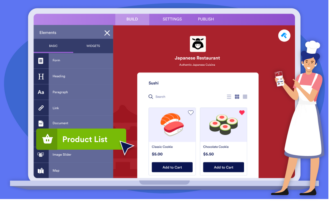
The easiest and most effective way to create a fitness app is with Jotform Apps, a no-code app builder that enables you to create fully customized apps with forms, widgets, and branding. Jotform Apps features an intuitive drag-and-drop builder that makes it simple to tailor your app to your exact requirements. Once the app is complete, you can share it with users through a link, email, or QR code, and users can also download it directly on their mobile device.
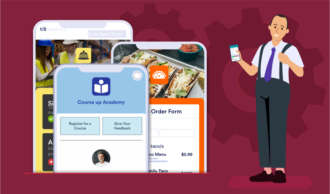
There are hundreds of app templates to use as a starting point, such as a workout log app, personal trainer app, or fitness tracking app. You don’t need to know how to code to use Jotform Apps. All you have to do is decide how you want to customize the templates, then use the interface to change colors, add your logo, and customize forms and fields.
Now that you know how to create a fitness app with Jotform Apps, it’s time to get started. Be sure to choose features your target audience is looking for and customize the templates with your brand colors and logo.
FAQs
The cost depends on how you build it:
- No-code approach: Typically much lower, because you’re not paying for custom mobile development
- Custom-built app: Costs rise quickly because you’ll need design, development, testing, and ongoing maintenance (plus costs for features such as video hosting, wearable integrations, and analytics)
A good way to control cost is to launch a simple first version (minimum viable product) with essential features, then expand based on user feedback.
It depends on your audience size, niche, and monetization model. Common ways fitness apps make money include
- Subscriptions (monthly/annual)
- One-time payments for plans or programs
- Coaching packages
- In-app purchases (premium plans, added features)
- Partnerships or affiliate revenue (supplements, equipment, apps)
Apps that succeed usually focus on one specific outcome (for example, “strength training for beginners” or “postpartum mobility”) and build strong retention through progress tracking and habit support.





















































































Send Comment: