When done correctly, push notifications are a key element of an effective multichannel digital marketing strategy and offer many compelling benefits. Mastering push notification best practices can help you boost user engagement, increase conversions, improve customer retention, and develop a meaningful connection with your mobile users — all of which leads to enhanced customer loyalty and positive revenue growth.
In this article, we’ll define what push notifications are, highlight a few benefits of using them in your marketing strategy, and share 20 best practices to get you started.
What are push notifications?
Push notifications are pop-up messages containing a short amount of text sent appearing directly on the lock screen of a user’s smartphone or other device. If desired, users can take the recommended action by tapping or clicking on the notification to open the app. They can also turn notifications off completely or allow notifications only from specific brands and apps. iOS and Android settings let users set notification preferences for individual apps.
Types of push notifications include transactional, promotional, engagement, and update, among others.
These messages may include purchase confirmations, shipping updates, discount offers, abandoned cart reminders, information about new products or app features, event updates, appointment reminders, receipts, product or service promotions, flight times, sports scores, requests for feedback, and more.
Push notifications typically contain a company or brand logo, a title or headline, one to three short sentences, and a call to action (CTA). They may also include images and emoji.
Benefits of push notifications include
- A direct line to customers
- Higher levels of customer engagement
- Improved conversions
- Increased customer retention
- Enhanced user experience
- Better app performance
- Higher delivery and click-through rates than emails
20 push notification best practices
Push notification statistics indicate that the average smartphone user in the U.S. receives more than 40 push notifications every day and a majority of app users permanently turn off their push notifications. To be effective, your messages need to break through the noise of everything else competing for the user’s attention. The following push notification best practices can help.
1. Create a compelling opt-in offer
App users are much more likely to opt in to your messages if you offer a compelling reason to do so, such as early notifications about discounts and flash sales, access to exclusive deals, personalized recommendations, giveaway announcements, free resources, or a combination of these perks. It’s best to segment your audience before sending opt-in messages to create personalized, targeted appeals. We’ll talk more about segmentation later.
2. Design for mobile devices first
As you develop your push notifications, keep in mind that while you want your messages to be accessible on all devices, most of the communication and interaction with users will likely happen on mobile devices.
3. Provide an easy opt-out
While offering persuasive incentives to encourage opt-ins is essential, it’s just as important to make opting out easy and seamless. Users should be able to say “No” to marketing communications without jumping through annoying hoops. Enabling a simple opt-out process demonstrates that your brand or business is trustworthy, earning you the respect and loyalty of your users. If you’re experiencing a particularly high level of opt-outs, make sure your messages are personalized, relevant, and not too frequent.
4. Create high-quality, valuable messages
It’s a challenge to create beneficial, value-packed messages when you’re working with limited space. Three important elements of valuable messages are length, social proof, and the CTA. Platforms may vary but aiming for around 50 characters for the headline and 100 to 200 characters for the main message is a good rule of thumb. To create a compelling message within those restrictions, use simple, easy-to-understand language, include social proof (such as a link to a positive review), and end with a clear, concise CTA that tells users exactly what to do next.
Creating messages based on these parameters will demonstrate your value to end users and enhance customer retention.
5. Use customer segmentation
There are several ways to segment customers to improve the results of your push notification campaign. How you choose to approach this depends on your business objectives and marketing goals, but a few options include
- Age, gender, and income
- Location
- Industry or job title
- Interests and lifestyle
- Past purchase behavior
- App usage and engagement levels
- Life cycle stage (i.e., new, active, or lapsed users)
Segmenting customer data is just one way to better understand your customers. Learn more about that approach and four other powerful strategies here.
6. Personalize notifications to keep Them relevant
In addition to using customer segmentation, it’s important to personalize push notifications. Messages can be personalized based on customer name, activity, behavior and preferences, along with user life cycle and other factors. Personalized messages might include the recipient’s name, order or purchase details, shipping and delivery updates, travel and flight details, and other information relevant to the user based on their specific interactions with your brand or business.
7. Use optimal timing
The timing of your messages depends on your business, products, or services. If you’re a live music venue, for example, you’ll most likely send messages in the evening and closer to the weekend based on your venue’s event schedule. If you’re a doctor or other healthcare provider, you’ll probably send messages during normal weekday business hours. If you’re a gym owner or personal trainer, you might be sending messages on nights and weekends to your clients who work a regular 9-to-5 schedule.
That said, you should test to determine the best time to send notifications based on when your users are most likely to engage with them.
8. Don’t send notifications too frequently
Many smartphone users get dozens of push notifications per day. Too many messages can lead to users opting out or uninstalling the app entirely. A good rule of thumb is to refrain from sending messages unless they’re time-sensitive or highly personalized. To determine what’s best for your users, pay attention to user feedback and engagement metrics, and customize your notification frequency based on that.
9. Use real-time triggers
Speaking of timing, one of the best ways to schedule push notifications is by using real-time triggers based on individual user actions. These relevant, timely messages might include product recommendations based on browsing behavior, abandoned cart reminders after an incomplete purchase, or customized special offers based on what the user last viewed or bought.
10. Create a sense of urgency
Urgent messages often get more traction. You don’t want to overplay this tactic (meaning, there should be a legitimate reason for using it), but sometimes it’s useful to create FOMO, or fear of missing out, to compel action. For example, you can announce a special 24-hour sale, mention that an item the user previously purchased or viewed on the website is almost out of stock, or share details about a weekend-only special at their favorite local restaurant.
11. Keep messages short and actionable
As we touched on in #4, message length is important. Push notifications have a character length of 100 to 200 characters, so brevity is key. It may take some practice to write effective messages within the character limit, but it’s possible if you don’t use jargon or filler words. Clear, concise messages with strong CTAs like “Shop Now,” “Download Here,” or “Start Free Trial” tend to perform best.
12. Optimize each element of the message
Be sure each element of your notification is optimized to get attention and drive action. Include your logo or browser icon so users can quickly see who it’s from, a brief headline that gets to the point, so users instantly understand its purpose, one to two lines of main message text, and a compelling CTA telling the user exactly what to do next. You can use A/B testing to test and refine each of these elements. We’ll talk more about A/B testing later.
13. Use rich media
Rich media refers to elements such as images, emoji, GIFs, and videos. Visual elements grab attention, make messages more engaging, and often lead to higher click-through rates.
14. Send product and feature updates
One benefit of push notifications is sending out real-time updates, which gives you a good reason to keep in touch with your customers without annoying them. A great way to use real-time messaging is to send app updates and new feature announcements. To increase click-throughs, highlight the benefits of these new features and the users will enjoy by updating their app.
15. Promote deals and limited-time offers
Deals and limited-time offers are effective for encouraging users to take immediate action. Whether it’s flight deals, restaurant specials, flash sales on best-selling products, or other limited-time offers, this kind of push notification can help maximize conversions.
16. Send valuable reminders
While observing and testing what your audience responds to will dictate many of your push notifications, there may be other times when you want to send simple reminder messages. For example, gyms can send reminders about workout regimens, healthy eating, and other useful fitness content; retail businesses can share information about upcoming sales or extended holiday shopping hours; and salons can send appointment reminders.
17. Keep messaging consistent across platforms
Because your push notifications are likely part of an overall marketing strategy incorporating several other platforms (like social media, ads, email, SMS, websites, and other venues), it’s important to create cohesive messaging that works for all outlets. When planning your push marketing campaign, be sure it integrates seamlessly with your other channels right from the start to present unified messaging and amplify your overall marketing efforts.
18. Request customer feedback
Another great reason to connect with your audience is to request customer feedback. Make it easy for users to respond by telling them exactly what you’d like them to do (i.e., rate your app, submit an online review, respond to a survey) and how easy it will be. You could say something like, “Take just two minutes to help us improve!” Then share a direct link to where users can take action on the request.
Asking for customer feedback can also increase customer retention, as it shows that you value what your audience thinks and that you want to improve their experience. And best of all, incorporating their suggestions into your operations creates loyal customers who continue to use your products and services.
19. Conduct A/B testing
A/B split testing allows you to send two versions of a notification to different segments of your user base to gauge which version performs better. This approach allows you to continually refine your messaging and optimize results. You can A/B test elements like headlines, main message copy, images and other rich media, CTAs, buttons, and even send times.
20. Track, measure, and analyze results
For best results, and to ensure your hard work executing the preceding 19 best practices doesn’t go to waste, it’s essential to measure and analyze how your audience is responding to your push notification campaign, based on your most important key performance indicators (KPIs). KPIs to track include open rates, click-through rates, and conversions. Once you’ve got tracking and measuring in place, use this data to refine your push notification strategy, such as timing, message content, personalization, and other factors.
Jotform Resources to help with your push notification campaigns
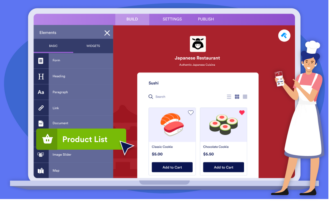
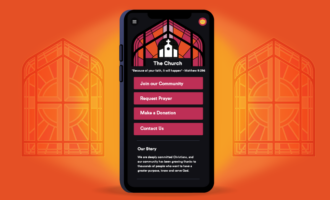
Jotform Apps is a powerful tool that allows you to create your own fully customizable app, no coding required. You can add forms, widgets, products, and company branding to suit your specific needs, and your app can easily be downloaded onto any smartphone, tablet, or computer.
There are over 600 app templates to choose from, featuring extensive customization options such as links, text fields, documents, images, buttons, and more. You can also customize your app with a unique splash screen and app icon to enhance brand recognition.
The app’s push notifications feature lets you deliver real-time updates, offers, and announcements across devices, leveraging timely alerts and personalized messages to help drive conversions, increase user engagement, and boost audience loyalty.
Jotform Apps push notifications are compatible with major platforms like Android, iOS, macOS, Windows, and Linux, and is available for different web browsers, including Safari, Google Chrome, Firefox, and Opera.
Check out the Jotform Apps User Guide to learn more about building an app, including how to do the following (and more):
- Create apps.
- Use app templates.
- Add new elements.
- Create a multipage app.
- Embed your app into a website.
- Share Jotform Apps.
- Customize your app URL.
- Customize your app’s splash screen.
- Create and send push notifications.
You can also select advanced sharing options (including social media, QR codes, and custom URLs) paired with granular access settings to give you full control over how you distribute your app and who can access it.
How to enable and send push notifications with Jotform Apps
It’s easy to enable and send push notifications with Jotform Apps by following these simple steps:
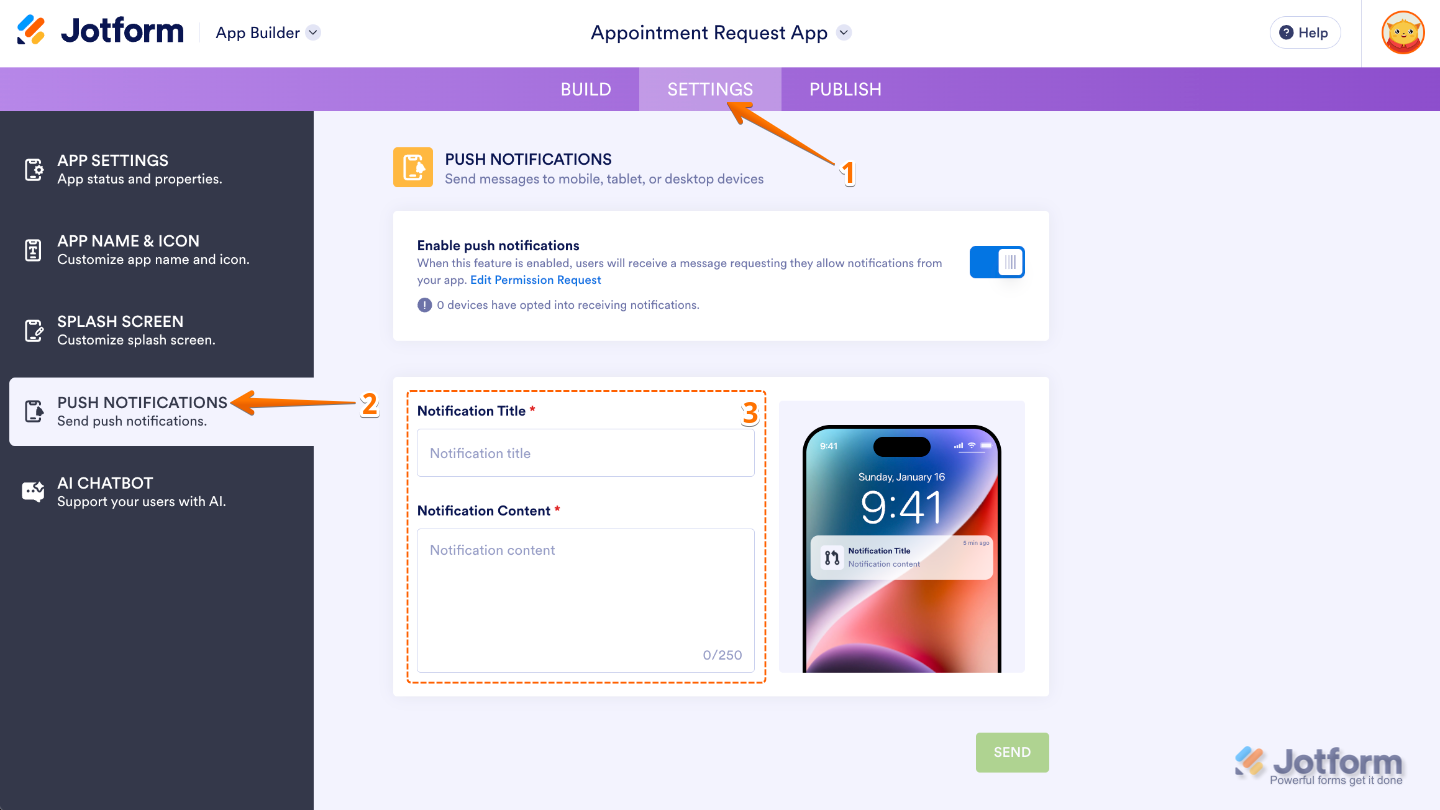
- In App Builder, in the purple navigation bar at the top of the screen, click on Settings.
- In the menu on the left side of the page, click on Push Notifications.
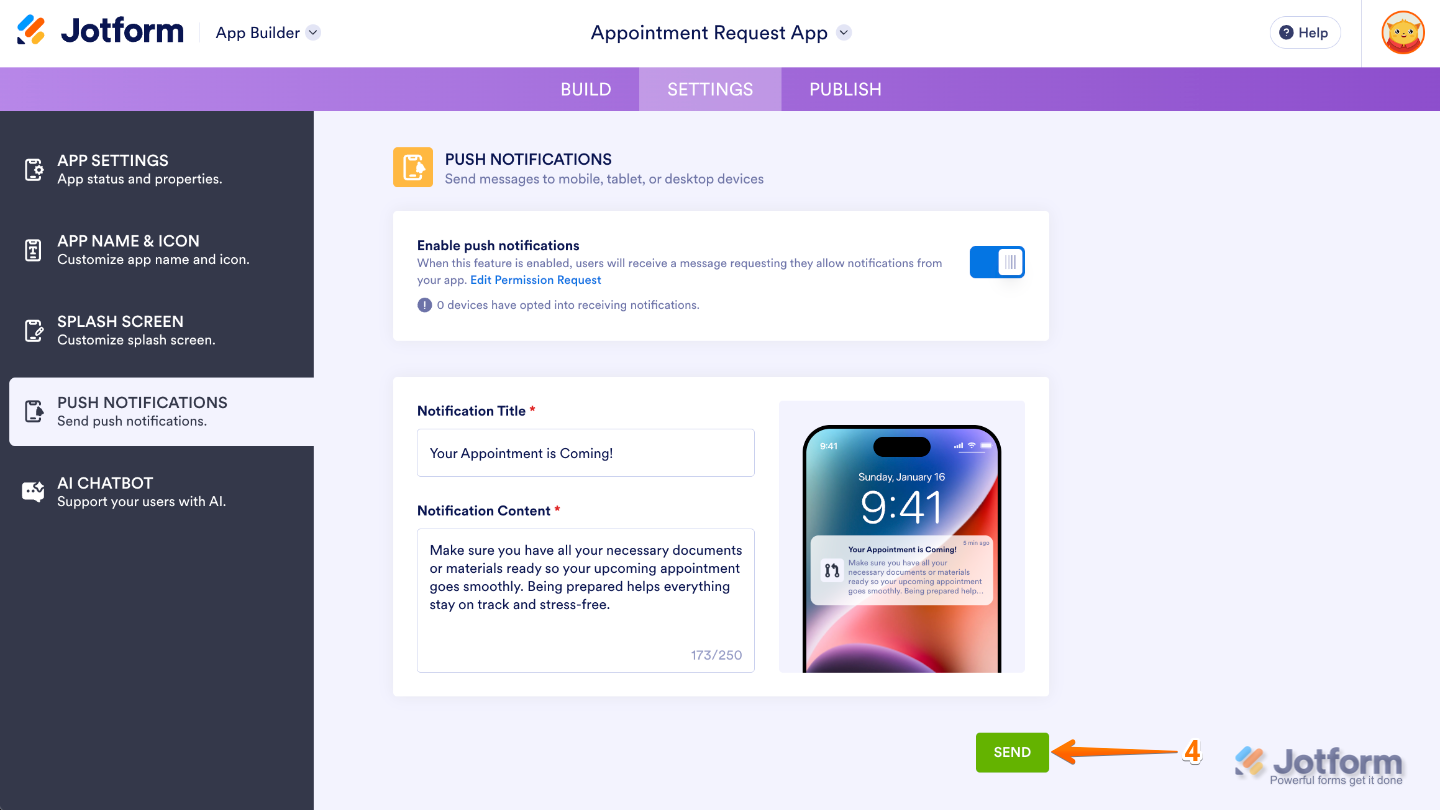
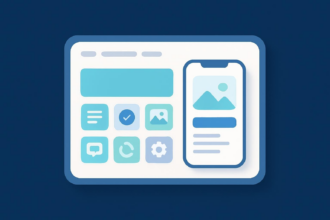
- Next, type in your Notification Title and the message you want to show in the Notification Content. Your Notification Content is limited to 250 characters. You can preview your notification by looking at the image of the phone on the right.
- Once you’re done, click on Send.
Check out our helpful video tutorial, including step-by-step instructions for creating and sending push notifications with Jotform Apps.

Implementing these push notifications best practices, especially when integrated with a reliable cross-channel marketing strategy, can lead to increased app engagement, higher conversion rates, improved user retention, better visibility for your brand, and a more positive user experience overall.
This article is for marketers, product managers, and business owners who want to use push notifications strategically to increase engagement, drive conversions, strengthen customer retention, and support a successful multichannel digital marketing strategy.






































































Send Comment: