
Depending on the size and scope of your business, an effective multichannel digital marketing strategy may include reaching your target audience through email, social media, website content, paid advertising, and SEO. If push notification marketing isn’t part of your outreach plan already, adding it is a wise choice because of its many benefits.
Push notifications are a powerful tool because they reach users where they’re already active: on their phone or computer. Push messages seamlessly integrate with other marketing channels and can help increase user engagement, improve customer retention, boost brand loyalty, and lead to higher conversion rates, among other benefits.
In this article, we’ll address why push notification marketing is important, discuss types of push notifications and some of their benefits, and explain how to use push notification marketing.
What are push notifications?
Push notifications are text or rich media pop-up messages sent directly to a user’s device in real time via their mobile notification center, desktop, or browser. Mobile app push notifications are sent to a user’s smartphone; web push notifications appear on desktops, laptops, or tablets. These messages are accessible even if the user hasn’t opened your app or website; in fact, you can use push messages to invite users to visit your website or app, which helps drive engagement.
A push notification typically includes a company or brand logo, a title or headline, one to three lines of content, and a call to action (CTA) or URL. Rich media push messages may include images, emojis, audio, video, or GIFs.
Push notifications sent to customers may include transactional, promotional, engagement, and update notifications, among others.
Push messages can take many forms. They can ask for customer feedback, which increases customer retention; share information about new products or app features; deliver shipping updates, purchase confirmations, and receipts; and provide event updates and sports scores, among many other uses.
What is push notification marketing?
Push notification marketing is the practice of sending short, pop-up marketing messages, as described above, directly to your users’ mobile or desktop devices to prompt them to take some kind of action related to your most important KPIs (key performance indicators) and business goals.
Examples of push notification marketing can include messages that promote sales or deals, encourage engagement, or make limited time offers. Depending on your type of business, notifications may also include abandoned-cart alerts, order updates, exclusive deals and rewards for members of loyalty programs, breaking news alerts, new content notifications, product recommendations, and app updates.
When combined with other marketing channels, a push notification campaign can help drive traffic, generate leads, increase user engagement and sales, and build brand loyalty.
Why is push notification marketing important?
Push notification marketing is important because it gives your brand or business the opportunity to directly engage with users and customers in real time. Additionally, push notifications can easily be integrated with the rest of your multichannel marketing campaigns, which helps amplify your key marketing messages and reach a wider audience. Push notification marketing can be used across a wide variety of industries, such as banking and financial services, travel and hospitality, healthcare, and e-commerce and retail.
In addition to these benefits, and those mentioned in the article introduction (increased user engagement, improved customer retention, higher levels of brand loyalty, and better conversion rates), other key advantages of push notification marketing include the ability to segment and personalize messages, which results in a better customer experience, and the opportunity to gather data and track customer behavior to inform targeted marketing strategies.
For all these reasons, push notification marketing is a key component of an effective multichannel marketing strategy.
Types of push notifications: Mobile notifications vs browser notifications
Push notifications can be categorized as mobile (app-based) or web (browser-based).
Mobile app push notifications
Mobile app push notifications can be sent when the user has your app installed on their smartphone or tablet. Notifications show up on the device’s lockscreen, in the notification center, or as a banner. Users can then tap or click on the notification to open the app and take the recommended action, if desired. Android devices feature a default opt-in; users can manually opt out. iOS devices cannot receive notifications unless users agree to receive messages.
Mobile app notifications are often used to provide time-sensitive information such as reminders, alerts, and updates, which encourages user engagement with the app.
Web or browser push notifications
Web push notifications, also known as browser notifications, are sent directly through a desktop or mobile web browser and appear on the top or bottom of the user’s screen. Most major desktop and mobile browsers support this functionality. Web or browser push notifications require user permission to be displayed.
These types of push notifications are often used to deliver time-sensitive information, reengage users, and prompt action such as returning to the website.
Two other categories of push notifications are desktop push notifications and wearable-device push notifications.
Desktop push notifications
Desktop push notifications pop up on a user’s laptop or desktop computer screen and are usually triggered by software installed on the computer.
Wearable-device push notifications
These push notifications appear on wearable devices such as smartwatches and fitness trackers and can be synced with a user’s smartphone.
Types of push notifications by purpose
Push notifications can also be categorized by purpose. For example, customer service notifications, meant to provide helpful information to customers, can include shipping updates, receipts, order status alerts, or flight information, among other things. Marketing notifications, designed to share special sales and offers, can alert customers about new product releases, make recommendations based on browsing history, and more.
What is the difference between web and app push notifications?
Web push notifications arrive on a desktop or mobile web browser and require users to opt in to receive notifications. Messages can reach any device with a supported browser, allowing notifications to reach a broad audience of users, even if they haven’t installed a specific application. The process requires integrating push code snippets on a website; notifications will be visible to users only when the browser is open.
Mobile app notifications are sent from mobile apps and require users to install the app and, for iOS devices, give permission to receive messages. Android devices default to opting in. While web push notifications work on mobile, desktop, and tablet, mobile push notifications work exclusively on mobile devices, and reach is limited to users who have installed the app.
Despite their differences, both types of notifications can keep users engaged by sending updates, reminders, or promotional messages, even when the user isn’t active on the app or website, and both types of messages can be personalized based on user behavior, preferences, and demographics to enhance engagement and increase relevance to users.
Benefits of web push notifications
Web push notifications offer many benefits. As previously mentioned, web push messages work on desktop, mobile, and tablet, giving them a wider reach than mobile push notifications. They also have an average click-through rate (CTR) of about 15%, which is greater than the CTR of many email marketing campaigns.
Other advantages of web push notifications:
- Web push notifications allow you to send valuable messages about promotions, events, product updates, new content, and more, engaging users even when they’re not on your website.
- They’re easy to opt into; users don’t need to provide an email address or other personal information. Instead, they can simply click Allow to begin receiving notifications.
- They allow you to drive traffic back to your website without spending money on ads.
- They enable instant communication with your audience.
- They provide real value in real time, which boosts brand loyalty and increases user engagement and retention.
- Messages can be targeted based on location, user behavior, and other factors, making it possible to personalize your messages and send them to the right people at the right time, resulting in higher conversions.
- Web push notifications complement your email marketing campaign, expanding your reach and amplifying your messaging.
Benefits of mobile push notifications
Mobile push notifications also have valuable benefits. Here are three core advantages of mobile push notifications:
- The ability to generate more action and clicks compared to other forms of marketing because users have already demonstrated their interest by downloading a mobile app
- The ability to connect with customers anywhere because of the high number of smartphones in use worldwide, creating opportunities for vast customer reach and engagement
- The opportunity for increased sales because of research showing that 48% of mobile app users made an in-store purchase after receiving a push notification based on profile data
How to use push notification marketing
Push notifications in your marketing campaigns offer value to your users, improve customer satisfaction, boost brand loyalty, elevate engagement, and increase sales.
For example, you can
- Reward new users for signing up by offering a special welcome discount as soon as they opt in with an exclusive, time-sensitive “new customer” offer
- Send product suggestions or personalized offers based on user behavior such as recent browsing history or past purchase history
- Depending on your product offering and business type, promote special offers such as exclusive presales, new merchandise launches, fare deals, dining offers, spa packages, 48-hour flash sales, and more
- For writers, newsletter operators, podcast hosts, YouTubers, and other content creators, send notifications to alert followers about new articles, videos, podcast episodes, courses, or other content with a brief preview and a link to access the full content asset
- Share stories and testimonials from happy customers
Other effective notifications that support your marketing efforts might include:
- Birthday discounts
- New user onboarding messages
- New product announcements
- Plan upgrade messages
- Abandoned-cart alerts
- Shipping and order information
- Purchase receipts
- Reminders about current features and benefits
- Tips for unlocking additional features and benefits
Creating messages such as these will demonstrate your value and enhance customer retention.
Due to their versatility, push notifications have a wide array of uses in marketing campaigns. Using customer-specific information such as app usage patterns, location, preferences, purchase history, and recent searches make them ideal for highly targeted marketing messages.
After you launch your push notification marketing strategy, be sure to measure campaign results and analyze the data so you can identify areas for improvement and address potential performance gaps.
Metrics to track and optimize include open rate, CTR, conversion rate, opt-out rate, user engagement, and retention rate.
Send push notifications with Jotform Apps
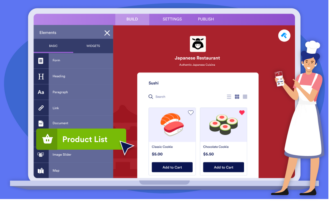
Jotform Apps is a powerful tool that allows you to create your own fully customizable app, no coding required. You can add forms, widgets, products, and company branding to suit your specific needs, and your app can easily be downloaded onto any smartphone, tablet, or computer.
There are over 800 app templates to choose from, featuring extensive customization options such as links, text fields, documents, images, and buttons. You can also customize your app with a unique splash screen and app icon to help enhance brand recognition.
The app’s push notifications feature lets you deliver real-time updates, offers and announcements across devices, leveraging timely alerts and personalized messages to help drive conversions, increase user engagement, and boost audience loyalty.
Jotform Apps push notifications are compatible with major platforms such as Android, iOS, macOS, Windows, and Linux and are available for web browsers such as Safari, Google Chrome, Firefox, and Opera.
Check out the Jotform Apps User Guide to learn more about building an app, including how to
- Create apps
- Use app templates
- Add new elements
- Create a multipage app
- Embed your app on a website
- Share Jotform Apps
- Customize your app URL
- Customize your app’s splash screen
- Create and send push notifications
Advanced sharing options such as social media, QR codes, and custom URLs, paired with granular access settings, give you full control over how you distribute your app and who can access it.
How to enable and send push notifications with Jotform Apps
It’s easy to enable and send push notifications with Jotform Apps by following these simple steps:
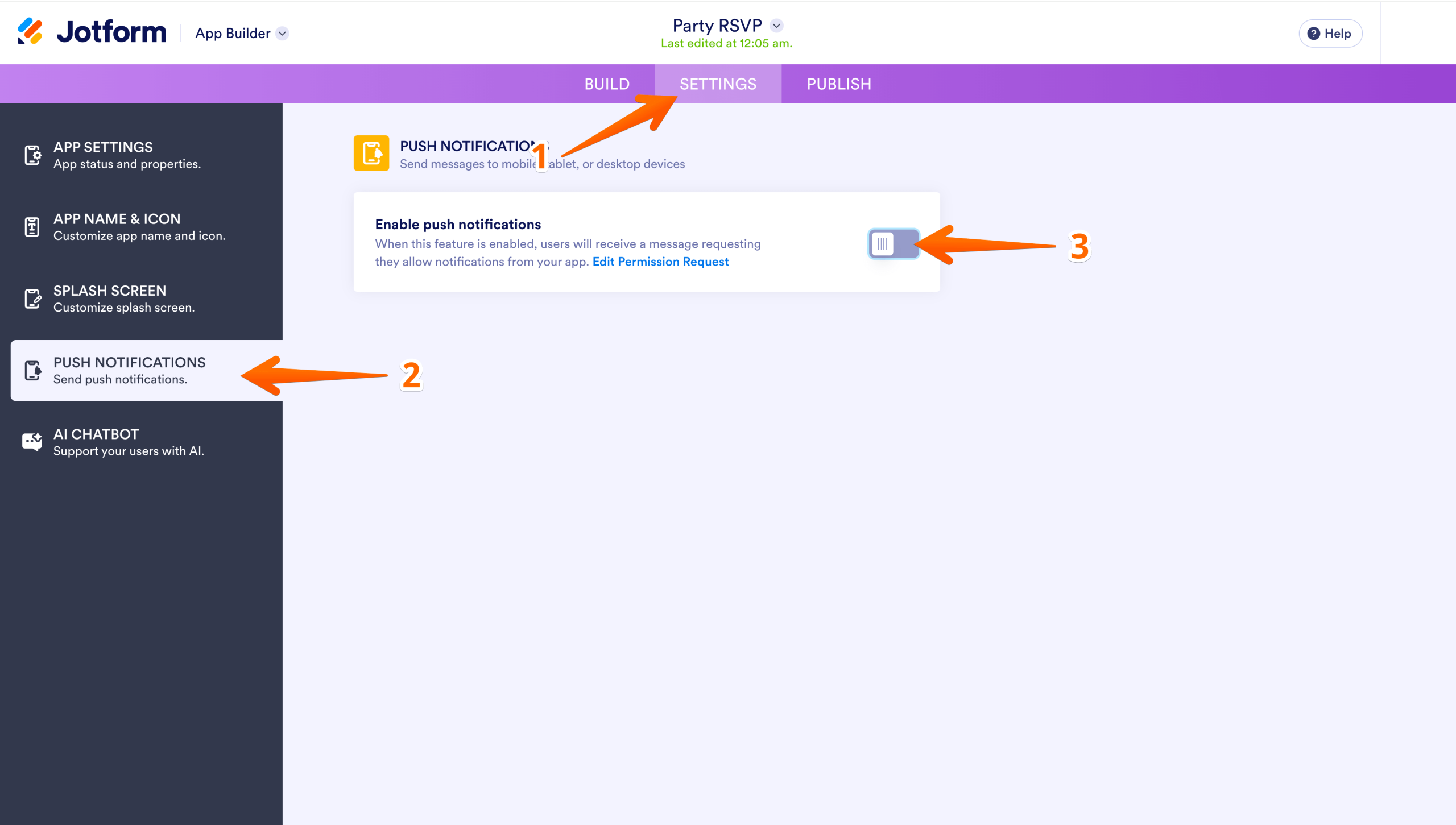
- In App Builder, click on Settings in the navigation bar at the top of the page.
- On the left side of the page, select Push Notifications.
- Toggle the Enable Push Notifications option to the On position.
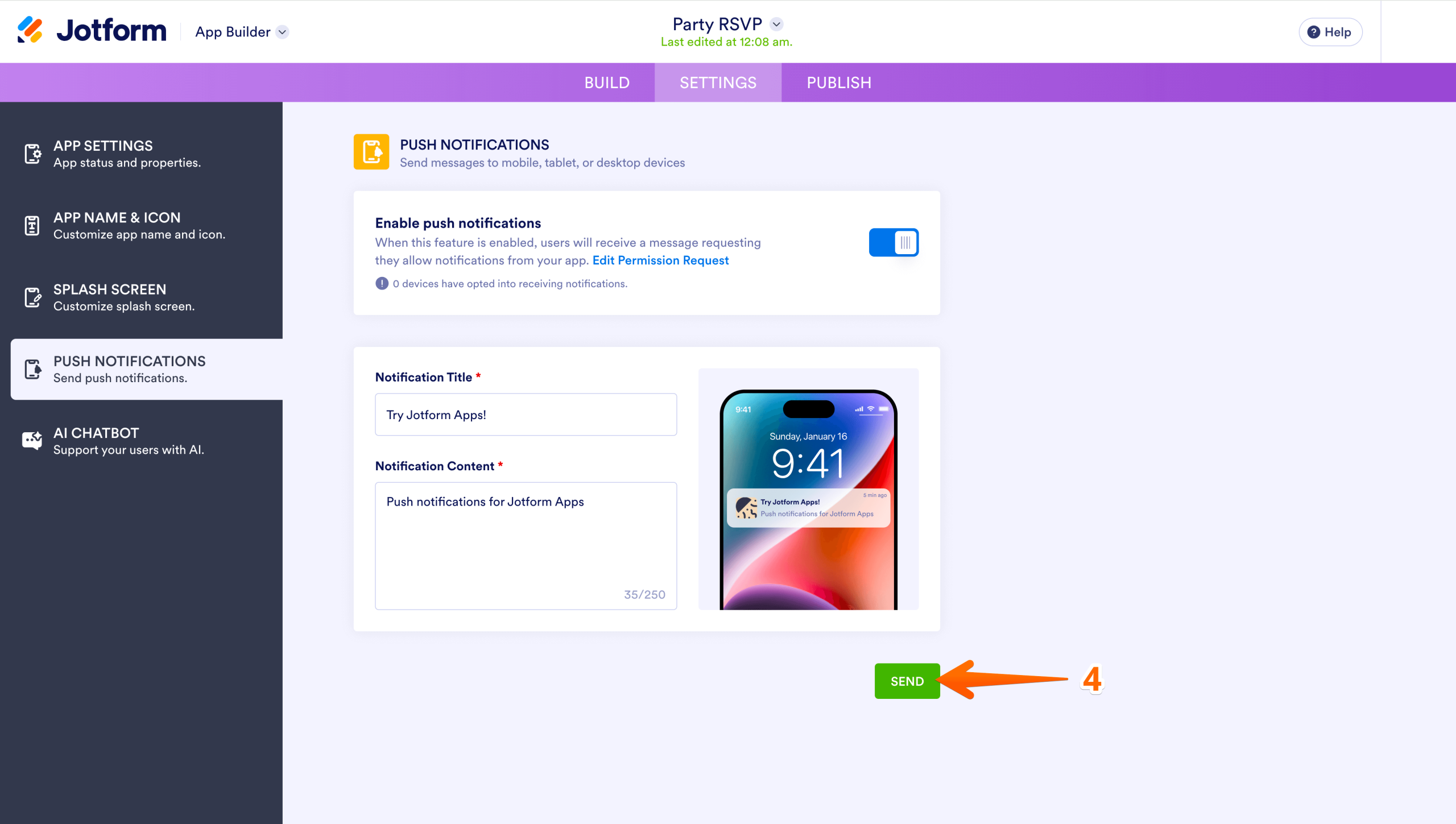
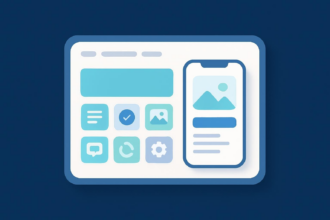
- From here, add your Notification Title and Notification Content. Your Notification Content is limited to 250 characters. You can preview your notification by looking at the image of the phone on the right. Then scroll down to send by clicking on the Send button in the bottom right corner.
Check out our helpful video tutorial, including step-by-step instructions for creating and sending push notifications with Jotform Apps.

Take the first step in push notification marketing
Web and mobile push notifications are an important part of any multichannel marketing strategy and a powerful way to engage your users. They are versatile and work well across multiple industries; they allow you to communicate directly with your audience, which, if done correctly, builds brand loyalty and increases engagement; and they provide your brand or business with the opportunity to reach a large and diverse audience.
The key to a successful push notification strategy is relevance: timely, personalized messages that deliver real value will drive engagement and improve conversion rates. As with any marketing channel, tracking your results and optimizing over time is essential to long-term success.
Ready to get started? With Jotform Apps, you can create and send push notifications to your audience in just a few steps — no coding required.
Push notification FAQs
Push notification software allows marketers to build campaigns, organize data, and automate messages in a single platform. It offers the ability to segment your users based on behavioral data and send custom pop-up messages to reach your audience on any device or browser. Push notification software can help you boost visibility, drive conversions, and communicate directly with your audience while complying with data privacy standards.
Push notifications can be used for a wide variety of purposes, as outlined in this article. They are typically used to send transactional or promotional messages. Transactional or customer service messages include shipping updates, receipts, appointment reminders, and other similar alerts. Promotional messages can include special offers, promotions, discounts, and other notifications about sales, deals, and limited time offers.
Push notifications of all kinds should be timely, relevant, and personalized to the customer and should clearly convey the desired action, such as making a purchase, visiting an app or website, or completing a task.
This article is for marketers, business owners, and teams building multichannel campaigns who want a clear overview of push notifications, what they are, how web and app notifications differ, and how to use them to drive engagement and conversions.

















































































Send Comment: