Recently, a security vulnerability was discovered in a widely used WordPress form builder plug-in highlighted an important issue for website owners: payment verification integrity. The vulnerability allows attackers to bypass payment validation and potentially receive products or services without paying the full amount.
For businesses that rely on online forms to collect payments—whether for event registrations, digital downloads, memberships, or services—this type of flaw can lead to serious financial loss and reputational damage.
In this blog post, we’ll break down what happened, why payment verification vulnerabilities occur, and how modern form solutions like Jotform help reduce these risks with secure payment integrations and reliable form infrastructure.
What happened: Formidable Forms payment verification bypass
A security vulnerability disclosed on March 13, 2026, in the Formidable Forms WordPress plug-in has raised concerns about payment verification in online form systems. Formidable Forms is one of the popular drag-and-drop form builders used on more than 300,000 WordPress websites to create contact forms, surveys, registrations, and payment forms.
Security researchers discovered that a flaw in the plug-in’s Stripe payment integration allowed attackers to bypass proper payment verification.
Specifically, the vulnerability made it possible for an attacker to reuse a previously completed Stripe PaymentIntent from a low-value payment and apply it to a more expensive transaction.
In practical terms, an attacker could:
- Complete a low-cost payment using a form built with Formidable Forms.
- Capture the Stripe PaymentIntent associated with that transaction.
- Reuse that PaymentIntent when submitting another form requiring a higher payment amount.
- Trick the system into marking the expensive transaction as paid, even though the full payment was never made.
The issue occurred because the plug-in verified only the status of the Stripe PaymentIntent rather than validating the expected payment amount and its association with the specific form submission.
As a result, if the PaymentIntent had already been marked as successful, the system could incorrectly approve a higher-value purchase.
The vulnerability was assigned CVE-2026-2890 and received a CVSS score of 7.5 (High). It affects Formidable Forms versions up to and including 6.28, and has been patched in version 6.29.
How to use Jotform to collect payments securely
If you collect payments through online forms, it’s important to choose tools that provide secure payment workflows and trusted integrations.
Jotform is a no-code form builder used by businesses, nonprofits, and organizations worldwide to collect information and payments through online forms.
Jotform provides built-in integrations with 40+ payment processors through its payment integration library:
With these integrations, users can connect their forms to trusted payment platforms such as: Stripe, PayPal, Square, Authorize.net, Braintree, Apple Pay, and Google Pay.
These integrations allow businesses to securely collect payments for:
Because payments are processed through the official payment provider APIs, the transaction validation and security infrastructure remain aligned with the payment platform’s best practices.
How to use Jotform on WordPress sites
Many website owners rely on WordPress but still want a secure form and payment system. Instead of installing complex form plug-ins inside WordPress itself, many teams choose to embed forms from external form platforms. Jotform provides a lightweight WordPress plug-in that allows users to embed Jotform into WordPress pages easily:
With the Jotform Online Embed Forms plug-in, users can create forms using Jotform’s powerful no-code form builder and add them to their WordPress site in just a few clicks. There’s no coding required, and forms can be fully customized to match the design of your website.
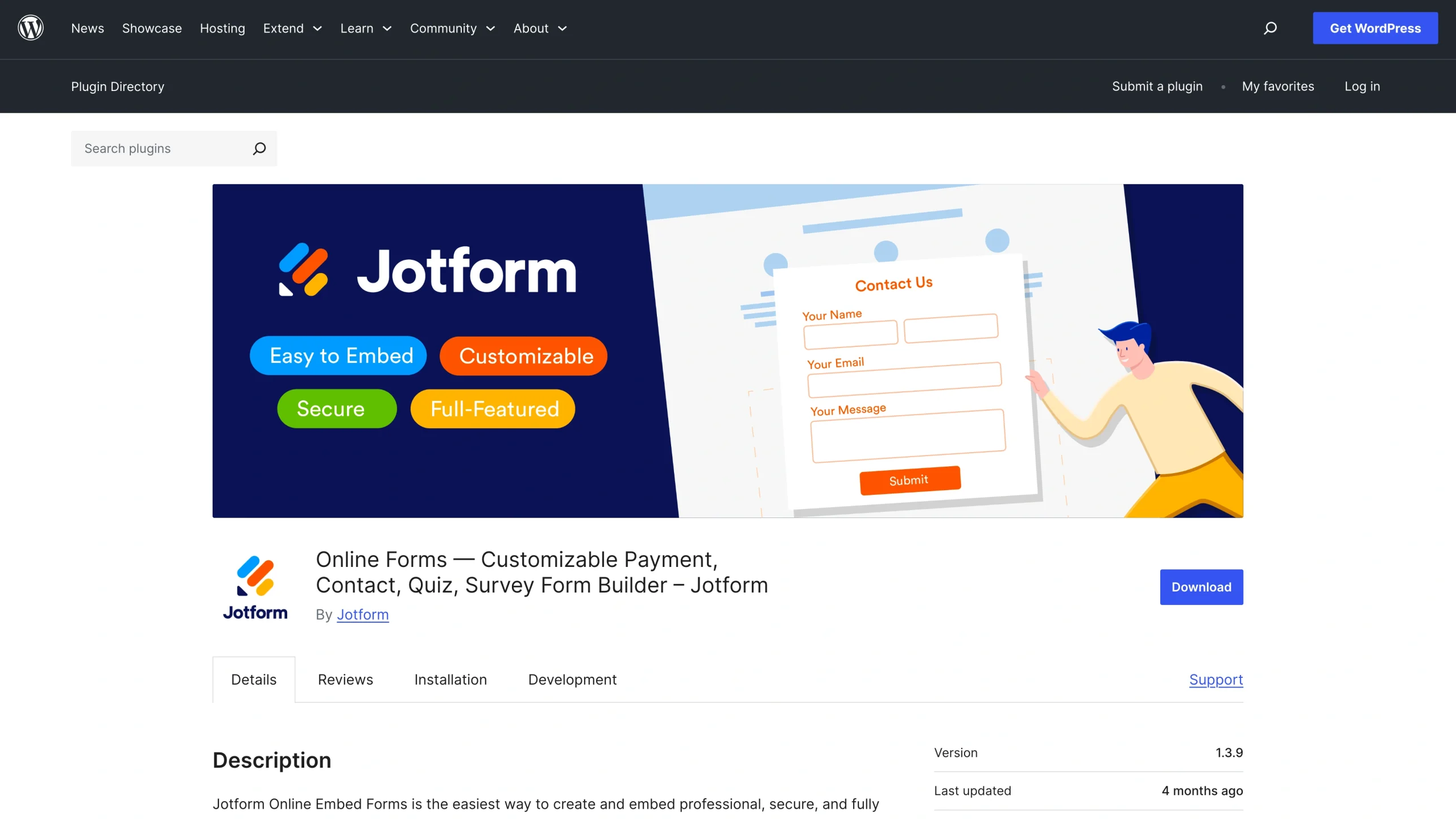
Once installed, the plug-in allows users to:
- Embed existing Jotform forms directly into WordPress pages or posts
- Display secure payment forms for products, registrations, or donations
- Collect form responses, file uploads, and payments from visitors
- Manage submissions, notifications, and workflows through the Jotform dashboard
This architecture offers an important benefit: form logic and payment processing are handled outside the WordPress plug-in environment. Because WordPress plug-ins run inside the website’s server environment, vulnerabilities in plug-ins can sometimes introduce risks to the site. By embedding externally hosted forms, businesses can separate their website content layer from their form and payment infrastructure.
5 Best practices for secure payment forms
Whether you use WordPress plug-ins or embedded forms, there are several important practices that help reduce payment-related security risks.
Keep plug-ins and integrations updated
Outdated plug-ins are one of the most common entry points for website vulnerabilities. Security flaws are regularly discovered in software, and developers release patches to fix them. If updates are not applied promptly, attackers may exploit known vulnerabilities.
To reduce this risk:
- Enable automatic updates when possible for WordPress plug-ins and themes.
- Regularly check for updates to form builders, payment integrations, and security plug-ins.
- Monitor security advisories from plug-in developers and WordPress security services.
- Remove unused plug-ins that are no longer maintained.
Keeping your software updated ensures that your site benefits from the latest security fixes and improvements.
Use trusted payment processors
Payment processing is a complex system that requires strong fraud prevention and transaction validation mechanisms. Trusted payment processors invest heavily in infrastructure designed to prevent payment manipulation and protect sensitive data. Popular providers such as Stripe, PayPal, Square, and Authorize.net implement safeguards like:
- Tokenization, which replaces sensitive card data with secure tokens
- Fraud detection systems that monitor suspicious transactions
- Strong encryption standards for payment data
- Compliance with PCI DSS security standards
Using well-established payment providers helps ensure that transactions are validated correctly and that customer payment information is handled securely.
Avoid custom payment logic when possible
Building custom payment workflows may seem flexible, but it can introduce serious security risks if not implemented correctly. Payment verification requires careful validation of transaction IDs, payment amounts, user sessions, and payment statuses.
Without some testing and security expertise, custom logic may fail to verify important conditions, such as:
- Whether the payment belongs to the current transaction
- Whether the charged amount matches the expected amount
- Whether the payment token has already been used
Whenever possible, rely on official integrations provided by form platforms and payment processors rather than developing your own payment validation systems.
Monitor transactions regularly
Even with strong security measures in place, monitoring your payment activity is important for detecting unusual behavior.
Regularly reviewing transactions can help you identify potential issues such as:
- Repeated payment attempts with unusual amounts
- Multiple transactions from the same account in a short period of time
- Unexpected refunds or chargebacks
- Suspicious form submissions associated with payments
Many payment processors provide dashboards that allow you to track payment activity, analyze transaction patterns, and flag suspicious behavior.
Setting up automated alerts and notifications can also help you respond quickly if abnormal activity occurs.
Use secure hosting and HTTPS
Encryption plays a critical role in protecting payment forms and user data.
All pages that collect sensitive information should run over HTTPS, which encrypts communication between the user’s browser and the website server. This prevents attackers from intercepting payment data during transmission.
To strengthen your site’s security:
- Install and maintain a valid SSL certificate.
- Ensure all payment forms are served over HTTPS connections only.
- Avoid loading external scripts or content that may introduce vulnerabilities.
- Use reliable hosting providers that offer security features such as firewalls, malware scanning, and server monitoring.
Secure hosting infrastructure combined with encrypted connections helps protect both customer data and payment tokens from unauthorized access.
Protecting your website’s payment infrastructure
Payment forms are essential tools for modern websites, but they also require careful security design.
The recent payment verification vulnerability discovered in a WordPress form plug-in highlights how important proper validation is when handling online transactions.
By using secure payment processors, maintaining updated integrations, and choosing reliable form platforms, businesses can significantly reduce the risk of payment manipulation.
Tools like Jotform make it easy to create secure payment forms, integrate with trusted payment providers, and embed those forms into WordPress sites with minimal setup.
For organizations collecting payments online, investing in secure form infrastructure isn’t just a technical decision—it’s an essential part of protecting both revenue and user trust.
This article is for WordPress site owners, developers, and businesses that collect payments through online forms and want to understand payment verification vulnerabilities and learn how to securely process transactions using modern form and payment solutions.























































































Send Comment: