Building software for the first computers required meticulously entering machine code, ones and zeroes, until you incanted the silicon to life. It wasn’t until the compiler, invented by Grace Hopper in 1952, that things got somewhat simpler. “It’s much easier for most people to write an English statement than it is to use symbols,” she said, as she built software that could translate commands like DISPLAY “Hello, World.” into machine code. Suddenly, creating software required only a strong grasp of logic and memorizing esoteric syntax, rather than genius-level skills at telling the computer precisely what to do.
Today, anyone with an idea can tell a computer what to build, in plain language, and get a working app built in minutes. You could literally tell an AI coding app to Build a Hello World app. And two places you might turn to do it are Replit and Cursor.
Beginner-focused tools like Replit do everything for you, from coding the app to hosting it on a server. Or you can use more developer-focused software like Cursor that uses AI to assist in the development process, while still providing access to the underlying code to run on your own servers or hosting platforms. Here are the differences between the two, so you can choose the best platform to build your software ideas into working apps.
Replit vs Cursor: Key takeaways
Choose Replit if:
- You’re new to software development and don’t have coding experience.
- You want to launch software without managing hosting.
- You want to rely on AI to build your entire app.
Choose Cursor if:
- You have development experience and want access to code.
- You want to launch software on particular hosting services and servers
- You want to use AI to assist you in coding software.
 Replit |  Cursor | |
|---|---|---|
| Best for | Building and publishing apps completely with AI | Using AI in existing developer workflows for large software projects |
| Designed for | Beginners, non-coders, and app prototyping | Developers, advanced users, and existing projects |
| AI assistance | Full AI building and deployment | AI-assisted code editing, and chat for full AI coding |
| Hosting and publishing apps | ||
| Plans/pricing | Free for limited daily usage, paid plans start from $20 per month | Free for limited monthly usage, paid plans start from $20 per month |
What is Replit?
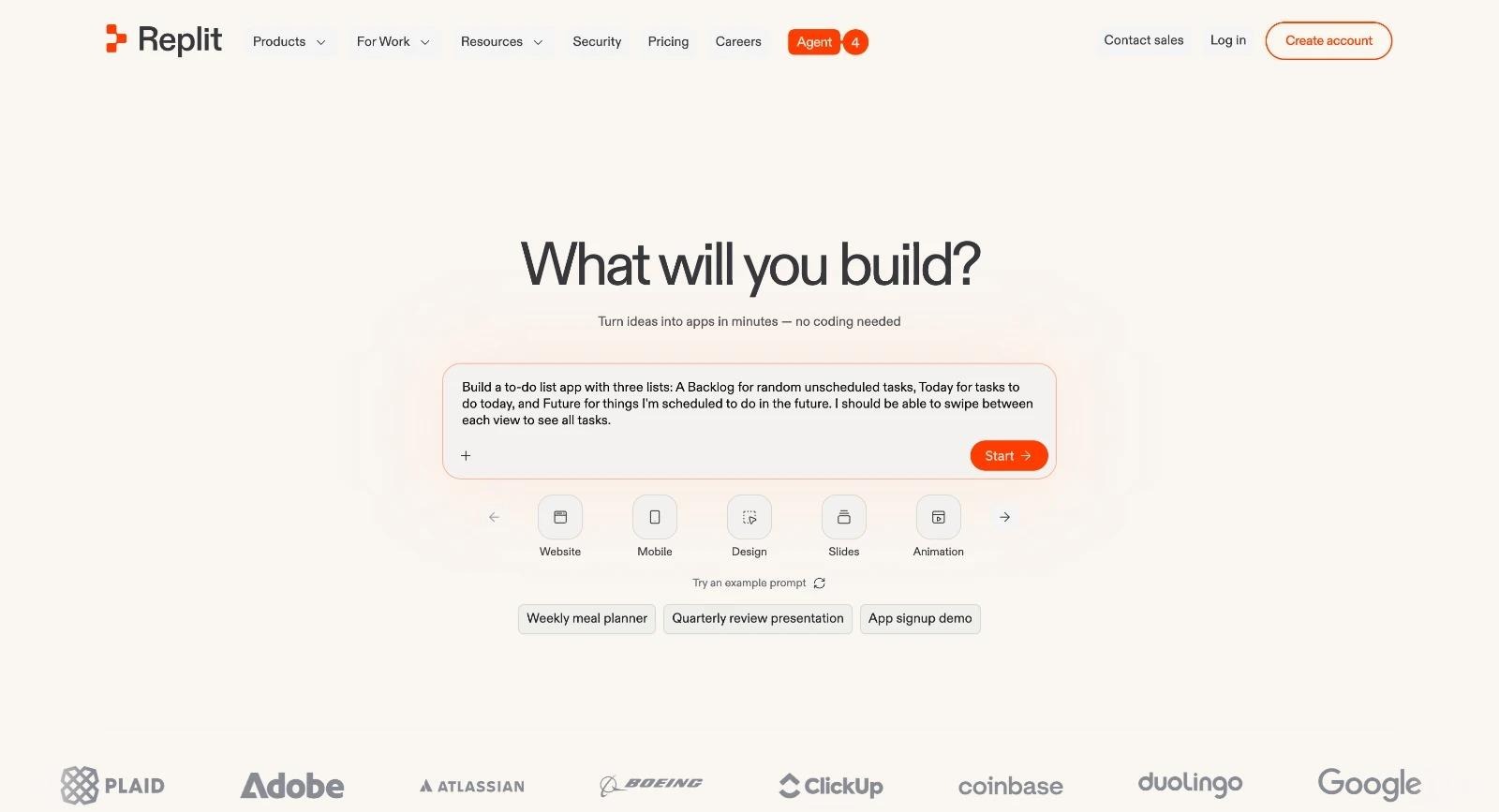
Replit is a no-code app builder designed to help users create and launch complete apps or websites from an AI prompt. It’s everything you need to turn your ideas into live, working apps in minutes.
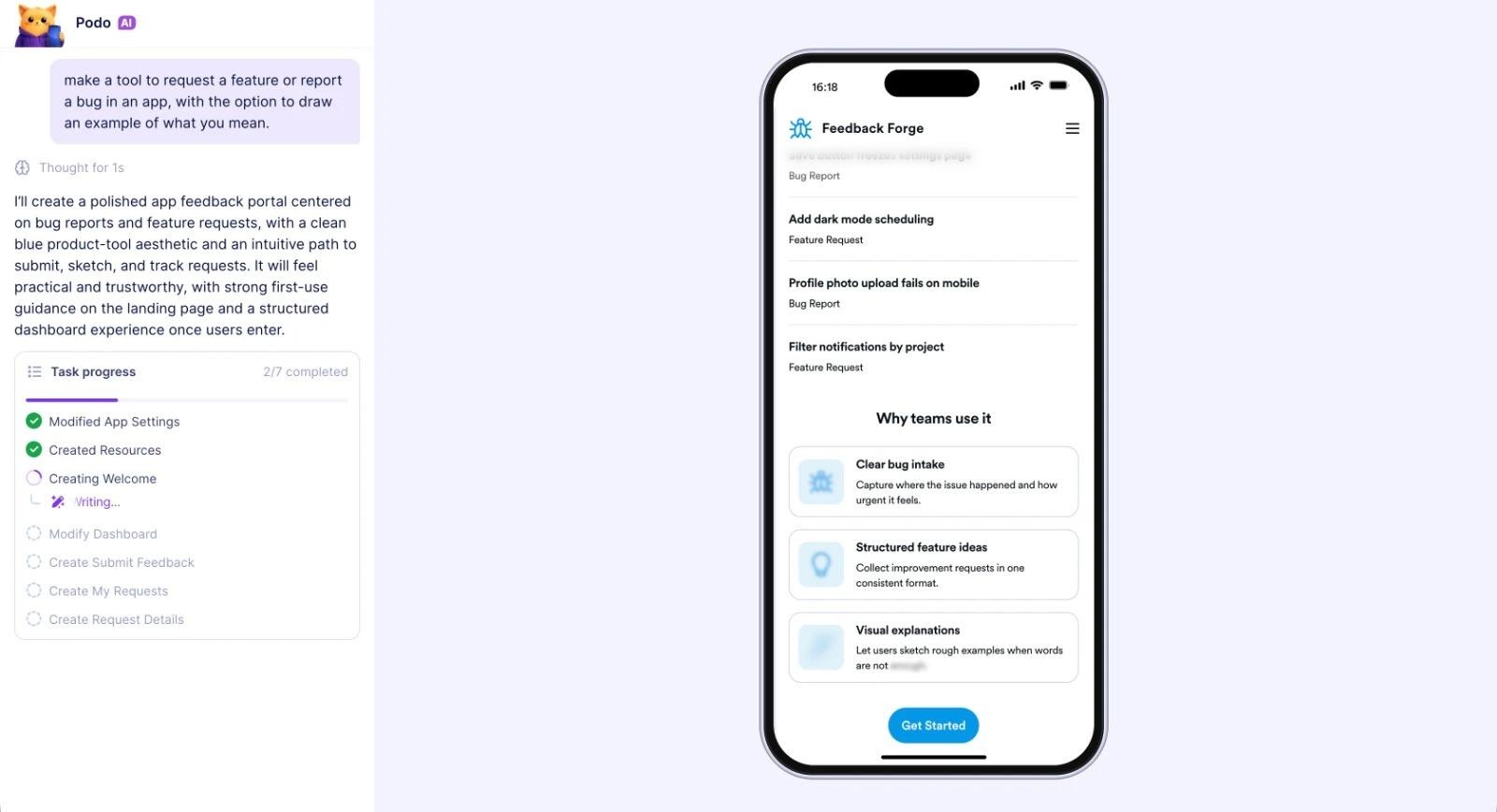
Start by telling Replit’s AI chat what you’d like to build. It’ll get to work breaking your project into steps, building a database to store information, crafting the interface, and getting it running directly inside your browser where you can click around and try it out. If everything looks good, you can then publish your app and share its link with friends and colleagues. If anything goes wrong, you can explain in the chat what needs to be fixed, and Replit will make the changes before you re-publish the app.
You can build software in Replit without knowing the first thing about coding. Or, if you have coding experience, you can view the individual files that Replit creates, sync code changes to GitHub and other code repositories, and collaborate with designer and developer colleagues on your app. You can also dig into logs, tweak settings, and more if you want — or you can stick with the defaults and focus on turning your ideas into software without worrying about any of the implementation details.
It’s an all-in-one, AI-powered software builder that takes all the complexity out of building apps without coding.
What Replit is best for
Replit is best for turning your ideas into working, lightweight apps. Its AI-first building experience lets anyone, whether you’re a developer or have never written a line of code before, quickly create functional apps. That makes it perfect for learning to code or solving smaller problems that wouldn’t be worth building more complex software to resolve.
While you could build full-featured software that you share with the world, it’s better suited for smaller, scoped projects that will be used individually or internally in a company. The good thing is that Replit does give you full code that you could take further with a development team — but it’s better for smaller projects that require less detailed iteration.
What I liked about Replit the most
My favorite thing about Replit is how quickly it builds working software. Within 20 minutes of signing up, it had coded a working version of my three-column to-do list into a working app that I could publish and share with a friend. All of that, on Replit’s free plan, without needing to think about a single setting or configuration detail. It democratizes software creation.
Replit pros:
- Quickest idea-to-finished-app builder with everything in one tool
- No need to worry about hosting or server configuration
- Detailed chat logs show exactly what changes AI makes to your app
Replit cons:
- Code is hidden; open the Library right sidebar and select File Tree to see it
- Everything in one app makes Replit a single point of failure if something goes wrong
- Building larger projects and maintaining them long-term may be more difficult
You can check out Replit alternatives to see how other platforms compare.
What is Cursor?
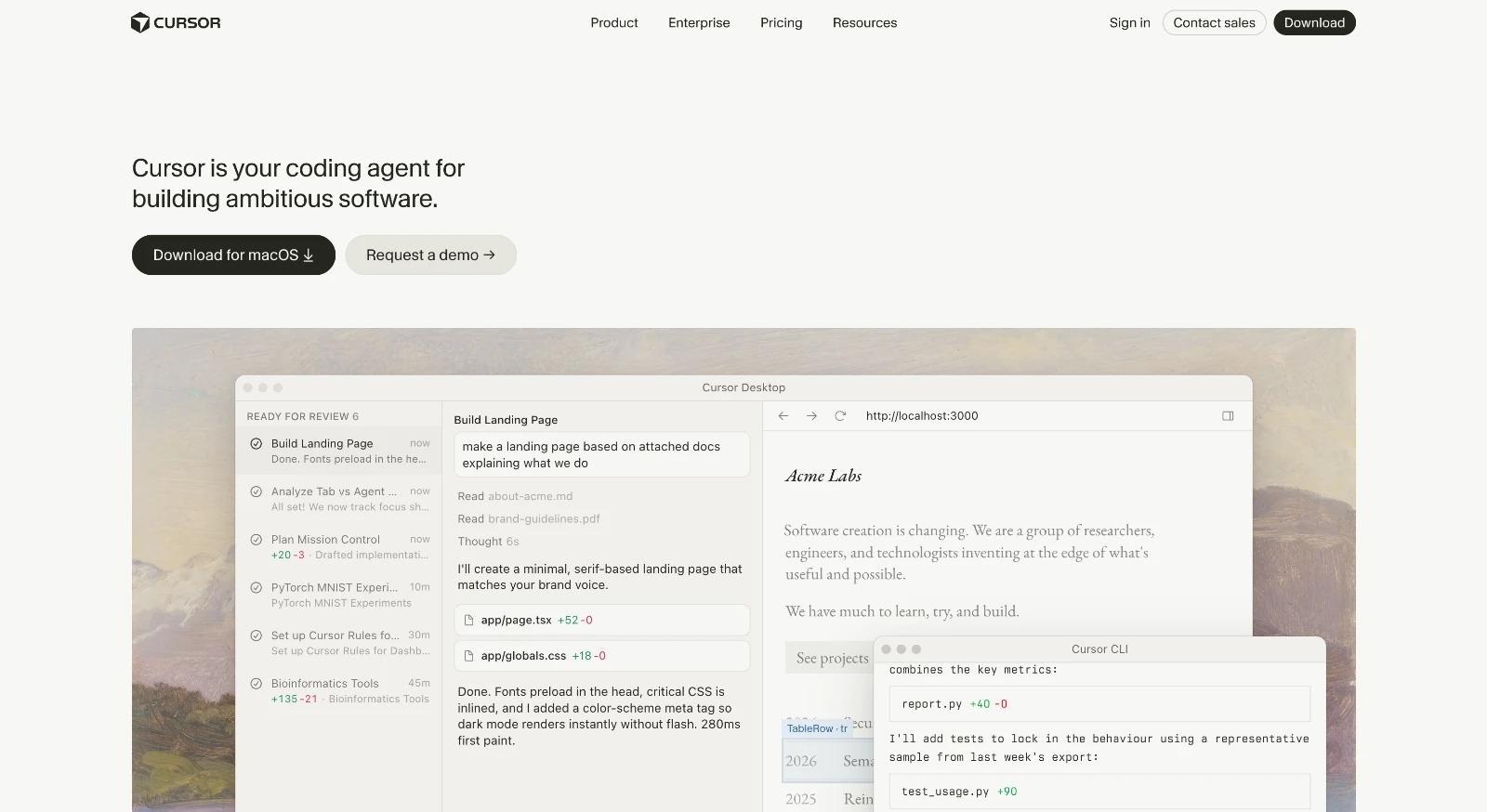
Cursor is an AI-powered integrated development environment (IDE) that combines the best AI chat features with a traditional code editor interface that’s based on Visual Studio Code. It’s a tool to add AI to a standard software development experience.
There are two core modes: agent and editor. The editor is the most like other developer tools, with a list of files on the left, a large code editor in the center of the app, and a terminal underneath. Cursor adds an AI chat sidebar to fill out the right of the screen, bolting natural language coding onto a standard development process. The agent mode, on the other hand, is focused on chat by default, with a list of conversations on the left, your chat details in the middle, and a preview of the finished software on the right.
Either mode lets you build software from the ground up with AI. Cursor stores every line of code it writes on your computer, where you can sync it with GitHub or other version control software, collaborate with other developers, and deploy finished projects to Vercel, Netlify, AWS, or your own servers. You can write code on your own, or ask Cursor to do it all for you.
It’s an easy way to integrate AI into your coding process.
What Cursor is best for
Cursor is best for building larger ideas into working software in focused coding sessions. It’s built for editing lengthy files and navigating large codebases, and it slots seamlessly into existing developer workflows. If you’re working on a code project with collaborators, you could use Cursor without anyone else needing to change anything about their work style.
That makes Cursor a great fit for developing software with AI, while still maintaining control of every aspect of your development life cycle.
What I liked about Cursor the most
My favorite thing about Cursor is how seamlessly it fits into the traditional coding workflow. If you’re already used to coding in Visual Studio Code, Sublime Text, or other code-focused text editors, you’ll feel right at home. You can search through your codebase, write code with autocomplete, and build projects in the same app with the integrated terminal. And you can lean on Cursor’s AI to edit particularly tricky bits of code, or use the chat to plan projects and code your idea into software from scratch. And with its new mobile app, you can get AI to start building out new ideas when they come to mind — even if you’re away from your computer.
It’s little wonder that Cursor is so popular with software developers who understand the general development process and just want to use AI to help them fix bugs and build software faster.
Cursor pros:
- Integrated development environment that supports Visual Studio Code extensions
- Built-in AI coding with chat and Quick Edit features
- Agents interface to build software with AI in the cloud, from your phone or computer
Cursor cons:
- Code-focused workflow requires development knowledge to build and deploy projects
- Higher barrier to entry for new builders
- Free tier has limited AI usage
Replit vs Cursor: Feature-by-feature comparison
Workflow style: Cloud IDE vs local editor
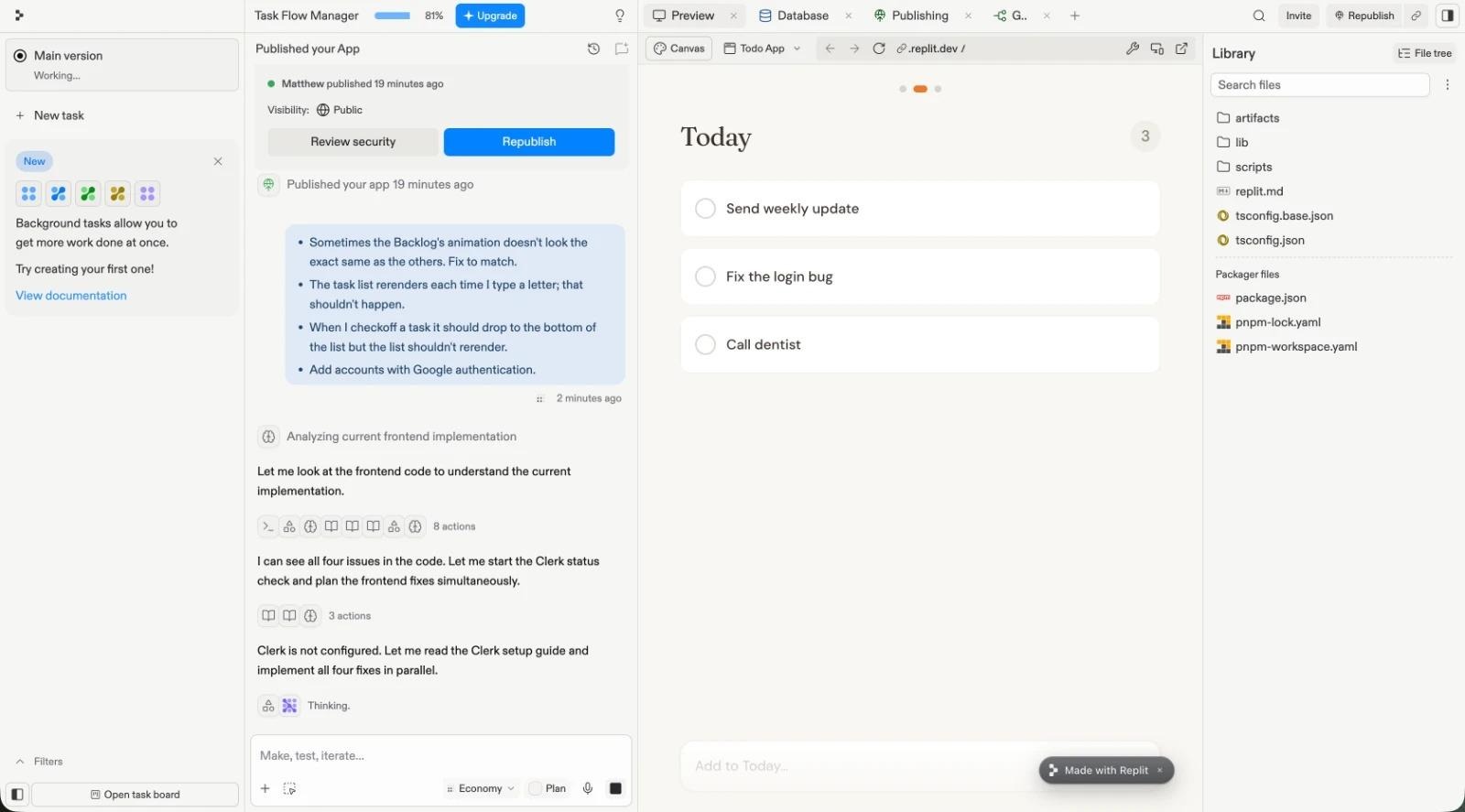
Replit is an online editor that works from your browser or its mobile apps. By default, every change you make to apps is done via an AI chat. It can sync code changes to GitHub, where you can then edit them offline, but most Replit builders would use it online with AI doing the vast majority of the software development for them.
Cursor, by default, is a local editor that you download to run on your Mac or Windows PC. It has an online agent mode, along with an iPhone app to prompt agents on the go, but most developers would use Cursor’s editor mode for the majority of projects to dig into code and ship new features with AI-assisted development.
Ultimately, Replit is easier to get started with and more convenient to use from any computer, while Cursor is more suited to focused code work in a customized development environment on your personal computer.
Setup time and onboarding for beginners
Replit takes minutes to set up. Enter a prompt, sign up to create an account, and Replit then immediately starts building your idea into working software. It guides you through everything, so even a beginner can build a functioning app just by chatting with AI. Or you could start even quicker with a template from Replit’s gallery that you can customize with AI.
Cursor itself is quick to download and install, and if you have existing projects, you can begin editing them with AI right away. That said, it takes longer to set up if you need to create your developer environment and install Git, npm, or other development tools to sync changes and build your code into working software. And for beginners, that represents a learning curve — one that can be valuable to explore and that the AI chat in Cursor can help explain, but also one that makes it slower to get started the first time.
AI coding assistance and quality-of-life features
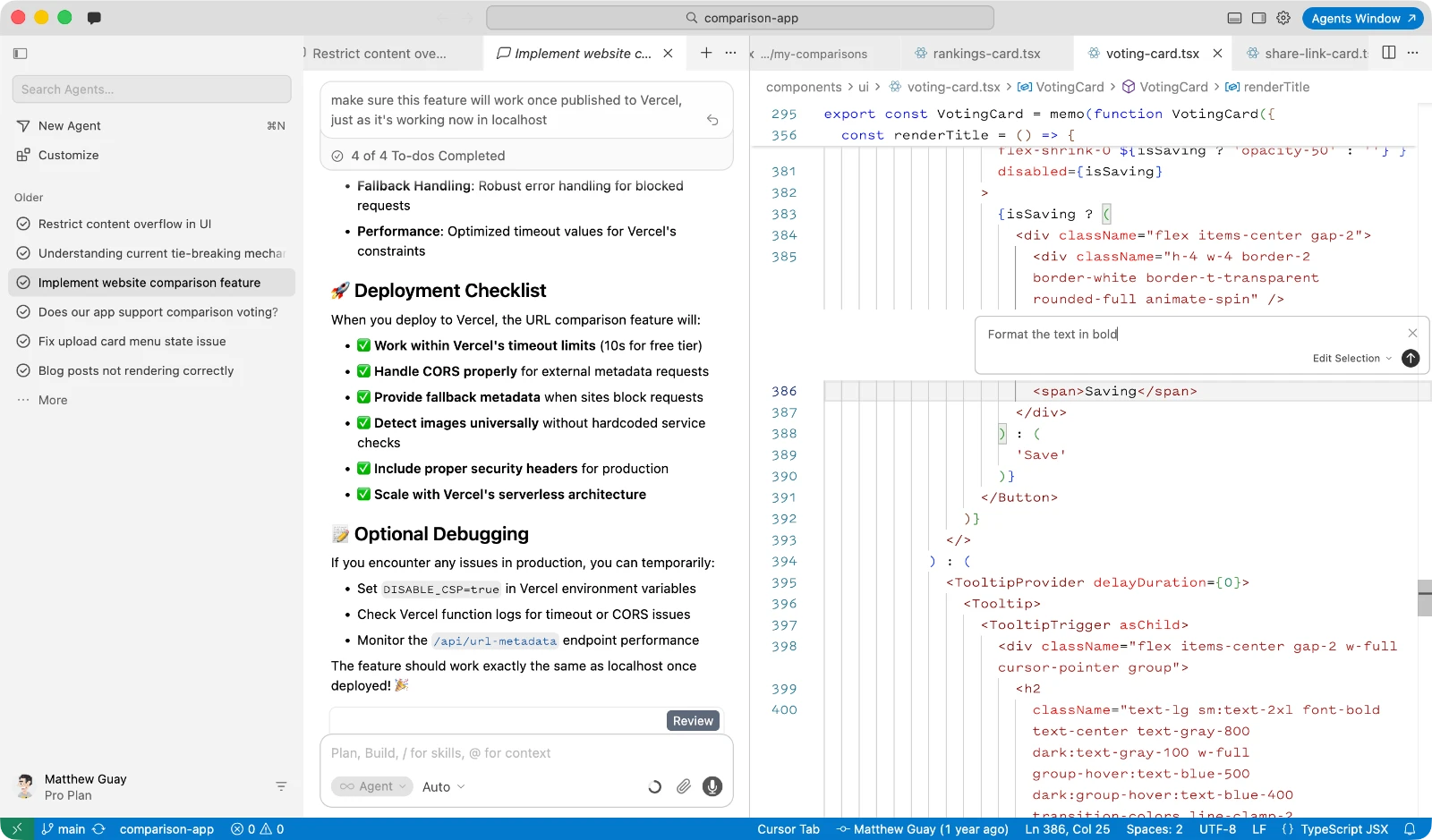
Replit puts AI front and center. It’s the first thing you see when you open the project editor, and the primary way you’ll build and update your software. You can choose from Lite, Economy, and Power AI modes, but you can’t directly choose the AI model used. And while your code is somewhat hidden in Replit by default (under the Library > File Tree button), you can select individual lines of code and query AI directly about them.
Cursor’s Editor mode puts AI to the side, with code front and center and AI there to assist when needed. You can select lines of code and either ask for a quick, in-line edit or add them to chat for a more detailed refactor. Alternatively, you can chat directly about the project to identify issues, build out new features, or fix bugs and prepare for launch. And with the agent window or mobile app, you can also rely solely on AI to build changes into your codebase without reviewing each line of code.
Collaboration and sharing
Replit started life as an online, collaborative code editor — and that ethos lives on in the app today. Paid plans let you invite collaborators to work directly in your app development environment, where they can chat with agents and build changes directly inside Replit. You can co-edit code manually together, too, if you’d like to loop in a developer to resolve issues the AI can’t fix on its own or for live pair programming and code review from your browser.
Cursor is built around a traditional, desktop IDE and is designed for coding on your own by default. Instead of live pair programming, you’ll commit changes to your code repository and open pull requests for other developers to review your changes and merge them in. That’s a better fit for collaborating with existing developer teams that are used to working individually and then merging changes into a larger project.
Integrations, extensibility, and ecosystem fit
Replit, as a web app, includes a wide range of integrations with popular business software. You can connect to email newsletter apps like ActiveCampaign, form builders like Jotform, payment providers like Stripe, databases like Airtable, notes apps like Notion, and much more — all from built-in integrations. You can also connect to MCP servers to let your agents look up data inside business apps and use it directly while building apps.
Cursor, as a development tool, includes a marketplace of plug-ins to add features to your editor and agents. In addition to the wide range of Visual Studio Code plug-ins that work natively in Cursor, you can also connect to design tools like Figma, developer software like Linear, data tools like Datadog, and collaboration software like Slack to build software around existing designs. In this way, you can use AI to fix bugs on your backlog and update your team on the latest changes automatically.
Pricing and total cost of ownership
Replit and Cursor both offer free plans with full access to core features. Cursor’s free plan includes the full-featured code editor, along with limited monthly access to AI chat. Replit’s free plan includes limited daily AI usage (enough to build and launch a simple to-do list in one day, in my tests), along with publishing one project on Replit’s domain.
Both Replit and Cursor start at $20 per month for basic levels of AI coding access. Their higher-tier plans can cost multiples of that, with Replit Pro costing $100 per month and Cursor Ultra costing $200 per month. Pricing is generally based around how much AI credit you use. Neither tool lists specifically how much AI usage each tier includes, so you’ll need to spend some time in the software to get a feel for how quickly you burn through your credit to know which plan you’ll need over time.
With Cursor, though, you’ll also need additional tools to host and collaborate on code, deploy your software, store databases and files, and more. That can add up to a much higher total cost for smaller projects, though with the benefit of more control over your software.
Replit offers a lower total cost, especially for smaller projects. All plans let you publish software directly with Replit, including hosting, databases, and more — though hosting costs can eat into your monthly plan’s credit along with your AI usage.
Use case guide: Which tool fits your project?
Choose Replit if you want a complete browser-based building and sharing workflow
Replit is best for creating software without coding. You have an idea and want to build it, but don’t want to set up a development environment or dig into the code and server details yourself.
You can build a Replit project from a Chromebook or iPad, or on a shared computer where you can’t install software. You can build Replit projects during hackathons and workshops, or even whip up a quick demo to share during a meeting. And you can create apps that you rely on, even if you never share them with the world — something where it might not otherwise make sense to maintain and pay for dedicated hosting.
Choose Cursor if you want an AI-first coding experience on existing local projects
Cursor is best for adding AI into professional development workflows with large codebases and existing code repositories and development tools. Whether you’re starting a new project that you know will grow or are deeply refactoring an existing codebase, Cursor’s AI tools slot directly into existing workflows.
You can jump right into existing code with Cursor. Or you could start a new project, using AI to build it from the ground up while managing the code yourself. You can collaborate with tools your team already uses like GitHub and Vercel. And you can code on the go with AI, while still saving the changes to version control.
Choose Replit if you are prototyping and your main constraint is time
Whether you’re a professional software developer or have never written a line of code in your life, the faster you can go from idea to working software, the more likely you are to actually ship your project. That’s where Replit wins, hands down.
If speed matters most, and you’re less concerned about the project’s longevity and more concerned about turning your idea into something that works, Replit is the easiest way to build working software that you can share with others. No need to worry about where to host the project or which domain to use — just share your idea, chat with the AI until it’s working the way you want, and click publish.
Build and ship a no-code workflow app faster with Jotform Apps
Not every app idea needs to reinvent the wheel. When you’re coding an app with tools like Replit and Cursor, you’re building everything from scratch, including databases, forms, authentication, and more. AI will pull from existing libraries and frameworks to simplify the work, but you’re still maintaining a project where you have to think through every small implementation detail.
Jotform Apps is a no-code app builder that takes care of everything for you. It’s built on top of Jotform’s form builder, so it’s perfect for intake, request, approval, and registration apps that are built around gathering data. Instead of needing to think of every form feature to ask your AI builder to implement, you can build functional apps much quicker in Jotform Apps by drawing on its built-in form features. Anyone from sales to support, comms to citizen developers, can build working software in minutes with Jotform Apps.
It comes packed with a wide range of app builder features — everything from tools to sell products to an embeddable AI chatbot. And it features all of Jotform’s advanced form features, including Google, Microsoft, Apple, and Salesforce sign-in as well as payments from over 40 providers including Stripe and PayPal. Since it’s built around Jotform forms, data is stored in Jotform’s database, making it easy to export as a spreadsheet to analyze later. Apps are responsive, ready for mobile and desktop use out of the box, and you can share them directly with a link or a QR code. What’s more, they can draw on all of Jotform’s capabilities, like e-signatures and AI chatbots, so that you can build advanced features into your apps.
In a single prompt and in under five minutes, I built a Jotform App to report bugs in my to-do list app, complete with a list of reported bugs and a form to submit new ones. I built that automatically with a prompt, but you could build similar data-driven apps in even less time with Jotform’s library of over 3,200 no-code app templates.
Jotform Apps isn’t going to help you build the next Instagram. Instead, it’s a great example that, on the spectrum from no-code to low-code, sometimes the best solution to build an app is the one that includes most of the features you already need. If you’re building a data-gathering app, something to gather intake data or sell event tickets or manage inventory, a Jotform App lets you ship a polished workflow app quickly — zero coding, deploying, or bug fixes required.
If you need a custom app fast, the Jotform AI App Builder can help you go from idea to launch in minutes. Give it a try for free today.
Build apps in ChatGPT or Claude
With Jotform App Builder for ChatGPT & Claude, you can create apps through conversation, then open and customize them directly within your AI workspace. No coding or switching between tools required. Get started in ChatGPT or Claude.
Which AI coding app is best for you?
The key difference between Replit and Cursor is how much the platforms do for you, and how much you need to do on your own.
Replit is best for beginners who want to turn ideas into software without worrying about anything else. Cursor is best for developers that want to code faster with AI, while maintaining control over their projects.
The best choice depends on how you’d like to build, collaborate on, and ship software. If you want to focus on the ideas and not the implementation details, and work alongside designers and other non-developer team members, choose Replit for the quickest way to build software with AI. If you want to focus on the details and work alongside developers in professional software environments, choose Cursor for a seamless way to blend AI with code.
The good thing is that both tools have free plans and are easy to use. Pick an idea you’ve been itching to build — a to-do list that works the way you want, say — and prompt the app you pick to build it. Then dig in and iterate, by hand or with additional AI prompts, to hone the project into the app you’ve dreamed of and see how well the tool you picked fits your ideal workflow.
You’ll be surprised how much software you can build today with just a plain sentence.
FAQs about Replit vs Cursor
Yes, Replit can be used in tandem with Cursor if you enable GitHub, Bitbucket, or GitLab sync in Replit. That saves your entire Replit project’s code into version control, where you can edit the code offline in Cursor or other coding apps, merge in or roll back changes, use Cursor’s AI on your Replit projects, and collaborate with other developers around your Replit-generated code.
Replit is better for beginners who don’t know how to code. Anyone can explain their basic app idea to Replit in chat, and minutes later can use and share the actual app without needing to worry about code, hosting, or any other technical details.
Cursor is better for beginner coders. Anyone with cursory knowledge of coding, frameworks, Git-style versioning, and hosting — or with the willingness to ask questions and learn along the way — will be able to build more advanced software in Cursor and grow it through the software development life cycle than they could in Replit. If you’re starting from absolute zero, though, Replit is the better option.
For coding, Replit and Cursor are very similar in price. Both Replit and Cursor offer free plans for basic usage, and cost $20 per month for their base plan. Cursor’s base plan costs only $16 per month when paid annually, though, which is somewhat cheaper than Replit’s $18 per month annual plan. On the high end, Replit’s top plan costs $100 per month, while Cursor maxes out at $200 per month for individual plans.
Replit is cheaper on the whole for developing and deploying an app all from one subscription. A Replit plan covers AI coding along with app hosting, making it much cheaper for hobby coding. Cursor, on the other hand, is built solely around coding — leaving hosting and deployment in your hands. That makes it cheaper if you need direct control over your app’s hosting and already have existing servers, Vercel accounts, or other deployment tools.
This article is for developers, students, and small teams comparing Replit and Cursor to decide the best AI-assisted coding workflow for building and shipping apps quickly; also no-code curious builders who are evaluating whether they even need a code-first tool to launch an MVP.



































































































Send Comment: