Start with these essentials:
- You do not need a full website to start selling on Instagram. Jotform Instagram Agent helps you stay active 24-7, respond to customers faster, and turn conversations into sales.
- Posts, Reels, and Stories help attract attention, but direct messages (DMs) are where many Instagram sales happen.
- Manual replies can slow sales, especially when followers repeatedly ask the same product, shipping, or pricing questions.
- Payment links and no-code online storefronts help you close sales without sending customers off to a full e-commerce site.
If you’ve got something to sell, such as a physical product, a coaching program, or an online course, Instagram is one of the easiest ways to start making sales without owning a website.
With a massive monthly audience of 3 billion users, the social platform is a great place to reach new audiences, garner attention, and drive direct sales through engaging visual content. But selling on Instagram requires more than posting product images and videos. You need a reliable way to respond to customers, nurture their interests, share purchase links, and collect payments before they leave the app. This article covers some practical ways to sell products on Instagram, and with the use of posts, Reels, Stories, and automation that turn your DMs into a sales channel, you don’t even need a website to do it.
Can you really sell products on Instagram without a website?
Yes, it’s possible to sell products directly on Instagram without a website.
This typically involves doing three things:
- Using posts, Reels, and Stories to showcase your product
- Answering questions in your DMs about pricing, sizing, and shipping
- Giving customers a shareable checkout or storefront link to purchase from instead of sending them to a traditional e-commerce site
Instagram selling is how I’ve been running my side business for the past year. I co-own a men’s jewelry business, and new customers find us through our content, ask questions about pieces in the DMs, and complete their payment via a purchase link shared in the chat. This setup creates a shorter conversion path with fewer places to drop off.
Pro Tip
If you’re still deciding between Instagram and a full e-commerce setup, our guide on how to sell online breaks down all the options for you.
What you still need to sell on Instagram
While you do not need a website to sell products on Instagram, you still need a system for marketing your products and closing sales. Here are the essentials:
- A clear product or service offer: From the moment potential customers land on your Instagram page, it should be clear what you’re offering, who it’s for, and why it’s worth their money. Physical products should be showcased in clear, beautiful pictures and videos, while services need a straightforward presentation that buyers can understand right away.
- A way to answer buyer questions quickly: On Instagram, most customers indicate their interest via comments and finalize their purchase in a DM. The faster you respond to inquiries about pricing, availability, or shipping, using quick reply Instagram messages or automation, the more likely a curious follower is to become a paying customer.
- A link to a payment form, an order form, or a storefront: When a customer is ready to pay, you need to give them a way to complete the purchase without friction. That could be a payment link, an order form, or a simple storefront.
- A system for collecting customer details: Even without a website, you still need to collect and maintain records of information such as customers’ names, phone numbers, shipping addresses, sizes, and preferences. This is usually achieved through order forms, spreadsheets, or a simple CRM tool.
- A way to manage orders, bookings, and follow-ups: Whether you’re shipping products, scheduling appointments, or delivering digital downloads, you need a system to track and manage orders and to follow up with customers when necessary.
When Instagram serves as your main storefront, choose a handle that customers can recognize, remember, and share. If you’re setting up your business account and need ideas, Jotform’s free Instagram Username Generator can help you explore options. Enter your brand name and what you sell, select Business, and choose a relevant category to generate a shortlist. Keep your business identity clear, and check your preferred username directly on Instagram—the tool suggests names but doesn’t check availability.
Instagram gets your business in front of potential customers, but that visibility translates into revenue only when there’s a reliable system in place to nurture interest and convert it into sales. The biggest gap for most businesses is real-time communication, and that’s where Jotform Instagram Agent comes in. It handles the conversations that come through your comments, DMs, and Stories so interested buyers don’t have to wait for manual responses.
How to sell things on Instagram without a website
The following step-by-step guide to selling things on Instagram should help you get set up and start earning revenue quickly and effectively.
1. Sell through posts, Reels, and Stories
Instagram is a visual platform, so most sales begin with content marketing. Posts, Reels, and Stories let you attract buyers as you showcase your products or services. This means before someone makes a comment or DMs you with questions about pricing or shipping, they’ve most likely seen a post, Reel, or Story that made them stop scrolling and consider making a purchase. For a deeper dive into how content and social platforms work together, see our guide to social media content marketing.
Posts
Posts are the foundation of your Instagram feed. They show visitors what you sell the moment they land on your profile. Instagram posts come in two formats: single images and carousels (up to 20 swipeable slides in one post). Both work well for businesses that sell visually appealing physical products, such as jewelry, apparel, beauty, skin care, home goods, and food. You can use posts to showcase your product, demonstrate how it’s used, share customer reviews, or announce new product launches and limited drops, but carousels are more effective for engagement than single-image posts.
Carousels give you space to slow down and show off details such as the texture of a fabric, the shine of a polished shoe, the steam rising off a fresh dish, or the engravings on a ceramic product. For example, Eorna Pottery, a Scottish potter, uses carousel posts to show her products across multiple slides. Some show close-ups of the glaze, and others show the surface texture on cups and bowls in greater detail.
A buyer who pauses to swipe through three to six slides spends more time with your content than someone who glances at a single image. That extra time can turn into a comment, a DM, or a saved post. According to Socialinsider’s 2026 benchmark report, carousel posts drive the highest engagement and save rates across all brand sizes on Instagram. And saves matter: Instagram’s algorithm treats them as a strong quality signal, boosting saved content to a wider audience.
Keep these tips in mind when creating carousel posts:
- Hook your audience with the cover slide: The first slide should spark curiosity or earn a save to keep viewers sliding, so lead with your strongest visual: a finished product, a before-and-after comparison, or a detail shot that addresses what your buyer cares about most.
- Write captions that invite a reply: Use captions that give buyers a reason to start a conversation. Instead of only telling them how to make a purchase, describe the product or help them visualize what life might look like once they have it. Creative captions help your products stand out in a busy feed and improve engagement.
- Don’t be afraid to make carousels longer: Where it makes sense, go beyond a few slides to showcase the value of your product. A seven-slide post that covers the product, use cases, pricing, and customer reviews can drive engagement and build trust.
Reels
Reels are vertical, short-form videos (up to three minutes long when recorded on Instagram or up to 20 minutes when uploaded from your device) that help your content get discovered by new audiences on Instagram. They live in their own dedicated tab and appear in the main feed and on the Explore page as well.
According to Socialinsider’s 2026 social media benchmark report, Reels consistently drive the most comments of any content format on Instagram, and that engagement multiplies as your account grows. They also have several potential uses. You can use Reels to show products in motion, share tutorials and how-to demonstrations, offer behind-the-scenes footage of how things get made, or ride the latest audio trends to reach fresh audiences. Beauty brands use Reels for makeup and skin care transformations; apparel and fashion brands use them to debut clothing hauls; food and beverage brands use them for recipe demos; and creators and coaches use them for snippets of advice.
Instagram educator Elise Darma recommends creating a Reel to introduce yourself and your business and pinning it to the top of your profile. A pinned intro Reel adds personality and gives people a sense of what you offer as soon as they land on your page.
A few best practices for selling through Reels:
- Hook your audience in the first three seconds: People (including me) scroll quickly on Instagram. What people see within the first three seconds determines whether they stop scrolling or keep it moving, so lead with your strongest visual or with a curiosity-driven text overlay.
- Keep it short: Even though Reels can now run up to 20 minutes, shorter Reels of 15 to 30 seconds tend to perform best because they’re easier to watch and share with friends. Instagram also warns that longer Reels (i.e., Reels longer than three minutes) will not be recommended to new audiences.
- Invite conversation with your caption: Captions that prompt a reply give your audience a reason to move from passive viewership to active conversation. Ask viewers to comment with a specific keyword, such as “INFO” or “BUY,” to trigger a DM, or invite them to share their own experience or a related problem they’re facing.
- Use trending audio: Trending sounds boost discoverability on Instagram. When you use one, your Reel can appear on that audio sample’s discovery page, making it visible to a wider audience.
- Create content people will want to share: In an interview, Instagram CEO Adam Mosseri confirmed that sharing a Reel through your DMs is one of the top-weighted signals for Reel distribution. If more people share your Reel with friends via DM, the algorithm is more likely to push it to new viewers. For tools that help speed up content creation, check out the best Instagram AI tools.
- Add captions: Mosseri also noted that about half of Instagram users watch videos without sound. Adding captions helps your message land even on mute and improves accessibility.
Stories
Stories are full-screen photos and videos that appear at the top of the Instagram feed and disappear after 24 hours. Unlike posts and Reels, which are designed for discovery and long-term reach, Stories are best for spontaneous, authentic moments. They’re your most direct line of connection to the people who already follow you.
Meta confirms that more than 500 million people watch Instagram Stories every day. That means that resharing a Reel or a carousel post to your Story can increase its visibility. Posting your products on your Story also makes it easier for buyers to engage with your business. A simple reply to a Story lands straight in your DMs, prompting a conversation that could turn into a sale.
Their short 24-hour lifespan also makes Stories excellent for creating urgency. You can promote a limited drop, a flash sale, or a last-chance reminder; the content disappears within a day, which makes the deadline feel real. Instagram lets you keep important Story moments longer than 24 hours by adding them to your profile as Highlights. You can use Highlights to keep the details buyers ask about most, including how to order products, shipping and return policies, customer reviews, and FAQs, right below your bio.
A few best practices for selling through Stories:
- Keep it interactive: Instagram Stories offer polls, quizzes, question stickers, hashtags, @mentions, and many more interactive features to turn viewers into active participants. Plus, every reply lands in your DMs, giving you a natural opening for real conversations.
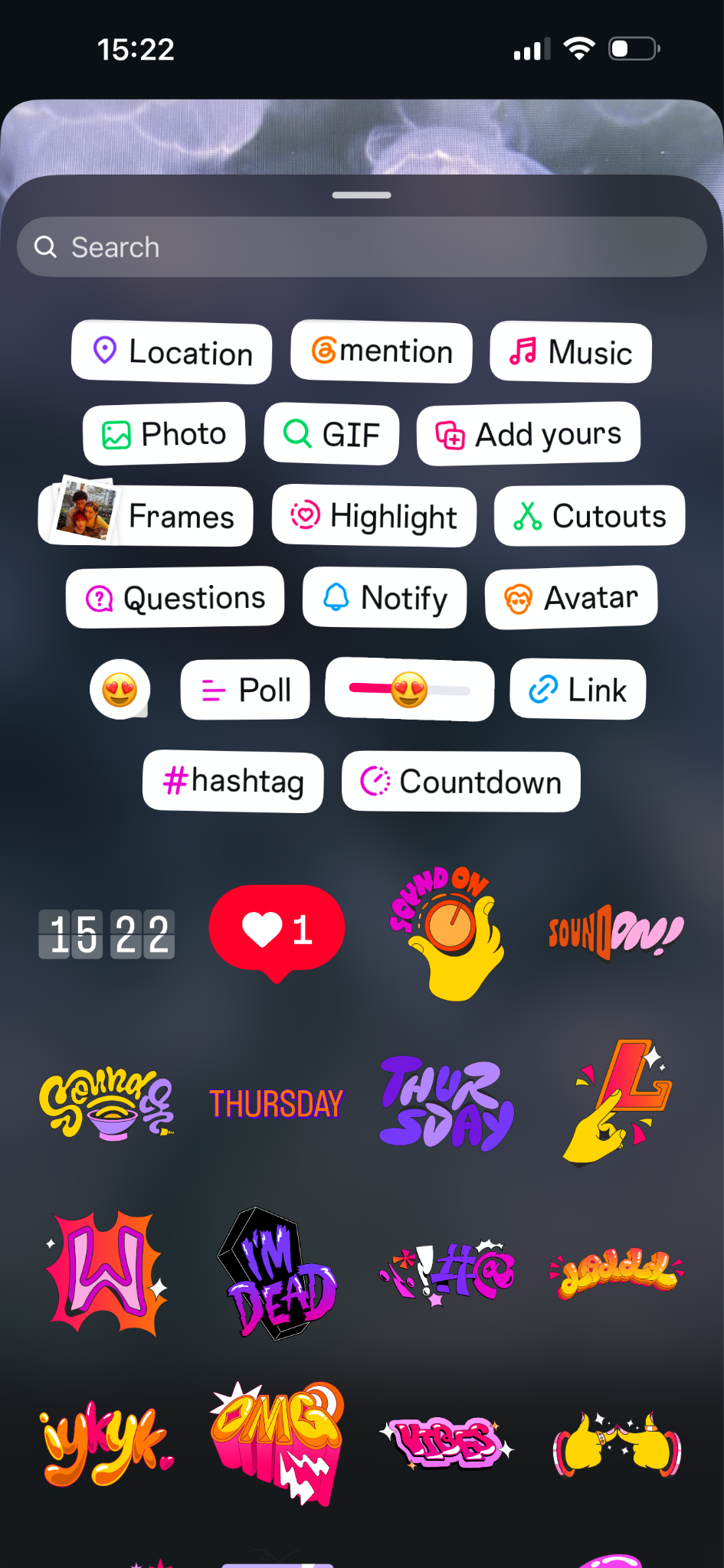
- Use the link sticker on product Stories: The link sticker lets buyers go directly to a checkout page, product form, or storefront without leaving the Instagram app.
- Add the countdown sticker for launches and sales: The countdown sticker builds anticipation, and followers can tap it to get a notification when the countdown ends.
- Post daily: Stories reward consistency more than any other content format. Even one to three Stories a day will keep your brand at the front of your followers’ Story tray.
When adding hashtags to your Stories, choose terms that describe the product or moment you’re sharing. If you need ideas, Jotform’s Hashtag Generator can help you explore options. Enter a topic such as “behind the scenes of handmade jewelry,” select Instagram, and keep the suggestions that fit your Story.
Posts, Reels, and Stories all help to spark interest and pull buyers into a conversation with you, but none of them will close a sale on their own. When those questions from prospective buyers flood your DMs, you need a reliable way to reply quickly and turn interest into sales.
2. Turn Instagram DMs into your sales channel
DMs are where sales really close on Instagram. When someone sees a Reel, a carousel post, or a Story that catches their interest, they leave a comment or slide into your DMs to ask questions. If you respond quickly to inquiries about pricing, sizing, availability, or shipping, they’ll usually ask for a payment link to finalize the purchase. For a small business getting only a couple of inquiries daily, this manual system works well, but it falls apart when messages arrive outside your working hours or during a launch, when inquiries pile up faster than you can type. Interested buyers don’t want to wait, and slow replies are the fastest way to lose customers.
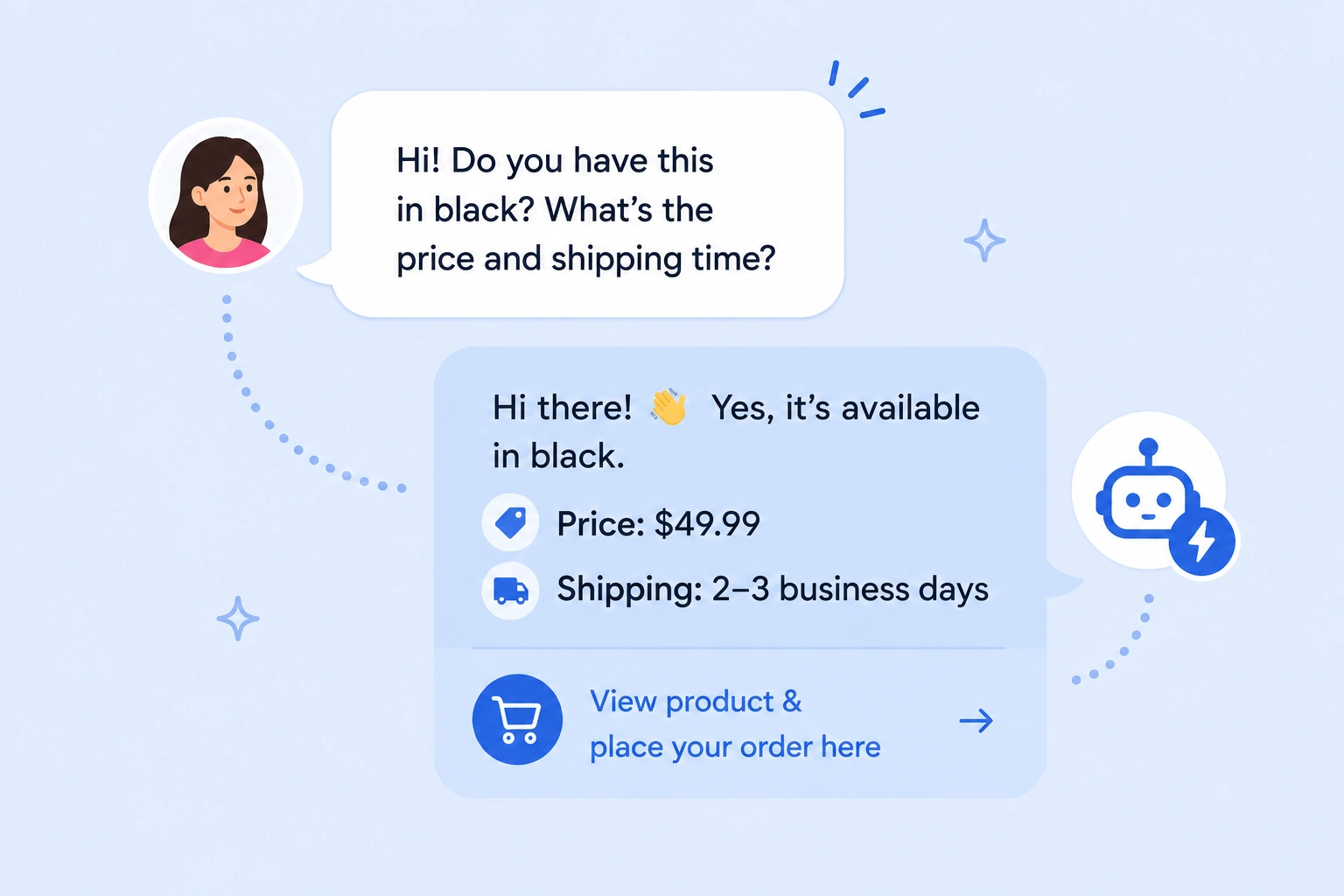
The Jotform Instagram Agent fills this gap. It delivers instant replies to every comment, DM, or Story response in your tone of voice, keeping interested buyers engaged even when you’re not on your phone. The AI Agent can also send product links and guide buyers through checkout, closing sales without requiring you to be online. Even as a small business, I use the AI Agent to handle inquiries that come in overnight when I run paid ads on Instagram. That way, I never miss a sale due to a delayed response.
Pro Tip
If you’re weighing options for social media automation tools, our roundup covers the top players to consider.
3. Share a payment link or an order form
One of the trickiest parts of selling products without a website is collecting payment. Without a checkout page, sellers often patch together manual processes such as sending payment handles in a DM, asking for shipping details in a separate message, and following up to confirm the transfer went through. The problem, however, is that every extra step is a chance for a sale to lose momentum and for a buyer to get cold feet.
When a customer says they’re ready to pay, you want to give them one link that handles everything at once. That’s what payment and order forms do. Payment forms work best when the buyer needs to pay only a set amount, such as a donation or a deposit. Order forms, on the other hand, allow buyers to make product selections and choose quantity, size, or customization details as part of the payment process. You can either share one through your DMs or add it to your bio as an Instagram storefront alternative.
Payment and order forms can capture whatever information you need to close a sale. If you’re selling a small catalog of products, an effective order form can present all your options without the overhead of a full e-commerce site. You can even use it to collect custom orders, including specifications and payments, in a single submission. For service-related payments, event registrations, or deposits, you can use payment forms to turn a DM inquiry into a completed transaction without leaving Instagram.
Jotform offers thousands of payment and order forms suitable for every kind of business. The forms let you receive online payments through 40-plus payment integrations, and you won’t pay any additional transaction fees beyond your payment processor’s standard rates.
4. Automate the handoff from conversation to checkout
When you’re starting out on Instagram, the challenge is getting people to notice you, but once you start gaining traction, the harder problem becomes turning conversations into purchases while interest is still high. At small volumes, replying to every comment and DM by hand might seem manageable, but once conversations start arriving at odd hours or piling up in volume, you need to find a way to answer questions about pricing and shipping, send product or booking links, and capture leads who aren’t ready to buy yet, all without keeping buyers waiting.
The Jotform Instagram Agent is the solution. It connects to your Instagram account; learns from your profile, past messages, and posts; and then generates natural replies to comments, DMs, Story responses, and tags. This way, the messages it sends reflect your brand voice, follow the way you already talk to customers, and cover the questions you’re used to answering.
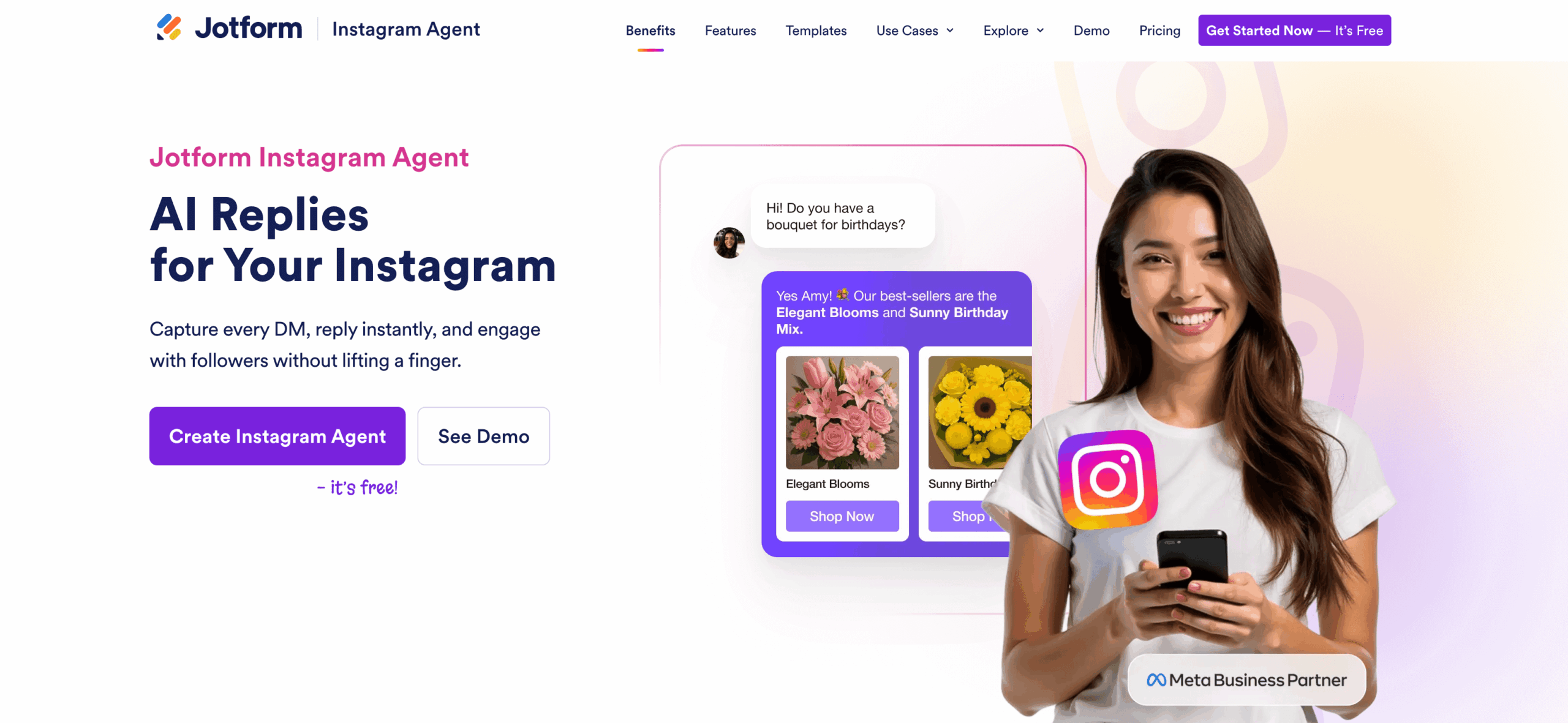
Once connected, the AI Agent starts handling conversations in the background, thinking through each message before replying and escalating to a human teammate when a situation calls for it. This allows you to stay responsive and consistent even when you’re not online.
The Jotform Instagram Agent also connects to the other business tools you already use. If a potential customer wants to book a consultation, the AI Agent can send a Calendly link and add the appointment to your Google Calendar. If they place an order, it can log the customer’s details in Google Sheets, send you a Slack notification, or trigger a follow-up workflow. And because Jotform Instagram Agent operates through Meta’s official API, you can rest assured that it’s safe to run on your business account.
You can try the Jotform Instagram Agent for free with a Jotform account.
Best ways to promote your Instagram selling link
Whether it’s a payment form, an order form, or an online storefront, your Instagram product link works only if people can find it. Use these tactics to put it in front of them:
- Put the link in your bio: Your bio is the most visible part of your Instagram profile. Point it directly to your payment form or product order forms, and reference it in your posts and Stories so followers know where to find it.
- Use Story replies and mentions: When a customer replies to a Story or tags you in one of theirs asking about a product, send a reply with the payment or order link. Because the buyer has already signaled interest, the link lands in a warm conversation they’ve started.
- Add “DM me” or comment-keyword calls to action (CTAs) in captions: Ask interested followers to comment “PRICE” or “SHOP” to trigger a DM from your Jotform Instagram Agent with pricing details. This gives buyers a clear next step and pulls them straight into the channel, where you can close the sale.
- Pin your highest-converting post: Instagram lets you pin up to three posts to the top of your grid. Use those slots to feature your best-performing sales content and posts that answer important customer questions so that first-time visitors see your strongest sales pitch before they see anything else.
- Reuse the same offer across Reels, posts, and Stories: Buyers rarely act the first time they see a post. Repeat the same offer in different formats over the same week (a Reel showing the product in use, a carousel post showing its details, a Story with a sales countdown) so the message compounds each time they scroll.
The stronger your CTA and promotion, the more DMs and comments you’ll get. That means you’ll need a system to keep up with the volume of interest and to ensure sales opportunities don’t slip away. Jotform Instagram Agent is built to handle high-volume messaging and prevent leads from sitting cold in your inbox.
The biggest mistakes sellers make on Instagram without a website
Here are a few common mistakes to avoid when selling on Instagram without a website:
- Relying only on manual DMs: Manual replies slow Instagram DM sales and cost you buyers who won’t wait for a response. Use AI automation from the get-go to catch each message the moment it comes in.
- Not having one clear “buy” link: If your purchase process causes friction, you’ll get more abandoned carts. Keep one payment or Instagram checkout link consistent across your bio, Stories, and DM replies so buyers always know where to go.
- Posting products without pricing context: Especially for physical products, making customers ask “how much” every time they’re interested in making a purchase adds unnecessary friction and more tasks to your plate. Including pricing in your caption or form helps buyers make up their minds before they DM you, which leads to more closed sales.
- Taking too long to answer presale questions: Buyers who ask about a product are usually ready to make a purchase, and their interest fades quickly when they don’t hear back from you. Automation protects your revenue by delivering instant replies in the moment customers are ready to act.
- Forcing customers to ask multiple times before getting checkout info: If a buyer has to follow up twice for a price, link, or shipping detail, the sale is almost gone. Lead every reply with the full suite of information they’ll need to move forward.
How to choose the best setup for selling on Instagram
You’ve now learned how to sell on Instagram without a website, but the best setup for your business depends on how many sales you’re handling.
If you’re getting only a few inquiries a week and can reply within minutes each time, you can handle your DMs manually. With low sales volume, sending payment details or a link to an online storefront whenever customers request them isn’t too much of a hassle.
But if you want to stop checking your Instagram account every hour for new messages and give interested customers the fastest path to checkout, choose Instagram DM automation and payment and order forms. The automation keeps you responsive around the clock, and the forms give buyers a clean, easy way to pay.
For most businesses, that setup is how Instagram works best: Your content draws attention, interested buyers reach out in their DMs, and automation moves them to complete the purchase before their interest cools. And if you’re thinking beyond Instagram, check out some of the best platforms to sell online.
FAQs about selling on Instagram without a website
The easiest way is to share a payment form or an order form link directly in your DMs. That way, customers can pay and submit necessary shipping information without leaving the platform. Jotform’s payment and order forms support 40-plus payment gateways and charge no extra transaction fees.
Instagram DM sales usually start with a quick reply to inquiries about products, pricing, and shipping before sharing a link to a payment or an order form. Alternatively, you can use Jotform’s Instagram AI Agent to automate conversations and keep buyers engaged until they check out.
No. Instagram Shop is one option, but most sellers can operate entirely without it. Plus, Instagram Shop now requires you to handle checkout on your own website, which adds extra setup for business owners without e-commerce sites.
Send prospective customers a link that takes them straight to checkout, such as a payment form or an order form with product and pricing details. Keep the same link consistent across your bio, Stories, and DM replies so buyers know where to go.
The fastest way is to use Instagram automation tools like Jotform’s Instagram AI Agent. It connects to your Instagram account and responds to DMs, comments, and Story replies instantly. The AI Agent is trained on your profile, posts, and past messages, so replies sound like you. It answers presale questions, shares product links, and moves buyers toward checkout even when you’re offline.
This article is for creators, small business owners, side hustlers, and social-first brands that want to turn Instagram into a selling channel without building a full ecommerce website. They need a simple way to showcase products, handle DMs at scale, share purchase links, and avoid losing sales to slow replies or messy manual follow-up.














































































Send Comment: