
Good apps can increase revenue. For example, an industry research indicates that digital restaurant orders are, on average, 20 percent larger than purchases made in person, and when those apps are built cost-effectively, they’re even more appealing. That’s where no-code app builders like Bubble and Glide come in. They create apps without developer input and can even generate apps from text prompts.
While Glide and Bubble are both no-code solutions, they’re different. Glide turns a spreadsheet or structured dataset into a working app fast. Bubble trades simplicity for depth by including things like custom logic, complex workflows, and full control over how an app looks and behaves.
In this article, I break down where each platform excels and where it falls short. At the end, I present another solution. If what you need is a workflow — built around forms, intake, or approvals — rather than a full custom build, I’ll show where Jotform Apps fits in for your consideration, too.
Key takeaways (fast decision guide)
- Glide for simple, data-driven apps: Internal tools, client portals, and dashboards built on a spreadsheet or database can be launched in minutes rather than weeks.
- Bubble for complex web apps: Choose this tool for marketplaces, SaaS MVPs, and multi-role platforms that need real backend logic and custom workflows.
- Learning curve: Glide can be picked up in hours, while Bubble typically takes two to four weeks to use properly. That’s a real dealbreaker if you need something live today.
- Customization depth: Glide gives you a clean, consistent look with no design decisions to make. Bubble gives you pixel-level control over layout and behavior but at the cost of more setup time.
- Data model: Glide is built around spreadsheets and structured data. Bubble uses a proper relational database with custom data types, making it better suited to complex, evolving apps.
- Deployment: Glide apps publish as Progressive Web Apps, shareable via link or QR code. Bubble apps run on Bubble’s own infrastructure with no source code export, so you’re tied to the platform long term.
- Jotform Apps for workflow apps: If you deal with forms, intake, approvals, and payments, Jotform Apps is often a faster, cheaper route than either full app-building platform.
Glide vs Bubble comparison table
| Tool | Best for | Standout strengths | Integrations | Free trial |
|---|---|---|---|---|
 Glide |
Simple, data-driven apps and internal tools |
Fast setup, mobile-responsive by default |
Google Sheets, Airtable, Excel, SQL, Zapier |
Free plan, one app, 25,000 rows |
 Bubble |
Complex web apps, marketplaces, SaaS MVPs |
Relational database, deep workflow logic |
API Connector, Stripe, SendGrid, Twilio |
Free plan, one editor |
 Jotform Apps |
Workflow apps: forms, intake, approvals |
Bundles forms, payments, and templates in one app |
40-plus payment gateways, Jotform ecosystem |
Free Starter plan |
What is Glide?
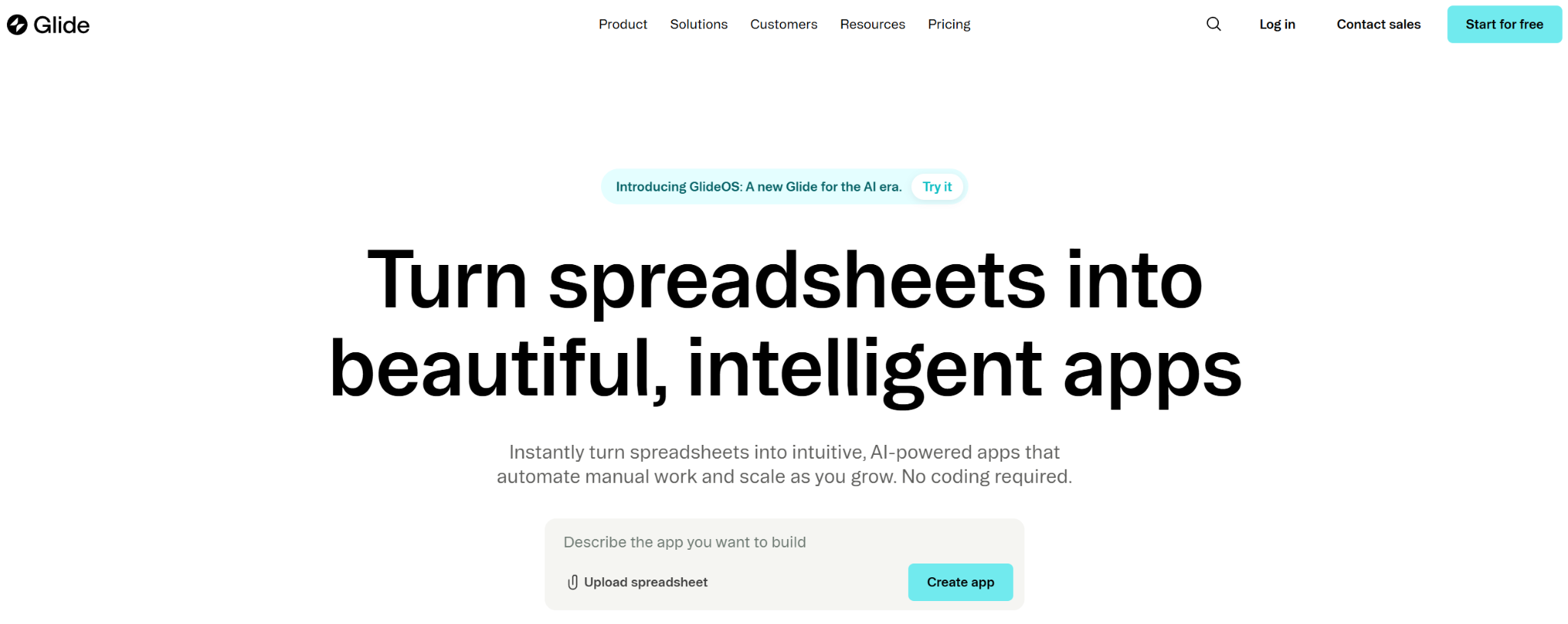
Glide is an app builder that turns spreadsheets and databases (Google Sheets, Airtable, Excel, or SQL) into working web and mobile apps, without you needing to write code. Instead, you build using a visual drag-and-drop builder or text prompts, and your app publishes as a Progressive Web App that works across mobile, tablet, and desktop.
What I liked most about Glide:
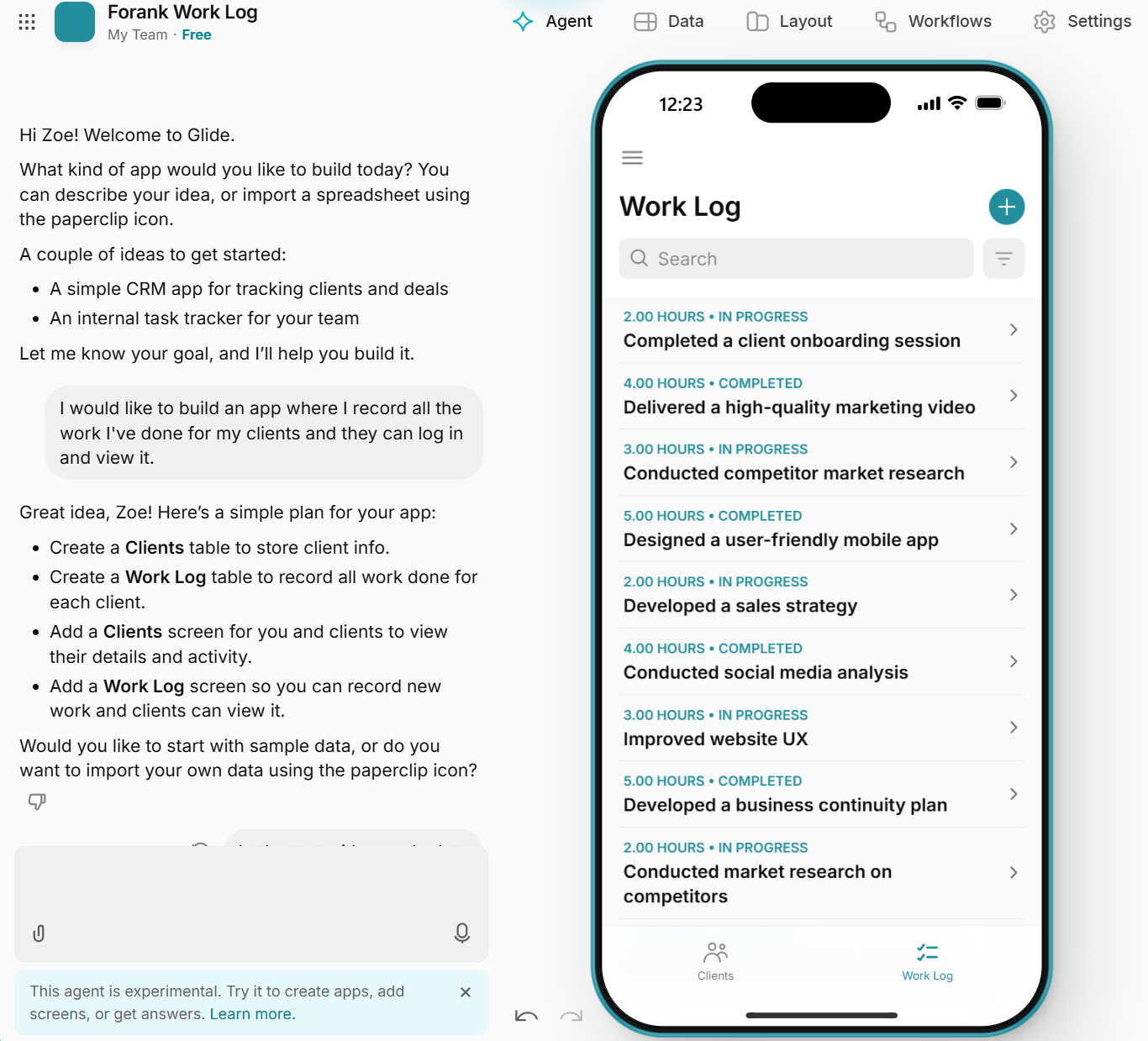
I logged into Glide and used a text prompt to develop an app where I could log work completed for clients and where clients could see account activity. To Glide’s credit, I built the app in seconds using the agent generator. After a text prompt and a couple of follow-up questions, I had a simple, workable app within the desktop, and all of its functionality came standard out-of-the-box with Glide. Overall, I found it a good solution to create lightweight business apps.
Here’s what the platform developed using the agent prompt:
Glide pros:
- Connect a data source, like a spreadsheet, and you’ll get a working app structure almost immediately. You can also use text prompts.
- It’s easy for non-technical builders to pick up.
- Apps are mobile-responsive by default, with no custom CSS required.
Glide cons:
- Glide creates only lightweight apps, internal tools, or simple portals tied to structured data. This could be a pro or a con depending on what you need.
- Complex business logic isn’t possible. For example, nested conditionals or loops aren’t supported, and calculations are limited to formulas.
Glide best-fit use cases
Glide is simple in nature but may be perfect if you need to build something like
- Internal tools for tracking inventory, equipment, or performance
- Simple portals for clients or employees
- Field sales or checklist apps tied to a spreadsheet
- Lightweight apps with request intake hubs
Glide limitations to understand early
Glide is extremely easy to use (more so than Bubble), but there are trade-offs. For example, Glide doesn’t provide solutions for deeper customization and complex logic.
What is Bubble?
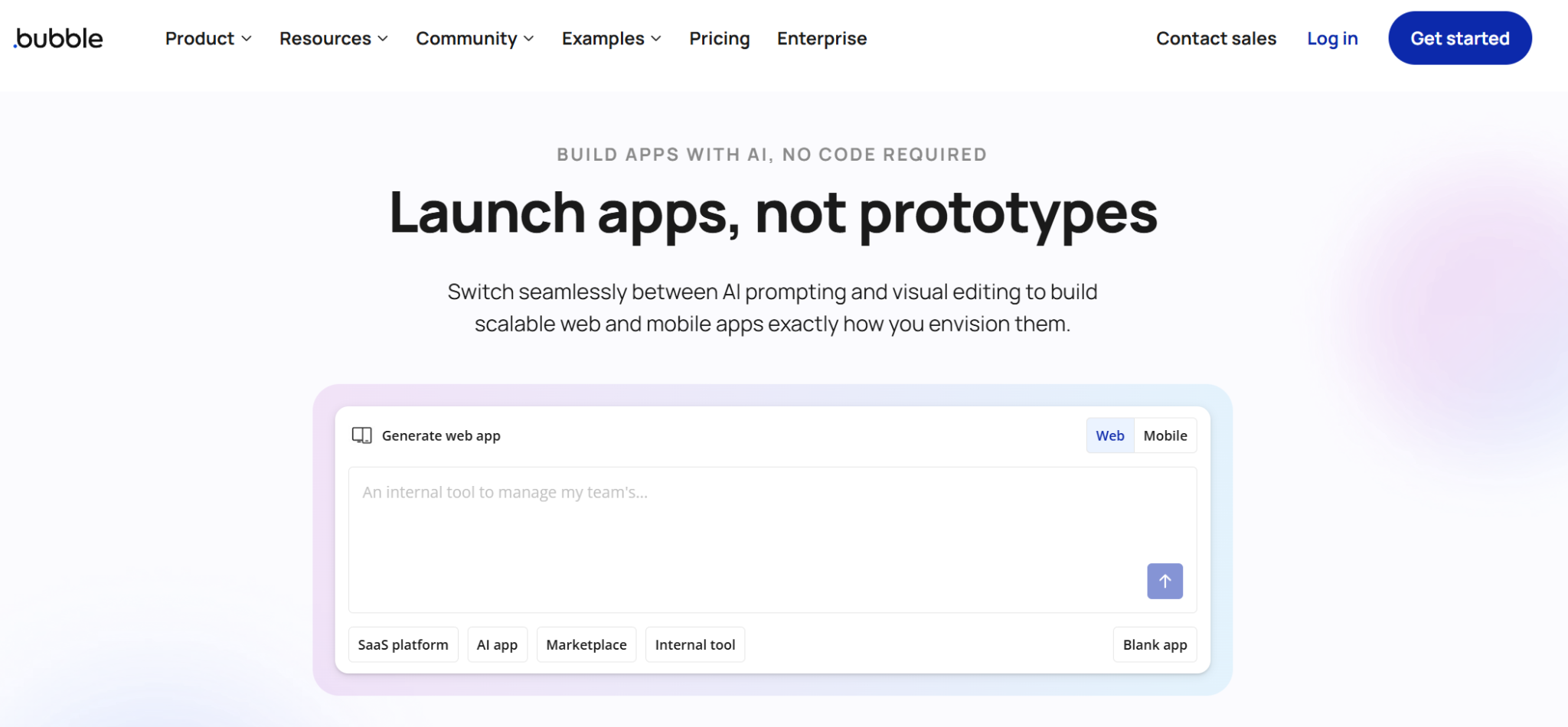
Bubble is a no-code platform for building fully functional web apps with real backend logic. Unlike lighter tools — like those on Glide, built around spreadsheets — Bubble gives you a proper relational database, custom workflows, and privacy rules. That way, you can build production-grade apps like marketplaces, SaaS tools, and multi-role platforms.
Here’s the in-platform process using the AI agent:
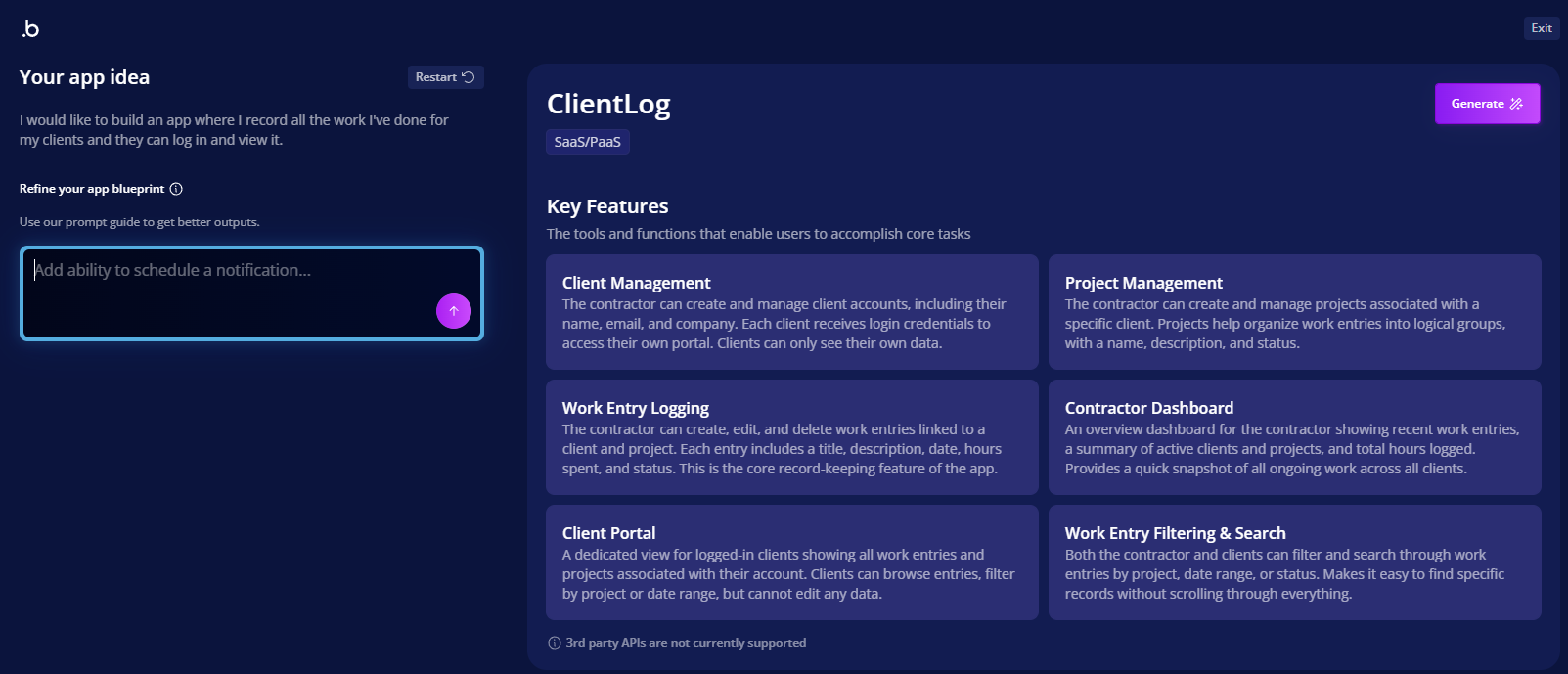
What I liked most about Bubble:
The first thing I noticed was that Bubble is less intuitive than Glide. It took me longer to understand the platform, but to its credit, this is due to its capabilities — which far outweigh Glide. For example, there’s more customization depth and the platform can handle more complex product requirements.
Bubble pros:
- Bubble is designed around a real relational database with custom data types, not just a spreadsheet import.
- The visual workflow builder lets you define genuinely complex logic, conditional pricing, user roles, and multi-step processes without writing code.
- There are thousands of plug-ins for payments, APIs, and third-party tools, so you rarely hit functionality friction.
Bubble cons:
- Bubble has a steep learning curve to create sophisticated apps, though it is still a no-code solution and manageable for anyone who wants to put the hours in to learn the platform.
- There’s no source code export, so your app stays tied to Bubble’s platform unless you rebuild elsewhere.
Bubble best-fit use cases
Bubble is built for apps that need more than a simple data view, for example
- SaaS MVPs you want to test before investing in engineering
- Marketplace or multi-sided platform prototypes
- Membership or subscription web apps
- Apps needing multi-step workflows, conditional logic, or role-based permissions
Bubble learning curve and build complexity
Unlike Glide, Bubble takes time to learn. You need to plan your app’s structure, data model, and workflows upfront. Because of the extra functionality and logic set up by the user, testing takes longer, too. Bubble users describe the process as a 2–4-week investment to use the platform properly — much longer than Glide’s near-immediate setup, but the payoff is an app that can handle real complexity. Plus, it’s a lot faster than learning to code an entire app!
Glide vs Bubble: Feature-by-feature comparison
Both Glide and Bubble are excellent no-code solutions that let you build apps. But they make very different trade-offs to get there.
Next, I’ll walk through how Glide and Bubble each handle the areas that matter most when you’re choosing between them, and what that means practically for your build.
Ease of use and learning curve
The Glide app builder is built for speed from the first click. With Glide, you can get set up pretty intuitively. All you need to do is connect a spreadsheet or use a text prompt, and you’ll have a working app structure almost immediately. Non-technical builders can genuinely pick it up in minutes and create something very impressive (though simple) in hours. The visual, spreadsheet-like interface means debugging usually just means checking a data column or a formula.
The Bubble app builder asks for more patience and time. The interface itself is intuitive once you’re in it, but Bubble is its own platform with unique concepts like states, groups, and privacy rules that users have to get used to. Debugging is also a bigger job because there’s greater functionality. More logic means more places where something can break, and iteration slows down as your workflows become more complex. Expect to invest a couple of weeks getting to grips with Bubble, but understand that the output is more sophisticated.
What it means for your build: If you need something working today and your app fits a simple data structure, Glide’s learning curve won’t get in your way. If your app needs real logic, multiple user roles, or complex workflows, invest the time to learn Bubble properly.
App types you can build
Glide and Bubble are built for different shapes of app development.
Glide works best when your app is really a front end for structured data — something with lists, records, and detail views.
Bubble works best when your app needs real logic behind the scenes: multiple user types, conditional behavior, or workflows that change depending on what a user does.
What it means for your build: The real question isn’t “which platform is better,” it’s “what shape is my app?” If you’re still weighing up options at this stage, it’s worth reading a broader breakdown of the best no-code app builder options before committing, since Glide and Bubble aren’t the only two tools built for these use cases.
Here’s a decision matrix to help you decide which platform might be best for you based on the app you need to build:
| Type of app | Consider | Why? |
|---|---|---|
| An internal tool, dashboard, or portal | Glide | These apps are usually just a clean way to view and act on structured data within spreadsheets. |
| A marketplace, membership site, or SaaS product | Bubble | Apps need custom logic, user roles, and workflows that the spreadsheet-based structure of Glide can’t easily handle. |
| Something with payments, approvals, or multi-step processes | Depends on complexity | Glide can handle simple versions with a Stripe integration, but Bubble’s workflow builder is designed for greater complexity. |
What it means for your build: Simple apps that rely on structured data might as well be built on Glide — they’ll be up and running faster, and they’re straightforward to debug and edit. More customization asks for a more sophisticated solution like Bubble.
UI design and customization depth
Glide keeps design decisions simple by not giving you many to make. Every app is built from a library of pre-set components and themes, so layouts stay clean and consistent. Everything is also mobile-responsive by default without touching a single line of CSS. This could be a strength or a drawback depending on your needs. If a branded app is important, you won’t really get that with Glide.
Bubble provides pixel-level control over layout, styling, and how elements behave. It’s closer to what you’d expect from actual web design than a typical no-code tool.
What it means for your build: If you’re happy with a clean, uniform look and want to skip design decisions entirely, Glide gets that out of your way. If your app needs a distinct visual identity or specific custom behavior, Bubble gives you the room to build it but expect to spend real time getting it right.
Integrations
Glide integrates with 60 tools that you’re probably already using to store data. For example, you can connect to QuickBooks, Google Calendar, Google Maps, Asana, and more. You can also use spreadsheets like Google Sheets, Airtable, Excel, and SQL databases to sync directly, so Glide can pull data from these to build the app’s structure automatically. Beyond data sources, Glide also integrates with Zapier, so you can trigger workflows in other apps (like a CRM or email tool) from actions inside your Glide app.
Bubble’s integration ecosystem is more flexible. Its API Connector can connect to virtually any REST API, which in practice means teams have wired up Stripe for payments, SendGrid for email, Twilio for messaging, and Google Maps, alongside custom internal APIs. On top of that, Bubble has a large plug-in marketplace covering everything from extra UI elements to prebuilt integrations with common CRMs and automation platforms. It’s worth noting, though, that only a small fraction of these are officially partner-built.
Pro Tip
You can select to view only Bubble’s partner-built plug-ins, so that you can make sure you’re using the highest quality plug-ins over those built by the community. For community plug-ins, be sure to check the reviews first to see what people say about them.
What it means for your build: If your integration needs are simple (spreadsheets, a CRM via Zapier, basic email), Glide has you covered. If you need to connect to a specific payment processor, a niche API, or several tools working together in a custom workflow, Bubble’s API Connector and plug-in ecosystem is a more robust solution.
Collaboration
Glide handles collaboration through multiplayer mode. Multiple people can build in the same app at once — working on the interface, checking data, or previewing what different users will see — without hindering progress. Every editor keeps their own undo and redo history.
Bubble takes a more developer-style approach to collaboration, built around version control. Teams can work on separate branches of an app, then use guided merge flows to bring changes back together — similar to how a dev team would manage a codebase, but without the code.
What it means for your build: If you’re managing multiple client apps with different access levels, Glide’s structure is straightforward. Bubble’s version control makes it easier to hand off work between builders, test changes safely, and deploy with confidence once everyone’s changes are merged.
Security and compliance considerations
Security and compliance need careful consideration for every company depending on what’s required to meet their relevant laws or policies.
Here are a few things to consider:
- Access controls: Can you restrict who sees or edits specific data down to the record level, not just the app level?
- Data sensitivity: Where is your data actually stored, and does that fit your regulatory requirements? Client data, health data, and financial data all carry different obligations.
- Vendor posture: Does the provider publish a clear security page, list current certifications, and explain their incident response process?
- Compliance needs: If you’re in a regulated industry, check whether the platform’s certifications are current and cover your specific use case.
Pricing model and total cost to build
Pricing can be one of the easiest ways for companies to decide between the Glide app builder vs Bubble. If one isn’t within budget, then the other wins.
Glide offers
- A free plan to get started, but it’s limited to one app with 25,000 rows, and data sources are limited, too. You can create as many app drafts as you like, though, so there’s plenty of scope to build your dream app before committing to payments.
- Business starts at $199 per month (billed annually) and includes 30 users, up to 100,000 rows of data, and more data sources like Google Sheets or Airtable.
- Enterprise custom pricing depending on needs.
Bubble offers
- A free plan to get you started, with one app editor, one API connection, and six hours of server logs, among other benefits.
- Starter is $59 per month (billed annually) and provides (among other benefits) basic version control, two days of server logs, and branding.
- Growth is $209 per month (billed annually) and provides (among other benefits) premium version control, 14 days of server logs, and two-factor authentication.
- Team is $549 per month (billed annually) and provides (among other benefits) five app editors, 20 days of server logs, and sub-apps.
- Enterprise custom pricing depending on needs.
Pro Tip
Bear in mind that the price investment in learning or training someone to use Bubble is greater than for Glide. If it takes two weeks to get an app live on Bubble, then you’ve got a resource investment to take into consideration.
When to choose Glide
Choose Glide for
- Internal tools
- Apps that are primarily data-driven and form-like
- Faster setup instead of deep customization
- Workflows already using spreadsheets or databases
For example, Glide would be a better fit if a small agency needs a way for clients to check project status without emailing back and forth. They could connect a Google Sheet, add a client login, and launch a simple portal. There’s no custom logic needed — just a clean view of data that already exists.
If you’re leaning toward Glide, but you’re still not sure if it’s the right fit for you, read Jotform’s guide on Glide alternatives. It includes another four platforms designed to help you build an app with low-code and no-code solutions.
When to choose Bubble
Choose Bubble for
- More complex web apps with custom workflows and UI
- Scenarios where product requirements evolve rapidly
- Circumstances where time invested into the app will pay off long term
- Multiple user roles, version control, or conditional logic
For example, Bubble would be a better fit if a founder wants to test a two-sided marketplace where vendors list services and customers book them. That means user roles, payments, and approval flows.
Build no-code workflow apps with Jotform Apps
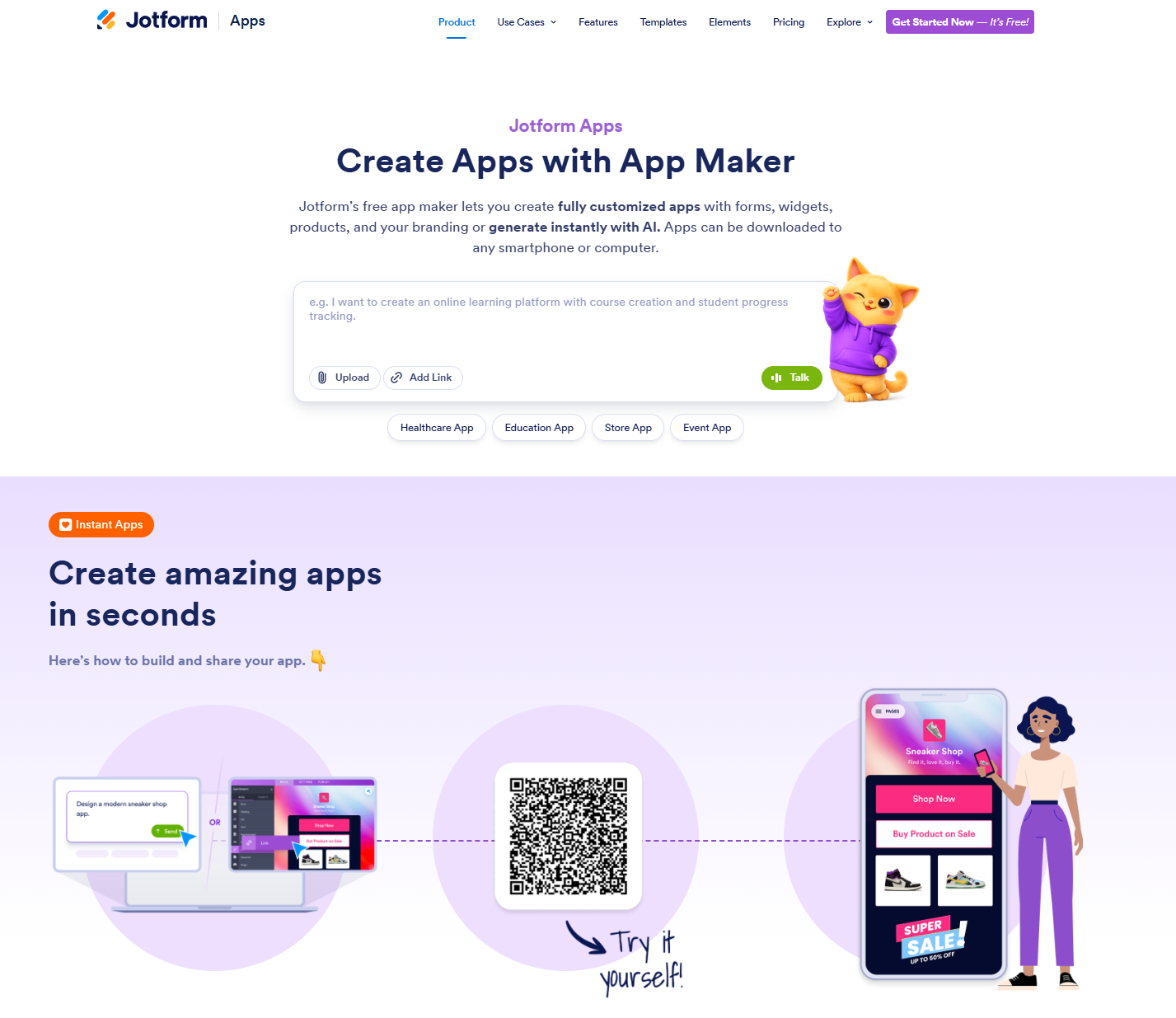
A full app builder may be more than you need if your app can function as a workflow, meaning it includes elements like
- Intake forms
- Requests
- Approvals
- Payments
- File uploads
- Checklists
Jotform Apps takes a simpler route: Build with drag-and-drop, or describe your app and generate it with AI. Then share it as a mobile-friendly app that people can access from a link, QR code, or home screen icon — no app store required.
Here’s what the workflow looks like:
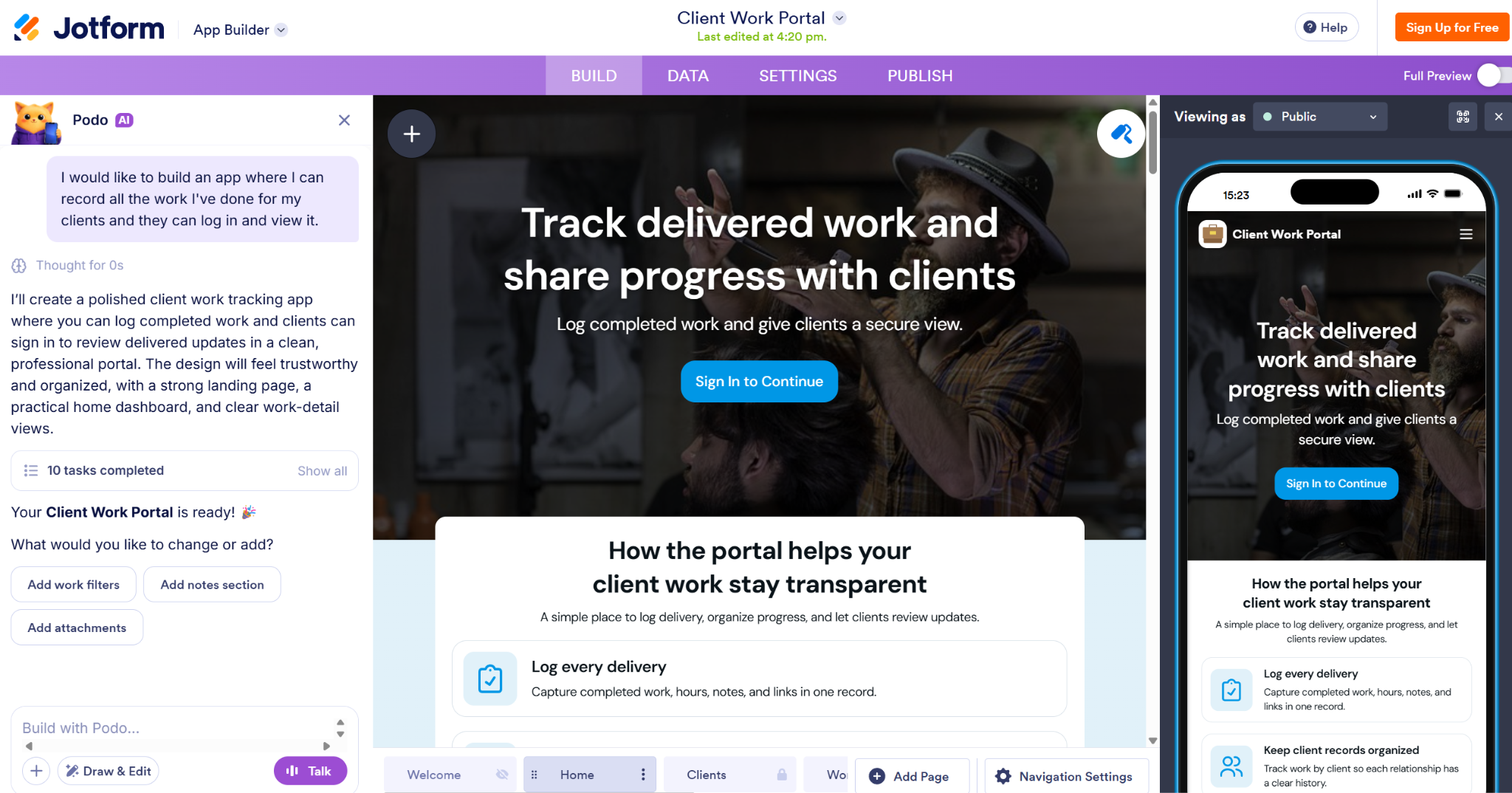
What I liked the most about Jotform AI App Builder:
I used Jotform’s AI App Builder to generate an app in a minute. The app lives within the Jotform ecosystem, which is incredibly useful because I store other elements of my workflow there, like agents and forms.
The paid packages for apps also allow for access across the Jotform platform, so it’s worth considering what else the package covers. One subscription with Jotform will give you more functionality than an app — and it’s cheaper than Glide and Bubble.
Best for: Teams whose core need is collecting and routing information rather than custom logic or complex build work.
- Bundle forms into one app: Instead of sending clients or staff a scattered set of form links, bring everything into a single branded app. It’s particularly useful for company portals, HR hubs, or client intake.
- Built-in payments: With more than 40 payment gateway integrations, you can collect payments, sell products, or take donations directly inside the app — all without wiring up a separate processor.
- Push notifications: Send real-time alerts and updates to app users — handy for approval steps, reminders, or announcements.
- 3,200-plus app templates: From task trackers to patient management, most common workflow use cases have a starting point already built.
- No extra cost: Jotform Apps is included with every Jotform plan, including the free Starter plan, so you’re not paying for a separate platform on top of your existing forms.
If your goal is a workflow app you can launch today, start with Jotform Apps.
Build apps directly in ChatGPT or Claude
Already using ChatGPT or Claude to brainstorm app ideas? You can turn those ideas into working apps without leaving your AI workspace. With Jotform App Builder for ChatGPT & Claude, describe what you need, generate a first version, and refine its layout, forms, and branding through conversation. Connect in ChatGPT or Claude to get started.
The verdict: Glide vs Bubble
The main differentiator between Glide and Bubble is speed versus depth. Choose Glide if your priority is speed and a straightforward build for structured, data-driven apps. Choose Bubble if your priority is deeper customization and more complex web app behavior.
But whichever you choose, don’t overthink it before you start. Pick one small pilot app idea — whether that’s a client portal, an internal tracker, or an early marketplace concept — and build a first version this week. You’ll learn more from a working draft than from another hour of comparison.
Frequently asked questions about Glide vs Bubble
Glide’s biggest pro is speed. You can connect a spreadsheet or use a text prompt, and you have a working app in minutes — with mobile-responsive layouts built in by default. Its main con is that deep customization and advanced logic aren’t really possible.
Glide can’t handle complex business logic like nested conditionals. It’s also built around structured data, so anything outside that shape won’t be suitable for the no-code builder.
This article is for bounders, operators, product managers, and non-technical builders comparing Glide and Bubble to decide which no-code platform fits their app idea (internal tools, client portals, marketplaces, dashboards, and workflow apps) in 2026.




































































































Send Comment: