Top 5 apps for contractors
For contractors and trades professionals, finding steady work is only part of the challenge. Juggling jobsites, managing clients, and keeping crews moving can make day-to-day operations feel like constant firefighting.
One of the biggest pain points is inconsistent cash flow. Work often comes in “feast or famine” cycles, making it difficult to plan, invest, or even cover basic expenses. It’s no surprise that many independent workers look for better, more reliable opportunities, with 68 percent saying higher pay or more hours are key reasons they switch occupations. And even when the work is there, scope creep, poor communication, and unclear systems can all make jobs become more complicated than they’re worth.
Ultimately, contractors like you aren’t just doing skilled labor. You’re running full-scale businesses, often without the infrastructure or support that larger companies take for granted. That’s exactly where the right apps can make a difference, helping you streamline operations, communicate more effectively and, most importantly, find steady and reliable work.
5 best apps for contractors in 2026
Not all contractor apps are built the same, and choosing the right one can directly impact how consistently you find work and get paid. To cut through the noise, we evaluated five leading platforms based on the features that matter most to working trades professionals in 2026.
For each app, we’ll break down key features, weigh the real-world pros and cons that contractors actually experience on the job, and cover pricing and supported devices so you know exactly what you’re committing to before you make a final decision.
To quickly compare tools, take a look at our at-a-glance table below.
| App | Best for | Payment integration | Free trial or plan | Paid plan pricing |
|---|---|---|---|---|
 Jotform Apps |
Custom apps, lead capture, simple payment |
More than 40 gateways including Stripe, PayPal, Square, and ACH |
Free plan available, paid tiers have trial periods |
From $34 per month |
 Contractor Foreman |
All-in-one project management for small–midsized contractors |
Stripe and QuickBooks (via add-ons/Zapier) |
30-day free trial |
From $49 per month |
 Procore |
Enterprise-level project management for large projects |
Procore Pay and enterprise resource planning systems (like QuickBooks and Sage) |
Demo only, no free plan |
Custom |
 Jobber |
Service pros needing customer relationship management, scheduling, and invoicing |
Jobber Payments and Stripe or PayPal |
14-day free trial |
From $29 per month |
 Joist |
Fast estimates, invoices, mobile payments |
Cards, ACH, PayPal, Apple/Google Pay |
14-day free trial |
From $10 per month |
1. Jotform Apps
For contractors and trades professionals, admin can become just as time-consuming as the jobs themselves. Jotform Apps stands out because it gives you a way to build custom business apps without coding, allowing you to manage leads, estimates, job tracking, payments, and team communication from a single platform. Rather than forcing you into a rigid workflow, Jotform lets you create a system that matches how your business already operates.
Pro Tip
Instead of relying on marketplaces like Thumbtack or Angi, you can use Jotform to build your own lead generation system. By sharing a custom app link or embedding a form on your website, you can collect job requests without paying lead fees.
- Key features
- Complete workflow management: You can manage the entire business relationship from one platform, starting with lead capture and continuing through quoting, scheduling, project management, and payment collection. The Job Bidding App template lets homeowners request estimates and upload project details from their mobile devices. Once a project is booked, teams can track work progress with the Construction Daily Log App or organize assignments through the Task Tracker App.
- Simplified customer communication: The Home Maintenance App template lets homeowners submit service requests digitally, reducing missed calls and manual paperwork. Jotform’s Checklist App templates then help you standardize inspections, safety procedures, punch lists, and project closeouts across jobsites.
- No-code customization: Combine forms, approvals, payments, and team management into one branded app. If you’ve wondered how to create an app without any coding knowledge, Jotform is worth a look.
- Pros
- Highly customizable workflows without coding
- More than 900 app templates for contractors and field service teams
- Combines forms, payments, approvals, and task tracking in one platform
- Strong mobile functionality for field crews and on-site updates
- Cons
- Advanced automations may require subscriptions to higher-tier plans
- Not as construction-specific as dedicated contractor management platforms
- Plans/pricing
- Free plan available
- Paid plans start from $34 per month
- Supported devices: Mobile, iPad, tablet, desktop, and web browser (iOS and Android)
Pro Tip
Use Jotform AI Contract Generator to quickly create client agreements before work begins. Enter a prompt to generate customized service contracts, enable e-signature collection for e-contracts, and protect yourself from disputes over scope or payment terms.
2. Contractor Foreman
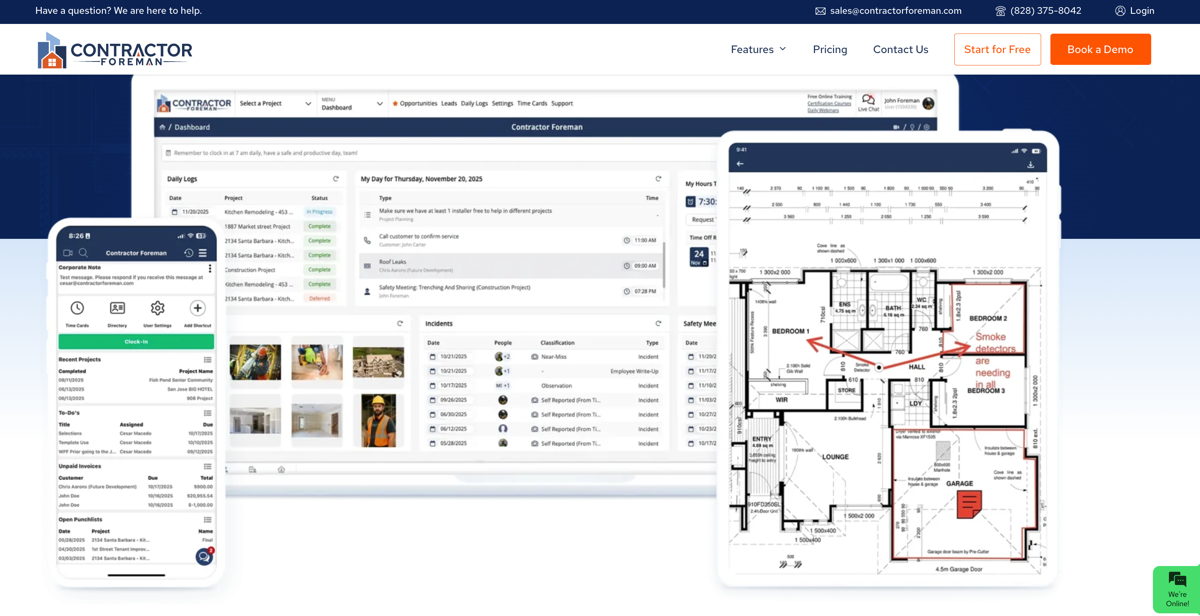
Contractor Foreman is designed specifically for construction and trades businesses that need a robust all-in-one management platform without the traditional enterprise-level price tag. The software combines project management, estimating, scheduling, invoicing, and team coordination tools into a single system built for those managing multiple moving parts at once.
- Key features
- Centralized operations: Create estimates, generate invoices, track change orders, schedule crews, manage subcontractors, and monitor project progress from one dashboard. This is especially useful if you’re juggling several jobs simultaneously, where missed communication or delayed paperwork can directly impact your bottom line.
- Field and admin tools: Includes safety management, time tracking, equipment tracking, and document storage. Contractors can assign tasks to field crews, upload jobsite photos, and maintain real-time project updates through the mobile app.
- QuickBooks integration: Syncing with accounting software helps reduce duplicate data entry and improve payment tracking.
- Construction-specific modules: Rather than adapting generic business software to fit contractor workflows, Contractor Foreman focuses directly on the needs of construction professionals, including RFIs, punch lists, permits, daily logs, and bid management.
- Pros
- Built specifically for construction and trades businesses
- Strong feature set at a lower price point than many competitors
- Includes estimating, scheduling, invoicing, and project management tools
- Good mobile functionality for field updates and crew coordination
- Cons
- Interface can feel crowded due to the large number of features
- Learning curve may be steep for smaller teams
- Limited integration options
- Advanced features require higher-tier plans
- Plans/pricing: 30-day free trial, paid plans start at $49 per month
- Supported devices: Mobile, iPad, tablet, desktop, and web browser (iOS and Android)
3. Procore

For larger contractors and growing construction firms, managing projects across multiple crews, subcontractors, and jobsites can become incredibly complex. Procore is built to handle that complexity, offering an enterprise-level construction management platform that connects project management, financials, communication, and field operations in one centralized system. While it may be more robust than some smaller contractors need, it’s a powerful option for businesses managing large-scale or high-volume projects.
- Key features
- Unified project management: You can manage schedules, RFIs, submittals, budgets, change orders, daily logs, punch lists, and document sharing from one dashboard. This helps reduce communication breakdowns between office staff, field crews, subcontractors, and clients.
- Financial management: Track project costs in real time, manage invoicing workflows, and integrate with enterprise resource planning tools like QuickBooks and Sage. Procore Pay helps streamline billing and improve cash flow visibility throughout a project.
- Field collaboration: Teams can upload photos, submit updates, complete inspections, and access project documents from mobile devices on-site. Because everyone works from the same live information, you can reduce costly delays caused by outdated plans or missing documentation.
- Pros
- Extremely robust platform for large or complex construction projects
- Strong collaboration tools for office staff, field crews, and subcontractors
- Real-time financial tracking and accounting integrations
- Excellent mobile functionality for on-site project management
- Cons
- Pricing can be expensive for smaller contractors or solo operators
- Steeper learning curve than simpler contractor apps
- Some smaller businesses may not need the platform’s full feature set
- Plans/pricing
- Custom pricing based on company size, project volume, and selected modules
- Supported devices: Mobile, iPad, tablet, desktop, and web browser (iOS and Android)
4. Jobber
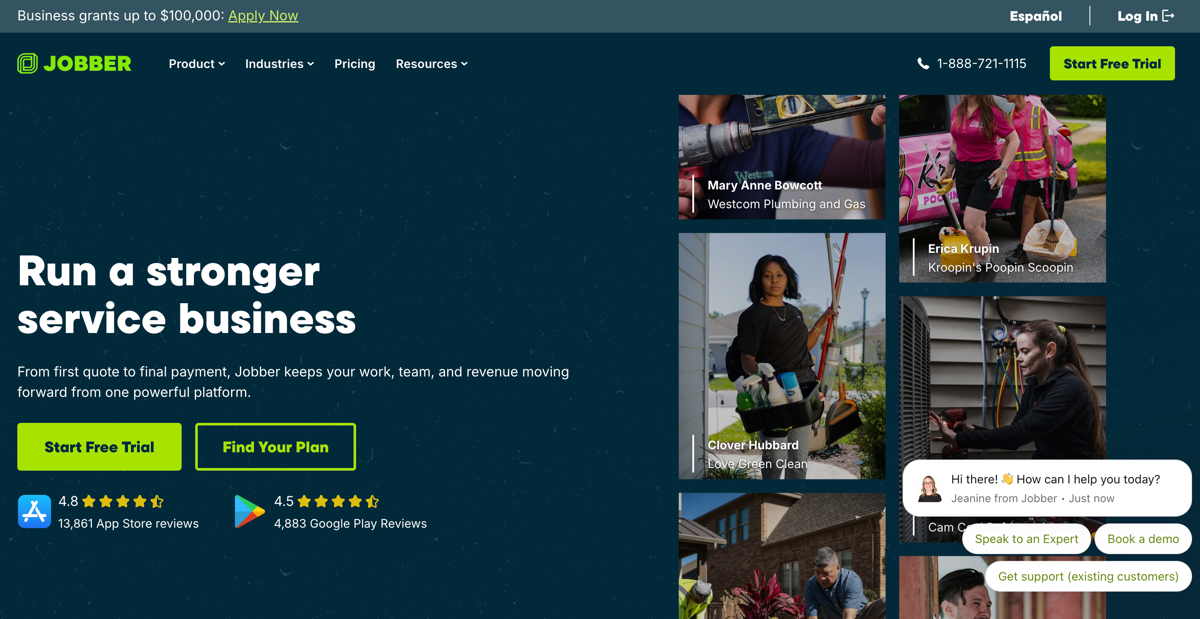
For service contractors who spend as much time scheduling jobs and chasing invoices as they do working in the field, Jobber offers a streamlined way to manage the business side of things. It combines scheduling, client communication, quoting, invoicing, and payment collection into one easy-to-use platform. This focus on simplicity and automation makes it ideal for its audience of home service professionals like electricians, plumbers, HVAC technicians, landscapers, and cleaners.
- Key features:
- End-to-end operations: You can create quotes, schedule jobs, dispatch crews, track visits, send invoices, and accept payments from one centralized dashboard. Automated appointment reminders and client notifications also help reduce no-shows and communication gaps.
- Workflow automation: Build recurring service schedules, automatically follow up on estimates, and send invoices immediately after a job is completed. If you often manage multiple technicians, Jobber’s GPS tracking and scheduling tools also help improve routing efficiency and crew coordination.
- Customer management: Store job histories, property details, notes, and communications in one place, eliminating the need to dig through texts, emails, and spreadsheets. Integration with payment platforms and accounting tools further simplifies billing and bookkeeping tasks.
- Pros
- Easy-to-use interface with minimal setup time
- Strong scheduling, dispatching, and invoicing tools
- Automated reminders and follow-ups improve client communication
- Excellent for recurring service businesses and mobile crews
- Cons
- Less customizable than some competitors
- Advanced features can become expensive on higher-tier plans
- Better suited for service contractors than large construction firms
- Plans/pricing
- 14-day free trial
- Paid plans start at $29 per month, with higher tiers adding automation and team features
- Supported devices: Mobile, iPad, tablet, desktop, and web browser (iOS and Android)
5. Joist
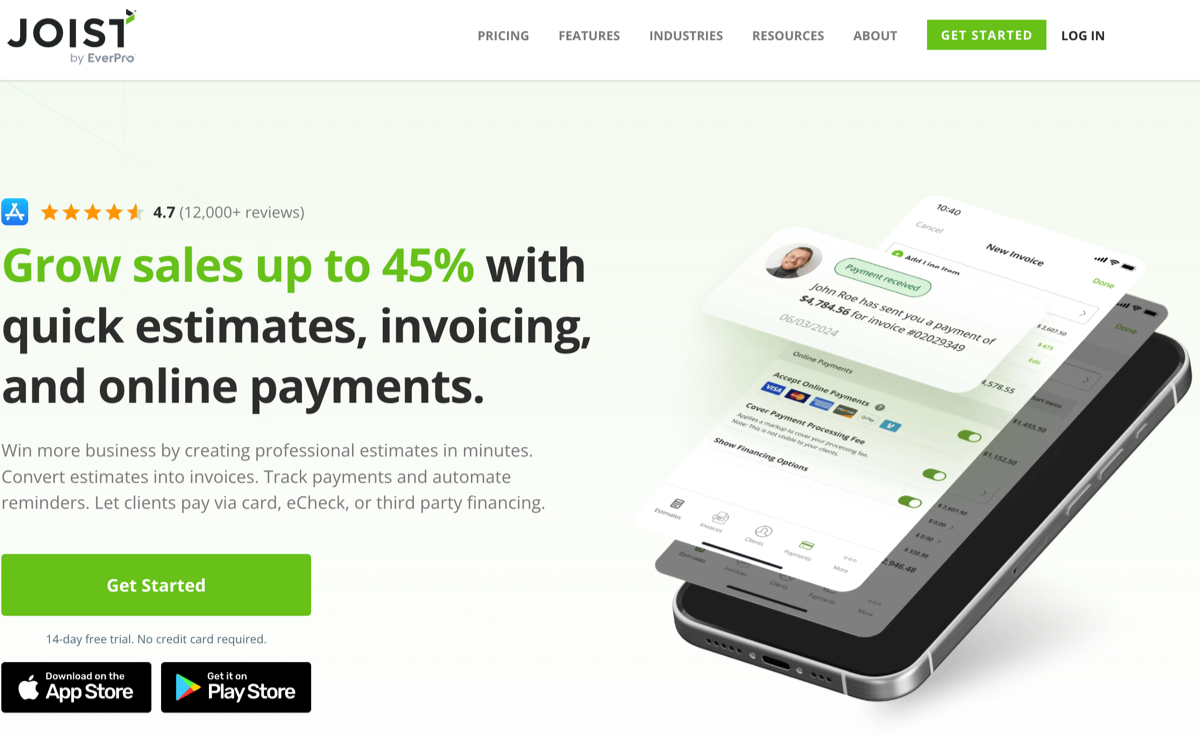
For independent contractors and small trades businesses, speed matters. The faster you can send an estimate, collect a signature, invoice the customer, and get paid, the healthier your cash flow becomes. Joist is built around exactly that workflow. It offers a simple, contractor-focused platform for estimates, invoicing, payments, and client management — with a mobile-first design for on-the-go use.
- Key features
- Mobile-first estimates and payments: You can create professional estimates on-site, attach photos and contracts, collect customer signatures, convert estimates into invoices, and accept payments without needing any additional software. Particularly for small contractors, that ability to move from quote to payment in one workflow can significantly reduce administrative overhead and speed up collections.
- Customer management: Joist stores project details, client information, pricing items, and job history in one place. You can use this to build reusable material and labor lists, helping speed up future estimates while improving pricing consistency. Joist also supports payment collection through cards, online payments, PayPal, and financing options, giving homeowners more flexibility while helping avoid delayed checks and unpaid invoices.
- Accessibility and integrations: Because Joist works across mobile devices and the web, you can create estimates from the field, review invoices at home, or check payment status between jobs. Both customers and contractors can benefit from online contracts instead of paper contracts. QuickBooks integrations can also simplify bookkeeping if you want lightweight software without committing to a larger platform.
- Pros
- Extremely easy to use for solo contractors and small teams
- Fast mobile estimating and invoicing directly from the jobsite
- Built-in payment collection and financing options help improve cash flow
- Professional-looking estimates and invoices can help win more jobs
- Cons
- Limited project management features compared to larger platforms
- Some users report organizational and search limitations for larger workloads
- Advanced customization options are relatively limited
- Plans/pricing
- 14-day free trial
- Paid plans start at $10 per month, with additional transaction fees for payment processing
- Supported devices: Mobile, iPad, tablet, desktop, and web browser (iOS and Android)
The right tools let you focus on the work, not the paperwork
The right contractor app won’t just help you manage the projects you already have, it can also help you win more work, stay organized across every job, and get paid without the usual delays.
Each tool on this list solves a different piece of that puzzle. If you’re a solo operator or small team that needs to move fast, Joist keeps estimating and invoicing simple. If you run a service-based trade with recurring jobs and multiple technicians, Jobber’s scheduling and automation tools are worth the investment. Growing firms managing complex projects will find the structure they need in Contractor Foreman or Procore.
And if you’re looking for something more flexible, Jotform Apps lets you build your own lead generation, client communication, and payment workflows without writing a single line of code. Get started today!
FAQs on the best apps for contractors
Yes. Several contractor apps offer free plans or free trials, including Jotform Apps and Joist. Free plans are often enough for solo contractors or newer businesses, though advanced automation, team management, and reporting features usually require paid upgrades.
The most important features depend on the type of work you do, but core priorities usually include estimating, invoicing, scheduling, payment processing, and customer communication. If you manage multiple crews or projects, you might also want to look for job tracking, change order management, document sharing, and accounting integrations.
This article is for independent contractors, freelancers, and small business owners in construction, electrical, plumbing, and field services who want to find work, manage jobs, and streamline operations using mobile apps.




























































































Send Comment: