
Even though I’m a marketer, not a developer, I’ve spent enough time playing with AI coding and no-code tools to understand the appeal. Being able to go from an idea to a working prototype in minutes is incredibly fascinating, and that’s why thousands of startups, product teams, and independent builders reach for Replit.
With zero setup, Replit lets you build apps in more than 50 languages by prompting its AI — or by writing the code yourself — before you test, debug, collaborate on, and deploy software directly from your browser without configuring a local development environment. But once you start building anything serious, you’ll notice how unpredictably expensive the platform becomes as you iterate with the AI agent. Plus, the editor can slow down as your codebase grows, and its thin Git support means standard branch-and-pull-request workflows have to happen on GitHub, not inside Replit.
Whether you’re searching for a Replit alternative because you need more predictable development costs or you’ve simply outgrown its sandbox boundaries, you’ve got plenty of options to choose from. To compile this list, I spent time with all sorts of vibe coding tools. I also read reviews, Reddit threads, and no-code community conversations, as well as spoke to developers about the AI coding/no-code tools they love and the ones non-technical builders are into. Based on all that experience, I landed on the best Replit alternatives that cover the following categories:
- No-code app builders
- Cloud dev environments
- AI-first editors
- Browser IDE sandboxes
Read on to see my take on their key features, limitations, and pricing.
The best 6 Replit alternatives in 2026 at a glance
Before we dive in, here’s a quick comparison table — beginning with Jotform AI App Builder for internal teams needing portals or no-code workflows that deliver app-like experiences, followed by developer-centric options for cloud dev, IDEs, and AI coding.
| Tool | Best for | Pricing model | Why it's a good alternative |
|---|---|---|---|
 Jotform AI App Builder |
Data collection or workflow apps |
Free and paid |
Gives non-technical users a familiar interface and data layer for assembling business apps |
 Base44 |
AI no-code building with fully managed infrastructure |
Free and paid |
Removes the development environment entirely for non-technical founders and entrepreneurs who want functional apps without touching any engineering element |
 Lovable |
No-code builders with a creative background |
Free and paid |
Helps you plan your app before building and presents an interactive editing experience without code |
 CodeSandbox |
Web development workflows with deeper Git controls |
Free and paid |
It’s built for people who have coding knowledge and need more control over their development environment |
 Cursor |
AI-powered code editing for faster software development |
Free and paid |
It adds intelligent AI assistance to code editing for developers comfortable in VS Code |
 Bolt.new |
Fast browser-based prototyping of front-end-heavy web apps |
Free and paid |
Delivers faster apps because it runs the entire web development environment in your browser with WebContainers |
Best no-code alternatives to Replit
Jotform AI App Builder
Best for: Non-technical founders and internal teams who need a data collection or workflow app

Why it’s a good alternative:
With the Jotform AI App Builder, you can build structured, functional no-code apps straight from prompts. Instead of dealing with unfamiliar programming languages, development environments, and database tools, Jotform AI App Builder gives non-techies a familiar interface and data layer for assembling professional business apps in minutes.
Once you describe the kind of app you need to the AI, it builds the pages, navigation, layouts, actions, workflows, and data connections. Customizing the app requires no code, and you can make changes by further prompting the AI with text or voice, or by editing elements manually. For instance, after the AI App Builder built me an event registration app, I could adjust the layout, apply logic, or undo changes through natural conversations without worrying about errors or debugging.
Because forms power every Jotform app and there’s nothing to configure, you go from an idea to a shareable app fast — whether you’re building a reservation app, a donation app, an onboarding app, or a lightweight finance tool — without usage charges.
Key features:
- Speed to launch: Describe your app in plain language, and the AI App Builder builds a complete structured app with pages, navigation, workflows, and data connections.
- Form to app experience: Forms are the engine behind every Jotform app. They handle intake, applications, file uploads, bookings, and payments — all inside a web or mobile app with its own pages, navigation, and logic.
- Familiar data layer for non-developers: Jotform AI App Builder connects forms to tables (Jotform Tables) for in-app data collection and management. The table-style database can display dynamic data, filtered lists, analytics, and user-specific views inside the app.
- Distribution and access: Jotform apps can be accessed by link, embeds, or QR code. They also open on web and mobile, making sharing easier during events, meetings, or with customers.
Limitations:
- Built for data and workflow apps, not custom software: Jotform assembles apps from structured components, so it works best when the app you want to build is a form, workflow, or portal — it’s not for building custom logic or software with code.
Pricing:
- Starter: $0
- Bronze: $34 per month (billed annually)
- Silver: $39 per month (billed annually)
- Gold: $99 per month (billed annually)
- Enterprise: Custom pricing
Base44
Best for: Building no-code apps without a development environment
Why it’s a good alternative:
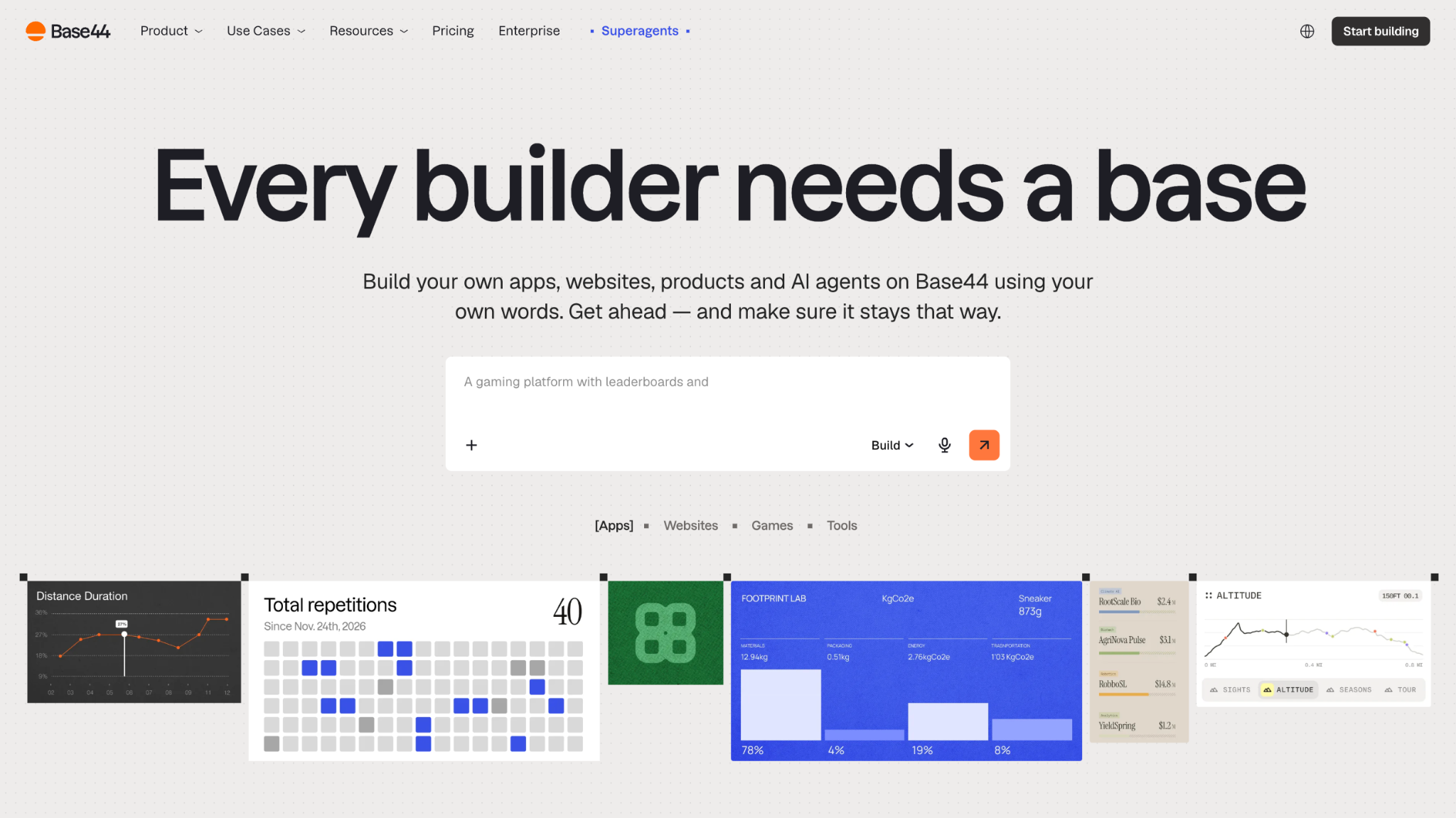
Base44 is the vibe coding tool for no-code builders who want to skip the development environment entirely. Both Replit and Base44 turn prompts into working full-stack apps, but they handle the process differently. While Replit gives real code in an IDE you can open, edit, and extend, Base44 keeps the whole thing in a managed system you can build and run without ever viewing code. It handles the database, authentication, file storage, payments, email, and business logic underneath.
During testing, I could describe the app I wanted in plain language and Base44 assembled it with pages, data, and logic while I watched. To make design changes, I could click through the visual editor — the way you would in Canva — without touching AI or burning through credits. For deeper changes to features or logic, I described what I wanted by text, voice note, or by dropping in a screenshot, and Base44 updated the app in real time.
Base44 packages the code files into markdown files in a side panel of the editor if you ever want to look at them. But unlike Replit, you won’t be debugging or working alongside an AI agent there by default.
Key features:
- Prompt-to-app generation: Base44 turns natural language prompts into working web applications with the full stack in one pass, then allows you to refine it through continued chat.
- Fully managed backend: Database, authentication, file storage, and APIs are provisioned automatically and run inside Base44 with nothing to configure.
- Visual editor: You can adjust layout, colors, and content in a WYSIWYG editor after the app is generated without touching code.
- Built-in hosting and custom domains: Apps go live instantly at a URL and are mobile responsive by default, with custom domain support on paid plans.
Limitations:
- Dual credit system: Base44 splits costs into message credits for building and integration credits for running live actions like email and API calls. Neither rolls over, so an app with real users can burn through a plan quickly.
- Vendor lock-in: Even though Base44 lets you export front-end code on the Builder plan and up, it’s almost impossible to export the backend, which makes it difficult to move an app off the platform fully.
Pricing:
- Free: $0
- Starter: $16 per month (billed annually)
- Builder: $40 per month (billed annually)
- Pro: $80 per month (billed annually)
- Elite: $160 per month (billed annually)
Lovable
Best for: No-code builders with a creative background
Why it’s a good alternative:
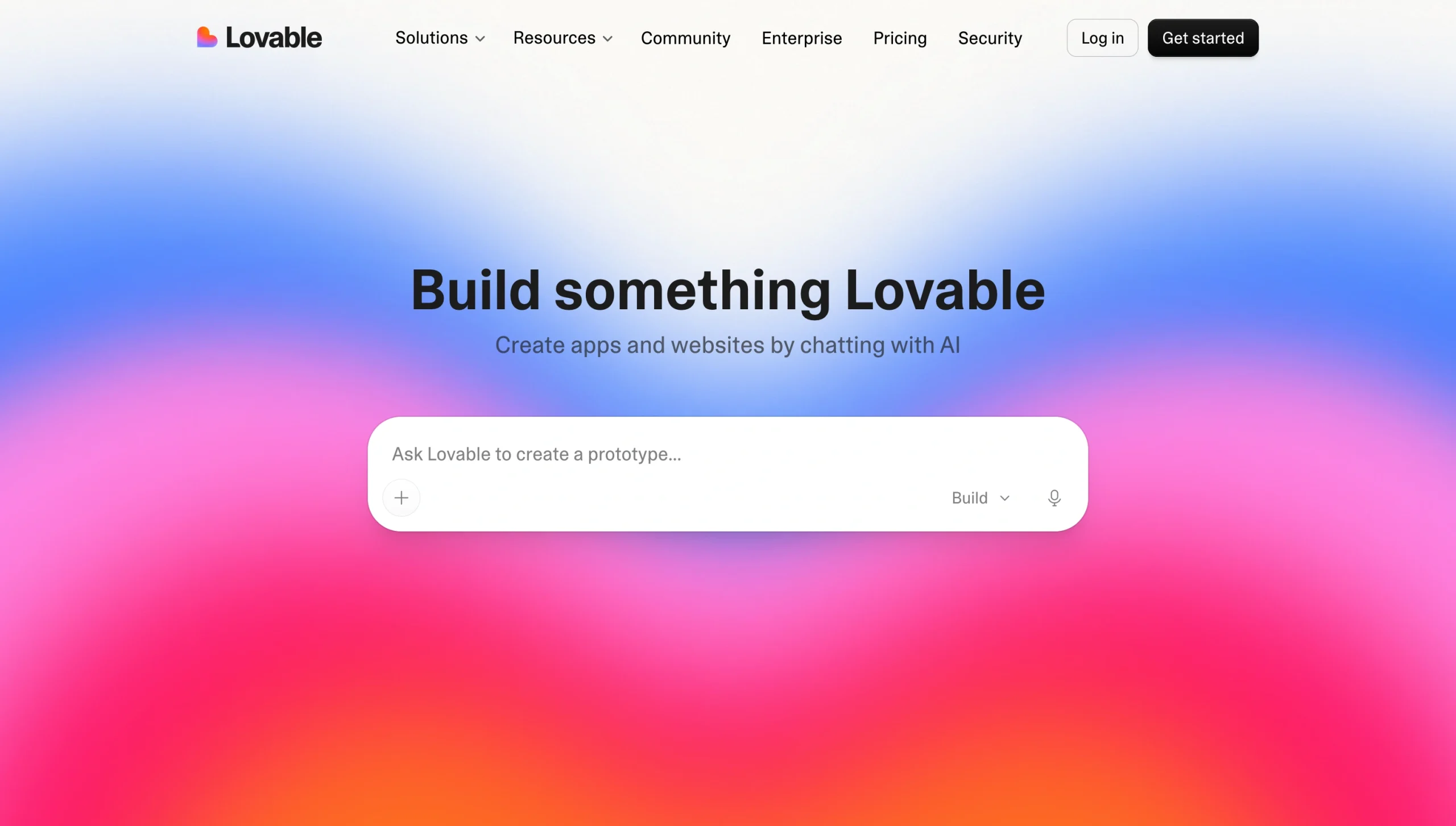
Lovable is a prompt-to-full-stack app builder like Replit, but it stands out for its editing experience. Once it generates the app interface from your prompt, it offers a preview toolbar that lets you interact with the app while you customize it. With Select, I could point Lovable to one or more elements and request changes in plain language. And when a change was hard to describe in text, I could use Draw mode to annotate the app and show what I meant. If you have a creative mind, you can shape your app’s look by pointing and drawing rather than turning every change into a prompt.
Before the build, Plan Mode lets you discuss ideas with the AI and approve its direction — backend, routes, data flow, and UX — before it writes any code, putting control in your hands even with zero technical knowledge. Underneath, Lovable builds with React and TypeScript and integrates with Supabase for the database and backend. Plus, it provides app templates to start from — whether you’re building a landing page or a SaaS app.
Key features:
- Multiple editing modes: Lovable lets you manipulate and modify the UI by pointing at elements, describing changes, and drawing annotations directly on the app, along with inline text edits and comments.
- Supabase backend built in: Every application connects natively to Lovable’s Supabase integration without extra configuration.
- Two-way GitHub sync: The generated React and TypeScript code is yours to export, and it syncs two ways: you can push to the GitHub repo and Lovable pulls that context into future prompts.
Limitations:
- Credits burn fast: Almost every action consumes credits, including editing with Select and Draw. So, a real app with auth and a few revision cycles can exhaust a Pro plan mid-build. Lovable Cloud hosting is billed on top by usage, meaning the real cost can run two or three times the original plan price.
- Debugging can be a problem: When something breaks, fixing it with a prompt can create more problems. With no coding knowledge, you’ll often need a developer to help.
- Web and React only: Lovable builds React web apps on a Supabase backend, so it isn’t the tool for other languages, native mobile, or heavier custom infrastructure.
Pricing:
- Free: $0
- Pro: $21 per month (billed annually)
- Business: $42 per month (billed annually)
- Enterprise: Custom pricing
Best cloud dev alternative to Replit
CodeSandbox
Best for: Web development workflows with deeper Git controls and pull-request review
Why it’s a good alternative:
CodeSandbox is the developer alternative to Replit. They both solve the same starting-point problem — they let you run code without configuring a local environment — but CodeSandbox is built for people who already code, work in a team, and need real Git workflows they can trust. Instead of an AI agent that you prompt to build an app, CodeSandbox gives you lightweight Sandboxes for quick experiments and Devboxes for full development environments that run on real cloud virtual machines (VMs).
Since it’s built around GitHub and pull requests (PR), CodeSandbox offers tighter integrations with version control than Replit. For instance, say a developer opens a PR to add a checkout page. In Replit, a reviewer mostly reads the code and trusts it runs. But in CodeSandbox, that PR gets its own preview — the reviewer opens the running checkout page, tests the button, and approves it based on the app. CodeSandbox also focuses on front-end development with ready-to-use templates for Vue, React, and Angular, while Replit is built for general-purpose coding and supports a wider range of programming languages.
Key features:
- GitHub-native PR previews: Every PR gets its own live, running preview URL so that reviewers can test the actual change before it merges.
- Full Git workflow in the editor: Import and sync GitHub repos, and commit and open PRs without leaving CodeSandbox.
- Strong sharing and collaboration: Several people can work in the same environment at once, which suits pairing and hands-on review.
Limitations:
- You need coding knowledge: There’s no prompt-to-app builder, so CodeSandbox isn’t a fit for non-developers.
- Lacks native hosting: It’s designed for development, testing, and collaborating on code but not for shipping to production. Instead, it deploys to Vercel and Netlify through built-in integrations.
Pricing:
- Build: $0
- Pro: From $12 per workspace per month (billed monthly)
- SDK — Scale: From $170 per workspace per month (billed monthly)
- Enterprise: Custom pricing
Best AI editor alternative to Replit
Cursor
Best for: AI-powered code editing for faster software development
Why it’s a good alternative:
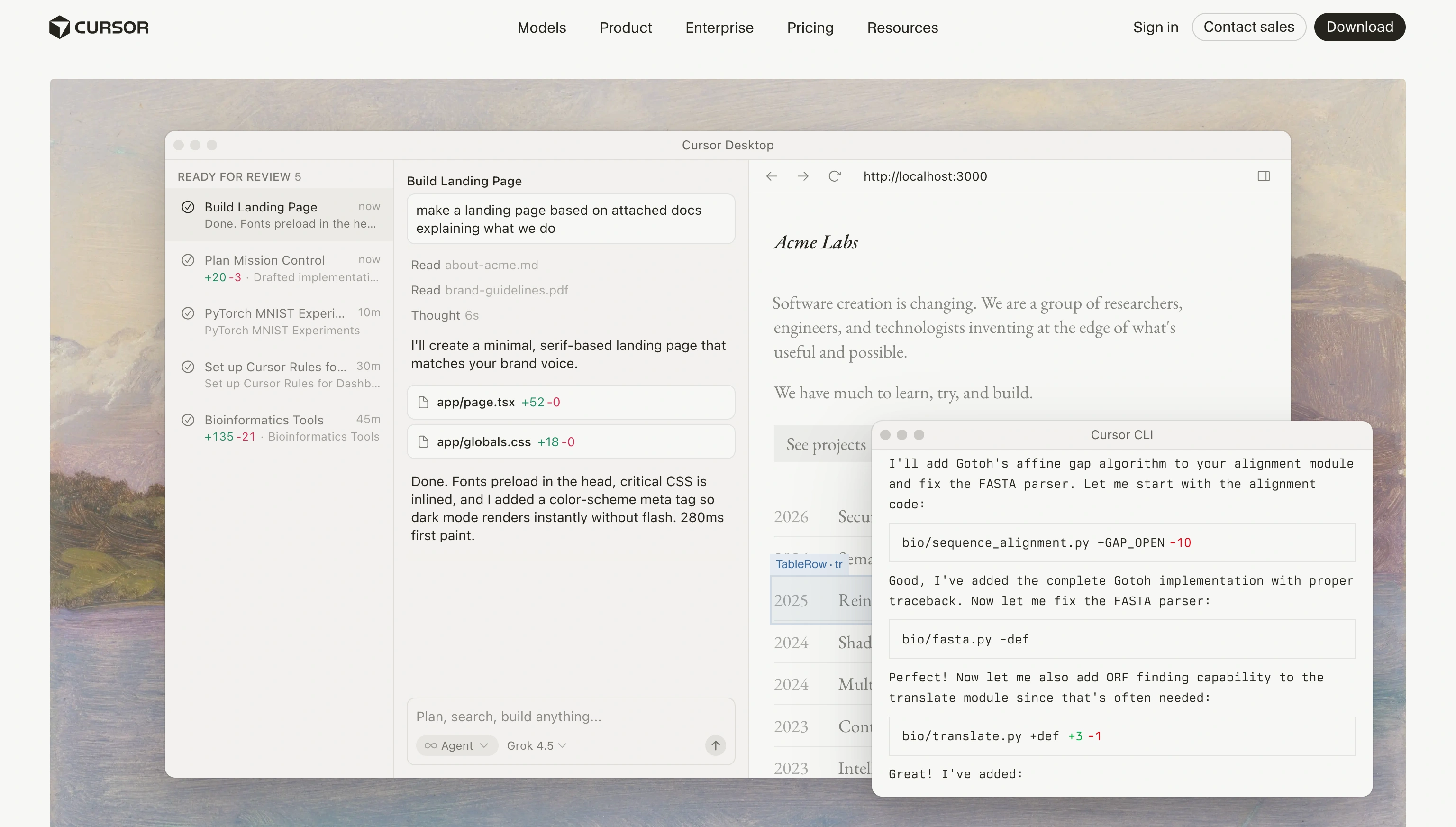
While Replit gives you an all-in-one cloud development environment (IDE, AI, hosting, and deployment), Cursor assumes you already have a codebase and local setup. It focuses only on the process of writing code, providing AI tools that make you more productive while coding locally.
As a fork of VS Code, Cursor installs on your local machine and indexes your codebase so that the AI can give context-aware suggestions for writing, editing, refactoring code, and fixing bugs. Alongside the editor, Cursor provides an agent-first interface where you can hand tasks to agents instead of editing files yourself. The interface is built to run several agents at once, each working in its own isolated branch of your codebase, allowing you to set parallel tasks across a project and then review the output. Cursor’s agent workflow is similar to Replit’s prompt-to-app approach, except it runs on your real repository instead of a cloud sandbox. Plus, following a March 2026 release, Cursor now ships its own AI model — Composer — and offers model flexibility on a per task or per conversation basis.
There’s also the pricing difference. Even though Cursor is usage-based like Replit, its pricing is easier to read and more predictable since the credit pool ties directly to your plan price. Auto mode also runs unlimited, so you only spend when you manually pick a premium frontier model.
Key features:
- Codebase-aware AI: Cursor indexes your local project to understand its structure and the relationship between files, which lets the AI produce more accurate suggestions.
- Agent mode: Cursor can take on more complex development tasks such as implementing features, making edits across multiple files, or fixing bugs by reasoning through multiple steps — all while still allowing you to review and approve changes.
- Tab autocomplete: Tab predicts multi-line edits and your next cursor position from your recent changes to make edits move quickly.
- Model choice per task: You can switch between Cursor’s own Composer model and frontier models like Claude, GPT, Gemini, and Grok depending on whether you want speed or reasoning.
Limitations:
- Longer setup time: Cursor requires a desktop install and a local dev environment, which takes longer to set up if you don’t already live in VS Code. Replit, on the other hand, only requires a browser.
- Built for existing developers: It’s not suitable for beginners expecting the cloud environment Replit provides.
- No built-in hosting or deployment: Cursor is an editor, not a platform, so you still have to handle hosting and deployment.
Pricing:
- Hobby: $0
- Individual — Pro: $16 per month (billed annually)
- Individual — Pro+: $48 per month (billed annually)
- Individual — Ultra: $160 per month (billed annually)
- Teams — Standard: $32 per user per month (billed annually)
- Teams — Premium: $96 per user per month (billed annually)
- Enterprise: Custom pricing
Best IDE alternative to Replit
Bolt.new
Best for: Fast browser-based prototyping of front-end-heavy web apps, with real code you can export
Why it’s a good alternative:
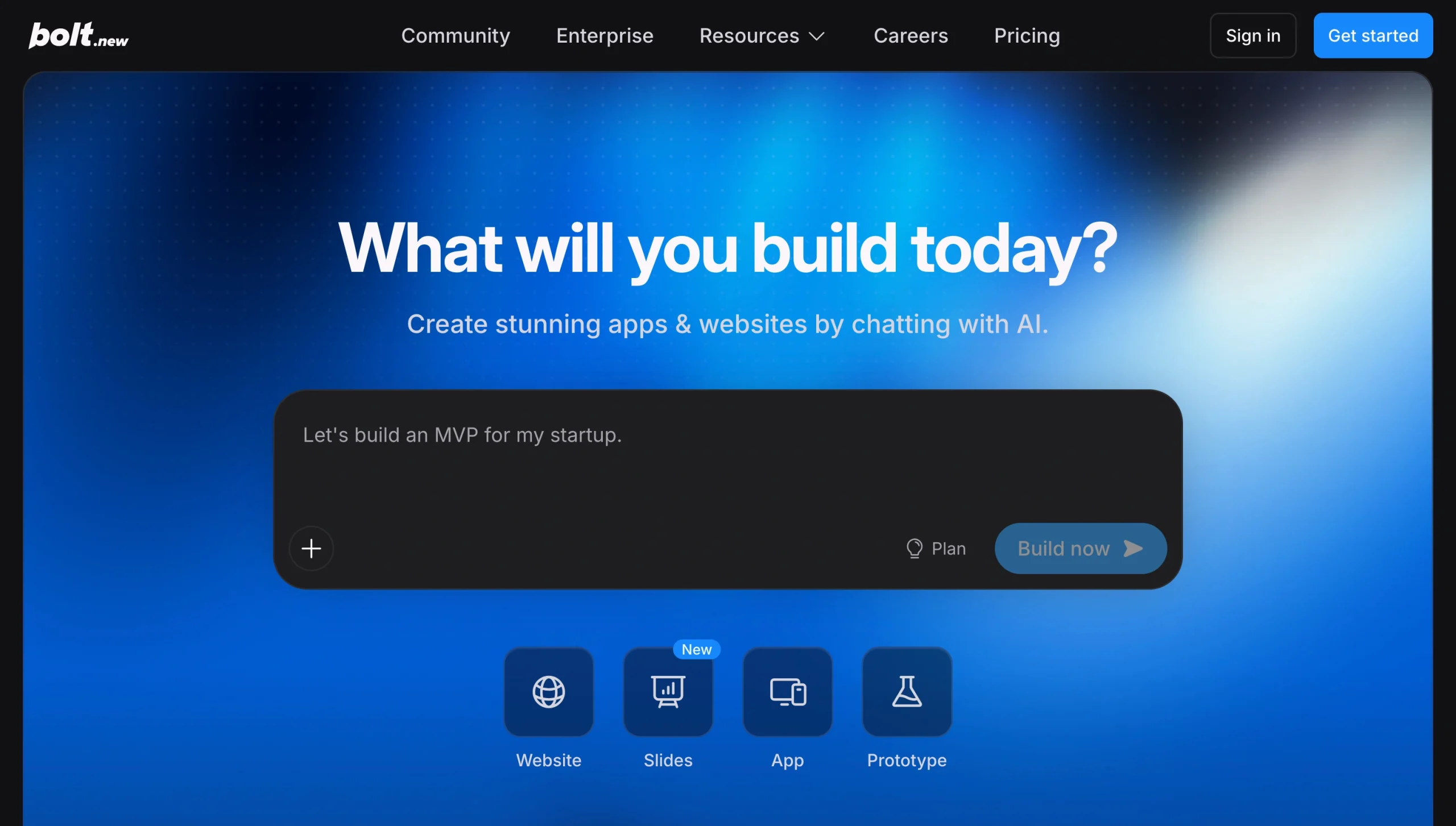
Bolt is the browser-native alternative to Replit. While Replit builds and runs your project on remote cloud servers, Bolt runs the whole development environment — filesystem, package manager, and dev server — inside your browser tab through StackBlitz’s WebContainers. This means there’s no need for VM configuration or local setup.
The build process moves quickly in Bolt. After I gave it my prompt, Bolt drew up a plan for the pages and features, walked me through the steps, and delivered a professional-looking app in under 10 minutes. While some no-code builders hide the code, Bolt keeps the files in view beside the Preview tab, and I could edit them directly to make changes.
Bolt is built mainly for JavaScript and TypeScript apps, so it can produce polished, interactive interfaces faster than a general-purpose builder like Replit. The habit tracker it built me looked complete — clean visuals, interactive buttons, and usable copy. Clicking “Sign in” opened the login page instantly without the page reloading, and the layout stayed responsive when I resized it to different device screens.
Key features:
- Browser-native full-stack generation: Once you describe the app, Bolt writes the code, installs dependencies, and runs a live preview directly in the browser through WebContainers, with nothing to set up locally.
- Real code that’s editable and portable: Bolt shows the files it writes and lets you edit them in a built-in editor or push the whole project to GitHub, so a non-technical builder and a developer can use the platform and leave with a real codebase.
- Built-in backend and deployment: The recent Bolt v2 (released late 2025) now consolidates hosting, databases, authentication, and file storage into the platform.
Limitations:
- JavaScript and browser constraints: Because Bolt runs the Node ecosystem entirely within the browser, it’s limited to JavaScript and TypeScript-based projects. It can’t support other programming languages, struggles with very large or complex dependency trees, and is incompatible with packages that require native system binaries or OS-level compilation.
- Backend runs outside the browser environment: The in-browser WebContainers environment doesn’t run a persistent production backend, but Bolt ships to one using Bolt Cloud or Supabase. This makes it suitable mainly for prototyping front-end apps or simple full-stack Next.js or Supabase projects.
Pricing:
- Free: $0
- Pro: $18 per month (billed annually)
- Teams: $27 per member per month (billed annually)
- Enterprise: Custom pricing
A quick decision guide based on what you’re building
- If you need a workflow app or portal for intake, approvals, payments, or files, start with Jotform Apps. For a more AI-guided path, use Jotform AI App Builder to generate the app from a prompt, then fine-tune it manually.
- If you want a fully managed no-code app with no development environment at all, look at Base44.
- If you’re a creative or non-technical founder who cares about interfaces, consider Lovable.
- If you want a fast, front-end-heavy web prototype with real code you can export, consider Bolt.new.
- If you want an AI-first editor for day-to-day coding in your local environment, look at Cursor.
- If you want a cloud development environment with real Git and pull request workflows, consider CodeSandbox.
Choose the Replit alternative that matches your needs
At the end of the day, the best Replit alternative depends on what you really need — whether it’s a more predictable IDE, a code editor for your local environment, or a no-code way to ship a workflow app. The best way to decide is to pick a tool or two from this list, build a small test project, and deploy it to see how the app’s workflow and cost match your needs.
And if what you really need is an internal app or digitized workflow, consider starting with Jotform Apps. It builds functional business apps on top of your existing form data, removing the need for a development environment or code. The Jotform AI App Builder also lets you skip the manual building process entirely and turn your prompt into a working app in minutes, so you can go from an idea to a live, shareable app in the same day. Try it for free today.
Frequently asked questions about Replit alternatives
It depends on whether you need a browser-based alternative or a prompt-to-app builder. For browser-based, CodeSandbox has the most generous offer. For prompt-to-app, Jotform AI App Builder is the best free Replit alternative for building and sharing apps without usage metering.
Yes, Bolt.new is the closest open-source alternative to Replit on this list.
Cursor. Most of the other tools covered here are built for JavaScript and web apps. But Cursor is a code editor that works with any local code environment, Python included. If you’d rather stay in the cloud, CodeSandbox Devboxes run on real VMs and can handle Python as well.
CodeSandbox is the strongest fit. It’s a full browser-based coding environment that you run yourself — with AI as an option, not the focus. For a no-code app without AI, Jotform Apps’ classic drag-and-drop builder works fine without touching the AI generator.
Yes. For a lot of people, Replit is still one of the fastest ways to start building apps in your browser with no setup. It supports more than 50 languages, handles hosting and deployment in one place, and is suitable for learning, prototyping, and solo building.
This article is for non-technical founders, independent builders, software developers, product teams, and internal operations teams seeking a Replit alternative that better fits their coding skills.



































































































Send Comment: