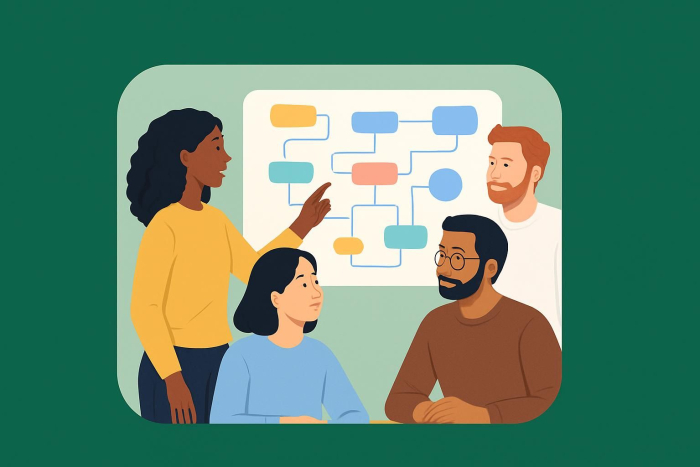
5 steps to become a citizen developer
- Identify the problem or inefficiencies in your workflow
- Learn basic app-building logic
- Explore no-code vs low-code platforms and try templates
- Build a small project and test it in the real world
- Improve based on feedback and share with others
Let’s say that your HR team needs to collect and organize applications for an urgent hiring push. However, your company’s applicant tracking system subscription has lapsed, and getting IT to build a custom solution would take weeks — time the HR team doesn’t have. Instead of waiting for IT, Sarah, the HR manager, opens a no-code platform and spends two hours building a form that captures candidate information, automatically sorts responses into a portal, and sends confirmation emails.
Within a day, Sarah’s simple recruitment app is live and processing applications. She has just become a citizen developer.
A citizen developer builds applications, automated workflows, and other digital solutions without writing a line of code. These builders come from departments such as HR, marketing, operations, and sales, and they use no-code and low-code tools to create apps that streamline the processes their teams follow daily.
This new class of developers has become essential, especially in enterprise organizations where traditional IT departments can no longer keep pace with the growing demand for application delivery and workflow automation. With the IT skills shortage estimated to cost companies $5.5 trillion in 2026, citizen developers are helping businesses meet the high demand for new applications while saving costs.
Today, thanks to no-code and low-code applications, anyone can become a citizen developer. Gartner predicts that, by this year, at least 80 percent of the user base for low-code development tools will be non-professional developers — business users creating solutions for their own teams without burning through IT resources.
This guide will walk you through what it takes to become a citizen developer: the skills you need, the tools available, and practical steps to start building.
Who is a citizen developer?
A citizen developer is a business process expert who builds digital solutions — such as back-office apps, automated workflows, databases, or tools — without formal IT training or programming experience. Such a person uses no-code or low-code development platforms approved by the IT department to create functional applications tailored to immediate business concerns.
Citizen developers are business professionals, tech enthusiasts, and problem solvers in their own department. They understand their team’s workflows, pain points, and processes better than anyone in IT, and combine this insider knowledge with accessible tools to create solutions for specific needs.
The biggest difference between citizen developers and traditional developers is the depth of their knowledge and involvement throughout the software development cycle. Traditional developers have formal computer science training, are fluent in programming languages, and are capable of building software solutions from scratch. This enables them to manage complex databases and optimize enterprise-grade applications for security, scalability, and performance.
Citizen developers, on the other hand, don’t have a deep understanding of the software development landscape. They work with visual drag-and-drop platforms and use pre-built components to create solutions. However, they often collaborate with IT, using only platforms sanctioned and approved by the IT department. IT provides governance, security guidelines, and technical support, while citizen developers handle the actual building and iteration based on departmental feedback. This collaboration speeds up development cycles, improves efficiency, and reduces IT backlogs.
Citizen developers exist across every industry and department. They could include
- An HR manager who builds an employee onboarding app that collects new hire information, generates offer letters, and triggers automated welcome emails — eliminating hours of manual data entry
- A marketing coordinator who creates an interactive lead capture form with conditional logic that qualifies prospects in real time, routing high-value leads directly to the sales team’s customer relationship management platform while sending nurture sequences to others
- A high school teacher who designs an assignment tracking app where teachers can oversee students’ work, record test scores, and evaluate performance throughout the semester
- An operations manager at a logistics company who builds a workflow that automatically updates inventory levels, sends reorder alerts when stocks run low, and generates weekly reports for the finance team
Why do companies need citizen developers?
In a 2021 survey of 2,025 IT professionals, Mendix found that two-thirds of major software development projects are delivered behind schedule and that, for 62 percent of respondents, the backlog just keeps increasing. For internal projects, this bottleneck slows down business operations, frustrates employees, and delays critical initiatives.
The citizen developer concept helps solve this problem by democratizing application development. Instead of waiting for IT to prioritize and build every solution, employees can create lightweight applications and automations to solve their immediate needs. This frees IT to focus on complex, mission-critical work.
Companies that embrace citizen development can innovate quickly, respond more quickly to changing business environments, improve employee engagement, and adapt more easily to trends. Typical use cases for citizen developers include building web-based forms, automating workflows, creating reports, and visualizing data.
Essential skills to become a citizen developer
Even though citizen development doesn’t require a computer science degree or coding knowledge, it demands good business acumen as well as soft and technical skills.
Here are the core skills that will set you up for success as a citizen developer:
- Problem-solving ability and curiosity: Beyond knowing how to code, building solutions starts with identifying inefficiencies and asking, “How can I fix this?” To succeed as a citizen developer, you must be naturally curious about process improvement and be willing to experiment with different approaches until you find what works.
- Understanding of business processes: As a citizen developer, your knowledge of how your department operates is your biggest advantage. You know which approval processes take too long, which data entry tasks are repetitive, and which reports stakeholders actually need. This lets you design solutions that actually address real needs, rather than tools that sit unused.
- Digital literacy and willingness to explore new tools: You don’t need to be a power user of every software platform, but you should be comfortable navigating unfamiliar interfaces and figuring out how tools work through experimentation.
- Confidence using visual platforms and drag-and-drop builders: No-code and low-code platforms rely on visual interfaces where you build applications by dragging components, configuring settings, and connecting logic blocks. You should be confident thinking in terms of “if this, then that” logic, and understanding how different components (like forms, databases, notifications, and workflows) connect to create a functioning app.
- Communication and collaboration skills: Citizen development works best when IT is a partner, not an obstacle. This means you should be able to communicate your goals clearly, understand the governance requirements your organization has in place, and be receptive to feedback about security, scalability, or integration concerns.
How to become a citizen developer in 5 simple steps
At this point, you can probably tell that citizen development is a practical, hands-on journey. To put all the skills we’ve discussed into action, let’s break down the key steps you should take to become an effective citizen developer.
1. Identify the problem or inefficiencies in your workflow
Start by observing your daily workflow to identify a problem you can solve or automate with citizen development. For instance, manual processes like copying data between systems, sending the same email repeatedly, or tracking information across multiple systems. The idea is to identify a specific problem that affects you and your immediate team.
2. Learn basic app-building logic
Before exploring platforms, familiarize yourself with how applications process information. Most no-code tools operate on simple logic: if a user does X, then the system does Y. This means understanding conditions (if a form submission contains “urgent”, send it to a different approval queue), workflows (when someone submits a request, notify their manager, then archive the response), and user inputs (dropdown menus, date pickers, file uploads, etc.).
While you don’t need to memorize programming concepts, understanding how data flows through a system — from collection to storage to action — will make platform features feel more intuitive when you start building.
3. Explore no-code vs low-code platforms and try templates
The next step is to choose a platform that aligns with your needs and your organization’s IT policies.
There are many popular no-code and low-code platforms designed for enterprise use, but only a few, like Jotform, offer pre-built templates for common use cases such as company portals, event registration, and task management. Starting with a template rather than building from scratch lets you see how components work together and gives you a foundation to customize.
4. Build a small project and test it in the real world
Once you’re familiar with the platform, create a simple solution for one of the problems you identified in step one. Keep the scope small — for instance, a form that collects team feedback, or a tracker for tracking project milestones. Build the minimum viable version that solves the core problem, then test it with a small group of colleagues to see if it actually saves time or improves your process.
Real-world testing reveals any assumptions you made during development, and shows you what needs adjustment before a wider rollout.
5. Improve based on feedback and share with others
The final step is to use feedback from your test group to refine your application, and then expand access to more users.
It’s also essential that you document how the solution works, what it does, who should use it, and how to troubleshoot common issues. This documentation helps with handoff if someone else needs to maintain it and creates a knowledge base for other citizen developers in your organization.
5 best tools and platforms for citizen developers
The right platform makes citizen development accessible and sustainable. While dozens of no-code and low-code tools exist, the best ones provide intuitive visual interfaces, prebuilt components and templates, drag-and-drop capabilities, and integrations so that citizen developers can focus on functionality rather than technical details.
Below are five citizen development apps that stand out:
1. Jotform
Jotform is a comprehensive no-code platform designed for building digital solutions. Whether you’re just learning how to create an app without any coding knowledge or refining your citizen developer skills, Jotform’s drag-and-drop interface lets you build professional business applications quickly and easily.
The platform offers four core product lines that cover most citizen development needs:
- Online forms let you create everything from simple contact forms to complex multi-page applications with conditional logic, payment processing, and file uploads.
- Automated workflows streamline approval processes, task assignments, and data routing without manual intervention.
- Apps enable you to build mobile-ready applications for internal tools, customer portals, or data collection systems.
- The AI agent builder allows you to create intelligent assistants that can answer questions, guide users, or automate conversations based on your business data.
Jotform addresses a common challenge for citizen developers: starting from scratch. The platform provides extensive template libraries for forms, workflows, apps, and AI agents. These templates cover use cases across departments, from HR onboarding flows to marketing lead capture forms, operations inventory trackers, and education assignment submissions. You can deploy a template as is or customize it to match your specific requirements using drag-and-drop tools.
Once you’ve built your solution, Jotform makes distribution easy. You can share projects via QR codes for in-person sharing, embed them directly into websites, or distribute links through email and messaging platforms. All responses and data flow into a centralized database — Jotform Tables — where you can analyze results in real time, export reports, or integrate with other systems.
For organizations with strict compliance requirements, Jotform offers GDPR-ready and HIPAA-friendly options that help ensure data handling meets regulatory standards. Every form, workflow, and app is automatically mobile-responsive, so solutions work seamlessly on desktops, tablets, and smartphones.
2. Zapier
Zapier works best for automating business processes with AI rather than building standalone apps. You can create AI agents to handle repetitive everyday tasks, automate advanced workflows with AI, and connect up to 8,000 business-critical apps to share data. If your work involves moving data between platforms, Zapier handles these integrations without code.
3. Airtable
Airtable allows you to build business apps by combining the familiarity of spreadsheets with the power of databases. If you need to organize complex information, track projects, or manage content calendars with multiple collaborators, you can use Airtable to create custom views, link records across tables, and build interfaces that hide complexity from end users.
4. Notion
Notion is an all-in-one workspace where teams can create documentation, databases, and project management systems. Its flexibility lets citizen developers build custom wikis, knowledge bases, and lightweight tracking systems. Use the platform to create centralized, searchable resources for consolidating information that would otherwise live across multiple tools.
5. Lovable
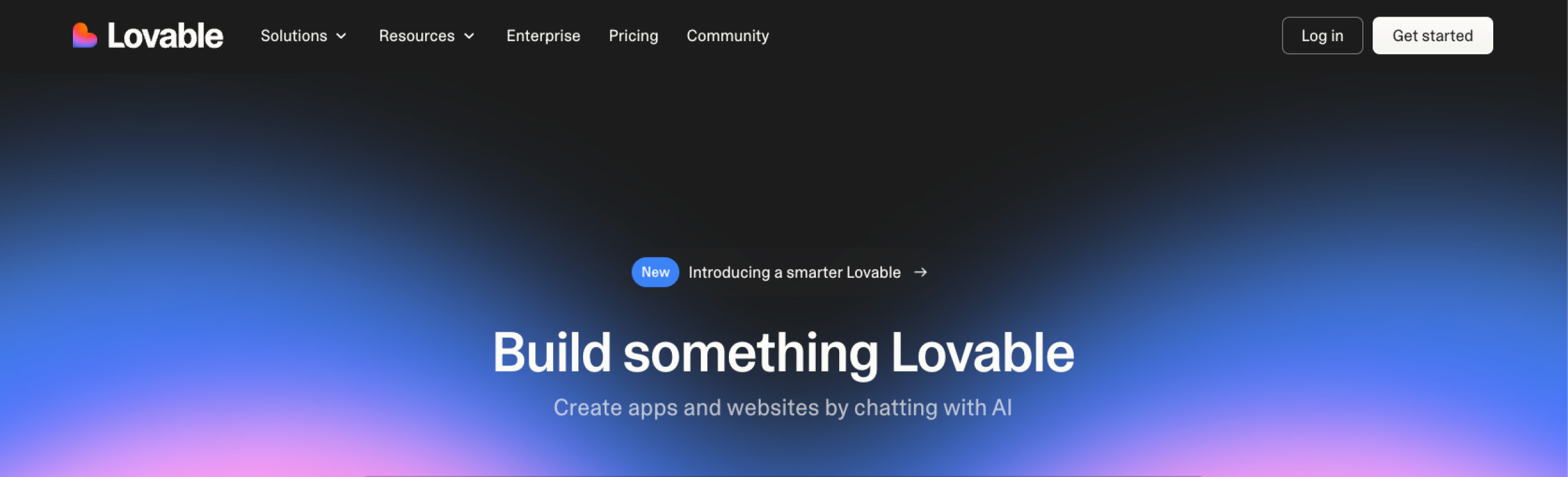
Lovable is an AI-powered development platform that lets you create full-stack applications using natural language prompts. It works best for straightforward applications, so you describe what you want to build in plain language, and the platform generates production-ready applications with backend infrastructure.
Pro Tip
If you want to explore additional platforms and compare more options, you can find more tools in our article where we cover 10 best citizen developer platforms.
5 best practices for citizen developers
When done right, citizen development improves organizational agility and efficiency. But building functional applications is only a small part of successful citizen development. The difference between solutions that get abandoned after a few weeks and those that deliver lasting value comes down to how you approach the development process.
Follow the best practices below to ensure your work remains secure, scalable, and aligned with organizational standards.
| Best practice | Key Actions |
|---|---|
|
1. Start small and iterate |
|
|
2. Collaborate with IT from the beginning |
|
|
3. Prioritize user experience |
|
|
4. Monitor performance and gather feedback |
|
|
5. Invest in continuous learning and upskilling |
|
With these practices in mind, you can create business applications that are useful, scalable, and secure while maintaining the quality and governance standards that your organization requires.
Start building effective business applications today without coding
Rather than waiting months for IT resources or external vendors, professionals across every department are building the tools they need to work more efficiently. This shift isn’t temporary — it’s bridging the gap between technology and business needs and changing how quickly organizations adapt to new challenges.
And the good news is that you don’t need any programming skills, a computer science degree, or years of technical experience. If you understand your team’s workflows and navigate everyday software, you have the foundation to start building.
The best way to become a citizen developer is simply to begin. Choose one small problem in your daily work — an approval process stuck in email chains, a report you manually compile every week — and explore how a platform like Jotform can help you build a solution that streamlines it. Get started for free today.
Frequently asked questions on citizen developers
No formal qualifications or certifications are required to become a citizen developer. The essential skills are problem-solving ability, curiosity about technology, and familiarity with your organization’s processes. The best qualification is hands-on experience: building real projects, testing them with users, and iterating based on feedback.
A citizen developer program is an organizational initiative that empowers non-technical employees to build applications using approved no-code and low-code tools.
Companies are embracing citizen development to reduce IT backlog, cut development costs, and address IT talent shortages.
Citizen development is the practice of enabling non-technical employees to create business applications, automate workflows, and build digital solutions using no-code and low-code platforms.
This article is for professionals, team leaders, digital learners, and anyone who wants to become a citizen developer by using no-code and low-code tools to build apps, automate workflows, and solve business problems without formal programming skills.


























































































Send Comment: