
QuestionPro and SurveyMonkey sit in the same category, but they’ve built their reputations in different ways. SurveyMonkey became a household name for online surveys by making it easy for anyone to create and send questionnaires.
QuestionPro, meanwhile, grew out of the market research world, with a stronger focus on analytics, advanced logic, and structured research methods.
I put both platforms to the test by building sample surveys, testing their logic tools, and examining how they handle reporting and analysis. After all that, here’s how I rate QuestionPro and SurveyMonkey across key features, AI, usability, pricing, and more.
 QuestionPro |  SurveyMonkey |  Jotform | |
|---|---|---|---|
| Best for | Market research teams and enterprises that need complex survey logic and research methods such as conjoint analysis or MaxDiff (best-worst scaling) | Businesses that want easy survey creation and access to a large global survey panel | Teams that want a conversational survey experience and templates for a wide range of use cases |
| Ease of use | Slightly complex due to its many research features and analytics tools | Very user-friendly | Very user-friendly |
| Advanced logic | Supports block flow diagrams, looping logic, quotas, JavaScript validation, and custom scripting | Supports skip logic, advanced branching, piping, and carry-forward responses | Supports conditional logic, agentic workflows, and widgets |
| Support questions | 50+ question types | 25+ question types | 20 basic fields and 100+ widgets |
| Reporting | Advanced reporting with cross-tab analysis, data segmentation, SPSS export, and trend analysis | Strong reporting with data visualization, benchmarking, statistical significance testing, and sentiment analysis | Strong reporting with charts, tables, and 25+ integrations with analytics and reporting platforms |
| AI automation | Includes QuestionPro AI for survey creation, analysis, and insights | AI tools help generate surveys, predict question types, and more | AI survey generators and AI agents can create surveys and run automated workflows |
| Starting price | Free plan available; paid plans start at $83 per user, per month (billed annually) | Free plan available; paid plans start at $90 per month (billed annually) for three users | Free plan available; paid plans start at $34 per user, per month (billed annually) |
What is QuestionPro?
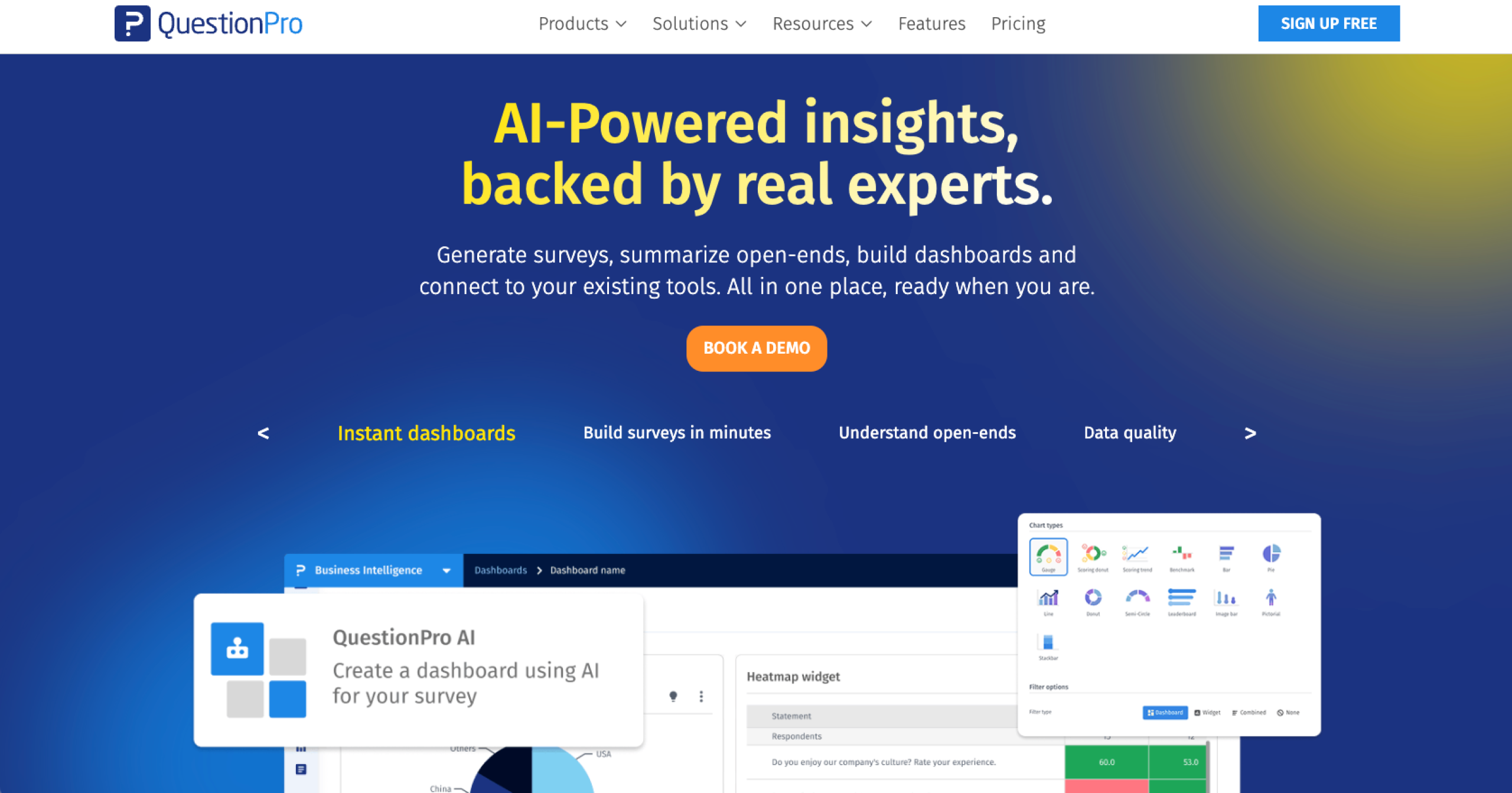
QuestionPro is a survey and research platform used by organizations to create surveys, run studies, and analyze insights across customer, employee, and market research programs. It also goes beyond surveys with a focus on AI-powered statistical analysis, making it one of the best survey software for academics and researchers.
Some of its newer capabilities, though, are designed specifically for research workflows. QuestionPro’s synthetic data and digital twin tools let you generate synthetic datasets from your data to avoid exposing sensitive information.
- Pros:
- Its 50-plus types of survey questions and advanced methodologies (including conjoint analysis and MaxDiff) make it one of the best market research tools.
- It provides specific modules for customer experience (CX) and employee experience (EX)programs with features such as Net Promoter Score (NPS) tracking, sentiment analysis, and journey feedback.
- Region-specific data hosting is helpful for organizations handling sensitive research or strict data residency requirements.
- Cons:
- The depth of research features, logic tools, and analytics can be overwhelming for teams that need only basic surveys.
- There’s a large gap between QuestionPro’s free and paid plans, with pricing starting at around $83 per user per month.
Pro Tip
If you’re evaluating survey tools, it’s also worth looking at some QuestionPro alternatives to see how other platforms compare.
Digsite
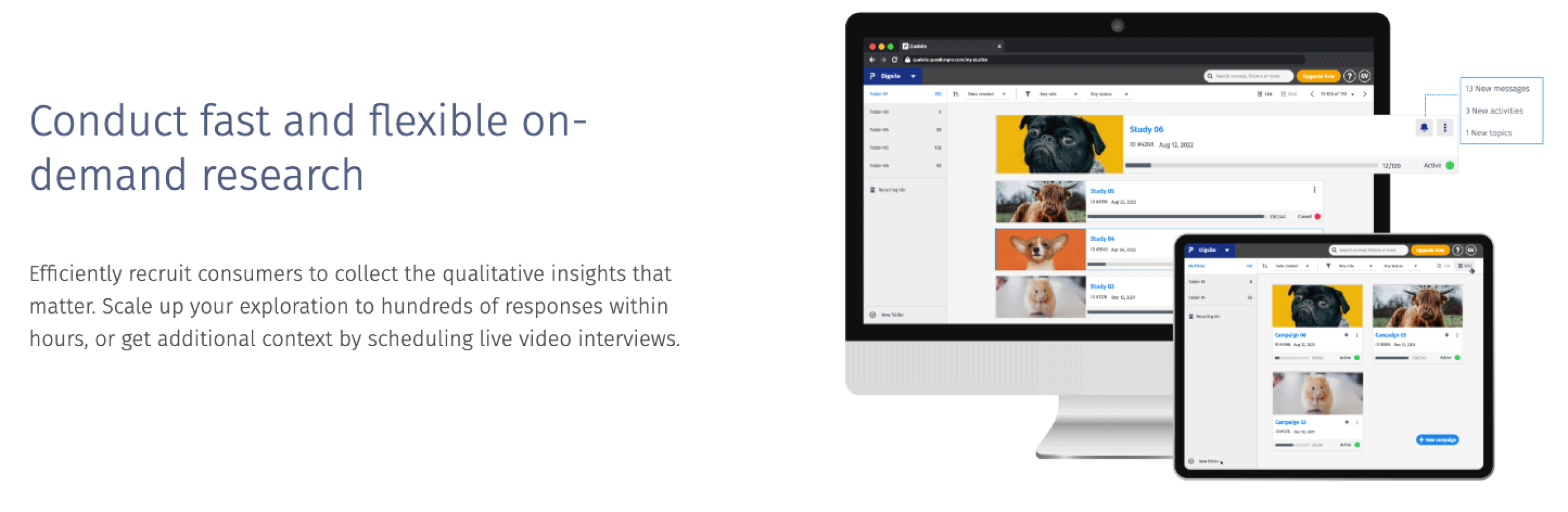
Digsite is QuestionPro’s qualitative market research tool built for exploring the “why” behind customer behavior. It allows teams to run flexible qualitative studies using surveys, open-ended discussions, and voting tasks alongside moderated or unmoderated video interviews.
Researchers can recruit panelists, capture emotional insights using AI-powered natural language processing, and analyze responses with dashboards that update in real time.
AskWhy
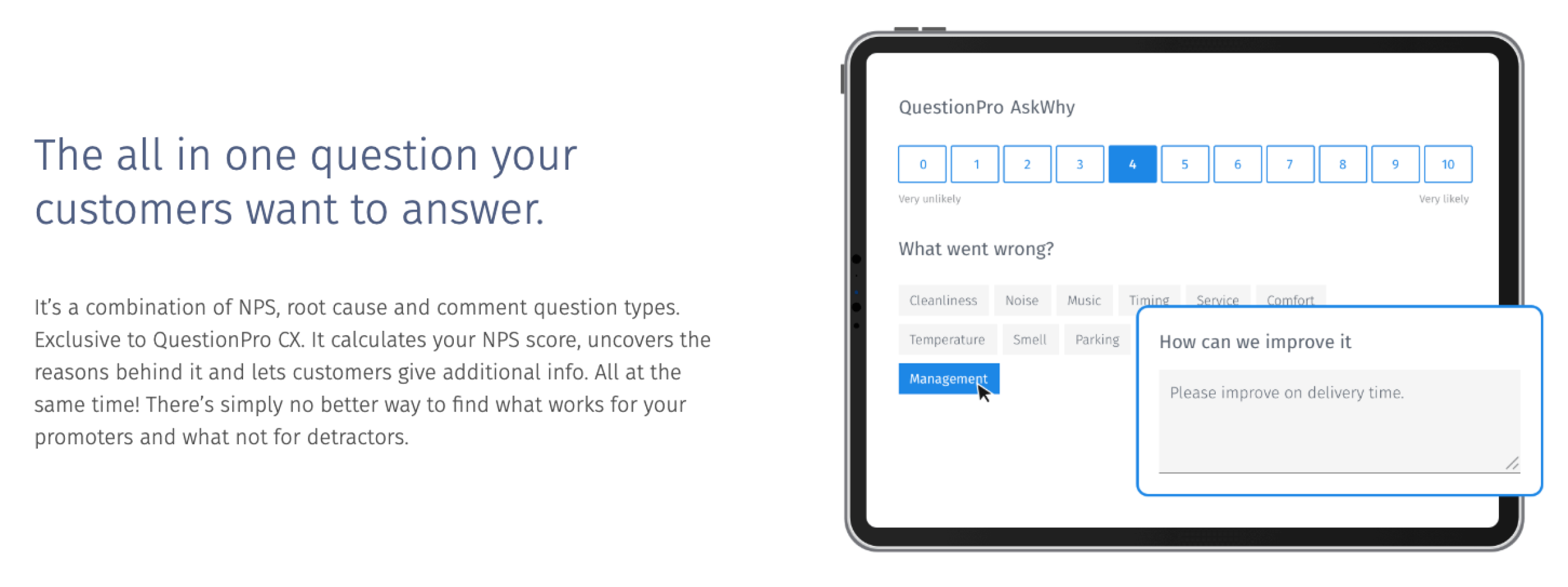
AskWhy is a CX-focused feature in QuestionPro that goes beyond the standard Net Promoter Score. Instead of providing just a rating, it combines the NPS score, the reason behind it, and an open-ended comment into a single question.
Customers can also vote on feedback from other respondents, which helps highlight the issues that matter most. Then there’s the built-in sentiment analysis, which makes it easier for teams to understand what’s driving customer satisfaction (or frustration) and where to take action.
QuestionPro BI
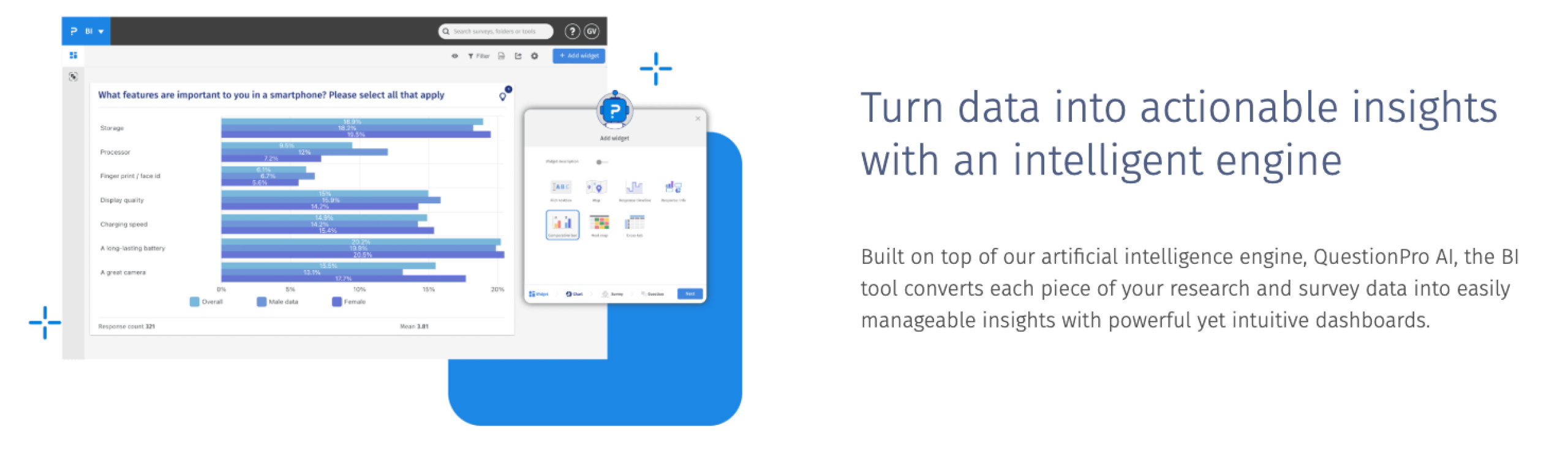
QuestionPro BI helps teams turn survey responses into insights without needing a separate analytics tool. Instead of exporting data to spreadsheets or external business intelligence platforms, researchers can build dashboards directly inside QuestionPro and see results in real time.
It’s particularly useful when you’re working with large datasets or multiple studies.
QuestionPro pricing
- Essentials: Free
- Advanced: $99 per user, per month when billed annually
- Team Edition: $83 per user, per month when billed annually
- Research Suite: Custom pricing
These prices are for the survey and research suite. The CX and EX plans require custom quotes.
What is SurveyMonkey?
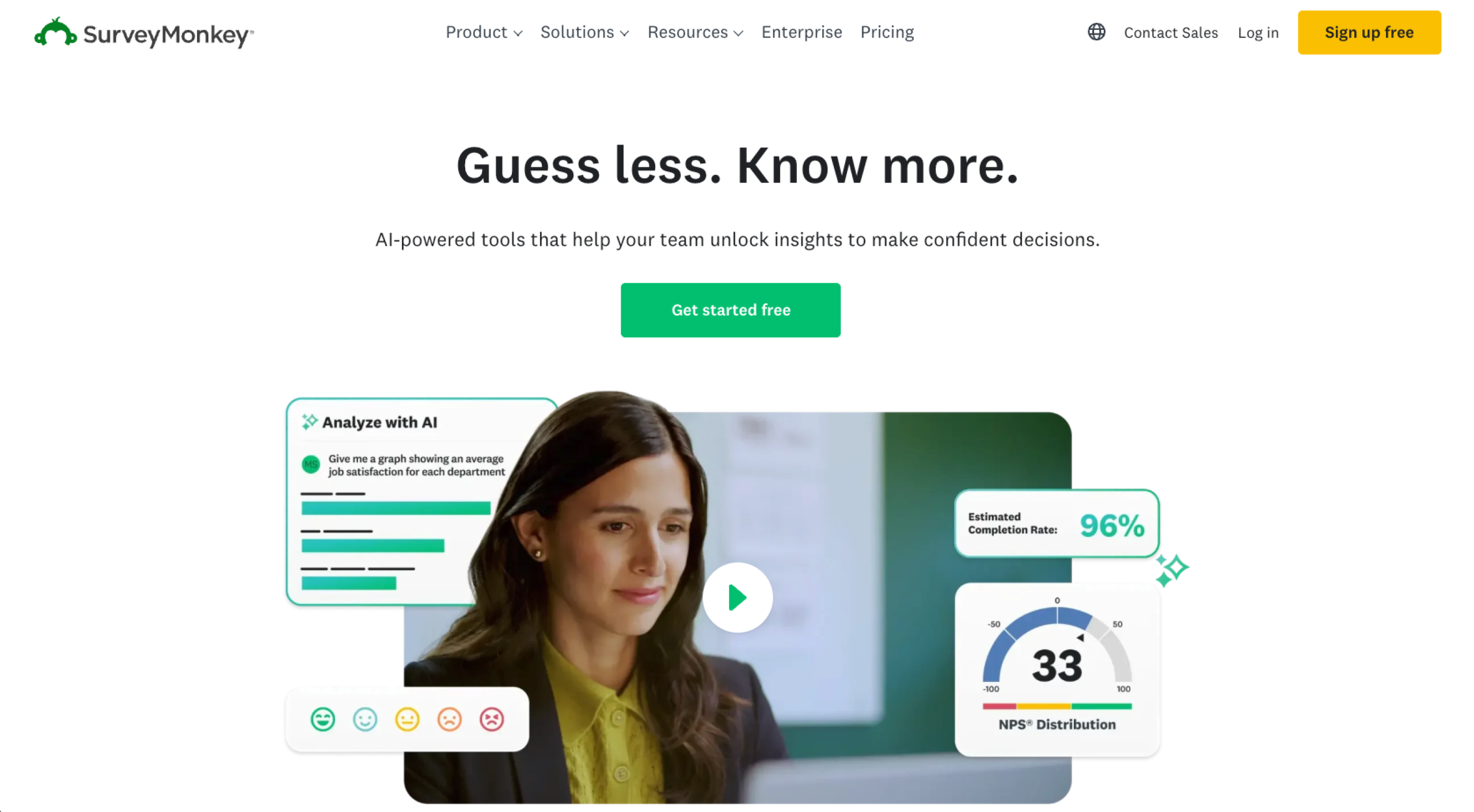
SurveyMonkey is an online survey platform designed to help businesses collect survey data and turn it into clear, presentation-ready insights. SurveyMonkey focuses on simplifying the survey workflow and includes AI-powered survey creation, modern visuals, and team collaboration.
Its approach to market research is also different. SurveyMonkey’s features are packaged into guided solutions such as concept testing and price optimization so teams can run studies without designing complex methodologies themselves.
- Pros:
- The interface, templates, and AI-assisted survey builder make it simple for non-researchers to create surveys quickly.
- SurveyMonkey Audience gives access to 335 million-plus respondents in 130-plus countries, making it easy to run targeted research.
- The software connects with 200-plus tools, including Salesforce, Slack, Google Sheets, and Tableau.
- Cons:
- Free and entry-level plans often cap the number of responses, which can become restrictive as surveys scale.
- Compared to other platforms, design and customization options can be restrictive.
Pro Tip
If you want to explore more survey tools with different strengths, check out our list of best SurveyMonkey alternatives.
Global audience panel

One of the hardest parts of running surveys is finding the right respondents. SurveyMonkey helps to solve this with SurveyMonkey Audience, a built-in research panel with 335 million-plus people across 130-plus countries.
You can target participants by demographics such as location, age, income, or profession and start collecting responses quickly. The panel is priced separately from SurveyMonkey plans (about $1 per response) and is a good option for teams that need fast results, especially if they don’t have a ready-to-ask audience.
AI Analysis Suite

Reading through hundreds of open-ended responses can take longer than running the survey itself. SurveyMonkey’s AI Analysis Suite helps shorten that process by analyzing survey data as it comes in.
The suite comes with an AI sidebar that works like a built-in analyst. You can ask questions about your data and find patterns via chat. And because all chat history is saved, you (and your team) can come back to the conversation at any time.
Team collaboration

Because SurveyMonkey is built primarily for business teams, it offers strong collaboration and governance features. For example, one main SurveyMonkey enterprise feature is the ability to trigger custom alerts when specific responses appear and route them to the right team for quick follow-up.
You also get contributor seats, which let teammates analyze results without a full paid license. This can make collaboration easier in larger organizations.
SurveyMonkey pricing
- Basic: Free
- Advantage (individual): $38 per month when billed annually
- Premier (individual): $139 per month when billed annually
- Team Advantage: $30 per user, per month when billed annually
- Team Premier: $92 per user, per month when billed annually
- Enterprise: Custom pricing
Pro Tip
If you’re looking for an affordable and conversation-driven survey experience, here’s an in-depth comparison of Jotform vs SurveyMonkey.
QuestionPro vs SurveyMonkey: Side-by-side comparison
Now that we’ve explored the strengths and positioning of both platforms, the next question is how they perform. Here’s a look at QuestionPro vs SurveyMonkey for research capabilities, AI capabilities, and more.
Survey management
When it comes to building and managing surveys, both tools seem similar at first. They both offer survey templates and let you create surveys using prompts.
The differences show up in the smaller workflow features. For example, QuestionPro lets you import an entire survey from a Word document, while SurveyMonkey includes actions such as “paste your questions” to convert existing questionnaires into surveys.
Also, while both support custom CSS for styling surveys, SurveyMonkey goes further with an AI theme generator.
AI capabilities
Both platforms now include AI in their survey workflows and support 50-plus languages, but they prioritize different things: One simplifies survey management and the other simplifies research management.
SurveyMonkey focuses on AI for survey creation and response analysis, such as generating surveys from prompts, summarizing open-ended responses, and running sentiment analysis.
QuestionPro’s AI is positioned more as a “research co-pilot.” It can rephrase questions, expand answer choices, and validate data quality, including data from video interviews.
Analytics and reporting
Both platforms offer solid tools for turning raw data into something usable. SurveyMonkey focuses on clean, presentation-ready reporting with charts, word clouds, filters, and multi-survey dashboards. It emphasizes presenting survey data clearly to stakeholders; it also offers cross-tabs, benchmarking, and statistical analysis.
QuestionPro goes a bit further for research-heavy workflows. Beyond advanced reporting, it also includes features such as smart tagging, deep search, and knowledge graphing, which let teams analyze insights across multiple studies.
Survey distribution
Both platforms give you several ways to send surveys and collect responses. SurveyMonkey covers email invitations, shareable web links, QR codes, and social media distribution. On higher plans, it also supports SMS distribution and offline response collection, which can be useful for field surveys or events.
QuestionPro supports similar distribution methods, plus one more: community distribution through its built-in community platform. This lets you create a private panel of respondents for your surveys.
Audience targeting
If you need respondents and don’t already have an audience, both platforms offer built-in panels to recruit participants. SurveyMonkey provides SurveyMonkey Audience, which connects you to 335M-plus respondents across 130-plus countries.
QuestionPro offers a similar service through QuestionPro Audience, which gives access to 22 million-plus opt-in panelists worldwide. While the panel size is smaller than SurveyMonkey’s, it’s more flexible. For example, if you need a specific audience, you can work with QuestionPro’s audience team to recruit respondents that match your study criteria.
QuestionPro vs SurveyMonkey: Which should you choose?
While the QuestionPro vs SurveyMonkey pricing difference is real (SurveyMonkey wins on affordability), the best fit depends on who’s surveying and why. Some teams need structured research tools and deeper analysis, while others just want a simple way to collect and share feedback.
Choose QuestionPro if
- Your research, CX, or insight teams run structured studies and need advanced survey logic and analytics.
- Surveys are part of a dedicated research workflow and not used just for occasional feedback collection.
- You need flexibility in survey design, including custom scripting, advanced branching, and deeper data exports for statistical tools.
Choose SurveyMonkey if
- Marketing, human resources, operations, or product teams run surveys mainly for everyday feedback.
- You need to quickly launch surveys, collaborate on them, and present results to stakeholders without a complex setup process.
- Your team wants an easy way to recruit respondents or gather quick market insights.
Looking for a robust survey tool? Try Jotform today
If you’re choosing between QuestionPro and SurveyMonkey, it’s worth considering a third tool that goes beyond static surveys. The Jotform Surveys tool is built for conversational, agentic experiences. So when you migrate from SurveyMonkey or QuestionPro to Jotform, surveys become conversation-driven.
Getting started is easy. Choose from 20,000-plus form templates or use the AI Survey Generator to create your surveys. You can also use conditional logic to personalize the survey experience or 40-plus payment processor integrations to process transactions within the same workflow.
When it comes to sharing your surveys, you have two paths. The first is familiar: distribute them through standard channels such as email, embedded website forms, or shareable links.
The second is more powerful: deploy your surveys through a Jotform AI Agent. Instead of filling out a static form, respondents engage in a guided conversation. Agents can be trained on your specific documentation, so they also provide respondents with relevant context and support.
All responses will be in Jotform Tables. From there, you can filter responses, track trends, and collaborate with your team on the data. Jotform Tables also lets you generate one-click reports and visual summaries, making it easier to share insights with the larger team.Want to give Jotform a try? Choose from 11,000-plus survey templates or start with one of 7,000-plus AI Agent templates to quickly launch a survey and the workflow behind it.
This article is for the market researchers, academic professionals, CX (Customer Experience) leads, and HR managers who need deep analytics and complex logic beyond basic polls






































































































Send Comment: