


Event Planning Sign Templates

Wedding Photography Quotation Request Template
Create a wedding photography quotation request for all your interested clients. Get e-signatures and approvals quickly. Drag and drop to customize.
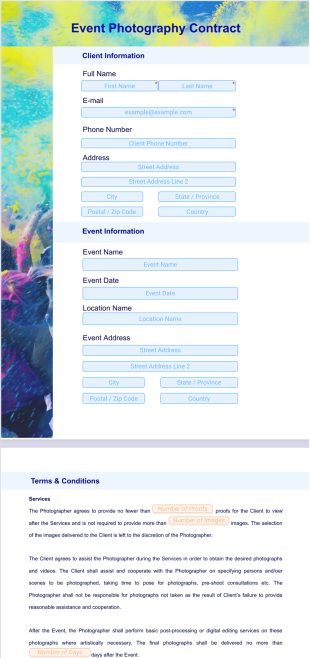
Photography Contract Template
A photography contract gives you the protection you need when working with a client. Simply sync your input form to our photography contract PDF template to instantly convert submissions into professional PDF contracts.
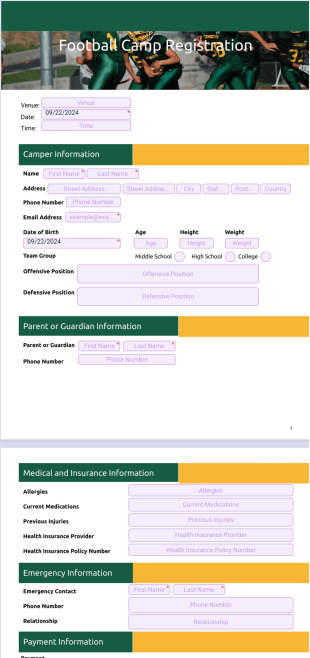
Football Camp Contract Template
Make football camp registrations easy. Drag and drop to customize. Works on any device — desktop, tablet, and mobile friendly. Converts easily to PDF. No coding.
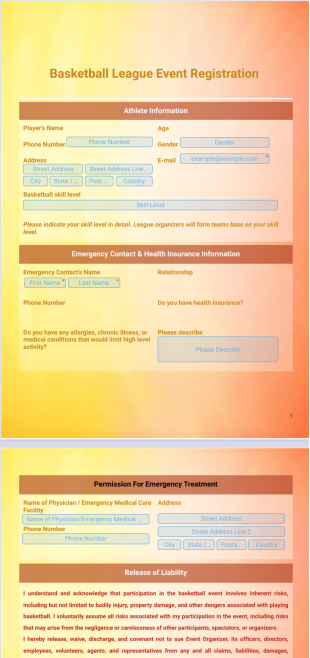
Basketball League Registration Event Template
Register basketball players of all skill levels for your local basketball league. This free Basketball League Registration Template will instantly convert registrations into PDFs that are easy to download, organize, and access on any device.
About Event Planning Sign Templates
Event Planning Sign Templates are specialized digital templates designed to streamline the myriad of processes involved in organizing successful events. These templates facilitate the creation of crucial documents such as contracts, schedules, and feedback forms that are essential in the event planning industry. Real-world workflows that benefit from these templates include managing vendor agreements, capturing attendee information efficiently, and providing detailed post-event reports. By leveraging such templates, event planners can ensure smoother operations, minimize errors, and maintain a professional appearance in all documentation.
Jotform stands out as the premier online form builder for creating and managing Event Planning PDF Templates. Its user-friendly interface allows for effortless customization, empowering users to tailor templates to precise event requirements. With Jotform’s capability to automate data collection, event planners can seamlessly gather and organize information, saving time and resources. Furthermore, Jotform Tables provides centralized data management, enabling users to access, analyze, and collaborate on their collected data with ease, enhancing overall efficiency and decision-making processes.
Why Use Event Planning Sign Templates?
- Event Planning Sign Templates ensure accuracy in capturing and presenting information, which is crucial for coordinating the multiple facets of event management. By using pre-designed templates, planners can standardize data entry, reducing the risk of errors and inconsistencies that often arise in manual processes.
- These templates significantly speed up the document creation process, enabling event organizers to quickly generate essential documents like itineraries and contracts. This allows for more time to focus on other critical planning aspects, enhancing overall productivity and effectiveness.
- Professional data handling is another advantage of using Event Planning PDF Templates. They provide a structured format that facilitates the clear presentation of complex information, which is particularly beneficial when communicating with clients and stakeholders.
- The use of templates improves organization and management of event-related data. By centralizing information in a consistent format, planners can easily keep track of all necessary details, ensuring nothing is overlooked and every event requirement is met.
- Event Planning Sign Templates also support better collaboration among team members. By providing a uniform structure for data entry and document generation, team members can work together more efficiently, minimizing misunderstandings and enhancing coordination.
Common Problems Solved by Event Planning Sign Templates
- One common issue in event planning is the overwhelming amount of paperwork required. Event Planning Sign Templates digitize this process, reducing paper usage and making document handling more manageable and eco-friendly.
- Manual data entry and the associated errors are significant pain points in the industry. Templates help automate data collection and entry, minimizing human errors and ensuring that event details are accurately captured and maintained.
- Lost or misplaced data can have dire consequences for event planning. By using digital templates, planners can securely store and easily retrieve all necessary information, reducing the likelihood of data loss and ensuring that critical information is always accessible.
- The time-consuming nature of creating and formatting event documents is another challenge. With pre-designed templates, event planners can quickly produce professional documents without spending excessive time on formatting, allowing them to focus on other essential tasks.
Matching Use Cases to Features
- Event registration is a crucial use case where the Drag-and-Drop Form Builder shines. By using this feature, planners can easily create registration forms that capture attendee details accurately, streamlining the sign-up process.
- Conditional Logic is particularly useful for tailoring event feedback forms. This feature allows planners to create dynamic forms that adjust based on the responses provided, ensuring that only relevant questions are asked, improving response quality and participant experience.
- For events requiring contracts or legal agreements, Electronic Signatures (Jotform Sign) enables secure and efficient signing of documents. This feature ensures that all necessary agreements are completed promptly, reducing delays and ensuring compliance with event requirements.
- The PDF Editor (Automated PDF Generation) is ideal for creating detailed event schedules and itineraries. This feature allows planners to automatically generate PDFs from submitted data, ensuring that all participants receive up-to-date and accurate event information.
- The Report Builder can be used to create comprehensive post-event reports. By compiling data collected during the event, planners can generate insightful reports that help evaluate event success and identify areas for improvement.
How to Create a Event Planning PDF Template
- Browse the Template List for an Event Planning PDF template or start from a blank Template to suit your specific needs.
- Customize the design and fields using the Drag-and-Drop Form Builder, adjusting elements to align with your event’s branding and data collection requirements.
- Publish and share your template via Direct Link, Email, or Website Embed to ensure easy access and distribution to all relevant parties.
Top Use Cases for Event Planning Sign Templates
- For Managers: Event Planning Sign Templates are essential for managers who need to oversee multiple events simultaneously. They provide a structured approach to document management, ensuring that all event details are captured accurately and efficiently. Managers can use these templates to generate reports, track progress, and ensure that all aspects of the event are on schedule, enabling them to make informed decisions quickly.
- For Teams: Teams benefit from the collaborative nature of Event Planning Sign Templates, which allow multiple team members to work on the same document seamlessly. By using standardized templates, teams can ensure consistency across all event documentation, reducing the likelihood of errors and improving overall communication. This collaborative approach facilitates better coordination and enhances the team's ability to deliver successful events.
- For Customers: Customers benefit from the professionalism and efficiency provided by Event Planning PDF Templates. These templates ensure that all client-facing documents, such as contracts and itineraries, are presented in a clear and organized manner. This not only improves the customer experience but also enhances the client's confidence in the event planning process, leading to higher satisfaction and potential repeat business.
Summarizing Event Planning Sign Templates
Event Planning Sign Templates provide substantial business value by streamlining document creation and management processes within the event planning industry. These templates facilitate accurate data capture, quick document generation, and professional presentation, all of which are critical for successful event coordination. By leveraging Jotform’s capabilities, event planners can enhance efficiency, improve collaboration, and deliver a superior experience to both clients and team members.
Frequently Asked Questions
1) Is it free to create Event Planning Sign Templates on Jotform?
Yes, Jotform offers a free plan that allows users to create and customize Event Planning Sign Templates, though certain features may have usage limits or require a paid plan.
2) Are the templates and submitted data secure?
Yes, Jotform prioritizes data security, ensuring that all templates and submitted data are protected with industry-standard encryption measures.
3) Do I need coding knowledge to build a Event Planning PDF template?
No, Jotform’s user-friendly interface and Drag-and-Drop Form Builder allow you to create Event Planning Sign Templates without any coding knowledge.
4) What is Field Mapping and how does it work?
Field Mapping is the process of connecting individual web form input fields to specific positions on a Smart PDF or PDF Document layout, ensuring that collected data is accurately transferred to the final document.
5) Can these Templates be used on mobile devices?
Yes, Event Planning Sign Templates can be accessed and filled out on mobile devices using Jotform Mobile Forms, allowing for offline data collection and increased flexibility.
6) How does the Autoresponder PDF Attachment feature work?
The Autoresponder PDF Attachment feature automatically attaches the newly generated PDF to the confirmation email sent to the form submitter, streamlining communication and document distribution.
7) How can I ensure that blank form questions do not appear on the final PDF?
By enabling the Hide Empty Fields setting, you can automatically exclude blank form questions from appearing on the finalized PDF, saving space and maintaining a clean presentation.